
Best Mac products of the month June 2026
Explore the most innovative and popular mac products that captured the community's attention during month. These rankings help builders compare standout launches, understand what each product does, and discover practical tools shaping the future of technology.
Period
Monthly ranking
Published for
June 2026
Selection
10 ranked products
Ranked list
Community-backed mac picks
Each product profile includes the launch story, visual preview, and direct product link so readers can move from discovery to evaluation quickly.
01

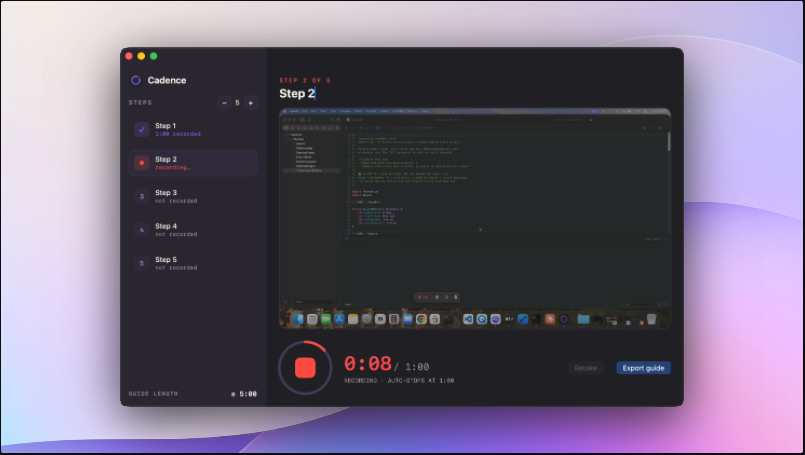
Cadence is a streamlined productivity tool designed to help you stay focused and manage your tasks directly from your menu bar. Built for professionals and busy individuals, it provides quick access to your most important items without cluttering your workspace. With its intuitive design and seamless integration, Cadence helps you maintain momentum throughout the day and ensures your priorities are always just a click away.
02

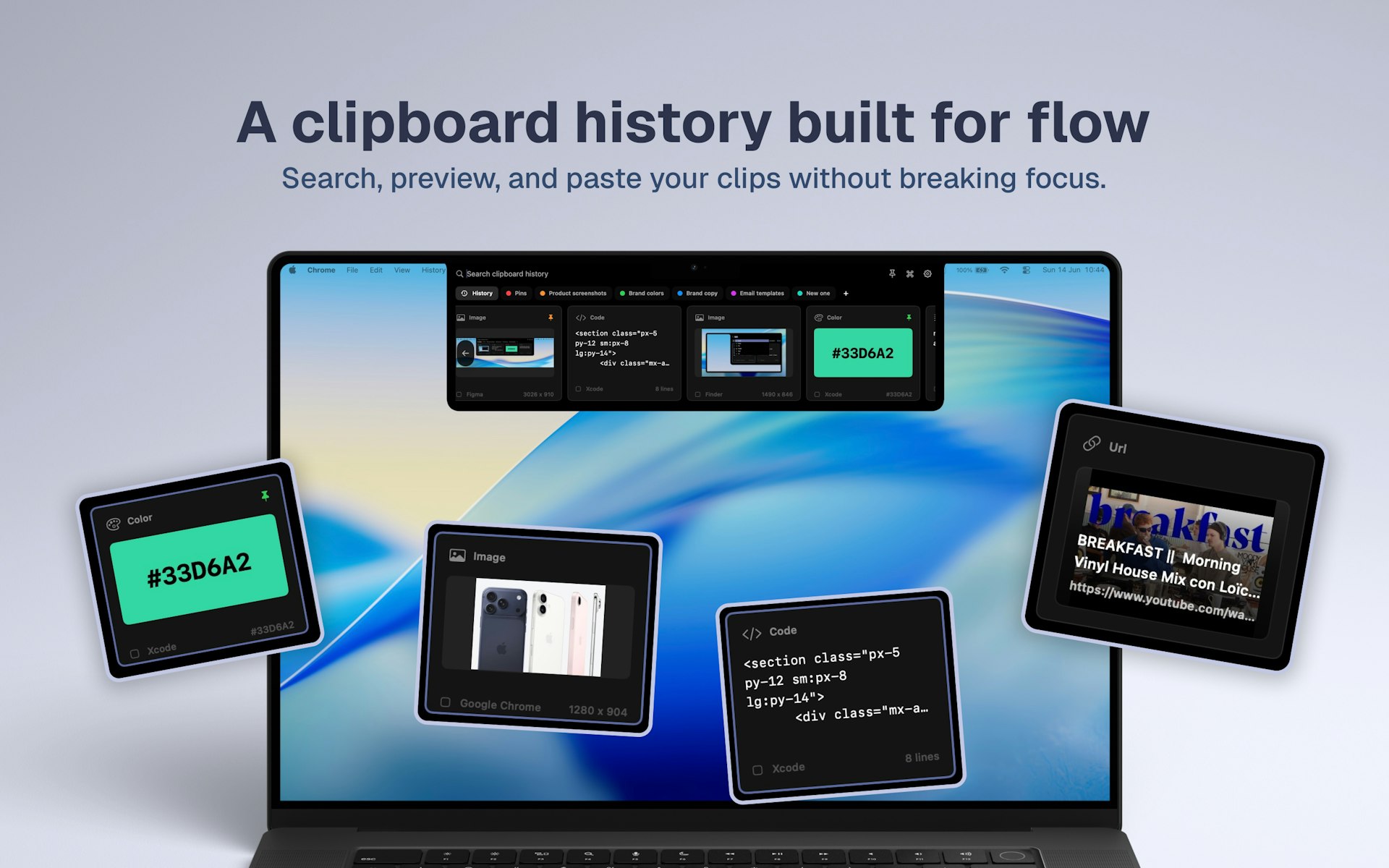
Cliptop is a fast, local first clipboard manager for Mac that helps you stay in the flow. You can open it from the notch or menu bar to search through recent copies, preview text, links, code, images, files, and colors. Save your most important items to Pinboards and paste them back instantly without ever losing your focus.
03

Narration Room is a professional-grade native Mac app for turning text into high-quality audio. It goes beyond basic text-to-speech by allowing you to create editable multi-voice scripts, cast voices, and adjust delivery on a visual timeline. With support for over 40 on-device voices, PDF or Markdown imports, and a dedicated dictation mode, it provides a powerful, offline-first environment for audio creators.
04

Presentify is a versatile macOS application designed to significantly enhance your presentations and video calls. It allows you to precisely annotate your screen, clearly highlight your cursor, spotlight important areas for emphasis, and zoom in for a closer, detailed look at specific content. This powerful tool works flawlessly with any presentation software you prefer, including Keynote, Google Slides, and Microsoft PowerPoint, as well as popular video calling applications such as Zoom, Microsoft Teams, and Google Meet, ensuring a smooth and engaging experience for your audience.
05

RadianceKit stands as the pioneering native macOS application for advanced 3D Gaussian Splatting, transforming your photos and videos into stunning photorealistic 3D reconstructions. Simply drop in your visual media of any object or scene, and RadianceKit intelligently aligns the camera positions, trains the intricate 3D model, and renders a high-fidelity output, all processed efficiently and locally on your Mac's GPU. This eliminates the need for complex Python environments, CUDA setups, or costly cloud computing resources. It offers a convenient Simple Mode for one-click results, specialized Scene-Class Presets for various environments like Render, Outdoor, and Indoor, alongside comprehensive Expert controls for fine-tuning. You can export your creations to six popular formats, generate captivating orbit videos, and easily share them via integrated web viewers. Optimized for M1 Macs and newer, RadianceKit is available for a one-time purchase of $7.99, with a generous 3-day trial period to explore its full capabilities.

07

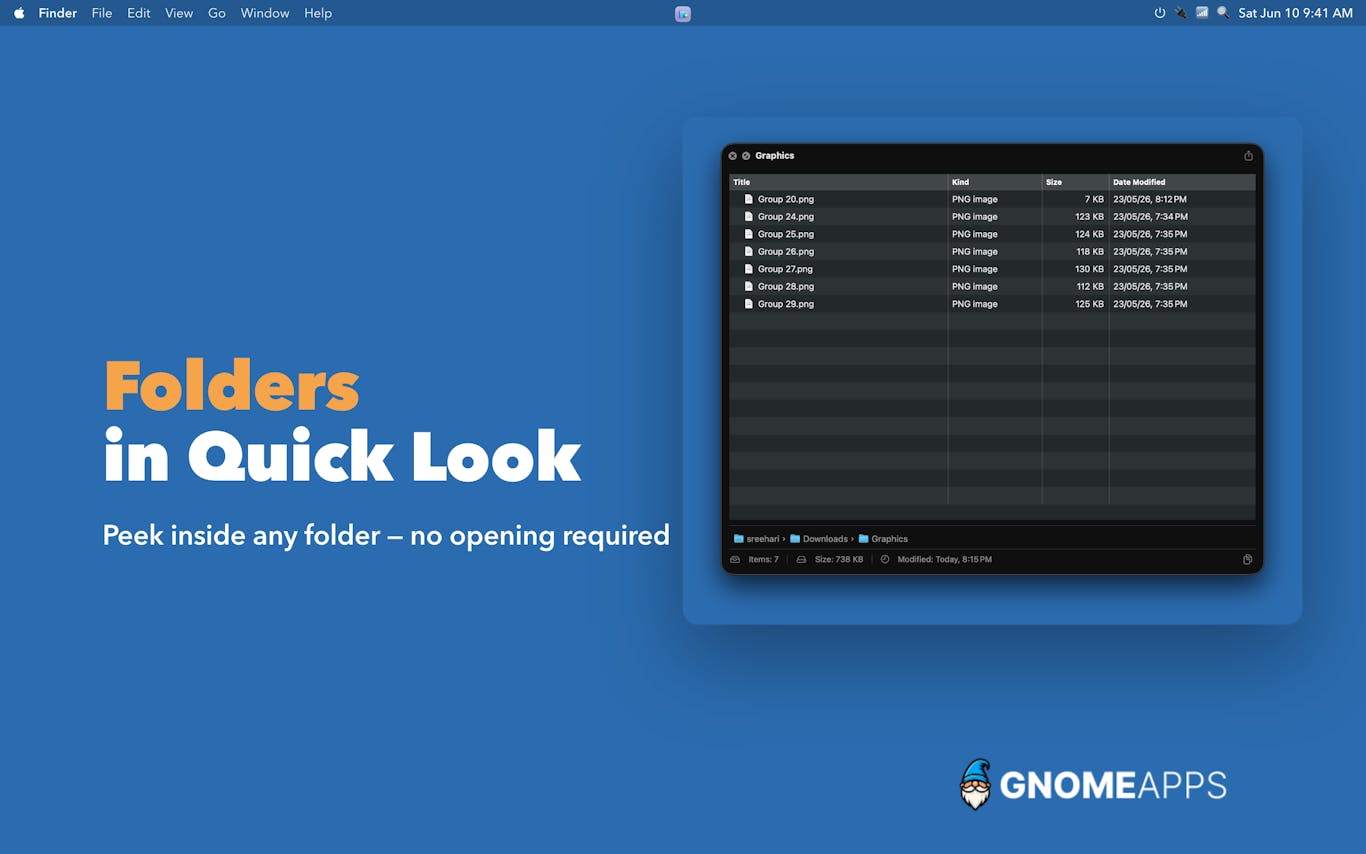
FolderPlus dramatically enhances your Mac's Quick Look functionality, delivering rich, instant previews for folders and compressed archives exactly as Quick Look was always intended to operate. This powerful utility supercharges your macOS experience, allowing you to simply press the Space bar on any folder or ZIP file to immediately view its contents. There's no need for tedious clicking, frustrating waiting, or time-consuming extraction processes. FolderPlus seamlessly integrates as the essential missing feature Quick Look should have always included, built natively for macOS and meticulously designed to blend effortlessly into your daily workflow, boosting your productivity and file management efficiency.
08

hora Calendar is a native Mac application for Google Calendar that streamlines your scheduling. View your upcoming meetings directly in your menu bar, join Zoom, Teams, or Meet sessions with a single click, and quickly schedule focus time. It syncs directly with Google without routing your private calendar data through third party servers, keeping your information secure and local.
09

Limelight makes your screen content easier to follow during presentations and recordings. It spotlights your cursor, displays your keystrokes, and allows you to draw directly on the screen so your audience never loses track of your actions. It works with Zoom, OBS, Keynote, and more. This is a native, offline tool that requires no account and no subscription. It costs just nine dollars for a lifetime license and includes a 7 day free trial.
10

Supaste is a local-first application designed for Mac users to manage their clipboard and screenshot history. It organizes all your copied text, links, images, files, code snippets, and screenshots into a clean, searchable timeline. It is a simple and effective way to keep track of everything you have captured throughout your workday.