
Best Mac products of the year 2026
Explore the most innovative and popular mac products that captured the community's attention during year. These rankings help builders compare standout launches, understand what each product does, and discover practical tools shaping the future of technology.
Period
Yearly ranking
Published for
2026
Selection
10 ranked products
Ranked list
Community-backed mac picks
Each product profile includes the launch story, visual preview, and direct product link so readers can move from discovery to evaluation quickly.
01

ClipMark is an essential, robust clipboard manager designed exclusively for macOS, ensuring you never lose copied content again. It diligently stores every item you copy, from links and code snippets to notes and images. Its innovative Quick Recall feature allows you to instantly browse your entire clipboard history with a simple shortcut: just hold, scroll, and release to paste your desired item. With ClipMark, you can instantly search, tag, and reuse anything you've copied in mere seconds, dramatically enhancing your productivity and streamlining your workflow by providing persistent access to your frequently used information.
02

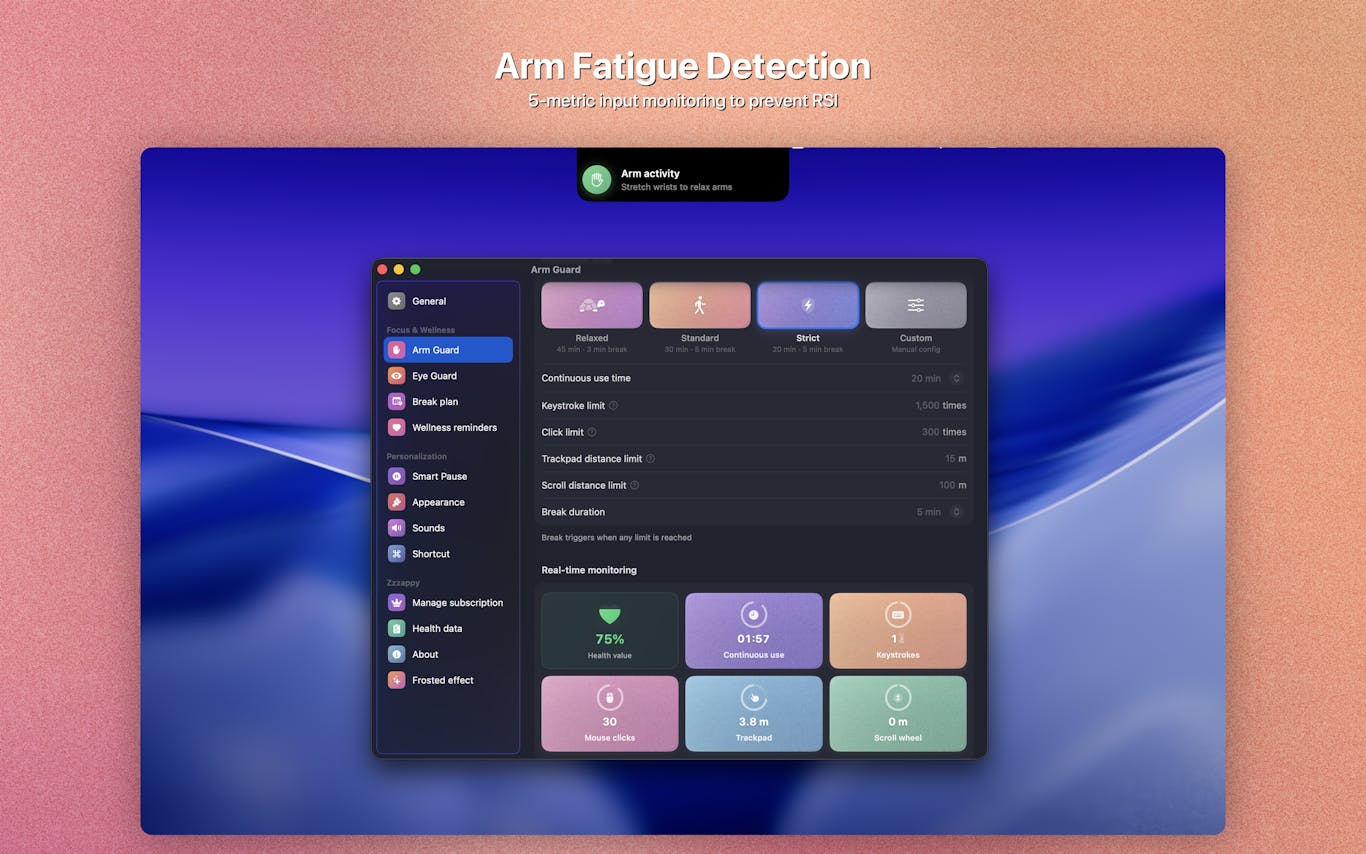
Zzzappy is an innovative native macOS health guardian application meticulously designed to safeguard your well-being by monitoring both screen time and arm input load. It scientifically schedules essential breaks to protect your vision and proactively prevent Repetitive Strain Injury (RSI). Key features include Eye Guard, which implements the proven 20-20-20 rule with customizable intervals and pre-break reminders, and Arm Guard, offering real-time monitoring across five input dimensions: keystrokes, mouse clicks, trackpad travel, scroll distance, and continuous use duration. Further enhancements like Smart Pause, Immersive Breaks, and a comprehensive Health Dashboard ensure a holistic approach to your digital health, all operating 100% offline for complete privacy.
03

Ditch is an exceptionally lightweight and efficient Mac application cleaner, ingeniously designed to reside discreetly within your MacBook's notch for instant accessibility. Simply drag any application to the notch, drop it, and Ditch will thoroughly remove it along with all associated leftover caches, logs, and preference files, ensuring a complete and clean uninstallation. This fast, safe, and fully open-source solution eliminates the need for bloated installers or complex menus, offering an effortless and streamlined Mac cleanup experience. Key features include deep cleanup capabilities for caches, preferences, logs, and containers, a convenient preview function before deletion, and the assurance that all removed items are safely moved to the Trash, providing a lightning-fast and secure way to maintain your Mac's performance.
04

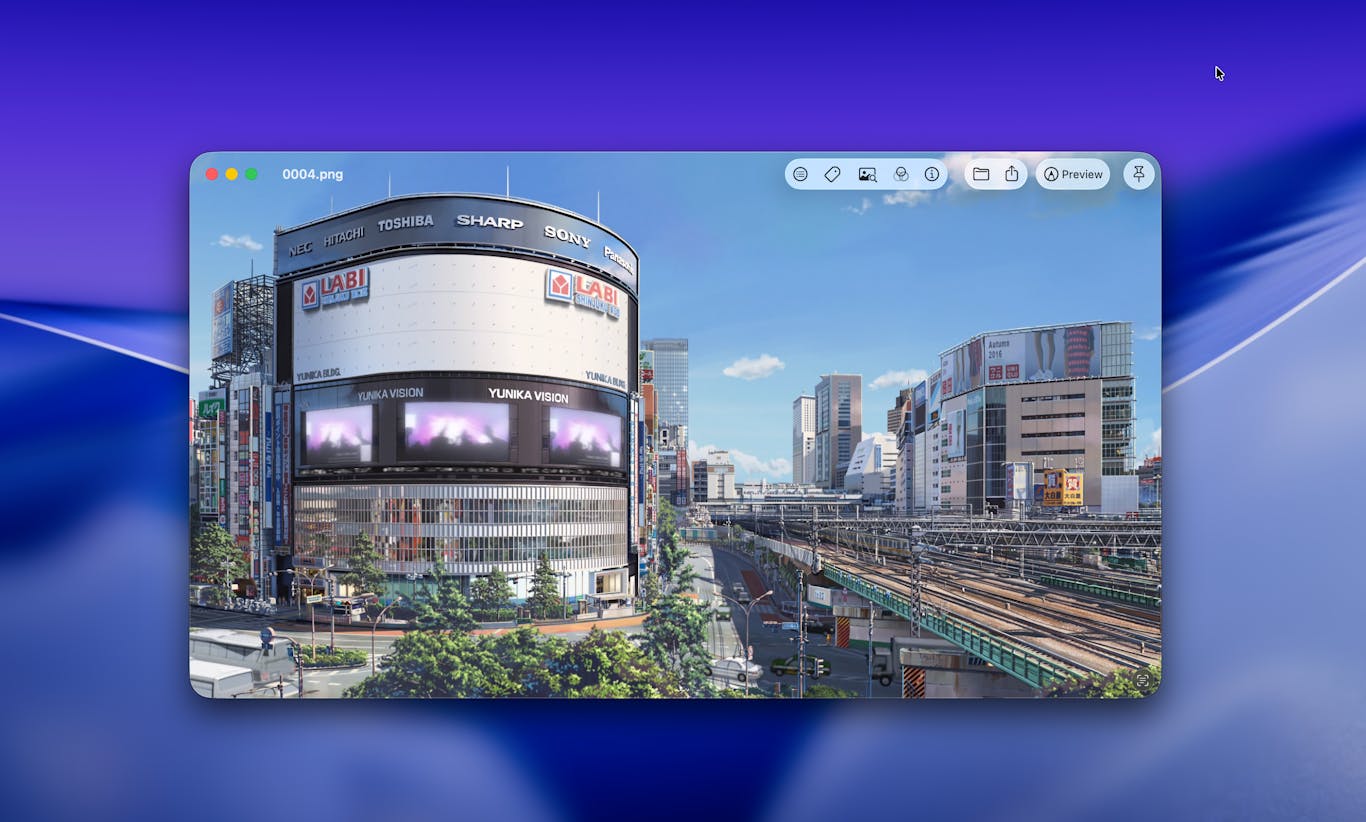
Vista is the ultimate native Mac image viewer, designed to overcome the limitations of existing solutions. Tired of Preview's inability to browse folders or Quick Look disappearing with a single click? Frustrated by resource-heavy Electron alternatives or cumbersome full editing suites? Vista offers a refreshingly simple and incredibly fast experience, focusing purely on displaying your images. Navigate effortlessly with just your arrow keys. While elegantly simple on the surface, Vista is obsessively refined beneath, incorporating every intuitive detail you'd expect from a native Mac application, alongside a few delightful surprises. Best of all, it's completely free.
05

Caret-5 is an intelligent autocomplete assistant for macOS that genuinely understands and adapts to your unique communication style. It seamlessly integrates across all your applications, learning your professional vocabulary, personal expressions, and even how you communicate with friends. Caret-5 provides highly personalized suggestions that truly sound like you, enhancing your writing speed and consistency. Simply press the Tab key, and let Caret-5 intelligently complete your thoughts, making your digital interactions more efficient and authentically yours.
06

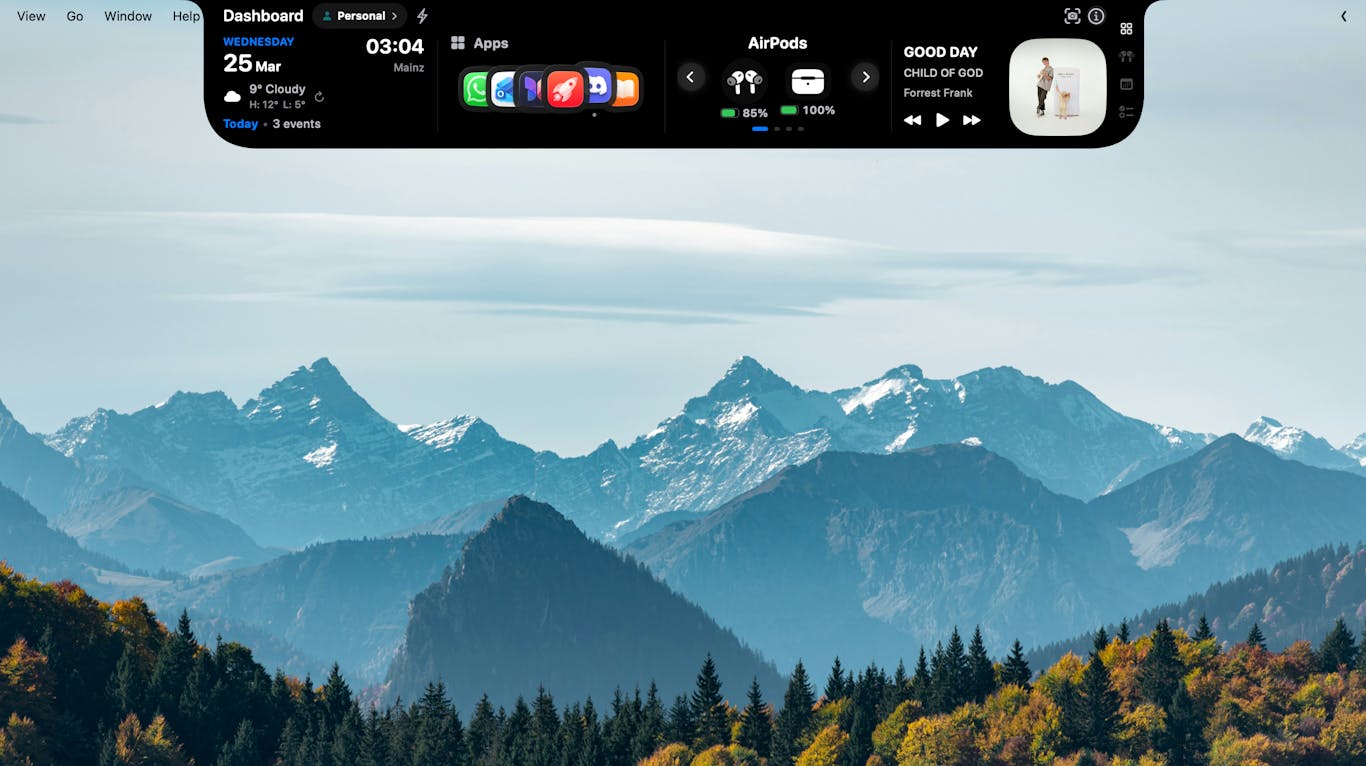
MacNotch ingeniously transforms your MacBook's display notch into a dynamic, modular dashboard, placing essential information and powerful tools directly within your line of sight. Access weather updates, music controls, calendar events, task lists, notes, a Pomodoro timer, Bluetooth device management, system performance monitoring, translation features, app shortcuts, reminders, and daily quotes, all at a glance. Furthermore, MacNotch introduces innovative drag-and-drop functionality, allowing you to intuitively AirDrop files, zip documents, convert formats, or send items to iCloud by simply interacting with the notch. Built natively with Swift, it offers a lightweight, fluid experience that feels perfectly integrated with macOS.
07

Keeby brings the satisfying tactile and auditory experience of a real mechanical keyboard directly to your MacBook. Each sound profile is meticulously recorded from actual mechanical switches, not synthesized, ensuring an authentic and immersive typing sensation. Choose from a diverse selection of 11 premium switch profiles, including popular options like Gateron Red, Holy Panda, Alps Blue, and Box Navy. Experience spatial audio that precisely places left key sounds in your left speaker and right key sounds in your right, enhancing realism. A reactive visualizer dynamically follows your typing in real time, while adjustable tone controls allow you to fine-tune the sound between a deep "thock" and a crisp "clack." Keeby runs conveniently from your menu bar, operates fully offline, and collects no user data, prioritizing your privacy and an unparalleled typing experience.
08

StatusStats provides crucial system performance metrics always visible directly in your Mac menu bar, giving you instant oversight of your machine's health. Monitor essential parameters such as CPU and GPU utilization, memory usage, thermal conditions, fan speeds, network activity, power consumption, storage availability, and battery status. A discreet, compact strip positioned near your display's notch offers an 'at-a-glance' summary, while a simple click expands it to reveal comprehensive, detailed metrics, empowering you with complete control and understanding of your Mac's operational state.
09

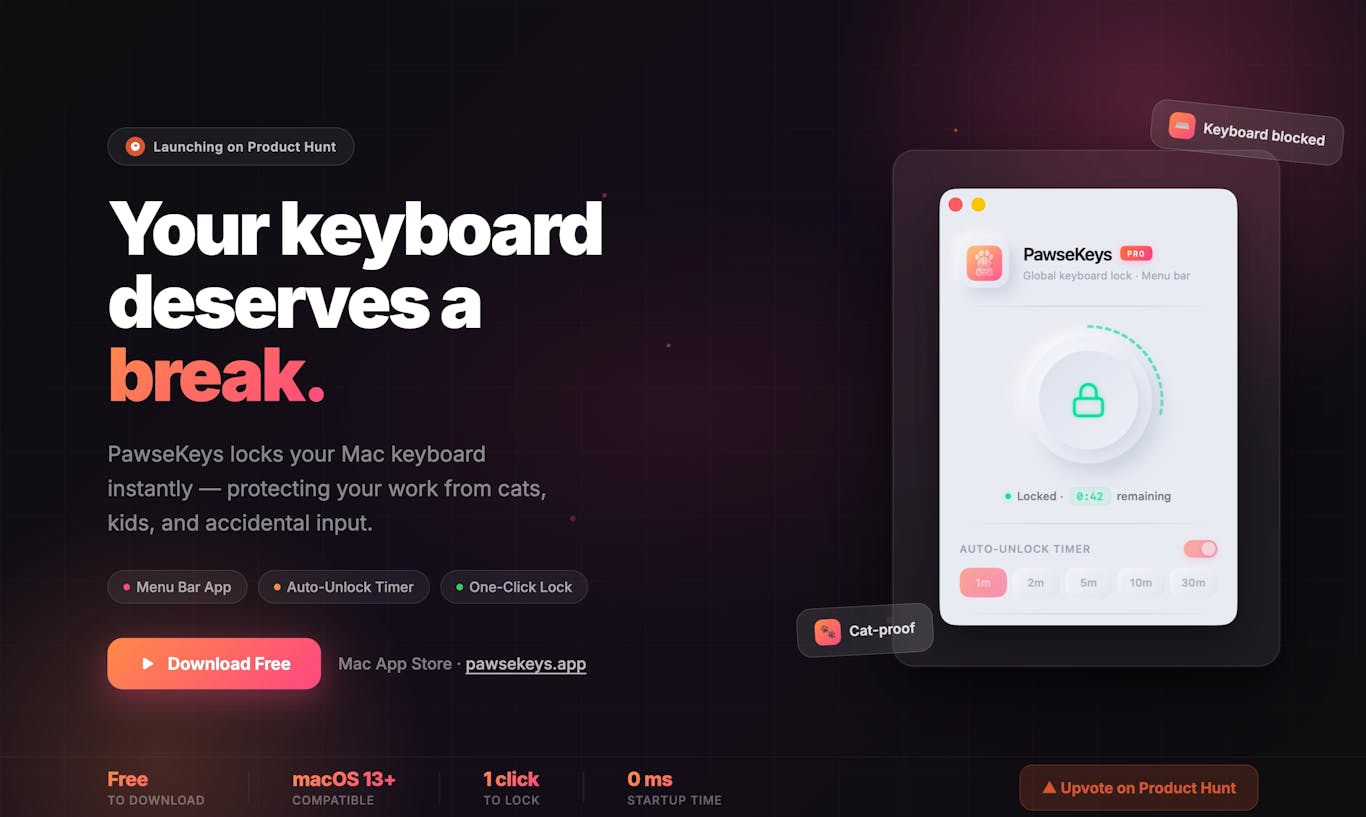
Home-office productivity can be unexpectedly interrupted by curious pets or playful toddlers 'assisting' with your typing. PawseKeys offers the ultimate shield for your Mac, safeguarding your work and maintaining focus. While it functions as a powerful standalone keyboard locker, we are thrilled to introduce a world-first feature: remote control directly from your Apple Watch. The dedicated Watch companion app, currently in final review, will be released as a free update this week, allowing you to effortlessly lock or unlock your Mac keyboard right from your wrist. This is perfect for quick breaks away from your desk, cleaning your setup, or ensuring uninterrupted work, providing unparalleled convenience and peace of mind.
10

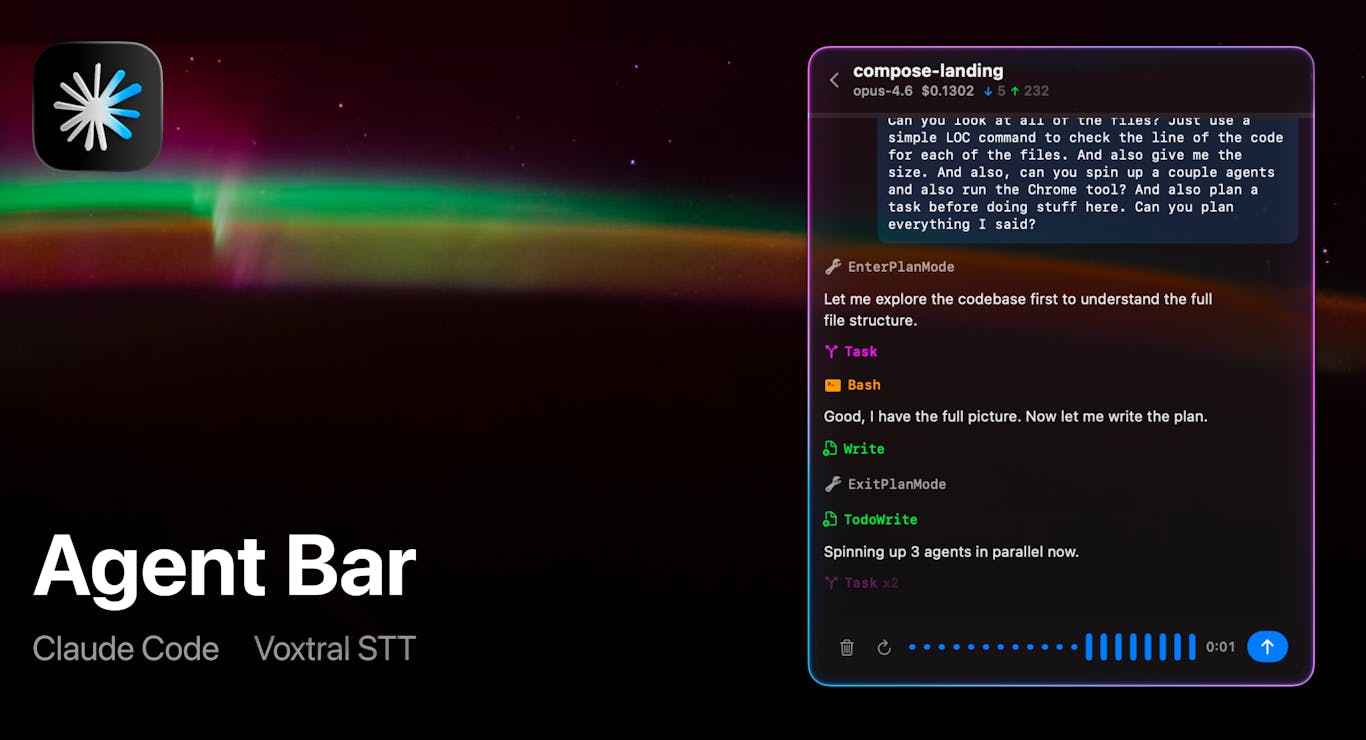
Agent Bar seamlessly integrates into your macOS menu bar, providing a native Graphical User Interface (GUI) for Claude Code. Effortlessly select a project, interact with the AI using your voice, observe tool calls streaming in real-time, and either manually approve or set up auto-approval for actions. Plus, you can accurately track token costs, all from the convenience of your desktop environment without needing to switch applications.