

ArkWarden
An encrypted vault for private photos, videos, documents and audio on iPhone. No account, no server. Draw a pattern to open it, and add Face ID or a YubiKey as a second factor.
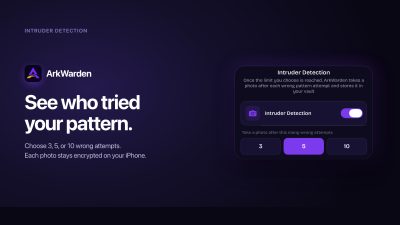
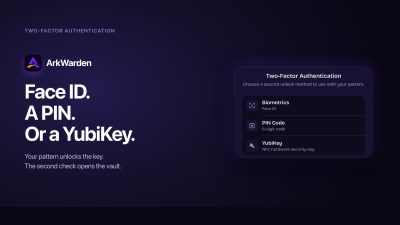
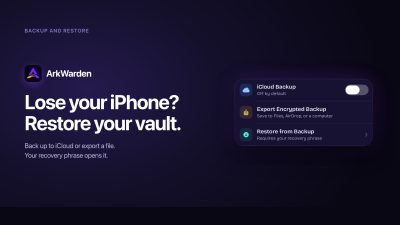
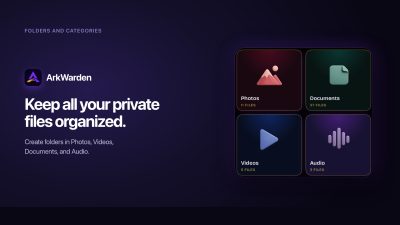
ArkWarden is a vault app for iPhone that keeps your private photos, videos, documents and audio recordings encrypted on your device. It has its own unlock, separate from your iPhone passcode, so a person who can open your phone still cannot open your vault. Why a separate vault Most private files on an iPhone sit in the Photos or Files app. Those apps open with the same Face ID or passcode as the phone itself. If someone knows your passcode, or you hand them your phone while it is unlocked, they can see everything there. ArkWarden moves those files behind a second lock that only you can open. What you can keep in it Photos, videos, documents and audio each have their own category. Import from your photo library or the Files app, or take photos and record video with the camera inside ArkWarden, so new shots go straight into the vault and never appear in your camera roll. Create as many folders as you need and import files directly into the folder you choose. How the encryption works Every file is encrypted on its own with AES-256-GCM, using Apple's cryptography framework. The vault's index, which holds the category names, file titles and ordering, is encrypted separately with ChaCha20-Poly1305. All of this happens on your iPhone, with a random 256-bit master key created on the device. ArkWarden never receives that key. When you lock the app, the unlocked master key is cleared from memory. How the vault opens You draw a pattern on a 5x5 grid. The pattern goes through PBKDF2 with 600,000 iterations and a salt unique to your vault, and is then combined with a key held in your iPhone's Secure Enclave, the security chip built into every supported iPhone. Together they unlock the master key. Your pattern is never stored. Because the Secure Enclave key cannot be copied off the device, copied vault data on its own cannot complete a pattern unlock on another phone. Two-factor authentication You can add a second factor after the pattern: Face ID, Touch ID, a 6-digit PIN that is separate from your iPhone passcode, or a YubiKey over NFC. ArkWarden passed Yubico's technical review and is listed in the Works with YubiKey catalog. You can register two YubiKeys, so a spare still works if one is lost. Wing, a second vault An optional second pattern opens Wing, a separate vault with its own files, folders and appearance. It is useful for keeping a different set of files for times when someone else is looking through your phone. Intruder Detection When Intruder Detection is on, ArkWarden takes an encrypted front-camera photo after 3, 5 or 10 wrong attempts, so you can see who tried to open your vault. It is off by default. Backup and recovery Backup is optional and off by default. When you turn it on, your vault is encrypted on your iPhone before it is saved to your own iCloud or exported as a file. During setup you receive a 12 or 24 word recovery phrase, shown once and kept only by you. It restores access if you forget your pattern, and together with a backup it moves your vault to a new iPhone. Privacy There is no account, no sign-up and no email address. ArkWarden runs no server and never receives the key that opens your files. There are no ads. Open source encryption The encryption code is open source on GitHub, so anyone can check how files are encrypted, how the master key is protected and how recovery works. Availability ArkWarden is available on the App Store for iPhone, as a lifetime purchase or an annual subscription.





Launch Team / Built with
Launch Date:
October 18, 2026