
Best Design Tools products of the week November 2, 2026
Explore the most innovative and popular design tools products that captured the community's attention during week. These rankings help builders compare standout launches, understand what each product does, and discover practical tools shaping the future of technology.
Period
Weekly ranking
Published for
November 2, 2026
Selection
10 ranked products
Ranked list
Community-backed design tools picks
Each product profile includes the launch story, visual preview, and direct product link so readers can move from discovery to evaluation quickly.
01
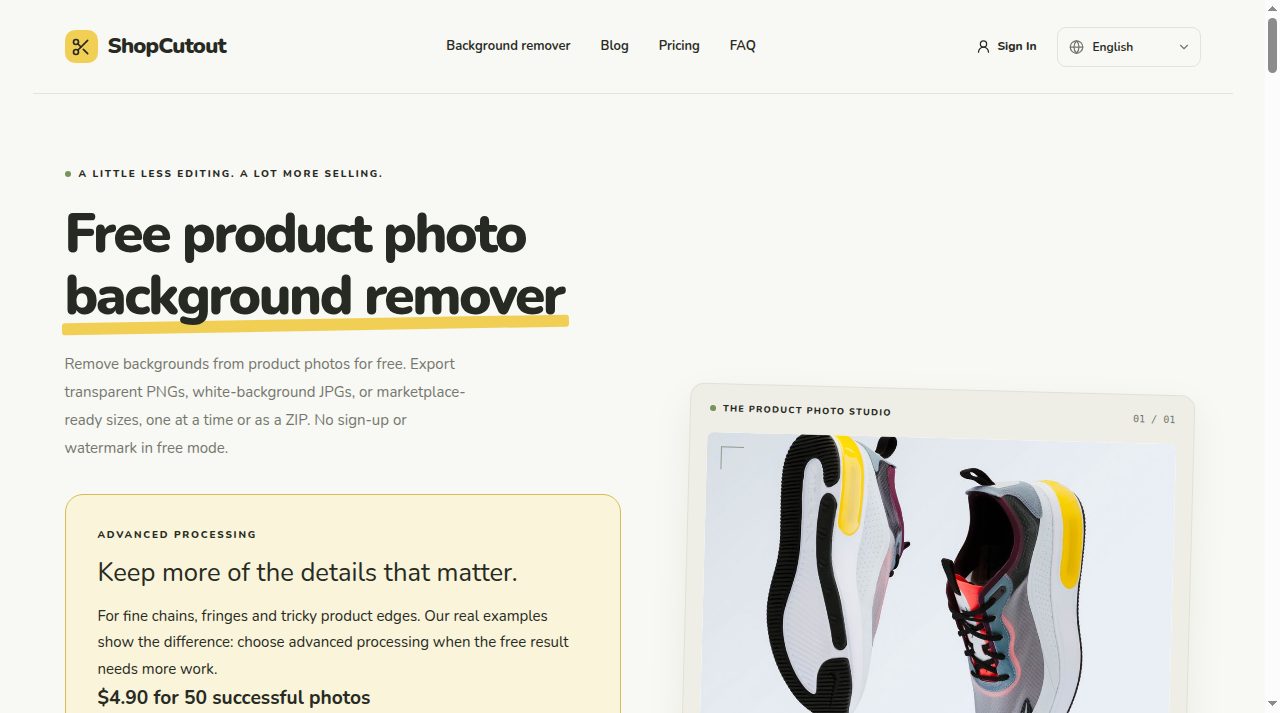
ShopCutout is a free product photo background remover that runs in your browser. It lets sellers cut out a product from a photo and place it on a transparent, white or custom-color canvas. You can start with one image or a batch of up to 20 JPG, PNG or WebP files, then export transparent PNGs or white-background JPGs. Free local mode needs no sign-up and adds no watermark. The workspace includes Amazon, Etsy and Shopify canvas presets, plus an original-size export capped at 4096 px. The main benefit is a faster first pass for product listings: drop a photo, remove the background, pick a size, then download a single image or a ZIP batch. No design skills are needed. Free mode is best for simple product photos; fine edges, glass and reflections can be missed. Advanced processing is optional for fine chains, fringes and tricky product edges when the free result needs more work.
02

Making hardware used to take weeks: learning CAD, sourcing compatible parts, and writing firmware. With Confetti, it starts with a conversation. You can create and edit designs, find the right components, and order printed parts straight to your doorstep. Start from scratch or remix a community project to make it your own. Confetti handles the setup and production details, so you can focus on the idea and get to a physical prototype faster.
03
AI Tools Directory is a comprehensive, editor-reviewed catalog designed to help you find the perfect AI solution for any task. We feature over 450 verified tools across categories like writing, design, video, and development. Every listing is hand-curated to ensure quality and safety, providing you with a reliable space to explore and compare the latest artificial intelligence innovations without the noise.
04
QR Code Generator is a simple and efficient tool designed to help you create custom QR codes for any purpose. Whether you need to direct users to your website, share contact information, or improve your marketing campaigns, this tool makes the process quick and easy. It is perfect for businesses, marketers, and individuals looking to bridge the gap between physical and digital content.
05


Creators juggle separate subscriptions for image, video and audio AI. Snap AI Studio puts 41 models on one credit pool instead: Veo 3.1, Kling 3.0, Sora 2 Pro, Nano Banana Pro, GPT Image 2, FLUX.2, Seedream and more. Type an idea or add a selfie, pick a model, and see the price before you spend. 85 ready tools handle AI photoshoots, headshots, kiss and hug videos, text and image to video, upscaling, logos and audio. Failed generations are refunded automatically. New accounts get 50 free credits; paid plans start at $9 a month with every model and commercial use included.
07


AI Icon Creator is a web app for making app icons. You type what the icon should show, pick one of 14 styles (from flat graphic shapes to clay 3D, frosted glass, metal and cartoon characters), and it generates a square icon. You can also start from your own picture, and fix one part of an icon without starting over. Each style has its own settings, like preset colours or a custom HEX code. Before downloading, check the icon at 64, 32 and 29 px on light and dark backgrounds. Downloads include a full-size PNG and a ZIP with the sizes iOS, Android and web favicons need. New accounts get 30 free credits to try it.
08
Zero Kit AI is an AI image and video studio where you don't have to write prompts. Pick one of 500+ ready-made styles and drop a photo, or type one line, and get finished work in seconds. ## What you can make - **Photoshoots from a selfie**: wedding, couple, baby milestone, maternity, graduation and professional headshots. - **Design work**: logos, posters, social media graphics and product shots for e-commerce. - **Short video clips**: turn a still image into motion, or generate a clip from a text prompt. ## Top models in one editor GPT Image, Nano Banana, Seedream, Seedance, Veo, Kling, Grok Imagine and MiniMax share one editor, so you can compare models on the same idea without juggling accounts and subscriptions. Each style already knows which model and settings work best, and you can still switch models yourself. ## Photo tools Restore old or damaged photos, remove unwanted objects, upscale low-resolution images, outpaint to a new aspect ratio, restyle a picture, and animate a photo into a short video. ## AI Agent For multi-step jobs, the Agent plans the work for you: describe a brand and it can produce a full brand kit, or turn a script into a storyboard. ## Pricing Free credits when you sign up, no card required. Paid plans start at $20/month (Plus), with Pro at $40 and Ultra at $80 for more credits and models.
09

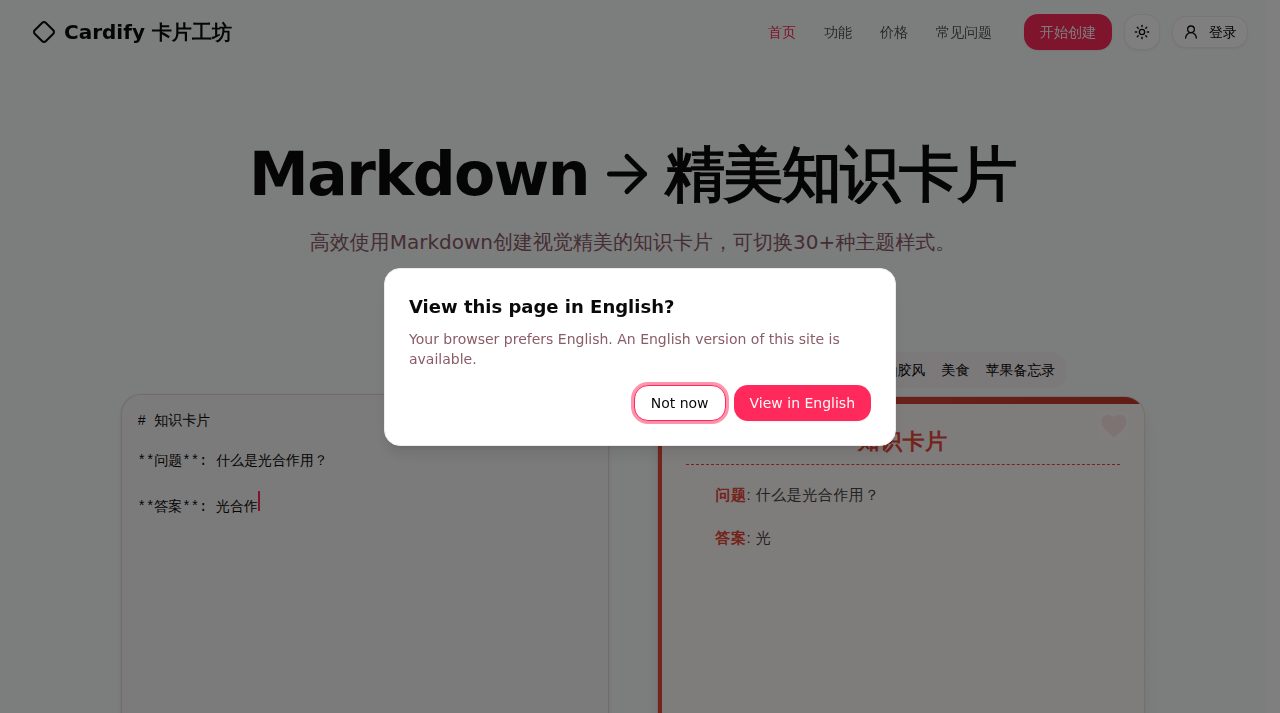
Cardify turns Markdown into beautiful knowledge cards. Type or paste on the left and the card previews live on the right, with full Markdown support, image upload and 2000+ emoji. Choose from 30+ themes rendered side by side, adjust card size and fonts, then export as PNG, SVG or PDF - one card at a time or in batch.
10

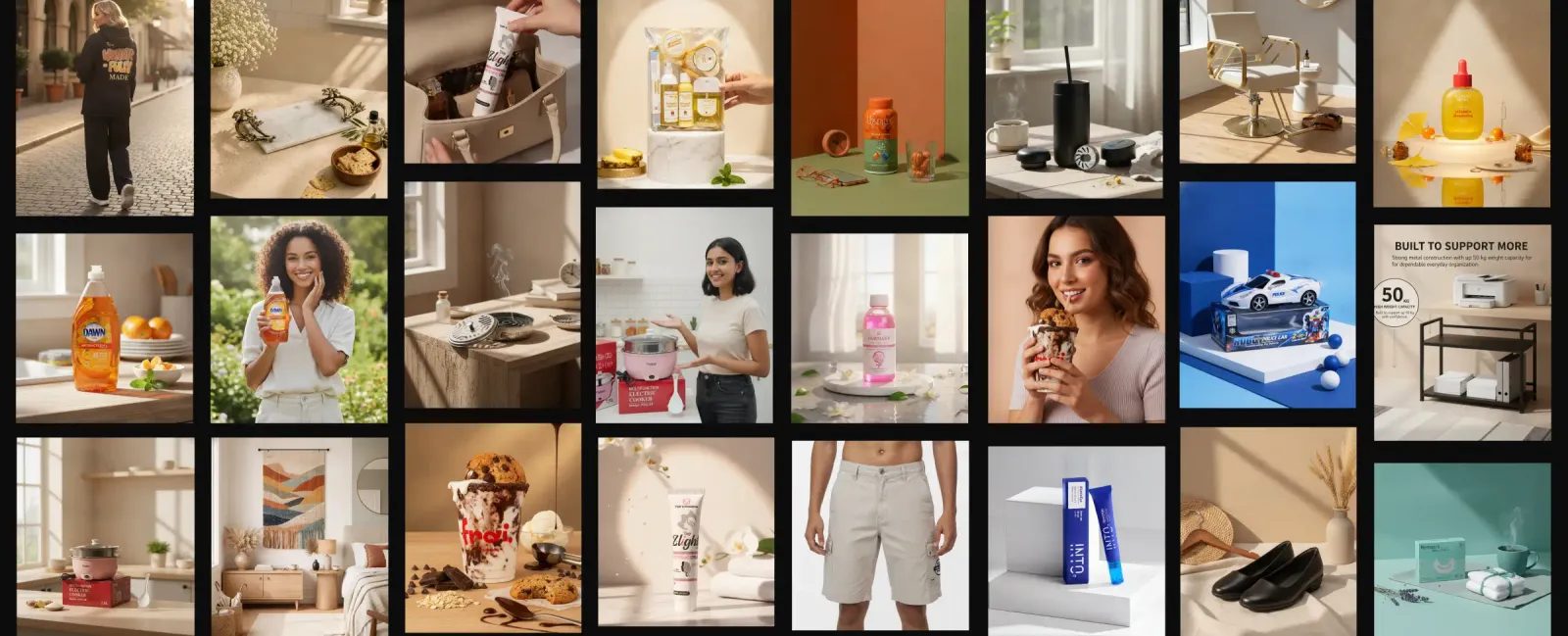
Shotova turns one product photo into a full set of store visuals: AI product photos, AI fashion models, product videos, ghost mannequin shots, product angles, and social media creatives. It can also write product titles and descriptions. Built for ecommerce sellers on Shopify, WooCommerce, Etsy and similar platforms. Free plan with 10 credits a month, no card needed. Paid plans start at $9 a month.