

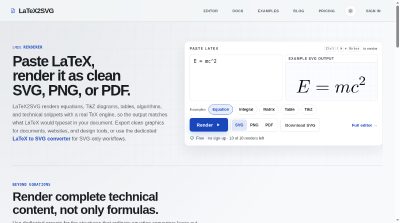
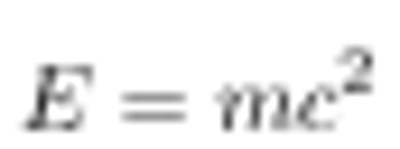
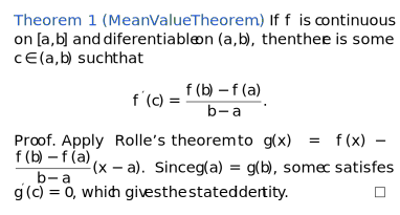
LaTeX2SVG is an online LaTeX renderer. Paste LaTeX and get it compiled with a real TeX engine, then exported as clean SVG, PNG, or PDF. It handles equations, TikZ diagrams, tables, algorithms, and technical text with theorem and proof environments, not just single formulas.

Launch Team / Built with

Overview
LaTeX2SVG is a web tool for turning LaTeX into graphics. You paste a snippet, an equation, a tikzpicture, a tabular block, and it gets wrapped in a minimal standalone document, compiled by a full TeX engine on the server, and converted to SVG with dvisvgm plus a transparent PNG and a PDF.
The pitch is that the output matches what LaTeX would actually typeset in your document, since it is a real TeX compile rather than a browser approximation. There are dedicated presets for tables, TikZ diagrams, technical text, and algorithms, covering the structures ordinary equation converters leave out.
Features
- LaTeX rendering: Paste LaTeX and render it as clean SVG, PNG, or PDF, with Ctrl / ⌘ + Enter to render.
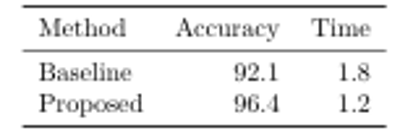
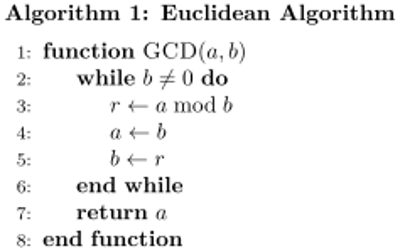
- Presets beyond equations: Dedicated presets for tabular environments, tikzpicture diagrams, technical text with theorem and proof blocks, and algorithm pseudocode. You can add extra TikZ libraries with usetikzlibrary in the full editor.
- All three output formats: Every render produces SVG, PNG, and PDF, so you can switch without compiling again. A typical equation as SVG weighs 5 to 12 KB, and PNG is rendered at 300 dpi with a transparent background so it sits cleanly on light or dark slides.
- Real TeX compile, sandboxed: Snippets are wrapped in a minimal standalone document with the packages the preset needs, plus any packages or macros you add in the full editor. Shell escape and file-access commands are rejected before compilation.
- Error output: If compilation fails, you see the LaTeX error and the line it points to instead of a blank image.
Pricing
Every plan includes the same rendering features, only the billing period and effective monthly price change. Access turns on automatically after payment, subscriptions renew until you cancel, and you can cancel any time from your account page. Checkout is handled through Stripe.
Who It's For
The exported files are meant for documents, websites, and design tools. SVG works for websites, documentation, slides, and design tools such as Figma, and it stays sharp at any zoom level because it is a vector file. PNG is there for destinations that cannot read SVG, like chat apps, learning management systems, older word processors, and some email clients. PDF keeps the vector paths and the exact page size of the rendered content, so you can place it in another LaTeX or print document or open it in a vector editor such as Illustrator. There is also a way to paste LaTeX, preview the result, and insert a clean vector directly into your Figma canvas, no screenshot cleanup needed.
Frequently Asked Questions
How does the rendering actually work?
The document is compiled by a full TeX engine on the server, so spacing, fonts, and packages behave as they do in Overleaf or a local TeX install. Shell escape and file-access commands are rejected before compilation to keep every snippet sandboxed.
What happens after the PDF is compiled?
The compiled PDF is cropped to the content and converted to SVG with dvisvgm, and to a transparent PNG. If compilation fails, you see the LaTeX error and the line it points to instead of a blank image.
Is this related to the open-source latex2svg scripts?
No. LaTeX2SVG is a hosted rendering service and is not affiliated with the open-source command-line scripts and libraries that are also named latex2svg.
Do I need an account to use it?
The free editor works without signing up. An account is needed to manage subscription access and use the paid rendering features, and you have to log in before paying so the completed Stripe payment attaches to the right account.
Can I use my subscription on multiple devices?
Yes. Access follows your account, so you can log in on multiple devices with the same email and password.
What happens when I cancel?
Cancellation does not end access immediately. When cancellation is scheduled at the period end, rendering access stays active until that paid period ends. Refund requests are reviewed case by case.
Product Info
Launched November 21, 2026