
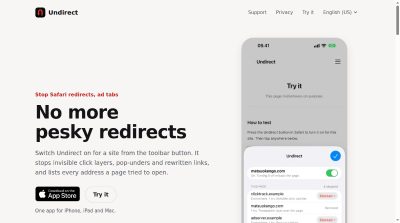
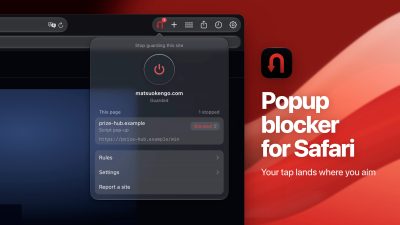
Switch Undirect on for a site from the toolbar button. It stops invisible click layers, pop-unders and rewritten links, and lists every address a page tried to open.
Launch Team / Built with

Overview
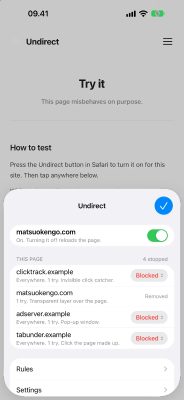
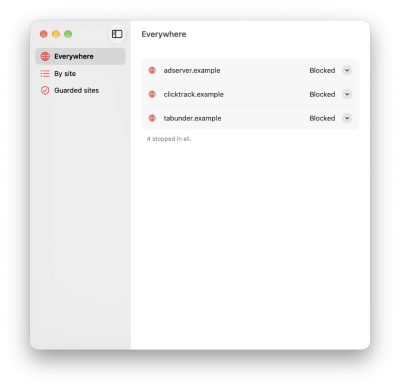
Undirect is a Safari extension for iPhone, iPad and Mac that stops redirects, ad tabs and pop-unders. You switch it on for a site from the toolbar button, and it stops invisible click layers, pop-unders and rewritten links while listing every address a page tried to open. Blocked destinations become content blocking rules, so the request never leaves your device.
It is built for the free streaming, sports, manga and novel sites where an ad tab opens on every tap. The guard is off everywhere until you press the button on a site, so nothing changes on pages you have not switched it on for.
Features
- An ad tab on every tap: Undirect sends your tap to what you pressed, and the ad tab never opens. It is made for the free streaming, sports, manga and novel sites where this happens on every page.
- New tabs that get past Safari's Block Pop-ups: Safari's switch stops a window that opens by itself. Ad scripts wait for your tap and open theirs at that moment, so Safari thinks you asked for it. Undirect looks at what was under your finger.
- Redirects your ad blocker misses: Ad blockers work from lists of ad addresses, and a redirect hides behind a link that looks normal. Keep your blocker: Undirect runs beside it and stops the redirect itself. It does not hide ads on the page, so many people run both.
- Fake iPhone at risk pages: That page comes from the website, and your iPhone is fine. Undirect stops it when your tap set it off, and from version 1.0.5 it also stops a page that sends you there on its own, as it loads, on a timer or while you scroll.
- Back taking you to the ad again: When Undirect stops a tab, you stay on the page you were reading. From version 1.0.5, a page that answers Back with another site stays put, and the copies a page stacks up to trap Back are cut to one.
Pricing
Change rules from the extension button in Safari on iPhone and iPad; the list in the app is read only there.
Who It's For
Anyone who reads manga or novels, streams sports or films, or downloads files on sites that open an ad tab on every tap. Also useful if you already run an ad blocker and still get redirects, or if you keep landing on fake virus warning pages.
Founders
Built by Kenneth Fang, who also answers the support mail at [email protected].
Frequently Asked Questions
How does Undirect work?
Pop networks lay a transparent layer over the page and take the next press. They build a link and click it themselves. They rewrite the link under your finger between the press and the release. They open a blank tab and rewrite the address of the one you were reading. Undirect watches for those shapes and undoes them. The invisible layer goes before your press lands, so the click reaches what you aimed at. A link rewritten mid-click is put back, and you arrive where you meant to. A new window opens only when a site asks for one at a size, the way a sign-in does.
Is it private?
No account, no analytics, no server. The list of destinations lives in your browser, and the app reads it through a container on the same machine. Nothing leaves the device unless you press Report, which opens a prefilled issue you send yourself. The extension reads the shape of the page, like the element under the pointer and where a link points, and none of that is stored or sent. There are no third-party libraries, no crash reporting and no advertising code.
What are the requirements?
Undirect is a Safari extension. Open the app once, switch it on in Safari's extension settings, then press its toolbar button on each site you want guarded. The guard is off everywhere until you do.
How much does it cost?
It is a one-time purchase, not a subscription, and it works on your iPhone, iPad and Mac.
Do I still need an ad blocker?
Yes, if you want ads on the page hidden. Undirect does not hide ads. It stops the tabs and redirects that ad blockers miss, and the two run side by side.
Can I try it before buying?
There are five fictional demo sites that misbehave on purpose, plus one that behaves. Open them in Safari with Undirect switched on and watch what it stops. Each one can only reach a stand-in destination page that does nothing.
Product Info
Launched November 21, 2026