
ClearBar
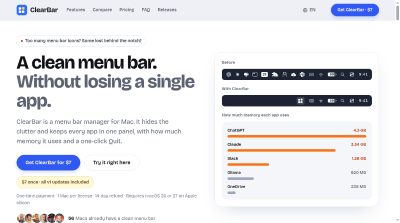
ClearBar is a menu bar manager for Mac that hides third-party icons, keeps every app one click away, and shows how much memory each one uses.
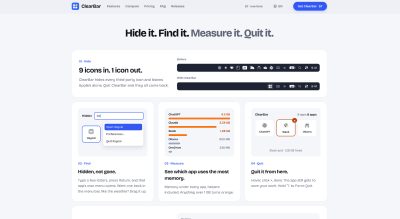
ClearBar is a menu bar manager for Mac. It hides third-party menu bar icons, even ones sitting behind the notch, and puts every app in a single panel so nothing gets lost. Apple's own items, like Wi-Fi, Control Center and the clock, stay where they are. Quit ClearBar and every icon it hid comes back. It runs on macOS 26 and 27 on Apple silicon, and it never asks for Screen Recording access. From that panel you can see how much memory each app uses, helpers included, with anything over 1 GB turning orange. Click an app to open its own menu, or hit the × to quit it, and the app still gets to save your work. Hold ⌥ to Force Quit. If you run Docker, ClearBar lists every container with its image and memory, heaviest first, and stops one with a click. It works with Docker Desktop, OrbStack and Colima. You can also record your own keyboard shortcut to show or hide icons from any app. It's $7 once, with all v1 updates included, one Mac per license and a 14-day refund.


Launch Team / Built with


Overview
It hides third-party menu bar icons and keeps every app in one panel, with how much memory it uses and a one-click Quit.
The problem it goes after is a menu bar that fills up. Icons pile in from chat apps, cloud drives, AI tools and utilities, and on a Mac with a notch some of them simply disappear. ClearBar pulls them into one panel where you can still reach them, tells you what each one costs in memory, and lets you shut it down from the same place. Drag an app up to keep its real icon in the menu bar for live status, like the weather or a running backup, and drag it back down to hide it again.
Features
- Hide menu bar icons: ClearBar hides every third-party icon and leaves Apple's alone. Quit ClearBar and they all come back.
- Memory use per app: Memory shows under every app, helpers included, and anything over 1 GB turns orange.
- Quit from the panel: Hover, click ×, done. The app still gets to save your work, and holding ⌥ gives you Force Quit.
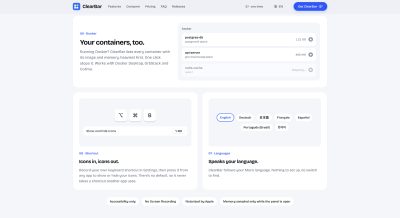
- Docker containers: Every container is listed with its image and memory, heaviest first, and one click stops it. Works with Docker Desktop, OrbStack and Colima.
- Your own shortcut: Record a keyboard shortcut in Settings and press it from any app to show or hide your icons. There's no default, so it never takes a shortcut another app uses.
Pricing
One price in every country, tax included, and no subscription. Each license covers 1 Mac, with free transfer to a new Mac. There's a 14-day full refund, and your license key appears right after you pay and arrives by email too.
Who It's For
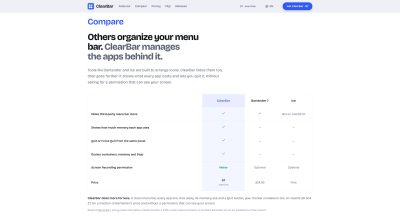
ClearBar is for people on a Mac with Apple silicon running macOS 26 Tahoe or macOS 27, whose menu bar has filled up with icons. That includes folks switching from Bartender or Ice, and anyone who wants a clean menu bar without handing over Screen Recording access. Developers running Docker containers get a list of them with memory and a Stop button. Early buyers include an indie iOS developer, a professor and long-time menu bar app users.
Funding
ClearBar is bootstrapped.
Founders
ClearBar is built by Vishrut, a solo developer.
Frequently Asked Questions
How do I get my license key after I pay?
It appears right after you pay, and it arrives by email too. Checkout is handled by Dodo Payments.
Is there a free trial?
There is a 14-day full refund instead, and the license is deactivated when your refund is processed.
Can I change how my menu bar looks with ClearBar?
No. It doesn't let you customize the appearance of your menu bar. It shows and hides menu bar icons and shows how much memory each app is using.
Which Macs does ClearBar work on?
It supports macOS 26 Tahoe and macOS 27 only, on a Mac with Apple silicon (M1 or newer). Intel Macs and macOS 15 or earlier aren't supported.
Does ClearBar need Screen Recording permission?
No. It only asks for Accessibility access, which it needs to find and press menu bar items. It never asks for Screen Recording and never takes screenshots.
What happens to my apps when I quit ClearBar?
Every icon hidden by ClearBar comes back. Apps keep running unless you explicitly quit them. Icons you switched off yourself in System Settings keep their Apple settings.
Product Info
Launched November 18, 2026