

Upload an image, guide camera motion, and generate image-to-video AI clips for social posts, ads, product pages, or creative tests with Image to Video 2.0.

Launch Team / Built with
Overview
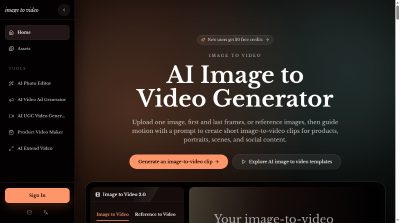
Image to Video 2.0 accepts a first frame, an optional last frame, or reference images. A prompt is required. It can describe camera motion, subject movement, and atmosphere.
The generator has Image to Video and Reference to Video tabs. It uses the Image to Video 2.0 model. Generation modes are Lite, Fast, and Quality.
Features
- Image to video prompts: Prompts can describe motion, mood, camera direction, or a scene.
- Motion, prompts, and structure: Plain-language direction can set pacing, lighting, camera movement, and scene behavior.
- Clean HD exports: Clean HD exports for publishing, pitching, testing, and editing, without a watermark.
- Keep the first frame intact: The source image composition stays intact while motion, depth, light changes, and camera movement are added.
- Formats for every feed: Horizontal, vertical, and square versions for Reels, Shorts, and campaign landing pages.
Pricing
The image to video Flash Sale is a limited-time 50% off, and the current launch pricing is already reflected in every plan. Higher plans include more credits at a lower effective rate. Video counts are estimated with Image to Video 2.0 Lite at 720p. Image to Video 2.0 Lite starts at 30 credits for 720p. Choose Lite, Fast, or Quality before generating, and the current workflow generates 720p clips. Credits are deducted per completed video and refunded automatically if generation fails. Billing is
Who It's For
Who Image to Video 2.0 is for Image to Video 2.0 is built for anyone who wants to turn still images into short video clips. That covers product photos, portraits, artwork, travel shots, and campaign stills. You upload one image, a first and last frame, or reference images, then guide the motion with a prompt. The workflow fits product pages, ads, social content, and storytelling. Storefronts and social posts can use it for subtle camera drift, clean lighting, and a first-frame composition that keeps the item recognizable.
Frequently Asked Questions
How much do the generation modes cost?
A Lite generation costs 30 credits, Fast costs 60, and Quality costs 250 at 720p. Lite and Fast accept text, image, and reference input, while Quality takes text and image.
Do failed generations consume credits?
Yes. Credits are deducted per completed video and refunded automatically if generation fails.
What resolution do the clips come out at?
You can generate clips at 720p. The homepage workflow currently produces 720p video.
How long can the generated clips be?
The Lite preset shown on the homepage uses 8 seconds.
Can I buy credits without a subscription?
Yes. The billing options are Yearly Save 50%, Monthly, and Credit Packs, and you can cancel anytime. The Trial Pack is $4.99 for 90 credits and the Mini Pack is $9.99 for 200 credits. Pack credits never expire.
Product Info
Launched November 28, 2026