

OmniHuman 2.0 turns one photo and any voice into a talking or singing video. It supports gestures, camera moves, multi-person scenes, and videos up to 5 minutes.
Launch Team / Built with

Overview
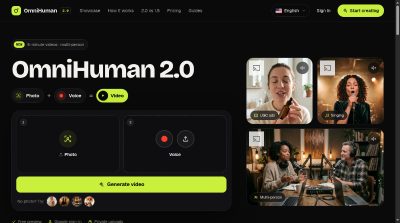
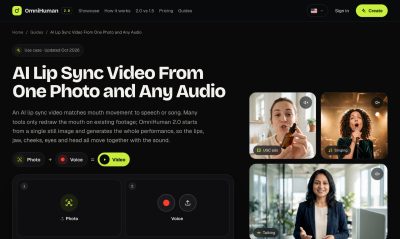
OmniHuman 2.0 is a talking AI video tool. You add a photo and a voice, then generate a video. The page says it can make lifelike talking or singing videos with gestures, camera moves, and multi-person scenes.
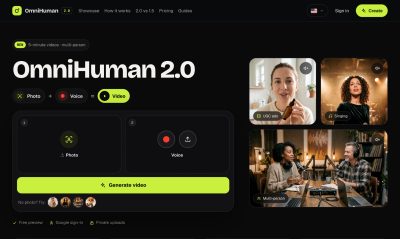
The hero shows a simple flow: 1 Photo, 2 Voice, Generate video. There is a free preview, Google sign-in, and private uploads. You can also try sample thumbnails if you do not have a photo.
Features
- Photo + voice to video: Add one photo and one voice to generate a talking or singing video.
- Multi-person scenes: The page lists multi-person scenes and shows a two-host podcast and a studio duet as examples.
Pricing
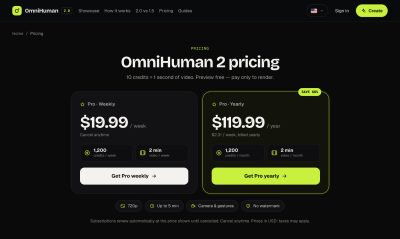
10 credits = 1 second of video. Renews automatically until cancelled. Cancel anytime. Unused credits reset each period.
Who It's For
People who want to make talking or singing videos from a photo. The page shows use cases for UGC ads, spokespeople, singing, podcasts, talking photos, and characters.
Frequently Asked Questions
What is OmniHuman 2.0?
It is ByteDance’s latest audio-driven human video model. It turns one image and one audio clip into a realistic video with facial expression.
How is OmniHuman 2.0 different from OmniHuman 1.5?
2.0 gives you prompt control over body movement. 1.5 was limited to 30 seconds at 1080p or 60 seconds.
Is OmniHuman 2 free?
Rendering the final video uses credits.
What photos work best?
A sharp, well-lit image where faces are clearly visible. Portraits, half-body and full-body shots, group photos, illustrations and 3D characters all work.
Can I use the videos commercially?
Yes, provided you own the rights to the photo and audio you upload. They can be used in ads and client work.
Is this the official OmniHuman website?
No. It runs the OmniHuman 2 model through a licensed API provider.
Product Info
Launched November 3, 2026