

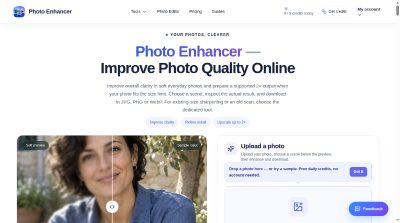
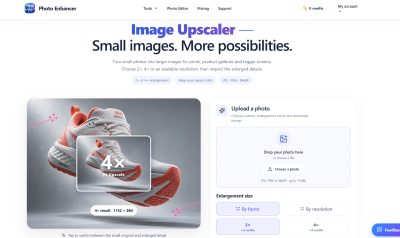
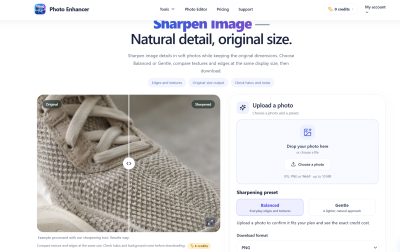
A free online photo enhancer that improves clarity in soft everyday photos, product shots and social images. Pick one of six scene modes (General, Portrait, Object, Landscape, Pet or Text), upload a JPG, PNG or WebP up to 10 MB, and get a supported 2x output when the doubled size fits your plan limit. You can compare the result against the original with a before-and-after slider, see the actual output dimensions before processing, and download in JPG, PNG or WebP with no watermark. Guests get 8 shared free credits per day with no account needed, and a standard enhancement costs 4 credits. There's also a local AI option that runs privately with no upload, plus related tools like an Image Upscaler, Sharpen Image, Photo Restoration, Unblur Text, Photo Editor, Background Remover and a Person & Object Remover.
Launch Team / Built with

Overview
Photo Enhancer is a browser-based tool for making soft photos clearer. You upload an image, choose a scene that matches what's in it, and the AI improves clarity, lighting and detail. It automatically prepares a 2x output when the doubled size fits the limit, and shows the expected dimensions before you commit credits.
The site is upfront about limits: severe blur and missing detail can't be reliably recovered, and enhancement can slightly change fine details like faces or lettering, so you're encouraged to compare the before and after before downloading. Guest use is free with shared daily credits, no sign-up required.
Features
- Six scene modes: General, Portrait, Object, Landscape, Pet and Text each route to dedicated settings, like face refinement for portraits or character-protecting sharpening for text.
- Automatic 2x output: Results are prepared at a supported 2x size when the doubled dimensions fit your plan limit; larger photos keep their fitted size. Dimensions are shown before processing.
- Before-and-after comparison: A slider lets you compare the original and result, including a full-screen view, so you can inspect eyes, edges and texture before downloading.
- Three download formats: Export as JPG, PNG or WebP, converted in your browser. No watermarks on any download.
- Local and cloud AI: A local AI option runs privately with no upload and unlimited use, while cloud AI offers best quality with daily free credits.
Pricing
Max input is 10 MB or 12 megapixels per photo. Processing typically takes 30-60 seconds.
Who It's For
Anyone with soft everyday photos, portraits, product shots, travel pictures, pet photos or text scans they want to sharpen before sharing.
Frequently Asked Questions
Can I use the photo enhancer for free?
Yes. Eligible guests get up to 8 shared credits per day, which covers two standard 4-credit enhancements. Credits reset at midnight UTC with no rollover, and signed-in tasks use account credits instead.
Will enhancement fix every blurry picture?
No. It works best when recognizable edges and detail remain. Heavy motion blur, compression and missing pixels limit recovery, so keep the original as your reference.
Does the photo enhancer keep my uploaded photos?
Inputs are stored privately for up to 24 hours. Guest results last one day and signed-in results seven days, and you can delete completed outputs sooner. Photos are never shared with other users.
What happens if processing fails?
Every accepted task has a unique ID, so reopening it doesn't create another charge. Confirmed failures release the reserved credits or free allowance.
Can I enhance photos on my phone?
Yes. It runs in your mobile browser with no app install, and the before-and-after slider works with touch.
Does AI enhancement change faces or invent details?
It reconstructs plausible detail rather than recovering exact original pixels, so fine texture on an enhanced face can differ slightly from the real person. Treat the result as a restored view, not forensic evidence.
Product Info
Launched November 24, 2026