
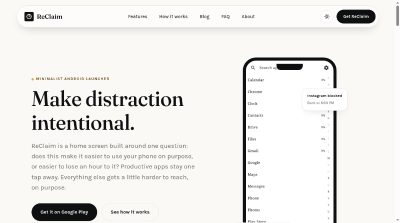
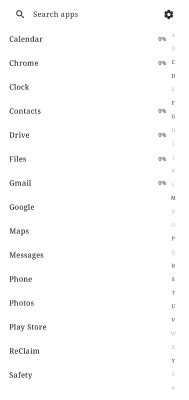
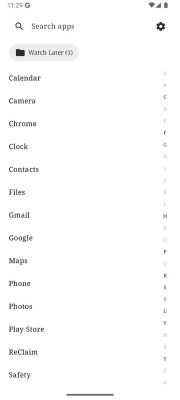
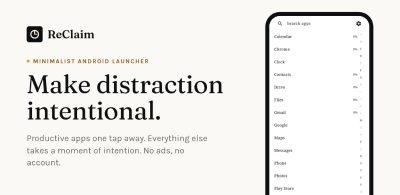
ReClaim is a free, ad-free minimalist Android launcher. Favorite apps stay one tap away; distracting ones get blocks, daily and weekly limits, intentional-use reminders, scheduled blocking, and four levels of hidden-app friction. Because it replaces your home screen, its rules apply system-wide. No account required, runs on-device, Android 8.0+, no root.
Launch Team / Built with
Overview
Every distracting app on a phone was built to be one frictionless tap away, while the genuinely useful ones end up buried in a folder. ReClaim flips that order. It doesn't ask for willpower, it just changes which actions are easy and which ones need a moment of intention first.
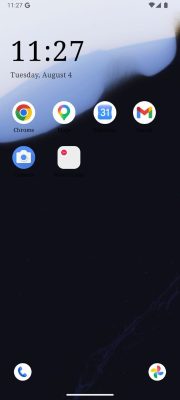
Setup happens once. You set ReClaim as your home app with a single toggle in Android settings, add the handful of apps you actually mean to use, then block, limit or hide the rest. Limits reset on their own, blocks lift on their own, and scheduled windows run in the background, so the rule you set once keeps holding.
Features
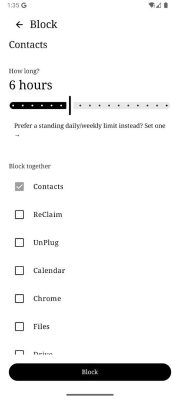
- App blocking: Pick an app, pick a duration from 5 minutes to a year, and it's gone until the timer runs out. The app can't be opened through the launcher, search, or shortcuts until the timer expires. ReClaim even suggests what else you'll probably want to block alongside it, so you can block a whole group in one
- Daily and weekly limits: Give an app 20 minutes a day and ReClaim closes it automatically when the time is up, with no lingering and no five more minutes. A limit is a recurring cap that resets automatically each day, and each week if you set one. Raise the limit and the block lifts the moment you do, lower it and the new
- App reminders: Reminders ask how long you intend to use an app before you open it, then nudge you when that time is up. It's a check-in rather than a lockout. You can also cap the maximum any single reminder session can run.
- Scheduled blocking: Set recurring windows for work hours, bedtime or weekends where specific apps simply aren't available. No daily decision required and no willpower spent.
- Hidden apps at four levels: Hide apps you don't want to delete but keep opening on autopilot. Simple hides an app with no barrier to reopening it. Medium requires solving a quick challenge, like a math problem. Maximum requires a harder challenge, designed to interrupt compulsive, on-autopilot opening. Extreme sits above that,
Pricing
ReClaim is free on Google Play with no ads and no account needed. There's no premium tier gating basic functionality. Optional account sign-in saves your setup, including settings, reminders, blocks, the home screen, and the background, so you can use the same setup on another phone. It will always be optional, never a requirement to use the launcher.
Who It's For
ReClaim is for Android users who want their phone back, people who'd rather be doing something else than losing an hour to a screen. It suits anyone who already knows which apps they overuse and wants the phone to stop dangling them, whether that's during work hours, at bedtime or on weekends. It's also for people who don't want to delete apps they still need, just stop opening them on autopilot.
Frequently Asked Questions
Where is ReClaim based?
The team is in Ontario, Canada.
Does ReClaim publish guides?
Yes. The blog has long, practical notes on setting up a quiet home screen, blocking an app without deleting it, and which kind of friction fits. There are posts on minimal Android home screens, blocking apps without uninstalling them, choosing between limits, blocking and reminders, and stopping autopilot app opening.
How can I reach the team?
There are contact and support pages on the site, plus a system requirements page if you want to check your device before installing.
Will ReClaim slow down my phone or drain my battery?
ReClaim is built to be lightweight: minimal RAM usage, 60fps scrolling, and no unnecessary background services. Battery usage should be negligible under normal use.
What permissions does ReClaim need, and why?
Usage Access powers blocking suggestions and app-limit tracking. Accessibility Service, optional but recommended, lets ReClaim enforce blocks and limits system-wide rather than only inside the app itself. Notifications deliver reminder and limit alerts. Unrestricted battery usage stops Android from silently pausing enforcement in the background.
Does hiding an app delete it or its data?
No. Hiding only affects whether the app appears in ReClaim's launcher and how much friction stands between you and opening it. The app itself, and everything in it, is completely untouched.
Product Info
Launched November 17, 2026