
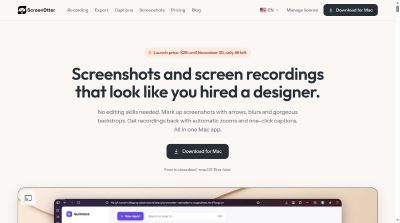
A Mac app for screen recordings and screenshots. A zoom on every click, captions made on your Mac, and eight camera layouts. Free to use, pay once.
Launch Team / Built with

Overview
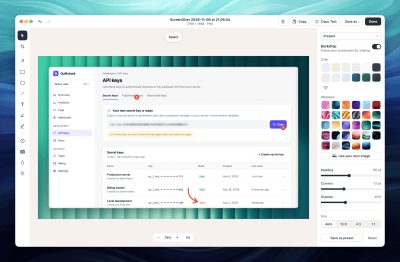
13 screenshot tools, 8 camera layouts, 24 pointer styles, 29 wallpapers built in.
60 fps HEVC screen recording.
Features
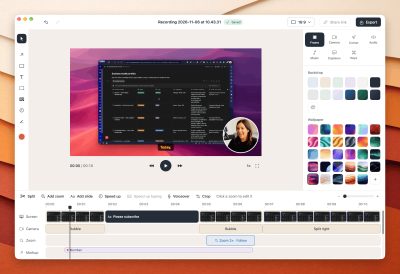
- Automatic zoom: Every click gets a smooth zoom, added for you the first time you open the recording. Clicks close together become one zoom. You can tweak or remove any zoom.
- Camera layouts: A bubble, side by side, camera on top or bottom, camera focus, camera only or screen only. Eight layouts. Stacked layouts ready for 9:16 Shorts and Reels. Frame yourself after recording, up to 4×.
- A camera that follows you: Face tracking keeps you in the middle of the frame, even when you lean or move. Finds your face automatically. Keeps you centered with gentle movement. Runs on your Mac, nothing is uploaded.
- Camera background blur: Soften the room behind you so the focus stays on you. Choose how strong the blur is. Hide a messy room in one click. Processed on your Mac.
- Background removal: Cut yourself out of the background completely, without a green screen. No green screen needed. Cut out on your Mac, nothing is uploaded.
Pricing
Launch price: $29 until November 30, only 46 left. After that, it's $49 for 1 Mac and $79 for 3 Macs.
Who It's For
For people who make training videos, screen recordings with audio, automatic zoom clips, no-subscription screen recordings, teleprompter videos, screen recordings with webcam, YouTube videos, software tutorials, Mac screencasts, product demos, launch videos, developer clips, bug reports, code walkthroughs, changelog clips, onboarding videos, course lessons, Shorts and Reels, teacher videos, startup demos, SaaS team demos and app demos.
Frequently Asked Questions
I lost my license key. How do I find it?
Go to https://screenotter.com/license and enter the email you bought with. We'll send you a code, and you'll see your keys and the Macs they're active on.
Does it work without an internet connection?
Yes. Capturing, recording, editing, captions and text recognition all run on your Mac. Your license is checked before video exports, and keeps working offline for 14 days after the last check. The first time you generate captions, ScreenOtter downloads the speech model (632 MB).
Where are my screenshots and recordings saved?
Screenshots go to ~/Downloads/Screenshots unless you choose another folder. Each recording gets its own project folder in ~/Movies/ScreenOtter Projects, and exports go to ~/Movies/ScreenOtter. Nothing you capture is uploaded.
Product Info
Launched November 13, 2026