Every business has the same hidden problem: talented people burning hours on work a machine could handle.
A customer support team drowning in 400 identical questions per week. A sales team copy-pasting lead data between systems like it's 2005. Developers babysitting scripts that shouldn't exist.
The common thread? Repetitive digital work that follows the exact same pattern every time:
AI automation tools now handle this entire chain - no custom scripts, no manual handoffs, no wasted talent.
But here's the problem nobody talks about: thousands of tools claim to automate your business. Most don't fit your workflow, your data, or your team.
This guide cuts through the noise. Below you'll find the best AI automation tools for 2025, how each one actually works, where they shine, where they fail, and exactly how to choose the right one.
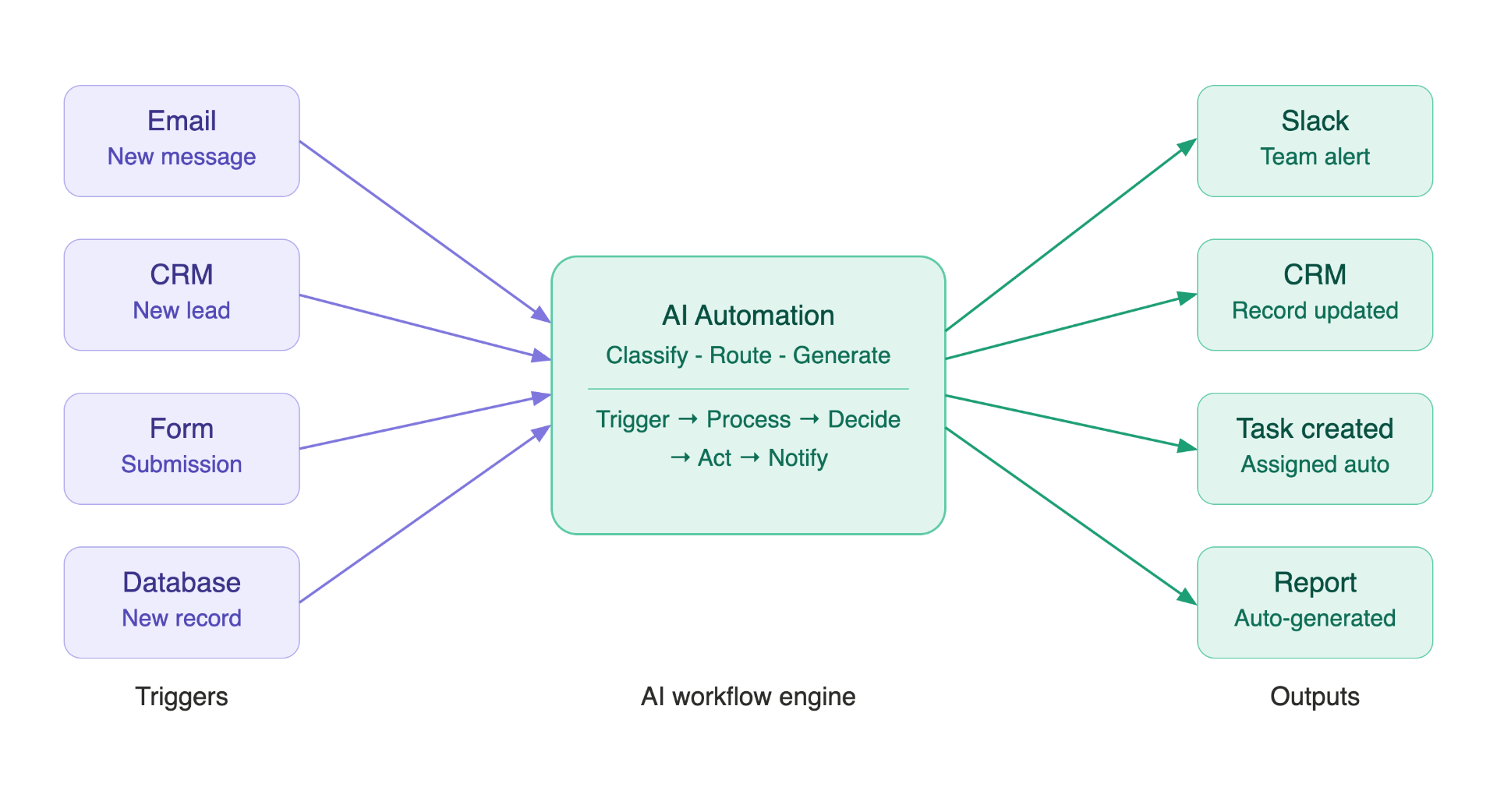
Modern AI automation platforms connect hundreds of business applications into a single, manageable workflow.
Traditional automation follows hard-coded rules. If this happens, do that. No exceptions.
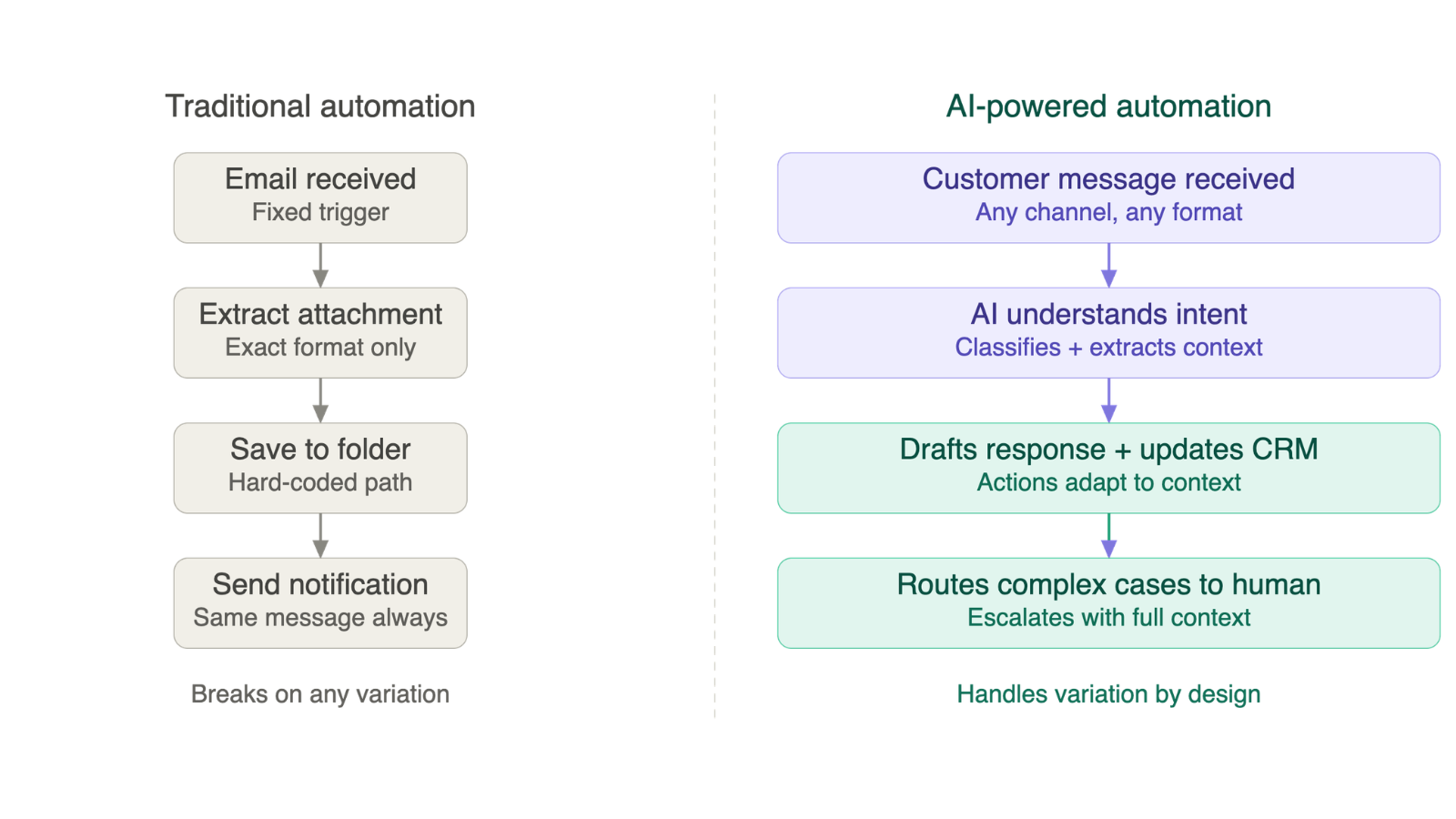
AI-powered automation handles messier inputs - the kind where the exact wording changes every time, but the intent stays the same:
Modern AI automation platforms typically combine:
Real examples of what these systems handle today:
Most business processes aren't intellectually difficult. They're just time-consuming - because they involve the same small decisions, repeated hundreds of times.
A marketing team's typical week:
A finance team's typical week:
None of these steps requires deep human judgment. All of them consume serious time.
AI automation connects these systems and handles the repetitive decisions - freeing people for work that actually requires a human.
One important note: automation doesn't remove the need for oversight. Legal decisions, financial approvals, sensitive customer situations, and strategic calls still need human review. The goal is to eliminate the low-value repetition, not replacing judgment.
Most business automation systems - regardless of the platform - follow the same underlying structure.
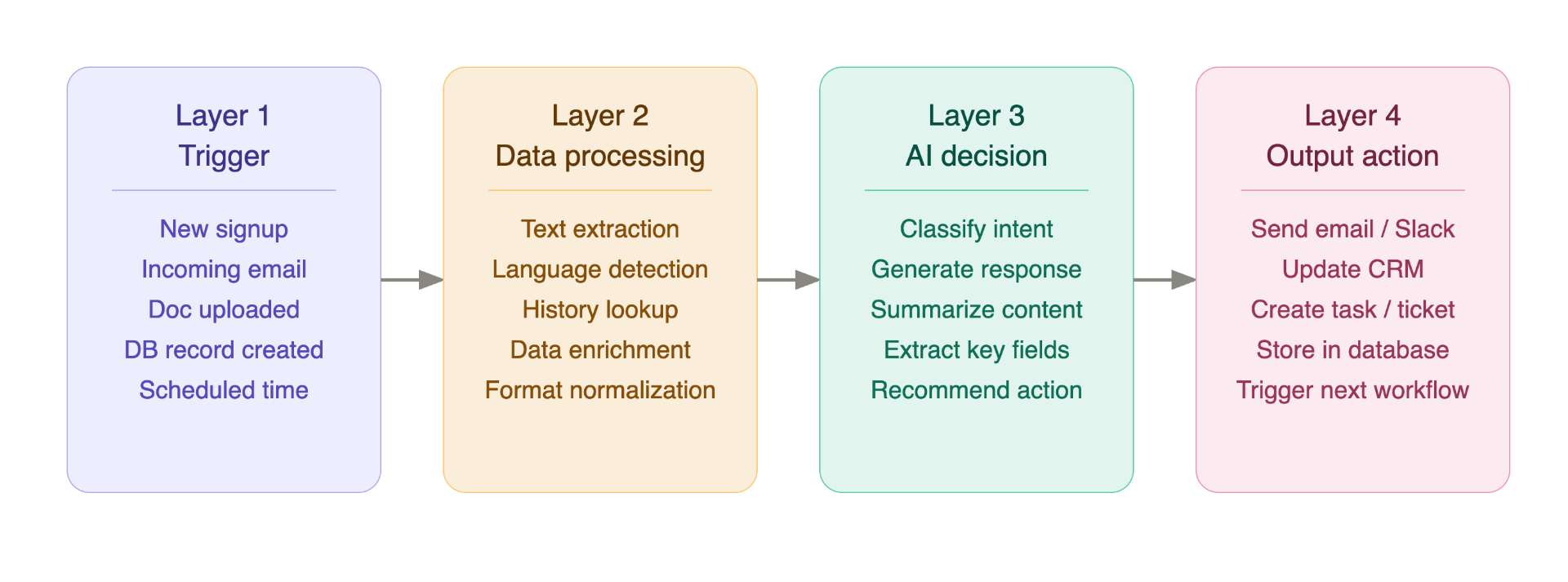
Every workflow starts when something happens.
Common triggers:
The system gathers and prepares all relevant information.
An AI model analyzes the prepared information and takes action.
What AI can do at this layer:
The workflow executes the result.
Possible actions:
Different tools solve different problems. Here's an honest breakdown of each.
Website: zapier.com
Zapier connects over 7,000 applications. For teams that need to automate business processes without writing a single line of code, it's still the fastest path from problem to working solution.
Zapier workflows run on a simple model:
What Zapier excels at:
Lead Management Automatically capture leads from any source, score customer intent using AI, push records into CRM, and alert the right sales rep - all without a developer.
Content Operations Generate content briefs, draft social media posts, route approvals, and publish - with AI handling the creation steps.
Customer Support Classify incoming tickets, generate response suggestions, and route complex cases to human agents.
Advantages:
Limitations:
Best for: Small businesses, marketing teams, operations teams, and startups that need working automation without infrastructure investment.
Website: make.com
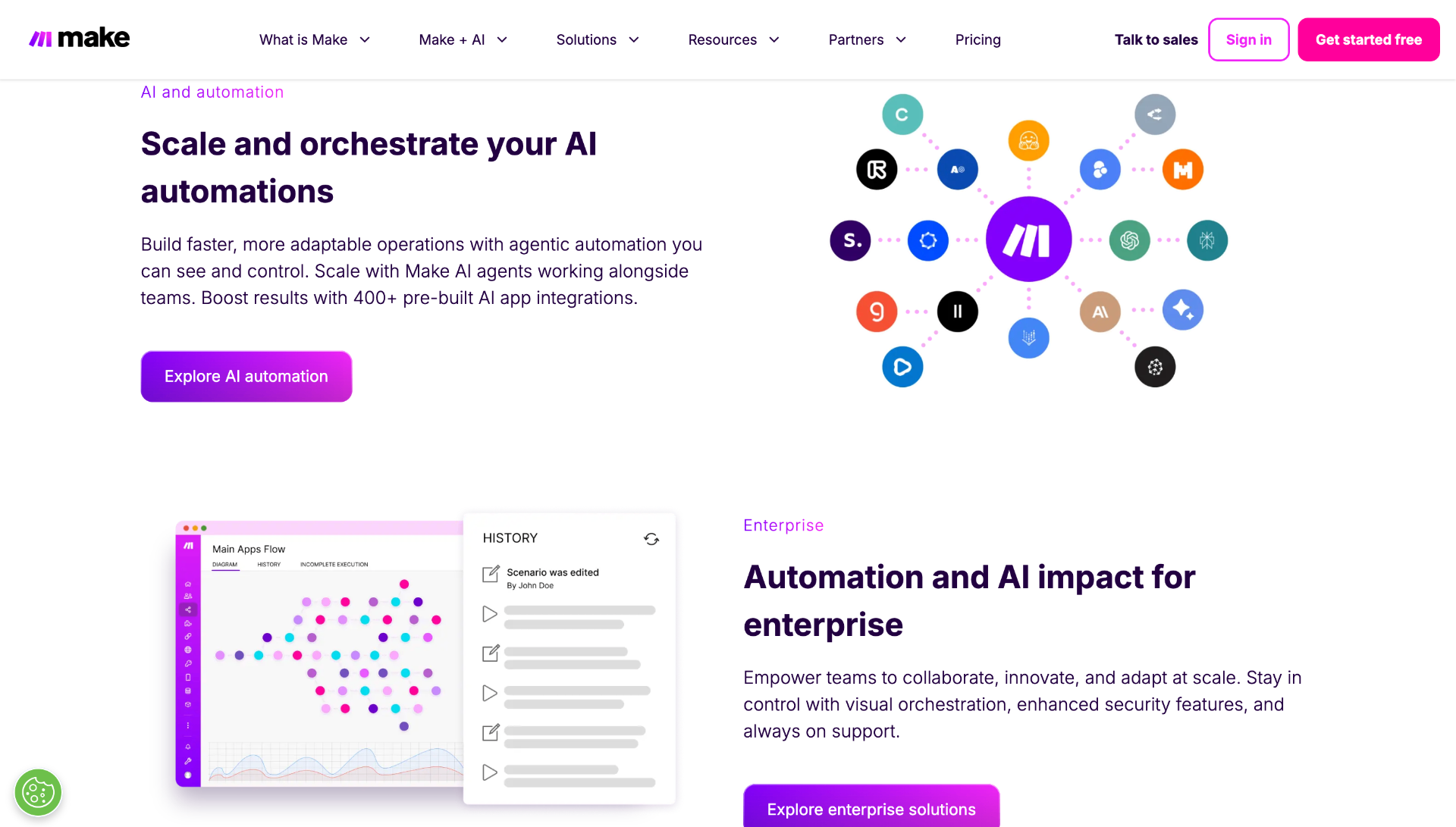
Make (formerly Integromat) takes a different approach: a canvas-based visual builder where workflows are built by connecting modules, not filling in form fields.
This gives teams much more control over:
What Make excels at:
Advantages:
Limitations:
Best for: Operations teams and technically-minded users managing multi-step processes with complex logic.
Website: powerautomate.microsoft.com
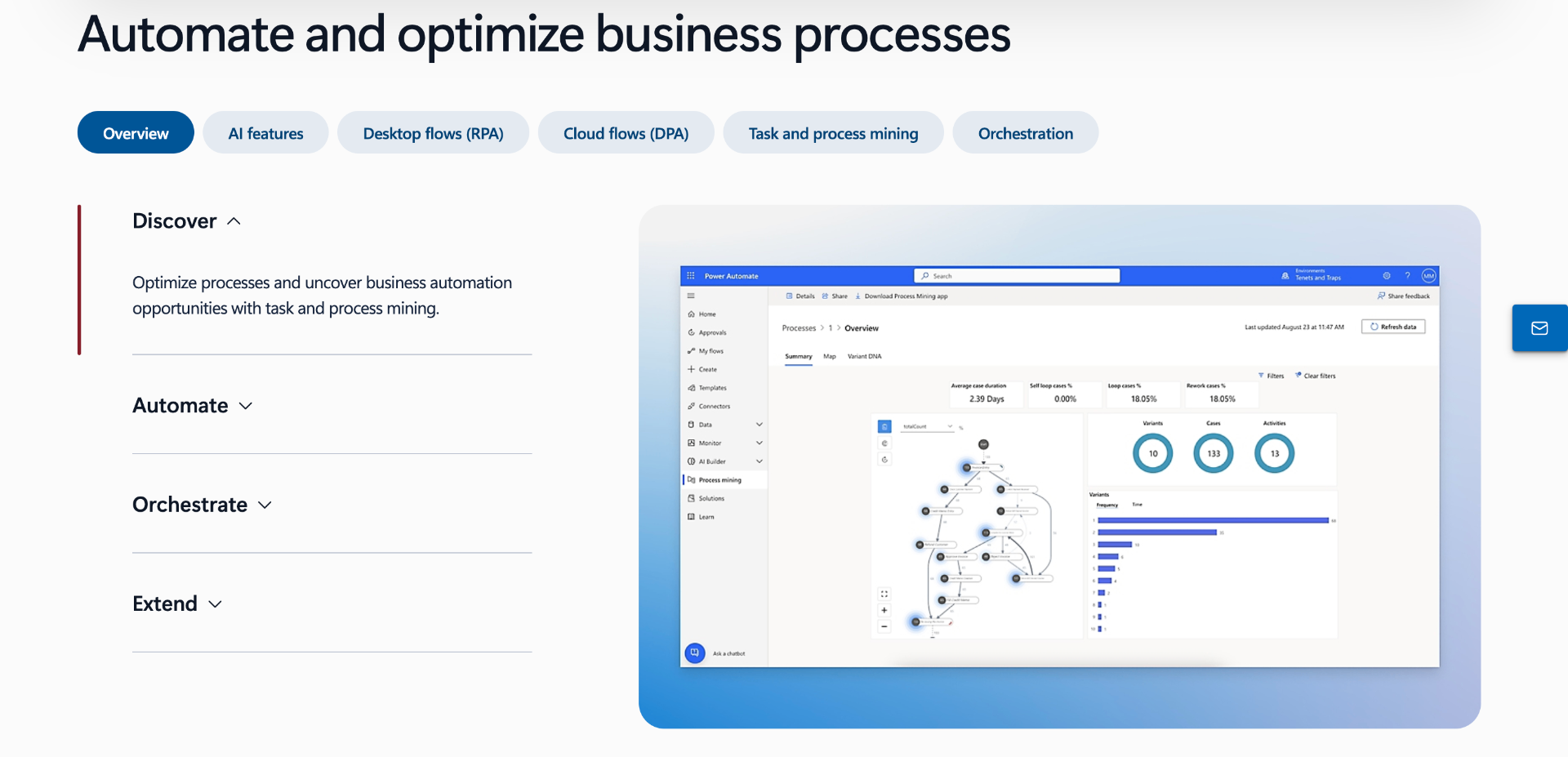
If the business already runs on Microsoft Teams, SharePoint, Dynamics 365, Outlook, Microsoft 365, Power Automate is the automation layer that fits without friction.
It handles automation across:
Advantages:
Limitations:
Best for: Mid-size to large organizations already invested in Microsoft infrastructure.
The right choice usually comes down to the existing software stack. If the team is non-technical and needs fast results, Zapier wins. If workflows are complex with multiple branches, Make is more capable. If the organization runs on Microsoft, Power Automate is the obvious fit.
Website: n8n.io
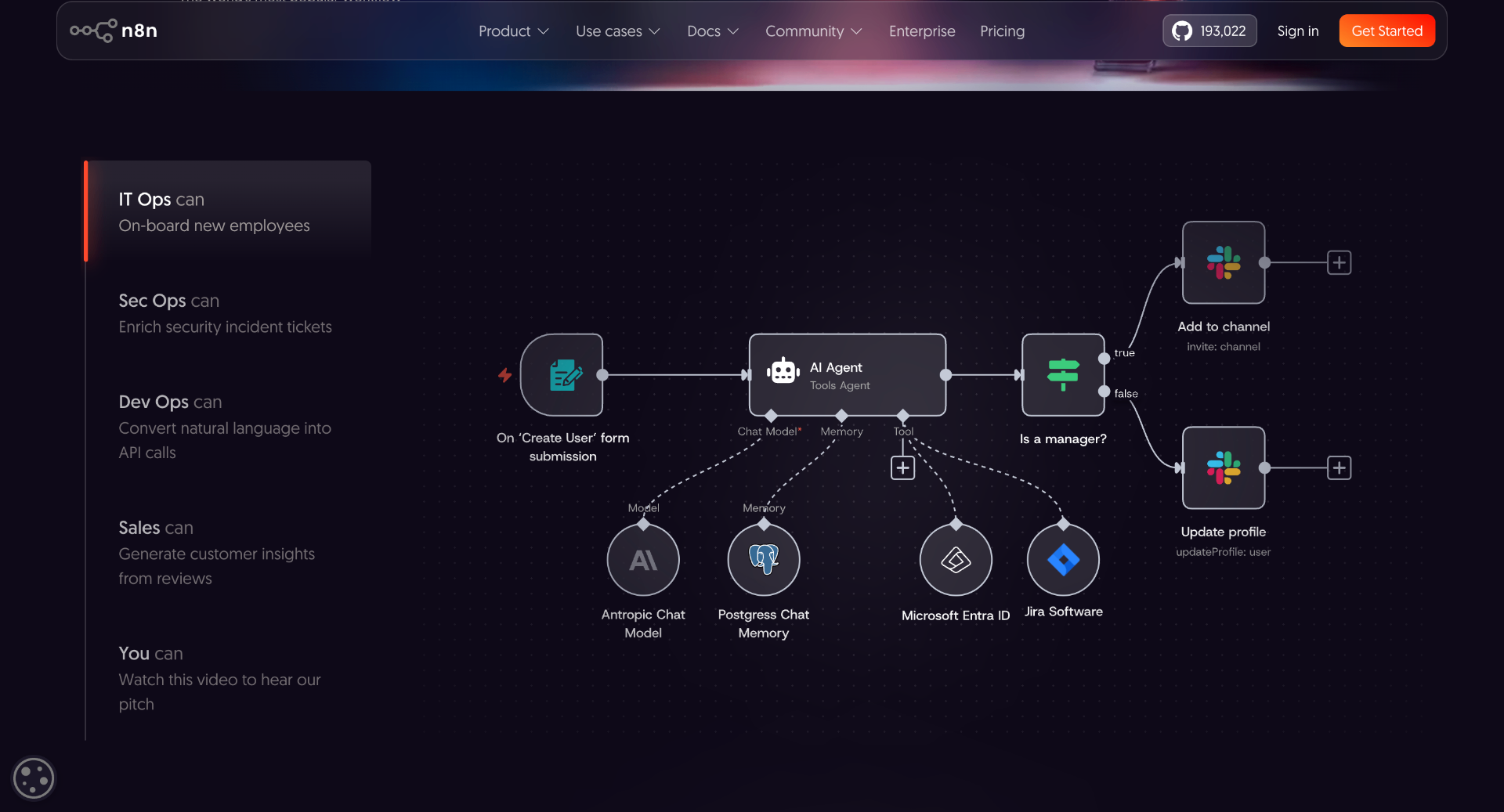
n8n is what technical teams reach for when they need the power of workflow automation but can't hand data to a third-party SaaS platform.
Unlike Zapier or Make, n8n can be self-hosted on your own infrastructure - which changes everything for data privacy, security, and customization.
Self-hosting gives control over:
What n8n excels at:
Internal AI Assistants Teams can build assistants that connect directly to company documentation, internal databases, proprietary APIs, and internal tools - without sending data to third-party servers.
Example: An employee asks, "Show all pending customer issues from last week." The workflow searches support data, summarizes open tickets, and generates a formatted report - entirely on internal infrastructure.
Data Processing Pipelines n8n handles:
Advantages:
Limitations:
Best for: Developers, data-sensitive startups, and technical teams that need ownership of their automation stack.
Website: platform.openai.com
The OpenAI API isn't a workflow builder - it's the AI layer that powers custom-built automation systems.
Instead of using a visual interface, engineering teams integrate AI capabilities directly into business applications.
A basic API integration:
A complete custom AI automation system might:
What OpenAI API excels at:
Document Processing
Customer Support Automation
Engineering teams build systems that:
Advantages:
Limitations:
Best for: Companies building custom software products or internal AI systems where off-the-shelf workflow tools don't fit.
Website: langchain.com
LangChain is a development framework for building sophisticated AI-powered applications. It abstracts away the complexity of connecting language models with external tools, memory systems, and data sources.
Common architecture:
What LangChain excels at:
Knowledge Assistants
Organizations upload internal documentation, product manuals, or knowledge bases. The system:
AI Agents That Complete Multi-Step Tasks
Example: A user asks, "Prepare a quarterly sales report." The AI agent:
Advantages:
Limitations:
Best for: Developers building production-grade AI applications with retrieval, memory, or multi-step agent capabilities.
Website: uipath.com
UiPath specializes in Robotic Process Automation (RPA) - automating tasks by interacting with application user interfaces the same way a human would, rather than through APIs.
This matters for one critical reason: legacy software often has no API. UiPath can automate systems that no modern tool can touch.
What UiPath excels at:
Advantages:
Limitations:
Best for: Large enterprises with significant legacy software investments and high-volume operational processes.
Website: anthropic.com
Anthropic's Claude models are particularly well-suited for workflows that involve large documents, nuanced analysis, or careful business writing.
Claude's context window handles documents that other models struggle with - making it a strong choice for document-centric automation.
What Claude API excels at:
Advantages:
Limitations:
Best for: Organizations handling large volumes of text-based information where document understanding is the core workflow requirement.
The biggest mistake teams make: choosing a tool before defining the problem.
Here's the right sequence.
Strong automation candidates share these characteristics:
Good automation candidates:
Poor automation candidates:
Before selecting any tool, answer:
A workflow that can't connect to the required systems provides zero value, regardless of how capable the tool is.
Choose no-code tools when:
Choose developer-focused tools when:
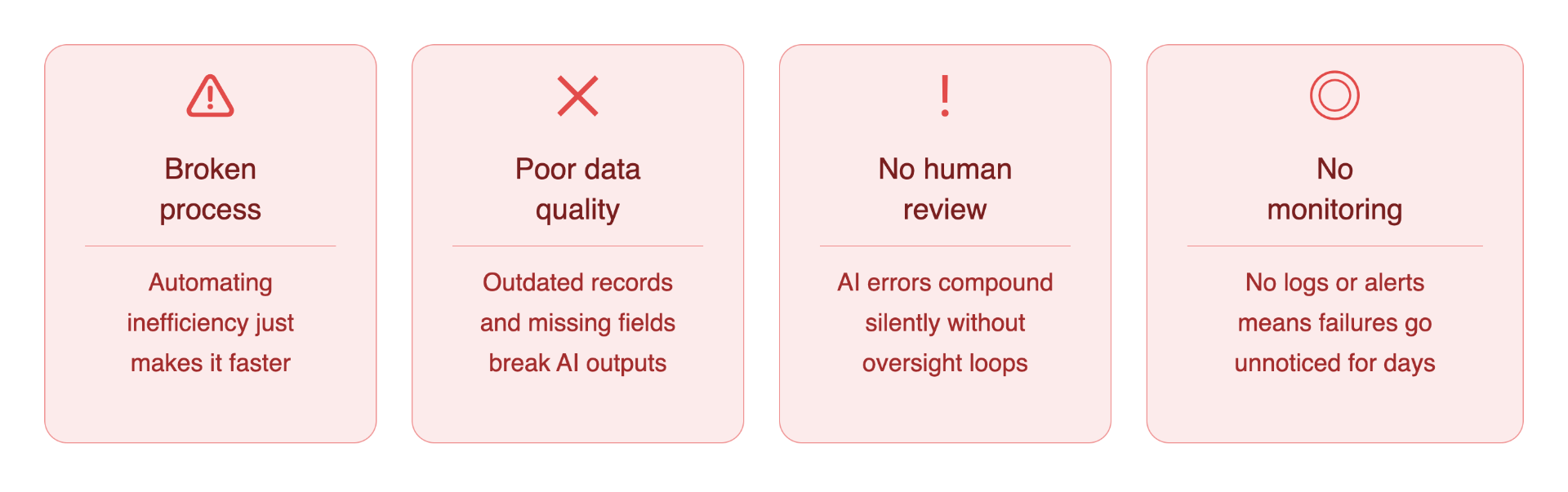
Automation amplifies what already exists - including inefficiency. A manual process with unnecessary steps becomes a faster, harder-to-change, inefficient automated process. Fix the workflow logic before automating it.
AI systems are only as good as their inputs. Common data problems that derail automation:
Garbage in, garbage out - applies to AI more than anywhere.
AI-generated outputs can contain:
Critical business workflows should always include human approval steps - at least initially. Remove oversight only after monitoring proves reliability.
Production automation without observability is a liability. Every automated workflow needs:
This combines automation with human oversight - reducing manual work without removing accountability.
The key insight: the goal isn't to replace the entire process. It's to eliminate the low-value steps so people focus where human judgment actually matters.
No single platform wins every scenario. The right tool is the one that fits the specific workflow, the existing software stack, the team's technical capability, and the organization's data requirements.
Start with the problem. The tool choice follows naturally.
The numbers around AI automation are compelling - fewer errors, faster turnaround, lower operational cost. But the most underrated benefit is something harder to measure: where human attention goes instead.
When a support team stops manually triaging 400 tickets a week, those hours don't disappear. They flow toward harder problems - the edge cases, the frustrated customers, the issues that actually need a person.
When a finance team stops manually matching invoices, they have time to analyze spend patterns, catch vendor irregularities, and contribute to decisions that move the business forward.
That's the real return on AI automation. Not just efficiency - but a reallocation of the most valuable resource in any organization.
A few principles to carry forward:
The businesses winning with AI automation in 2026 aren't the ones that automated the most. They're the ones that automated the right things - and freed their teams to do the work only humans can do.
Pick one workflow. Build one automation. See what becomes possible when repetition stops being the enemy of progress.