
Blogs in ai tools
stay updated with the latest news, insights, and guides on ai tools from ProductWatch.
12 Best AI Social Media Automation Tools for Smarter Marketing in 2026
Social media automation used to mean one thing: write a post, choose a date, and schedule it. That is changing quickly. AI-powered social media tools can now help research topics, understand a brand's voice, generate platform-specific content, create visuals, schedule posts, analyze performance, identify trends, and, in some cases, let an AI agent handle several steps of the workflow from a single instruction. For SaaS founders, indie hackers, developers, creators, marketers, and business owners, this can remove a surprisingly large amount of repetitive work. Instead of spending hours every week moving content between LinkedIn, X, Instagram, Facebook, TikTok, and other platforms, a founder can build a repeatable system where AI handles the preparation while the human remains in control of the final message. But not every "AI social media tool" is actually agent-driven. Some are primarily schedulers with an AI writing assistant. Others are focused specifically on LinkedIn. Some are built around autonomous agents that can research, create, schedule, publish, and analyze content. This list focuses on the tools that provide the most useful combination of AI content creation, automation, scheduling, analytics, brand intelligence, and agent-style workflows. > QUICK SUMMARY > > * Gojiberry: Better viewed as an AI sales and social outreach agent than a social media publishing tool. It finds warm leads from intent signals and runs personalized outreach across email and social channels. > > * Velocity: An AI social media manager built around specialized autonomous agents for researching, writing, creating, scheduling, publishing, and analyzing content across major social networks. > > * Predis.ai: An AI-first social content platform that generates posts, creatives, and videos, builds content calendars, and supports bulk scheduling and auto-publishing. > > * Blotato: A LinkedIn-focused content workflow with writing, formatting, preview, scheduling, analytics, and creator tools, making it particularly useful for founder-led LinkedIn content. > > * AuthoredUp: Combines AI content creation, scheduling, automation, analytics, and multi-profile management for founders, freelancers, brands, and agencies. > > Buffer, Ocoya, PerfectPost, Sprout Social, and Hootsuite are the other notable AI-powered social media automation tools worth considering. AI SOCIAL MEDIA AUTOMATION TOOLS COMPARISON | Tool | AI & automation features | Starting price | Best for | Free option | | | | : | | | | Gojiberry | AI sales agent, intent signals, warm-lead discovery, personalized social/email outreach | $99/month | Founders focused on social selling | Free trial | | Velocity | Autonomous AI agents, brand agent, research agent, content creation, scheduling, publishing, analytics, brand health | $29/month | Founders, small businesses, agencies, multi-brand teams | Free agent access + 7-day full trial | | Postiz | AI agents, AI content, AI images/videos, 30+ networks, scheduling, publishing, API, MCP, CLI, n8n/Make automation, analytics | $29/month | Developers, SaaS founders, automation teams, agencies | 7-day trial | | Blotato | AI content creation, publishing, scheduling, 9+ networks, API, MCP, analytics, AI-agent integrations | $29/month | AI-native founders, creators, developers, agencies | 7-day trial | | Ocoya | AI writing, AI captions, AI art, scheduling, automation, analytics, best-time recommendations | $15/month | Solo founders, freelancers, brands, agencies | 7-day trial | | Predis.ai | AI posts, videos, creatives, content calendar, competitor analysis, scheduling, auto-publishing | Free plan available | Small businesses, marketers, creators, SaaS teams | Yes | | Buffer | AI Assistant, post ideas, rewriting, platform-specific copy, scheduling, analytics, publishing | Free plan; paid from $5/channel/month annually | Solo founders, startups, small teams | Yes | | AuthoredUp | LinkedIn AI writing, formatting, preview, scheduling, analytics, content workflow | $19.95/month | Founders and LinkedIn creators | 14-day trial | | PerfectPost | AI hooks, polishing, LinkedIn scheduling, analytics, Claude MCP integration | Free plan available | LinkedIn creators and founders | Yes | | Sprout Social | AI Assist, social intelligence, listening, analytics, publishing, engagement, AI insights | $79/month | Medium/large businesses and social teams | 30-day trial | | Hootsuite | Wisdom AI, AI writing, scheduling, analytics, listening, inbox automation, best-time publishing | $99/user/month | Marketing teams and growing businesses | 14-day trial | | Okara | AI CMO, LinkedIn/X agents, Reddit agent, influencer agent, UGC agent, SEO/GEO agents, content automation | From $99/month | SaaS founders, startups, small businesses, growth teams | Yes | 1. GOJIBERRY Gojiberry is slightly different from the other products in this article, but it is worth understanding because it sits at the intersection of AI agents, social channels, and sales automation. Its primary job is not to create a social media calendar. Gojiberry is an AI sales representative designed to identify warm leads using buying and social signals, qualify them against an ideal customer profile, and run personalized outreach across email and social channels. For a SaaS founder, this can be useful when the goal of social activity is not simply impressions or followers but finding potential customers and starting sales conversations. The platform can identify intent signals, build prospect lists, perform research, personalize messages, and run campaigns. That makes it more appropriate for founder-led sales and social selling than traditional social media publishing. It should therefore not be compared directly with Buffer or Predis for content scheduling. Its value lies in using AI to automate parts of the prospecting and outreach process. Best for: SaaS founders, B2B businesses, sales-led startups, and operators who want AI-assisted prospecting and social outreach. PRICING Gojiberry's Pro plan is listed at $99/month and includes email and social capabilities for founders and operators running outbound campaigns. 2. VELOCITY Velocity stands out because it is built around autonomous AI agents rather than treating AI as just a writing button. Its system includes specialized agents for research, brand understanding, publishing, content creation, and analysis. A founder can give the system a social media task and let the agents coordinate the work across channels such as Instagram, Facebook, YouTube, TikTok, LinkedIn, and X. The Brand Agent can apply a company's brand identity to captions, hooks, and visuals, while the Research Agent can investigate topics and the Publishing Agent can handle scheduling and publishing. Velocity also provides analytics and brand-health monitoring to help teams understand what is working. For a SaaS founder, this can be useful when social media has become another job on top of building the product. Instead of separately brainstorming LinkedIn posts, preparing images, scheduling content, and checking analytics, the founder can use one AI-driven workflow. Best for: Founders, small businesses, agencies, and teams managing several brands or social accounts. PRICING Velocity's Pro plan starts at $29/month and includes the AI Social Media Assistant, autonomous AI agents, 15 connected social channels, three brand identities, content creation, basic analytics, and brand health. Pro Max starts at $149/month, while Pro Max + Business starts at $399/month. A 7-day full-feature trial is available. Here are the two sections in the same detailed, ProductWatch-style format: 3. POSTIZ Postiz takes a more automation-focused approach to social media management, combining AI content creation with scheduling, publishing, analytics, and developer-friendly automation capabilities. Unlike a basic social media scheduler, Postiz is designed to work with AI agents and automation workflows. It supports publishing across more than 30 social networks and can help create posts, images, and short videos before scheduling them for publication. One of the most interesting aspects for SaaS founders and developers is its developer ecosystem. Postiz provides an API, MCP server, CLI and SDK, along with integrations for automation platforms such as n8n and Make. This makes it possible to connect social publishing with custom AI workflows instead of manually moving content between different tools. For example, a developer could build a workflow where a newly published blog post is detected, an AI agent creates platform-specific versions for LinkedIn, X, Reddit, or other supported networks, and Postiz handles the scheduling and publishing. This makes it particularly useful for teams trying to build a repeatable content distribution system. Postiz is also available as an open-source project, which can be attractive to technical teams that want more control over their social media infrastructure and automation workflows. Best for: Developers, SaaS founders, AI-native businesses, agencies, and teams that want to connect AI agents with multi-platform social media publishing. PRICING Postiz's paid plans start at $29/month, with higher tiers available for teams requiring additional accounts, features, and capacity. A free trial is also available. 3. AUTHOREDUP AuthoredUp is a specialized option for people who primarily want to build a personal brand on LinkedIn. Rather than trying to manage every social network, AuthoredUp focuses heavily on LinkedIn content creation, formatting, scheduling, previews, analytics, and publishing workflows. Its editor provides text styling, formatting, bullet points, and post previews. That focus can be useful for SaaS founders because LinkedIn often becomes an important distribution channel for founder-led content. Product lessons, technical insights, launch stories, customer lessons, hiring updates, and build-in-public posts can all be managed through a LinkedIn-specific workflow. AuthoredUp also supports business plans for multiple personal LinkedIn profiles, making it more useful for teams, ghostwriters, and organizations managing several founder or employee profiles. Best for: SaaS founders, executives, LinkedIn creators, ghostwriters, and businesses focused heavily on personal-brand content. PRICING The Individual plan starts at $19.95/month, or $16.63/month when billed annually. Business pricing starts at $12.46 per profile/month when billed annually and requires multiple profiles. A 14-day free trial is available. 5. BLOTATO Blotato is particularly interesting for developers and AI-native teams because it is not only a social media application. It also provides a social media API and MCP layer. The platform lets users create, schedule, and publish content across nine or more social networks, while also supporting comment replies, direct-message management, and analytics. More importantly for developers, Blotato can connect with AI systems such as ChatGPT and Claude through its API and MCP capabilities. This opens up more advanced workflows. A founder could build an automation where a blog post becomes multiple social posts, an AI agent prepares the variations, and Blotato handles the publishing layer. That makes Blotato especially useful for people who want to go beyond "schedule my posts" and build AI-powered content pipelines. It can also reduce repetitive copy-pasting between different social platforms. Best for: Developers, AI-native founders, solo creators, SaaS businesses, and agencies that want social publishing connected to AI agents or automation workflows. PRICING Blotato's Starter plan starts at $29/month, with Creator at $97/month and Agency at $499/month. The platform offers a 7-day free trial, and its pricing is flat rather than charging per post or per seat. 6. OCOYA Ocoya combines content creation, scheduling, publishing, automation, and analytics in one platform. Its AI capabilities include AI copywriting, captions, visual creation, and tools for producing social content. It also provides multi-profile management, content planning, analytics, and automation features, making it suitable for someone who does not want to maintain separate tools for every stage of social media production. For a solo founder, one useful aspect is consolidation. Instead of using one tool for writing, another for designs, another for scheduling, and another for performance tracking, Ocoya brings several of these tasks together. It is also relevant for agencies because its higher tiers support multiple workspaces, social profiles, team members, and AI credits. That gives agencies a way to manage multiple client accounts without building a completely separate workflow for each brand. Best for: Solo founders, freelancers, agencies, SaaS businesses, and brands that want AI content creation and social scheduling in one workspace. PRICING Ocoya's Bronze plan starts at $15/month. Silver starts at $39/month, Gold at $79/month, and Diamond at $159/month. The platform also offers a 7-day free trial. 7. PREDIS.AI Predis.ai takes an AI-first approach to social content creation. Instead of starting with a blank social media composer, users can provide an idea, product information, or other input and use AI to generate social posts, creatives, videos, captions, and other marketing assets. The platform also includes content planning, scheduling, and competitor-analysis capabilities. Its auto-posting workflow can generate and schedule a month's worth of content and publish across platforms including Instagram, Facebook, LinkedIn, Pinterest, and TikTok. This makes it useful for founders who know they need consistent social content but do not have a designer and dedicated social media manager. A SaaS company can use it to turn product features, blog topics, announcements, and marketing ideas into a larger content calendar. The platform also supports multiple languages, which can be useful for companies targeting audiences outside English-speaking markets. Best for: Small businesses, SaaS marketers, creators, founders, and teams that want AI-generated social posts and visual content with scheduling. PRICING Predis.ai offers a free plan, with paid plans available for users who need additional AI generation, scheduling, and account capacity. 8. BUFFER Buffer is one of the simpler choices on this list, which is exactly why it can work well for founders. Its AI Assistant helps brainstorm content ideas, rewrite existing posts, shorten or expand copy, and adapt content for different tones and platforms. This means a founder can start with one idea and quickly turn it into variations suitable for different audiences. Buffer also provides scheduling and publishing across major networks, including Facebook, Instagram, TikTok, LinkedIn, Threads, X, Pinterest, YouTube Shorts, Mastodon, and others. For an indie hacker, the biggest advantage is simplicity. A founder who does not need enterprise social listening or complex approval systems can use Buffer to create a queue, prepare content, and maintain a consistent publishing schedule. It also works well when social media is only one part of the growth strategy. Instead of spending hours managing the social calendar, a small team can prepare content in batches and use AI assistance when ideas or copy need improvement. Best for: Indie hackers, solo founders, startups, creators, and small businesses that want simple AI-assisted social scheduling. PRICING Buffer has a free plan, while paid plans start at $5/month per channel when billed annually. Its paid Essentials plan currently includes AI Assistant, unlimited scheduled posts, analytics, API access, and other features. 9. PERFECTPOST PerfectPost is another LinkedIn-focused platform, but it puts particular emphasis on post quality, hooks, scheduling, and analytics. The platform provides AI-powered hooks and polishing tools to help turn rough ideas into more structured LinkedIn posts. It also provides scheduling and analytics, allowing creators to move from writing to publishing without switching tools. One feature that makes PerfectPost particularly interesting for developers is its MCP integration with Claude. The company provides a way to connect PerfectPost with Claude so users can analyze LinkedIn posts, create content, and automate parts of the growth workflow through an AI interface. For a technical founder, that creates an interesting workflow. Instead of opening a social media dashboard every time a post needs to be created, an AI workflow can help analyze previous content, generate new ideas, and move content into the publishing system. Best for: LinkedIn-focused founders, creators, consultants, developers, and professionals who want AI-assisted content creation with scheduling and analytics. PRICING PerfectPost offers a free plan, with paid plans available for users who need additional capabilities. The platform states that users can start without a credit card. 10. SPROUT SOCIAL Sprout Social is positioned much more toward businesses and professional social teams than individual creators. Its AI capabilities go beyond writing captions. Sprout's AI offering is designed to turn social data into business intelligence, with tools for social listening, analytics, trend discovery, customer insights, and AI-assisted workflows. For a growing SaaS company, this distinction matters. At a certain point, social media stops being only a publishing problem. A company may need to understand what customers are saying, monitor competitors, identify emerging conversations, measure brand awareness, and connect social activity with business outcomes. Sprout also provides publishing, engagement, reporting, and collaboration capabilities, making it suitable for teams where multiple people work on social content and customer conversations. Best for: Medium and large businesses, SaaS companies with dedicated marketing teams, agencies, and organizations that need social intelligence alongside publishing. PRICING Sprout Social pricing starts at $79/month, with higher plans adding more advanced capabilities. 11. HOOTSUITE Hootsuite is one of the most established all-in-one social media management platforms in this category. Its current AI layer, Wisdom, acts as an AI teammate across the platform. Hootsuite describes it as an AI system that can draft, recommend, and analyze content while connecting AI assistance with the broader social workflow. Its AI content capabilities include generating captions and post ideas, creating content based on links, identifying and repurposing successful posts, and suggesting content around relevant topics. Hootsuite also offers best-time-to-publish recommendations based on account data. Beyond AI writing, Hootsuite provides scheduling, publishing, analytics, social listening, inbox management, and automation. This makes it particularly useful when social media is being handled by a team rather than a single founder. For a growing SaaS company, Hootsuite can therefore function as more than a content scheduler. It can become the central workspace for publishing, engagement, reporting, and social intelligence. Best for: Marketing teams, established SaaS companies, agencies, and businesses managing multiple social channels and team members. PRICING Hootsuite's Standard plan starts at $99/user/month, with Professional at $199/user/month and Advanced at $399/user/month. A 14-day free trial is available. 12. OKARA Okara approaches social media automation from a broader AI CMO perspective. Instead of focusing only on scheduling and publishing posts, it uses specialized AI agents to automate several parts of a company's marketing workflow. Its AI agents cover areas such as LinkedIn, X, Reddit, influencer marketing, UGC, SEO, GEO, content creation, and technical SEO. This makes Okara particularly interesting for SaaS companies where social media is only one part of the overall growth strategy. For a SaaS founder, the advantage is that content distribution can be connected with other marketing activities. For example, an AI workflow could help identify a topic, create content around it, prepare social posts, distribute the content through relevant channels, and work on improving visibility in search and AI-powered search engines. The Reddit and social-focused capabilities are particularly relevant for founders targeting communities where potential customers already discuss their problems. Rather than treating every platform as another place to publish the same announcement, an agent-based approach can help adapt the content and workflow to the specific channel. Okara is therefore better suited to businesses looking for an AI marketing system rather than a traditional social media scheduler. Founders who want one platform covering social content, community distribution, influencer outreach, UGC, SEO, and GEO may find it more useful than a tool focused exclusively on scheduling. Best for: SaaS founders, startups, small businesses, growth teams, and marketers looking to automate social media alongside broader AI-driven marketing activities. PRICING Okara offers a free starting option, while its paid AI CMO plans start at $99/month. WHICH AI SOCIAL MEDIA AUTOMATION TOOL IS BEST FOR YOU? Choosing an AI social media automation tool becomes easier when the decision starts with the workflow rather than the feature list. FOR SOLO FOUNDERS AND INDIE HACKERS Buffer, Ocoya, Predis.ai, and Velocity are strong starting points. Buffer is useful when simplicity matters most. Ocoya is useful when content creation and scheduling need to live together. Predis.ai is particularly useful when generating visual content is part of the problem. Velocity is the more agent-oriented option when the goal is to delegate larger parts of the workflow. FOR SAAS FOUNDERS Velocity, Blotato, Ocoya, and Buffer cover different stages of the SaaS growth journey. A founder who wants to connect AI agents to social publishing should look closely at Blotato. Someone who wants an autonomous social assistant can evaluate Velocity. A small SaaS marketing team that needs a simpler content workflow may prefer Buffer or Ocoya. FOR LINKEDIN-FOCUSED FOUNDERS AuthoredUp and PerfectPost deserve the closest look. Both focus specifically on LinkedIn rather than trying to become an everything-for-everyone social platform. This can be an advantage when LinkedIn is the primary channel for founder-led marketing, personal branding, hiring, networking, and B2B lead generation. FOR LARGER MARKETING TEAMS Sprout Social and Hootsuite are better suited to organizations that need more than AI-generated posts. Social listening, reporting, collaboration, customer engagement, analytics, permissions, and broader social intelligence become increasingly important as a company grows. FOR AI-NATIVE DEVELOPERS Blotato is particularly interesting because of its API and MCP capabilities. Instead of using AI only inside a traditional dashboard, developers can connect social publishing with broader AI workflows and automation systems. ([Blotato][3]) FOR SOCIAL SELLING Gojiberry belongs in a different category. If the objective is finding prospects and starting conversations rather than maintaining a content calendar, its AI sales-agent workflow is more relevant than a traditional social scheduler. WHAT SHOULD AN AI SOCIAL MEDIA AUTOMATION TOOL ACTUALLY AUTOMATE? The biggest mistake is assuming that automation means publishing more posts. The better question is: Which repetitive parts of social media can AI safely handle? A useful AI social media workflow can start with research. The system identifies relevant topics, customer questions, competitor activity, or industry trends. Next comes content creation. AI can turn those inputs into hooks, captions, threads, carousels, videos, or platform-specific variations. Then comes optimization. The system can adapt the same idea to the format and audience of each platform instead of copying one post everywhere. After that comes scheduling and publishing. Finally, analytics can close the loop by identifying which topics, formats, hooks, and channels performed best. The most advanced platforms are moving toward this research → create → optimize → schedule → publish → analyze → improve cycle. Velocity, Blotato, Sprout Social, and Hootsuite are particularly interesting when evaluating this broader automation model. CONCLUSION AI social media automation is moving beyond the old idea of a scheduling tool. For a founder, the real opportunity is not simply scheduling 30 posts at once. It is building a system where AI handles repetitive social media work while the founder focuses on product, customers, strategy, and relationships. For lightweight publishing, Buffer remains a practical choice. For AI-generated creative content, Predis.ai is worth considering. Ocoya provides a broader combination of AI content creation and social management. AuthoredUp and PerfectPost make sense for LinkedIn-first personal brands. Velocity takes the agent approach further by giving specialized AI agents responsibility for research, brand understanding, content, publishing, and analysis. Blotato is particularly compelling for developers because its API and MCP capabilities can connect social publishing to AI workflows. Larger organizations may find the deeper social intelligence and team capabilities of Sprout Social or Hootsuite more appropriate. And then there is Gojiberry, which shows another direction for AI agents: using social data not only to publish content but to find and engage potential customers. The important takeaway is simple: The best AI social media automation tool is not the one that generates the most posts. It is the one that removes the most repetitive work while still helping the business publish useful content, understand its audience, and create measurable growth.
14 Best MMM Software & AI Marketing Mix Modeling Tools in 2026
Marketing teams can see how much they spend on Google, Meta, TikTok, YouTube, TV, CTV, influencers, and other channels. The harder question is which channels actually caused the additional revenue. Last-click attribution often gives too much credit to the final interaction. Marketing Mix Modeling (MMM) takes a broader view by analyzing historical marketing spend alongside sales, seasonality, promotions, pricing, geography, and other business factors. Modern MMM platforms can then estimate incremental impact, calculate ROI, model diminishing returns, and test how a different budget allocation could affect future results. That makes MMM particularly useful for companies running several marketing channels at once. Instead of asking whether Google Ads reported a 5x ROAS, a marketing team can ask a more useful question: "What happens to revenue if another $100,000 is moved from Google to Meta, CTV, or another channel?" The tools in this list take different approaches. Some are complete commercial platforms with data integration, experimentation, forecasting, and budget optimization. Others, such as Google Meridian and Meta Robyn, are open-source frameworks that give data science teams much more control but require technical resources to implement. This guide compares 14 AI and modern Marketing Mix Modeling tools for marketers, growth teams, ecommerce brands, analysts, and data science teams. > QUICK SUMMARY > > * Lifesight: Combines causal MMM, incrementality testing, geo testing, forecasting, scenario planning, and AI-powered optimization across online and offline marketing. > * Mutinex GrowthOS: An enterprise MMM platform that combines automated data ingestion, continuous modeling, scenario planning, and AI assistance through its MAITE analyst. > * Paramark: Combines continuous MMM with incrementality testing and scenario planning, with published plans starting at $100,000/year. > * Recast: A Bayesian MMM platform designed for data science teams that need transparent models, uncertainty analysis, and channel-level marketing measurement. Pricing is custom. > * Analytic Partners GPS Enterprise: An enterprise commercial analytics platform that combines marketing mix modeling with broader business-driver analysis, forecasting, scenario planning, and optimization. > > Prescient AI,Keen Decision Systems, Sellforte, Measured, SegmentStream, and Meta Robyn cover the rest of the market, ranging from omnichannel MMM and ecommerce optimization to enterprise experimentation, automated budget allocation, and open-source modeling. AI MARKETING MIX MODELING TOOLS COMPARISON | Tool | Features that matter | Minimum price | Best for | Free/Paid | | | | : | | | | Lifesight | Causal MMM, geo-lift testing, incrementality, forecasting, scenario planning, AI optimization, online + offline measurement | Custom annual subscription | Scaling brands and enterprises | Paid | | Analytic Partners GPS Enterprise | Commercial analytics, MMM, holistic business-driver modeling, forecasting, scenario planning, optimization, pricing, promotions, competition, macro factors | Custom quote | Large enterprises and complex marketing organizations | Paid | | LiftLab | Agile MMM, response curves, diminishing returns, incrementality calibration, scenario planning, next-best-dollar optimization | Custom quote | Growth leaders, DTC, retail, and CPG brands | Paid | | Keen Decision Systems | AI-driven MMM, incremental revenue measurement, what-if scenarios, forecasting, budget optimization | Custom quote | Enterprise and multi-channel marketing teams | Paid | | Sellforte | Causal MMM, incrementality testing, campaign/ad-set measurement, geo experiments, media planning, AI optimization | From $2,990/month | Ecommerce, DTC, and retail brands | Paid | | Recast | Bayesian MMM, GeoLift, incrementality testing, forecasting, scenario planning, budget optimization, response curves | Custom for MMM | DTC, retail, CPG, and enterprise teams | Paid | | Mutinex GrowthOS | Continuous MMM, automated data ingestion, campaign-varying analysis, scenario planning, forecasting, AI analysis | Custom quote | Enterprise marketing teams | Paid | | SegmentStream | Cross-channel measurement, marginal ROAS, incrementality testing, scenario planning, AI/MCP workflows, automated budget allocation | From $800/month | Digital-first marketing teams | Paid | | Triple Whale | MMM, incrementality testing, attribution, weekly modeling, budget recommendations, scenario planning, online + offline channels | Custom for MMM | Ecommerce, DTC, and omnichannel brands | Paid | | Measured | Causal MMM, incrementality testing, predictive ROI, media planning, diminishing-return curves, scenario modeling | Custom quote | Enterprise brands | Paid | | Prescient AI | Incremental revenue measurement, halo effects, MMM ROAS, channel analysis, forecasting, budget optimization | Custom pricing | Omnichannel and DTC brands | Paid | | Paramark | Bayesian MMM, incrementality testing, 60+ models, scenario planning, forecasting, weekly model refreshes | Custom pricing | Growth and enterprise marketing teams | Paid | | Google Meridian | Bayesian MMM, ROI analysis, response curves, budget optimization, geo-level modeling, open source | $0 software cost| In-house data science teams | Free | | Meta Robyn | Ridge regression, hyperparameter optimization, adstock, saturation curves, budget allocation, open source | $0 software cost | R/Python data science teams | Free | 1. LIFESIGHT Lifesight is a marketing measurement platform that combines Marketing Mix Modeling with incrementality testing, causal attribution, forecasting, and optimization. It is designed for businesses that need to understand which marketing investments are actually contributing to incremental growth across multiple channels. Its MMM methodology analyzes marketing investments alongside factors such as seasonality, pricing, promotions, distribution, competition, and macroeconomic changes. This gives marketing teams a broader view of performance than last-click or platform attribution and can help identify the actual contribution of different channels. One practical feature is scenario-based media planning. Teams can model different budget allocations and estimate how changes in spending could affect business outcomes before committing the budget. Depending on the plan, Lifesight also provides causal MMM, geo-test calibration, advanced geo and time testing, forecasting, and AI-powered campaign optimization. The platform supports online and offline marketing data, making it useful for brands investing in digital advertising alongside CTV, OOH, influencers, retail, and traditional media. This can help businesses bring fragmented marketing data into a single measurement framework. Best for: Scaling brands and enterprises that need causal MMM, incrementality testing, forecasting, and budget planning across online and offline channels. Price: Custom annual subscription. 2. MUTINEX GROWTHOS Mutinex GrowthOS is a continuous Marketing Mix Modeling and growth intelligence platform designed to make marketing measurement part of an ongoing planning workflow rather than a one-time analysis. The platform combines DataOS for data ingestion and cleaning with GrowthOS for MMM and growth intelligence. It also includes MAITE, an AI consultant designed to work with the company's model and business data, allowing teams to explore marketing performance and potential decisions using AI-assisted analysis. GrowthOS provides scenario planning that lets marketers test potential changes to their budgets before implementing them. Its campaign-varying MMM can also analyze factors such as creative, format, publisher, geography, and audience segment, giving teams more detailed insight into what may be driving performance. Mutinex has also introduced an on-demand workflow designed to automate parts of the MMM onboarding process. The company says the workflow can take raw marketing and business data through agentic onboarding and produce production-ready modeling in under 24 hours. Best for: Enterprise marketing teams that want continuous MMM, automated data processing, scenario planning, and AI-assisted marketing analysis. Price: Custom quote. 3. SEGMENTSTREAM SegmentStream combines marketing measurement with marginal ROAS analysis, incrementality testing, scenario planning, and automated budget allocation. Its focus is on turning measurement results into decisions that can influence how marketing budgets are distributed. Its marginal ROAS capability looks beyond the average return of a channel and estimates the potential return from additional spending. This can help marketers identify channels that still have room to scale and channels where additional investment may be producing diminishing returns. SegmentStream also provides geo-lift experimentation and AI workflows through MCP. This allows marketing measurement data to be connected with AI clients and workflows, making it possible for teams to interact with their measurement infrastructure through newer AI-based workflows. The platform can also connect measurement insights with budget allocation. For teams managing multiple advertising platforms, this can reduce the gap between analyzing performance and acting on the results. Best for: Digital-first marketing teams that want marginal ROAS, incrementality testing, scenario planning, AI workflows, and automated budget allocation. Price: From $800/month. | Plan | Starting price | | | : | | Online | $800/month | | Full Funnel | $1,200/month | | Enterprise | $5,000/month | Plans are priced per project rather than per user. 4. LIFTLAB LiftLab is a marketing measurement and optimization platform that combines Agile Marketing Mix Modeling with incrementality testing. Its focus is not simply reporting which channels generated revenue, but helping marketing teams determine where additional investment is likely to create incremental growth. LiftLab's Agile MMM is designed to separate advertising marketplace dynamics from consumer response. This can help teams understand how factors such as media costs, advertising pressure, and consumer behavior influence marketing efficiency instead of treating every change in performance as a direct result of increased or decreased spend. The platform provides response curves and diminishing-return analysis that can help marketers see how channel performance changes as budgets increase. These insights can be used to identify opportunities for reallocating spend and determine where the next marketing dollar may have the greatest potential impact. LiftLab also connects MMM with incrementality testing, giving teams a way to validate model conclusions with real-world experiments. This combination is useful for businesses that want to move from measurement toward continuous budget optimization. Best for: Growth-focused DTC, retail, CPG, and enterprise teams that want automated MMM, incrementality testing, response curves, and next-best-dollar budget decisions. Price: Custom quote. 5. KEEN DECISION SYSTEMS Keen Decision Systems is a marketing measurement and planning platform that uses AI-driven Marketing Mix Modeling to help businesses connect marketing measurement with future investment decisions. Its models can analyze marketing activity across channels and estimate incremental revenue and other business outcomes. Rather than relying only on historical performance reports, Keen focuses on using those measurements to understand how future marketing investments could affect business results. A key capability is what-if scenario planning. Marketing teams can change spending levels across channels and evaluate potential outcomes before implementing a new media plan. This can make it easier to compare competing budget strategies and understand the potential trade-offs involved in moving spend between channels. Keen is particularly useful for organizations managing large, complex marketing budgets where decisions need to account for multiple channels, markets, and business objectives. Its platform is designed to turn MMM outputs into planning decisions rather than leaving analysts with a static measurement report. Best for: Enterprise marketing teams that want AI-driven MMM, scenario planning, forecasting, and budget optimization. Price: Custom quote. 6. SELLFORTE Sellforte combines causal Marketing Mix Modeling with incrementality testing and marketing optimization. It is particularly focused on helping ecommerce, DTC, and retail companies connect marketing measurement with practical media and budget decisions. The platform can measure marketing performance at different levels, including channels, campaigns, and ad sets. This gives teams more detail than a traditional high-level MMM report and can help identify which parts of a media strategy are contributing to incremental sales. Sellforte also provides scenario planning, media planning, AI-powered optimization, and integrations with digital and offline sales data. Depending on the plan, businesses can work with marketplace sales, offline sales, external variables, multiple time series, and custom media taxonomies. This makes Sellforte useful when a marketing team wants to answer practical questions such as which campaigns should receive more budget, where diminishing returns are appearing, and how a proposed media plan could affect future sales. Best for: Ecommerce, DTC, and retail brands that want causal MMM connected to campaign-level measurement and budget optimization. Price: From $2,990/month + customizations. | Plan | Starting price | | | : | | Growth | $2,990/month + customizations | | Advanced | $3,990/month | | Enterprise | $4,990/month | Sellforte's published pricing is based on a stated average monthly media spend of €800,000, so actual pricing can vary. 7. RECAST Recast is a marketing planning and analysis platform built around Bayesian Marketing Mix Modeling. It is designed to help businesses understand how marketing channels contribute to revenue while accounting for uncertainty, changing market conditions, and the delayed effects of advertising. One of Recast's useful capabilities is time-varying ROI analysis. The platform can show how channel efficiency changes over time, helping teams identify the effects of seasonality, creative fatigue, competition, and other changes in the market. Response curves and time-shift analysis can also help marketers understand diminishing returns and delayed marketing effects. Recast connects MMM with incrementality testing through GeoLift. Teams can run geographic experiments and use the results to validate or calibrate their MMM. This can help answer practical questions such as whether increasing spending on a channel actually produces incremental sales or whether a channel is mainly capturing demand generated elsewhere. The platform also supports forecasting, scenario planning, and budget optimization. Businesses can model different channel budgets and constraints to estimate potential future outcomes, while hierarchical modeling can help organizations bring together data from DTC, Amazon, retail, and product-level sources. Best for: DTC, retail, CPG, and enterprise teams that need Bayesian MMM, incrementality testing, forecasting, and budget planning across online and offline channels. Price: Custom pricing for MMM. Recast's standalone GeoLift product is available free for six months, then starts at $100/month. 8. ANALYTIC PARTNERS GPS ENTERPRISE Analytic Partners GPS Enterprise is an enterprise marketing analytics platform built to help businesses understand how marketing and other business factors influence revenue and profit. Its approach goes beyond measuring individual advertising channels by connecting marketing activity with factors such as pricing, promotions, competition, distribution, and broader market conditions. The platform uses Marketing Mix Modeling to measure the contribution of different marketing investments and identify where marketing is creating incremental business results. This can help teams move away from platform-reported ROAS and understand the wider impact of their marketing across channels and markets. One of its useful capabilities is scenario planning and optimization. Marketing teams can test different investment plans and see how changing budgets across channels could affect business outcomes. This makes the platform useful for planning future campaigns rather than only analyzing what happened in the past. GPS Enterprise is particularly suited to large organizations with complex marketing mixes, multiple markets, and significant offline and online investments. Its broader business modeling can also help teams account for non-marketing factors that may affect sales, which is important when marketing performance cannot be separated cleanly from pricing, promotions, seasonality, or competitive activity. Best for: Large enterprises that need MMM, business-driver analysis, forecasting, scenario planning, and marketing optimization across complex markets. Price: Custom quote. 9. TRIPLE WHALE Triple Whale is an ecommerce analytics platform that combines attribution, Marketing Mix Modeling, incrementality measurement, and broader business analytics. Its MMM offering is particularly relevant for ecommerce and DTC brands that want to understand marketing performance across both digital and offline activity. Triple Whale's MMM can analyze historical revenue and marketing spend while incorporating factors such as promotions, seasonality, influencers, offline marketing, and other business variables. This gives ecommerce teams a broader view than relying exclusively on platform attribution from Meta, Google, TikTok, or other advertising networks. The platform is designed to make MMM more accessible to ecommerce teams that may not have a dedicated data science department. Teams can use the model to understand channel contribution, identify changing returns, and evaluate how different marketing investments may affect future revenue. Triple Whale also combines MMM with its broader measurement stack. This can be useful for brands that want attribution, experimentation, and MMM in the same ecommerce analytics environment rather than maintaining separate systems for each measurement method. Best for: Ecommerce, DTC, and omnichannel brands that want MMM alongside attribution and incrementality measurement. Price: Custom pricing for MMM. Triple Whale's public platform plans do not represent the price of its Enterprise MMM offering. 10. MEASURED Measured combines Marketing Mix Modeling with incrementality testing and focuses on causal measurement. It is designed for organizations that want to understand whether marketing activity is actually generating incremental business results rather than simply correlating with conversions. Its approach combines experimentation with MMM. Incrementality tests provide evidence about the causal impact of marketing activities, while MMM provides a broader view across channels and longer time periods. This can give marketing teams multiple sources of evidence when evaluating channel performance. Measured provides predictive ROI, diminishing-return curves, what-if budget planning, and cross-channel measurement. These capabilities can help teams investigate how much additional investment a channel can absorb and what may happen when budgets are shifted between channels. The platform is particularly relevant to enterprise brands where marketing budgets are distributed across many channels and a single attribution model cannot adequately explain the full customer journey. Best for: Enterprise brands that want causal MMM, incrementality testing, predictive ROI, and budget planning. Price: Custom enterprise quote. 11. PRESCIENT AI Prescient AI focuses on measuring incremental marketing impact for omnichannel and DTC brands. Its platform is designed to account for the fact that customers can interact with several marketing channels before completing a purchase. A notable feature is halo-effect measurement. Marketing activity in one channel can influence sales through another channel, and Prescient's models attempt to measure these relationships. The platform provides metrics such as incremental revenue, MMM-paid revenue, MMM-paid ROAS, new customers, CAC, channel revenue, and halo revenue. Prescient also provides forecasting and budget optimization. Teams can create different budget scenarios and estimate how those changes could affect revenue, helping marketers compare potential allocation strategies before changing their media plans. This makes the platform particularly useful for omnichannel brands where digital advertising, retail, offline activity, and other channels interact. Prescient reports that its models have analyzed more than $100 billion in revenue and $7.2 billion in advertising spend across 100+ omnichannel brands. These figures are vendor-reported and should not be treated as independent performance guarantees. Best for: Omnichannel and DTC brands that need incremental revenue measurement, halo-effect analysis, forecasting, and budget optimization. Price: Custom pricing. 12. PARAMARK Paramark combines Marketing Mix Modeling with incrementality testing and scenario planning. Its platform is designed for companies that want a more continuous view of marketing performance and the ability to connect measurement with future budget decisions. Paramark uses Bayesian modeling and evaluates multiple models to identify an approach that fits the available business data. The platform provides frequent model refreshes and reporting, allowing marketing teams to monitor how channel performance changes rather than relying on a single annual MMM study. Its models can include paid, owned, and earned channels while accounting for factors such as seasonality, macroeconomic trends, advertising carryover, and diminishing returns. Paramark also connects MMM with incrementality experiments, which can provide additional evidence for validating model results. The platform's scenario planning capabilities allow teams to explore potential budget allocations and estimate how different investment strategies could affect business outcomes. This can be useful when marketing leaders need to compare budget scenarios before finalizing a media plan. Best for: Growth and enterprise marketing teams that want Bayesian MMM, incrementality testing, forecasting, and scenario planning. Price: From $100,000/year. | Plan | Price | | | : | | Essentials | $100,000/year | | Advanced | $150,000/year | | Enterprise | $220,000/year | 13. GOOGLE MERIDIAN Google Meridian is an open-source Marketing Mix Modeling framework from Google. Unlike the commercial platforms above, Meridian provides the modeling framework rather than a complete managed SaaS service. Meridian uses Bayesian modeling to estimate marketing ROI, channel contribution, response curves, and budget allocation. Google provides tools and documentation for data preparation, model building, evaluation, calibration, and optimization. The biggest advantage is control. Data science teams can inspect the framework, customize their implementation, work with their own data, and build their own reporting and optimization layers. This can make Meridian attractive to companies that already have analytics and engineering resources. The trade-off is that the company is responsible for the surrounding infrastructure and workflow. Teams need to manage data preparation, implementation, model monitoring, interpretation, reporting, and maintenance themselves. Best for: Companies with data scientists, analysts, and engineers that want a customizable Bayesian MMM framework. Price: Free, open source. Internal engineering and data science costs apply. 14. META ROBYN Meta Robyn is an open-source Marketing Mix Modeling framework developed by Meta Marketing Science. It gives data science teams a foundation for building their own MMM workflow rather than providing a managed marketing analytics platform. Robyn uses techniques such as ridge regression, evolutionary algorithms for hyperparameter optimization, time-series decomposition, adstock modeling, saturation curves, and gradient-based budget allocation. These methods allow teams to model advertising effects and investigate how marketing returns change as spending levels increase. The framework is useful for organizations that want direct control over the modeling process. Teams can customize the implementation, inspect the underlying methodology, and build their own reporting or optimization systems around Robyn. However, Robyn requires technical expertise. Data preparation, infrastructure, model execution, interpretation, monitoring, and reporting remain the responsibility of the internal team. For businesses without data science resources, a managed MMM platform may be easier to deploy and maintain. Best for: Data science and analytics teams that want a free, open-source MMM framework and have R/Python expertise. Price: Free, MIT-licensed open source. Internal development and maintenance costs apply. HOW TO CHOOSE THE RIGHT AI MARKETING MIX MODELING TOOL Choosing an MMM tool starts with the business decision you need to make, not the number of features a platform offers. For teams that want automation, forecasting, scenario planning, and optimization without building everything internally, platforms such as Analytic Partners GPS Enterprise, Lifesight, LiftLab, Keen Decision Systems, Sellforte, Recast, Mutinex GrowthOS, and SegmentStream offer managed solutions. Ecommerce and DTC brands should also consider how easily a tool can connect advertising, ecommerce, retail, offline, and promotional data. Sellforte, Recast, and Triple Whale are particularly relevant for these use cases. Next, consider how the results will be used. If the goal is simply understanding channel contribution, basic MMM may be enough. If the team needs to decide where the next marketing dollar should go, look for response curves, marginal ROAS, diminishing-return analysis, scenario planning, forecasting, and budget optimization. Incrementality testing is also important because historical models alone cannot always prove causation. Tools such as Lifesight, LiftLab, Sellforte, Recast, Measured, and Paramark combine MMM with experimentation or incrementality analysis to provide additional evidence for budget decisions. Finally, companies with strong data science teams can consider Google Meridian or Meta Robyn. Both are free and open source, but businesses still need internal resources for data preparation, implementation, modeling, and maintenance. CONCLUSION The best MMM tool is not necessarily the one with the most AI features. It is the one that helps the business make better marketing budget decisions. The right platform should help answer questions such as: Which channels generate incremental revenue? Where are returns declining? What happens if the budget changes? And where should the next marketing dollar go? For enterprise teams, Analytic Partners, Lifesight, LiftLab, and Keen Decision Systems are strong options to explore. For ecommerce and DTC brands, Sellforte, Recast, and Triple Whale offer relevant measurement and optimization capabilities. For teams that prefer to build internally, Google Meridian and Meta Robyn provide free open-source foundations. Ultimately, modern MMM is moving beyond reporting past performance. Its real value is helping marketing teams decide what to do with the next dollar of budget.
Top 10 AI Automated A/B Testing Tools in 2026 (Compared, Reviewed & Priced)
A/B testing has long been one of the most reliable ways to make better product and marketing decisions. The basic idea is simple: show different versions of a page, feature, message, or user experience to different audiences and measure which version performs better. The difficult part is everything around the test, from finding good ideas and building variations to choosing the right audience, collecting enough data, analysing results, and deciding what to test next. AI is changing that workflow. Modern experimentation platforms can help generate test ideas, identify opportunities, analyse experiment results, personalise experiences, allocate traffic dynamically, and in some cases automate parts of the testing process. This is particularly useful for developers and solo founders who may not have a dedicated conversion-rate-optimization team. However, an AI-powered A/B testing tool is not automatically the right choice for every business. Some platforms are designed primarily for website optimisation, while others are built for product experimentation, feature flags, server-side testing, landing pages, or enterprise personalization. The implementation model also varies significantly. Some tools provide visual editors that marketers can use without code, while developer-focused platforms provide SDKs and APIs for experiments directly inside an application's codebase. This guide compares the top AI automated A/B testing tools available in 2026, with a focus on features, pricing, testing capabilities, AI functionality, and the type of team each platform is best suited for. The goal is to help developers, solo founders, marketers, SaaS teams, agencies, and larger businesses choose an experimentation platform that fits their actual workflow. > QUICK SUMMARY > > * VWO combines website A/B testing, multivariate testing, feature experimentation, personalization, behavioural analytics, and newer AI-powered experimentation capabilities in one platform. > * Kameleoon stands out with Prompt-Based Experimentation, allowing teams to create experiments using natural-language instructions alongside more traditional experimentation capabilities. > * Optimizely provides experimentation across websites, applications, and product experiences, with feature flags, targeted rollouts, and its Stats Engine for analysing experiments. > * Unbounce is particularly useful for marketers and solo founders who want to create landing pages and test variations without depending heavily on developers. > * Statsig combines A/B testing, feature flags, product analytics, session replay, and developer-friendly SDKs, with a free Developer tier that includes up to 2 million events per month. > > AB Tasty, Coframe, Convert Experiences, Adobe Target, and Varify offer additional approaches ranging from enterprise experimentation and AI-driven optimization to automated website testing and personalization. COMPARISON TABLE | Tool | Best For | A/B Testing | AI / Automation | Developer Support | Starting Price | Free Plan / Trial | | : | : | : | : | : | : | : | | VWO | End-to-end experimentation | A/B, split URL, MVT, feature experiments | AI analysis, workflows, Autopilot, synthetic testing | SDKs, APIs, code editor | Custom | Free trial | | Kameleoon | AI experimentation & personalization | A/B, multivariate, feature experiments | Prompt-Based Experimentation, MAB | APIs, SDKs, feature experimentation | From $495/month | 30-day trial | | Optimizely | Enterprise & product experimentation | A/B, multivariate, feature experiments | AI-powered experimentation and optimization | SDKs, APIs, feature flags | Custom | Free Rollouts tier | | AB Tasty | Web experimentation & personalization | A/B/n, MVT, split URL | AI-assisted experimentation and personalization | APIs, integrations | Custom | Demo / proof of concept | | Unbounce | Landing page optimization | A/B testing | Smart Traffic, AI copy and optimization | Visual editor, low-code | From $22/month | 14-day trial | | Coframe | Continuous AI website optimization | Automated experimentation | AI-generated variations and optimization | Developer-friendly implementation | Custom | Contact for access | | Convert Experiences | Advanced A/B testing & personalization | A/B, split URL, MVT, multipage, full-stack | AI automation, MCP server, Multi-Armed Bandit | SDKs, APIs, feature flags, code editor | From $299/month annually | 15-day trial | | Adobe Target | Enterprise personalization | A/B, multivariate, automated allocation | AI-powered optimization, Auto-Target, Auto-Allocate | Adobe ecosystem, APIs | Custom | No public free plan | | Statsig | Product & developer experimentation | A/B, A/B/n, multivariate | Automated analysis and experimentation | SDKs, APIs, feature flags | Free; paid plans available | Free Developer plan | | Varify | Accessible AI-assisted A/B testing | A/B, split URL, personalization | AI CRO Audit, prompt-based experiments, AI credits | Visual editor, JS/CSS, API, MCP | From €199/month annually| 30-day trial | WHAT MAKES AI A/B TESTING DIFFERENT? Traditional A/B testing normally requires a person to decide what should be tested, create the variations, configure the audience, define success metrics, launch the experiment, and analyse the results. AI can assist with several of these steps. The most useful AI experimentation platforms do not simply generate alternative headlines. They can help identify friction points, suggest hypotheses, analyse historical experiments, recommend new tests, or dynamically adjust traffic based on performance. For developers, the distinction is important. An AI tool that only changes website copy is very different from a platform that can run experiments against backend algorithms, product features, pricing logic, or application experiences. The latter requires reliable SDKs, event tracking, statistical analysis, and careful control over experiment exposure. 1. VWO A/B testing is only one part of conversion optimization. Teams often need behavioural analytics, personalization, feature rollouts, and experimentation in the same workflow. VWO brings these capabilities together, making it one of the most complete experimentation platforms for businesses that want to test and optimize digital experiences without maintaining several disconnected tools. VWO supports standard A/B testing as well as split URL and multivariate testing. Its visual editor allows marketers to create variations without changing production code, while its code editor provides developers with more control when an experiment requires HTML, JavaScript, CSS, or jQuery. Teams can also run multiple experiments simultaneously and control traffic allocation between variations. The platform has also expanded its AI capabilities. VWO's current offering includes Wandz, with features such as AI Analyze for interpreting campaigns and behavioural data, AI Workflow for automated routines, AI Autopilot for continuously monitoring live tests within configured guardrails, and Synthetic A/B testing that uses AI-generated digital twins to pre-screen hypotheses before exposing them to live traffic. That combination is particularly useful for teams moving from occasional A/B tests toward continuous experimentation. A solo founder can start with straightforward website tests, while a larger product team can use feature experimentation, targeting, reporting, and AI-assisted optimization as the experimentation program grows. For developers, VWO also provides feature experimentation capabilities with SDKs, feature flags, variables, variations, rollouts, and testing rules. This makes it possible to move beyond changing a button or headline and experiment with product functionality itself. PRICING VWO does not present one universal public starting price across its experimentation products. Its pricing structure varies by product and usage, with different tiers available for different capabilities. BEST FOR SaaS companies, ecommerce businesses, agencies, product teams, marketers, and developers that want website experimentation, feature testing, analytics, personalization, and AI-assisted optimization in one ecosystem. 2. KAMELEOON Many A/B testing platforms still require teams to manually configure experiments before they can begin learning from them. Kameleoon is taking a more AI-first approach with Prompt-Based Experimentation, allowing users to describe experiments in natural language and turn those instructions into testable experiences. Kameleoon's current PBX offering is designed around creating experiments through prompts rather than requiring every test to be built manually. The platform also provides sequential testing, segmentation criteria, mutually exclusive groups, holdouts, multiple-testing correction, sample-ratio-mismatch detection, and experimentation metrics. This makes Kameleoon particularly interesting for teams where experimentation involves both marketers and developers. A marketer can define the business hypothesis, while technical teams can maintain control over implementation, targeting, and integrations. Kameleoon goes beyond website A/B testing with feature management, feature experimentation, personalization, mobile app testing, JavaScript/CSS editing, contextual bandits, and CUPED depending on the plan. Another important consideration is performance. Kameleoon provides experimentation infrastructure designed for high availability and low page impact, alongside security and enterprise features. PRICING Kameleoon currently lists a 30-day free trial for its PBX Starter offering. Paid pricing starts from $495/month for the listed Starter plan, while Enterprise pricing is custom. BEST FOR Growth teams, SaaS businesses, product teams, and enterprises looking for AI-assisted experimentation, personalization, segmentation, and natural-language experiment creation. 3. OPTIMIZELY For large product organizations, A/B testing often needs to happen far beyond a marketing website. Teams may want to test recommendation algorithms, application features, onboarding flows, APIs, or different product experiences while controlling how new functionality reaches customers. Optimizely addresses this through a combination of experimentation and feature management. Optimizely Feature Experimentation allows teams to place features behind feature flags, run A/B tests, and roll changes out or back immediately without redeploying code. Experiments can be run across applications and different parts of a technology stack using Optimizely's SDKs. This developer-oriented architecture is one of Optimizely's biggest advantages. Instead of treating experimentation as a marketing layer placed on top of a website, developers can build experiments directly into application logic. A team could test two versions of a recommendation algorithm, compare different UI components, or evaluate a new feature before making it available to everyone. Optimizely also uses its Stats Engine to help teams interpret experiment results. The platform supports targeted deliveries and feature flags, giving teams a way to separate experimentation from permanent rollout decisions. For website teams, Optimizely Web Experimentation provides visual experimentation capabilities where users can create variations, target URLs and audiences, define metrics, test the setup, and publish experiments. PRICING Optimizely uses custom pricing for its experimentation products. Pricing varies according to factors such as traffic, selected experimentation products, and implementation complexity. Optimizely also offers Rollouts, a free version of Feature Experimentation intended for startups and teams getting started with feature flags and A/B testing. BEST FOR Enterprise product teams, SaaS companies, developers, engineering organizations, and businesses that need feature flags, application experimentation, controlled rollouts, and sophisticated experimentation analytics. 4. AB TASTY For teams that want experimentation and personalization in the same workflow, AB Tasty is a strong option. The platform supports A/B testing, multivariate testing, personalization, feature management, and experimentation across digital experiences. AB Tasty is designed to let marketing and product teams launch experiments without making every test dependent on engineering resources. Its experimentation capabilities can be used to compare different page experiences, content, layouts, and customer journeys, while its personalization functionality allows experiences to be targeted to different audiences. The platform is particularly useful for organizations running a larger experimentation program. Rather than limiting testing to a single landing page, teams can combine experimentation with personalization and feature management. This makes it possible to test an experience, understand how different audiences respond, and then use those insights to create more relevant experiences. AB Tasty is also incorporating AI into its experimentation workflow, with AI designed to help experimentation teams discover insights and move beyond simple automation toward faster decision-making. PRICING AB Tasty uses custom pricing. Costs depend on factors including traffic volume, number of domains, selected modules, and implementation scope. BEST FOR Mid-market and enterprise teams that need A/B testing, personalization, feature management, and digital experience optimization in one platform. 5. UNBOUNCE For solo founders and marketers, setting up an A/B test should not require a dedicated development team. Unbounce takes a simpler approach by combining a no-code landing page builder with A/B testing and AI-powered conversion optimization. It is particularly useful for businesses that want to create landing pages, launch experiments, and improve conversion rates without building an experimentation infrastructure from scratch. Unbounce's visual workflow lets users create landing page variants and run A/B tests without writing code. This makes it possible to test headlines, calls to action, page layouts, forms, images, offers, and other conversion-focused elements without waiting for developers to implement every variation. Its Smart Traffic feature uses machine learning to automatically route visitors toward the landing page variant where they are more likely to convert. This allows businesses to use automated traffic allocation rather than manually waiting for a conventional A/B test to finish. This makes Unbounce particularly attractive to solo founders and small marketing teams. A founder launching a SaaS product, for example, can create several versions of a signup page, allow the platform to optimize traffic, and use conversion data to decide which messaging deserves further investment. PRICING Unbounce offers a 14-day free trial. Its current pricing page provides multiple paid plans, with pricing varying according to the selected plan and usage requirements. BEST FOR Solo founders, startups, marketers, agencies, and businesses that primarily need no-code landing page creation, A/B testing, and AI-powered conversion optimization. 6. COFRAME Most A/B testing platforms begin with a human deciding what to test. Coframe takes a different approach by using generative AI and automated optimization to continuously create and evaluate website variations. Instead of asking a team to manually build every version, Coframe is designed to continuously adapt website experiences based on performance. The platform combines generative AI, business context, and its optimization system to create variations and determine which experiences perform better. Coframe describes its approach as continuously optimizing websites rather than relying on manually created static variants. This approach can be particularly interesting for websites with many pages. Manually testing hundreds of pages can quickly become impractical because every experiment requires a hypothesis, implementation, traffic, analysis, and follow-up. Coframe's approach is designed to reduce that manual workload and allow optimization to happen across a broader website surface. Coframe also works on predicting experiment outcomes before spending live traffic. Its research describes a system designed to predict which of two design variants will win before the experiment consumes real visitor traffic. For developers and growth teams, the interesting part is the shift from traditional test management toward continuous optimization. Rather than treating A/B testing as an occasional project, Coframe attempts to make experimentation an ongoing layer of the website. PRICING Coframe uses custom pricing. Teams should contact Coframe for current availability and pricing. BEST FOR Startups, growth teams, SaaS companies, and businesses interested in AI-driven continuous website optimization rather than manually managing every A/B test. 7. CONVERT EXPERIENCES Convert Experiences is a strong alternative for teams that want advanced experimentation without moving entirely into a large enterprise marketing suite. It supports A/B testing, multivariate testing, split testing, personalization, audience targeting, and full-stack experimentation, making it suitable for both marketing websites and product experiences. Convert also provides developer-focused capabilities through APIs and server-side experimentation, which makes it useful for SaaS teams that need more control over how experiments are implemented. One of its advantages is the depth of experimentation available for smaller and mid-sized teams. Instead of limiting testing to simple landing-page changes, teams can experiment across different parts of the customer journey while maintaining control over targeting and data. This makes Convert particularly useful when a business has outgrown lightweight website testing but does not necessarily need the complexity of a large enterprise platform. PRICING Convert Experiences uses usage-based pricing, with plans depending on traffic and experimentation requirements. Check the official pricing page for the latest rates and available plans. BEST FOR SaaS companies, developers, growth teams, agencies, and businesses that need advanced experimentation, personalization, and full-stack testing without an overly enterprise-focused workflow. PRICING Evolv AI uses custom pricing rather than publishing a standard monthly plan. Pricing depends on the organization's experimentation and optimization requirements. BEST FOR Enterprise websites, ecommerce companies, growth teams, and organizations with sufficient traffic to support continuous AI-driven experimentation. 8. ADOBE TARGET Large organizations often need more than basic A/B testing. They may need to experiment across websites, mobile applications, customer journeys, and multiple audience segments while connecting experimentation with broader marketing and customer data. Adobe Target is built for this type of environment. Adobe Target supports A/B testing, multivariate testing, automated optimization, personalization, and recommendations. Adobe positions the platform around AI-powered testing, experimentation, optimization, and automation across the customer journey. One of its important strengths is automated decision-making. Features such as Auto-Allocate and Auto-Target use machine learning to help determine which experiences should be shown to visitors. Adobe also provides automated personalization and recommendation capabilities, allowing businesses to move from simply finding one winning variation toward delivering different experiences to different audiences. For developers, Adobe Target can also be used with Adobe Experience Manager and other parts of the Adobe ecosystem. This makes Target relevant to organizations already using Adobe's digital experience stack. The statistical side is also important for enterprise experimentation. Adobe Target provides reporting around conversion rate, lift, confidence intervals, and other statistical measures used to evaluate A/B tests. PRICING Adobe Target uses custom enterprise pricing. Adobe does not publish a standard monthly price for the platform on its official product page. BEST FOR Enterprise organizations, ecommerce businesses, large marketing teams, and companies already invested in Adobe Experience Cloud that need experimentation, personalization, and AI-powered optimization. 9. STATSIG For developers, experimentation is often closely connected to feature flags, product analytics, and software releases. Statsig is built around this product-development workflow rather than treating A/B testing as a separate marketing tool. Its platform combines experimentation, feature management, product analytics, and session replay. Statsig allows development teams to run experiments directly within their applications while controlling feature releases through feature flags. This makes it possible to gradually release a new feature, expose it to a specific audience, and measure whether it actually improves the intended product metric. The platform's experimentation capabilities are particularly useful for SaaS products. A developer could test two onboarding flows, compare pricing page experiences, evaluate a new recommendation algorithm, or measure the impact of a new feature without creating a separate testing system. Statsig also uses a usage-based pricing model. Rather than charging simply for the number of users sitting in the platform, pricing is based on events and exposures sent by applications. This model can be attractive to early-stage startups because teams can begin with a free tier and increase usage as the product grows. It also makes Statsig particularly accessible to developers who want production-grade experimentation without immediately committing to a large enterprise contract. PRICING Statsig offers a free Developer plan, while its paid pricing follows a usage-based model. The company currently lists Pro and Enterprise options, with costs depending on events and exposures. BEST FOR Developers, SaaS startups, product teams, engineering teams, and companies that want A/B testing, feature flags, analytics, and controlled releases in the same platform. 10. VARIFY Varify is another interesting alternative for businesses looking for a simpler approach to AI-assisted experimentation. The platform combines A/B testing with AI-powered CRO capabilities, including AI-generated test hypotheses and prompt-based experiment creation. This allows teams to describe what they want to test and use AI to help turn the idea into an experiment. The platform is particularly relevant for teams that want to reduce the research and setup work involved in traditional experimentation. Instead of manually analysing every page and coming up with test ideas from scratch, Varify's AI features can help identify potential optimization opportunities and generate test hypotheses. For smaller businesses and marketing teams, this can make experimentation easier to adopt. Developers can also benefit when marketers need to create experiments without requiring engineering resources for every small website change. PRICING Varify currently lists a €199/month flat-rate plan, with pricing and included features depending on the current plan structure. The platform also positions itself around cookie-less experimentation and GDPR-focused implementation. BEST FOR Solo founders, SMBs, marketers, ecommerce teams, and growth teams looking for AI-assisted CRO research and relatively straightforward A/B testing. HOW TO CHOOSE THE RIGHT AI A/B TESTING TOOL The best AI A/B testing platform is not necessarily the one with the most AI features. The right choice depends on what is being tested, how much traffic the product receives, who will manage experiments, and how closely experimentation needs to integrate with the development workflow. For a solo founder or small business, simplicity is usually more important than having dozens of enterprise features. Unbounce is useful when the main requirement is creating and optimizing landing pages without relying on developers. ABTesting.ai can also be interesting when the goal is automated website experimentation with minimal operational overhead. For SaaS developers and product teams, the requirements are different. Experiments may involve application functionality rather than just website copy. Statsig and Optimizely are particularly relevant here because feature flags and SDK-based experimentation allow tests to be integrated directly into the product. For growth teams running websites at scale, VWO, Kameleoon, and AB Tasty provide broader experimentation and personalization capabilities. These platforms are better suited to teams that want visual experimentation, segmentation, analytics, and optimization within a larger CRO workflow. For large enterprises, Adobe Target and Optimizely are strong candidates when experimentation needs to connect with existing customer data, personalization, product, or marketing infrastructure. Enterprise platforms also become more valuable when multiple teams need governance, permissions, integrations, and centralized reporting. Traffic volume should also influence the decision. AI cannot create statistical certainty where there is not enough data. A website receiving a few hundred visitors per month may struggle to run meaningful conventional A/B tests, while a high-traffic ecommerce site can potentially run multiple experiments simultaneously. AI can help prioritize and automate experiments, but it cannot remove the underlying need for reliable data. AI A/B TESTING VS TRADITIONAL A/B TESTING Traditional A/B testing generally follows a predictable process. A team creates a hypothesis, develops two or more variants, divides traffic between them, measures the chosen metric, and determines whether the difference is statistically meaningful. AI-powered experimentation adds another layer. Instead of stopping after identifying a winner, AI can help discover test ideas, generate variants, identify audience patterns, allocate traffic, or continue experimenting automatically. The distinction is important because not every "AI A/B testing" platform works in the same way. Unbounce's Smart Traffic, for example, uses machine learning to route visitors toward the landing page variant where they are more likely to convert. Adobe Target similarly provides automated optimization and personalization capabilities. Coframe and Evolv AI go further toward continuous optimization, while developer-oriented platforms such as Statsig and Optimizely focus heavily on experimentation inside products and feature-release workflows. For that reason, teams should look beyond the word "AI" when comparing tools. The important question is what the AI actually automates. CONCLUSION AI is speeding up A/B testing by reducing the manual work involved in creating variations, analysing results, and optimizing user experiences. However, successful experimentation still depends on clear hypotheses, meaningful metrics, sufficient traffic, and reliable implementation. From VWO and Kameleoon to Optimizely, Statsig, and Unbounce, each platform approaches experimentation differently. Coframe, Convert Experiences, Adobe Target, AB Tasty, and Varify offer additional options for teams with different testing and optimization needs. The best tool depends on your product, traffic, technical setup, and budget. AI can automate much of the repetitive work, but human judgment remains essential for deciding what to test and why.
Top 10 AI Tools for Personal Branding & Thought Leadership in 2026
Building a personal brand used to mean spending hours writing social media posts, replying to comments, creating graphics, publishing newsletters, and staying active across multiple platforms. Today, founders, creators, executives, developers, consultants, and marketers are expected to share insights consistently to build trust and establish authority. The challenge isn't having expertise. It's finding enough time to turn that expertise into content. Artificial intelligence is making that process much easier. Modern AI personal branding tools can help generate ideas, write authentic posts, schedule content, repurpose long-form articles into social updates, create branded visuals, analyse audience engagement, and even identify trending conversations within your industry. Instead of replacing your voice, these platforms help you communicate your knowledge more consistently while saving hours every week. Some tools focus exclusively on LinkedIn, while others support X (formerly Twitter), newsletters, blogs, and multi-platform publishing. Several specialise in AI writing, whereas others concentrate on content research, visual branding, scheduling, or analytics. Choosing the right platform depends on where your audience spends time and how you prefer to create content. In this guide, we'll compare the best AI tools for personal branding and thought leadership in 2026. Whether you're launching a startup, growing a SaaS company, building an audience as a creator, or positioning yourself as an industry expert, these tools can help you publish consistently, grow your influence, and strengthen your online presence. > SUMMARY > > AI personal branding tools help professionals build a stronger online presence by creating content, scheduling posts, analyzing performance, and growing their audience across social platforms. Many also offer AI writing, content inspiration, analytics, and brand management features to make publishing more consistent and effective. > > The best tool depends on your goals, whether you're growing on LinkedIn, managing multiple social channels, creating visual content, or automating your content workflow. > > * Taplio - Best for all-in-one LinkedIn personal branding with AI writing, scheduling, analytics, and lead generation. > * EasyGen - Ideal for creating authentic LinkedIn posts that reflect your expertise and personal voice. > * AuthoredUp - Built for improving LinkedIn posts with advanced editing, formatting, previews, and publishing tools. > * Typefully - Best for creators managing LinkedIn and X with AI-assisted writing, scheduling, analytics, and cross-posting. > * Supergrow - Helps professionals consistently grow their LinkedIn presence with AI content creation, scheduling, and performance insights. > > Other notable AI personal branding tools include Hypefury, Blaze.ai, Lately.ai, Ocoya, and Kleo, each offering specialized features for content automation, visual branding, content repurposing, audience growth, and social media optimization. COMPARISON TABLE | Tool | Best For | Core Feature | Starting Price | Free Plan | Platform | | : | : | : | : | : | : | | Taplio | LinkedIn personal branding | AI writing, scheduling, analytics & lead generation | From $39/month | 7-day trial | Cloud SaaS | | EasyGen | Authentic LinkedIn content | AI-generated posts based on your expertise | From $59/month | ✗ | Cloud SaaS | | AuthoredUp | LinkedIn optimisation | Writing, formatting, previews & publishing | From $19.95/month | ✗ | Browser Extension | | Supergrow | LinkedIn growth | AI writing, scheduling & inspiration | From $19/month | Limited | Cloud SaaS | | Typefully | X & LinkedIn creators | AI writing, scheduling & analytics | Free / From $12.50/month | ✓ | Cloud SaaS | | Hypefury | Building in public | X automation, evergreen posts & engagement | From $29/month | 7-day trial | Cloud SaaS | | Blaze.ai | Consistent brand voice | AI content creation across blogs, newsletters & social media | From $26/month | Trial | Cloud SaaS | | Lately.ai | Content repurposing | Turn blogs, videos & podcasts into social content | Custom | Demo | Cloud SaaS | | Ocoya | AI social media management | AI copywriting, content scheduling, graphics & analytics | From $15/month | 7-day free trial | Cloud SaaS | | Kleo | LinkedIn research | Creator research, post inspiration & trend discovery | Free | ✓ | Chrome Extension | 1. TAPLIO Building a strong personal brand on LinkedIn requires far more than publishing occasional posts. Consistency, audience engagement, content quality, and understanding what resonates with readers all play an important role in growing influence. Taplio is one of the most comprehensive AI-powered platforms built specifically for LinkedIn, helping founders, entrepreneurs, consultants, marketers, and creators streamline every stage of their content workflow. At its core, Taplio combines AI writing, scheduling, analytics, lead generation, and content inspiration into a single platform. Instead of starting every post from a blank page, users can generate ideas based on trending LinkedIn topics, rewrite existing drafts, expand short notes into complete posts, and create content tailored to their own writing style. The platform also includes a library of viral LinkedIn posts, allowing users to analyse successful content and identify formats that consistently perform well within their niche. One of Taplio's biggest strengths is its AI-assisted writing experience. Rather than producing generic marketing copy, it helps users write professional posts that reflect their expertise while maintaining a natural tone. Whether you're sharing product updates, startup lessons, industry insights, or customer stories, the platform speeds up content creation without sacrificing authenticity. Taplio also simplifies publishing by allowing users to schedule posts in advance and maintain a consistent posting calendar. Instead of manually publishing content every day, founders can prepare several weeks of content and let the platform publish it automatically at the most effective times. Detailed analytics track impressions, engagement, follower growth, and post performance, making it easier to understand which topics generate the strongest response. Another feature that sets Taplio apart is its LinkedIn lead generation capability. Users can discover relevant prospects, organise contacts, and build meaningful professional relationships directly within the platform. This makes Taplio valuable not only for building personal authority but also for supporting business development and networking. For professionals whose primary audience is on LinkedIn, Taplio remains one of the most complete AI personal branding platforms available. By combining content creation, scheduling, analytics, and lead generation into one workspace, it removes much of the manual work involved in growing a professional presence online. PRICING | Plan | Pricing | | : | : | | Starter | $39/month | | Standard | $65/month | | Pro | $199/month | BEST FOR Founders, executives, consultants, agencies, marketers, recruiters, and professionals who want to build authority, grow their LinkedIn audience, and generate business opportunities through consistent content. 2. EASYGEN Many AI writing tools generate polished content, but they often struggle to capture a person's unique voice and professional experience. EasyGen takes a different approach by focusing exclusively on LinkedIn content that reflects your own expertise. Designed by LinkedIn creator Ruben Hassid, the platform helps founders, executives, creators, and consultants publish authentic posts that sound like they were written by a real person rather than an AI assistant. Instead of relying on generic prompts, EasyGen asks users about their experiences, ideas, achievements, and opinions before generating content. The platform then transforms these inputs into engaging LinkedIn posts that feel natural and conversational. This process helps professionals maintain their individual writing style while significantly reducing the time required to create consistent content. EasyGen also provides multiple post variations, allowing users to experiment with different storytelling styles, hooks, and structures before publishing. Whether you're sharing startup lessons, customer success stories, industry observations, or personal experiences, the platform produces content designed to encourage conversations rather than simply attract impressions. Because it focuses entirely on LinkedIn, EasyGen keeps the writing process simple. Users don't need to configure complex workflows or switch between multiple tools to create professional posts. The clean interface allows founders and busy professionals to generate high-quality content in minutes, making it easier to maintain a consistent publishing schedule. For individuals who value authenticity over automation, EasyGen offers one of the strongest AI-assisted writing experiences available. Instead of replacing your ideas, it helps communicate them more clearly while preserving the personality that makes personal branding effective. PRICING | Plan | Pricing | | : | : | | Creator | From $59/month | BEST FOR Founders, CEOs, consultants, creators, coaches, and professionals who want authentic AI-assisted LinkedIn content that reflects their own experience and expertise. 3. AUTHOREDUP Writing a great LinkedIn post is only part of building a successful personal brand. Formatting, readability, publishing consistency, and presentation all influence how people engage with your content. AuthoredUp is designed specifically to improve the LinkedIn writing experience by helping creators draft, preview, organize, and publish professional posts with greater confidence. Unlike AI writing platforms that generate content from scratch, AuthoredUp focuses on refining and optimizing posts before they go live. Its editor closely mirrors LinkedIn's publishing interface, allowing users to preview exactly how posts will appear on desktop and mobile devices. This helps eliminate formatting issues while making it easier to create visually appealing content that encourages readers to stop scrolling. The platform also includes AI-assisted editing to improve clarity, grammar, and readability without changing the original message. Users can save drafts, organize ideas, schedule content, and manage a complete publishing calendar from one workspace. For professionals publishing several times each week, these workflow improvements can save significant time while maintaining consistency. Another advantage is its post analytics and content management features. AuthoredUp helps users review past content, identify successful posts, and build a repeatable publishing strategy based on audience engagement rather than guesswork. Since the platform is focused entirely on LinkedIn, every feature is designed to help professionals produce cleaner, better-structured posts. For creators who already have ideas but want a smoother writing and publishing experience, AuthoredUp complements AI writing tools exceptionally well. Instead of replacing your voice, it helps present your expertise in the most professional way possible. PRICING | Plan | Pricing | | : | : | | Monthly | $19.95/month | | Annual | $16.63/month (billed annually) | BEST FOR LinkedIn creators, founders, consultants, recruiters, and professionals who want better formatting, editing, scheduling, and publishing without changing their writing style. 4. SUPERGROW Consistency is one of the biggest challenges in personal branding. Many founders and professionals have valuable insights to share but struggle to publish regularly while managing their businesses. Supergrow helps solve this problem by combining AI writing, scheduling, inspiration, and analytics into a platform built specifically for LinkedIn growth. The platform begins by helping users generate content ideas based on their expertise and industry trends. Instead of relying on generic prompts, Supergrow inspires successful LinkedIn posts and transforms rough ideas into polished content that reflects the user's tone and professional background. This allows founders to publish valuable insights more consistently without spending hours writing every post. Supergrow also simplifies content planning through its built-in scheduling tools. Users can prepare posts weeks in advance, organize them within a content calendar, and automatically publish at the most effective times. This makes it easier to maintain a regular posting schedule, which is essential for growing visibility and engagement on LinkedIn. Beyond writing and scheduling, Supergrow offers performance analytics that help users understand which posts generate the highest engagement, reach, and audience growth. These insights enable creators to refine their content strategy over time instead of relying on assumptions about what works. For professionals who want a balance between AI assistance and creative control, Supergrow provides a practical workflow that covers the entire LinkedIn publishing process. Its focus on idea generation, consistent publishing, and performance tracking makes it an excellent choice for founders looking to establish long-term thought leadership. PRICING | Plan | Pricing | | : | : | | Starter | From $19/month | | Pro | From $49/month | | Agency | Custom pricing | BEST FOR Founders, startup teams, consultants, coaches, and LinkedIn creators looking to publish consistently, grow their audience, and build authority with AI-assisted content creation. 5. TYPEFULLY Growing a personal brand often means publishing consistently across multiple social platforms instead of focusing on just one. Typefully is built for creators, founders, marketers, and professionals who want to write, schedule, and analyse content for X (formerly Twitter) and LinkedIn from a single workspace. Its clean writing experience, AI assistance, and collaboration features make it one of the most popular tools for thought leaders managing content across multiple channels. Typefully combines AI writing with an intuitive editor that helps users draft posts, improve readability, generate alternative versions, and refine tone before publishing. Instead of switching between different platforms, creators can prepare content for multiple social networks while keeping a consistent voice. The platform also supports long-form posts, threads, and cross-posting, allowing users to adapt content for different audiences with minimal effort. Scheduling is another area where Typefully stands out. Users can organise their content using a visual calendar, schedule posts at the best times, and automate publishing across supported platforms. This allows busy founders and professionals to maintain a regular posting schedule without logging into multiple social media accounts every day. Beyond publishing, Typefully offers detailed analytics that help users understand audience growth, engagement trends, and post performance. Teams can also collaborate on drafts, review content before publication, and manage approval workflows, making the platform suitable for both individual creators and marketing teams. For professionals building authority on both LinkedIn and X, Typefully provides an efficient workflow that combines AI writing, scheduling, analytics, and collaboration without unnecessary complexity. PRICING | Plan | Pricing | | : | : | | Free | Available | | Creator | From $12.50/month (billed annually) | | Team | From $29/month per member | BEST FOR Founders, creators, marketers, agencies, and professionals managing thought leadership across LinkedIn and X. 6. HYPEFURY For creators building their personal brand on X, consistency is one of the biggest drivers of long-term growth. Hypefury helps automate much of the publishing process by combining AI-assisted writing, scheduling, evergreen content recycling, and audience engagement tools. It has become especially popular among indie hackers, founders, solopreneurs, and creators who regularly share startup updates, product launches, and educational content. Instead of manually publishing every post, Hypefury allows users to schedule tweets, threads, and promotional content in advance while automatically reposting high-performing content at appropriate intervals. This evergreen automation helps valuable insights continue reaching new audiences without requiring creators to constantly rewrite their best-performing posts. The platform also includes AI-powered writing assistance that helps users generate ideas, improve existing drafts, and create engaging hooks for better visibility. Combined with post scheduling and automation, this significantly reduces the amount of time required to maintain an active presence on X. Hypefury also supports automatic promotion of newsletters, products, podcasts, and digital downloads, making it useful for founders and creators monetising their audience. Built-in analytics provide insights into follower growth, engagement, and content performance, allowing users to refine their publishing strategy based on real data rather than guesswork. For professionals focused on building in public and growing an engaged audience on X, Hypefury offers one of the most complete automation platforms available. Its combination of AI writing, scheduling, and evergreen content management helps creators stay consistent while reaching more people with less manual effort. PRICING | Plan | Pricing | | : | : | | Creator | From $29/month | | Business | From $49/month | BEST FOR Founders, indie hackers, creators, solopreneurs, and professionals who want to automate content publishing and grow their audience on X while building a strong personal brand. 7. BLAZE.AI Creating a recognizable personal brand requires more than publishing social media posts. Founders and professionals often need to write LinkedIn updates, newsletters, blog articles, email campaigns, landing pages, and marketing content while maintaining a consistent tone across every channel. Blaze.ai is designed to solve this challenge by acting as an AI-powered content workspace that helps users create high-quality content while preserving their unique brand voice. One of Blaze.ai's biggest strengths is its Brand Voice feature. Instead of generating generic AI copy, the platform learns your writing style, preferred tone, audience, and messaging guidelines. This allows it to produce content that feels consistent whether you're writing a LinkedIn post, publishing a blog, sending an email newsletter, or announcing a product launch. For founders building trust online, maintaining a recognizable voice across different platforms is essential for long-term credibility. The platform supports a wide range of content formats, including social media posts, blogs, newsletters, marketing campaigns, website copy, and promotional materials. Users can also transform existing content into different formats, making it easier to repurpose a blog article into several LinkedIn posts or convert a webinar into email content without starting from scratch. Blaze.ai also includes collaboration features for teams, allowing multiple users to review, edit, and approve content before publication. Combined with built-in templates and AI-assisted editing, it helps businesses maintain consistent messaging while significantly reducing content production time. For professionals who publish across multiple channels rather than focusing only on LinkedIn or X, Blaze.ai offers one of the most flexible AI content creation platforms available. Its emphasis on brand consistency makes it particularly valuable for founders, executives, agencies, and marketing teams building long-term authority. PRICING | Plan | Pricing | | : | : | | Creator | From $26/month | | Professional | From $49/month | | Enterprise | Custom pricing | BEST FOR Founders, marketers, agencies, consultants, and businesses looking to maintain a consistent brand voice across blogs, newsletters, LinkedIn, websites, and social media. 8. LATELY.AI Many founders and executives already produce valuable long-form content through podcasts, webinars, interviews, blog posts, presentations, and videos. The challenge is turning that content into a consistent stream of social media updates. Lately.ai focuses on solving exactly that problem by using AI to transform long-form content into dozens of ready-to-publish social posts. Instead of creating every post manually, users can upload blog articles, podcast transcripts, YouTube videos, newsletters, or webinar recordings. Lately.ai analyses the content, identifies the most engaging ideas, and generates multiple social media posts while preserving the original context and messaging. This allows businesses to maximise the value of existing content without investing additional hours in content creation. The platform also learns from previous engagement data to recommend writing styles and messaging that resonate with your audience. Over time, its AI adapts to your brand voice, helping create posts that feel more authentic rather than overly automated. Combined with scheduling and publishing features, Lately.ai simplifies the entire content repurposing workflow. For thought leaders who regularly produce educational content, this approach provides significant efficiency gains. Instead of publishing a podcast once and moving on, users can continue generating weeks of LinkedIn and X content from a single recording, increasing reach while maintaining consistent visibility. Although Lately.ai is primarily known for content repurposing, it also helps businesses build a more sustainable content strategy by ensuring valuable ideas continue reaching new audiences long after the original content has been published. PRICING Lately.ai provides custom pricing based on business requirements and team size. Interested users can request a personalised demonstration through the official website. BEST FOR Founders, executives, agencies, podcast creators, educators, and businesses looking to repurpose blogs, webinars, podcasts, and videos into high-performing social media content. 9. OCOYA Building a personal brand requires more than writing great content. To stay visible, creators and founders need to publish consistently, design engaging visuals, and manage multiple social media accounts without spending hours every day. Ocoya combines AI content creation, graphic design, scheduling, and analytics into one platform, making it an excellent solution for professionals looking to streamline their entire social media workflow. At the heart of Ocoya is its AI copywriting assistant, which can generate captions, LinkedIn posts, X updates, Instagram content, marketing copy, and promotional messages in multiple languages. Instead of starting from a blank page, users can quickly create content ideas and adapt them for different social platforms while maintaining a consistent brand voice. This significantly reduces the time required to produce regular content. Ocoya also includes a built-in design studio that allows users to create professional social media graphics using customizable templates, stock images, and AI-generated visuals. Rather than switching between separate design and scheduling tools, businesses can create visuals, write captions, and schedule posts from a single dashboard. The platform integrates with popular social networks, enabling users to publish content automatically while maintaining a consistent posting schedule. Another strength is its collaborative workflow. Marketing teams can manage multiple brands, organize content calendars, review drafts, and monitor publishing performance together. Analytics provide insights into engagement and audience growth, helping creators understand which content performs best and where they should focus future efforts. For founders, consultants, agencies, and creators managing several social channels, Ocoya simplifies the entire content lifecycle. By combining AI writing, visual creation, scheduling, and analytics, it reduces the need for multiple subscriptions while helping users maintain a strong and consistent online presence. PRICING | Plan | Pricing | | : | : | | Bronze | From $15/month | | Silver | From $39/month | | Gold | From $79/month | | Diamond | Custom pricing | BEST FOR Founders, marketers, agencies, content creators, and businesses looking for an all-in-one AI platform for social media content creation, design, scheduling, and publishing. 10. KLEO Creating high-quality content consistently becomes much easier when you understand what already resonates with your audience. Kleo is a Chrome extension built specifically for LinkedIn creators who want to discover high-performing posts, analyse successful thought leaders, and find inspiration for their own content. Instead of generating posts automatically, Kleo helps users learn from the best-performing creators on the platform. The extension allows users to browse LinkedIn while accessing advanced filters that surface viral posts based on engagement, topic, creator, and content type. Rather than endlessly scrolling through the feed, founders can quickly identify trending conversations, study successful storytelling techniques, and understand what formats generate meaningful discussions within their industry. Kleo also provides creator analytics, helping users analyse posting frequency, engagement patterns, and content strategies used by influential professionals. These insights make it easier to identify recurring themes and content opportunities without relying on guesswork. Because the extension works directly inside LinkedIn, researching competitors and industry leaders becomes much faster than using manual searches. Although Kleo doesn't generate content like many AI writing tools, it complements them exceptionally well. Many founders use Kleo for research and inspiration before drafting content in platforms such as Taplio, EasyGen, or Supergrow. This combination allows creators to produce original content informed by proven trends while maintaining their own authentic voice. For professionals serious about LinkedIn thought leadership, Kleo offers one of the simplest ways to understand what performs well on the platform. By helping users discover ideas, analyse creators, and identify emerging trends, it supports a more strategic approach to personal branding. PRICING Kleo is free to use as a Chrome extension. BEST FOR Founders, creators, consultants, marketers, recruiters, and LinkedIn professionals looking to research successful creators, discover trending content ideas, and improve their publishing strategy. CONCLUSION Building a strong personal brand is no longer limited to publishing occasional social media posts. Consistency, authenticity, and valuable insights are what establish trust and position professionals as thought leaders. AI tools make this process more efficient by helping founders, creators, marketers, and executives generate ideas, create content, schedule posts, repurpose existing material, and analyse audience engagement without sacrificing their unique voice. Each platform in this guide focuses on a different part of the personal branding journey. Taplio provides one of the most complete LinkedIn growth platforms, while EasyGen helps professionals create authentic posts based on their expertise. AuthoredUp improves the publishing experience, Supergrow simplifies consistent LinkedIn growth, and Typefully helps creators manage both LinkedIn and X from a single workspace. Hypefury automates audience growth on X, Blaze.ai maintains a consistent brand voice across multiple channels, Lately.ai transforms long-form content into dozens of social posts, Ocoya combines AI writing with design and scheduling, and Kleo helps discover the content ideas that already resonate with LinkedIn audiences. The right tool depends on your goals and preferred content workflow. Whether you're building authority on LinkedIn, growing an audience on X, launching a startup, or positioning yourself as an industry expert, investing in the right AI platform can save hours of work while helping you publish consistently. Combined with genuine expertise and valuable insights, these tools can accelerate audience growth, strengthen credibility, and establish long-term thought leadership in your industry.
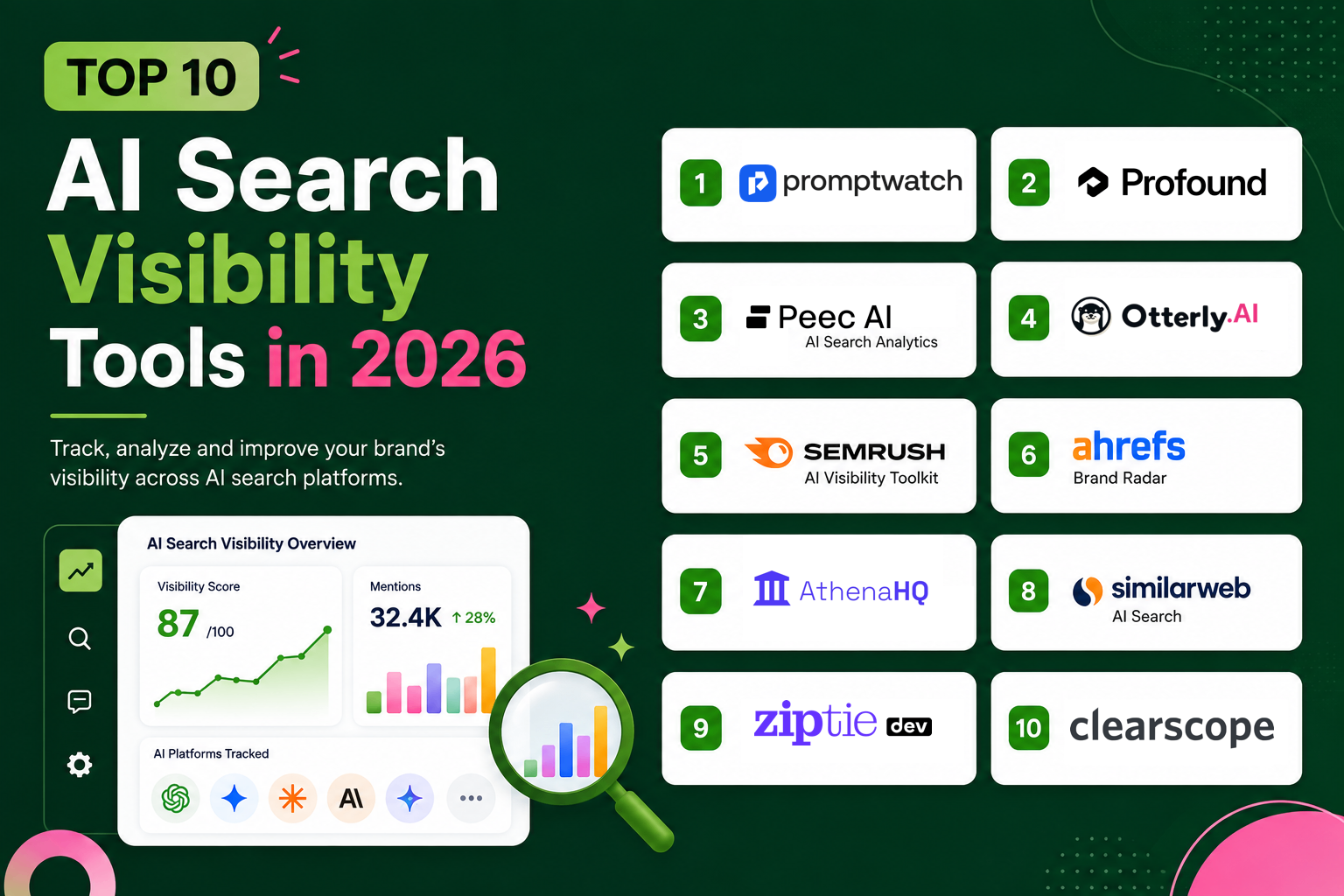
Top 10 AI Search Visibility Tools in 2026
AI-powered search is rapidly changing how people discover brands online. Instead of clicking through a list of blue links, users are increasingly asking ChatGPT, Google AI Overviews, Gemini, Perplexity, Claude, and other AI assistants for recommendations. These systems summarize information, cite trusted sources, and recommend products directly, making AI search visibility an important part of every modern SEO strategy. Traditional SEO metrics alone are no longer enough to measure online presence. Businesses now need to understand how often AI models mention their brand, which pages are being cited, how competitors appear in AI-generated answers, and where new opportunities exist. This has given rise to a new category of software known as AI search visibility or Generative Engine Optimization (GEO) tools. These platforms monitor brand mentions across AI search engines, analyze citations, measure share of voice, identify content gaps, and help marketing teams improve their visibility in AI-generated responses. Some focus entirely on AI analytics, while others combine AI visibility with traditional SEO, content optimization, and competitive intelligence. In this guide, we'll compare the best AI search visibility tools available in 2026. Whether you're a startup, SaaS company, agency, ecommerce business, or enterprise marketing team, this guide will help you choose the right platform to monitor and improve your visibility across the next generation of search engines. > SUMMARY > > AI search visibility tools help businesses measure and improve how often their brand appears in AI-generated answers across platforms like ChatGPT, Google AI Mode, Perplexity, Claude, and Gemini. Most platforms monitor AI citations, track prompts, analyze competitors, and provide insights to strengthen visibility in AI search results. > > The best platform depends on your needs, whether you're looking for enterprise monitoring, agency reporting, SEO insights, or AI content optimization. > > * PromptWatch - Best for monitoring AI search visibility, tracking prompts, and measuring brand performance across leading AI search engines. > * Profound - Ideal for enterprise AI visibility with prompt tracking, citation monitoring, and brand sentiment analysis. > * Peec AI - Built for agencies with competitor tracking, prompt analytics, and multi-brand reporting. > * Otterly AI - Helps brands understand and improve their visibility across AI search platforms with actionable optimization insights. > * Semrush AI Visibility Toolkit - Best for SEO teams that want to combine traditional search analytics with AI visibility tracking. > > Other leading AI search visibility tools include Ahrefs Brand Radar, AthenaHQ, and Similarweb AI Brand Visibility, which offer capabilities such as AI citation tracking, competitive intelligence, brand monitoring, and visibility analytics. COMPARISON TABLE | Tool | Best For | Core Feature | Starting Price | Free Plan | Platform | | : | : | : | : | : | : | | Promptwatch | Enterprise AI search optimization | AI visibility monitoring, prompt tracking, citation analysis, AI crawler analytics, competitor tracking, AI content agents | From $95/month | 7-day free trial | Cloud SaaS | | Profound | Enterprise AI visibility | AI brand monitoring, citations & sentiment | From $99/mo | ✗ | Cloud SaaS | | Peec AI | Agencies | Prompt tracking & AI share of voice | From $95/mo | ✗ | Cloud SaaS | | Otterly AI | AI search optimization | AI visibility tracking, prompt monitoring, competitor analysis, GEO insights | Custom | ✗ | Cloud SaaS | | Ziptie | AI search monitoring | Prompt tracking & GEO analytics | Custom | ✗ | Cloud SaaS | | Ahrefs Brand Radar | Existing Ahrefs users | AI citations & brand mentions | Included in Ahrefs plans | ✗ | Cloud SaaS | | AthenaHQ | Ecommerce & growth teams | AI visibility tied to revenue | From $295/mo | Limited | Cloud SaaS | | Clearscope | AI search content optimization | AI prompt tracking, content optimization, topic research, AI content grading, AI visibility tracking, content briefs | From $129/month | 14-day free trial | Cloud SaaS | | Similarweb AI Brand Visibility | Competitive intelligence | AI traffic & brand visibility analytics | Custom | ✗ | Cloud SaaS | | Semrush AI Visibility Toolkit | Existing Semrush users | AI visibility + SEO insights | $99/mo | Limited | Cloud SaaS | | Scrunch | Enterprise brands | AI visibility & governance | Custom | ✗ | Cloud SaaS | | Writesonic AI Visibility Tracker | AI search visibility + content optimization | AI visibility tracking, GEO optimization, AI Bot Analytics, AI Article Writer, competitor monitoring, Action Center, site audits | From $79/mo | ✓ | Cloud SaaS | 1. PROMPTWATCH Unlike traditional SEO platforms that primarily measure rankings and traffic, Promptwatch is built specifically for AI search optimization. The platform helps brands understand how they appear across ChatGPT, Gemini, Claude, Perplexity, Google AI Overviews, and other AI search engines while providing actionable insights to improve visibility. It combines AI visibility monitoring, citation analysis, prompt tracking, and AI-powered content optimization in a single platform. Promptwatch tracks real user prompts to show when and how AI models mention a brand, which sources they cite, and how competitors perform for the same queries. Its citation analysis identifies the websites and content types influencing AI-generated answers, while Agent Analytics monitors AI crawler activity to reveal which pages are being discovered, indexed, and cited. This helps marketing teams understand not only where they are visible, but also why AI models recommend certain brands over others. Another standout capability is its AI-powered Content Agents. Instead of simply reporting visibility metrics, Promptwatch analyzes citation gaps, generates AI-optimized content briefs, performs competitor analysis, and recommends content that is more likely to be referenced by AI search engines. The platform also supports country, state, and city-level tracking, API and MCP access, and integrations with major CDNs, making it suitable for businesses and agencies managing AI search performance at scale. With its combination of prompt monitoring, citation intelligence, crawler analytics, and AI-driven content optimization, Promptwatch serves as an end-to-end AI Search Optimization (AISO) platform rather than a standalone monitoring tool. It is particularly well suited for enterprises, agencies, and SEO teams looking to measure, improve, and scale their visibility across the rapidly growing AI search ecosystem. PRICING | Plan | Pricing | | : | : | | 7-day Free Trial | Available | | Essential | From $95/month | | Professional | From $245/month | | Business | From $579/month | | Enterprise | Custom pricing | BEST FOR Enterprise SEO teams, agencies, SaaS companies, publishers, and brands that want to monitor AI visibility, analyze citations, track competitors, and create content optimized for AI search engines. 2. PROFOUND As AI-powered search becomes a primary discovery channel, businesses need more than traditional SEO reports to understand their online presence. Search engines like ChatGPT, Google AI Overviews, Perplexity, Claude, and Gemini generate answers instead of simply listing web pages, making it increasingly important to know when and why your brand is mentioned. Profound is one of the first enterprise platforms built specifically for this purpose, helping brands monitor, measure, and improve their visibility across leading AI search engines. Rather than tracking keyword rankings alone, Profound analyses how AI models respond to thousands of prompts related to your business. It identifies when your brand appears in AI-generated answers, which sources are being cited, how competitors compare, and where opportunities exist to improve visibility. This gives marketing teams a much clearer understanding of their AI search performance than traditional SEO metrics alone. One of Profound's strongest capabilities is its comprehensive analytics dashboard. Businesses can monitor AI citations, analyse brand sentiment, track changes in share of voice, and evaluate prompt performance across multiple large language models. The platform also provides recommendations that help marketers optimise content likely to be referenced by AI systems, making it useful for both SEO and content strategy. Profound is designed primarily for enterprise organisations managing multiple products, brands, or international markets. Its reporting features allow teams to monitor AI visibility over time, compare performance against competitors, and measure how content updates influence AI-generated answers. As AI search continues evolving, these insights help businesses understand where they are gaining visibility and where further optimisation is needed. Although Profound focuses more on enterprise customers than on smaller businesses, it remains one of the most comprehensive AI visibility platforms currently available. Companies investing heavily in AI search optimisation can use its analytics to make informed decisions instead of relying on assumptions about how AI models reference their content. PRICING Profound offers custom pricing based on business size, monitoring requirements, and the number of brands being tracked. BEST FOR Enterprise businesses, global brands, large marketing teams, and organisations looking for comprehensive AI search visibility analytics across multiple AI search platforms. 3. PEEC AI For agencies and SEO teams managing multiple clients, monitoring AI search manually can quickly become impossible. Peec AI is designed specifically for Generative Engine Optimization (GEO), giving businesses a centralized platform to track how brands appear across AI-powered search engines. It combines prompt monitoring, citation analysis, competitor benchmarking, and reporting into a workflow built for both agencies and in-house marketing teams. The platform continuously evaluates thousands of prompts related to your business and records how AI platforms respond. It identifies when your brand appears, which competitors receive more visibility, what sources are being cited, and how your share of voice changes over time. This helps marketers understand not only whether they are visible in AI search, but also why competitors may be outperforming them. Peec AI also provides detailed competitor analysis and historical reporting, allowing teams to measure the impact of content updates and optimization campaigns. Because AI search results evolve rapidly, ongoing monitoring makes it easier to identify new opportunities before they become highly competitive. Agencies can manage multiple client workspaces, generate branded reports, and monitor several industries from a single dashboard. Another advantage is its collaboration features. Multiple users can access projects, compare brands, and share insights across marketing, SEO, and content teams. This makes Peec AI particularly valuable for organizations managing AI visibility across several clients or business units. Although newer than some traditional SEO platforms, Peec AI has quickly established itself as one of the leading dedicated AI visibility solutions by focusing entirely on helping businesses succeed in conversational search. 4. OTTERLY AI For businesses taking their first steps into AI search optimization, Otterly AI offers one of the simplest ways to monitor brand visibility across leading AI platforms. Instead of focusing on traditional keyword rankings, the platform tracks how often your website, products, and content appear in AI-generated responses from search engines such as ChatGPT, Google AI Overviews, and Perplexity. Its straightforward interface makes it accessible for startups, content creators, and marketing teams that want actionable insights without the complexity of enterprise software. Otterly AI automatically monitors a collection of prompts related to your business and records how AI platforms respond over time. It highlights whether your brand is mentioned, which competitors appear instead, and which webpages are most frequently cited. By tracking these changes continuously, businesses can quickly identify opportunities to improve their AI search presence and measure whether new content is increasing visibility. The platform also provides historical reporting, allowing teams to compare AI visibility across weeks or months instead of relying on one-time manual checks. Because AI search results change frequently, this ongoing monitoring helps marketers understand long-term trends and evaluate the effectiveness of their content strategy. Although Otterly AI doesn't include the extensive competitive intelligence found in larger enterprise platforms, its affordability and ease of use make it one of the best entry points for businesses beginning their Generative Engine Optimization (GEO) journey. PRICING | Plan | Pricing | | : | : | | Starter | $29/month | | Pro | $189/month | | Enterprise | Custom pricing | BEST FOR Startups, bloggers, content creators, small businesses, and marketing teams looking for an affordable AI search visibility monitoring platform. 5. SEMRUSH AI VISIBILITY TOOLKIT For businesses already using Semrush as their primary SEO platform, Semrush AI Visibility Toolkit provides a natural extension into AI search monitoring. Instead of managing a separate platform for Generative Engine Optimization (GEO), users can analyse AI visibility alongside keyword rankings, backlink performance, competitor research, and technical SEO from the same dashboard. The toolkit measures how frequently your brand appears in AI-generated responses across supported AI search engines while also identifying which competitors receive more visibility for similar prompts. Rather than simply counting mentions, it analyses citations, prompt performance, market share, and AI-generated recommendations, allowing marketing teams to understand how AI systems interpret their content. One of the platform's biggest advantages is its integration with the wider Semrush ecosystem. Users can move from identifying an AI visibility gap to researching keywords, analysing backlinks, improving content, and monitoring organic rankings without switching between multiple applications. This unified workflow makes it particularly attractive for established SEO teams that already rely on Semrush for daily optimisation. The toolkit also highlights emerging opportunities where businesses can improve AI visibility through stronger topical authority, more authoritative citations, or better content coverage. As Google AI Overviews and conversational search continue expanding, these recommendations help businesses adapt their SEO strategy to new search behaviours instead of focusing only on traditional rankings. For companies already investing in Semrush, the AI Visibility Toolkit provides one of the easiest ways to begin measuring AI search performance without adding another specialised platform to their marketing stack. PRICING The AI Visibility Toolkit is available as part of Semrush AI Toolkit, with plans starting at approximately $99/month. BEST FOR SEO professionals, agencies, content marketers, and businesses already using Semrush that want to measure and improve their visibility across AI-powered search engines. 6. ZIPTIE As AI search platforms become a major source of product discovery, simply tracking keyword rankings is no longer enough. Businesses also need to understand how frequently AI models recommend their brand, which prompts trigger those mentions, and why competitors appear more often. Ziptie is built specifically to answer these questions by monitoring brand visibility across leading AI search engines and helping businesses improve their presence in AI-generated responses. Rather than focusing on traditional SEO metrics, Ziptie continuously tracks prompts related to your products, services, and industry. It analyses responses from AI platforms to determine whether your brand is mentioned, which sources are cited, and how your visibility changes over time. This provides marketers with a clearer understanding of their performance across conversational search engines without manually testing hundreds of prompts every week. One of Ziptie's biggest strengths is its developer-friendly approach. The platform provides detailed prompt analytics, citation tracking, competitor comparisons, and historical reporting that help teams identify opportunities to improve their AI search presence. Businesses can monitor how content updates influence AI-generated answers while discovering new topics that deserve additional coverage. Because AI search is evolving rapidly, continuous monitoring is becoming increasingly valuable. Ziptie helps businesses detect changes early so marketing teams can adapt their content strategy before competitors gain an advantage. Its streamlined interface and focused feature set make it particularly useful for companies that want dedicated AI visibility analytics without the complexity of a broader enterprise SEO suite. PRICING Ziptie offers custom pricing based on monitoring requirements and business size. BEST FOR Developers, SaaS companies, startups, and marketing teams looking for dedicated AI search visibility tracking and prompt analytics. 7. AHREFS BRAND RADAR Understanding whether your brand is being mentioned by AI search engines is becoming just as important as tracking backlinks or keyword rankings. Ahrefs Brand Radar extends Ahrefs' SEO platform by helping businesses measure how frequently their brand appears in AI-generated answers and how that visibility compares with competitors. For teams already using Ahrefs, it provides a natural way to monitor AI search performance alongside traditional SEO metrics. Brand Radar continuously analyses AI-generated responses across supported search platforms to identify brand mentions, citations, and overall share of voice. Rather than simply reporting how often a brand appears, it highlights the topics and prompts that generate visibility, making it easier for marketers to understand where additional content or authority may be needed. Because Brand Radar is integrated into the broader Ahrefs ecosystem, users can quickly move from identifying an AI visibility gap to researching keywords, analysing backlinks, or auditing content without leaving the platform. This unified workflow saves time while helping SEO teams connect AI visibility improvements with traditional organic search performance. For businesses already relying on Ahrefs, Brand Radar offers an efficient way to begin monitoring AI search without investing in a completely separate analytics platform. It complements existing SEO workflows while providing valuable insights into how AI search engines are reshaping online discovery. PRICING Brand Radar is available as part of selected Ahrefs subscription plans, with pricing starting from $129/month for the broader Ahrefs platform. BEST FOR SEO professionals, agencies, publishers, and businesses already using Ahrefs that want to measure brand visibility across AI-powered search engines. 8. SIMILARWEB AI BRAND VISIBILITY Understanding how people discover your brand through AI search requires more than monitoring mentions alone. Businesses also need to know how AI search contributes to website traffic, how competitors are performing, and which prompts drive the highest visibility. Similarweb AI Brand Visibility extends Similarweb's market intelligence platform by providing insights into brand performance across AI-powered search experiences. The platform analyses how frequently brands appear in AI-generated responses while measuring share of voice, citation trends, and competitive performance across multiple industries. Unlike traditional SEO platforms that primarily focus on rankings, Similarweb combines AI visibility data with broader digital market intelligence, allowing businesses to understand AI search within the context of their overall online presence. Another major advantage is competitor benchmarking. Marketing teams can compare their AI visibility against competing brands, identify content gaps, and discover emerging trends before they become highly competitive. Because Similarweb already collects extensive web traffic and market intelligence data, these AI insights can be connected directly with broader digital marketing performance, helping businesses make more informed strategic decisions. For larger organisations, this integrated approach provides valuable context that goes beyond simple mention tracking. Instead of asking whether a brand appears in AI responses, teams can understand how AI visibility relates to traffic growth, market share, and customer discovery across different digital channels. PRICING Similarweb AI Brand Visibility is available through custom enterprise pricing. BEST FOR Enterprise businesses, large marketing teams, competitive intelligence analysts, and brands looking to combine AI visibility with broader digital market insights. 9. ATHENAHQ As AI search becomes a growing source of website traffic, marketers need more than visibility reports. They also need to understand whether AI-generated mentions are driving business results. AthenaHQ is built around this idea by combining AI search visibility tracking with revenue-focused analytics. Instead of simply reporting how often a brand appears in AI-generated answers, the platform helps businesses understand how AI visibility influences customer acquisition, conversions, and overall marketing performance. AthenaHQ continuously monitors prompts across major AI search platforms, including ChatGPT, Google AI Overviews, Gemini, Claude, and Perplexity. It tracks brand mentions, citation sources, competitor visibility, and share of voice while identifying content opportunities that can improve AI search performance. The platform also measures changes over time, allowing marketing teams to evaluate whether new content and optimization efforts increase AI visibility. One of AthenaHQ's strongest features is its business-focused reporting. Rather than treating AI search as a standalone metric, it connects visibility data with marketing outcomes, helping businesses prioritize the content and topics that generate meaningful results. Teams can monitor competitors, discover emerging trends, and identify which AI prompts influence customer discovery the most. For growing SaaS companies and enterprise marketing teams, AthenaHQ provides a practical way to measure the impact of AI search while integrating those insights into broader SEO and growth strategies. As conversational search continues expanding, understanding the business value behind AI visibility is becoming just as important as tracking rankings. PRICING | Plan | Pricing | | : | : | | Growth | From $295/month | | Enterprise | Custom pricing | BEST FOR Growth-stage startups, SaaS companies, enterprise marketing teams, and businesses that want to connect AI search visibility with revenue and marketing performance. 10. CLEARSCOPE While many AI visibility platforms focus primarily on monitoring brand mentions, Clearscope takes a content-first approach by helping businesses create pages that perform well in both traditional search engines and AI-powered search experiences. The platform combines content optimization, topic research, AI prompt tracking, and AI visibility monitoring to help marketers improve the chances of being referenced in ChatGPT, Google AI Mode, Gemini, and future AI search platforms. Clearscope brings together semantic content analysis, AI-assisted drafting, and search intent recommendations into a single workflow. Its content editor provides real-time optimization scores, identifies important topics and entities to cover, and generates detailed content briefs based on top-performing pages. The platform also includes AI Drafts and Topic Exploration, enabling teams to research, write, and optimize content that aligns with both user intent and modern AI search systems. A major addition is its AI visibility suite, which allows users to track prompts across ChatGPT and Gemini, monitor brand mentions, analyze AI citations, and understand the web searches AI models perform before generating responses. Rather than only showing visibility metrics, Clearscope provides actionable recommendations that help improve topical authority, content quality, and the likelihood of appearing in AI-generated answers. Integrations with Google Docs, Microsoft Word, and WordPress also streamline collaboration for editorial teams. Although Clearscope is best known as an enterprise SEO content optimization platform, its growing focus on Answer Engine Optimization (AEO) and AI visibility makes it a valuable solution for organizations that want to create authoritative content while measuring how it performs across both search engines and AI assistants. PRICING | Plan | Pricing | | : | : | | 14-day Free Trial | Available | | Essentials | From $129/month | | Business | From $399/month | | Enterprise | Custom pricing | BEST FOR Content marketing teams, enterprise SEO teams, publishers, agencies, and businesses looking to optimize content for both search engines and AI-powered search while tracking AI visibility and brand citations. 11. SCRUNCH For enterprise organisations, monitoring AI visibility involves more than measuring brand mentions. Teams also need governance, reporting, collaboration, and clear insights into how AI models represent their products and messaging. Scrunch is designed to help businesses manage this growing challenge by providing enterprise-grade AI search monitoring and brand intelligence. Scrunch continuously evaluates how leading AI platforms describe your business, what sources they rely on, and how competitor visibility changes over time. Instead of manually testing prompts across multiple AI models, businesses receive centralised reporting that highlights brand mentions, citation sources, sentiment, and visibility trends. This helps marketing and communications teams maintain a consistent understanding of how AI systems present their brand. One of Scrunch's strengths is its focus on collaboration. Reports can be shared across SEO, PR, content, and executive teams, making AI visibility part of broader marketing and brand governance efforts. As organisations increasingly invest in AI optimisation, having a shared view of brand performance helps different departments align their strategies and respond more quickly to changes in AI-generated search results. While Scrunch is primarily aimed at larger organisations, its combination of AI monitoring, reporting, and enterprise collaboration makes it a valuable platform for businesses that view AI search as a strategic marketing channel rather than simply another SEO metric. PRICING Scrunch offers custom enterprise pricing based on business requirements and monitoring volume. BEST FOR Enterprise brands, corporate marketing teams, communications departments, and organisations managing AI search visibility across multiple products or markets. 12. WRITESONIC AI VISIBILITY TRACKER Unlike many AI visibility platforms that only monitor brand mentions, Writesonic AI Visibility Tracker combines AI search monitoring with content creation and optimization in a single platform. It enables businesses to track how their brand appears across ChatGPT, Gemini, and Google AI Overviews while providing actionable recommendations to improve visibility. Recent updates have expanded the platform beyond GEO, adding AI Bot Analytics, competitor monitoring, and an AI Visibility Action Center that helps prioritize content, technical SEO, and citation opportunities. Writesonic integrates AI writing, SEO research, AI visibility tracking, and website auditing into one workflow. Users can generate long-form articles, optimize existing content, run site audits, monitor AI search performance, and identify gaps where competitors are being cited instead. The platform also offers AI-powered content strategy recommendations and automated SEO improvements, making it easier to publish content designed for both traditional search engines and AI-powered answer engines. A notable addition is the Action Center, which turns AI visibility insights into prioritized recommendations. Instead of only showing where visibility is lacking, Writesonic suggests on-page improvements, technical fixes, and content opportunities that can help increase citations in AI-generated responses. Teams can also monitor prompt performance, track sentiment, and measure visibility trends without relying on multiple SEO and analytics tools. Although Writesonic remains a strong AI writing platform, its expanded AI Search Visibility suite makes it a practical option for startups, agencies, and marketing teams looking for an all-in-one solution that combines AI visibility tracking, GEO optimization, content creation, and SEO workflows. PRICING | Plan | Pricing | | : | : | | Free Trial | Available | | Starter | From $79/month | | Basic | From $199/month | | Growth | From $399/month | | Enterprise | Custom pricing | BEST FOR Businesses and content teams looking for an all in one platform for AI search visibility tracking, GEO optimization, and AI-powered content creation. CONCLUSION AI search is rapidly becoming an important channel for online discovery, making visibility in ChatGPT, Google AI Overviews, Gemini, Claude, Perplexity, and other AI assistants just as valuable as traditional search rankings. Instead of relying solely on keyword positions, businesses now need to understand how AI models reference their brand, which sources they cite, and where new opportunities exist to improve visibility. Each platform in this guide addresses a different aspect of AI search optimization. PromptWatch, Profound and Peec AI specialize in enterprise-grade AI visibility monitoring, while Semrush AI Visibility Toolkit and Ahrefs Brand Radar extend familiar SEO platforms with AI search insights. Otterly AI offers an accessible solution for smaller teams, Writesonic AI Visibility Tracker helps create AI-friendly content, and platforms such as Ziptie, Similarweb AI Brand Visibility, Scrunch, and AthenaHQ provide specialized analytics for competitive intelligence and brand monitoring. The right AI search visibility tool depends on your business goals, existing SEO workflow, and budget. Whether you're a founder, agency, marketer, or enterprise team, investing in AI visibility today can help your brand stay discoverable as search continues shifting toward conversational AI. Businesses that monitor, optimize, and adapt their content for AI-powered search will be better positioned to build authority, increase brand awareness, and capture organic traffic in the years ahead.
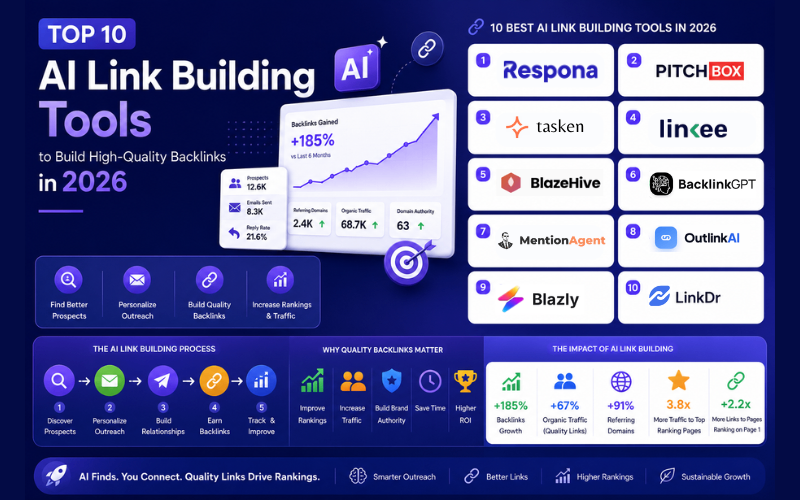
Top 10 AI Link Building Tools to Build High-Quality Backlinks in 2026
Building high-quality backlinks is one of the most challenging parts of SEO. Finding relevant websites, reaching the right people, personalising outreach, and managing follow-ups can quickly become time-consuming, especially as your website grows. For founders, marketers, agencies, and SEO professionals, scaling link building manually is rarely sustainable. AI is changing that by automating prospect discovery, outreach, follow-ups, and backlink management. While some platforms focus on AI-powered outreach, others specialise in digital PR, backlink prospecting, managed link building, or creating link-worthy content. The goal isn't to replace human relationships but to eliminate repetitive work so teams can focus on strategy and earning quality backlinks. This guide compares the best AI link building tools in 2026, covering their features, pricing, strengths, and ideal use cases. Whether you're running a startup, managing an agency, or growing an enterprise website, you'll find the right platform to build better backlinks and scale your SEO efforts more efficiently. > QUICK SUMMARY > > Choosing the right AI link building tool depends on how involved you want to be in the outreach process and the size of your SEO campaigns. > > * Respona is one of the strongest options for businesses that prefer a fully managed service, handling outreach and publisher relationships while charging only for successful placements. > * Pitchbox remains the industry standard for agencies and enterprise SEO teams that need advanced prospecting, outreach automation, CRM capabilities, and AI-powered personalisation. > * Tasken AI takes a different approach by building custom AI automation systems that businesses own, making it ideal for agencies looking to scale without relying on traditional SaaS subscriptions. > * Linkee offers an affordable platform that combines prospect discovery, email verification, outreach, and campaign management. > * BlazeHive offers a different approach to link building by focusing on AI-powered SEO automation. Instead of managing outreach campaigns, it helps businesses create search-optimised articles, interactive landing pages, and other link-worthy content that can naturally attract backlinks. > > If you're looking for AI agents that automate prospect qualification and personalised outreach, BacklinkGPT, MentionAgent, and Outlink AI each provide different levels of automation for link acquisition and digital PR campaigns. COMPARISON TABLE | Tool | Best For | Core Feature | Starting Price | Free Plan | Platform | | : | : | : | : | : | : | | Respona | Managed link building | Done-for-you outreach and editorial placements | Pay per placement | ✗ | Cloud Service | | Pitchbox | Agencies & enterprise SEO | Prospecting, outreach CRM and AI personalisation | $210/month | ✗ | Cloud SaaS | | Tasken AI | Custom AI automation | Bespoke AI-powered link building workflows | Custom | ✗ | Cloud Service | | Linkee | Budget outreach automation | Prospecting, email discovery and outreach | $80.83/month | Trial | Cloud SaaS | | BlazeHive | AI SEO & content automation | Buyer-intent keyword research, automated content generation, interactive SEO pages, CMS publishing | $99/month | 3-day free trial | Cloud SaaS | | BacklinkGPT | AI outreach automation | AI prospect qualification and personalised outreach | $149/month | Trial | Cloud SaaS | | MentionAgent | SaaS founders | AI outreach with built-in email infrastructure | $99/month | Trial | Cloud SaaS | | Outlink AI | Digital PR & outreach | End-to-end AI outreach automation | $175/month | Trial | Cloud SaaS | | Blazly AI | AI growth platform | SEO, GEO, backlinks and content workflows | From $40/month | ✓ | Cloud SaaS | | LinkDR | Fixed-price backlinks | AI-assisted backlink marketplace | Pay per placement | ✗ | Cloud Platform | 1. RESPONA Building high-quality backlinks often requires much more than sending outreach emails. Finding trustworthy websites, identifying the right contact, pitching relevant content, and following up consistently can take weeks for a single campaign. Respona approaches this challenge differently by combining AI-assisted research with a fully managed link-building service. Rather than simply providing outreach software, the platform helps businesses secure editorial backlinks through its own outreach team, allowing customers to focus on growing their business instead of managing campaigns. Unlike traditional outreach platforms, Respona's managed service handles prospect research, publisher outreach, content creation, negotiation, and placement management. Businesses simply define their target pages, preferred anchor text, and quality requirements, while the Respona team works with vetted publishers to earn relevant backlinks. Since customers pay only for successfully published placements, the service offers a more predictable alternative to running large in-house outreach campaigns. For teams that prefer managing outreach themselves, Respona also provides several AI-powered SEO utilities, including backlink analysis, email discovery, and prospect research tools. These features help users discover relevant websites faster while reducing the manual effort involved in building outreach lists. Combined with its managed services, the platform can support businesses at different stages of their link-building journey. One of Respona's biggest advantages is its focus on quality rather than volume. Instead of pursuing thousands of prospects through automated email sequences, the platform prioritises editorially relevant websites with genuine traffic and authority. This approach makes it particularly attractive for SaaS companies, startups, agencies, and brands that want sustainable backlink growth without relying on low-quality link networks. PRICING Respona offers pay-per-placement pricing based on publisher quality and authority. | Placement Tier | Pricing | | : | : | | Starter | $100 per placement | | Standard | $160 per placement | | Authority | $240 per placement | | Power | $400 per placement | | Elite | $500 per placement | BEST FOR Businesses, startups, agencies, and marketing teams looking for a managed link building solution that delivers editorial backlinks without handling outreach internally. 2. PITCHBOX For agencies and enterprise SEO teams running multiple outreach campaigns simultaneously, Pitchbox has become one of the most established platforms in the industry. It combines prospect discovery, relationship management, outreach automation, reporting, and AI-powered personalisation into a single platform, making it easier to manage thousands of conversations without losing track of opportunities. Pitchbox begins by helping users discover relevant publishers using integrations with leading SEO platforms such as Ahrefs, Semrush, Moz, and Majestic. Once prospects have been identified, the platform automates much of the outreach process by generating personalised emails, scheduling follow-ups, organising conversations, and tracking campaign performance. Instead of switching between multiple tools, SEO teams can manage their entire outreach workflow from one dashboard. Recent AI capabilities have made Pitchbox even more effective for large campaigns. Its AI-powered personalisation creates customised opening lines based on each prospect's website, while AI reply assistance helps users respond more efficiently to incoming conversations. Template generation and automated workflows further reduce repetitive tasks, allowing agencies to scale outreach without sacrificing relevance or quality. Another strength of Pitchbox is its collaboration features. Agencies managing multiple clients can organise campaigns separately, monitor team performance, generate white-label reports, and track backlink acquisition from a central workspace. This makes it suitable for businesses running complex SEO campaigns where visibility, reporting, and workflow management are just as important as outreach itself. Although Pitchbox has a higher starting price than many newer AI tools, its mature feature set, extensive integrations, and enterprise capabilities continue to make it one of the strongest choices for professional link building teams managing outreach at scale. PRICING | Plan | Pricing | | : | : | | Pro | $210/month | | Advanced | $420/month | | Scale | $825/month | | Enterprise | Custom pricing | BEST FOR SEO agencies, enterprise marketing teams, digital PR professionals, and in-house SEO departments managing large-scale outreach campaigns across multiple brands or clients. 3. TASKEN AI Most AI link building platforms provide a fixed set of features through a monthly subscription. Tasken AI takes a different approach by building custom AI-powered link building systems that businesses own and control. Instead of adapting your workflow to a SaaS platform, Tasken develops automation tailored to your outreach process, making it particularly appealing for agencies and enterprises with unique requirements. The platform focuses on automating every stage of link acquisition, from prospect discovery and domain qualification to personalised outreach and reply management. AI helps identify relevant websites, evaluate backlink opportunities, classify responses, and organise outreach campaigns, while businesses retain complete control over how the system operates. Because the infrastructure is designed specifically for each client, it can integrate with existing CRMs, internal databases, email platforms, and SEO tools without forcing teams to change their established workflow. One of Tasken AI's biggest advantages is ownership. Unlike traditional software subscriptions where access ends when the subscription expires, Tasken develops AI systems that can be deployed within a company's own infrastructure. This gives agencies greater flexibility, improves data privacy, and reduces dependence on third-party platforms as outreach operations grow. Although Tasken AI requires a larger initial investment than self-service SaaS products, it becomes increasingly valuable for businesses running large-scale outreach campaigns or managing multiple clients. Agencies can automate repetitive work while maintaining their own branding, workflows, and operational control. PRICING Tasken AI provides custom pricing based on project requirements and implementation scope. BEST FOR SEO agencies, enterprise marketing teams, and businesses looking for fully customised AI-powered link building automation rather than a standard SaaS platform. 4. LINKEE AI For freelancers, startups, and smaller SEO teams, affordability often matters just as much as automation. Linkee AI combines backlink prospecting, email discovery, outreach management, and SEO metrics into a single platform without the complexity or cost associated with many enterprise solutions. It is designed to simplify link building while keeping campaigns organised from start to finish. The platform maintains a large database of websites that users can filter based on relevance, authority, organic traffic, and other SEO metrics. AI assists with identifying suitable backlink opportunities, verifying contact information, and creating personalised outreach messages that improve response rates. Instead of exporting data between several different tools, marketers can manage prospect discovery, outreach, and campaign tracking from one dashboard. Another advantage of Linkee AI is its built-in verification process. Before outreach begins, the platform analyses websites for relevance and quality, helping users avoid low-value opportunities that are unlikely to generate meaningful backlinks. This saves time while improving campaign efficiency, especially for businesses running outreach with limited resources. Because the platform balances automation with affordability, Linkee AI is well suited for businesses beginning their link-building journey. It offers enough functionality to replace several standalone outreach tools while remaining accessible for individuals and smaller marketing teams. PRICING | Plan | Pricing | | : | : | | Free Trial | 14 days | | Essential | $80.83/month | | Pro | $164.17/month | | Agency | $298.33/month | BEST FOR Freelancers, startups, bloggers, and small marketing teams looking for an affordable AI-powered outreach platform with integrated prospecting and email discovery. 5. BLAZEHIVE BLAZEHIVE BlazeHive is an AI-powered SEO automation platform designed to help businesses grow organic traffic with minimal manual effort. Instead of functioning as a traditional link-building tool, BlazeHive automates the entire SEO workflow, including buyer-intent keyword research, content planning, AI-assisted writing, optimization, and publishing. One of its unique strengths is its ability to create both SEO articles and interactive landing pages, such as calculators and generators, which are more likely to attract backlinks naturally and increase user engagement. The platform also emphasizes visibility in AI-powered search engines like ChatGPT, Claude, and Perplexity by creating content optimized for both traditional search results and AI citations. BlazeHive connects directly with popular CMS platforms such as WordPress, Webflow, Ghost, Framer, Contentful, Storyblok, and Strapi, allowing businesses to publish content automatically without moving between multiple tools. Another notable feature is its AI detection and humanization system, which rewrites generic AI-generated content before publication to improve readability and reduce the risk of publishing repetitive, low-quality copy. Instead of relying on multiple SEO tools, content writers, and publishing platforms, BlazeHive combines the entire workflow into a single automated system. Although BlazeHiveis primarily an SEO automation platform rather than a dedicated backlink outreach tool, it contributes to link building by helping businesses publish high-quality, buyer-focused content and interactive resources that naturally earn backlinks over time. For startups, SaaS companies, agencies, and founder-led businesses looking to scale content marketing without building a large SEO team, it provides an efficient alternative to managing multiple disconnected tools. PRICING BlazeHive offers a 3-day free trial, and its Complete Engine plan starts at $99/month, which includes AI keyword research, automated content generation, interactive page creation, SEO validation, CMS publishing, and integrations with major content management systems. BEST FOR Startups, SaaS companies, agencies, and businesses looking to automate SEO content production, create link-worthy assets, and grow organic traffic through AI-powered publishing. 6. BACKLINKGPT Many outreach platforms help users find prospects and send emails, but BacklinkGPT goes a step further by acting as an AI-powered link-building agent. Instead of simply generating prospect lists, the platform analyses your website, evaluates backlink opportunities, identifies the right contacts, and drafts personalised outreach messages with minimal manual effort. This makes it particularly useful for founders, startups, and small marketing teams that want to automate repetitive outreach tasks without sacrificing quality. The workflow begins by analysing your website and competitors to discover relevant backlink opportunities. Rather than treating every website equally, BacklinkGPT uses AI to assess whether a prospect is worth contacting, helping users prioritise high-quality websites over low-value opportunities. It can also identify the appropriate contact person, generate personalised outreach emails based on the prospect's content, and continue monitoring acquired backlinks after they go live. Another valuable feature is backlink monitoring. Instead of manually checking whether earned links remain active, the platform continuously tracks existing backlinks and alerts users if links are removed or modified. This allows businesses to protect the value of previous outreach campaigns while maintaining a healthier backlink profile over time. BacklinkGPT is designed for users who want an intelligent assistant rather than a traditional outreach platform. By combining prospect evaluation, personalised communication, and backlink monitoring, it reduces much of the manual work involved in running successful link-building campaigns. PRICING | Plan | Pricing | | : | : | | Starter | $149/month | | Growth | $399/month | | Scale | $999/month | BEST FOR Founders, startups, SEO professionals, and marketing teams looking for an AI-powered assistant that automates prospect evaluation, personalised outreach, and backlink monitoring. 7. MENTIONAGENT For many SaaS businesses, earning editorial mentions can be just as valuable as acquiring traditional backlinks. MentionAgent focuses on helping businesses secure relevant mentions by combining AI-powered prospect discovery, personalised outreach, and built-in email infrastructure into a single platform. Unlike many outreach tools that require separate email services, warm-up software, and automation platforms, MentionAgent brings everything together under one subscription. The platform continuously identifies relevant articles, blogs, and websites where your business could naturally be mentioned. AI then creates personalised outreach messages based on the existing content instead of relying on generic templates, helping campaigns feel more authentic and improving response rates. Built-in email hosting and automatic domain warm-up simplify campaign management even further, particularly for founders and small teams without dedicated outreach infrastructure. One of MentionAgent's unique capabilities is its focus on AI search visibility. In addition to traditional backlink opportunities, the platform monitors how brands appear across leading AI search platforms, helping businesses understand how they are being referenced in AI-generated responses. As AI-powered search becomes increasingly important, this additional visibility can provide valuable insights beyond conventional SEO metrics. Because it combines outreach, email infrastructure, and AI visibility tracking, MentionAgent offers an efficient solution for businesses looking to strengthen both traditional search performance and emerging AI search presence without managing multiple subscriptions. PRICING | Plan | Pricing | | : | : | | Free Trial | Available | | Starter | $99/month | BEST FOR SaaS companies, startups, founders, and small marketing teams looking for an affordable AI outreach platform with built-in email infrastructure and AI visibility monitoring. 8. OUTLINK AI Managing prospect research, outreach, follow-ups, reply handling, and backlink verification manually can quickly become overwhelming as campaigns grow. Outlink AI automates almost the entire outreach process, allowing businesses to manage link-building campaigns with minimal manual intervention while maintaining personalised communication throughout the campaign. The platform discovers relevant backlink opportunities, qualifies prospects using AI, generates customised outreach emails, schedules follow-ups, and manages conversations directly from connected email accounts. Instead of switching between prospecting tools, email platforms, and spreadsheets, users can monitor every stage of the outreach process from a single dashboard. A feature that sets Outlink AI apart is its digital PR automation. The platform can identify journalist requests and media opportunities, helping businesses respond quickly with AI-assisted pitches. This expands link building beyond traditional guest posting by creating opportunities to earn editorial mentions from news publications and industry websites. Outlink AI also includes backlink verification and campaign reporting, giving teams clear visibility into acquired links, outreach performance, and overall campaign progress. Combined with its AI-powered automation, these features make it a practical choice for businesses that want to scale outreach while reducing repetitive administrative work. PRICING | Plan | Pricing | | : | : | | Starter | $175/month | | Growth | $390/month | | Scale | $1,250/month | BEST FOR SEO agencies, digital PR teams, startups, and businesses looking for an end-to-end AI platform that automates prospecting, outreach, follow-ups, and backlink management. 9. BLAZLY AI Unlike traditional outreach platforms that focus solely on backlink acquisition, Blazly AI positions itself as an AI-powered growth platform where link building is one part of a broader SEO and content marketing strategy. Alongside backlink outreach, the platform includes tools for SEO, Generative Engine Optimization (GEO), social media publishing, lead generation, and AI content creation. This makes it an attractive option for startups and small marketing teams that prefer managing multiple growth activities from a single dashboard instead of subscribing to several independent tools. Blazly AI's backlink module helps users discover relevant websites, verify contact information, create personalised outreach emails, and monitor campaign performance using AI-assisted automation. Rather than relying on generic templates, the platform generates outreach messages based on the prospect's website and content, making communication feel more natural and improving engagement. Since all outreach activity is managed alongside SEO and content workflows, businesses can coordinate backlink campaigns with new content launches and ongoing marketing initiatives. Another area where Blazly AI stands out is its focus on AI search visibility. As search continues evolving beyond traditional search engines, the platform helps businesses optimise content for AI-powered discovery while maintaining strong SEO fundamentals. This integrated approach allows marketing teams to build backlinks, improve content visibility, and strengthen organic growth without constantly moving between different applications. While Blazly AI may not offer the enterprise-level campaign management found in larger outreach platforms, its combination of affordability, automation, and multi-channel marketing features makes it a practical solution for businesses looking to simplify their growth stack. PRICING Pricing varies depending on the selected product module, with plans starting from approximately $40/month. Businesses can subscribe to individual modules or combine multiple products into a broader marketing suite. BEST FOR Startups, content marketers, SaaS companies, and small marketing teams looking for an AI platform that combines SEO, backlink outreach, AI visibility, and content marketing in one place. 10. LINKDR For businesses that prefer predictable pricing over monthly outreach software subscriptions, LinkDR offers a different approach to link building. Instead of managing prospecting and outreach campaigns yourself, the platform allows users to purchase editorial backlinks based on clearly defined authority and traffic requirements. This makes budgeting easier while removing much of the uncertainty associated with traditional outreach campaigns. The platform begins by analysing competitor backlink profiles and identifying websites that may also be relevant for your business. AI assists with evaluating backlink opportunities, filtering low-quality websites, and recommending publishers that closely match your niche. Users can then select placements based on Domain Rating, estimated organic traffic, and content type before placing an order. This transparent process provides greater control over campaign quality while simplifying decision-making for businesses that need backlinks quickly. Unlike many backlink marketplaces, LinkDR also incorporates AI into its outreach workflow by generating personalised communication based on each publisher's existing content. This helps maintain higher editorial relevance while improving the likelihood of successful placements. Businesses can also choose additional review services for greater quality assurance before links are secured. Because pricing is based on individual placements rather than ongoing subscriptions, LinkDR appeals to businesses running occasional campaigns or those wanting complete visibility into acquisition costs before committing to a project. It also works well alongside outreach platforms by allowing marketers to supplement their existing campaigns with carefully selected editorial placements. PRICING | Domain Rating | Starting Price | | : | : | | DR 30+ | $160 per placement | | DR 40+ | $240 per placement | | DR 50+ | $400 per placement | | DR 60+ | $500 per placement | Additional fees may apply for premium placement types or manual publisher review. BEST FOR Businesses, agencies, startups, and SEO professionals looking for transparent, fixed-price editorial backlinks without committing to long-term outreach software subscriptions. CONCLUSION AI is making link building faster by automating prospect discovery, personalised outreach, follow-ups, and backlink management. Instead of replacing SEO professionals, these tools help businesses spend more time building relationships and creating content that earns quality backlinks. Each platform in this guide serves a different purpose. Respona delivers managed link building, while Pitchbox is ideal for large-scale outreach. Tasken AI provides custom AI workflows, and Linkee offers an affordable all-in-one outreach solution. BacklinkGPT, MentionAgent, and Outlink AI use AI to automate outreach and prospecting, BlazeHive helps create link-worthy SEO content with AI, Blazly AI combines SEO and backlink workflows, and LinkDR simplifies acquiring editorial backlinks through a transparent marketplace. The right tool depends on your goals, budget, and workflow. Whether you're a founder, marketer, agency, or enterprise team, choosing a platform that fits your strategy will help you build stronger backlinks, improve search visibility, and achieve sustainable organic growth.
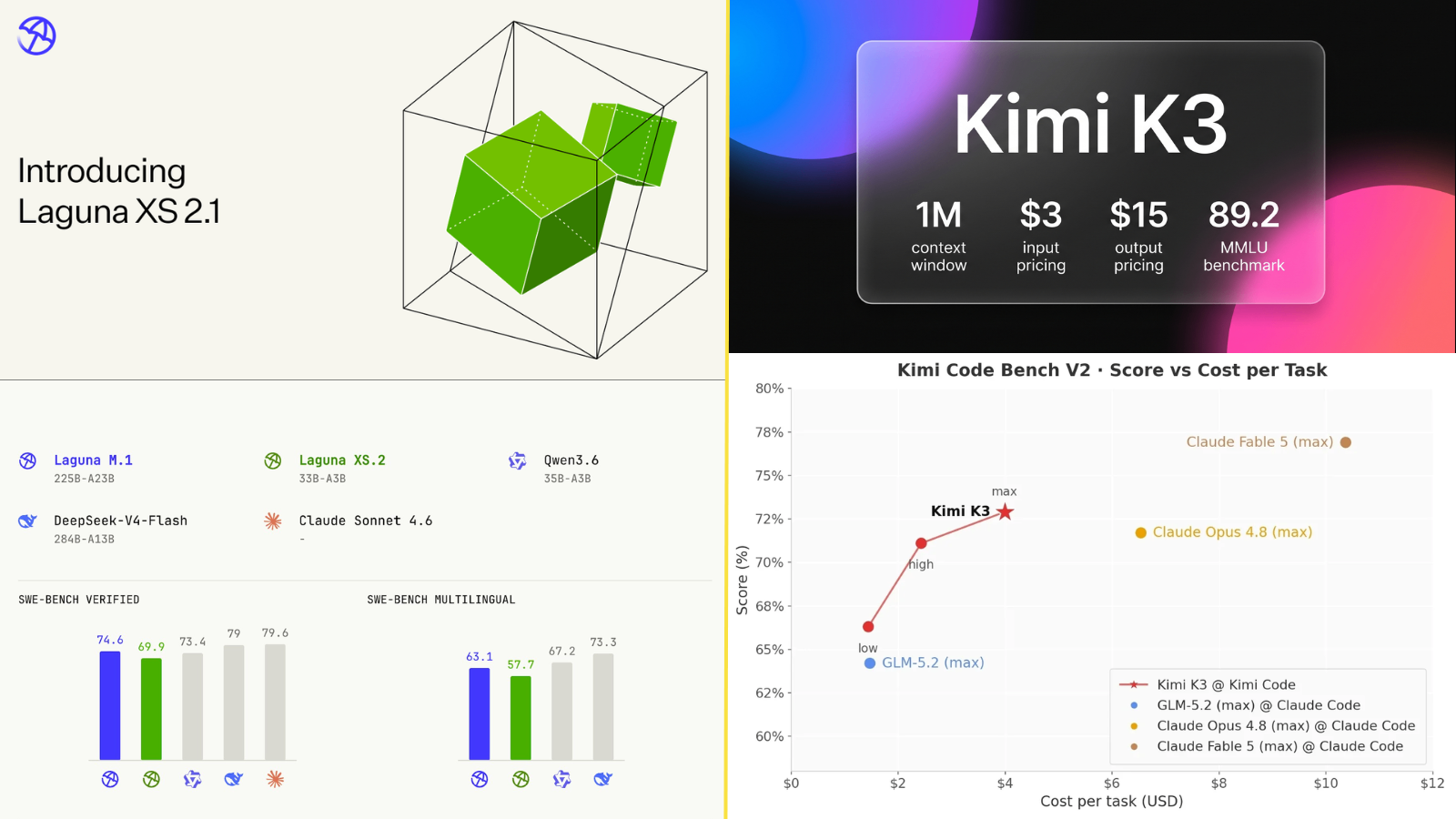
Laguna XS 2.1 vs Kimi K3: Which Open AI Coding Model Is Better for Developers in 2026?
Open-weight AI models have transformed software development in just a few months. Until recently, developers looking for the best coding assistant were largely comparing proprietary models like Claude, GPT-5, or Gemini. While these models remain incredibly capable, they also come with trade-offs. API costs can become significant at scale, self-hosting is not an option, and organizations handling sensitive source code often prefer infrastructure they can control. That shift has created a growing demand for open-weight coding models that combine strong programming performance with deployment flexibility. Rather than sending every request to a proprietary cloud service, engineering teams can now choose models that run inside their own infrastructure, integrate with existing development pipelines, and power autonomous coding agents without vendor lock-in. Two models that have quickly become part of this conversation are Laguna XS 2.1 from Poolside and Kimi K3 from Moonshot AI. Although both are positioned as next-generation AI models for developers, they are built with very different objectives. Laguna XS 2.1 focuses on efficiency. It uses a compact sparse Mixture-of-Experts (MoE) architecture that delivers competitive coding performance while keeping inference costs low. The model is designed for practical deployment, making it attractive for startups, developer tools, and teams that need thousands of AI-assisted coding requests every day. Kimi K3 takes a different path. Instead of optimizing for affordability, it emphasizes reasoning, multimodal understanding, and exceptionally long context windows. With a trillion-scale sparse architecture and support for contexts up to one million tokens, it is designed for repository-scale software engineering, autonomous AI agents, and complex enterprise workflows. Comparing these models isn't simply a matter of looking at parameter counts or benchmark scores. The better choice depends on how you plan to use them. A company building an internal code review assistant may value low latency and predictable costs, while an enterprise developing autonomous engineering agents might prioritize reasoning depth and large-context understanding. This guide explores both models from a practical developer perspective. We'll examine their architecture, coding capabilities, deployment options, benchmark performance, pricing, and real-world use cases so you can decide which model fits your workflow. QUICK OVERVIEW Before diving into the technical details, here's a high-level comparison. | Feature | Laguna XS 2.1 | Kimi K3 | | | | | | Developer | Poolside | Moonshot AI | | Model Type | Sparse MoE | Sparse MoE | | Total Parameters | 33B | 2.8T | | Active Parameters | ~3B | ~104B | | Maximum Context | 262K tokens | 1M tokens | | Multimodal | No | Yes | | Open Weights | Yes | Yes | | Self Hosting | Yes | Yes (high hardware requirements) | | Primary Strength | Efficient autonomous coding | Long-context reasoning & AI agents | At first glance, Kimi K3 appears significantly larger and more capable, but larger models are not always the best choice for production systems. Infrastructure cost, latency, deployment flexibility, and software engineering performance often matter more than raw parameter counts. Understanding why requires looking at how these models are built. UNDERSTANDING SPARSE MIXTURE-OF-EXPERTS MODELS One of the biggest trends in modern AI development is the adoption of Mixture-of-Experts (MoE) architectures. Instead of activating every parameter for every prompt, MoE models contain many specialized "experts." A routing network decides which experts should handle each token, allowing only a small portion of the model to run during inference. This approach improves efficiency without requiring every request to pass through the entire neural network. The idea can be visualized as follows: Unlike traditional dense models where every parameter participates in every computation, sparse architectures reduce unnecessary work. The result is lower computational requirements, faster inference, and improved scalability. Although both Laguna XS 2.1 and Kimi K3 use this architecture, they apply it in different ways. LAGUNA XS 2.1: DESIGNED FOR EFFICIENT SOFTWARE ENGINEERING Poolside developed Laguna XS 2.1 with a clear objective: build an open coding model that delivers excellent software engineering performance without requiring enormous computational resources. The model contains approximately 33 billion total parameters, but activates only around 3 billion for each token. This relatively small active parameter count allows the model to remain efficient while still handling demanding programming tasks such as repository analysis, bug fixing, code generation, refactoring, and tool-assisted development. For developers, this architectural decision has practical implications. Lower active parameters generally translate into faster response times, reduced GPU memory requirements, and lower operating costs. Teams deploying coding assistants at scale can serve more requests with the same hardware than much larger models. Rather than competing purely on model size, Laguna XS 2.1 focuses on maximizing useful work per unit of compute. KIMI K3: OPTIMIZED FOR LONG-HORIZON REASONING Kimi K3 follows a different philosophy. Instead of minimizing computational requirements, Moonshot AI has built one of the largest publicly available open-weight language models released to date. Its architecture contains 2.8 trillion total parameters, with roughly 104 billion active parameters participating during inference. While this significantly increases hardware requirements, it also expands the model's reasoning capacity. Kimi K3 is designed to manage complex planning tasks, analyze extremely large repositories, process lengthy technical documentation, and coordinate autonomous AI agents over long sessions. Its support for a one million token context window further differentiates it from many competing models. Rather than breaking repositories into smaller chunks, developers can keep substantially more information available within a single prompt, reducing the need for external context management. This architecture makes Kimi K3 particularly attractive for organizations building advanced AI systems where reasoning quality is more important than inference efficiency. WHY PARAMETER COUNT DOESN'T TELL THE WHOLE STORY It's tempting to assume that a model with more parameters is automatically better, but modern AI development is more nuanced. Large parameter counts often improve reasoning ability, yet they also increase inference cost, memory requirements, and deployment complexity. A model that performs slightly better on benchmarks may become impractical if serving millions of requests each month dramatically increases infrastructure expenses. This is one reason sparse architectures have become so popular. Instead of asking, "Which model is larger?", engineering teams increasingly ask, "Which model delivers the best performance for the available compute budget?" Laguna XS 2.1 and Kimi K3 represent two different answers to that question. Poolside has prioritized efficiency without sacrificing coding quality, while Moonshot AI has pushed toward frontier-level reasoning and context capacity. The remainder of this comparison explores how those architectural decisions influence coding performance, benchmarks, deployment, and overall developer experience. CODING PERFORMANCE: LOOKING BEYOND BENCHMARK SCORES When evaluating an AI coding model, benchmark numbers provide a useful starting point, but they rarely tell the complete story. A model that performs well on synthetic programming tasks may still struggle with real software engineering problems involving multiple files, debugging, dependency management, or long-running development sessions. This is why modern evaluations increasingly focus on agentic software engineering rather than isolated code generation. Instead of asking a model to write a function from scratch, newer benchmarks measure whether it can understand an existing codebase, identify the root cause of a bug, edit the appropriate files, execute tests, and verify that the solution actually works. Both Laguna XS 2.1 and Kimi K3 are designed for these more demanding engineering workflows, but they achieve their results in different ways. Laguna XS 2.1 focuses on maximizing coding performance per unit of compute, while Kimi K3 prioritizes reasoning depth and long-horizon execution for complex engineering tasks. UNDERSTANDING MODERN CODING BENCHMARKS Before comparing benchmark scores, it helps to understand what these evaluations actually measure. SWE-BENCH SWE-Bench has become one of the most widely referenced benchmarks for AI software engineering. Instead of asking standalone programming questions, it evaluates whether a model can resolve real GitHub issues collected from popular open-source repositories. To succeed, a model must understand the reported bug, inspect the existing codebase, modify the correct files, and produce a patch that passes the project's automated tests. Because it mirrors real development workflows, many researchers consider SWE-Bench a stronger indicator of practical coding ability than traditional algorithmic programming tests. TERMINAL BENCH Terminal Bench evaluates AI agents in a command-line environment rather than a conversational interface. Models interact with terminals much like a developer would, executing shell commands, managing dependencies, editing files, running build systems, configuring servers, and debugging projects. Unlike code completion benchmarks, Terminal Bench measures whether a model can complete realistic engineering tasks that often require multiple reasoning steps and tool interactions. WHY THESE BENCHMARKS MATTER Traditional coding benchmarks often reward memorization or the generation of short code. Modern software engineering is very different. Developers spend much more time understanding unfamiliar repositories, debugging existing code, reviewing pull requests, fixing integration issues, and coordinating multiple tools than writing new algorithms from scratch. Benchmarks like SWE-Bench and Terminal Bench attempt to reflect these everyday engineering challenges more accurately. BENCHMARK COMPARISON Although benchmark methodologies continue to evolve, publicly available results provide useful insight into how both models compare. | Benchmark | Laguna XS 2.1 | Kimi K3 | | | :| :| | SWE-Bench Verified | 70.9% | Frontier-level (vendor reports) | | SWE-Bench Multilingual | 63.1% | Higher on larger Kimi family evaluations* | | Terminal Bench 2.0 | 37.5% | Higher | | Terminal Bench 2.1 | Laguna S 2.1 family: 70.2% | 88.3% | | Long Context | 1M (Laguna S family) / 262K (XS) | 1M | *Moonshot highlights Kimi K3's strong performance across long-horizon coding and agentic evaluations, although not every benchmark has directly comparable public results. :contentReference[oaicite:2]{index=2} Rather than focusing on a single number, it's more useful to interpret what these results mean in practice. Laguna XS 2.1 performs remarkably well considering its relatively compact architecture. Its published SWE-Bench Verified score places it among the strongest models in its parameter class, demonstrating that efficient model design can compete with substantially larger systems on real software engineering tasks. :contentReference[oaicite:3]{index=3} Kimi K3, meanwhile, is designed to compete closer to frontier proprietary models. Its reported Terminal Bench 2.1 performance reflects particularly strong capabilities in long-running command-line workflows, where reasoning, planning, and tool orchestration become increasingly important. CODING QUALITY IN REAL PROJECTS Writing correct syntax is only a small part of software engineering. Modern AI coding assistants are expected to understand architectural patterns, follow project conventions, generate tests, review pull requests, explain unfamiliar code, and help developers navigate large repositories. Laguna XS 2.1 performs particularly well when these tasks remain centered around software engineering itself. Repository navigation, debugging, function generation, code refactoring, and API implementation are all areas where its architecture has been specifically optimized. Because only a small number of experts are activated during inference, response times remain fast even during extended development sessions. Kimi K3 extends these capabilities further by combining software engineering with stronger reasoning. Rather than simply editing code, it can maintain significantly larger planning contexts, making it well suited for autonomous development agents that execute many interconnected tasks before producing a final solution. This distinction becomes increasingly important as AI moves from code completion toward autonomous software engineering. LONG-CONTEXT DEVELOPMENT One of the biggest challenges for coding assistants is context management. A modern enterprise repository can contain thousands of files, architectural documentation, infrastructure configuration, API specifications, test suites, and design discussions. No developer expects an AI model to understand every file perfectly, but the more context it can retain, the fewer compromises need to be made. Laguna XS 2.1 already supports an impressive long context for its size, allowing developers to analyze large sections of a repository without repeatedly trimming prompts. Kimi K3 pushes this concept much further. Its one million token context window enables developers to work with substantially larger repositories, long technical documents, meeting transcripts, and design specifications within a single session. According to the Kimi K3 technical report, this capability is supported by architectural improvements including Kimi Delta Attention and optimized expert routing, allowing the model to maintain stronger information flow across extremely long sequences. :contentReference[oaicite:5]{index=5} That additional context is particularly valuable for enterprise engineering teams, where understanding relationships across hundreds of files often matters more than generating another code snippet. AUTONOMOUS SOFTWARE ENGINEERING The conversation around AI coding has gradually shifted from "Can the model write code?" to "Can the model complete software engineering tasks with minimal supervision?" Autonomous agents increasingly perform activities such as cloning repositories, inspecting issues, searching documentation, executing shell commands, modifying files, running tests, and preparing pull requests. Laguna XS 2.1 is clearly optimized for this emerging workflow. Poolside has focused heavily on agentic software engineering, with thinking modes that allocate additional reasoning when solving difficult engineering problems. Published evaluations show substantial improvements on Terminal Bench and DeepSWE when these reasoning modes are enabled, illustrating the growing importance of adaptive inference rather than static code generation. Kimi K3 approaches autonomous development from a broader perspective. Beyond coding, it incorporates multimodal understanding, long-horizon reinforcement learning, and reasoning strategies intended for complex AI systems. Its technical report emphasizes compositional reasoning, persistent agent states, and long-duration execution across coding, research, and general intelligence tasks. These design decisions make Kimi K3 especially appealing for organizations building AI engineers rather than traditional code assistants. PERFORMANCE VERSUS EFFICIENCY Perhaps the most interesting comparison between these models is not capability, but efficiency. Historically, achieving better AI performance required dramatically larger models and higher computational costs. Laguna XS 2.1 demonstrates that thoughtful architecture can narrow that gap considerably. Instead of competing purely through scale, it focuses on maximizing useful coding performance while minimizing infrastructure requirements. This allows startups and developer tool companies to deploy advanced coding assistants without the hardware investment typically associated with frontier-scale language models. Kimi K3 represents the opposite end of the spectrum. It assumes that some engineering problems justify significantly larger computational budgets in exchange for stronger reasoning, larger context windows, and more capable autonomous behavior. Neither philosophy is inherently superior. The better choice depends entirely on the workload being optimized. DEPLOYMENT, INFRASTRUCTURE, AND DEVELOPER EXPERIENCE Benchmark scores often dominate discussions around AI models, but deploying a model in production involves a very different set of considerations. Engineering teams need to evaluate infrastructure requirements, API costs, latency, deployment flexibility, framework compatibility, and operational complexity before deciding which model fits their stack. This is where Laguna XS 2.1 and Kimi K3 begin to diverge significantly. While both are designed for modern software engineering, their deployment philosophies reflect two very different approaches to AI infrastructure. LOCAL DEPLOYMENT VS MANAGED APIS One of the biggest advantages of open-weight models is deployment flexibility. Organizations handling proprietary code, regulated data, or internal development workflows often prefer running models within their own infrastructure rather than relying entirely on external APIs. Laguna XS 2.1 was designed with this use case in mind. With a 33B sparse Mixture-of-Experts architecture and only about 3 billion active parameters during inference, the model has a relatively compact serving footprint compared with frontier-scale systems. Poolside also provides compatibility with widely adopted inference stacks, making the model practical for organizations that want to build self-hosted coding assistants or integrate AI directly into internal development environments. Its FP8 quantization further reduces inference costs without sacrificing coding performance. Kimi K3 takes a different path. Although Moonshot AI has released the model weights, the model itself is significantly larger, with 2.8 trillion total parameters and approximately 104 billion activated parameters through its sparse MoE architecture. This scale enables stronger reasoning and larger context windows, but it also introduces considerable infrastructure requirements. According to Moonshot's technical documentation, production deployments are intended for distributed GPU clusters rather than individual workstations. For many development teams, this distinction matters more than benchmark rankings. A model that requires dozens of high-end accelerators may be ideal for enterprise AI platforms, while a compact coding model can often deliver better return on investment for everyday software engineering. HARDWARE REQUIREMENTS Running a modern coding model locally depends not only on parameter count but also on active parameters, quantization strategy, memory optimization, and inference software. Laguna XS 2.1 benefits from activating only a small subset of experts during inference. This design reduces memory bandwidth requirements and makes the model suitable for a wider range of enterprise GPU configurations. Teams already operating inference servers with frameworks such as vLLM or TensorRT-LLM can integrate Laguna into existing workflows without requiring specialized hardware. Kimi K3, on the other hand, targets an entirely different deployment class. Its sparse architecture activates 16 of 896 experts for each request, but the overall model still requires distributed inference because of its enormous parameter count. Moonshot recommends large multi-GPU deployments for production environments, particularly when serving long-context or agentic workloads. The contrast can be summarized visually: Rather than indicating that one model is superior, this comparison illustrates that each targets a different deployment environment. API PRICING AND OPERATING COST Infrastructure planning is closely tied to operating cost, especially for organizations serving millions of AI requests each month. Public API pricing highlights one of the largest practical differences between these models. | Pricing (per million tokens) | Laguna XS 2.1 | Kimi K3 | | | :| :| | Input | $0.06 | $2.90-$3.00 | | Cached Input | $0.03 | $0.30 | | Output | $0.12 | $15.00 | The numbers alone are striking, but their real impact becomes clearer when translated into production scenarios. Imagine an AI-powered code review platform processing one billion input tokens and two hundred million output tokens each month. Using Laguna XS 2.1 would result in infrastructure costs that are dramatically lower than those associated with Kimi K3. For startups or developer tool companies operating on fixed infrastructure budgets, that difference can directly influence profitability. Conversely, organizations building autonomous engineering systems may decide that Kimi K3's additional reasoning capability justifies the higher operating cost. COST COMPARISON Approximate API Cost (per million tokens) Input Tokens Laguna XS 2.1 █ Kimi K3 ███████████████████████████████ Output Tokens Laguna XS 2.1 █ Kimi K3 ███████████████████████████████████████████████████ These models occupy very different positions on the cost-performance curve. DEVELOPER ECOSYSTEM Another factor influencing adoption is the surrounding ecosystem. A capable language model becomes far more useful when it integrates smoothly with developer tools, inference frameworks, and existing workflows. Laguna XS 2.1 has been designed primarily for software engineering. It supports tool calling, long-context reasoning, and integration with common inference stacks, making it relatively straightforward to incorporate into code assistants, pull request reviewers, IDE extensions, and autonomous development agents. Because of its smaller serving footprint, experimentation is also more accessible for independent developers and startups. Kimi K3 extends beyond traditional coding assistants. In addition to software engineering, it supports multimodal inputs and advanced reasoning, allowing developers to build applications that combine code, documentation, diagrams, screenshots, and visual assets within a single workflow. Native vision support makes it possible to analyze UI mockups, debugging screenshots, architecture diagrams, and other visual artifacts alongside source code. This broader capability makes Kimi K3 attractive for AI-native platforms where coding is only one component of a much larger reasoning pipeline. LONG-RUNNING AI AGENTS One of the fastest-growing areas of AI development is autonomous software engineering. Rather than simply completing code snippets, AI agents increasingly clone repositories, inspect issues, execute shell commands, modify files, run automated tests, and iterate until a task is complete. Both Laguna XS 2.1 and Kimi K3 are designed with this future in mind, but they approach it differently. Laguna XS 2.1 emphasizes efficient execution. Its architecture is optimized for repetitive engineering workflows where response speed and operating cost matter. This makes it well suited for continuous integration pipelines, automated pull request generation, repository maintenance, and developer productivity tools that execute thousands of tasks each day. Kimi K3 focuses on sustained reasoning across much longer sessions. Moonshot's technical report highlights reinforcement learning for agentic behavior, improved attention mechanisms, and persistent long-horizon execution, enabling AI systems to coordinate multiple tools while maintaining context over extended interactions. As AI agents continue to evolve, this difference is likely to become increasingly important. WHICH DEPLOYMENT STRATEGY FITS YOUR TEAM? The choice between Laguna XS 2.1 and Kimi K3 ultimately depends less on benchmark scores than on operational priorities. Teams building developer tools, internal coding assistants, or high-volume engineering platforms will often benefit from Laguna XS 2.1's efficient architecture and lower operating costs. It delivers strong coding performance while remaining practical to deploy at scale. Organizations building frontier AI systems, enterprise engineering agents, or multimodal reasoning platforms may find Kimi K3's larger architecture, million-token context window, and advanced reasoning capabilities better aligned with their long-term goals, even if those capabilities require substantially greater computational resources. Understanding these trade-offs is far more valuable than simply asking which model is "better." Each has been engineered for a different class of software engineering problems, and selecting the right one depends on the complexity, scale, and economics of the applications you plan to build.
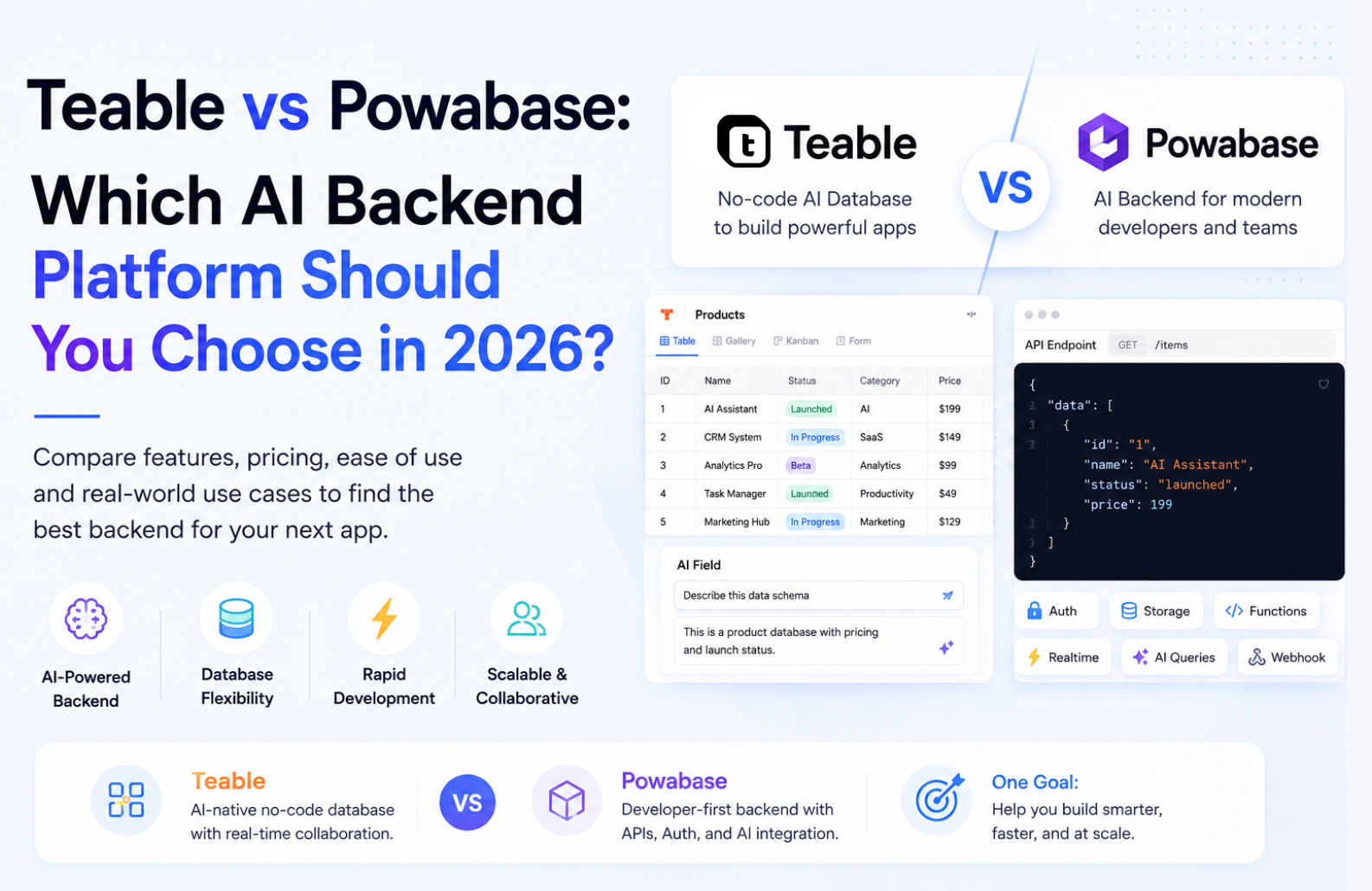
Teable vs Powabase: Which AI Backend Platform Should You Choose in 2026?
Choosing the right backend has become much more important than simply picking a database. Modern applications increasingly rely on AI workflows, automation, vector search, authentication, APIs, and collaborative data management. Instead of assembling multiple services, many developers now prefer platforms that combine these capabilities into a single workspace. Two platforms attracting attention in this space are Teable and Powabase. Although both simplify backend development, they take very different approaches. Teable focuses on spreadsheet-style databases with AI-assisted workflows and collaboration, making it attractive for internal tools, CRM systems, project management, and operational applications. Powabase, on the other hand, is designed as an AI-native backend platform that combines PostgreSQL, vector databases, authentication, storage, AI agents, workflows, and RAG infrastructure for developers building modern AI applications. So which one is the better choice? The answer depends entirely on what you're building. In this detailed comparison, we'll examine their architecture, AI capabilities, automation features, integrations, pricing, developer experience, scalability, and ideal use cases to help you choose the right platform. QUICK COMPARISON | Feature | Teable | Powabase | | | | | | Primary Focus | AI Spreadsheet & Collaborative Database | AI-native Backend Platform | | Database | Spreadsheet-style relational database | PostgreSQL | | AI Agents | Yes | Yes | | Vector Search | Limited | Native | | RAG Support | Basic | Built-in | | Authentication | Available | Built-in | | Storage | File attachments | Object Storage | | Workflow Automation | Yes | Advanced | | API Support | REST APIs | REST + AI APIs | | Open Source | Yes | Cloud Platform | | Best For | Business Apps, CRM, Internal Tools | AI Products, SaaS, AI Agents | WHAT IS TEABLE? Teable is an open-source, spreadsheet-inspired database platform that combines the familiarity of spreadsheets with the power of relational databases. Instead of writing SQL queries or managing database schemas manually, users can create structured databases using an intuitive interface similar to Airtable. Developers gain API access, while non-technical teams can manage data visually. Recent updates have expanded Teable beyond database management. The platform now includes AI-powered workflows, automation capabilities, AI assistants, email automation, and app-building features, making it suitable for operational teams as well as developers. Unlike traditional databases that primarily target engineers, Teable is designed for collaboration across product managers, marketers, operations teams, and developers. BEST FOR * Internal tools * CRM systems * Marketing databases * Content planning * Inventory management * Project tracking * Operations dashboards WHAT IS POWABASE? Powabase is an AI-native backend platform designed specifically for developers building intelligent applications. Rather than focusing only on data storage, Powabase combines PostgreSQL, authentication, object storage, AI workflows, vector search, retrieval-augmented generation (RAG), AI agents, serverless functions, and automation into a unified backend. Its goal is to remove the complexity of integrating multiple infrastructure providers when developing AI applications. Instead of connecting Postgres, a vector database, authentication, cloud storage, embeddings, workflow engines, and AI orchestration separately, Powabase provides them through one platform. This makes it particularly attractive for startups building AI products quickly. BEST FOR * AI SaaS products * AI assistants * RAG applications * Chatbots * AI workflows * Multi-agent systems * Developer platforms COMPARING TEABLE AND POWABASE At first glance, Teable and Powabase appear to compete in the same category. Both help developers manage data, automate workflows, and build applications faster. However, after spending time with each platform, it becomes clear that they are designed with very different goals in mind. Teable is built around the idea that managing structured data should feel as intuitive as working with a spreadsheet. It combines the familiarity of Airtable-like interfaces with relational databases, making it easy for both technical and non-technical teams to collaborate on the same data. AI features are woven into the experience to automate repetitive work, generate content, and simplify business operations. Powabase approaches the problem from the opposite direction. Rather than starting with a collaborative database, it provides the building blocks required to develop AI-native applications. PostgreSQL, authentication, object storage, vector search, AI agents, workflows, and APIs are brought together into a single backend platform, reducing the need to stitch together multiple services. The distinction becomes more obvious when comparing how each platform handles everyday development tasks. DATA MANAGEMENT EXPERIENCE Teable's biggest strength is its interface. Tables resemble familiar spreadsheets, making it approachable even for users who have never written a SQL query. Relationships between tables, views, filters, and permissions can all be managed visually, allowing product managers, marketers, operations teams, and developers to work from the same workspace. Powabase is less concerned with visual data management. Instead, it focuses on giving developers a production-ready backend powered by PostgreSQL. Developers interact with databases, APIs, authentication, storage, and AI infrastructure rather than spreadsheet-style views. For engineering teams, this provides far greater flexibility, while business users may find it less approachable. AI CAPABILITIES Both platforms incorporate AI, but they do so in different ways. Within Teable, AI is designed to improve productivity. Users can summarise records, generate text, categorise information, automate repetitive tasks, and build AI-assisted workflows directly inside their databases. These capabilities enhance existing business processes without requiring complex setup. Powabase treats AI as a core part of the backend itself. Instead of simply adding AI features to a database, it provides infrastructure for building AI-powered products. Developers can create retrieval pipelines, deploy AI agents, manage embeddings, integrate large language models, and orchestrate intelligent workflows from a unified platform. This makes it better suited to applications where AI is central to the product rather than an additional feature. AUTOMATION AND WORKFLOWS Automation is another area where the two platforms take noticeably different approaches. Teable focuses on business process automation. Database events can trigger actions, send notifications, update records, or execute AI-powered tasks. These workflows help teams eliminate manual work while keeping operations organised. Powabase extends automation beyond database events. Developers can orchestrate serverless functions, AI agents, API integrations, authentication events, and backend services within the same workflow. This allows applications to support far more complex logic, especially when multiple AI models or external systems need to work together. COLLABORATION For organisations where multiple departments work with the same data, collaboration is one of Teable's strongest advantages. Team members can edit records simultaneously, create filtered views, manage permissions, and organise shared workspaces without depending entirely on engineering teams. Powabase supports collaboration from a developer's perspective, but its primary focus remains backend infrastructure rather than collaborative data management. Teams building software products will appreciate its engineering workflow, while cross-functional business teams may prefer the simplicity of Teable. DEVELOPER EXPERIENCE Developers using Teable benefit from REST APIs, automation tools, integrations, and an intuitive database interface. The platform reduces the amount of code required to build internal applications while still allowing custom integrations when needed. Powabase offers a more traditional developer experience centred around backend services. PostgreSQL, authentication, storage, AI APIs, vector search, serverless functions, and workflow orchestration are all available from a single platform. This makes it particularly appealing for teams building production-grade SaaS products or AI applications that require complete control over their backend architecture. WHICH PLATFORM FITS YOUR PROJECT? Rather than asking which platform is objectively better, the more useful question is what kind of application you're building. If your project revolves around structured business data, collaborative workspaces, CRM systems, project management, inventory tracking, or internal tools, Teable offers an experience that balances usability with powerful automation. Teams across different departments can contribute without needing deep technical knowledge. If you're developing AI assistants, retrieval-augmented generation (RAG) systems, autonomous agents, or scalable SaaS platforms that require authentication, vector search, object storage, and AI workflows, Powabase provides a backend architecture that's purpose-built for those requirements. Although both platforms simplify modern application development, they solve different problems. Teable helps organisations manage and collaborate on data more effectively, while Powabase provides the infrastructure needed to build the next generation of AI-powered software. PRICING | Platform | Free Plan | Paid Plans | | | | | | Teable | Yes | Custom / Team Plans | | Powabase | Yes | Usage-based pricing | Both platforms offer free entry points, allowing developers to experiment before committing to paid plans. For the latest pricing, it's always best to check the official websites, as plans may change over time. CONCLUSION Teable and Powabase solve different problems despite both being modern backend platforms. If your priority is collaborative data management, operational workflows, internal tools, or replacing spreadsheets with structured databases, Teableoffers one of the most approachable solutions available today. Its spreadsheet-inspired interface lowers the barrier for non-technical users while still providing developers with APIs and automation capabilities. Powabase takes a fundamentally different approach. Rather than acting as a collaborative database, it serves as a complete AI-native backend for building intelligent applications. PostgreSQL, vector search, authentication, storage, workflows, and AI infrastructure come together in a single platform, reducing the need to stitch together multiple backend services. Ultimately, the better platform depends on your project requirements, rather than on any one being universally superior. Choose Teable if your team values collaboration, spreadsheet-style databases, and AI-assisted business workflows. Choose Powabase if you're building AI products, autonomous agents, RAG applications, or production-ready SaaS platforms that require a scalable backend with native AI capabilities. As AI applications continue to evolve in 2026, both platforms represent compelling options for different audiences. The right choice comes down to whether you need a collaborative operational workspace or a fully integrated AI backend.
Cursor vs. Claude Code: Which AI Coding Tool Wins for Autonomous Development in 2026?
The software engineering landscape in 2026 has officially moved past the era of inline autocomplete suggestions and simple chat sidebars. Developers now work alongside autonomous agents capable of reading entire codebases, executing terminal tests, and resolving multi-file issues independently. Two tools dominate this agentic shift: Cursor Composer, the AI-native IDE built by Anysphere, and Claude Code, the terminal-native CLI agent released by Anthropic. While both tools leverage state-of-the-art models like Claude 3.5 Sonnet to write, edit, and refactor code, they approach software development from fundamentally different paradigms. One embeds an agent directly inside a visual IDE, while the other places a headless agent directly inside your terminal shell. This guide provides a comprehensive comparison of Cursor Composer and Claude Code, evaluating their workflows, agentic capabilities, tool integrations, pricing, security, and developer ergonomics to help you choose the right tool for your setup. SUMMARY: Choosing between Cursor Composer and Claude Code depends entirely on your developer ergonomics and workflow preferences. Cursor Composer is designed for developers who want an editor-centric, highly visual experience. It provides interactive side-by-side diffs, codebase indexing, and multi-file editing within a familiar VS Code fork, making it ideal for frontend development, UI/UX coding, and manual reviews. Claude Code, on the other hand, is built for terminal-native power users who value automation and speed. It operates as a headless CLI that executes terminal commands, performs recursive codebase audits, writes Git commits, and manages workflows entirely in the shell. It is highly scriptable and optimized for backend logic, scripting, CI/CD systems, and keyboard-driven workflows. QUICK COMPARISON MATRIX | Feature | Cursor Composer (v0.45+) | Claude Code CLI (v1.x) | | : | : | : | | Primary Interface | Integrated Visual IDE (VS Code Fork) | Terminal Command Line (Headless CLI) | | Default Models | Multi-Model (Sonnet, GPT-4o, Custom) | Anthropic Family (Sonnet, Opus, Haiku) | | Agentic Mode | Yes (Normal & Composer Agent) | Yes (Terminal Shell Loops) | | Visual Code Diffs | Side-by-side interactive editor diffs | Terminal patch prints (relies on git diff) | | Extensibility | VS Code Extensions | Model Context Protocol (MCP) | | Codebase Indexing | Local Vector Embeddings (LlamaIndex/Custom) | Grep, Find, and Tree Shell Tools | | Billing Type | Subscription-based ($20/mo) or BYOK | Subscription ($20/mo) or pay-per-token API | 1. DEVELOPER INTERFACE & UX The primary difference lies in where these tools operate and how developers interact with their code modifications. Cursor operates as a full-featured visual editor fork of VS Code. When you trigger the Composer modal via shortcuts, it lets you select files visually and interact with edits across multiple tabs. The editor provides real-time side-by-side diffs where additions are marked in green and deletions in red, allowing you to visually review and accept or reject specific changes line-by-line. This visual feedback loop is invaluable for complex layouts and developers who want strict visual control over their active editors. Claude Code runs entirely inside the shell prompt. You launch the agent by executing a command in the terminal, and you converse with it in a text-based loop. Because there is no graphical user interface, Claude Code applies modifications directly to files on disk. To review its edits, you must rely on standard git terminal diff commands or inspect its console log output. This text-based interface is incredibly fast and fits perfectly into keyboard-driven developer environments, but it lacks the visual granularity that IDEs offer. 2. AGENTIC AUTONOMY & CODEBASE AWARENESS Autonomy is where both tools show their agentic nature, but they manage permissions and execution differently. Cursor Composer features an Agent mode that autonomously searches codebases using local vector embeddings, writes files, and executes verification scripts. However, to maintain safety in the IDE, Cursor frequently interrupts its reasoning loops to ask for user permission before executing terminal commands or modifying files. While this keeps the developer in control, it introduces manual friction during recursive tasks. Claude Code offers deeper terminal autonomy. It executes bash commands natively, running test suites, analyzing failures, and modifying the code recursively until the tests pass. Developers can run Claude Code in an auto-accept mode that bypasses confirmation prompts entirely, letting the agent install dependencies, create files, and execute scripts in a hands-off, automated loop. This makes it a powerful assistant for heavy scripting and backend debugging. 3. EXTERNAL TOOLING & MCP INTEGRATION Modern agents must connect with external databases, APIs, and systems to resolve software issues. Cursor relies on the standard VS Code extension marketplace for external integrations. While developers can install tools for database management, API clients, and Git extensions, these integrations are separate from the AI's internal reasoning engine, meaning the editor agent cannot query or utilize these tools natively during a generation. Claude Code is built on the Model Context Protocol (MCP), a standardized protocol developed to connect AI models with external tools. Developers can easily attach database servers, GitHub repositories, Jira instances, and custom web search APIs to the CLI agent. This enables Claude Code to query live databases, fetch documentation, and update issue trackers directly during its execution loop, transforming it into a highly integrated engineering assistant. 4. MODELS & CONFIGURATIONS Cursor offers complete model flexibility, allowing developers to switch between Claude, GPT, Gemini, and Cursor's proprietary models depending on the task's complexity. It also supports custom API keys, allowing users to pay only for the tokens they consume. Claude Code is tied to the Anthropic ecosystem, utilizing models like Claude 3.5 Sonnet and Haiku. It runs on a unified Claude Pro subscription or connects to the Anthropic Console API for pay-per-token developer billing. 5. PRICING AND COST EFFICIENCY Cursor Pro costs twenty dollars per month and provides five hundred fast premium requests alongside unlimited slow requests. This predictable subscription is ideal for developers who write code constantly. Claude Code is included in the standard Claude Pro subscription for twenty dollars per month. Alternatively, developers can use their Anthropic console API key for token-based billing. Because Claude Code uses prompt caching to store files temporarily, repetitive reads are highly optimized, making pay-per-token pricing very cost-effective for lightweight usage. 6. SECURITY, PRIVACY & COMPLIANCE Both tools access local codebases and require internet connectivity, making data handling critical.Cursor offers a Privacy Mode that prevents codebase indexes from being stored on external servers or used for training. Because you visually audit edits inside the editor before writing them to disk, the risk of malicious actions is minimal. Claude Code provides zero-data retention on its API endpoints, but it requires caution when running in auto-accept mode. Since it executes shell commands autonomously, developers must ensure the environment does not run untrusted scripts or leak sensitive credentials during automated runs. 7. PROS & CONS CURSOR COMPOSER The visual diff editor makes reviewing multi-file edits safe and easy, and the native VS Code integration provides a comfortable visual workspace. The tool supports multiple LLM providers and lets you switch models dynamically. However, constant terminal command prompts introduce manual friction, and the overall editor can feel heavy for developers who prefer simple terminal workflows. CLAUDE CODE The command-line interface launches instantly and fits perfectly into standard shell workflows. Its native support for the Model Context Protocol allows developers to connect external databases, Jira, and GitHub APIs seamlessly. The autonomous terminal loops excel at running test suites and refactoring code without manual verification, but the lack of a visual diff editor makes reviewing multi-file changes more difficult. FINAL RECOMMENDATION: WHICH SHOULD YOU CHOOSE? Choose Cursor Composer if you prefer visual feedback, do significant frontend layout development, and want an AI assistant integrated directly inside a graphical VS Code workspace. It remains the best choice for visual builders who want to review every line of code as it is written. Choose Claude Code if you live in the terminal, want a headless assistant that can run test suites and write Git commits, or need to build automation workflows using external databases and APIs via the Model Context Protocol. It is the ideal tool for backend engineers and automation-first developers.

Reve 2.0 vs MAI-Image-2.5: Which AI Image Generation Model Gives Creators More Control in 2026?
AI image generation has evolved at an incredible pace. Just a few years ago, typing "a futuristic city at sunset" into an AI model felt magical. Today, almost every major image model can generate stunning artwork, photorealistic portraits, product mockups, illustrations, and marketing assets within seconds. The challenge is no longer generating beautiful images. The challenge is generating the right image. Creative professionals rarely need an image that's merely "good enough." Designers want objects positioned precisely where they belong. Marketing teams need consistent branding across campaigns. Game artists want to edit specific regions without affecting the rest of the scene. Product designers need accurate typography, reusable layouts, and predictable outputs. In other words, creators don't just want better AI. They want more control. That shift is becoming one of the biggest trends in generative AI. Instead of focusing entirely on larger models and more impressive visual quality, developers are building tools that give artists greater control over composition, editing, structure, and iteration. The result is a new generation of AI image platforms designed for real creative workflows rather than one-click image generation. Two products attracting significant attention in this space are Reve 2.0 and MAI-Image-2.5. Although both generate high-quality AI images, they approach creativity from very different directions. One emphasizes structured image composition through editable layouts, while the other focuses on precision editing that preserves visual consistency. If the next generation of AI image tools is defined by control instead of randomness, these platforms offer a glimpse into where creative software is heading. REVE 2.0 VS MAI-IMAGE-2.5 AT A GLANCE | Feature | Reve 2.0 | MAI-Image-2.5 | | | | | | Best For | Structured image generation | High-precision image editing | | Primary Strength | Layout-aware image creation | Localized editing and subject preservation | | Image Editing | Yes | Yes | | Regional Control | Excellent | Excellent | | Subject Consistency | High | Excellent | | Text Rendering | Very Good | Excellent | | Multi-region Editing | Yes | Yes | | Commercial Usage | Yes | Yes | | API Availability | Available | Available | | Starting Price | Free tier available, paid plans from $10/month | Free tier available, paid plans from $10/month* | WHY AI IMAGE GENERATION IS ENTERING A NEW ERA The first wave of AI image generators was built around creativity. You described an idea, and the model attempted to interpret it. That worked well for concept art, illustrations, and inspiration, but it often failed in professional workflows where consistency matters more than surprise. * Marketing teams need product images that maintain brand identity. * Designers need to reposition elements without recreating an entire composition. * Game artists need characters to remain consistent across multiple scenes. * Ecommerce businesses need editable product photos instead of entirely new ones. These challenges explain why discussions across Reddit, X, and Hacker News have increasingly shifted from image quality toward controllability. Many creators now value reliable editing workflows more than simply generating visually impressive images. Instead of asking "Can AI make beautiful art?", the question has become "Can AI make the exact image I need?" That is precisely where Reve 2.0 and MAI-Image-2.5 stand out. REVE 2.0 AI IMAGE GENERATION THAT STARTS WITH LAYOUT INSTEAD OF LUCK Most image models treat prompts as suggestions. Rewriting prompts repeatedly becomes part of the creative process because the model decides composition on its own. According to the official announcement, Reve 2.0 takes a different direction by making layout a first-class part of image generation. Instead of relying entirely on descriptive prompts, creators can divide an image into editable regions, assign different instructions to individual sections, and control where objects appear before rendering the final image. This changes the workflow significantly. Imagine designing a landing page illustration. Instead of hoping the product appears on the right side while the headline area remains clean, designers can explicitly define those regions. Background elements, foreground objects, typography, and supporting graphics become independently controllable. For professional design teams, this reduces the amount of prompt engineering needed to reach the desired result. The platform also performs well when generating marketing creatives, UI mockups, advertising visuals, storyboards, and product presentations where composition matters just as much as artistic quality. Rather than replacing design software, Reve feels like an intelligent layer that accelerates structured visual creation. Official documentation also highlights improvements in prompt understanding, layout consistency, typography handling, and multi-region editing compared to earlier versions. WHERE REVE 2.0 EXCELS Reve 2.0 is particularly well suited for designers, creative agencies, marketing teams, and startups producing visual assets at scale. Instead of repeatedly regenerating entire images to achieve small composition changes, creators can work with structured layouts that make the creative process far more predictable. This is especially valuable for advertisements, social media graphics, landing pages, presentations, and product marketing materials where visual consistency matters. CORE CAPABILITIES The platform combines advanced text-to-image generation with region-based editing, layout-aware composition, multi-area prompting, typography improvements, and better prompt interpretation. One of its biggest strengths is allowing creators to control individual sections of an image without sacrificing overall quality, making it significantly easier to produce professional marketing assets. PRICING Reve offers a free tier for users exploring the platform, while paid plans begin at approximately $10 per month, with higher usage limits and API access available for professional creators and businesses. MAI-IMAGE-2.5 EDITING IMAGES WITHOUT DESTROYING WHAT ALREADY WORKS Generating an image has become relatively easy. Editing it precisely is much harder. Anyone who has used traditional AI image editors knows the frustration. Asking the model to change one object often results in an entirely different image. The background changes. The lighting changes. Faces change. Sometimes even the subject disappears. MAI-Image-2.5 focuses on solving this problem. Rather than rebuilding the entire composition, the model specializes in localized editing while preserving the original identity of the image. Whether replacing an object, updating text, modifying clothing, adjusting lighting, or changing part of a scene, the surrounding content remains largely unchanged. This represents a major improvement for commercial workflows. Product photographers can update packaging without recreating every product image. Marketing teams can revise campaign graphics after client feedback. Publishers can correct typography. Design teams can make incremental improvements instead of restarting projects. Another notable improvement is text rendering. Many earlier image generators struggled to produce readable text, making posters, packaging, menus, advertisements, and interface mockups unreliable. MAI-Image-2.5 significantly improves typography while maintaining scene consistency, making it particularly useful for branding and marketing applications. The platform also demonstrates stronger subject preservation, ensuring that characters, products, or people remain recognizable across multiple editing sessions. WHERE MAI-IMAGE-2.5 STANDS OUT MAI-Image-2.5 is designed for creators who spend more time refining images than generating them. Marketing teams, ecommerce businesses, photographers, publishers, game artists, and product designers will likely benefit the most from its editing-focused workflow. Instead of repeatedly generating new images after every small revision, users can preserve the original composition while making targeted improvements. CORE CAPABILITIES Its most notable features include localized editing, advanced subject preservation, improved typography generation, accurate text rendering, scene consistency, object replacement, and controlled modifications that avoid unnecessary changes to unaffected areas of an image. These capabilities make the model particularly valuable for production environments where consistency is essential. PRICING MAI-Image-2.5 provides a free usage tier for experimentation, while commercial and API pricing generally begins at approximately $10 per month, depending on usage volume and deployment requirements. WHICH AI IMAGE MODEL SHOULD YOU CHOOSE? Although both platforms belong to the AI image generation category, they solve different creative problems. If your work begins with a blank canvas, Reve 2.0 offers one of the most structured image generation experiences available today. Its layout-first philosophy gives designers significantly more control over composition before an image is even created, reducing the need for repeated prompt refinement. If your workflow starts with an existing image that requires precise improvements, MAI-Image-2.5 is the stronger option. Its emphasis on localized editing, identity preservation, and accurate typography makes it well suited for production environments where small changes must not affect the rest of the design. Many creative teams could benefit from using both together. Reve can generate structured concepts quickly, whileMAI-Image-2.5 can refine those visuals into polished production assets. CONCLUSION AI image generation is entering a different phase. For years, success was measured by realism. Today, it is increasingly measured by control. The most valuable models are no longer those that create surprising images. They are the ones that help creators produce exactly what they envisioned with fewer iterations and greater consistency. Reve 2.0 represents a significant step toward structured, layout-aware design, giving creators direct control over composition rather than leaving it entirely to prompt interpretation. MAI-Image-2.5 demonstrates how precise editing, subject preservation, and reliable typography are becoming just as important as image quality itself. As AI continues to mature, the biggest innovation may not be generating more beautiful images. It may be giving creators the confidence that every edit, every layout adjustment, and every design decision behaves exactly as intended.
Top 10 AI Accounting Agents in 2026: The Best AI Tools for Bookkeeping, Invoicing & Financial Operations
Accounting has always involved repetitive work. Bookkeeping, invoice processing, bank reconciliation, expense categorization, and month-end closing often consume hours that could be spent on financial planning and business growth. While cloud accounting software simplified record-keeping, finance teams still needed to review transactions, chase receipts, and manually reconcile accounts. That is changing in 2026. Modern AI accounting agents do far more than automate data entry. They continuously monitor financial activity, categorize transactions, process invoices, detect anomalies, reconcile bank accounts, generate reports, and even assist with cash flow forecasting. Some platforms function like an AI-powered bookkeeper, while others act as a finance copilot that helps startups close their books faster and with fewer errors. Whether you're a solo founder managing company finances, a startup preparing for investor reporting, or an accounting firm serving multiple clients, AI can significantly reduce manual work while improving accuracy and financial visibility. > QUICK REVIEW > > If you're looking for the best AI accounting software without reading the full guide, start with these top picks: > > * Puzzle: Best overall AI-native bookkeeping platform for startups. Automatically categorizes transactions, reconciles bank accounts, and keeps your books up to date. > * Vic.ai: A leading choice for enterprise accounts payable automation, using AI to process invoices, detect anomalies, and streamline approvals. > * Truewind: Designed for startups that want AI-powered bookkeeping, month-end close, and investor-ready financial reports. > * Numeric: Helps accounting teams automate financial close, reconciliations, and reporting with AI-assisted workflows. > * Rillet: Built for SaaS businesses, specializing in revenue recognition, subscription accounting, and automated financial close. > * Docyt: Perfect for restaurants, hospitality, and multi-location businesses that need autonomous bookkeeping and real-time financial visibility. > * Zeni: Combines AI bookkeeping with CFO-level financial insights, cash flow forecasting, and strategic reporting. > > Also worth exploring: Digits, Botkeeper, FloQast, Blue Dot, Trullion, Datarails, Gridlex Sky, and Booke AI. Each excels in specific areas such as FP&A, tax automation, lease accounting, AI bookkeeping, and financial close management. | Tool | Starting Price | Free Plan | Best For | AI Features | Integrations | | | | | | | | | Puzzle | Free, Paid from $50/mo | ✔ | AI bookkeeping | Auto categorization, reconciliation | QuickBooks, Stripe, banks | | Vic.ai | Custom | ✘ | Enterprise AP | Invoice automation, approvals | ERP systems | | Truewind | Custom | ✘ | Startups | AI bookkeeping & month-end close | QuickBooks, NetSuite | | Numeric | Custom | ✘ | Accounting teams | Financial close automation | ERP platforms | | Rillet | Custom | ✘ | SaaS finance | Revenue recognition, close automation | Stripe, CRM | | Docyt | Custom | ✘ | Multi-location businesses | Autonomous bookkeeping | POS, banks | | Zeni | Custom | ✘ | Startup finance | AI CFO, bookkeeping | Banking, payroll | | Digits | Free, Paid plans | ✔ | SMBs | Financial insights | Accounting software | | Botkeeper | Custom | ✘ | Accounting firms | Automated bookkeeping | QuickBooks, Xero | | FloQast | Custom | ✘ | Mid-market finance | Close management | ERP systems | | Blue Dot | Custom | ✘ | Tax automation | VAT & expense compliance | ERP, travel | | Trullion | Custom | ✘ | Lease accounting | AI document extraction | ERP | | Datarails | Custom | ✘ | FP&A teams | Forecasting & reporting | Excel, ERP | | Gridlex Sky | Free | ✔ | Small businesses | Accounting automation | CRM & business apps | | Booke AI | From $10/mo | Trial | Bookkeepers | Transaction categorization | QuickBooks, Xero | 1. PUZZLE AI-NATIVE ACCOUNTING BUILT FOR MODERN STARTUPS Most accounting software was designed before AI could understand financial context. As a result, many platforms still depend on manual bookkeeping, spreadsheet exports, and rigid rule-based automation. Puzzle takes a different approach. It was built from the ground up as an AI-first accounting platform that automatically categorizes transactions, reconciles accounts, prepares financial statements, and keeps startup books continuously updated. Instead of waiting until month-end, founders can monitor cash flow, burn rate, runway, and revenue metrics in real time through a modern AI-powered interface. The platform integrates directly with Stripe, Mercury, Brex, Ramp, Gusto, and other modern finance tools, reducing the amount of manual bookkeeping required each month. WHY CHOOSE PUZZLE? Puzzle is ideal for startups, SaaS companies, venture-backed businesses, and founders looking for an AI-native alternative to legacy accounting software. Its standout features include AI-powered transaction categorization with up to 98% automation, automated bank reconciliations, real-time financial reporting, revenue recognition, cash and accrual accounting, AI-generated financial insights, and integrations with modern banking, payroll, and payment platforms. Pricing starts at $25/month for the Starter plan, while the Core plan costs $60/month, Complete costs $100/month, and Scale starts at $300/month. Every paid plan includes a 14-day free trial, with higher tiers adding advanced AI bookkeeping, unlimited users, premium onboarding, and more automation capabilities. 2. VIC.AI ENTERPRISE ACCOUNTS PAYABLE WITHOUT THE MANUAL WORK Processing thousands of invoices every month is one of the most repetitive and error-prone tasks in enterprise finance. Vic.ai uses machine learning to automate invoice capture, coding, approval routing, and payment workflows. Unlike traditional AP software that relies heavily on static rules, Vic.ai learns from historical accounting data and continuously improves its predictions for general ledger coding and approval decisions. Finance teams gain visibility into invoice bottlenecks, vendor performance, and processing efficiency through built-in analytics dashboards. WHY CHOOSE VIC.AI? Vic.ai is best suited for enterprise finance teams and high-volume accounts payable departments. Key capabilities include AI-driven invoice processing, predictive GL coding, automated approval workflows, duplicate invoice detection, payment optimization, and real-time AP analytics. Pricing is custom enterprise pricing, with costs based on invoice volume, integrations, and deployment requirements. The platform does not offer a free plan, but enterprise implementations typically include onboarding, training, and dedicated support. 3. TRUEWIND AI BOOKKEEPING COMBINED WITH HUMAN REVIEW Startups often need the speed of automation without sacrificing accounting accuracy. Truewind combines AI-powered bookkeeping with professional accountant review, allowing companies to automate transaction categorization, reconciliations, and month-end close while maintaining human oversight for critical financial decisions. The platform is designed specifically for venture-backed startups and integrates with QuickBooks, NetSuite, and other core finance systems. WHY CHOOSE TRUEWIND? Truewind is ideal for early-stage startups, venture-backed companies, and lean finance teams that want automated bookkeeping with expert review. Its core features include AI transaction categorization, automated reconciliations, month-end close automation, financial reporting, accrual accounting support, and dedicated accounting oversight. Pricing is customized based on company size and transaction volume, and the platform does not provide a public free plan. Most customers receive a tailored onboarding and accounting workflow setup. 4. NUMERIC FASTER FINANCIAL CLOSE FOR MODERN ACCOUNTING TEAMS Closing the books can take weeks when teams are coordinating spreadsheets, reconciliations, approvals, and supporting documentation across multiple systems. Numeric centralizes the entire close process and uses AI to monitor financial data, detect anomalies, track task completion, and surface issues before they delay reporting. The platform is particularly valuable for companies that need faster, more reliable monthly and quarterly closes. WHY CHOOSE NUMERIC? Numeric is best for accounting teams, controllers, and finance departments managing complex close processes. Standout features include AI-powered anomaly detection, automated reconciliations, close task management, collaborative workflows, audit-ready documentation, and integrations with major ERP and accounting systems. Pricing is custom enterprise pricing, with no free plan publicly available. Implementations typically include workflow configuration and integration support. 5. RILLET REVENUE RECOGNITION BUILT FOR SAAS FINANCE TEAMS Subscription businesses face unique accounting challenges, from deferred revenue and contract modifications to usage-based billing and renewals. Rillet automates revenue recognition and financial close workflows specifically for SaaS companies. By connecting directly to Stripe and other billing systems, Rillet continuously updates revenue schedules and produces accounting reports that align with ASC 606 and IFRS 15 requirements. WHY CHOOSE RILLET? Rillet is ideal for SaaS companies and subscription-based businesses that need automated revenue accounting. Key features include automated revenue recognition, deferred revenue tracking, contract modification handling, financial close automation, SaaS metrics reporting, and direct integrations with Stripe and ERP systems. Pricing is customized for each company, and the platform does not offer a public free plan. Enterprise onboarding and revenue accounting configuration are included with implementation. 6. DOCYT AUTONOMOUS BOOKKEEPING FOR MULTI-LOCATION BUSINESSES Restaurants, hotels, retail chains, and franchise businesses generate financial data from dozens or even hundreds of locations every day. Docyt acts as an autonomous accounting platform that consolidates data from POS systems, bank accounts, payroll providers, and accounting software, then automates bookkeeping and reconciliation across all locations. This eliminates much of the manual consolidation work that multi-entity businesses typically perform. WHY CHOOSE DOCYT? Docyt is best for multi-location businesses, hospitality groups, retail chains, and franchise operators. Its key features include autonomous bookkeeping, multi-entity consolidation, automated reconciliations, POS integrations, real-time financial dashboards, and AI-driven anomaly detection. Pricing is custom-based on the number of locations and entities, with no public free plan available. 7. ZENI AN AI-POWERED FINANCE TEAM IN ONE PLATFORM Many startups need more than bookkeeping. They need budgeting, forecasting, cash flow management, and strategic financial guidance. Zeni combines AI automation with a dedicated finance team to deliver bookkeeping, bill pay, expense management, financial reporting, and CFO-level insights through a single platform. The AI handles routine accounting tasks, while human finance experts provide oversight and strategic support. WHY CHOOSE ZENI? Zeni is ideal for fast-growing startups that want an outsourced AI-powered finance function. Standout features include automated bookkeeping, bill pay, expense management, cash flow forecasting, investor reporting, and access to finance professionals for strategic guidance. Pricing is customized based on company stage and transaction volume, and there is no free plan. Most engagements include onboarding, system integration, and ongoing finance support. 8. DIGITS AI FINANCIAL INSIGHTS FOR SMALL BUSINESSES Small businesses often struggle to turn accounting data into actionable insights. Digits uses AI to analyze financial transactions, generate plain-English explanations of business performance, and provide real-time dashboards for cash flow, expenses, and profitability. The platform is designed to be accessible even for founders without an accounting background. WHY CHOOSE DIGITS? Digits is best for small businesses, freelancers, and founders who want AI-driven financial insights without a complex setup. Key features include automated transaction analysis, real-time dashboards, cash flow monitoring, AI-generated financial explanations, and integrations with popular accounting platforms. Digits offers a free plan for basic usage, with paid plans available for advanced reporting, additional users, and enhanced analytics. 9. BOTKEEPER AI BOOKKEEPING BUILT FOR ACCOUNTING FIRMS As accounting firms grow, so does the amount of repetitive bookkeeping work. Managing multiple clients, categorizing transactions, reconciling accounts, and preparing financial statements can quickly become overwhelming, especially during month-end and tax season. Botkeeper helps accounting firms automate these repetitive workflows using AI while keeping accountants in control of client relationships and advisory services. The platform combines machine learning with human review to deliver accurate bookkeeping, automate transaction processing, and generate financial reports for multiple clients from a single dashboard. By reducing manual work, firms can focus more on consulting and less on data entry. WHY CHOOSE BOTKEEPER? Botkeeper is designed primarily for accounting firms, bookkeeping services, and businesses managing multiple clients. Its standout features include AI-powered bookkeeping, automated transaction categorization, bank reconciliations, financial reporting, document management, and integrations with QuickBooks, Xero, and other accounting platforms. Pricing is customized based on the number of clients and transaction volume, with no public free plan available. Every implementation includes onboarding and dedicated customer support. 10. FLOQAST MAKING THE FINANCIAL CLOSE FASTER AND LESS STRESSFUL Month-end close is one of the most important processes for finance teams, yet it often involves countless spreadsheets, emails, and manual checklists. FloQast modernizes this workflow by bringing every close activity into one collaborative platform. The software automatically tracks reconciliations, monitors close progress, highlights missing tasks, and helps accounting teams complete financial close significantly faster. With AI assisting throughout the process, finance leaders gain better visibility into bottlenecks before they become reporting delays. WHY CHOOSE FLOQAST? FloQast is best suited for mid-sized and enterprise finance teams looking to accelerate financial close. The platform includes AI-assisted reconciliations, close management, workflow automation, audit preparation, compliance tracking, and integrations with leading ERP and accounting systems. Pricing is available on request, with no free plan currently offered. Enterprise customers receive implementation support, training, and ongoing customer success services. OTHER AI ACCOUNTING AGENTS WORTH EXPLORING While the tools above are among the strongest AI accounting platforms in 2026, several other solutions are also making an impact. Microsoft Copilot for Finance helps finance professionals automate spreadsheet analysis and reporting inside Excel and Microsoft 365. Oracle Fusion Cloud ERP brings AI-powered automation to enterprise finance operations, while SAP Joule assists finance teams with reporting and workflow automation inside SAP ecosystems. BlackLine continues to be a leading solution for account reconciliations and financial close management, and Rossum uses AI to automate invoice processing and document extraction for finance departments handling large document volumes. CONCLUSION Accounting has quietly become one of the biggest beneficiaries of artificial intelligence. What began as simple automation for receipt scanning and invoice processing has evolved into intelligent AI agents capable of reconciling transactions, preparing financial reports, forecasting cash flow, managing accounts payable, identifying anomalies, and even supporting strategic financial planning. These tools are helping businesses spend less time on repetitive bookkeeping and more time making informed financial decisions. The right platform depends largely on your business needs. Startups may benefit most from AI-native solutions like Puzzle, Truewind, or Zeni, while larger organizations often require enterprise-grade platforms such as Vic.ai, FloQast, or Datarails. Businesses focused on tax compliance, lease accounting, or invoice automation can also find specialized solutions that outperform traditional accounting software in those areas. As AI continues to reshape finance operations, accounting software is becoming more than just a place to record transactions. It is evolving into an intelligent financial partner that helps businesses stay compliant, improve accuracy, uncover insights, and scale more efficiently. Choosing an AI accounting agent today is no longer just about saving time. It is about building a smarter financial foundation for the future.
10 Best Autonomous AI Customer Support Tools in 2026
Customers no longer expect support to be available only during business hours. Whether they are tracking an order, troubleshooting a product, or requesting a refund, they want accurate answers within seconds. For growing businesses, meeting those expectations with human agents alone is becoming increasingly difficult as ticket volumes rise and support teams face tighter budgets. This is where autonomous AI customer support is making a real difference. Unlike traditional chatbots that rely on scripted responses, modern AI agents can understand context, search knowledge bases, perform tasks, and resolve complete conversations with minimal human involvement. Many can update customer records, process requests, and seamlessly transfer complex cases to support representatives when needed. As a result, businesses are reducing response times, improving customer satisfaction, and allowing support teams to focus on high-value conversations instead of repetitive questions. However, not every platform offers the same level of intelligence, automation, or integration. This guide compares the best autonomous AI customer support tools in 2026, highlighting their strengths, limitations, pricing, and ideal use cases to help startups, SaaS companies, ecommerce brands, and enterprises choose the right solution for their support operations. > QUICK SUMMARY > > Finding the right autonomous AI customer support platform depends on your business size, existing help desk, and the level of automation you need. The tools below help businesses automate customer conversations, resolve support requests faster, and reduce the workload on human agents. > > * Intercom Fin AI – Best overall autonomous AI support agent for SaaS businesses. > * Zendesk AI Agents – Ideal for enterprises already using Zendesk. > * Decagon – Built for companies looking to automate complex customer support workflows. > * Sierra – AI customer agents designed to handle personalized customer conversations. > * Ada – Great for no-code AI automation across multiple support channels. > > Other excellent autonomous AI customer support platforms include Forethought, Salesforce Agentforce, HubSpot Customer Agent, Freshworks Freddy AI Agent, and Parloa. Each offers a different balance of automation, integrations, and enterprise capabilities. | Tool | Best For | AI Capabilities | Starting Price | Free Plan | Platform | | | | | | | | | Intercom Fin AI | SaaS & Startups | Autonomous ticket resolution, AI chat, workflow automation | $0.99 per resolved conversation (+ Intercom seats from $29/user/month) | ✗ | Web | | Zendesk AI Agents | Enterprise Support | AI agents, intent detection, ticket automation | Custom | ✗ | Web | | Decagon | Enterprise Automation | AI customer agents, workflow automation | Custom | ✗ | Cloud | | Sierra | Customer Experience | Personalized AI conversations, task automation | Custom | ✗ | Cloud | | Ada | No-code Automation | AI chatbot, multilingual support, workflow automation | Custom | ✗ | Cloud | | Forethought | Ticket Deflection | AI ticket resolution, knowledge retrieval, agent assist | Custom | ✗ | Cloud | | Salesforce Agentforce | Salesforce Users | Autonomous service agents, CRM actions | From $2 per conversation (plus Salesforce licensing) | ✗ | Cloud | | HubSpot Customer Agent | SMB Support | AI responses, ticket automation, CRM context | Included with paid Service Hub plans | ✓ (limited) | Web | | Freshworks Freddy AI Agent | Omnichannel Support | AI conversations, workflow automation, agent assistance | Included with eligible Freshworks plans | ✗ | Cloud | | Parloa | Voice AI | AI voice agents, multilingual conversations | Custom | ✗ | Cloud | INTERCOM FIN AI Intercom Fin AI is an autonomous AI customer support agent designed to resolve customer conversations without human intervention. Built on Intercom's customer service platform, it uses generative AI to answer questions, retrieve information from your knowledge base, perform actions, and hand conversations to human agents when necessary. It is particularly well suited for SaaS companies, startups, and growing businesses that want to provide 24/7 customer support while reducing ticket volume. Since Fin works natively with the Intercom ecosystem, businesses can deploy it quickly without rebuilding existing support workflows. WHY IT STANDS OUT Intercom Fin AI delivers accurate, natural conversations by combining generative AI with company knowledge and support workflows. It can resolve a significant portion of routine customer queries, supports multilingual conversations, and integrates with human agents when needed. The platform works best for businesses already using Intercom, and pricing is usage-based with no free plan available. ZENDESK AI AGENTS Zendesk AI Agents extends the Zendesk customer service platform with autonomous AI agents capable of handling support requests across chat, email, and messaging channels. The platform automatically understands customer intent, answers common questions, routes complex conversations, and assists human agents with AI-generated suggestions. Its deep integration with Zendesk makes it a natural choice for businesses that already rely on the platform for customer support. From ecommerce brands to large enterprises, AI Agents help teams improve response times while maintaining consistent customer experiences. WHY IT STANDS OUT Zendesk AI Agents combine conversational AI with ticket routing, intent detection, multilingual support, and workflow automation. The platform offers strong enterprise capabilities but provides the greatest value for organizations already invested in Zendesk. Pricing depends on the selected Zendesk plan, and a standalone free plan is not available. DECAGON Decagon is an AI-native customer support platform built to automate complex customer interactions rather than simply answering FAQs. Its AI agents can understand customer intent, retrieve account information, execute workflows, and resolve multi-step support requests with minimal human involvement. The platform is designed for fast-growing companies and enterprises that manage large support volumes. By integrating with CRMs, internal tools, and knowledge bases, Decagon helps businesses automate customer service while maintaining high response quality. WHY IT STANDS OUT Decagon focuses on autonomous customer support by combining conversational AI with workflow execution and business integrations. It performs well in handling complex support scenarios, although implementation typically requires closer collaboration with the vendor. Pricing is available on request, and the platform is aimed primarily at enterprise customers. SIERRA Sierra enables businesses to build AI customer agents that engage in natural, personalized conversations across digital channels. Rather than relying on scripted chatbot responses, Sierra's AI agents understand context, maintain conversation history, and help customers complete tasks such as managing orders, subscriptions, or account information. The platform is used by consumer brands and enterprises looking to deliver high-quality customer experiences without increasing support headcount. Its conversational approach makes interactions feel more human while remaining scalable. WHY IT STANDS OUT Sierra stands out for creating AI agents that prioritize natural conversations and personalized customer experiences instead of simple question-and-answer interactions. It integrates with business systems to complete real customer tasks, though pricing is available only through enterprise sales discussions. There is currently no free plan. ADA Ada is a no-code AI customer service platform that enables businesses to automate support across websites, mobile apps, messaging platforms, and social channels. Organizations can deploy AI agents capable of answering customer questions, resolving common issues, and escalating conversations to human agents when necessary. Its visual workflow builder makes Ada accessible to support teams without requiring technical expertise. Businesses can continuously improve responses using their own knowledge base while maintaining consistent customer experiences across multiple channels. WHY IT STANDS OUT Ada combines no-code automation, multilingual AI conversations, knowledge base integration, and omnichannel support into a platform that is easy to manage. It is particularly suitable for businesses looking to launch AI customer service quickly, although advanced customization may require additional setup. Pricing is customized based on business requirements, and a free plan is not offered. FORETHOUGHT Forethought is an AI-powered customer support platform that helps businesses automate ticket resolution before conversations reach human agents. It uses generative AI to understand customer intent, search company knowledge bases, and provide accurate responses across chat, email, and help centers. When an issue requires human assistance, the platform intelligently routes the conversation with relevant context. Forethought integrates with leading help desk platforms, making it a practical choice for businesses that want to reduce repetitive tickets while improving response times. Its AI continuously learns from support interactions to deliver more relevant answers over time. WHY IT STANDS OUT Forethought excels at AI-powered ticket deflection by combining conversational AI, knowledge retrieval, and automated workflows. It integrates with popular customer support platforms and helps reduce support costs, although enterprise deployment may require additional configuration. Pricing is available on request, and there is no free plan. SALESFORCE AGENTFORCE Salesforce Agentforce enables organizations to build autonomous AI agents that can handle customer service tasks directly within the Salesforce ecosystem. These agents can answer customer questions, update CRM records, execute workflows, and assist support representatives using real-time business data. It is designed primarily for enterprises that already rely on Salesforce Service Cloud and other Salesforce products. By combining AI with CRM data and automation tools, Agentforce helps organizations streamline customer service while maintaining security and governance. WHY IT STANDS OUT Salesforce Agentforce combines conversational AI with CRM automation, allowing AI agents to perform actions instead of only answering questions. It integrates deeply with Salesforce products but delivers the most value to organizations already using the Salesforce platform. Pricing is usage-based and depends on Salesforce licensing, with no standalone free plan. HUBSPOT CUSTOMER AGENT HubSpot Customer Agent is an AI-powered support assistant built into HubSpot's Service Hub. It automatically answers customer questions using connected knowledge base articles, resolves common requests, and hands conversations to human agents when necessary. The AI agent also benefits from HubSpot's CRM, allowing it to deliver more personalized responses. For startups and small businesses already using HubSpot, Customer Agent provides an easy way to introduce AI support without deploying a separate customer service platform. Setup is straightforward, and the agent works across multiple communication channels. WHY IT STANDS OUT HubSpot Customer Agent offers AI-powered customer support directly within the HubSpot ecosystem, making deployment simple for existing users. It combines CRM context, knowledge base search, and automated responses, although businesses outside HubSpot may find fewer integration options. It is available with selected HubSpot Service Hub plans, and limited AI capabilities are included for eligible users. FRESHWORKS FREDDY AI AGENT Freshworks Freddy AI Agent helps businesses automate customer conversations across chat, email, messaging apps, and self-service portals. It can answer frequently asked questions, recommend knowledge base articles, automate ticket routing, and assist support agents with AI-generated suggestions during live conversations. The platform is suitable for businesses of all sizes, especially those already using Freshdesk or the broader Freshworks ecosystem. Its omnichannel capabilities make it easier to deliver consistent customer experiences regardless of where conversations begin. WHY IT STANDS OUT Freddy AI Agent combines conversational AI, workflow automation, multilingual support, and agent assistance within the Freshworks platform. It helps reduce repetitive support work while improving response times, although some advanced AI capabilities are limited to higher-tier plans. Pricing depends on the selected Freshworks subscription, and a standalone free plan is not available. PARLOA Parloa specializes in autonomous AI voice agents that handle customer support through natural, human-like conversations. Unlike traditional IVR systems, Parloa understands customer intent, manages multi-turn conversations, and integrates with CRM and backend systems to complete support tasks without requiring human intervention. The platform is widely used by enterprises operating large contact centers, particularly those looking to modernize phone support with conversational AI. Its multilingual capabilities also make it suitable for global customer service operations. WHY IT STANDS OUT Parloa focuses on AI-powered voice automation, enabling businesses to deliver natural phone support while integrating with existing customer service systems. It supports multilingual conversations and complex workflows, though it is primarily designed for enterprise deployments. Pricing is customized based on business requirements, and there is no free plan. CONCLUSION Autonomous AI customer support has evolved far beyond simple chatbots. Today's AI agents can understand customer intent, access company knowledge, automate workflows, and resolve a large percentage of routine support requests without human involvement. For many businesses, this translates into faster response times, lower operational costs, and a more consistent customer experience across every support channel. The right platform ultimately depends on your existing support stack and business goals. Startups and SaaS companies may benefit from AI-first platforms like Intercom Fin AI or Ada, while larger organizations can take advantage of enterprise solutions such as Zendesk AI Agents, Salesforce Agentforce, or Decagon. Businesses focused on voice support should also consider Parloa for its conversational AI capabilities. Before making a decision, evaluate how each platform integrates with your CRM, help desk, knowledge base, and existing workflows. Taking advantage of product demos or trial environments can provide a clearer understanding of how well an AI agent handles real customer conversations. As autonomous AI continues to improve, customer support is becoming faster, more proactive, and available around the clock. Choosing the right platform today can help businesses deliver better service while giving support teams more time to focus on complex issues where human expertise matters most.
Codex vs Cursor: Which AI Coding Assistant Is Better for Developers in 2026?
The way developers write software has changed dramatically over the past two years. First came AI autocomplete. Then chat-based coding assistants. Now, developers are increasingly working alongside autonomous AI agents that can understand an entire codebase, refactor multiple files, run tests, fix bugs, and even open pull requests with minimal supervision. But with so many AI coding tools available, choosing the right one has become surprisingly difficult. Two names dominate almost every developer discussion today: OpenAI Codex and Codex. At first glance, they seem similar. Both generate code, explain functions, fix bugs, and accelerate development. But once you start using them, the differences become obvious. One behaves like an AI software engineer that works independently on complex tasks. The other feels like an AI-powered IDE that assists you while you write code. So which one deserves a place in your workflow? Let's compare them. CODEX VS CURSOR AT A GLANCE | Feature | OpenAI Codex | Cursor | | | | | | Best For | Autonomous coding agents | AI-powered coding inside an IDE | | Interface | ChatGPT, CLI, IDE extensions | AI-native code editor (VS Code fork) | | AI Workflow | Agent-based task execution | Interactive pair programming | | Multi-file Editing | Yes | Yes | | Terminal Support | Native | Built-in terminal | | Codebase Understanding | Excellent | Excellent | | Pull Request Support | Yes | Yes | | Model Options | OpenAI models | GPT, Claude, Gemini, Cursor models | | Starting Price | Included with ChatGPT Free (limited), Plus from $20/month | Pro starts at $20/month | OPENAI CODEX MORE THAN AN AI CODE GENERATOR Most coding assistants wait for instructions. Codex goes a step further. Instead of simply suggesting the next few lines of code, Codex is designed to complete entire development tasks. Give it a repository, describe the feature you want, and it can inspect the project, edit multiple files, execute commands, run tests, and present reviewable changes before you decide whether to merge them. This shift from "AI assistant" to "AI coding agent" is what makes Codex different. Rather than constantly asking the AI what to do next, developers can delegate larger tasks and continue working elsewhere while Codex handles implementation. For larger engineering teams, this can reduce context switching significantly. Codex also integrates with GitHub, Slack, development environments, and terminal workflows, making it suitable for developers who spend much of their day outside a traditional code editor. Since it is built into ChatGPT plans, developers already using the OpenAI ecosystem can move between research, documentation, debugging, and coding without changing tools. Another strength is reasoning. Complex refactoring, dependency analysis, architecture changes, and debugging across multiple files are areas where Codex is increasingly being adopted. Recent research also found that agentic AI workflows are growing rapidly among both individual developers and organizations, with Codex usage increasing more than fivefold during the first half of 2026. If your workflow involves reviewing code, assigning large implementation tasks, or maintaining enterprise-scale repositories, Codex feels less like autocomplete and more like another engineer on the team. CURSOR THE AI IDE THAT FEELS LIKE PAIR PROGRAMMING Cursor takes a completely different approach. Instead of replacing your editor, it becomes your editor. Built on top of VS Code, Cursor integrates AI into almost every part of the development experience. As you type, it predicts edits, explains unfamiliar code, rewrites functions, generates tests, and modifies multiple files without forcing you to leave the editor. This creates a workflow that feels remarkably natural. Developers continue writing code while the AI stays available inside the IDE, ready to answer questions or implement changes whenever needed. One of Cursor's standout features is Composer, which understands instructions like "add authentication" or "convert this API to TypeScript" and updates multiple files simultaneously. Combined with its project indexing capabilities, Cursor develops a strong understanding of the entire repository before making suggestions. Another major advantage is model flexibility. Unlike Codex, which focuses on OpenAI models, Cursor allows developers to choose from multiple frontier models, including GPT, Claude, Gemini, and its own optimized models. This flexibility appeals to developers who prefer switching models depending on the task. Community discussions consistently highlight Cursor's fast editing experience and intuitive interface, especially for day-to-day software development. Many developers describe it as the closest experience to AI pair programming available today. For developers who spend most of their time actively writing code, Cursor often feels like the more seamless experience. CODEX OR CURSOR: WHICH ONE FITS YOUR WORKFLOW? Although these products compete in the same category, they are solving different problems. Codex is built around delegation. It works best when developers want to hand off larger engineering tasks, allow an AI agent to work independently, and review the final output. Teams working on large codebases, infrastructure, backend systems, or enterprise applications may benefit the most from this approach. Cursor is built around collaboration. Rather than replacing the coding process, it enhances every step of it. Developers stay inside the editor while AI continuously assists with writing, editing, debugging, and refactoring code. Neither philosophy is objectively better. It depends entirely on how you prefer to build software. Some developers even combine both tools, using Cursor for rapid implementation inside the IDE and Codex for autonomous background tasks, larger refactors, and repository-wide changes. CONCLUSION AI coding tools are no longer just generating snippets. They are becoming active participants in the software development process. OpenAI Codex represents the next generation of autonomous coding agents that can reason through complex engineering tasks with minimal supervision. Cursor focuses on creating the smoothest possible developer experience by embedding AI directly into the coding workflow. If your goal is to move faster while staying in your editor, Cursor remains one of the strongest choices available. If you want an AI agent capable of planning, implementing, testing, and completing larger development tasks on your behalf, Codex is one of the most ambitious platforms available today. Whichever direction you choose, one thing is clear. The future of software development is no longer about writing every line of code manually. It is about working alongside AI that understands your codebase, your intent, and increasingly, your entire development workflow.
Top 10 AI Agents for Data Analysis in 2026
Data no longer arrives in neat spreadsheets. Product metrics live in one dashboard, customer conversations in another, financial reports in PDFs, and application logs inside cloud platforms. Finding meaningful insights often requires switching between multiple tools, writing SQL queries, cleaning datasets, and building visualizations before a single decision can be made. AI agents are changing that workflow. Instead of acting like traditional chatbots, modern AI data analysis agents can connect directly to databases, spreadsheets, business intelligence platforms, APIs, and cloud storage. They understand natural language, generate SQL, write Python code, build charts, detect anomalies, summarize trends, and even recommend the next questions worth asking. For startups, developers, and marketing teams, this means spending less time preparing data and more time acting on it. The category has also become much more competitive. Alongside established analytics platforms, several AI-first tools now offer autonomous analysis, collaborative notebooks, and integrations with popular data warehouses. Choosing the right one depends on the size of the team, technical expertise, security requirements, and the types of data being analyzed. This guide explores the best AI agents for data analysis in 2026, comparing their capabilities, strengths, limitations, pricing, and ideal use cases to help readers find the right solution. > QUICK SUMMARY > > Choosing the right AI agent depends on your workflow, technical expertise, and data sources. The tools below represent the best AI data analysis platforms in 2026, ranging from beginner-friendly spreadsheet assistants to enterprise-grade analytics solutions. > > * Julius AI - One of the easiest AI data analysts for spreadsheets, CSV files, charts, and statistical analysis without coding. > * Outerbase - Best for developers who want AI-assisted SQL generation and database exploration. > * ThoughtSpot Sage - Ideal for enterprise business intelligence with AI-powered search and natural language analytics. > * Hex - Excellent for collaborative analytics that combines SQL, Python, notebooks, dashboards, and AI assistants. > * DataGPT - Built specifically for conversational business intelligence and automated data exploration. > > Other excellent AI data analysis tools include Polymer, Outerbase, AskYourDatabase, Google Gemini in BigQuery, and Querio. Each serves a different audience, ranging from spreadsheet users to enterprise analytics teams and developers building AI-assisted data workflows. | Tool | Best For | AI Features | Pricing | Free Plan | Platform | | | | | | | | | Julius AI | Individuals & Analysts | Natural language analysis, Python generation, charts, statistical analysis | Starts at $20/month | ✓ | Web | | ThoughtSpot Sage | Enterprise BI | AI search, automated insights, SQL generation | Custom | ✗ | Cloud | | Hex | Data Teams | AI notebooks, SQL generation, Python assistant | Free, Team plans from $36/user/month | ✓ | Web | | DataGPT | Conversational BI | AI dashboards, natural language analytics | Custom | Contact Sales | Cloud | | Polymer | Business Dashboards | AI dashboard generation, smart visualizations | Starts at $50/month | Free Trial | Web | | Google Gemini in BigQuery | Cloud Analytics | SQL generation, AI-assisted data exploration | Pay-as-you-go | ✓ (Limited) | Cloud | | | Querio | Business Teams & Data Analysts | Natural language SQL, AI data exploration, automated insights | Custom | ✗ | Web | | Outerbase | Developers & Database Teams | AI SQL generation, schema exploration, database management | Free, Pro from $25/month | ✓ | Web | | AskYourDatabase | SQL Analysis | Natural language SQL, database chat, query generation | Starts at $24/month | Free Trial | Desktop, Web | | Rows AI | Spreadsheet Analytics | AI formulas, text analysis, live data integrations | Free, Plus from $29/month | ✓ | Web | JULIUS AI Julius AI is one of the most popular AI agents built specifically for data analysis. It allows users to upload spreadsheets, CSV files, and other datasets, then ask questions in natural language to generate charts, statistical analyses, forecasts, and summaries. Behind the scenes, it automatically writes and executes Python code, making advanced analysis accessible without requiring programming knowledge. The platform is well-suited for analysts, researchers, startup founders, marketers, and students who need quick insights from structured data. Compared with notebook-based tools, Julius AI prioritizes simplicity while still providing sufficient transparency for users who want to review or export the generated code. WHY IT STANDS OUT Julius AI stands out for making complex data analysis feel as simple as having a conversation. It supports data cleaning, visualizations, forecasting, and statistical analysis while exposing the generated Python code for verification. The interface is beginner-friendly, though it is less suited for large enterprise data warehouses. A free plan is available, with paid plans offering higher usage limits and additional AI capabilities. OUTERBASE Outerbase is an AI-powered database workspace that helps developers and teams explore, query, and manage databases using natural language. Instead of writing SQL from scratch, users can ask questions about their data, generate queries with AI, inspect table relationships, and visualize results through an intuitive interface. The platform supports popular databases such as PostgreSQL, MySQL, SQLite, MariaDB, and Microsoft SQL Server, making it a practical choice for startups and engineering teams. Compared with traditional database clients, Outerbase focuses on simplifying data exploration while keeping developers in control of the generated SQL. WHY IT STANDS OUT Outerbase combines AI-assisted SQL generation, database visualization, schema exploration, and collaborative data management in a single platform. It is especially useful for developers who frequently work with production databases but want faster ways to analyze data without sacrificing query transparency. While some advanced collaboration features are available only on paid plans, the platform offers a generous free tier for individuals. Paid plans start with additional collaboration, security, and workspace features, with enterprise pricing available on request. THOUGHTSPOT SAGE ThoughtSpot Sage is an enterprise AI analytics platform that combines conversational search with business intelligence. Users can ask business questions in natural language, and the platform generates visualizations, dashboards, and analytical insights directly from connected cloud data warehouses. It is designed for organizations working with platforms such as Snowflake, Databricks, Google BigQuery, and Amazon Redshift. Instead of relying on predefined dashboards, teams can explore live business data through AI-powered search, making analytics more accessible across departments. WHY IT STANDS OUT ThoughtSpot Sage is built for enterprise-scale analytics, offering AI-powered search, automated insights, and direct integration with modern cloud data platforms. It provides excellent governance and scalability but requires a more structured deployment than simpler analytics tools. Pricing is available through custom enterprise plans, and a free plan is not offered. HEX Hex combines SQL, Python notebooks, dashboards, and AI into a collaborative analytics workspace. Data teams can query databases, write code, create interactive reports, and share findings from a single environment while using AI to generate SQL, explain queries, and speed up analysis. The platform is especially popular among startups and modern data teams because it bridges the gap between traditional notebooks and business intelligence tools. Its collaborative workflow makes it easier for analysts, engineers, and stakeholders to work together on the same projects. WHY IT STANDS OUT Hex offers a balanced mix of AI assistance, collaborative notebooks, dashboards, and database connectivity in one platform. Its AI features help with writing SQL and Python while reducing repetitive tasks, though some advanced capabilities are reserved for paid plans. Hex includes a free tier, with paid plans designed for growing teams and enterprises. DATAGPT DataGPT is an AI-first business intelligence platform designed around conversational analytics. Instead of navigating complex dashboards, users can ask questions about sales, marketing, customer behavior, or operational performance and receive charts, reports, and summaries generated by AI. The platform connects with business data sources and aims to reduce the technical knowledge required to explore company data. This makes it a practical option for executives, business teams, and startups looking for faster access to insights without depending heavily on data specialists. WHY IT STANDS OUT DataGPT focuses on conversational business intelligence, allowing teams to interact with data through natural language while automatically generating dashboards and reports. Its ease of use makes analytics more accessible, although pricing and deployment details are primarily tailored to business customers. Pricing is available on request, and organizations can contact the company to discuss deployment options. POLYMER Polymer is an AI-powered business intelligence platform that transforms spreadsheets and datasets into interactive dashboards within minutes. Users can upload CSV or Excel files, connect supported data sources, and explore their data using natural language instead of manually building charts or reports. The platform is aimed at business users, marketers, sales teams, and startups that need quick visual insights without investing time in traditional BI tools. Its clean interface makes it easy to monitor KPIs, identify trends, and share dashboards with teammates. WHY IT STANDS OUT Polymer makes dashboard creation fast by automatically generating visualizations and allowing users to ask questions about their data in plain English. It includes AI-powered filtering, interactive reports, and sharing features, although it is not designed for advanced statistical modeling or developer-centric workflows. A free trial is available, while paid plans are offered through subscription pricing. ASKYOURDATABASE AskYourDatabase is an AI-powered SQL assistant that lets users interact with databases using natural language. Instead of manually writing complex queries, users can ask business questions, and the platform generates SQL, retrieves results, and explains the output in plain English. It supports popular databases such as PostgreSQL, MySQL, SQL Server, MariaDB, and SQLite. The platform is particularly useful for developers, analysts, and startups that need quick access to production data without spending time writing repetitive SQL. By combining conversational AI with direct database connectivity, AskYourDatabase makes data exploration faster while keeping users in control of the generated queries. WHY IT STANDS OUT AskYourDatabase simplifies SQL generation, schema exploration, and data analysis through natural language while allowing users to review and edit every generated query. It supports multiple database engines and is easy to integrate into existing workflows, although advanced collaboration features are more limited than enterprise BI platforms. A free trial is available, with paid plans offering higher usage limits and additional capabilities. EQUALS AI Equals AI combines spreadsheets with business intelligence, allowing teams to work with live company data while using AI to analyze trends, build reports, and answer questions. Unlike traditional spreadsheets, Equals can automatically sync data from databases, SaaS applications, and warehouses, reducing the need for manual imports. It is a strong choice for finance teams, operations, and startups that rely on spreadsheets but need more automation and collaboration. AI assists with formulas, summaries, chart creation, and data exploration, helping teams spend less time preparing reports. WHY IT STANDS OUT Equals AI brings together live spreadsheets, automated reporting, and AI-powered analysis in a familiar interface. It supports integrations with popular business tools and cloud databases, making recurring reporting much easier. While it is not intended for advanced data science projects, it offers a free plan, with paid plans designed for growing teams and businesses. ROWS AI Rows AI is an AI-enhanced spreadsheet platform that helps users analyze, enrich, and automate data without relying on traditional spreadsheet formulas alone. Users can generate formulas, summarize datasets, classify text, clean data, and even connect to external services directly from the spreadsheet using AI. The platform is well suited for marketers, growth teams, founders, and operations professionals who need spreadsheet flexibility with built-in automation. Its integrations with business applications and APIs make it useful for creating live reports and dashboards without extensive technical knowledge. WHY IT STANDS OUT Rows AI combines familiar spreadsheet functionality with built-in AI assistance for data cleaning, formula generation, text analysis, and workflow automation. It integrates with many business tools and requires little setup, though it is better suited for business analytics than large-scale enterprise data engineering. Rows offers a free plan for individuals, while paid plans unlock advanced collaboration, automation, and workspace features. GOOGLE GEMINI IN BIGQUERY Google Gemini in BigQuery integrates Google's Gemini models directly into BigQuery, allowing users to generate SQL queries, explain datasets, and analyze large volumes of cloud data using natural language. Instead of manually writing complex queries, users can describe what they want and let AI assist with data exploration. The service is designed for developers, data engineers, and analytics teams already working within Google Cloud. By combining AI with BigQuery's scalable infrastructure, organizations can accelerate reporting and simplify data analysis across massive datasets. WHY IT STANDS OUT Google Gemini in BigQuery helps users generate SQL, understand schemas, summarize results, and speed up analytics without leaving the Google Cloud environment. It is particularly valuable for teams managing large cloud datasets, although it is less suitable for users outside the Google ecosystem. Pricing follows BigQuery's usage-based model, with a limited free tier available for eligible users. QUERIO Queriois an AI-native analytics platform that enables teams to explore business data through natural language instead of writing SQL queries or building dashboards manually. It connects to modern cloud data warehouses, allowing users to ask questions about sales, marketing, finance, or customer data and receive accurate answers, visualizations, and actionable insights in seconds. Built for business teams and data professionals, Querio bridges the gap between technical and non-technical users by translating plain English into SQL while maintaining transparency. It helps organizations reduce dependency on data teams for routine reporting and makes data exploration more accessible across departments. WHY IT STANDS OUT Querio stands out for combining conversational analytics with AI-generated SQL and live connections to cloud data warehouses, making business data easier to explore without sacrificing accuracy. It supports collaborative reporting and automated insights, though it is primarily designed for organizations with centralized data infrastructure. Pricing is available on request, and organizations can schedule a demo to evaluate the platform. CONCLUSION The best AI agent for data analysis depends less on which platform has the longest feature list and more on how data is used every day. If the goal is analyzing spreadsheets or CSV files without writing code, Julius AI offers one of the simplest experiences. Teams building dashboards and working across SQL and Python will find Hex a strong fit, while enterprises managing large cloud data warehouses can benefit from platforms like ThoughtSpot Sage, AskYourDatabase, and Google Gemini in BigQuery. Developers looking for AI-assisted database exploration may prefer Outerbase, whereas business users who need quick dashboards can get started faster with Polymer or DataGPT. Many of these platforms offer free plans or trials, making it worthwhile to test them with real datasets before committing to a paid subscription. Factors such as data sources, collaboration features, security requirements, and workflow integrations often have a bigger impact than the AI model itself. As AI agents continue to evolve, data analysis is becoming more conversational, collaborative, and accessible. Tasks that once required complex SQL queries or hours of manual reporting can now be completed in minutes, allowing teams to focus on interpreting insights instead of preparing data.
Cleo Labs vs Legitify: Two AI Platforms Removing the Biggest Barriers to Global Business in 2026
Expanding into a new country has never been easier. Selling there legally is another story. A skincare brand launches in Germany only to discover its product labels violate local regulations. An electronics startup ships to the United States but fails to meet an environmental compliance requirement. A founder closes an overseas investment deal, only to spend days waiting for notarized documents to move across borders. The internet removed geographical barriers. Regulations did not. Every country has its own compliance rules, certifications, labeling standards, customs requirements, and legal documentation processes. As businesses expand internationally, operational complexity often grows faster than revenue. Fortunately, a new generation of AI-powered platforms is changing that. Instead of hiring multiple consultants or spending weeks researching government websites, companies can now automate regulatory compliance and notarize legal documents online from virtually anywhere. Among the most interesting platforms solving these problems are Cleo Lab and ** Legitify **. While they operate in different categories, both remove significant friction from international business operations. Let's take a closer look. QUICK COMPARISON | Feature | Cleo Labs | Legitify | | | | | | Primary Purpose | Global product compliance automation | Online document notarization | | Best For | Manufacturers, retailers, ecommerce brands, importers | Businesses, legal teams, startups, individuals | | AI Features | Multi-agent AI regulatory intelligence | Digital workflow automation | | Coverage | 106+ countries, 25,000+ regulations, 19,000+ authorities | Global online notarization service | | Compliance Monitoring | Yes | No | | Regulatory Alerts | Yes | No | | Document Notarization | No | Yes | | API Support | Yes | Business integrations | | Starting Price | Free plan available, Pro starts at €249/month | Individuals: Pay-as-you-go, Business plans start at €479/year ([Cleo Labs][1]) | CLEO LABS AI THAT UNDERSTANDS INTERNATIONAL REGULATIONS BETTER THAN SPREADSHEETS EVER COULD Every physical product sold internationally carries an invisible layer of legal obligations. A cosmetic product entering Europe must satisfy ingredient restrictions. Electronics shipped to California face different environmental standards than those sold in Japan. Food products require country-specific labeling, certifications, and import documentation. Tracking these requirements manually is almost impossible. Cleo Lab was built to solve exactly this problem. Instead of expecting compliance teams to monitor thousands of changing regulations, Cleo Lab automatically maps every regulation that applies to a company's products. Its proprietary multi-agent AI system, called MARIA, continuously analyzes regulatory changes, government publications, and legal authorities before organizing everything into an actionable compliance dashboard. The result is structured regulatory intelligence rather than scattered legal documents. One ofCleo Lab's biggest strengths is the breadth of its coverage. The platform tracks more than 19,000 regulatory authorities across 106 countries while monitoring over 25,000 active regulations. Whether a company sells cosmetics, electronics, medical devices, consumer goods, sporting equipment, or food products,Cleo Lab helps identify the regulations that actually matter for each market. What makes this especially useful is that regulations rarely stay the same. Governments frequently introduce new safety standards, environmental rules, labeling updates, or certification requirements. Missing even one update can delay shipments, increase compliance costs, or expose companies to financial penalties. Rather than checking multiple government websites every week, compliance teams receive automated alerts whenever regulations affecting their products change. The platform also connects each requirement to its official legal source, making verification significantly easier during audits. For businesses selling physical products internationally, Cleo Lab turns regulatory compliance from a reactive process into a proactive one. LEGITIFY ONLINE NOTARIZATION WITHOUT BORDERS Legal paperwork has improved far more slowly than most business software. Even today, many international transactions still require signed and notarized documents. Whether opening overseas subsidiaries, completing investment agreements, verifying corporate records, processing immigration paperwork, or handling property transactions, notarization remains an essential legal requirement. Traditionally, that means scheduling appointments, visiting notary offices, printing documents, mailing originals, and waiting days or even weeks. Legitify modernizes this entire experience. The platform enables individuals and businesses to complete legally recognized online notarization through a secure digital workflow. Users verify their identity, upload documents, connect with a notary when required, and receive notarized documents without needing to visit a physical office. For international businesses, the time savings can be significant. Instead of coordinating documents across multiple countries through courier services, companies can complete many notarization processes remotely. This is particularly valuable for startups working with overseas investors, legal firms managing international clients, HR departments onboarding remote employees, and finance teams handling cross-border agreements. Legitify also provides business-focused administration features, including centralized document storage, user management, analytics, and onboarding tools for larger organizations. These capabilities make it more than a simple online notary service. It becomes part of a company's broader legal operations workflow. For occasional users, the platform also offers pay-as-you-go notarization, making it practical for individuals who only need documents notarized a few times each year. WHICH PLATFORM SHOULD YOU CHOOSE? Although Cleo Lab and Legitify both simplify international business, they solve very different problems. If your company manufactures, imports, exports, or sells physical products across multiple countries, Cleo Lab offers considerably more value. Regulatory compliance is becoming increasingly complex every year, and manually tracking changing laws simply does not scale. Automating that process can reduce legal risk while saving hundreds of hours of research. If your biggest bottleneck involves legal documentation rather than product compliance, Legitify is the better choice. Businesses that frequently work with international contracts, company registrations, investor documentation, or cross-border legal processes can complete notarization much faster without relying on traditional in-person appointments. In many growing businesses, these platforms could even complement each other. One manages regulatory obligations before products enter new markets, while the other accelerates the legal paperwork needed to operate internationally. CONCLUSION Global expansion used to require navigating endless regulations, paperwork, and administrative delays. AI is steadily changing that reality. Cleo Lab demonstrates how regulatory intelligence can move beyond static spreadsheets into continuously updated compliance automation. Legitify shows that even one of the oldest legal processes, notarization, can become faster, more accessible, and entirely digital. As international commerce continues to grow, tools like these are becoming less of a convenience and more of a competitive advantage. Businesses that automate compliance and legal workflows spend less time dealing with operational friction and more time building products, entering new markets, and serving customers.
10 Best Autonomous AI CRM Tools in 2026
Customer relationship management has changed significantly over the last few years. Traditional CRMs helped teams organize contacts, manage deals, and track customer interactions. The latest generation of AI-powered CRMs goes much further. Instead of waiting for users to update records or create follow-up tasks, autonomous AI agents can analyze conversations, qualify leads, schedule meetings, draft emails, update pipelines, and even recommend the next action automatically. For startups and growing businesses, this means spending less time on repetitive administrative work and more time building relationships with customers. Sales representatives no longer need to manually update every interaction, while founders can gain insights from conversations without reviewing hundreds of emails or meeting notes. As large language models continue to improve, nearly every major CRM platform has introduced AI agents capable of completing multi-step workflows instead of simply answering questions. Choosing the right platform, however, depends on the size of the business, existing tools, automation requirements, and budget. > QUICK OVERVIEW > > Autonomous AI CRM tools go beyond managing contacts and sales pipelines. They use AI agents to automate repetitive work, analyze customer interactions, recommend next steps, and help sales teams focus on building relationships instead of updating records. While every platform approaches AI differently, the best choice depends on your business size, existing tech stack, and automation needs. > > This guide reviews ten leading autonomous AI CRM platforms available today: > > * Salesforce Agentforce: Best for large enterprises that need autonomous AI agents, advanced workflow automation, and deep customization. > * HubSpot AI: A strong choice for startups and growing businesses looking for an easy-to-use CRM with built-in AI for sales, marketing, and customer support. > * Microsoft Dynamics 365 Copilot: Ideal for organizations already using Microsoft 365, Teams, and Azure that want AI integrated across their business tools. > * Zoho CRM with Zia: An affordable, AI-powered CRM that offers lead scoring, sales predictions, and automation for small and medium-sized businesses. > * Freshsales with Freddy AI: Designed for growing sales teams that want AI-assisted lead management, email generation, and revenue forecasting. > * Pipedrive AI: A sales-focused CRM that helps small businesses prioritize deals, automate follow-ups, and improve pipeline management. > * Creatio CRM: Combines AI with a no-code platform, making it suitable for enterprises that need highly customized business processes and workflows. > * SugarCRM: Focuses on predictive customer intelligence, analytics, and automation for organizations managing complex customer relationships. > * monday CRM: A flexible CRM built for teams that already use monday.com and want AI-powered workflows alongside project management. > * Attio: A modern AI-first CRM built for startups and fast-growing companies, featuring automatic contact enrichment, relationship intelligence, and flexible data modeling. WHAT IS AN AUTONOMOUS AI CRM? A traditional CRM stores customer information and helps sales teams manage opportunities. Most actions still require human input, such as updating deal stages, creating follow-up reminders, or writing emails. An autonomous AI CRM adds another layer. Instead of waiting for instructions, AI agents continuously observe customer activity, analyze communication, identify opportunities, and complete routine work automatically. For example, after a customer meeting, an autonomous CRM can: summarize the conversation, update the opportunity stage, create follow-up tasks, draft a personalized email, recommend the next sales action, and alert managers if a deal becomes at risk. The goal is not to replace sales teams but to remove repetitive work that consumes hours every week. HOW AUTONOMOUS AI CRMS WORK Modern AI CRMs combine several technologies instead of relying on a single language model. Most platforms integrate natural language processing, workflow automation, retrieval systems, predictive analytics, and external APIs. A typical workflow looks like this: Customer Interaction │ ▼ AI analyzes conversation │ ▼ Extracts customer intent │ ▼ Updates CRM automatically │ ▼ Creates follow-up tasks │ ▼ Drafts personalized outreach │ ▼ Suggests next best action Instead of acting as a chatbot, the AI functions more like a digital sales assistant that continuously monitors customer interactions and completes routine work in the background. COMPARISON TABLE | Tool | Best For | AI Features | Starting Price | | | | | | | Salesforce Agentforce | Large enterprises | Autonomous AI agents, workflow execution, sales coaching | From $25/user/month (Agentforce pricing varies) | | HubSpot AI | Startups & SMBs | AI assistant, content generation, prospecting, automation | Free plan available, paid from $20/user/month | | Microsoft Dynamics 365 Copilot | Organizations using the Microsoft ecosystem | Sales Copilot, email drafting, forecasting | From $65/user/month | | Zoho CRM with Zia | Small businesses | AI assistant, sales predictions, anomaly detection | From $14/user/month | | Freshsales CRM | Growing sales teams | AI lead scoring, email generation, sales forecasting | From $11/user/month | | Pipedrive AI | Small sales teams | AI email generation, deal recommendations | From $14/user/month | | Creatio CRM | No-code enterprises | AI-powered workflows, process automation | Custom pricing | | SugarCRM | Customer service & sales teams | Predictive intelligence, workflow automation | Custom pricing | | monday CRM AI | Teams already using monday.com | AI workflows, summaries, automations | From $12/user/month | | Attio | Modern startups | AI relationship intelligence, contact enrichment | Free plan available, paid from $29/user/month | 1. SALESFORCE AGENTFORCE Website: https://www.salesforce.com/agentforce Salesforce Agentforce moves beyond traditional CRM automation by introducing autonomous AI agents that can plan, execute, and complete business tasks with minimal human involvement. Built on the Salesforce ecosystem, it connects seamlessly with Sales Cloud, Service Cloud, Data Cloud, Slack, and Salesforce Flow, allowing customer information and workflows to remain centralized. Rather than assisting with individual actions, Agentforce is designed to complete entire processes, making it particularly valuable for organizations handling complex sales and support operations. Daily CRM work becomes significantly more efficient through AI-driven lead qualification, workflow execution, customer support automation, and sales coaching. Incoming leads can be evaluated using historical interactions, buying signals, and company information before being routed to the appropriate sales representative. After meetings, the AI can summarize conversations, update CRM records, identify customer objections, recommend follow-up actions, and even prepare personalized emails without manual intervention. The platform's enterprise-grade security, extensive customization, and mature integration ecosystem make it one of the most capable AI CRM solutions for large organizations, although implementation requires planning, experienced administrators, and a budget that is often beyond the reach of smaller businesses. Best For: Large enterprises that require advanced AI automation across sales, customer support, and business operations. 2. HUBSPOT AI Website: https://www.hubspot.com HubSpot AI extends the platform's reputation for simplicity by embedding artificial intelligence throughout marketing, sales, customer support, and content creation instead of introducing a separate AI product. The experience feels familiar to existing users because AI capabilities appear naturally inside everyday workflows, allowing teams to generate emails, summarize meetings, research prospects, qualify leads, and automate CRM updates without switching applications. A new lead entering the CRM can automatically be enriched with additional information, assigned to the appropriate representative, and placed into the right marketing or sales workflow based on customer behavior. AI-generated meeting summaries, personalized outreach, and intelligent pipeline recommendations reduce administrative work while helping sales teams stay focused on customer conversations. HubSpot remains one of the easiest AI-powered CRMs to learn, making it attractive for startups and growing businesses. Although the free plan offers an excellent starting point, many advanced automation capabilities are reserved for higher subscription tiers, causing costs to increase as organizations expand. Best For: Startups, agencies, SaaS companies, and growing businesses looking for AI features that require minimal setup. 3. MICROSOFT DYNAMICS 365 COPILOT Website: https://www.microsoft.com/dynamics-365 Microsoft Dynamics 365 Copilot brings generative AI directly into the Microsoft business ecosystem, allowing sales teams to work more efficiently without leaving familiar applications such as Outlook, Teams, and Microsoft 365. Rather than acting as a standalone assistant, Copilot becomes part of everyday business communication by analyzing customer interactions, summarizing conversations, preparing meeting briefings, and recommending the next steps based on CRM history. Its ability to reference emails, CRM records, meeting transcripts, internal documents, and Azure-powered business data gives sales representatives quick access to relevant information before every customer interaction. Integration with Power Automate and Power Apps also enables organizations to build custom workflows that extend well beyond CRM. This makes Dynamics 365 particularly attractive for enterprises already committed to Microsoft's ecosystem. The trade-off is a more complex implementation process, and licensing costs can become significant for organizations requiring advanced AI capabilities across multiple Microsoft services. Best For: Medium and large organizations already using Microsoft 365, Azure, Teams, and the broader Microsoft ecosystem. 4. ZOHO CRM WITH ZIA Website: https://www.zoho.com/crm Zoho CRM combines affordability with intelligent automation through Zia, an AI assistant designed to improve decision-making rather than simply generate content. As customer activity changes over time, Zia continuously analyzes CRM data to predict deal outcomes, monitor sales performance, identify unusual patterns, and recommend actions that deserve immediate attention. The result is a CRM that helps sales teams focus on the opportunities most likely to convert. Organizations already using Zoho's broader business ecosystem benefit from smooth data sharing across accounting, marketing, customer support, HR, and productivity applications. Natural language reporting, lead scoring, sentiment analysis, and workflow recommendations further reduce routine administrative work without requiring enterprise-level infrastructure. While Zia offers impressive automation for its price, it is less autonomous than some enterprise AI platforms, and advanced customization often requires additional configuration and time. Best For: Small businesses, agencies, startups, and companies already invested in the Zoho ecosystem. 5. FRESHSALES WITH FREDDY AI Website: https://www.freshworks.com/crm Freshsales approaches AI as a practical productivity tool rather than a replacement for sales teams. Freddy AI helps representatives spend less time updating CRM records and more time building customer relationships by automating routine tasks such as lead scoring, conversation summaries, revenue forecasting, follow-up recommendations, and email generation. Built-in communication tools, customer timelines, and workflow automation further simplify day-to-day sales operations. The platform also brings customer support and sales information together, allowing teams to view interactions across multiple touchpoints without relying heavily on third-party software. This unified approach makes Freshsales particularly appealing for SaaS companies and growing businesses that want CRM, communication, and AI assistance within a single workspace. Its modern interface and straightforward onboarding process make adoption relatively easy, although organizations requiring extensive enterprise customization or a larger integration marketplace may find competing platforms better suited to their needs. Best For: Growing SaaS companies, startups, service businesses, and small sales teams seeking practical AI-powered CRM automation. 6. PIPEDRIVE AI Website: https://www.pipedrive.com Pipedrive has built its reputation around keeping sales pipeline management straightforward, and its AI features follow the same philosophy. Rather than overwhelming users with enterprise-level complexity, the platform focuses on helping sales teams prioritize deals, stay organized, and spend more time engaging with prospects. AI capabilities are integrated into everyday workflows, making recommendations feel like a natural extension of the CRM instead of a separate tool. Sales representatives receive intelligent suggestions about which opportunities deserve immediate attention, while AI assists with drafting emails, summarizing conversations, forecasting pipeline performance, and reminding users about overdue activities. Workflow automation and smart contact management further reduce repetitive administrative work without requiring extensive technical knowledge. The clean interface, quick deployment, and competitive pricing make Pipedrive an attractive choice for smaller businesses, although organizations looking for advanced marketing automation or enterprise-grade customization may eventually outgrow the platform. Best For: Small businesses, startups, consultants, and sales-focused teams looking for an easy-to-use AI CRM. 7. CREATIO CRM Website: https://www.creatio.com Creatio combines customer relationship management with a powerful no-code automation platform, allowing businesses to build workflows that match their own processes instead of adapting to predefined templates. AI enhances this flexibility by helping organizations automate customer journeys, recommend process improvements, summarize interactions, and coordinate tasks across multiple departments. The result is a CRM that extends well beyond sales and customer support into broader business operations. Because workflows can be designed without extensive programming knowledge, business analysts and operations teams are able to create sophisticated automations for finance, procurement, onboarding, and customer service alongside traditional CRM activities. This flexibility makes Creatio especially valuable for organizations with unique operational requirements that standard CRM platforms struggle to accommodate. The trade-off is that implementation often requires careful planning, and mastering advanced workflow design can take time before the platform reaches its full potential. Best For: Large organizations that require highly customized CRM workflows and enterprise-wide business process automation. 8. ATTIO Website: https://attio.com Attio takes a modern approach to customer relationship management by replacing much of the manual data entry traditionally associated with CRMs. Customer records are automatically built and enriched by syncing emails, calendars, meetings, and contacts, allowing relationship data to stay current with minimal effort. Designed with startups and product-led companies in mind, the platform emphasizes collaboration, flexibility, and automation from the beginning. Its AI continuously organizes customer information, maps relationships between people and companies, and supports customizable workflows that adapt to different sales processes. Teams can create their own data structures instead of relying on rigid CRM templates, making Attio particularly appealing for fast-growing companies with evolving requirements. The modern interface and developer-friendly architecture are major advantages, although the platform's ecosystem remains smaller than those of more established competitors, and some advanced enterprise capabilities are still developing. Best For: Startups, SaaS companies, founders, investors, and teams looking for a flexible AI-first CRM. 9. SUGARCRM Website: https://www.sugarcrm.com SugarCRM focuses on helping businesses make better decisions through predictive intelligence rather than relying primarily on generative AI. By analyzing customer history, buying behavior, support interactions, and sales performance, the platform uncovers trends that might otherwise go unnoticed. These insights help sales teams prioritize opportunities while giving managers a clearer understanding of pipeline health and future revenue potential. Strong customization capabilities allow the CRM to adapt to industry-specific workflows, making it suitable for organizations with complex operational requirements. AI-driven lead scoring, forecasting, customer journey analysis, and workflow automation contribute to a more informed sales process without requiring constant manual analysis. Although SugarCRM delivers extensive flexibility and reporting capabilities, its interface feels less modern than many newer competitors, and implementation often benefits from experienced administrators or consulting support. Best For: Medium and large organizations that prioritize predictive analytics, customer intelligence, and extensive CRM customization. 10. MONDAY CRM AI Website: https://monday.com/crm monday CRM extends the familiar monday.com workspace into customer relationship management, making it easy for teams already using the platform to manage projects, operations, and sales from a single environment. Its AI capabilities are designed to simplify everyday work by generating emails, summarizing activities, extracting action items from conversations, and automating repetitive workflows through AI-powered automation blocks. The platform's visual interface makes customization approachable even for non-technical users, while flexible CRM boards allow businesses to connect customer management with project delivery, onboarding, and internal collaboration. This unified experience reduces the need to switch between multiple applications throughout the workday. While monday CRM excels in collaboration and workflow flexibility, businesses seeking highly specialized CRM functionality or deeper AI automation may find dedicated CRM platforms better suited to those requirements. Best For: Businesses already using monday.com that want to manage CRM, projects, and team collaboration within a single platform. WHICH AUTONOMOUS AI CRM SHOULD YOU CHOOSE? Choosing the right platform depends less on AI marketing claims and more on how well the software fits existing workflows. Salesforce Agentforce remains one of the strongest options for enterprises managing thousands of customers, complex approval processes, and multiple business units. Its autonomous AI agents can execute sophisticated workflows, but implementation often requires dedicated administrators. HubSpot AI offers one of the best balances between usability and functionality. Startups and growing businesses can begin with the free plan and gradually unlock more advanced AI capabilities as their sales process matures. Microsoft Dynamics 365 Copilot makes the most sense for organizations already invested in Microsoft 365, Teams, Azure, and Power Platform. Deep integration across Microsoft's ecosystem creates a more consistent experience than adding third-party AI tools. Zoho CRM with Zia provides impressive value for smaller businesses that need intelligent automation without enterprise pricing. Freshsales and Pipedrive focus on improving day-to-day productivity for sales teams, making them attractive choices for companies that want practical AI assistance without significant implementation overhead. Attio stands out for modern startups thanks to its flexible architecture, automatic data enrichment, and developer-friendly approach. Creatio and SugarCRM are better suited to enterprises that require extensive customization, industry-specific workflows, and advanced business process automation. Meanwhile, monday CRM is an excellent option for teams that already manage projects and operations inside the monday ecosystem. BEST PRACTICES BEFORE ADOPTING AN AUTONOMOUS AI CRM AI can automate repetitive work, but successful adoption depends on preparation rather than technology alone. Clean customer data should always come first. AI systems depend on high-quality information, and inaccurate records often lead to poor recommendations, duplicate contacts, and unreliable forecasts. Automation should be introduced gradually. Rather than allowing AI to control every workflow immediately, begin with lower-risk tasks such as meeting summaries, email drafting, contact enrichment, and follow-up reminders. As confidence grows, more complex workflows can be automated. It is also important to review AI-generated outputs regularly. Sales emails, opportunity updates, and customer insights should remain subject to human oversight, particularly for high-value accounts. Finally, consider integration capabilities before making a decision. A CRM that works well with email, calendars, communication platforms, accounting software, and internal applications usually delivers more value than one with impressive AI features but limited connectivity. COMMON MISTAKES TO AVOID Many organizations expect AI to replace their sales process entirely. In reality, the best results come when AI supports people instead of replacing them. Another common mistake is purchasing enterprise software that exceeds current business requirements. A startup with a small sales team rarely benefits from the complexity of an enterprise CRM. Ignoring user adoption is another frequent issue. Even the most advanced AI assistant becomes ineffective if employees avoid using the platform or fail to maintain accurate customer data. Businesses should also evaluate data privacy, security, compliance, and integration requirements before adopting any AI-powered CRM. CONCLUSION Autonomous AI is gradually changing what businesses expect from CRM software. Instead of acting as digital address books, modern platforms can qualify leads, summarize meetings, generate follow-ups, prioritize opportunities, and automate many of the repetitive tasks that previously consumed valuable sales time. However, the most capable AI CRM is not necessarily the best choice. The right platform is the one that fits existing workflows, integrates with everyday tools, scales with the business, and provides meaningful automation without adding unnecessary complexity. For startups and makers, simplicity and fast adoption often matter more than hundreds of enterprise features. Larger organizations, on the other hand, may benefit from advanced workflow orchestration, governance, and custom AI agents. As AI models continue to improve, autonomous CRM capabilities will likely become a standard feature rather than a premium add-on. Businesses that adopt these tools thoughtfully, while maintaining human oversight, will be better positioned to improve customer relationships and reduce administrative work.
Best AI Database Tools For Startups in 2026
Every AI application eventually reaches the same architectural question: Where should vector embeddings live? Many teams begin with PostgreSQL and add pgvector because it is quick to adopt. As applications grow, requirements such as semantic search, metadata filtering, hybrid search, distributed indexing, and Retrieval Augmented Generation (RAG) has become increasingly important. The database selected during the MVP stage can influence infrastructure costs, query latency, and future scalability. Today, startups can choose from dedicated vector databases like Pinecone, Qdrant, Weaviate, and Milvus, or extend familiar databases such as PostgreSQL, Redis, MongoDB, and Elasticsearch with vector search capabilities. This guide explains what each tool offers, where it fits best, and its pricing model, limitations, and practical use cases. > KEY TAKEAWAYS > > * Start with pgvector if PostgreSQL already powers the application. > * Choose Qdrant for an open-source, production-ready vector database. > * Choose Pinecone for a fully managed experience. > * Evaluate Milvus for very large datasets. > * Consider Weaviate for hybrid search and rich integrations. > * Benchmark with your own workload before committing. COMPARISON TABLE | Tool | Best For | Open Source | Starting Price* | | | | | | | Pinecone | Production RAG | No | Free, paid from ~$20/month | | Weaviate | Hybrid search | Yes | Free, cloud from ~$45/month | | Qdrant | Startup production apps | Yes | Self-host free | | Milvus | Large-scale vector search | Yes | Self-host free | | Chroma | Local development | Yes | Free | | pgvector | PostgreSQL users | Yes | Free extension | | LanceDB | Local analytics | Yes | Free | | Redis Stack | Low latency search | Yes | Free Community Edition | | Elasticsearch | Hybrid keyword + vector | Yes | Free self-host | | MongoDB Atlas | Existing MongoDB apps | No | Atlas cluster pricing | | Azure AI Search | Azure ecosystem | No | Usage-based | TOP VECTOR DATABASES FOR AI APPLICATIONS PINECONE Website: https://www.pinecone.io/ Pinecone has become one of the most widely adopted vector databases for production AI applications because it removes much of the operational complexity involved in managing large-scale vector search infrastructure. Built specifically for semantic search, recommendation systems, and Retrieval-Augmented Generation (RAG), it can store billions of vector embeddings while delivering fast and accurate similarity searches. Since the service is fully managed, engineering teams can concentrate on building AI products instead of handling database scaling, replication, backups, or infrastructure maintenance. The platform integrates with popular AI frameworks such as LangChain, LlamaIndex, OpenAI, Cohere, and Hugging Face, making it easy to connect modern language models with production data. Features like real-time vector updates, metadata filtering, namespace isolation, and serverless scaling allow applications to grow without significant architectural changes. Its reliability, mature documentation, and enterprise-ready infrastructure make Pinecone a leading choice for organizations building customer-facing AI systems. However, the managed service comes with less flexibility than self-hosted alternatives, and operating costs can increase noticeably as datasets and query volumes grow. Best For: Production AI applications, enterprise RAG systems, recommendation engines, and SaaS platforms that prioritize reliability over infrastructure management. WEAVIATE Website: https://weaviate.io/ Weaviate combines vector search with traditional database functionality, offering a flexible foundation for AI-powered applications that require more than simple similarity search. As an open-source platform, it supports semantic search, hybrid search, metadata filtering, GraphQL queries, and REST APIs while integrating with embedding providers such as OpenAI, Cohere, Hugging Face, and Google Vertex AI. Automatic vectorization further simplifies data ingestion by generating embeddings during import. Deployment options range from self-hosted installations to a managed cloud service, allowing organizations to choose the level of operational control that fits their requirements. The modular architecture makes it adaptable for a wide variety of AI workloads, from knowledge retrieval systems to recommendation engines. While its flexibility is one of its greatest strengths, managing self-hosted deployments requires additional infrastructure expertise, and some enterprise-focused capabilities are available only through managed plans. Best For: Teams looking for an open-source vector database with flexible deployment options and strong support for hybrid search. QDRANT Website: https://qdrant.tech/ Qdrant focuses on delivering high-performance vector search while maintaining a developer-friendly experience. Designed for AI applications that rely on semantic understanding, it combines fast similarity search with powerful payload filtering, allowing vector queries to be refined using structured metadata. This capability makes the database particularly effective for recommendation systems, personalized search, and Retrieval-Augmented Generation workflows where contextual filtering plays an important role. Developers can move from local experimentation to production using REST APIs, gRPC support, official SDKs, Docker images, Kubernetes deployments, or the managed cloud service. The straightforward setup process and well-written documentation help reduce development time, making Qdrant popular among startups and growing AI teams. Although its ecosystem is smaller than some long-established competitors, it provides an excellent balance between performance, flexibility, and ease of deployment. Best For: Developers, startups, and AI products that need fast vector search with advanced metadata filtering. MILVUS Website: https://milvus.io/ Milvus is designed for organizations that need to search massive collections of vector embeddings without sacrificing speed or accuracy. Its distributed architecture supports datasets containing hundreds of millions or even billions of vectors, making it well suited for enterprise AI platforms, multimodal search, recommendation engines, and large-scale research projects. Support for multiple indexing algorithms, including HNSW, IVF, DiskANN, and GPU acceleration, allows performance to be optimized for different workloads. The platform integrates well with cloud-native infrastructure and distributed storage systems, making it capable of handling demanding production environments. This scalability comes at the cost of increased operational complexity, as deploying and maintaining Milvus often requires experienced infrastructure teams. For organizations managing very large AI workloads, however, its performance and scalability make the additional effort worthwhile. Best For: Large enterprises, research organizations, and AI platforms managing extremely large vector datasets. CHROMA Website: https://www.trychroma.com/ Chroma is built for developers who want to experiment with vector search without spending time configuring complex infrastructure. Its lightweight design makes it easy to integrate into notebooks, local AI assistants, prototypes, and proof-of-concept Retrieval-Augmented Generation projects. With only a few lines of code, developers can begin storing embeddings and performing semantic searches while integrating with frameworks such as LangChain, LlamaIndex, OpenAI, and local language models. The emphasis on simplicity makes Chroma one of the easiest databases for testing AI ideas and validating new workflows before moving to larger production systems. Although it performs exceptionally well during development and experimentation, it is not intended for massive enterprise deployments where scalability, distributed infrastructure, and advanced operational features become essential. Best For: AI prototypes, local development, research projects, notebooks, and early-stage startups. PGVECTOR Website: https://github.com/pgvector/pgvector pgvector extends PostgreSQL with native vector similarity search, allowing developers to store embeddings alongside traditional relational data without introducing a separate vector database. Existing SQL queries, transactions, indexing, joins, and PostgreSQL tooling continue to work as expected, making adoption straightforward for teams already running PostgreSQL in production. Support for cosine similarity, Euclidean distance, and inner product search covers many common semantic search use cases. Keeping structured business data and vector embeddings inside a single database simplifies application architecture while reducing operational overhead. This approach is especially attractive for startups and SaaS products that want to add AI capabilities without maintaining another database system. Dedicated vector databases generally provide better performance at very large scales, but pgvector offers an excellent balance between simplicity and functionality for many production applications. Best For: Startups and SaaS companies already using PostgreSQL that want to introduce vector search with minimal architectural changes. LANCEDB Website: https://lancedb.com/ LanceDB takes a different approach from many vector databases by focusing on local AI development, analytical workloads, and multimodal data instead of cloud-first deployments. Built on the Lance storage format, it stores large datasets efficiently on disk while delivering fast vector search performance. This design makes it particularly appealing for data scientists and developers working with machine learning pipelines, desktop AI applications, and offline environments where cloud infrastructure is not always necessary. Its integration with Python, Pandas, Apache Arrow, and modern AI frameworks allows developers to build semantic search applications without introducing unnecessary complexity. The lightweight architecture also makes experimentation and data analysis straightforward, especially for projects that process images, text, and structured datasets together. While LanceDB delivers excellent local performance, it offers fewer managed deployment options and has a smaller ecosystem than more established cloud-native vector databases. Best For: Data scientists, local AI applications, analytical workloads, and offline machine learning projects. REDIS STACK Website: https://redis.io/ Redis Stack extends the familiar Redis database with vector similarity search, allowing developers to combine caching, real-time data processing, and semantic search within a single platform. Since Redis operates primarily in memory, vector queries can be executed with extremely low latency, making it well suited for applications where response time is critical. Existing Redis users can introduce AI-powered search without redesigning their infrastructure or maintaining an additional vector database. Beyond fast similarity search, Redis Stack supports hybrid queries that combine vector embeddings with structured metadata, making it useful for recommendation engines, conversational AI, personalization, and real-time search experiences. Its mature ecosystem, broad language support, and extensive client libraries simplify adoption across different development environments. The primary limitation comes from memory requirements, which can increase infrastructure costs for applications managing very large vector collections. Best For: Real-time AI applications, recommendation engines, chatbots, personalization systems, and high-speed semantic search. ELASTICSEARCH Website: https://www.elastic.co/elasticsearch Elasticsearch has evolved from a traditional search engine into a platform capable of combining keyword search with semantic vector search. This hybrid approach enables applications to deliver more accurate search results by considering both lexical matching and semantic meaning, making it valuable for enterprise search, ecommerce, document retrieval, and AI-powered knowledge systems. Organizations already using Elasticsearch can introduce vector search without migrating to an entirely new database. Its mature ecosystem includes advanced filtering, analytics, security, monitoring, and ranking capabilities that extend well beyond search alone. These features make Elasticsearch particularly attractive for large organizations that require centralized search infrastructure across multiple applications. Although vector search has become an important part of the platform, configuring and optimizing Elasticsearch remains more complex than many dedicated vector databases, especially for teams new to the Elastic ecosystem. Best For: Enterprise search platforms, document management systems, ecommerce search, observability, and hybrid search applications. MONGODB ATLAS VECTOR SEARCH Website: https://www.mongodb.com/products/platform/atlas-vector-search MongoDB Atlas Vector Search brings semantic search directly into MongoDB Atlas, allowing structured documents and vector embeddings to coexist within the same database. This eliminates the need to synchronize information across multiple storage systems, simplifying both application architecture and ongoing maintenance. Developers already familiar with MongoDB can introduce AI-powered search while continuing to use existing queries, collections, and development workflows. Support for vector indexing, metadata filtering, and hybrid search enables applications to combine traditional database operations with semantic retrieval. This approach works particularly well for AI features added to existing MongoDB applications, reducing migration effort while maintaining a familiar developer experience. Although dedicated vector databases often provide more advanced optimization for large-scale workloads, Atlas Vector Search offers an accessible solution for teams that have already standardized on MongoDB. Best For: Teams using MongoDB Atlas that want to add semantic search without introducing a separate vector database. AZURE AI SEARCH Website: https://azure.microsoft.com/products/ai-services/ai-search Azure AI Search combines traditional search, semantic ranking, hybrid search, and vector search within a fully managed Microsoft cloud service. Deep integration with Azure OpenAI Service, Azure Machine Learning, Azure Storage, and other Azure services makes it a natural choice for organizations building AI applications on Microsoft's cloud platform. Enterprise-grade security, compliance features, monitoring, and AI enrichment pipelines further strengthen its position for production deployments. The platform is widely used to power internal knowledge bases, enterprise document search, customer support systems, and Retrieval-Augmented Generation applications that require both scalability and strong governance. Its managed infrastructure reduces operational overhead while allowing organizations to scale as search workloads grow. The service is most effective for businesses already invested in Azure, although long-term costs and platform dependency may be considerations for teams seeking greater flexibility or cloud portability. Best For: Enterprises using Microsoft Azure for AI-powered search, knowledge management, document retrieval, and production RAG systems. CONCLUSION Startups should optimize for simplicity during the MVP stage and introduce specialized infrastructure only when it delivers measurable value. Before making a final decision, benchmark indexing speed, query latency, metadata filtering, operational costs, and backup strategy using real production-like data.

Best AI Video Generator Tools in 2026
A developer types a short prompt describing a product demo: “Create a 30-second video showing a mobile app onboarding flow with a clean interface and animated transitions.” A few minutes later, an AI model generates a complete video draft. This workflow was difficult to imagine a few years ago. Creating video content traditionally required cameras, editing software, motion designers, voice recording, and hours of post-production work. AI video generators are changing that process by allowing users to create clips from text prompts, images, existing videos, or structured inputs. However, AI video generation is not a replacement for professional video production in every scenario. Current models still struggle with long-form consistency, precise object control, realistic physics, and complex storytelling. This guide explores the best AI video generator tools available today, how they work, where they perform well, their limitations, and which tool fits different technical and creative workflows. KEY TAKEAWAYS AI video generation has moved from simple visual experiments to practical tools used for product demos, education, marketing, and creative workflows. Modern AI video generators can transform a text prompt, image, or script into short video sequences within minutes, reducing the time needed for early-stage video production. The right tool depends on the workflow: * Runway and Luma AI Dream Machine are useful for creating visual concepts, cinematic clips, and product ideas from simple prompts. * OpenAI Sora focuses on generating complex scenes by understanding text descriptions and visual relationships. * Synthesia and HeyGen are designed for businesses that need presenter-style videos, training content, and localized communication. * Adobe Firefly Video fits teams already working inside professional editing workflows. However, AI video generators are not complete replacements for traditional production pipelines. Current models still face challenges with long videos, consistent characters, realistic physics, and precise scene control. For developers and founders, the biggest opportunity is not only generating videos manually but also integrating AI video models into applications through APIs and automated workflows. From personalized product demos to AI-powered content platforms, video generation is becoming another programmable layer of modern software. The future of AI video will likely depend on better control, longer generation lengths, improved consistency, and deeper integration with existing creative tools. WHAT ARE AI VIDEO GENERATOR TOOLS? AI video generator tools use machine learning models to create or modify video content based on user input. Most modern systems use variations of diffusion models, transformer architectures, and multimodal AI models trained on large datasets containing images, videos, text descriptions, and motion patterns. A typical AI video workflow looks like this: 1. User provides an input: * Text prompt * Image reference * Existing video * Audio track * Script 2. The AI model interprets: * Objects * Scene structure * Motion * Lighting * Camera movement 3. The system generates: * New video frames * Transitions * Animations * Effects The quality depends heavily on the model, prompt quality, generation settings, and available compute resources. HOW AI VIDEO GENERATORS ARE USED 1. PRODUCT DEMONSTRATIONS Startups and software companies use AI video tools to create: * Product walkthroughs * Feature announcements * Landing page videos * App previews Instead of recording every interface interaction manually, teams can generate supporting visuals and combine them with screen recordings. 2. MARKETING CONTENT Common applications include: * Social media clips * Advertisement drafts * Explainer videos * Educational content AI tools can reduce the time required for initial video concepts, especially during early content planning. 3. DEVELOPER PROTOTYPES Developers working on creative applications use AI video APIs to build: * Personalized video generation * Virtual presenters * Automated content pipelines * AI-powered editing systems 4. EDUCATION AND TRAINING AI-generated videos can help create: * Course materials * Technical explanations * Simulation videos * Language learning content BEST AI VIDEO GENERATOR TOOLS 1. RUNWAY Runway AI is one of the most recognized platforms for AI-powered video creation. The platform provides text-to-video and image-to-video generation capabilities through models such as Gen-3 Alpha. Users can generate short clips from prompts, edit existing footage, remove backgrounds, and create visual effects. BEST FOR * Creative professionals * Marketing teams * Concept visualization * Short AI-generated clips KEY FEATURES * Text-to-video generation * Image-to-video animation * Video editing tools * Motion control features * Browser-based workflow EXAMPLE PROMPT A futuristic city street during rainfall, slow camera movement, cinematic lighting, realistic reflections PROS * Strong visual quality for short clips * Simple browser workflow * Multiple editing features CONS * Generated videos are usually short * Complex scene consistency remains difficult * Advanced usage requires paid plans LIMITATIONS Runway works best for creative shots and concept videos. It is less suitable for generating long narratives with multiple characters maintaining identical appearance across scenes. 2. OPENAI SORA OpenAI developed Sora, a text-to-video model designed to generate realistic video sequences from text descriptions. Sora focuses on understanding physical environments, motion, and scene relationships. BEST FOR * Visual experimentation * Storyboarding * Concept development * Creative research EXAMPLE PROMPT A person walking through an ancient library filled with floating books, camera follows from behind, warm natural lighting STRENGTHS * Strong text understanding * Detailed scene generation * Ability to create complex visual concepts CHALLENGES AI-generated video still faces issues such as: * Incorrect physics * Object continuity problems * Inconsistent details across frames Sora availability and features can change over time, so current access should be checked through official OpenAI announcements. 3. PIKA Pika Labs focuses on creating short AI-generated videos from text and images. The platform is designed around quick experimentation and social content creation. BEST FOR * Short-form videos * Social media content * Image animation * Creative effects FEATURES * Text-to-video generation * Image-to-video conversion * Video effects * Animation tools EXAMPLE USE CASE A designer creates a static product image and uses Pika to animate camera movement, lighting changes, or object motion. PROS * Easy learning curve * Good for quick concepts * Useful creative effects CONS * Less control compared with professional editing software * Longer scenes remain challenging 4. SYNTHESIA Synthesia focuses on AI avatar videos. Instead of generating cinematic scenes, Synthesia creates presenter-style videos using digital avatars and generated voices. BEST FOR * Corporate training * Internal documentation * Product tutorials * Educational videos WORKFLOW 1. Write a script 2. Select an avatar 3. Choose a language 4. Generate presenter video PROS * Useful for training content * Supports multiple languages * Removes need for camera recording CONS * Avatar format does not fit every type of content * Less suitable for cinematic storytelling 5. HEYGEN HeyGen provides AI avatar generation, voice translation, and video creation tools. It is commonly used for marketing videos, presentations, and localization workflows. BEST FOR * Business communication * Localization * AI spokesperson videos FEATURES * AI avatars * Voice translation * Script-based video generation * Custom avatars LIMITATIONS Generated presenter videos can still appear less natural than professionally recorded human videos, especially in emotional or highly expressive scenarios. 6. LUMA AI DREAM MACHINE Luma AI developed Dream Machine, a text-to-video and image-to-video generation model designed for creating realistic motion from simple prompts. The tool focuses on generating short video clips with natural camera movement, object motion, and cinematic-style scenes. BEST FOR * Creative concept videos * Product visualization * Storyboarding * Image animation * Experimental video generation KEY FEATURES * Text-to-video generation * Image-to-video conversion * Natural camera movement * Realistic scene transitions * Web-based generation workflow EXAMPLE PROMPT A close-up shot of a mechanical watch rotating slowly on a glass surface, soft studio lighting, realistic reflections, macro camera movement PROS * Strong motion quality for short clips * Good understanding of camera movement * Useful for turning static images into dynamic scenes CONS * Short generation length limits storytelling * Complex interactions between multiple objects can fail * Precise control over every frame is limited LIMITATIONS Luma AI Dream Machine works well for visual exploration and short creative sequences. Like most current AI video models, maintaining consistent characters and detailed environments across multiple scenes remains difficult. 7. ADOBE FIREFLY VIDEO MODEL Adobe introduced video generation capabilities through Adobe Firefly, integrating generative AI features into creative workflows. Unlike standalone AI video generators, Firefly is designed to work alongside professional editing tools such as Adobe Premiere Pro. BEST FOR * Professional video editing workflows * Marketing teams * Designers * Content production teams KEY FEATURES * Text-to-video generation * Generative video editing * Object replacement * Background extension * Integration with Adobe Creative Tools EXAMPLE USE CASE A video editor has a product shot with a plain background and uses AI tools to generate a new environment without recording additional footage. PROS * Fits existing professional editing workflows * Designed for creative production environments * Useful for editing existing footage CONS * Requires familiarity with Adobe tools * Advanced features may require paid plans * AI-generated content still needs human review LIMITATIONS Adobe Firefly is more focused on assisting creative professionals than replacing complete video production pipelines. Editors still need to review generated clips for accuracy, consistency, and brand requirements. AI VIDEO GENERATOR TOOLS COMPARISON | Tool | Best For | Input Types | Main Strength | | | | | | | Runway | Creative video generation | Text, images, video | Visual effects and experimentation | | OpenAI Sora | Concept generation | Text | Complex scene understanding | | Pika | Short creative clips | Text, images | Quick animations | | Synthesia | Training videos | Scripts | AI presenters | | HeyGen | Business videos | Scripts, avatars | Localization and avatars | | Luma AI Dream Machine | Cinematic concepts | Text, images | Realistic motion | | Adobe Firefly Video | Professional workflows | Text, video | Editing integration | HOW TO CHOOSE THE RIGHT AI VIDEO GENERATOR The best tool depends on the type of video being created. FOR DEVELOPERS BUILDING AI APPLICATIONS Look for: * API availability * Documentation quality * Generation controls * Usage limits * Output licensing terms Tools with APIs allow developers to integrate video generation into applications instead of manually creating videos. FOR STARTUP PRODUCT VIDEOS Useful features include: * Text-to-video generation * Product visualization * Easy editing * Fast iteration Runway, Luma AI Dream Machine, and Adobe Firefly can be useful for early concepts and marketing assets. FOR TRAINING AND DOCUMENTATION Avatar-based tools such as Synthesia and HeyGen are better suited because they focus on script-to-video workflows. CURRENT LIMITATIONS OF AI VIDEO GENERATION AI video tools have improved significantly, but several technical challenges remain. CHARACTER CONSISTENCY A generated character may change appearance between clips, making long storytelling difficult. PHYSICAL ACCURACY Models can create unrealistic: * Object movement * Hand interactions * Reflections * Collisions VIDEO LENGTH Most consumer AI video generators are optimized for short clips rather than full-length videos. HUMAN REVIEW IS STILL REQUIRED Generated videos often require editing, fact-checking, and visual corrections before publishing. CONCLUSION AI video generators are changing how creators, developers, and businesses approach video production. Tools like Runway, Sora, Luma AI, Synthesia, HeyGen, and Adobe Firefly each solve different problems, from creative experiments to professional training content. While these tools can speed up video creation, they still need human direction for accuracy, storytelling, and quality control. The biggest opportunity for developers is integrating AI video models into products and workflows to create new automated video experiences.
Best AI Automation Tools for Businesses in 2026
Every business has the same hidden problem: talented people burning hours on work a machine could handle. A customer support team drowning in 400 identical questions per week. A sales team copy-pasting lead data between systems like it's 2005. Developers babysitting scripts that shouldn't exist. The common thread? Repetitive digital work that follows the exact same pattern every time: 1. Receive an event 2. Extract information 3. Make a decision 4. Update another system 5. Notify a person AI automation tools now handle this entire chain - no custom scripts, no manual handoffs, no wasted talent. But here's the problem nobody talks about: thousands of tools claim to automate your business. Most don't fit your workflow, your data, or your team. This guide cuts through the noise. Below you'll find the best AI automation tools for 2025, how each one actually works, where they shine, where they fail, and exactly how to choose the right one. Modern AI automation platforms connect hundreds of business applications into a single, manageable workflow. QUICK SUMMARY (TL;DR) * AI automation tools eliminate repetitive manual work by connecting apps, APIs, and AI models into automated workflows * The best tool depends on workflow complexity, technical skill, existing software, and security needs * No-code platforms (Zapier, Make) work best for teams that need quick automation without developers * Microsoft Power Automate is the obvious choice for organizations already in the Microsoft ecosystem * Developer tools (n8n, LangChain, OpenAI API) give engineering teams full control over custom AI systems * AI automation works best for structured, predictable tasks: document processing, ticket classification, reporting, data sync, and internal workflows * Successful automation requires clean data, monitoring, human review loops, and ongoing testing * Start with a specific workflow problem - never with a tool WHAT ARE AI AUTOMATION TOOLS? (AND HOW THEY'RE DIFFERENT FROM TRADITIONAL AUTOMATION) Traditional automation follows hard-coded rules. If this happens, do that. No exceptions. AI-powered automation handles messier inputs - the kind where the exact wording changes every time, but the intent stays the same: Modern AI automation platforms typically combine: * Large language models (LLMs) for understanding and generating text * APIs for connecting external services * Workflow builders for defining logic and sequence * Data connectors for pulling from databases and business apps * Automation triggers for starting workflows based on events Real examples of what these systems handle today: * Summarizing customer conversations before a support agent replies * Categorizing incoming support tickets by issue type and urgency * Extracting structured data from unstructured documents (contracts, invoices, forms) * Auto-generating weekly performance reports * Updating CRM fields without manual data entry * Building internal knowledge assistants that answer employee questions * Processing and routing invoices through approval workflows WHY BUSINESSES ARE RACING TO ADOPT AI AUTOMATION Most business processes aren't intellectually difficult. They're just time-consuming - because they involve the same small decisions, repeated hundreds of times. A marketing team's typical week: * Collect leads from multiple form sources * Enrich company data for each prospect * Categorize prospects by fit and intent * Draft personalized follow-up emails * Update 12 different CRM fields per lead A finance team's typical week: * Review incoming invoices * Extract payment amounts, dates, and vendor details * Match invoices against purchase orders * Flag transactions that look unusual * Route approvals to the right people None of these steps requires deep human judgment. All of them consume serious time. AI automation connects these systems and handles the repetitive decisions - freeing people for work that actually requires a human. One important note: automation doesn't remove the need for oversight. Legal decisions, financial approvals, sensitive customer situations, and strategic calls still need human review. The goal is to eliminate the low-value repetition, not replacing judgment. HOW AI AUTOMATION ACTUALLY WORKS: THE 4-LAYER ARCHITECTURE Most business automation systems - regardless of the platform - follow the same underlying structure. LAYER 1: TRIGGER Every workflow starts when something happens. Common triggers: * New customer signup * Incoming email or message * New database record created * Document uploaded * Scheduled time (daily, weekly, monthly) Example trigger: New support ticket created in Zendesk LAYER 2: DATA PROCESSING The system gathers and prepares all relevant information. Customer email ↓ Text extracted ↓ Language detected ↓ Customer history retrieved from CRM LAYER 3: AI DECISION LAYER An AI model analyzes the prepared information and takes action. What AI can do at this layer: * Determine message category or urgency * Generate a draft response * Extract key fields from unstructured text * Summarize long documents * Recommend a next action LAYER 4: OUTPUT ACTION The workflow executes the result. Possible actions: * Send email or Slack message * Update CRM record * Create task or ticket * Store data in a database * Trigger another downstream workflow THE 8 BEST AI AUTOMATION TOOLS FOR BUSINESS IN 2026 Different tools solve different problems. Here's an honest breakdown of each. 1. ZAPIER AI - BEST FOR BUSINESS WORKFLOW AUTOMATION WITHOUT CODE Website: zapier.com Zapier connects over 7,000 applications. For teams that need to automate business processes without writing a single line of code, it's still the fastest path from problem to working solution. Zapier workflows run on a simple model: * Triggers start the workflow * Actions do things in other apps * Filters apply conditional logic * AI steps add intelligence to any point in the flow What Zapier excels at: Lead Management Automatically capture leads from any source, score customer intent using AI, push records into CRM, and alert the right sales rep - all without a developer. Content Operations Generate content briefs, draft social media posts, route approvals, and publish - with AI handling the creation steps. Customer Support Classify incoming tickets, generate response suggestions, and route complex cases to human agents. Advantages: * Largest app ecosystem of any automation platform * Fastest setup for non-technical users * Native AI workflow steps built in Limitations: * Complex multi-branch workflows become difficult to maintain at scale * Per-task pricing adds up quickly at high volume * Advanced conditional logic pushes against the platform's limits Best for: Small businesses, marketing teams, operations teams, and startups that need working automation without infrastructure investment. 2. MAKE - BEST VISUAL WORKFLOW AUTOMATION PLATFORM Website: make.com Make (formerly Integromat) takes a different approach: a canvas-based visual builder where workflows are built by connecting modules, not filling in form fields. This gives teams much more control over: * How data is transformed between steps * Complex conditional branching * Multiple parallel workflow paths * Direct API connections with custom configuration What Make excels at: * E-commerce order processing and fulfillment automation - Internal reporting pipelines that aggregate data from multiple sources * Bidirectional data synchronization between systems * Customer onboarding workflows with multiple decision branches Advantages: * Visual canvas makes complex workflows easier to understand and debug * More flexible data transformation than most no-code tools * Strong API-based automation without requiring code Limitations: * Higher learning curve than simpler tools * Large workflows require careful documentation to stay maintainable Best for: Operations teams and technically-minded users managing multi-step processes with complex logic. 3. MICROSOFT POWER AUTOMATE - BEST FOR MICROSOFT-ECOSYSTEM BUSINESSES Website: powerautomate.microsoft.com If the business already runs on Microsoft Teams, SharePoint, Dynamics 365, Outlook, Microsoft 365, Power Automate is the automation layer that fits without friction. It handles automation across: * All Microsoft 365 applications * Cloud and on-premises services * Desktop applications (via Power Automate Desktop) * Enterprise systems and legacy software Advantages: * Deep native integration with every Microsoft product * Desktop automation for legacy applications with no APIs * Strong enterprise security and compliance controls Limitations: * Best value only realized inside the Microsoft ecosystem * Licensing structure can get complicated for large organizations Best for: Mid-size to large organizations already invested in Microsoft infrastructure. CHOOSING BETWEEN THE THREE NO-CODE PLATFORMS | Tool | Best For | Technical Level | Ecosystem | | | | | | | Zapier | Quick business workflows | Beginner | 7,000+ apps | | Make | Complex visual automation | Intermediate | Strong API flexibility | | Power Automate | Enterprise Microsoft workflows | Intermediate | Microsoft-first | The right choice usually comes down to the existing software stack. If the team is non-technical and needs fast results, Zapier wins. If workflows are complex with multiple branches, Make is more capable. If the organization runs on Microsoft, Power Automate is the obvious fit. 4. N8N - BEST OPEN-SOURCE AI AUTOMATION PLATFORM FOR DEVELOPERS Website: n8n.io n8n is what technical teams reach for when they need the power of workflow automation but can't hand data to a third-party SaaS platform. Unlike Zapier or Make, n8n can be self-hosted on your own infrastructure - which changes everything for data privacy, security, and customization. Self-hosting gives control over: * Where data is stored and processed * Infrastructure scaling and reliability * Custom integrations not available on managed platforms * Authentication and access control What n8n excels at: Internal AI Assistants Teams can build assistants that connect directly to company documentation, internal databases, proprietary APIs, and internal tools - without sending data to third-party servers. Example: An employee asks, "Show all pending customer issues from last week." The workflow searches support data, summarizes open tickets, and generates a formatted report - entirely on internal infrastructure. Data Processing Pipelines n8n handles: * Scheduled data collection from multiple sources * API synchronization between systems * Automated report generation * Database updates and record maintenance CRM data export ↓ n8n processing workflow ↓ AI trend analysis ↓ Weekly sales report delivered to Slack Advantages: * Open-source with active community * Self-hosting option for data-sensitive organizations * Flexible API connections with full control over logic * Strong fit for custom AI workflow development Limitations: * Requires meaningful technical knowledge to set up and maintain * Self-hosted deployments require ongoing infrastructure maintenance * Workflow reliability depends on proper error handling and monitoring Best for: Developers, data-sensitive startups, and technical teams that need ownership of their automation stack. 5. OPENAI API - BEST FOR CUSTOM AI AUTOMATION SYSTEMS Website: platform.openai.com The OpenAI API isn't a workflow builder - it's the AI layer that powers custom-built automation systems. Instead of using a visual interface, engineering teams integrate AI capabilities directly into business applications. A basic API integration: from openai import OpenAI client = OpenAI() response = client.responses.create( model="gpt-4o-mini", input="Summarize this customer feedback and identify the primary complaint." ) print(response.output_text) A complete custom AI automation system might: 1. Receive customer data from an internal source 2. Send the data to an AI model for analysis 3. Process and validate the AI output 4. Store structured results in a database 5. Trigger a downstream business action What OpenAI API excels at: Document Processing Contract uploaded ↓ AI extracts key clauses and obligations ↓ Structured data saved to database ↓ Legal team notified with summary Customer Support Automation Engineering teams build systems that: * Classify incoming tickets by category and urgency * Suggest draft responses based on historical resolutions * Search internal documentation for relevant answers * Route complex or sensitive issues to human agents Advantages: * Complete control over the AI integration * Works within any existing software architecture * Ideal for building AI features into products Limitations: * Requires dedicated engineering resources to build and maintain * API costs require careful management at scale * AI outputs need validation logic - errors do occur Best for: Companies building custom software products or internal AI systems where off-the-shelf workflow tools don't fit. 6. LANGCHAIN - BEST FRAMEWORK FOR AI APPLICATION DEVELOPMENT Website: langchain.com LangChain is a development framework for building sophisticated AI-powered applications. It abstracts away the complexity of connecting language models with external tools, memory systems, and data sources. Common architecture: User Request ↓ LangChain Application Layer ↓ AI Model (GPT-4, Claude, etc.) ↓ External Tools (search, calculator, APIs) ↓ Business Data Sources What LangChain excels at: Knowledge Assistants Organizations upload internal documentation, product manuals, or knowledge bases. The system: 1. Searches relevant documents using vector similarity 2. Retrieves the most relevant content 3. Generates an accurate, grounded answer AI Agents That Complete Multi-Step Tasks Example: A user asks, "Prepare a quarterly sales report." The AI agent: 1. Retrieves sales data from the CRM 2. Pulls comparison data from the previous quarter 3. Analyzes trends and anomalies 4. Generates a formatted summary report Advantages: * Purpose-built for AI application development * Supports tool-using AI agents with complex decision flows * Large developer community with extensive documentation Limitations: * Requires solid programming knowledge * AI applications need careful testing before production deployment * Architectural decisions compound in complexity as systems grow Best for: Developers building production-grade AI applications with retrieval, memory, or multi-step agent capabilities. 7. UIPATH - BEST FOR ENTERPRISE ROBOTIC PROCESS AUTOMATION Website: uipath.com UiPath specializes in Robotic Process Automation (RPA) - automating tasks by interacting with application user interfaces the same way a human would, rather than through APIs. This matters for one critical reason: legacy software often has no API. UiPath can automate systems that no modern tool can touch. What UiPath excels at: * Finance operations in organizations running older ERP systems * Insurance claims processing with complex legacy interfaces * High-volume data entry into systems without API access * Enterprise application workflows that span multiple systems Advantages: * Reaches legacy software that no API-based tool can touch * Strong enterprise adoption with proven track record * Handles UI-based tasks at scale Limitations: * UI changes in target applications break automations - requires maintenance * Large deployments need dedicated governance and monitoring * Not every process justifies the complexity of RPA deployment Best for: Large enterprises with significant legacy software investments and high-volume operational processes. 8. CLAUDE API - BEST FOR LONG-CONTEXT, DOCUMENT-HEAVY WORKFLOWS Website: anthropic.com Anthropic's Claude models are particularly well-suited for workflows that involve large documents, nuanced analysis, or careful business writing. Claude's context window handles documents that other models struggle with - making it a strong choice for document-centric automation. What Claude API excels at: * Legal and contract document review * Research synthesis across long reports * Internal knowledge management systems * Policy analysis and comparison * Business writing assistance with consistent tone Advantages: * Strong performance on long documents and complex analysis tasks * Developer API available for custom integration * Works across a wide range of business applications Limitations: * Requires application development for custom workflow integration * AI outputs require human review for high-stakes decisions * Costs scale with usage volume Best for: Organizations handling large volumes of text-based information where document understanding is the core workflow requirement. FULL AI AUTOMATION TOOLS COMPARISON | Tool | Main Purpose | Best User | Self-Hosted | Technical Level | | | | | | | | Zapier | App workflow automation | Business teams | No | Beginner | | Make | Visual automation | Operations teams | No | Intermediate | | Power Automate | Enterprise Microsoft workflows | Microsoft users | Limited | Intermediate | | n8n | Custom automation | Developers | Yes | Advanced | | OpenAI API | Custom AI applications | Developers | Depends | Advanced | | LangChain | AI system development | Developers | Yes | Advanced | | UiPath | RPA / legacy systems | Enterprise ops teams | Enterprise | Advanced | | Claude API | Document-heavy workflows | Developers & businesses | No | Advanced | HOW TO CHOOSE THE RIGHT AI AUTOMATION TOOL: A DECISION FRAMEWORK The biggest mistake teams make: choosing a tool before defining the problem. Here's the right sequence. STEP 1: IDENTIFY THE RIGHT WORKFLOW TO AUTOMATE Strong automation candidates share these characteristics: * Clear, consistent inputs * Steps that follow the same pattern every time * Outcomes that don't require deep human judgment Good automation candidates: * Data entry and record updates * Report generation on a schedule * Email and ticket classification * Document data extraction * Customer notification workflows Poor automation candidates: * Strategic decisions with significant consequences * Sensitive approvals requiring accountability * Tasks where the right answer changes based on unstructured context * Situations requiring empathy and relationship management STEP 2: AUDIT EXISTING SYSTEMS Before selecting any tool, answer: * Which software systems does this workflow touch? * Do those systems have APIs, or only user interfaces? * What data governance and security requirements apply? * Can the automation tool access the required data? A workflow that can't connect to the required systems provides zero value, regardless of how capable the tool is. STEP 3: MATCH TECHNICAL REQUIREMENTS TO TEAM SKILLS Choose no-code tools when: * Teams need working automation quickly * Processes are relatively simple * Developer resources are limited or unavailable * The business needs to iterate rapidly Choose developer-focused tools when: * Custom business logic is required * Security and data sovereignty matter * Automation needs to become part of a product * The organization wants full ownership of the stack COMMON MISTAKES THAT KILL AI AUTOMATION PROJECTS AUTOMATING A BROKEN PROCESS Automation amplifies what already exists - including inefficiency. A manual process with unnecessary steps becomes a faster, harder-to-change, inefficient automated process. Fix the workflow logic before automating it. IGNORING DATA QUALITY AI systems are only as good as their inputs. Common data problems that derail automation: * Outdated documentation the AI is trained on * Inconsistent customer records across systems * Missing fields that break downstream logic Garbage in, garbage out - applies to AI more than anywhere. REMOVING HUMAN REVIEW TOO EARLY AI-generated outputs can contain: * Incorrect assumptions based on ambiguous input * Missing context that a human would catch * Misclassifications that compound over time Critical business workflows should always include human approval steps - at least initially. Remove oversight only after monitoring proves reliability. BUILDING WITHOUT MONITORING Production automation without observability is a liability. Every automated workflow needs: * Error tracking and alerting * Execution logs for debugging * Usage and volume monitoring * Human feedback loops for quality improvement This combines automation with human oversight - reducing manual work without removing accountability. The key insight: the goal isn't to replace the entire process. It's to eliminate the low-value steps so people focus where human judgment actually matters. WHICH AI AUTOMATION TOOL SHOULD YOU USE? | Situation | Best Choice | | | | | Non-technical team, quick automation needed | Zapier | | Complex multi-branch workflows, visual builder preferred | Make | | Already using Microsoft 365 / Dynamics | Power Automate | | Need self-hosted, data-sensitive automation | n8n | | Building a custom AI product or internal system | OpenAI API | | Building AI agents or knowledge retrieval apps | LangChain | | Legacy enterprise systems with no API access | UiPath | | Document-heavy workflows requiring deep text understanding | Claude API | No single platform wins every scenario. The right tool is the one that fits the specific workflow, the existing software stack, the team's technical capability, and the organization's data requirements. Start with the problem. The tool choice follows naturally. CONCLUSION The numbers around AI automation are compelling - fewer errors, faster turnaround, lower operational cost. But the most underrated benefit is something harder to measure: where human attention goes instead. When a support team stops manually triaging 400 tickets a week, those hours don't disappear. They flow toward harder problems - the edge cases, the frustrated customers, the issues that actually need a person. When a finance team stops manually matching invoices, they have time to analyze spend patterns, catch vendor irregularities, and contribute to decisions that move the business forward. That's the real return on AI automation. Not just efficiency - but a reallocation of the most valuable resource in any organization. A few principles to carry forward: * Automate the repeatable. Protect the irreplaceable. * Start with one workflow, prove it works, then expand. * Monitor everything. AI systems drift, data changes, and integrations break. * Keep humans in the loop for anything that has real consequences. * Revisit tool choices as the team and stack evolve - the right platform today may not be right at 10x scale. The businesses winning with AI automation in 2026 aren't the ones that automated the most. They're the ones that automated the right things - and freed their teams to do the work only humans can do. Pick one workflow. Build one automation. See what becomes possible when repetition stops being the enemy of progress.