
Blogs in automation
stay updated with the latest news, insights, and guides on automation from ProductWatch.
12 Best AI Social Media Automation Tools for Smarter Marketing in 2026
Social media automation used to mean one thing: write a post, choose a date, and schedule it. That is changing quickly. AI-powered social media tools can now help research topics, understand a brand's voice, generate platform-specific content, create visuals, schedule posts, analyze performance, identify trends, and, in some cases, let an AI agent handle several steps of the workflow from a single instruction. For SaaS founders, indie hackers, developers, creators, marketers, and business owners, this can remove a surprisingly large amount of repetitive work. Instead of spending hours every week moving content between LinkedIn, X, Instagram, Facebook, TikTok, and other platforms, a founder can build a repeatable system where AI handles the preparation while the human remains in control of the final message. But not every "AI social media tool" is actually agent-driven. Some are primarily schedulers with an AI writing assistant. Others are focused specifically on LinkedIn. Some are built around autonomous agents that can research, create, schedule, publish, and analyze content. This list focuses on the tools that provide the most useful combination of AI content creation, automation, scheduling, analytics, brand intelligence, and agent-style workflows. > QUICK SUMMARY > > * Gojiberry: Better viewed as an AI sales and social outreach agent than a social media publishing tool. It finds warm leads from intent signals and runs personalized outreach across email and social channels. > > * Velocity: An AI social media manager built around specialized autonomous agents for researching, writing, creating, scheduling, publishing, and analyzing content across major social networks. > > * Predis.ai: An AI-first social content platform that generates posts, creatives, and videos, builds content calendars, and supports bulk scheduling and auto-publishing. > > * Blotato: A LinkedIn-focused content workflow with writing, formatting, preview, scheduling, analytics, and creator tools, making it particularly useful for founder-led LinkedIn content. > > * AuthoredUp: Combines AI content creation, scheduling, automation, analytics, and multi-profile management for founders, freelancers, brands, and agencies. > > Buffer, Ocoya, PerfectPost, Sprout Social, and Hootsuite are the other notable AI-powered social media automation tools worth considering. AI SOCIAL MEDIA AUTOMATION TOOLS COMPARISON | Tool | AI & automation features | Starting price | Best for | Free option | | | | : | | | | Gojiberry | AI sales agent, intent signals, warm-lead discovery, personalized social/email outreach | $99/month | Founders focused on social selling | Free trial | | Velocity | Autonomous AI agents, brand agent, research agent, content creation, scheduling, publishing, analytics, brand health | $29/month | Founders, small businesses, agencies, multi-brand teams | Free agent access + 7-day full trial | | Postiz | AI agents, AI content, AI images/videos, 30+ networks, scheduling, publishing, API, MCP, CLI, n8n/Make automation, analytics | $29/month | Developers, SaaS founders, automation teams, agencies | 7-day trial | | Blotato | AI content creation, publishing, scheduling, 9+ networks, API, MCP, analytics, AI-agent integrations | $29/month | AI-native founders, creators, developers, agencies | 7-day trial | | Ocoya | AI writing, AI captions, AI art, scheduling, automation, analytics, best-time recommendations | $15/month | Solo founders, freelancers, brands, agencies | 7-day trial | | Predis.ai | AI posts, videos, creatives, content calendar, competitor analysis, scheduling, auto-publishing | Free plan available | Small businesses, marketers, creators, SaaS teams | Yes | | Buffer | AI Assistant, post ideas, rewriting, platform-specific copy, scheduling, analytics, publishing | Free plan; paid from $5/channel/month annually | Solo founders, startups, small teams | Yes | | AuthoredUp | LinkedIn AI writing, formatting, preview, scheduling, analytics, content workflow | $19.95/month | Founders and LinkedIn creators | 14-day trial | | PerfectPost | AI hooks, polishing, LinkedIn scheduling, analytics, Claude MCP integration | Free plan available | LinkedIn creators and founders | Yes | | Sprout Social | AI Assist, social intelligence, listening, analytics, publishing, engagement, AI insights | $79/month | Medium/large businesses and social teams | 30-day trial | | Hootsuite | Wisdom AI, AI writing, scheduling, analytics, listening, inbox automation, best-time publishing | $99/user/month | Marketing teams and growing businesses | 14-day trial | | Okara | AI CMO, LinkedIn/X agents, Reddit agent, influencer agent, UGC agent, SEO/GEO agents, content automation | From $99/month | SaaS founders, startups, small businesses, growth teams | Yes | 1. GOJIBERRY Gojiberry is slightly different from the other products in this article, but it is worth understanding because it sits at the intersection of AI agents, social channels, and sales automation. Its primary job is not to create a social media calendar. Gojiberry is an AI sales representative designed to identify warm leads using buying and social signals, qualify them against an ideal customer profile, and run personalized outreach across email and social channels. For a SaaS founder, this can be useful when the goal of social activity is not simply impressions or followers but finding potential customers and starting sales conversations. The platform can identify intent signals, build prospect lists, perform research, personalize messages, and run campaigns. That makes it more appropriate for founder-led sales and social selling than traditional social media publishing. It should therefore not be compared directly with Buffer or Predis for content scheduling. Its value lies in using AI to automate parts of the prospecting and outreach process. Best for: SaaS founders, B2B businesses, sales-led startups, and operators who want AI-assisted prospecting and social outreach. PRICING Gojiberry's Pro plan is listed at $99/month and includes email and social capabilities for founders and operators running outbound campaigns. 2. VELOCITY Velocity stands out because it is built around autonomous AI agents rather than treating AI as just a writing button. Its system includes specialized agents for research, brand understanding, publishing, content creation, and analysis. A founder can give the system a social media task and let the agents coordinate the work across channels such as Instagram, Facebook, YouTube, TikTok, LinkedIn, and X. The Brand Agent can apply a company's brand identity to captions, hooks, and visuals, while the Research Agent can investigate topics and the Publishing Agent can handle scheduling and publishing. Velocity also provides analytics and brand-health monitoring to help teams understand what is working. For a SaaS founder, this can be useful when social media has become another job on top of building the product. Instead of separately brainstorming LinkedIn posts, preparing images, scheduling content, and checking analytics, the founder can use one AI-driven workflow. Best for: Founders, small businesses, agencies, and teams managing several brands or social accounts. PRICING Velocity's Pro plan starts at $29/month and includes the AI Social Media Assistant, autonomous AI agents, 15 connected social channels, three brand identities, content creation, basic analytics, and brand health. Pro Max starts at $149/month, while Pro Max + Business starts at $399/month. A 7-day full-feature trial is available. Here are the two sections in the same detailed, ProductWatch-style format: 3. POSTIZ Postiz takes a more automation-focused approach to social media management, combining AI content creation with scheduling, publishing, analytics, and developer-friendly automation capabilities. Unlike a basic social media scheduler, Postiz is designed to work with AI agents and automation workflows. It supports publishing across more than 30 social networks and can help create posts, images, and short videos before scheduling them for publication. One of the most interesting aspects for SaaS founders and developers is its developer ecosystem. Postiz provides an API, MCP server, CLI and SDK, along with integrations for automation platforms such as n8n and Make. This makes it possible to connect social publishing with custom AI workflows instead of manually moving content between different tools. For example, a developer could build a workflow where a newly published blog post is detected, an AI agent creates platform-specific versions for LinkedIn, X, Reddit, or other supported networks, and Postiz handles the scheduling and publishing. This makes it particularly useful for teams trying to build a repeatable content distribution system. Postiz is also available as an open-source project, which can be attractive to technical teams that want more control over their social media infrastructure and automation workflows. Best for: Developers, SaaS founders, AI-native businesses, agencies, and teams that want to connect AI agents with multi-platform social media publishing. PRICING Postiz's paid plans start at $29/month, with higher tiers available for teams requiring additional accounts, features, and capacity. A free trial is also available. 3. AUTHOREDUP AuthoredUp is a specialized option for people who primarily want to build a personal brand on LinkedIn. Rather than trying to manage every social network, AuthoredUp focuses heavily on LinkedIn content creation, formatting, scheduling, previews, analytics, and publishing workflows. Its editor provides text styling, formatting, bullet points, and post previews. That focus can be useful for SaaS founders because LinkedIn often becomes an important distribution channel for founder-led content. Product lessons, technical insights, launch stories, customer lessons, hiring updates, and build-in-public posts can all be managed through a LinkedIn-specific workflow. AuthoredUp also supports business plans for multiple personal LinkedIn profiles, making it more useful for teams, ghostwriters, and organizations managing several founder or employee profiles. Best for: SaaS founders, executives, LinkedIn creators, ghostwriters, and businesses focused heavily on personal-brand content. PRICING The Individual plan starts at $19.95/month, or $16.63/month when billed annually. Business pricing starts at $12.46 per profile/month when billed annually and requires multiple profiles. A 14-day free trial is available. 5. BLOTATO Blotato is particularly interesting for developers and AI-native teams because it is not only a social media application. It also provides a social media API and MCP layer. The platform lets users create, schedule, and publish content across nine or more social networks, while also supporting comment replies, direct-message management, and analytics. More importantly for developers, Blotato can connect with AI systems such as ChatGPT and Claude through its API and MCP capabilities. This opens up more advanced workflows. A founder could build an automation where a blog post becomes multiple social posts, an AI agent prepares the variations, and Blotato handles the publishing layer. That makes Blotato especially useful for people who want to go beyond "schedule my posts" and build AI-powered content pipelines. It can also reduce repetitive copy-pasting between different social platforms. Best for: Developers, AI-native founders, solo creators, SaaS businesses, and agencies that want social publishing connected to AI agents or automation workflows. PRICING Blotato's Starter plan starts at $29/month, with Creator at $97/month and Agency at $499/month. The platform offers a 7-day free trial, and its pricing is flat rather than charging per post or per seat. 6. OCOYA Ocoya combines content creation, scheduling, publishing, automation, and analytics in one platform. Its AI capabilities include AI copywriting, captions, visual creation, and tools for producing social content. It also provides multi-profile management, content planning, analytics, and automation features, making it suitable for someone who does not want to maintain separate tools for every stage of social media production. For a solo founder, one useful aspect is consolidation. Instead of using one tool for writing, another for designs, another for scheduling, and another for performance tracking, Ocoya brings several of these tasks together. It is also relevant for agencies because its higher tiers support multiple workspaces, social profiles, team members, and AI credits. That gives agencies a way to manage multiple client accounts without building a completely separate workflow for each brand. Best for: Solo founders, freelancers, agencies, SaaS businesses, and brands that want AI content creation and social scheduling in one workspace. PRICING Ocoya's Bronze plan starts at $15/month. Silver starts at $39/month, Gold at $79/month, and Diamond at $159/month. The platform also offers a 7-day free trial. 7. PREDIS.AI Predis.ai takes an AI-first approach to social content creation. Instead of starting with a blank social media composer, users can provide an idea, product information, or other input and use AI to generate social posts, creatives, videos, captions, and other marketing assets. The platform also includes content planning, scheduling, and competitor-analysis capabilities. Its auto-posting workflow can generate and schedule a month's worth of content and publish across platforms including Instagram, Facebook, LinkedIn, Pinterest, and TikTok. This makes it useful for founders who know they need consistent social content but do not have a designer and dedicated social media manager. A SaaS company can use it to turn product features, blog topics, announcements, and marketing ideas into a larger content calendar. The platform also supports multiple languages, which can be useful for companies targeting audiences outside English-speaking markets. Best for: Small businesses, SaaS marketers, creators, founders, and teams that want AI-generated social posts and visual content with scheduling. PRICING Predis.ai offers a free plan, with paid plans available for users who need additional AI generation, scheduling, and account capacity. 8. BUFFER Buffer is one of the simpler choices on this list, which is exactly why it can work well for founders. Its AI Assistant helps brainstorm content ideas, rewrite existing posts, shorten or expand copy, and adapt content for different tones and platforms. This means a founder can start with one idea and quickly turn it into variations suitable for different audiences. Buffer also provides scheduling and publishing across major networks, including Facebook, Instagram, TikTok, LinkedIn, Threads, X, Pinterest, YouTube Shorts, Mastodon, and others. For an indie hacker, the biggest advantage is simplicity. A founder who does not need enterprise social listening or complex approval systems can use Buffer to create a queue, prepare content, and maintain a consistent publishing schedule. It also works well when social media is only one part of the growth strategy. Instead of spending hours managing the social calendar, a small team can prepare content in batches and use AI assistance when ideas or copy need improvement. Best for: Indie hackers, solo founders, startups, creators, and small businesses that want simple AI-assisted social scheduling. PRICING Buffer has a free plan, while paid plans start at $5/month per channel when billed annually. Its paid Essentials plan currently includes AI Assistant, unlimited scheduled posts, analytics, API access, and other features. 9. PERFECTPOST PerfectPost is another LinkedIn-focused platform, but it puts particular emphasis on post quality, hooks, scheduling, and analytics. The platform provides AI-powered hooks and polishing tools to help turn rough ideas into more structured LinkedIn posts. It also provides scheduling and analytics, allowing creators to move from writing to publishing without switching tools. One feature that makes PerfectPost particularly interesting for developers is its MCP integration with Claude. The company provides a way to connect PerfectPost with Claude so users can analyze LinkedIn posts, create content, and automate parts of the growth workflow through an AI interface. For a technical founder, that creates an interesting workflow. Instead of opening a social media dashboard every time a post needs to be created, an AI workflow can help analyze previous content, generate new ideas, and move content into the publishing system. Best for: LinkedIn-focused founders, creators, consultants, developers, and professionals who want AI-assisted content creation with scheduling and analytics. PRICING PerfectPost offers a free plan, with paid plans available for users who need additional capabilities. The platform states that users can start without a credit card. 10. SPROUT SOCIAL Sprout Social is positioned much more toward businesses and professional social teams than individual creators. Its AI capabilities go beyond writing captions. Sprout's AI offering is designed to turn social data into business intelligence, with tools for social listening, analytics, trend discovery, customer insights, and AI-assisted workflows. For a growing SaaS company, this distinction matters. At a certain point, social media stops being only a publishing problem. A company may need to understand what customers are saying, monitor competitors, identify emerging conversations, measure brand awareness, and connect social activity with business outcomes. Sprout also provides publishing, engagement, reporting, and collaboration capabilities, making it suitable for teams where multiple people work on social content and customer conversations. Best for: Medium and large businesses, SaaS companies with dedicated marketing teams, agencies, and organizations that need social intelligence alongside publishing. PRICING Sprout Social pricing starts at $79/month, with higher plans adding more advanced capabilities. 11. HOOTSUITE Hootsuite is one of the most established all-in-one social media management platforms in this category. Its current AI layer, Wisdom, acts as an AI teammate across the platform. Hootsuite describes it as an AI system that can draft, recommend, and analyze content while connecting AI assistance with the broader social workflow. Its AI content capabilities include generating captions and post ideas, creating content based on links, identifying and repurposing successful posts, and suggesting content around relevant topics. Hootsuite also offers best-time-to-publish recommendations based on account data. Beyond AI writing, Hootsuite provides scheduling, publishing, analytics, social listening, inbox management, and automation. This makes it particularly useful when social media is being handled by a team rather than a single founder. For a growing SaaS company, Hootsuite can therefore function as more than a content scheduler. It can become the central workspace for publishing, engagement, reporting, and social intelligence. Best for: Marketing teams, established SaaS companies, agencies, and businesses managing multiple social channels and team members. PRICING Hootsuite's Standard plan starts at $99/user/month, with Professional at $199/user/month and Advanced at $399/user/month. A 14-day free trial is available. 12. OKARA Okara approaches social media automation from a broader AI CMO perspective. Instead of focusing only on scheduling and publishing posts, it uses specialized AI agents to automate several parts of a company's marketing workflow. Its AI agents cover areas such as LinkedIn, X, Reddit, influencer marketing, UGC, SEO, GEO, content creation, and technical SEO. This makes Okara particularly interesting for SaaS companies where social media is only one part of the overall growth strategy. For a SaaS founder, the advantage is that content distribution can be connected with other marketing activities. For example, an AI workflow could help identify a topic, create content around it, prepare social posts, distribute the content through relevant channels, and work on improving visibility in search and AI-powered search engines. The Reddit and social-focused capabilities are particularly relevant for founders targeting communities where potential customers already discuss their problems. Rather than treating every platform as another place to publish the same announcement, an agent-based approach can help adapt the content and workflow to the specific channel. Okara is therefore better suited to businesses looking for an AI marketing system rather than a traditional social media scheduler. Founders who want one platform covering social content, community distribution, influencer outreach, UGC, SEO, and GEO may find it more useful than a tool focused exclusively on scheduling. Best for: SaaS founders, startups, small businesses, growth teams, and marketers looking to automate social media alongside broader AI-driven marketing activities. PRICING Okara offers a free starting option, while its paid AI CMO plans start at $99/month. WHICH AI SOCIAL MEDIA AUTOMATION TOOL IS BEST FOR YOU? Choosing an AI social media automation tool becomes easier when the decision starts with the workflow rather than the feature list. FOR SOLO FOUNDERS AND INDIE HACKERS Buffer, Ocoya, Predis.ai, and Velocity are strong starting points. Buffer is useful when simplicity matters most. Ocoya is useful when content creation and scheduling need to live together. Predis.ai is particularly useful when generating visual content is part of the problem. Velocity is the more agent-oriented option when the goal is to delegate larger parts of the workflow. FOR SAAS FOUNDERS Velocity, Blotato, Ocoya, and Buffer cover different stages of the SaaS growth journey. A founder who wants to connect AI agents to social publishing should look closely at Blotato. Someone who wants an autonomous social assistant can evaluate Velocity. A small SaaS marketing team that needs a simpler content workflow may prefer Buffer or Ocoya. FOR LINKEDIN-FOCUSED FOUNDERS AuthoredUp and PerfectPost deserve the closest look. Both focus specifically on LinkedIn rather than trying to become an everything-for-everyone social platform. This can be an advantage when LinkedIn is the primary channel for founder-led marketing, personal branding, hiring, networking, and B2B lead generation. FOR LARGER MARKETING TEAMS Sprout Social and Hootsuite are better suited to organizations that need more than AI-generated posts. Social listening, reporting, collaboration, customer engagement, analytics, permissions, and broader social intelligence become increasingly important as a company grows. FOR AI-NATIVE DEVELOPERS Blotato is particularly interesting because of its API and MCP capabilities. Instead of using AI only inside a traditional dashboard, developers can connect social publishing with broader AI workflows and automation systems. ([Blotato][3]) FOR SOCIAL SELLING Gojiberry belongs in a different category. If the objective is finding prospects and starting conversations rather than maintaining a content calendar, its AI sales-agent workflow is more relevant than a traditional social scheduler. WHAT SHOULD AN AI SOCIAL MEDIA AUTOMATION TOOL ACTUALLY AUTOMATE? The biggest mistake is assuming that automation means publishing more posts. The better question is: Which repetitive parts of social media can AI safely handle? A useful AI social media workflow can start with research. The system identifies relevant topics, customer questions, competitor activity, or industry trends. Next comes content creation. AI can turn those inputs into hooks, captions, threads, carousels, videos, or platform-specific variations. Then comes optimization. The system can adapt the same idea to the format and audience of each platform instead of copying one post everywhere. After that comes scheduling and publishing. Finally, analytics can close the loop by identifying which topics, formats, hooks, and channels performed best. The most advanced platforms are moving toward this research → create → optimize → schedule → publish → analyze → improve cycle. Velocity, Blotato, Sprout Social, and Hootsuite are particularly interesting when evaluating this broader automation model. CONCLUSION AI social media automation is moving beyond the old idea of a scheduling tool. For a founder, the real opportunity is not simply scheduling 30 posts at once. It is building a system where AI handles repetitive social media work while the founder focuses on product, customers, strategy, and relationships. For lightweight publishing, Buffer remains a practical choice. For AI-generated creative content, Predis.ai is worth considering. Ocoya provides a broader combination of AI content creation and social management. AuthoredUp and PerfectPost make sense for LinkedIn-first personal brands. Velocity takes the agent approach further by giving specialized AI agents responsibility for research, brand understanding, content, publishing, and analysis. Blotato is particularly compelling for developers because its API and MCP capabilities can connect social publishing to AI workflows. Larger organizations may find the deeper social intelligence and team capabilities of Sprout Social or Hootsuite more appropriate. And then there is Gojiberry, which shows another direction for AI agents: using social data not only to publish content but to find and engage potential customers. The important takeaway is simple: The best AI social media automation tool is not the one that generates the most posts. It is the one that removes the most repetitive work while still helping the business publish useful content, understand its audience, and create measurable growth.
Top 10 AI Demand Forecasting Tools for Smarter Business Planning in 2026
Demand forecasting is no longer just about looking at last year's sales and estimating what might happen next month. For retailers, manufacturers, distributors, and consumer brands, demand can change because of promotions, seasonality, pricing, weather, customer behavior, new product launches, economic conditions, and supply disruptions. A forecast that misses those changes can quickly turn into excess inventory, stockouts, rushed production, or lost sales. AI demand forecasting tools help planning teams analyze historical demand alongside additional signals and automatically generate forecasts. Depending on the platform, they can also support demand sensing, scenario planning, inventory optimization, collaborative planning, and automated decision-making. The right platform, however, depends heavily on company size and planning complexity. A global manufacturer managing thousands of SKUs across multiple markets may need a completely different system from a $50 million manufacturer trying to move beyond spreadsheets. This guide compares 10 AI demand forecasting tools and explains what each one is designed to do, who should consider it, and how its pricing works. > QUICK SUMMARY > > * o9 Solutions: An enterprise AI planning platform that combines ML forecasting, demand sensing, scenario planning, and an Enterprise Knowledge Graph for complex global supply chains. > * Kinaxis Maestro: Uses machine learning, real-time signals, and concurrent planning to help large organizations create explainable forecasts and respond quickly to demand changes. > * Blue Yonder: A broad supply chain planning platform using statistical methods, ML, AI, external signals, and demand-driver analysis for enterprise demand planning. > * SAP Integrated Business Planning: Combines AI with traditional time-series forecasting, demand sensing, automated forecasting, collaboration, and SAP's wider supply chain planning ecosystem. > * Anaplan PlanIQ: Provides ML-powered forecasting without requiring a dedicated data science team and can be embedded into broader Anaplan planning workflows. > > RELEX Solutions, ToolsGroup, Logility, BetterDemand, and Netstock cover different parts of the market, from retail-focused AI forecasting and probabilistic planning to mid-market manufacturing and developer-oriented forecasting. Amazon Forecast is now closed to new customers, so it should generally be considered a legacy option rather than a new project choice. AI DEMAND FORECASTING TOOLS COMPARISON | Tool | Key features | Minimum price | Best for | Free/Paid | | | | : | | | | o9 Solutions | AI/ML forecasting, demand sensing, demand drivers, scenario planning, Enterprise Knowledge Graph | Custom quote | Large global enterprises | Paid | | Kinaxis Maestro | ML forecasting, demand sensing, concurrent planning, real-time signals, scenario planning | Custom quote | Complex global supply chains | Paid | | Blue Yonder | AI/ML forecasting, demand sensing, demand drivers, consensus planning, automated decisions | Custom quote | Retail, manufacturing, and enterprise supply chains | Paid | | SAP Integrated Business Planning (IBP) | AI forecasting, demand sensing, time-series forecasting, S&OP, scenario planning | From $2,707/month for Starter Edition | SAP-based enterprises | Paid | | Anaplan PlanIQ | AI/ML forecasting, statistical models, automated forecasting, scenario planning | Custom quote | Enterprise planning teams | Paid | | RELEX Solutions | ML forecasting, demand sensing, new-product forecasting, retail demand planning | Custom quote | Retail and CPG companies | Paid | | ToolsGroup Decision | Probabilistic forecasting, AI demand sensing, demand shaping, inventory planning | Custom quote | Retail, manufacturing, and distribution | Paid | | Logility | AI forecasting, demand sensing, demand drivers, GenAI, AI agents | Custom quote | Supply chain and demand planning teams | Paid | | BetterDemand | Customer-level forecasting, weekly/monthly forecasts, safety stock, reorder points, AI agent | From $500/month | Mid-market manufacturers and distributors | Paid | | Netstock | AI-powered demand forecasting, inventory optimization, demand planning, scenario forecasting, ERP integrations | $900/month | SMBs and mid-market businesses managing inventory and supply chains | Paid | 1. O9 SOLUTIONS o9 Solutions is designed for organizations that need demand forecasting as part of a much larger planning environment rather than as an isolated forecasting application. Its demand planning capabilities combine AI and machine learning with internal and external demand signals. The platform supports multi-level and multi-horizon forecasting, demand sensing, demand assumptions, collaborative planning, and exception-based forecasting. One of its notable components is the Enterprise Knowledge Graph. o9 describes this as a digital twin of the business that connects data, models, and decisions. This makes the platform particularly relevant when demand planning needs to connect with supply planning, inventory, financial planning, and other business processes. The platform is primarily aimed at large multinational organizations with complex operations. o9 states that its typical customers manage multiple business units, product portfolios, ERP systems, and global supply networks. Pricing is not publicly listed and is scoped according to business complexity, users, functions, and deployment requirements. Best for: Large enterprises with complex global supply chains, multiple planning functions, and a need to connect demand forecasting with broader business planning. Price: Custom enterprise quote. 2. KINAXIS MAESTRO Kinaxis Maestro takes a different approach by connecting AI forecasting with concurrent supply chain planning. Its machine learning demand forecasting can combine historical data with real-time signals such as promotions, weather, and market activity. The system is designed to produce forecasts across different time horizons while helping planners understand the factors influencing those forecasts. A major strength is explainability. Rather than presenting a forecast as an unexplained number, Kinaxis provides visibility into the demand drivers affecting the result. This can be important when sales, operations, finance, and supply chain teams need to agree on one forecast. Kinaxis also emphasizes concurrent planning. Changes in demand can be evaluated alongside their effects on supply, inventory, production, and logistics. This makes Maestro more suitable for organizations where forecasting is directly connected to complex operational decisions. Best for: Large manufacturers and enterprises that need AI forecasting connected to real-time supply chain decisions and cross-functional planning. Price: Custom quote. Kinaxis directs prospective customers toward a demo rather than publishing a standard public price. 3. BLUE YONDER Blue Yonder offers demand planning as part of a wider supply chain platform. The system combines statistical forecasting, machine learning, AI, and external signals to understand customer demand. Its demand planning capabilities include consensus planning, demand transparency, automated predictions, demand and supply planning, and scenario planning. One useful feature is its focus on demand drivers. Instead of relying only on historical sales, Blue Yonder can incorporate internal and external signals to identify the factors affecting demand. Its outside-in forecasting approach is particularly relevant for retailers and consumer businesses where promotions, market conditions, and customer behavior can change quickly. Blue Yonder is therefore a strong option when demand forecasting needs to connect with inventory, supply planning, retail operations, and broader enterprise planning. It is not positioned as a lightweight forecasting tool for a small team. Best for: Enterprise retailers, manufacturers, and supply chain organizations that need demand forecasting integrated with broader planning and inventory operations. Price: Custom quote. 4. SAP INTEGRATED BUSINESS PLANNING SAP Integrated Business Planning is particularly relevant for companies already operating within the SAP ecosystem. Its demand planning functionality combines AI with traditional time-series algorithms. It can automatically analyze demand drivers, classify historical patterns, select forecasting algorithms, detect and correct outliers, and automate statistical forecasting. SAP also provides demand sensing for short-term forecasts. The system can use current order patterns and downstream signals such as point-of-sale data to adjust forecasts and help supply planning respond to near-term changes. It also supports forecasting for new products using synthetic history or representative product curves when sufficient historical data does not exist. Pricing is one of the few areas where SAP provides a public reference point. Its published Integrated Business Planning starter edition is listed at $2,707 per month, with a three-month contract, up to 10 concurrent users, and specific proof-of-concept limits. A full production deployment can have different pricing and requirements. Best for: Organizations already using SAP that want AI-powered demand planning connected to S&OP, inventory, supply planning, and the broader SAP ecosystem. Price: SAP IBP starter edition listed at $2,707/month. Production pricing varies by configuration. 5. ANAPLAN PLANIQ Anaplan PlanIQ brings AI and machine learning forecasting into the Anaplan planning environment. PlanIQ combines statistical, AI, and ML techniques to generate forecasts from internal and external data. Anaplan positions it as a way to generate forecasts without requiring an in-house data science team to build and maintain forecasting models. The platform can be used for demand forecasting, sales forecasting, inventory planning, and other planning scenarios. Its connection to the wider Anaplan platform makes it particularly useful when forecasts need to flow into business planning and scenario analysis rather than remain inside a separate forecasting application. PlanIQ uses a prediction-point model for usage. Anaplan documentation explains that prediction points depend on the number of items being forecast and the number of forecast actions being run. This means the cost depends partly on how extensively the forecasting engine is used. Best for: Enterprises that already use Anaplan and want AI-powered forecasting integrated with broader business planning. Price: Custom quote. Usage is based partly on forecasting activity and prediction points. 6. RELEX SOLUTIONS RELEX Solutions is particularly strong for retail and consumer goods companies where demand changes rapidly across stores, products, and channels. RELEX uses machine learning to analyze demand drivers and automate large parts of the forecasting process. Its platform can process large datasets and generate forecasts at scale, which is important for retailers dealing with large numbers of products and locations. Its demand sensing functionality uses new internal and external signals to identify short-term changes in demand. RELEX also has a Product Attribute AI agent designed to help forecast new products by finding suitable reference products and creating day-one forecasts. This makes RELEX especially interesting for businesses dealing with promotions, seasonality, new products, omnichannel sales, and frequent changes in customer behavior. It is designed as part of a broader planning platform rather than a simple standalone forecasting API. Best for: Retailers, consumer packaged goods companies, and large organizations managing complex product and location networks. Price: Custom quote. 7. TOOLSGROUP DECISION ToolsGroup Decision focuses heavily on probabilistic forecasting. Instead of producing only a single expected demand number, ToolsGroup's approach models a range of possible demand outcomes and their probabilities. This can be particularly useful for businesses dealing with intermittent, seasonal, long-tail, or highly variable demand. The platform combines probabilistic forecasting, machine learning, real-time demand sensing, and demand shaping. It also supports collaborative demand planning and connected planning across demand, inventory, supply, and operations. ToolsGroup is designed for manufacturers, retailers, distributors, and other organizations with large and complex product portfolios. Its official materials report forecast accuracy improvements and inventory reductions, although those figures are company-reported results rather than guarantees for every implementation. Best for: Organizations with unpredictable, intermittent, long-tail, or promotion-driven demand that need probabilistic forecasting and inventory-aware planning. Price: Custom quote. 8. LOGILITY Logility combines AI-first demand forecasting with generative AI and broader supply chain planning capabilities. Its DemandAI+ solution is designed to help planners understand the factors driving demand instead of simply presenting a forecast number. The system can expose the impact of events and promotions on forecasted demand, helping planners understand why the forecast changed. Logility is also moving beyond forecasting into AI-assisted decision-making. Its current DemandAI+ offering includes agents designed to surface risks, recommend next actions, and guide planners through multi-step workflows. This makes Logility worth considering for organizations that want demand forecasting combined with supply chain collaboration and AI assistance. Its official materials also describe an AI accelerator package combining DemandAI+ with its Logility Expert Advisor. Best for: Supply chain teams looking for AI-powered forecasting combined with generative AI and planning assistance. Price: Custom quote. 9. BETTERDEMAND BetterDemand targets a different segment from many of the enterprise platforms on this list. BetterDemand is built specifically for mid-market manufacturers and distributors, particularly companies in the $30 million to $250 million revenue range that have outgrown spreadsheets but may not need a large enterprise planning implementation. Its Forecaster module supports weekly or monthly customer-level forecasts using shipments, orders, POS data, and other available business data. It can also reconcile retailer forecasts against the company's own forecast and calculate safety stock and reorder points that change as demand changes. Pricing is significantly more transparent than most enterprise competitors. BetterDemand states that its platform costs $6,000 to $70,000 per year all-in depending on the package and also lists a starting price of $500 per month. This makes it one of the more accessible options for mid-market manufacturers that need dedicated forecasting without moving directly into a large enterprise planning suite. Best for: Mid-market manufacturers and distributors that have outgrown spreadsheets but are not ready for a large enterprise planning platform. Price: Starts at $500/month; official site also states $6,000 to $70,000/year all-in. 10. NETSTOCK Netstock is an AI-powered supply and demand planning platform designed to help businesses improve inventory decisions and forecast future demand. It is particularly focused on small and mid-sized businesses that need more accurate forecasting without the complexity of large enterprise supply chain platforms. The platform uses demand forecasting, inventory optimization, and supply planning capabilities to help teams identify potential stockouts, excess inventory, and changing demand patterns. Netstock can also provide recommendations that help businesses determine what to order and when, making forecasts more actionable for inventory and purchasing teams. One of Netstock's advantages is its focus on turning forecasts into practical inventory decisions. Rather than treating demand forecasting as a standalone analytics task, the platform connects forecasting insights with inventory planning and replenishment decisions. G2 currently lists Netstock among the products defining its AI-Powered Solutions theme for demand planning. The platform is also rated highly by users for demand forecasting and inventory management on Capterra. Best for: Small and mid-sized businesses looking for AI-powered demand forecasting and inventory planning. Price: Starts at $900/month. WHICH AI DEMAND FORECASTING TOOL SHOULD YOU CHOOSE? There is no single best demand forecasting platform for every business. For a large multinational enterprise, o9 Solutions, Kinaxis Maestro, Blue Yonder, SAP IBP, and Anaplan PlanIQ are the more natural choices because they connect forecasting with wider planning processes. For retail and consumer goods, RELEX and Blue Yonder are particularly relevant because their forecasting capabilities are designed around complex product, store, promotion, and demand-sensing scenarios. For businesses dealing with highly variable or intermittent demand, ToolsGroup's probabilistic approach is worth evaluating because it models uncertainty rather than relying only on a single forecast value. For mid-market manufacturers, BetterDemand is particularly interesting because it targets companies between spreadsheet-based planning and large enterprise planning suites, while publishing a starting price that is easier to understand than most enterprise platforms. For organizations already deeply invested in SAP or Anaplan, staying within the existing ecosystem can reduce integration complexity and make the forecasting output easier to connect with other planning processes. WHAT TO LOOK FOR IN AN AI DEMAND FORECASTING TOOL Forecast accuracy should not be the only metric used to compare these platforms. A good system should be able to work with the data your business actually has. Historical sales are important, but promotions, pricing, weather, holidays, customer behavior, point-of-sale data, inventory levels, and external market signals can also influence demand. Explainability is another important consideration. A forecast that says demand will increase by 18% is less useful if planners cannot understand what caused the change. Tools such as Kinaxis, SAP, Blue Yonder, and Logility emphasize visibility into demand drivers and forecast logic. The system should also fit the planning process. If forecasts remain inside an analytics dashboard and never influence purchasing, inventory, production, or replenishment decisions, the business may not get the full value of the technology. Finally, consider implementation effort. Enterprise platforms can provide extensive capabilities, but they may require significant integration and change management. A mid-market manufacturer may get more practical value from a focused platform such as BetterDemand than from implementing a large enterprise suite. CONCLUSION AI demand forecasting is becoming less about simply predicting next month's sales and more about connecting prediction with action. The strongest platforms on this list do more than generate numbers. They can analyze demand drivers, detect short-term changes, model uncertainty, explain forecast changes, automate repetitive planning tasks, and connect demand decisions with inventory and supply planning. For enterprise-scale planning, o9 Solutions, Kinaxis Maestro, Blue Yonder, SAP IBP, and Anaplan PlanIQ offer broad planning capabilities. RELEX and ToolsGroup are strong options for businesses dealing with retail, consumer goods, complex inventory, and volatile demand. Logility adds AI-assisted forecasting and generative AI capabilities, while BetterDemand focuses on making advanced forecasting more accessible to mid-market manufacturers. The most important consideration is not which platform has the most AI features. It is which tool can turn your company's actual demand data into forecasts that planners can understand, trust, and use to make better inventory, production, purchasing, and customer decisions.
Top 10 AI Automated A/B Testing Tools in 2026 (Compared, Reviewed & Priced)
A/B testing has long been one of the most reliable ways to make better product and marketing decisions. The basic idea is simple: show different versions of a page, feature, message, or user experience to different audiences and measure which version performs better. The difficult part is everything around the test, from finding good ideas and building variations to choosing the right audience, collecting enough data, analysing results, and deciding what to test next. AI is changing that workflow. Modern experimentation platforms can help generate test ideas, identify opportunities, analyse experiment results, personalise experiences, allocate traffic dynamically, and in some cases automate parts of the testing process. This is particularly useful for developers and solo founders who may not have a dedicated conversion-rate-optimization team. However, an AI-powered A/B testing tool is not automatically the right choice for every business. Some platforms are designed primarily for website optimisation, while others are built for product experimentation, feature flags, server-side testing, landing pages, or enterprise personalization. The implementation model also varies significantly. Some tools provide visual editors that marketers can use without code, while developer-focused platforms provide SDKs and APIs for experiments directly inside an application's codebase. This guide compares the top AI automated A/B testing tools available in 2026, with a focus on features, pricing, testing capabilities, AI functionality, and the type of team each platform is best suited for. The goal is to help developers, solo founders, marketers, SaaS teams, agencies, and larger businesses choose an experimentation platform that fits their actual workflow. > QUICK SUMMARY > > * VWO combines website A/B testing, multivariate testing, feature experimentation, personalization, behavioural analytics, and newer AI-powered experimentation capabilities in one platform. > * Kameleoon stands out with Prompt-Based Experimentation, allowing teams to create experiments using natural-language instructions alongside more traditional experimentation capabilities. > * Optimizely provides experimentation across websites, applications, and product experiences, with feature flags, targeted rollouts, and its Stats Engine for analysing experiments. > * Unbounce is particularly useful for marketers and solo founders who want to create landing pages and test variations without depending heavily on developers. > * Statsig combines A/B testing, feature flags, product analytics, session replay, and developer-friendly SDKs, with a free Developer tier that includes up to 2 million events per month. > > AB Tasty, Coframe, Convert Experiences, Adobe Target, and Varify offer additional approaches ranging from enterprise experimentation and AI-driven optimization to automated website testing and personalization. COMPARISON TABLE | Tool | Best For | A/B Testing | AI / Automation | Developer Support | Starting Price | Free Plan / Trial | | : | : | : | : | : | : | : | | VWO | End-to-end experimentation | A/B, split URL, MVT, feature experiments | AI analysis, workflows, Autopilot, synthetic testing | SDKs, APIs, code editor | Custom | Free trial | | Kameleoon | AI experimentation & personalization | A/B, multivariate, feature experiments | Prompt-Based Experimentation, MAB | APIs, SDKs, feature experimentation | From $495/month | 30-day trial | | Optimizely | Enterprise & product experimentation | A/B, multivariate, feature experiments | AI-powered experimentation and optimization | SDKs, APIs, feature flags | Custom | Free Rollouts tier | | AB Tasty | Web experimentation & personalization | A/B/n, MVT, split URL | AI-assisted experimentation and personalization | APIs, integrations | Custom | Demo / proof of concept | | Unbounce | Landing page optimization | A/B testing | Smart Traffic, AI copy and optimization | Visual editor, low-code | From $22/month | 14-day trial | | Coframe | Continuous AI website optimization | Automated experimentation | AI-generated variations and optimization | Developer-friendly implementation | Custom | Contact for access | | Convert Experiences | Advanced A/B testing & personalization | A/B, split URL, MVT, multipage, full-stack | AI automation, MCP server, Multi-Armed Bandit | SDKs, APIs, feature flags, code editor | From $299/month annually | 15-day trial | | Adobe Target | Enterprise personalization | A/B, multivariate, automated allocation | AI-powered optimization, Auto-Target, Auto-Allocate | Adobe ecosystem, APIs | Custom | No public free plan | | Statsig | Product & developer experimentation | A/B, A/B/n, multivariate | Automated analysis and experimentation | SDKs, APIs, feature flags | Free; paid plans available | Free Developer plan | | Varify | Accessible AI-assisted A/B testing | A/B, split URL, personalization | AI CRO Audit, prompt-based experiments, AI credits | Visual editor, JS/CSS, API, MCP | From €199/month annually| 30-day trial | WHAT MAKES AI A/B TESTING DIFFERENT? Traditional A/B testing normally requires a person to decide what should be tested, create the variations, configure the audience, define success metrics, launch the experiment, and analyse the results. AI can assist with several of these steps. The most useful AI experimentation platforms do not simply generate alternative headlines. They can help identify friction points, suggest hypotheses, analyse historical experiments, recommend new tests, or dynamically adjust traffic based on performance. For developers, the distinction is important. An AI tool that only changes website copy is very different from a platform that can run experiments against backend algorithms, product features, pricing logic, or application experiences. The latter requires reliable SDKs, event tracking, statistical analysis, and careful control over experiment exposure. 1. VWO A/B testing is only one part of conversion optimization. Teams often need behavioural analytics, personalization, feature rollouts, and experimentation in the same workflow. VWO brings these capabilities together, making it one of the most complete experimentation platforms for businesses that want to test and optimize digital experiences without maintaining several disconnected tools. VWO supports standard A/B testing as well as split URL and multivariate testing. Its visual editor allows marketers to create variations without changing production code, while its code editor provides developers with more control when an experiment requires HTML, JavaScript, CSS, or jQuery. Teams can also run multiple experiments simultaneously and control traffic allocation between variations. The platform has also expanded its AI capabilities. VWO's current offering includes Wandz, with features such as AI Analyze for interpreting campaigns and behavioural data, AI Workflow for automated routines, AI Autopilot for continuously monitoring live tests within configured guardrails, and Synthetic A/B testing that uses AI-generated digital twins to pre-screen hypotheses before exposing them to live traffic. That combination is particularly useful for teams moving from occasional A/B tests toward continuous experimentation. A solo founder can start with straightforward website tests, while a larger product team can use feature experimentation, targeting, reporting, and AI-assisted optimization as the experimentation program grows. For developers, VWO also provides feature experimentation capabilities with SDKs, feature flags, variables, variations, rollouts, and testing rules. This makes it possible to move beyond changing a button or headline and experiment with product functionality itself. PRICING VWO does not present one universal public starting price across its experimentation products. Its pricing structure varies by product and usage, with different tiers available for different capabilities. BEST FOR SaaS companies, ecommerce businesses, agencies, product teams, marketers, and developers that want website experimentation, feature testing, analytics, personalization, and AI-assisted optimization in one ecosystem. 2. KAMELEOON Many A/B testing platforms still require teams to manually configure experiments before they can begin learning from them. Kameleoon is taking a more AI-first approach with Prompt-Based Experimentation, allowing users to describe experiments in natural language and turn those instructions into testable experiences. Kameleoon's current PBX offering is designed around creating experiments through prompts rather than requiring every test to be built manually. The platform also provides sequential testing, segmentation criteria, mutually exclusive groups, holdouts, multiple-testing correction, sample-ratio-mismatch detection, and experimentation metrics. This makes Kameleoon particularly interesting for teams where experimentation involves both marketers and developers. A marketer can define the business hypothesis, while technical teams can maintain control over implementation, targeting, and integrations. Kameleoon goes beyond website A/B testing with feature management, feature experimentation, personalization, mobile app testing, JavaScript/CSS editing, contextual bandits, and CUPED depending on the plan. Another important consideration is performance. Kameleoon provides experimentation infrastructure designed for high availability and low page impact, alongside security and enterprise features. PRICING Kameleoon currently lists a 30-day free trial for its PBX Starter offering. Paid pricing starts from $495/month for the listed Starter plan, while Enterprise pricing is custom. BEST FOR Growth teams, SaaS businesses, product teams, and enterprises looking for AI-assisted experimentation, personalization, segmentation, and natural-language experiment creation. 3. OPTIMIZELY For large product organizations, A/B testing often needs to happen far beyond a marketing website. Teams may want to test recommendation algorithms, application features, onboarding flows, APIs, or different product experiences while controlling how new functionality reaches customers. Optimizely addresses this through a combination of experimentation and feature management. Optimizely Feature Experimentation allows teams to place features behind feature flags, run A/B tests, and roll changes out or back immediately without redeploying code. Experiments can be run across applications and different parts of a technology stack using Optimizely's SDKs. This developer-oriented architecture is one of Optimizely's biggest advantages. Instead of treating experimentation as a marketing layer placed on top of a website, developers can build experiments directly into application logic. A team could test two versions of a recommendation algorithm, compare different UI components, or evaluate a new feature before making it available to everyone. Optimizely also uses its Stats Engine to help teams interpret experiment results. The platform supports targeted deliveries and feature flags, giving teams a way to separate experimentation from permanent rollout decisions. For website teams, Optimizely Web Experimentation provides visual experimentation capabilities where users can create variations, target URLs and audiences, define metrics, test the setup, and publish experiments. PRICING Optimizely uses custom pricing for its experimentation products. Pricing varies according to factors such as traffic, selected experimentation products, and implementation complexity. Optimizely also offers Rollouts, a free version of Feature Experimentation intended for startups and teams getting started with feature flags and A/B testing. BEST FOR Enterprise product teams, SaaS companies, developers, engineering organizations, and businesses that need feature flags, application experimentation, controlled rollouts, and sophisticated experimentation analytics. 4. AB TASTY For teams that want experimentation and personalization in the same workflow, AB Tasty is a strong option. The platform supports A/B testing, multivariate testing, personalization, feature management, and experimentation across digital experiences. AB Tasty is designed to let marketing and product teams launch experiments without making every test dependent on engineering resources. Its experimentation capabilities can be used to compare different page experiences, content, layouts, and customer journeys, while its personalization functionality allows experiences to be targeted to different audiences. The platform is particularly useful for organizations running a larger experimentation program. Rather than limiting testing to a single landing page, teams can combine experimentation with personalization and feature management. This makes it possible to test an experience, understand how different audiences respond, and then use those insights to create more relevant experiences. AB Tasty is also incorporating AI into its experimentation workflow, with AI designed to help experimentation teams discover insights and move beyond simple automation toward faster decision-making. PRICING AB Tasty uses custom pricing. Costs depend on factors including traffic volume, number of domains, selected modules, and implementation scope. BEST FOR Mid-market and enterprise teams that need A/B testing, personalization, feature management, and digital experience optimization in one platform. 5. UNBOUNCE For solo founders and marketers, setting up an A/B test should not require a dedicated development team. Unbounce takes a simpler approach by combining a no-code landing page builder with A/B testing and AI-powered conversion optimization. It is particularly useful for businesses that want to create landing pages, launch experiments, and improve conversion rates without building an experimentation infrastructure from scratch. Unbounce's visual workflow lets users create landing page variants and run A/B tests without writing code. This makes it possible to test headlines, calls to action, page layouts, forms, images, offers, and other conversion-focused elements without waiting for developers to implement every variation. Its Smart Traffic feature uses machine learning to automatically route visitors toward the landing page variant where they are more likely to convert. This allows businesses to use automated traffic allocation rather than manually waiting for a conventional A/B test to finish. This makes Unbounce particularly attractive to solo founders and small marketing teams. A founder launching a SaaS product, for example, can create several versions of a signup page, allow the platform to optimize traffic, and use conversion data to decide which messaging deserves further investment. PRICING Unbounce offers a 14-day free trial. Its current pricing page provides multiple paid plans, with pricing varying according to the selected plan and usage requirements. BEST FOR Solo founders, startups, marketers, agencies, and businesses that primarily need no-code landing page creation, A/B testing, and AI-powered conversion optimization. 6. COFRAME Most A/B testing platforms begin with a human deciding what to test. Coframe takes a different approach by using generative AI and automated optimization to continuously create and evaluate website variations. Instead of asking a team to manually build every version, Coframe is designed to continuously adapt website experiences based on performance. The platform combines generative AI, business context, and its optimization system to create variations and determine which experiences perform better. Coframe describes its approach as continuously optimizing websites rather than relying on manually created static variants. This approach can be particularly interesting for websites with many pages. Manually testing hundreds of pages can quickly become impractical because every experiment requires a hypothesis, implementation, traffic, analysis, and follow-up. Coframe's approach is designed to reduce that manual workload and allow optimization to happen across a broader website surface. Coframe also works on predicting experiment outcomes before spending live traffic. Its research describes a system designed to predict which of two design variants will win before the experiment consumes real visitor traffic. For developers and growth teams, the interesting part is the shift from traditional test management toward continuous optimization. Rather than treating A/B testing as an occasional project, Coframe attempts to make experimentation an ongoing layer of the website. PRICING Coframe uses custom pricing. Teams should contact Coframe for current availability and pricing. BEST FOR Startups, growth teams, SaaS companies, and businesses interested in AI-driven continuous website optimization rather than manually managing every A/B test. 7. CONVERT EXPERIENCES Convert Experiences is a strong alternative for teams that want advanced experimentation without moving entirely into a large enterprise marketing suite. It supports A/B testing, multivariate testing, split testing, personalization, audience targeting, and full-stack experimentation, making it suitable for both marketing websites and product experiences. Convert also provides developer-focused capabilities through APIs and server-side experimentation, which makes it useful for SaaS teams that need more control over how experiments are implemented. One of its advantages is the depth of experimentation available for smaller and mid-sized teams. Instead of limiting testing to simple landing-page changes, teams can experiment across different parts of the customer journey while maintaining control over targeting and data. This makes Convert particularly useful when a business has outgrown lightweight website testing but does not necessarily need the complexity of a large enterprise platform. PRICING Convert Experiences uses usage-based pricing, with plans depending on traffic and experimentation requirements. Check the official pricing page for the latest rates and available plans. BEST FOR SaaS companies, developers, growth teams, agencies, and businesses that need advanced experimentation, personalization, and full-stack testing without an overly enterprise-focused workflow. PRICING Evolv AI uses custom pricing rather than publishing a standard monthly plan. Pricing depends on the organization's experimentation and optimization requirements. BEST FOR Enterprise websites, ecommerce companies, growth teams, and organizations with sufficient traffic to support continuous AI-driven experimentation. 8. ADOBE TARGET Large organizations often need more than basic A/B testing. They may need to experiment across websites, mobile applications, customer journeys, and multiple audience segments while connecting experimentation with broader marketing and customer data. Adobe Target is built for this type of environment. Adobe Target supports A/B testing, multivariate testing, automated optimization, personalization, and recommendations. Adobe positions the platform around AI-powered testing, experimentation, optimization, and automation across the customer journey. One of its important strengths is automated decision-making. Features such as Auto-Allocate and Auto-Target use machine learning to help determine which experiences should be shown to visitors. Adobe also provides automated personalization and recommendation capabilities, allowing businesses to move from simply finding one winning variation toward delivering different experiences to different audiences. For developers, Adobe Target can also be used with Adobe Experience Manager and other parts of the Adobe ecosystem. This makes Target relevant to organizations already using Adobe's digital experience stack. The statistical side is also important for enterprise experimentation. Adobe Target provides reporting around conversion rate, lift, confidence intervals, and other statistical measures used to evaluate A/B tests. PRICING Adobe Target uses custom enterprise pricing. Adobe does not publish a standard monthly price for the platform on its official product page. BEST FOR Enterprise organizations, ecommerce businesses, large marketing teams, and companies already invested in Adobe Experience Cloud that need experimentation, personalization, and AI-powered optimization. 9. STATSIG For developers, experimentation is often closely connected to feature flags, product analytics, and software releases. Statsig is built around this product-development workflow rather than treating A/B testing as a separate marketing tool. Its platform combines experimentation, feature management, product analytics, and session replay. Statsig allows development teams to run experiments directly within their applications while controlling feature releases through feature flags. This makes it possible to gradually release a new feature, expose it to a specific audience, and measure whether it actually improves the intended product metric. The platform's experimentation capabilities are particularly useful for SaaS products. A developer could test two onboarding flows, compare pricing page experiences, evaluate a new recommendation algorithm, or measure the impact of a new feature without creating a separate testing system. Statsig also uses a usage-based pricing model. Rather than charging simply for the number of users sitting in the platform, pricing is based on events and exposures sent by applications. This model can be attractive to early-stage startups because teams can begin with a free tier and increase usage as the product grows. It also makes Statsig particularly accessible to developers who want production-grade experimentation without immediately committing to a large enterprise contract. PRICING Statsig offers a free Developer plan, while its paid pricing follows a usage-based model. The company currently lists Pro and Enterprise options, with costs depending on events and exposures. BEST FOR Developers, SaaS startups, product teams, engineering teams, and companies that want A/B testing, feature flags, analytics, and controlled releases in the same platform. 10. VARIFY Varify is another interesting alternative for businesses looking for a simpler approach to AI-assisted experimentation. The platform combines A/B testing with AI-powered CRO capabilities, including AI-generated test hypotheses and prompt-based experiment creation. This allows teams to describe what they want to test and use AI to help turn the idea into an experiment. The platform is particularly relevant for teams that want to reduce the research and setup work involved in traditional experimentation. Instead of manually analysing every page and coming up with test ideas from scratch, Varify's AI features can help identify potential optimization opportunities and generate test hypotheses. For smaller businesses and marketing teams, this can make experimentation easier to adopt. Developers can also benefit when marketers need to create experiments without requiring engineering resources for every small website change. PRICING Varify currently lists a €199/month flat-rate plan, with pricing and included features depending on the current plan structure. The platform also positions itself around cookie-less experimentation and GDPR-focused implementation. BEST FOR Solo founders, SMBs, marketers, ecommerce teams, and growth teams looking for AI-assisted CRO research and relatively straightforward A/B testing. HOW TO CHOOSE THE RIGHT AI A/B TESTING TOOL The best AI A/B testing platform is not necessarily the one with the most AI features. The right choice depends on what is being tested, how much traffic the product receives, who will manage experiments, and how closely experimentation needs to integrate with the development workflow. For a solo founder or small business, simplicity is usually more important than having dozens of enterprise features. Unbounce is useful when the main requirement is creating and optimizing landing pages without relying on developers. ABTesting.ai can also be interesting when the goal is automated website experimentation with minimal operational overhead. For SaaS developers and product teams, the requirements are different. Experiments may involve application functionality rather than just website copy. Statsig and Optimizely are particularly relevant here because feature flags and SDK-based experimentation allow tests to be integrated directly into the product. For growth teams running websites at scale, VWO, Kameleoon, and AB Tasty provide broader experimentation and personalization capabilities. These platforms are better suited to teams that want visual experimentation, segmentation, analytics, and optimization within a larger CRO workflow. For large enterprises, Adobe Target and Optimizely are strong candidates when experimentation needs to connect with existing customer data, personalization, product, or marketing infrastructure. Enterprise platforms also become more valuable when multiple teams need governance, permissions, integrations, and centralized reporting. Traffic volume should also influence the decision. AI cannot create statistical certainty where there is not enough data. A website receiving a few hundred visitors per month may struggle to run meaningful conventional A/B tests, while a high-traffic ecommerce site can potentially run multiple experiments simultaneously. AI can help prioritize and automate experiments, but it cannot remove the underlying need for reliable data. AI A/B TESTING VS TRADITIONAL A/B TESTING Traditional A/B testing generally follows a predictable process. A team creates a hypothesis, develops two or more variants, divides traffic between them, measures the chosen metric, and determines whether the difference is statistically meaningful. AI-powered experimentation adds another layer. Instead of stopping after identifying a winner, AI can help discover test ideas, generate variants, identify audience patterns, allocate traffic, or continue experimenting automatically. The distinction is important because not every "AI A/B testing" platform works in the same way. Unbounce's Smart Traffic, for example, uses machine learning to route visitors toward the landing page variant where they are more likely to convert. Adobe Target similarly provides automated optimization and personalization capabilities. Coframe and Evolv AI go further toward continuous optimization, while developer-oriented platforms such as Statsig and Optimizely focus heavily on experimentation inside products and feature-release workflows. For that reason, teams should look beyond the word "AI" when comparing tools. The important question is what the AI actually automates. CONCLUSION AI is speeding up A/B testing by reducing the manual work involved in creating variations, analysing results, and optimizing user experiences. However, successful experimentation still depends on clear hypotheses, meaningful metrics, sufficient traffic, and reliable implementation. From VWO and Kameleoon to Optimizely, Statsig, and Unbounce, each platform approaches experimentation differently. Coframe, Convert Experiences, Adobe Target, AB Tasty, and Varify offer additional options for teams with different testing and optimization needs. The best tool depends on your product, traffic, technical setup, and budget. AI can automate much of the repetitive work, but human judgment remains essential for deciding what to test and why.

Top 10 AI UGC Video Generators for Viral Content Marketing in 2026
Video marketing has become one of the most effective ways to capture attention, build trust, and increase conversions. However, producing authentic user-generated content (UGC) has traditionally required finding creators, negotiating partnerships, filming multiple takes, and waiting days or even weeks for final edits. For startups, ecommerce brands, agencies, and growing businesses, that process is often too slow and expensive to scale. AI is changing how UGC videos are created. Modern AI video platforms can generate realistic creator-style videos, product testimonials, talking-head ads, multilingual spokesperson videos, and short-form social media content in just a few minutes. Instead of organising expensive video shoots, marketers can generate dozens of ad variations, test different hooks, localise campaigns for global audiences, and launch creatives much faster. Some platforms specialise in AI UGC advertisements for ecommerce, while others focus on realistic avatars, AI presenters, cinematic video generation, or complete marketing video production. Choosing the right tool depends on whether your goal is creating paid social ads, product demonstrations, brand awareness campaigns, or educational marketing videos. In this guide, we'll compare the best AI UGC video generators available in 2026. Whether you're running an ecommerce store, launching a SaaS product, managing paid advertising campaigns, or creating social media content, this comparison will help you choose the platform that best fits your marketing strategy. > QUICK SUMMARY > > * Arcads creates highly realistic AI UGC advertisements using virtual creators, making it one of the strongest platforms for scalable paid social campaigns. > * Creatify transforms product pages into multiple AI-generated UGC video ads within minutes, making it ideal for ecommerce brands. > * HeyGen combines realistic avatars, voice cloning, multilingual support, and AI video generation for global marketing campaigns. > * Synthesia enables businesses to create professional AI presenter videos with enterprise-grade collaboration, localization, and branding features. > * InVideo delivers fast AI-powered video creation using prompts, stock media, templates, and automated editing for social media marketing. > > Captions AI, OpenArt, AdStellar, D-ID, and Runway each bring unique strengths to AI video creation, from realistic avatar generation and AI ad production to cinematic video generation, image animation, and advanced creative editing. COMPARISON TABLE | Tool | Best For | Core Feature | Starting Price | Free Plan | Platform | | : | : | : | : | : | : | | Arcads | AI UGC advertisements | AI actors, creator-style ads & product videos | From $110/month | ✗ | Cloud SaaS | | Creatify | Ecommerce marketing | Product URL to AI video ads | From $39/month | ✓ | Cloud SaaS | | HeyGen | AI avatar marketing | Talking avatars, voice cloning & translation | From $24/month | ✓ | Cloud SaaS | | Synthesia | Enterprise video | AI presenters, localization & training videos | From $29/month | ✓ | Cloud SaaS | | InVideo AI | Social media marketing | Prompt-to-video generation & editing | From $25/month | ✓ | Cloud SaaS | | Captions | Creator videos | AI talking videos, captions & editing | From $9.99/month | ✓ | Mobile & Web | | OpenArt | AI visual storytelling | AI image & video generation | From $14/month | ✓ | Cloud SaaS | | AdStellar | Performance marketing | AI UGC ads & campaign automation | From $49/month | Trial | Cloud SaaS | | D-ID | AI spokesperson videos | Talking photos & AI presenters | From $16/month | Trial | Cloud SaaS | | Runway | Cinematic AI videos | Text-to-video & video generation | From $15/month | ✓ | Cloud SaaS | 1. ARCADS Creating authentic UGC advertisements has traditionally meant hiring creators, coordinating product shipments, managing revisions, and waiting days for finished videos. Arcads removes much of that process by enabling businesses to generate creator-style marketing videos using AI actors. Built specifically for performance marketing, the platform helps brands produce high-converting video ads for TikTok, Instagram Reels, Facebook, YouTube Shorts, and other short-form channels in a fraction of the usual production time. Instead of filming with real creators, marketers simply provide a script, product details, or marketing message, and Arcads generates realistic UGC videos featuring AI actors. Users can choose from a growing library of virtual creators with different appearances, voices, accents, and presentation styles, making it easier to produce videos that match specific audiences and campaign goals. This flexibility allows businesses to test multiple creative variations without repeatedly organising new video shoots. Arcads is particularly valuable for ecommerce brands running paid advertising campaigns. Teams can quickly create product demonstrations, customer testimonial-style videos, problem-and-solution advertisements, product launches, and promotional campaigns. Because multiple versions can be generated from a single concept, marketers can perform creative testing more efficiently and identify the messaging that delivers the strongest return on ad spend. The platform also supports multilingual video generation, allowing businesses to localise campaigns for international audiences without hiring additional creators. Combined with rapid production speed and scalable AI actors, this makes Arcads well suited for brands managing high-volume advertising across multiple markets. For businesses focused on paid social advertising, Arcads has become one of the leading AI UGC video platforms by combining realistic AI presenters with a workflow designed specifically for performance marketing rather than general video editing. PRICING | Plan | Pricing | | : | : | | Starter | From $110/month | | Pro | Custom pricing | BEST FOR Ecommerce brands, DTC companies, performance marketers, advertising agencies, and businesses producing large volumes of AI-generated UGC advertisements. 2. CREATIFY Launching successful ecommerce campaigns often requires producing dozens of video advertisements for different products, audiences, and platforms. Creatify simplifies this process by transforming product pages into ready-to-publish AI marketing videos. Instead of creating every advertisement manually, businesses can generate professional UGC-style product videos directly from a product URL in just a few minutes. One of Creatify's biggest advantages is its ability to automatically extract product information, images, descriptions, and selling points from ecommerce websites. The platform then combines this information with AI avatars, realistic voiceovers, product visuals, captions, and marketing scripts to generate multiple advertising videos. This significantly reduces production time while allowing brands to launch campaigns much faster. Creatify also provides a wide selection of AI presenters and voices, enabling businesses to create advertisements that appeal to different customer segments. Users can customise scripts, edit scenes, replace visuals, and generate several creative variations for A/B testing without restarting the entire production process. This flexibility is especially valuable for brands running campaigns across TikTok, Instagram, YouTube Shorts, and Meta Ads. Another strength is multilingual video generation. Businesses selling internationally can quickly localise advertisements into multiple languages while maintaining consistent branding and messaging. Combined with fast rendering and simple editing tools, Creatify helps smaller teams produce professional marketing videos without relying on traditional production agencies. For ecommerce companies looking to scale paid advertising efficiently, Creatify offers one of the fastest workflows available. Its ability to convert product listings directly into engaging AI UGC advertisements makes it an excellent choice for businesses focused on rapid campaign creation and creative testing. PRICING | Plan | Pricing | | : | : | | Free | Available | | Starter | From $39/month | | Business | Custom pricing | BEST FOR Ecommerce businesses, Shopify stores, Amazon sellers, DTC brands, marketers, and agencies creating AI-powered product advertisements at scale. 3. HEYGEN Creating high-quality marketing videos often requires professional presenters, expensive filming equipment, multiple retakes, and extensive editing. HeyGen simplifies the entire process by allowing businesses to create realistic AI avatar videos in minutes. With lifelike digital presenters, multilingual voiceovers, voice cloning, and AI-powered video editing, it has become one of the most popular platforms for marketing, sales, customer education, and global content creation. HeyGen offers an extensive library of AI avatars representing different ages, professions, languages, and presentation styles. Users can simply write a script or generate one using AI, choose an avatar, and produce a professional talking-head video without recording themselves. This makes it especially useful for founders, marketers, educators, and businesses that need consistent on-camera content but don't want to appear in every video. One of HeyGen's biggest strengths is multilingual video localization. The platform can automatically translate videos into dozens of languages while preserving natural lip synchronization and voice quality. Instead of producing separate recordings for every market, businesses can localize a single video for global audiences in just a few clicks. This significantly reduces production costs for international marketing campaigns. The platform also supports custom avatars and voice cloning, allowing businesses to create digital versions of team members or brand ambassadors. Combined with AI script generation, templates, and collaborative editing tools, HeyGen enables marketing teams to produce product demos, customer onboarding videos, promotional campaigns, and social media content much faster than traditional production workflows. For businesses looking to scale video marketing globally, HeyGen offers one of the most complete AI avatar platforms available. Its combination of realistic presenters, multilingual capabilities, and intuitive editing makes it suitable for both small businesses and enterprise marketing teams. PRICING | Plan | Pricing | | : | : | | Free | Available | | Creator | From $24/month | | Team | From $69/month | | Enterprise | Custom pricing | BEST FOR Businesses, SaaS companies, marketers, educators, agencies, and global brands creating AI avatar videos, product demos, multilingual marketing campaigns, and customer education content. 4. SYNTHESIA For organisations producing professional business videos at scale, consistency and localization are just as important as production quality. Synthesia has established itself as one of the leading enterprise AI video platforms by enabling businesses to create presenter-led videos without cameras, studios, or actors. Its realistic AI avatars, multilingual support, and collaborative workspace make it a popular choice for marketing teams, HR departments, customer success teams, and global enterprises. Instead of recording presenters for every new campaign, users simply write a script, choose an AI avatar, customize branding elements, and generate a polished video within minutes. The platform includes hundreds of professionally designed avatars and supports voice generation in more than 140 languages and accents, making it easy to create localized marketing campaigns for international audiences. Beyond marketing videos, Synthesia is widely used for product explainers, employee training, customer onboarding, sales enablement, internal communications, and educational content. Built-in templates, media libraries, screen recording support, and collaborative editing tools allow teams to create consistent video content without relying on traditional production workflows. Another major advantage is enterprise collaboration. Multiple team members can review, edit, and approve projects while maintaining brand consistency across departments. Businesses can also create custom AI avatars based on real presenters, allowing executives or brand ambassadors to appear in videos without repeated filming sessions. Although Synthesia is often associated with corporate communications, its combination of AI presenters, multilingual video creation, and professional editing tools also makes it highly effective for marketing campaigns that require polished, scalable video production. 5. INVIDEO AI Creating engaging marketing videos no longer requires professional editing skills or expensive production software. InVideo AI allows businesses to generate complete videos from a simple text prompt, making it one of the easiest AI video creation platforms for marketers, creators, startups, and agencies. Whether you're producing product advertisements, social media videos, explainer content, or YouTube videos, InVideo AI significantly reduces the time needed to go from idea to finished video. The platform starts with a simple prompt describing the type of video you want to create. It automatically generates a script, selects relevant visuals, adds AI voiceovers, incorporates background music, and edits everything into a polished video. Instead of manually assembling scenes and transitions, marketers can create ready-to-publish videos within minutes while still having full control over editing and customization. One of InVideo AI's biggest strengths is its extensive media library. Users have access to millions of stock videos, images, animations, and audio tracks that can be combined with AI-generated scripts to create professional-quality marketing content. The editor also supports brand customization, allowing businesses to apply logos, fonts, colors, and consistent visual styles across multiple campaigns. The platform is particularly valuable for businesses producing large volumes of content across YouTube, Instagram, TikTok, Facebook, LinkedIn, and other social media platforms. Templates optimized for different aspect ratios make it easy to repurpose one concept into multiple formats without rebuilding the project from scratch. For marketers looking to create promotional videos quickly while maintaining professional quality, InVideo AI offers one of the most complete prompt-to-video workflows available. Its combination of AI scripting, stock media, automated editing, and intuitive customization makes it suitable for both beginners and experienced content creators. PRICING | Plan | Pricing | | : | : | | Free | Available | | Plus | From $25/month | | Max | From $60/month | | Generative | Custom pricing | BEST FOR Content creators, marketers, startups, agencies, YouTubers, and businesses producing social media videos, promotional campaigns, product explainers, and AI-generated marketing content. 6. CAPTIONS Short-form video has become one of the most effective marketing formats, but recording, editing, adding captions, and optimizing content for social media can still take hours. Captions simplifies this process by combining AI video editing, automatic captions, AI avatars, eye contact correction, voice enhancement, and script generation into a single platform. Designed for creators and marketers, it helps produce polished videos that are ready for TikTok, Instagram Reels, YouTube Shorts, and LinkedIn. One of the platform's standout capabilities is its AI editing workflow. Users can record a video using their phone or desktop, and Captions automatically generates subtitles, removes filler words, enhances audio quality, and improves pacing. These automated edits dramatically reduce production time while creating more professional-looking content without requiring advanced editing skills. Captions also includes AI avatar generation and voice cloning, allowing users to create talking-head videos without appearing on camera for every recording. Combined with AI script generation, this enables businesses to produce product promotions, educational videos, marketing campaigns, and creator-style content more efficiently. Features such as AI eye contact correction help videos appear more natural by making presenters look directly at the audience throughout the recording. Another advantage is its mobile-first experience. Because much of today's marketing content is created and published from smartphones, Captions provides an intuitive workflow that allows creators to record, edit, and publish directly from mobile devices without transferring projects between multiple applications. For creators, influencers, founders, and businesses focused on short-form marketing, Captions offers one of the most efficient AI-powered editing platforms available. Its combination of automated editing, realistic AI features, and social media optimization makes it especially valuable for high-volume content production. PRICING | Plan | Pricing | | : | : | | Free | Available | | Pro | From $9.99/month | | Max | From $24.99/month | | Enterprise | Custom pricing | BEST FOR Content creators, influencers, marketers, founders, agencies, and businesses producing short-form videos for TikTok, Instagram, YouTube Shorts, and LinkedIn. PRICING | Plan | Pricing | | : | : | | Free | Available | | Starter | From $29/month | | Creator | From $89/month | | Enterprise | Custom pricing | BEST FOR Enterprise businesses, SaaS companies, marketing teams, HR departments, educators, and organizations producing multilingual AI presenter videos for marketing, training, and customer communication. 7. OPENART Creating attention-grabbing marketing videos often starts with compelling visuals. OpenArt is best known for AI image generation, but it has rapidly expanded into AI video creation, allowing marketers to transform prompts, images, and characters into engaging promotional videos. For brands looking to produce visually distinctive campaigns without traditional design or animation software, OpenArt offers a flexible creative workspace powered by generative AI. The platform enables users to generate high-quality images, animate existing artwork, create AI videos from text prompts, and maintain consistent characters across multiple marketing campaigns. Instead of relying solely on stock footage, marketers can create completely original visuals tailored to their products, audience, and brand identity. This makes OpenArt particularly valuable for businesses launching new products, explaining abstract concepts, or producing visually unique advertisements. OpenArt also supports advanced editing features that allow users to modify generated visuals, replace backgrounds, extend scenes, and refine images before converting them into videos. Combined with customizable AI models and community-built styles, creators have significant control over the final output while benefiting from fast AI-assisted production. Another strength is its ability to accelerate creative experimentation. Marketing teams can quickly generate multiple visual concepts, compare different campaign styles, and test creative ideas before investing in larger production budgets. This makes OpenArt useful for both early-stage creative exploration and final marketing assets. Although it isn't dedicated exclusively to UGC advertisements, OpenArt gives businesses the flexibility to create original visual storytelling that stands out in increasingly competitive social media feeds. PRICING | Plan | Pricing | | : | : | | Free | Available | | Essential | From $14/month | | Advanced | From $29/month | | Infinite | From $56/month | BEST FOR Creative marketers, agencies, designers, startups, ecommerce brands, and businesses looking to generate unique AI visuals and marketing videos. 8. ADSTELLAR AI Performance marketers often need to launch dozens of advertising creatives every week while continuously testing new hooks, scripts, and video styles. AdStellar AI is designed specifically for this workflow by helping businesses generate AI-powered UGC advertisements, automate creative production, and optimise campaigns for paid social platforms. Rather than functioning as a general-purpose video editor, AdStellar focuses on producing conversion-oriented advertising creatives. Users can generate multiple video variations from a single product, customise scripts, select AI presenters, and create short-form advertisements designed for platforms such as TikTok, Instagram Reels, Facebook Ads, and YouTube Shorts. This significantly reduces the time required to produce new creatives for ongoing advertising campaigns. The platform also supports AI-generated marketing copy, voiceovers, subtitles, and product-focused storytelling. Because performance marketing depends heavily on testing different creative angles, AdStellar enables marketers to rapidly produce several versions of the same advertisement while maintaining consistent branding. This helps teams identify the highest-performing creatives without repeatedly organising expensive production shoots. Another advantage is its campaign-focused workflow. Rather than managing separate tools for scripting, editing, subtitles, and publishing, marketers can streamline much of the creative process inside a single platform. This makes AdStellar particularly valuable for ecommerce businesses and agencies managing multiple advertising campaigns simultaneously. For businesses prioritising paid acquisition and creative testing, AdStellar provides a focused solution that combines AI-generated UGC videos with marketing automation, allowing teams to launch campaigns faster while continually refreshing their advertising creatives. PRICING | Plan | Pricing | | : | : | | Starter | From $49/month | | Growth | Custom pricing | BEST FOR Performance marketers, ecommerce businesses, DTC brands, agencies, and growth teams producing AI-generated UGC advertisements for paid social campaigns. 9. D-ID Creating engaging spokesperson videos has traditionally required hiring presenters, recording multiple takes, and spending hours editing footage. D-ID simplifies this process by transforming text, images, and scripts into realistic AI-powered talking videos. Best known for its advanced facial animation technology, the platform enables businesses to create lifelike digital presenters for marketing, customer engagement, product demonstrations, and personalized video campaigns. One of D-ID's standout capabilities is its ability to animate static images with natural facial expressions and synchronized speech. Users can upload a portrait or choose from AI-generated presenters, add a script or AI voice, and produce a professional talking-head video within minutes. This makes it especially useful for brands looking to create engaging product explainers, promotional videos, onboarding content, and personalized customer communications without traditional filming. The platform also supports multilingual voice generation, allowing businesses to create localized marketing campaigns for global audiences. Combined with customizable avatars, branded backgrounds, and API integrations, D-ID enables organizations to automate personalized video production at scale. Marketing teams can quickly generate multiple campaign variations while maintaining a consistent visual identity. Another advantage is its developer-friendly ecosystem. Businesses can integrate D-ID's AI video generation capabilities directly into their own applications, websites, or customer engagement platforms through APIs. This flexibility makes it suitable not only for marketers but also for SaaS companies and enterprises building AI-powered customer experiences. Although D-ID serves multiple industries beyond marketing, its realistic AI presenters and conversational video technology make it an excellent choice for businesses seeking scalable, personalized UGC-style content and digital spokesperson videos. PRICING | Plan | Pricing | | : | : | | Trial | Available | | Lite | From $16/month | | Pro | From $35/month | | Advanced | Custom pricing | BEST FOR Marketing teams, SaaS companies, ecommerce brands, customer success teams, educators, and businesses creating AI spokesperson videos, personalized marketing campaigns, and digital customer experiences. 10. RUNWAY High-quality marketing campaigns often require creative visuals that go beyond traditional talking-head videos. Runway has become one of the most advanced AI video generation platforms by enabling creators to produce cinematic videos, generate entirely new scenes from text prompts, and edit professional-quality content using generative AI. While it isn't exclusively built for UGC advertising, its creative capabilities make it a valuable tool for brands producing premium marketing campaigns and social media content. Runway's AI models allow users to generate videos from text prompts, transform existing footage, remove backgrounds, expand scenes, replace objects, and create entirely new visual sequences without conventional editing techniques. This gives marketers far greater creative freedom when developing advertisements, product launches, promotional videos, and branded storytelling campaigns. Another major strength is its professional editing workflow. Instead of combining multiple AI tools for image generation, editing, visual effects, and animation, Runway provides these capabilities within a single collaborative platform. Teams can quickly experiment with different creative concepts, refine visuals, and produce polished videos suitable for advertising and social media. Runway also supports collaborative projects, making it well-suited for agencies and in-house creative teams managing multiple campaigns. Features such as AI-powered masking, motion tracking, frame generation, and video enhancement help businesses produce visually distinctive content while reducing traditional editing time. For marketers looking to create premium AI-generated campaigns that stand out visually, Runway offers one of the most powerful creative platforms available. Its advanced generative video models make it particularly valuable for brands that want to combine storytelling with cutting-edge AI production techniques. PRICING | Plan | Pricing | | : | : | | Basic | Free | | Standard | From $15/month | | Pro | From $35/month | | Unlimited | From $95/month | | Enterprise | Custom pricing | BEST FOR Creative agencies, marketing teams, filmmakers, designers, startups, and brands producing cinematic AI videos, premium advertising campaigns, and visually engaging marketing content. CONCLUSION AI UGC video generators are transforming how businesses create marketing content by reducing production time, lowering costs, and making it easier to launch campaigns at scale. Instead of coordinating creators, filming sessions, and lengthy editing workflows, marketers can now generate authentic product demonstrations, creator-style advertisements, AI spokesperson videos, and multilingual campaigns in just a few minutes. This allows brands to test more creative variations, reach global audiences faster, and respond quickly to changing marketing trends. Each platform featured in this guide serves a different marketing need. Arcads and Creatify are excellent choices for ecommerce brands producing AI-powered UGC advertisements, while HeyGen and Synthesia lead the market for realistic AI avatars and multilingual presenter videos. InVideo AI simplifies prompt-based video creation, Captions accelerates short-form content production, and OpenArt enables highly creative visual storytelling. Businesses focused on performance advertising can benefit from AdStellar AI, while D-ID delivers scalable AI spokesperson videos and Runway provides advanced generative video capabilities for premium marketing campaigns. The best AI UGC video generator ultimately depends on your marketing goals, creative workflow, and budget. Ecommerce brands may prioritise rapid ad production, agencies often require scalable creative testing, while enterprise teams may value multilingual support and collaboration features. Rather than choosing the platform with the longest feature list, focus on the solution that helps your team create authentic, engaging marketing videos more efficiently. As AI continues to reshape digital marketing, businesses that adopt these tools can produce more content, experiment with new creative ideas, and reach customers faster than ever before. Combined with strong messaging and a clear understanding of your audience, the platforms in this guide can help improve engagement, strengthen brand awareness, and drive better marketing results across every major social platform.
Top 10 AI Tools for Personal Branding & Thought Leadership in 2026
Building a personal brand used to mean spending hours writing social media posts, replying to comments, creating graphics, publishing newsletters, and staying active across multiple platforms. Today, founders, creators, executives, developers, consultants, and marketers are expected to share insights consistently to build trust and establish authority. The challenge isn't having expertise. It's finding enough time to turn that expertise into content. Artificial intelligence is making that process much easier. Modern AI personal branding tools can help generate ideas, write authentic posts, schedule content, repurpose long-form articles into social updates, create branded visuals, analyse audience engagement, and even identify trending conversations within your industry. Instead of replacing your voice, these platforms help you communicate your knowledge more consistently while saving hours every week. Some tools focus exclusively on LinkedIn, while others support X (formerly Twitter), newsletters, blogs, and multi-platform publishing. Several specialise in AI writing, whereas others concentrate on content research, visual branding, scheduling, or analytics. Choosing the right platform depends on where your audience spends time and how you prefer to create content. In this guide, we'll compare the best AI tools for personal branding and thought leadership in 2026. Whether you're launching a startup, growing a SaaS company, building an audience as a creator, or positioning yourself as an industry expert, these tools can help you publish consistently, grow your influence, and strengthen your online presence. > SUMMARY > > AI personal branding tools help professionals build a stronger online presence by creating content, scheduling posts, analyzing performance, and growing their audience across social platforms. Many also offer AI writing, content inspiration, analytics, and brand management features to make publishing more consistent and effective. > > The best tool depends on your goals, whether you're growing on LinkedIn, managing multiple social channels, creating visual content, or automating your content workflow. > > * Taplio - Best for all-in-one LinkedIn personal branding with AI writing, scheduling, analytics, and lead generation. > * EasyGen - Ideal for creating authentic LinkedIn posts that reflect your expertise and personal voice. > * AuthoredUp - Built for improving LinkedIn posts with advanced editing, formatting, previews, and publishing tools. > * Typefully - Best for creators managing LinkedIn and X with AI-assisted writing, scheduling, analytics, and cross-posting. > * Supergrow - Helps professionals consistently grow their LinkedIn presence with AI content creation, scheduling, and performance insights. > > Other notable AI personal branding tools include Hypefury, Blaze.ai, Lately.ai, Ocoya, and Kleo, each offering specialized features for content automation, visual branding, content repurposing, audience growth, and social media optimization. COMPARISON TABLE | Tool | Best For | Core Feature | Starting Price | Free Plan | Platform | | : | : | : | : | : | : | | Taplio | LinkedIn personal branding | AI writing, scheduling, analytics & lead generation | From $39/month | 7-day trial | Cloud SaaS | | EasyGen | Authentic LinkedIn content | AI-generated posts based on your expertise | From $59/month | ✗ | Cloud SaaS | | AuthoredUp | LinkedIn optimisation | Writing, formatting, previews & publishing | From $19.95/month | ✗ | Browser Extension | | Supergrow | LinkedIn growth | AI writing, scheduling & inspiration | From $19/month | Limited | Cloud SaaS | | Typefully | X & LinkedIn creators | AI writing, scheduling & analytics | Free / From $12.50/month | ✓ | Cloud SaaS | | Hypefury | Building in public | X automation, evergreen posts & engagement | From $29/month | 7-day trial | Cloud SaaS | | Blaze.ai | Consistent brand voice | AI content creation across blogs, newsletters & social media | From $26/month | Trial | Cloud SaaS | | Lately.ai | Content repurposing | Turn blogs, videos & podcasts into social content | Custom | Demo | Cloud SaaS | | Ocoya | AI social media management | AI copywriting, content scheduling, graphics & analytics | From $15/month | 7-day free trial | Cloud SaaS | | Kleo | LinkedIn research | Creator research, post inspiration & trend discovery | Free | ✓ | Chrome Extension | 1. TAPLIO Building a strong personal brand on LinkedIn requires far more than publishing occasional posts. Consistency, audience engagement, content quality, and understanding what resonates with readers all play an important role in growing influence. Taplio is one of the most comprehensive AI-powered platforms built specifically for LinkedIn, helping founders, entrepreneurs, consultants, marketers, and creators streamline every stage of their content workflow. At its core, Taplio combines AI writing, scheduling, analytics, lead generation, and content inspiration into a single platform. Instead of starting every post from a blank page, users can generate ideas based on trending LinkedIn topics, rewrite existing drafts, expand short notes into complete posts, and create content tailored to their own writing style. The platform also includes a library of viral LinkedIn posts, allowing users to analyse successful content and identify formats that consistently perform well within their niche. One of Taplio's biggest strengths is its AI-assisted writing experience. Rather than producing generic marketing copy, it helps users write professional posts that reflect their expertise while maintaining a natural tone. Whether you're sharing product updates, startup lessons, industry insights, or customer stories, the platform speeds up content creation without sacrificing authenticity. Taplio also simplifies publishing by allowing users to schedule posts in advance and maintain a consistent posting calendar. Instead of manually publishing content every day, founders can prepare several weeks of content and let the platform publish it automatically at the most effective times. Detailed analytics track impressions, engagement, follower growth, and post performance, making it easier to understand which topics generate the strongest response. Another feature that sets Taplio apart is its LinkedIn lead generation capability. Users can discover relevant prospects, organise contacts, and build meaningful professional relationships directly within the platform. This makes Taplio valuable not only for building personal authority but also for supporting business development and networking. For professionals whose primary audience is on LinkedIn, Taplio remains one of the most complete AI personal branding platforms available. By combining content creation, scheduling, analytics, and lead generation into one workspace, it removes much of the manual work involved in growing a professional presence online. PRICING | Plan | Pricing | | : | : | | Starter | $39/month | | Standard | $65/month | | Pro | $199/month | BEST FOR Founders, executives, consultants, agencies, marketers, recruiters, and professionals who want to build authority, grow their LinkedIn audience, and generate business opportunities through consistent content. 2. EASYGEN Many AI writing tools generate polished content, but they often struggle to capture a person's unique voice and professional experience. EasyGen takes a different approach by focusing exclusively on LinkedIn content that reflects your own expertise. Designed by LinkedIn creator Ruben Hassid, the platform helps founders, executives, creators, and consultants publish authentic posts that sound like they were written by a real person rather than an AI assistant. Instead of relying on generic prompts, EasyGen asks users about their experiences, ideas, achievements, and opinions before generating content. The platform then transforms these inputs into engaging LinkedIn posts that feel natural and conversational. This process helps professionals maintain their individual writing style while significantly reducing the time required to create consistent content. EasyGen also provides multiple post variations, allowing users to experiment with different storytelling styles, hooks, and structures before publishing. Whether you're sharing startup lessons, customer success stories, industry observations, or personal experiences, the platform produces content designed to encourage conversations rather than simply attract impressions. Because it focuses entirely on LinkedIn, EasyGen keeps the writing process simple. Users don't need to configure complex workflows or switch between multiple tools to create professional posts. The clean interface allows founders and busy professionals to generate high-quality content in minutes, making it easier to maintain a consistent publishing schedule. For individuals who value authenticity over automation, EasyGen offers one of the strongest AI-assisted writing experiences available. Instead of replacing your ideas, it helps communicate them more clearly while preserving the personality that makes personal branding effective. PRICING | Plan | Pricing | | : | : | | Creator | From $59/month | BEST FOR Founders, CEOs, consultants, creators, coaches, and professionals who want authentic AI-assisted LinkedIn content that reflects their own experience and expertise. 3. AUTHOREDUP Writing a great LinkedIn post is only part of building a successful personal brand. Formatting, readability, publishing consistency, and presentation all influence how people engage with your content. AuthoredUp is designed specifically to improve the LinkedIn writing experience by helping creators draft, preview, organize, and publish professional posts with greater confidence. Unlike AI writing platforms that generate content from scratch, AuthoredUp focuses on refining and optimizing posts before they go live. Its editor closely mirrors LinkedIn's publishing interface, allowing users to preview exactly how posts will appear on desktop and mobile devices. This helps eliminate formatting issues while making it easier to create visually appealing content that encourages readers to stop scrolling. The platform also includes AI-assisted editing to improve clarity, grammar, and readability without changing the original message. Users can save drafts, organize ideas, schedule content, and manage a complete publishing calendar from one workspace. For professionals publishing several times each week, these workflow improvements can save significant time while maintaining consistency. Another advantage is its post analytics and content management features. AuthoredUp helps users review past content, identify successful posts, and build a repeatable publishing strategy based on audience engagement rather than guesswork. Since the platform is focused entirely on LinkedIn, every feature is designed to help professionals produce cleaner, better-structured posts. For creators who already have ideas but want a smoother writing and publishing experience, AuthoredUp complements AI writing tools exceptionally well. Instead of replacing your voice, it helps present your expertise in the most professional way possible. PRICING | Plan | Pricing | | : | : | | Monthly | $19.95/month | | Annual | $16.63/month (billed annually) | BEST FOR LinkedIn creators, founders, consultants, recruiters, and professionals who want better formatting, editing, scheduling, and publishing without changing their writing style. 4. SUPERGROW Consistency is one of the biggest challenges in personal branding. Many founders and professionals have valuable insights to share but struggle to publish regularly while managing their businesses. Supergrow helps solve this problem by combining AI writing, scheduling, inspiration, and analytics into a platform built specifically for LinkedIn growth. The platform begins by helping users generate content ideas based on their expertise and industry trends. Instead of relying on generic prompts, Supergrow inspires successful LinkedIn posts and transforms rough ideas into polished content that reflects the user's tone and professional background. This allows founders to publish valuable insights more consistently without spending hours writing every post. Supergrow also simplifies content planning through its built-in scheduling tools. Users can prepare posts weeks in advance, organize them within a content calendar, and automatically publish at the most effective times. This makes it easier to maintain a regular posting schedule, which is essential for growing visibility and engagement on LinkedIn. Beyond writing and scheduling, Supergrow offers performance analytics that help users understand which posts generate the highest engagement, reach, and audience growth. These insights enable creators to refine their content strategy over time instead of relying on assumptions about what works. For professionals who want a balance between AI assistance and creative control, Supergrow provides a practical workflow that covers the entire LinkedIn publishing process. Its focus on idea generation, consistent publishing, and performance tracking makes it an excellent choice for founders looking to establish long-term thought leadership. PRICING | Plan | Pricing | | : | : | | Starter | From $19/month | | Pro | From $49/month | | Agency | Custom pricing | BEST FOR Founders, startup teams, consultants, coaches, and LinkedIn creators looking to publish consistently, grow their audience, and build authority with AI-assisted content creation. 5. TYPEFULLY Growing a personal brand often means publishing consistently across multiple social platforms instead of focusing on just one. Typefully is built for creators, founders, marketers, and professionals who want to write, schedule, and analyse content for X (formerly Twitter) and LinkedIn from a single workspace. Its clean writing experience, AI assistance, and collaboration features make it one of the most popular tools for thought leaders managing content across multiple channels. Typefully combines AI writing with an intuitive editor that helps users draft posts, improve readability, generate alternative versions, and refine tone before publishing. Instead of switching between different platforms, creators can prepare content for multiple social networks while keeping a consistent voice. The platform also supports long-form posts, threads, and cross-posting, allowing users to adapt content for different audiences with minimal effort. Scheduling is another area where Typefully stands out. Users can organise their content using a visual calendar, schedule posts at the best times, and automate publishing across supported platforms. This allows busy founders and professionals to maintain a regular posting schedule without logging into multiple social media accounts every day. Beyond publishing, Typefully offers detailed analytics that help users understand audience growth, engagement trends, and post performance. Teams can also collaborate on drafts, review content before publication, and manage approval workflows, making the platform suitable for both individual creators and marketing teams. For professionals building authority on both LinkedIn and X, Typefully provides an efficient workflow that combines AI writing, scheduling, analytics, and collaboration without unnecessary complexity. PRICING | Plan | Pricing | | : | : | | Free | Available | | Creator | From $12.50/month (billed annually) | | Team | From $29/month per member | BEST FOR Founders, creators, marketers, agencies, and professionals managing thought leadership across LinkedIn and X. 6. HYPEFURY For creators building their personal brand on X, consistency is one of the biggest drivers of long-term growth. Hypefury helps automate much of the publishing process by combining AI-assisted writing, scheduling, evergreen content recycling, and audience engagement tools. It has become especially popular among indie hackers, founders, solopreneurs, and creators who regularly share startup updates, product launches, and educational content. Instead of manually publishing every post, Hypefury allows users to schedule tweets, threads, and promotional content in advance while automatically reposting high-performing content at appropriate intervals. This evergreen automation helps valuable insights continue reaching new audiences without requiring creators to constantly rewrite their best-performing posts. The platform also includes AI-powered writing assistance that helps users generate ideas, improve existing drafts, and create engaging hooks for better visibility. Combined with post scheduling and automation, this significantly reduces the amount of time required to maintain an active presence on X. Hypefury also supports automatic promotion of newsletters, products, podcasts, and digital downloads, making it useful for founders and creators monetising their audience. Built-in analytics provide insights into follower growth, engagement, and content performance, allowing users to refine their publishing strategy based on real data rather than guesswork. For professionals focused on building in public and growing an engaged audience on X, Hypefury offers one of the most complete automation platforms available. Its combination of AI writing, scheduling, and evergreen content management helps creators stay consistent while reaching more people with less manual effort. PRICING | Plan | Pricing | | : | : | | Creator | From $29/month | | Business | From $49/month | BEST FOR Founders, indie hackers, creators, solopreneurs, and professionals who want to automate content publishing and grow their audience on X while building a strong personal brand. 7. BLAZE.AI Creating a recognizable personal brand requires more than publishing social media posts. Founders and professionals often need to write LinkedIn updates, newsletters, blog articles, email campaigns, landing pages, and marketing content while maintaining a consistent tone across every channel. Blaze.ai is designed to solve this challenge by acting as an AI-powered content workspace that helps users create high-quality content while preserving their unique brand voice. One of Blaze.ai's biggest strengths is its Brand Voice feature. Instead of generating generic AI copy, the platform learns your writing style, preferred tone, audience, and messaging guidelines. This allows it to produce content that feels consistent whether you're writing a LinkedIn post, publishing a blog, sending an email newsletter, or announcing a product launch. For founders building trust online, maintaining a recognizable voice across different platforms is essential for long-term credibility. The platform supports a wide range of content formats, including social media posts, blogs, newsletters, marketing campaigns, website copy, and promotional materials. Users can also transform existing content into different formats, making it easier to repurpose a blog article into several LinkedIn posts or convert a webinar into email content without starting from scratch. Blaze.ai also includes collaboration features for teams, allowing multiple users to review, edit, and approve content before publication. Combined with built-in templates and AI-assisted editing, it helps businesses maintain consistent messaging while significantly reducing content production time. For professionals who publish across multiple channels rather than focusing only on LinkedIn or X, Blaze.ai offers one of the most flexible AI content creation platforms available. Its emphasis on brand consistency makes it particularly valuable for founders, executives, agencies, and marketing teams building long-term authority. PRICING | Plan | Pricing | | : | : | | Creator | From $26/month | | Professional | From $49/month | | Enterprise | Custom pricing | BEST FOR Founders, marketers, agencies, consultants, and businesses looking to maintain a consistent brand voice across blogs, newsletters, LinkedIn, websites, and social media. 8. LATELY.AI Many founders and executives already produce valuable long-form content through podcasts, webinars, interviews, blog posts, presentations, and videos. The challenge is turning that content into a consistent stream of social media updates. Lately.ai focuses on solving exactly that problem by using AI to transform long-form content into dozens of ready-to-publish social posts. Instead of creating every post manually, users can upload blog articles, podcast transcripts, YouTube videos, newsletters, or webinar recordings. Lately.ai analyses the content, identifies the most engaging ideas, and generates multiple social media posts while preserving the original context and messaging. This allows businesses to maximise the value of existing content without investing additional hours in content creation. The platform also learns from previous engagement data to recommend writing styles and messaging that resonate with your audience. Over time, its AI adapts to your brand voice, helping create posts that feel more authentic rather than overly automated. Combined with scheduling and publishing features, Lately.ai simplifies the entire content repurposing workflow. For thought leaders who regularly produce educational content, this approach provides significant efficiency gains. Instead of publishing a podcast once and moving on, users can continue generating weeks of LinkedIn and X content from a single recording, increasing reach while maintaining consistent visibility. Although Lately.ai is primarily known for content repurposing, it also helps businesses build a more sustainable content strategy by ensuring valuable ideas continue reaching new audiences long after the original content has been published. PRICING Lately.ai provides custom pricing based on business requirements and team size. Interested users can request a personalised demonstration through the official website. BEST FOR Founders, executives, agencies, podcast creators, educators, and businesses looking to repurpose blogs, webinars, podcasts, and videos into high-performing social media content. 9. OCOYA Building a personal brand requires more than writing great content. To stay visible, creators and founders need to publish consistently, design engaging visuals, and manage multiple social media accounts without spending hours every day. Ocoya combines AI content creation, graphic design, scheduling, and analytics into one platform, making it an excellent solution for professionals looking to streamline their entire social media workflow. At the heart of Ocoya is its AI copywriting assistant, which can generate captions, LinkedIn posts, X updates, Instagram content, marketing copy, and promotional messages in multiple languages. Instead of starting from a blank page, users can quickly create content ideas and adapt them for different social platforms while maintaining a consistent brand voice. This significantly reduces the time required to produce regular content. Ocoya also includes a built-in design studio that allows users to create professional social media graphics using customizable templates, stock images, and AI-generated visuals. Rather than switching between separate design and scheduling tools, businesses can create visuals, write captions, and schedule posts from a single dashboard. The platform integrates with popular social networks, enabling users to publish content automatically while maintaining a consistent posting schedule. Another strength is its collaborative workflow. Marketing teams can manage multiple brands, organize content calendars, review drafts, and monitor publishing performance together. Analytics provide insights into engagement and audience growth, helping creators understand which content performs best and where they should focus future efforts. For founders, consultants, agencies, and creators managing several social channels, Ocoya simplifies the entire content lifecycle. By combining AI writing, visual creation, scheduling, and analytics, it reduces the need for multiple subscriptions while helping users maintain a strong and consistent online presence. PRICING | Plan | Pricing | | : | : | | Bronze | From $15/month | | Silver | From $39/month | | Gold | From $79/month | | Diamond | Custom pricing | BEST FOR Founders, marketers, agencies, content creators, and businesses looking for an all-in-one AI platform for social media content creation, design, scheduling, and publishing. 10. KLEO Creating high-quality content consistently becomes much easier when you understand what already resonates with your audience. Kleo is a Chrome extension built specifically for LinkedIn creators who want to discover high-performing posts, analyse successful thought leaders, and find inspiration for their own content. Instead of generating posts automatically, Kleo helps users learn from the best-performing creators on the platform. The extension allows users to browse LinkedIn while accessing advanced filters that surface viral posts based on engagement, topic, creator, and content type. Rather than endlessly scrolling through the feed, founders can quickly identify trending conversations, study successful storytelling techniques, and understand what formats generate meaningful discussions within their industry. Kleo also provides creator analytics, helping users analyse posting frequency, engagement patterns, and content strategies used by influential professionals. These insights make it easier to identify recurring themes and content opportunities without relying on guesswork. Because the extension works directly inside LinkedIn, researching competitors and industry leaders becomes much faster than using manual searches. Although Kleo doesn't generate content like many AI writing tools, it complements them exceptionally well. Many founders use Kleo for research and inspiration before drafting content in platforms such as Taplio, EasyGen, or Supergrow. This combination allows creators to produce original content informed by proven trends while maintaining their own authentic voice. For professionals serious about LinkedIn thought leadership, Kleo offers one of the simplest ways to understand what performs well on the platform. By helping users discover ideas, analyse creators, and identify emerging trends, it supports a more strategic approach to personal branding. PRICING Kleo is free to use as a Chrome extension. BEST FOR Founders, creators, consultants, marketers, recruiters, and LinkedIn professionals looking to research successful creators, discover trending content ideas, and improve their publishing strategy. CONCLUSION Building a strong personal brand is no longer limited to publishing occasional social media posts. Consistency, authenticity, and valuable insights are what establish trust and position professionals as thought leaders. AI tools make this process more efficient by helping founders, creators, marketers, and executives generate ideas, create content, schedule posts, repurpose existing material, and analyse audience engagement without sacrificing their unique voice. Each platform in this guide focuses on a different part of the personal branding journey. Taplio provides one of the most complete LinkedIn growth platforms, while EasyGen helps professionals create authentic posts based on their expertise. AuthoredUp improves the publishing experience, Supergrow simplifies consistent LinkedIn growth, and Typefully helps creators manage both LinkedIn and X from a single workspace. Hypefury automates audience growth on X, Blaze.ai maintains a consistent brand voice across multiple channels, Lately.ai transforms long-form content into dozens of social posts, Ocoya combines AI writing with design and scheduling, and Kleo helps discover the content ideas that already resonate with LinkedIn audiences. The right tool depends on your goals and preferred content workflow. Whether you're building authority on LinkedIn, growing an audience on X, launching a startup, or positioning yourself as an industry expert, investing in the right AI platform can save hours of work while helping you publish consistently. Combined with genuine expertise and valuable insights, these tools can accelerate audience growth, strengthen credibility, and establish long-term thought leadership in your industry.
Top 10 AI Agent Orchestration Frameworks in 2026
The software engineering ecosystem in 2026 has witnessed a massive transition from simple prompt templates and single-step chains to autonomous multi-agent systems. Rather than reacting to user messages one-by-one, today's AI agents reason, plan, use tools, collaborate with other agents, and execute long-running tasks in the background. Building these complex systems from scratch is highly difficult, requiring developers to manage state, handle errors, support human-in-the-loop validation, and structure long-term memory. To solve these challenges, software teams rely on specialized agent orchestration frameworks. This guide reviews the top ten AI agent frameworks available in 2026, comparing their architectures, key capabilities, target developers, and limitations to help you select the best library for your next project. > QUICK SUMMARY > > * LangGraph: Best overall stateful framework for production-grade enterprise agents requiring complex loops and human-in-the-loop validation. > * Mastra: Best choice for modern, lightweight, TypeScript-first web applications running in serverless Node.js environments. > * CrewAI: Best for configuring multi-role collaborative agent workforces using clean, human-readable abstractions. > * Agno: Best for structured outputs, database integration, and active SQL queries. > * PydanticAI: Best for type-safe agent schemas and integration with fast, modern Python backends. > > Other excellent tools include OpenAI Agents SDK, Google Agent Development Kit, Claude Agent SDK, Microsoft Agent Framework, and Strands Agents (AWS). Each approaches agentic workflows differently, making them suitable for different use cases and developer stacks. COMPARISON MATRIX | Framework | Primary Language | Best For | Architecture Type | Licensing | Pricing | | : | : | : | : | : | : | | LangGraph | Python / JS | Enterprise-grade stateful graphs | Directed Acyclic Graphs (DAGs) | Open Source / Commercial | Free (OSS), LangGraph Platform paid plans | | Mastra | TypeScript | Node/TypeScript-first apps | Lightweight Modular Scaffold | Open Source | Free (Open Source) | | CrewAI | Python | Multi-role collaborative teams | Role-Playing Abstractions | Open Source / Enterprise | Free (OSS), Enterprise pricing on request | | Agno | Python | Structured outputs & database queries | Database-Connected Helpers | Open Source / Commercial | Free (OSS), Commercial plans available | | PydanticAI | Python | Type-safe schema validation | Pydantic-Native Decorators | Open Source | Free (Open Source) | | OpenAI Agents SDK | Python / JS | Assistants API integrations | Managed Thread Platform | Managed API | Free SDK, pay only for OpenAI API usage | | Google ADK | Python / JS | Vertex AI / Gemini multimodal apps | GCP-Native Toolkit | Commercial / Managed | Free SDK, pay for Vertex AI/Gemini usage | | Claude Agent SDK | Python / JS | Anthropic-native applications | Prompt-Optimized SDK | Open Source | Free SDK, pay for Anthropic API usage | | Microsoft Agent Framework | Python / C# | Event-driven large enterprise systems | Event Grid Messaging | Open Source | Free (Open Source), Azure services billed separately | | Strands Agents (AWS) | Python / Java | AWS Serverless and Bedrock workflows | AWS Cloud-Native Step Functions | Managed Cloud | Free framework, pay for AWS/Bedrock services | 1. LANGGRAPH LangGraph is the industry-standard stateful agent orchestration framework, designed for developers building complex, cyclic workflows that require absolute control over state transitions. It treats agent workflows as state machines where nodes execute logic and edges determine transition rules. It is the best choice for enterprise applications that need persistent execution memory and human authorization before running critical processes. PROS & CONS Implementing LangGraph gives developers access to a powerful state machine model with native support for time-travel debugging and human-in-the-loop pauses, making it highly reliable for mission-critical operations. However, this structure comes at the cost of a steep learning curve and substantial boilerplate code, which can slow down early-stage prototyping and feels unnecessarily heavy for simple chatbots. PRICING The core library is open-source and free under the MIT license, while the commercial LangGraph Cloud deployment service starts at a paid seat price of $20 per seat per month plus execution fees based on query volumes. 2. OPENAI AGENTS SDK The OpenAI Agents SDK provides a simplified interface for building conversational agents backed by the Assistants API. It is the best option for solo founders and customer support teams who want to build high-performance chatbots without managing local databases for conversation threads, file indices, and user session context. PROS & CONS The framework takes care of database syncs, indexing, and session management automatically, which significantly reduces development time and lets founders launch client-facing assistants in minutes. On the other hand, the closed-source backend offers very limited customizability over vector storage algorithms and memory retrieval pipelines, locking developers into OpenAI's API fees. PRICING The SDK itself is free, but developer usage is billed directly based on Assistants API usage, which includes GPT model token costs and file storage rates of $0.20 per GB of search index per assistant per day. 3. GOOGLE AGENT DEVELOPMENT KIT (ADK) The Google ADK is a cloud-native development kit designed for enterprise teams deploying multimodal agent pipelines on Google Cloud Platform. It is optimized for Gemini models, making it the premier option for projects that need to ingest and process native video, audio, and large datasets directly within Google Cloud databases. PROS & CONS It integrates seamlessly with Vertex AI Search and BigQuery data warehouses, providing enterprises with high standards of data security, compliance, and multi-modal handling. However, the library is heavily tied to GCP services, making it inappropriate for developers looking to build platform-agnostic, open-source projects that can run locally. PRICING Billing is calculated monthly based on Vertex AI API compute time, Gemini model tokens, and storage costs inside GCP. 4. CLAUDE AGENT SDK The Claude Agent SDK is Anthropic’s first-party toolkit, built specifically to optimize application execution speeds when using the Claude model family. It is the best choice for teams building Anthropic-native agents that leverage prompt caching and visual UI automation tasks. PROS & CONS The SDK provides native support for Claude's prompt caching, which drastically cuts down input latency and API costs for applications with long system descriptions. However, it creates complete vendor lock-in to Anthropic's model catalog, requiring a full rewrite if the team ever needs to swap providers. PRICING The SDK is free and open-source, with usage costs tied directly to Anthropic API model token consumption. 5. MASTRA Mastra is a lightweight, TypeScript-first framework built for web developers deploying agents inside serverless JavaScript ecosystems like Next.js, Node.js, and Vercel. It is the best option for developers who want to avoid Python dependencies and run high-speed agent loops in JavaScript. PROS & CONS Being written in native TypeScript, Mastra provides fast boot times, low memory footprints, and simple deployments to serverless platforms. Its main limitation is its maturity, as the library lacks the massive integration catalog that older Python-centric frameworks have developed over several years. PRICING Mastra is fully open-source and free under the MIT license, with no paid hosting seats or commercial licensing required. 6. CREWAI CrewAI coordinates agent groups by matching tasks to virtual roles. It is the best option for automation tasks like content creation, market research, and automated lead generation where multiple agents must share info and critique each other's outputs. PROS & CONS Its intuitive role-playing abstractions make it incredibly fast to configure collaborative agent teams without writing low-level graph logic. However, coordinating these chats generates high API token overhead, and agents can easily get stuck in conversational loops if goals are not configured precisely. PRICING The base framework is free and open-source under the MIT license, while enterprise management dashboards and hosting are available via custom enterprise tiers. 7. MICROSOFT AGENT FRAMEWORK The Microsoft Agent Framework is a robust, event-driven framework built for enterprise-grade agent orchestration across large C# and Python systems. It is the direct successor to the legacy AutoGen library, optimized for scalable microservice integrations. PROS & CONS The framework provides highly secure state management, event-driven execution loops, and enterprise-grade messaging queues, making it excellent for large corporate infrastructure. Its drawback is its high structural complexity, which makes it slow and over-engineered for small startups and solo developers. PRICING The framework is fully open-source and free to deploy under the MIT license. 8. AGNO (FORMERLY PHIDATA) Agno is a lightweight Python framework designed to turn standard LLMs into structured assistants with active database memory. It is the best choice for developer workloads that require writing direct database queries, managing SQLite/Postgres backends, and enforcing reliable JSON schemas. PROS & CONS Agno makes it easy to integrate PostgreSQL, SQLite, and custom SQL databases in a few lines of code, offering developers clean structured outputs and low boilerplate overhead. However, it is not designed to support complex, non-linear multi-agent negotiations or cycle-heavy state graphs. PRICING The library is open-source and free, while the Agno Cloud monitoring and trace tracking platform offers seat tiers starting at $10 per month. 9. PYDANTICAI PydanticAI is a type-safe agent framework built by the creators of Pydantic. It is the best choice for Python developers building fast APIs (e.g. with FastAPI) that require strict type safety, schema validation, and structured output formatting. PROS & CONS It integrates Pydantic’s validation directly into LLM prompts and outputs, offering developers reliable type safety and simple integration with existing Python schemas. However, it is not designed for complex conversational group chats or event-driven multi-agent microservices. PRICING PydanticAI is fully open-source and free under the MIT license. 10. STRANDS AGENTS (AWS) Strands Agents (AWS) is a cloud-native agent framework designed for AWS environments utilizing Amazon Bedrock models. It is the best choice for developers building serverless cloud agents that need to trigger AWS Step Functions and connect securely to AWS databases. PROS & CONS It offers native integration with Bedrock, AWS security layers, and serverless compute scaling, enabling enterprises to deploy secure agents at scale. Its main limitation is that it requires deep familiarity with AWS cloud tools and is not suitable for local development or multi-cloud stacks. PRICING Billing is managed directly through AWS, calculated based on Amazon Bedrock API usage and AWS serverless compute fees. OTHER FAST-GROWING FRAMEWORKS WORTH MENTIONING Under this section, we evaluate other active frameworks in the 2026 landscape: LLAMAINDEX WORKFLOWS A data-oriented routing framework designed specifically to scale advanced RAG and vector database lookups. Available for free as an open source framework, with paid LlamaCloud plans for managed deployments. VERCEL AI SDK A unified UI integration library built to stream agent model generations directly to frontend React and Svelte apps. Free and open source. SMOLAGENTS (HUGGING FACE) A lightweight Hugging Face library designed to let models execute arbitrary Python code directly within secure sandboxes. Free and open source. QWEN-AGENT An agentic framework optimized for Alibaba's Qwen open-weights models, offering strong performance on localized multilingual tasks. Free and open source. SEMANTIC KERNEL Microsoft's enterprise integration library, designed to bridge LLMs with traditional C# and Java software dependencies. Free and open source. DSPY A declarative programming framework that replaces traditional manual prompting with automated, compiler-like prompt optimization. Free and open source. HAYSTACK AGENTS A modular pipeline library designed by deepset for building production-grade semantic search and retrieval workflows. Free and open source, with paid enterprise offerings available. AUTOGEN LEGACY The original open-source multi-agent conversation framework, now largely superseded by the Microsoft Agent Framework. Free and open source. METAGPT A multi-agent framework designed to model a software company structure, allowing agents to generate PRDs, designs, and code. Free and open source. AGENT ZERO A highly customizable command-line agent framework built to execute system-level operations and bash tasks directly. CONCLUSION Orchestrating autonomous agents in production requires balancing developer speed, language preference, and execution safety. If you are a web developer or solo founder building within JavaScript or Next.js, Mastra is the most efficient choice, allowing you to deploy lightweight TypeScript agents on serverless architectures. For enterprise engineering teams building complex Python workflows that require human-in-the-loop validation, LangGraph remains the most robust, battle-tested framework. If your workflow is based on multi-role team execution, CrewAI provides the fastest prototyping speed. Always select the framework that aligns with your stack and data layout to build sustainable, self-improving agent systems.
Top 10 AI Accounting Agents in 2026: The Best AI Tools for Bookkeeping, Invoicing & Financial Operations
Accounting has always involved repetitive work. Bookkeeping, invoice processing, bank reconciliation, expense categorization, and month-end closing often consume hours that could be spent on financial planning and business growth. While cloud accounting software simplified record-keeping, finance teams still needed to review transactions, chase receipts, and manually reconcile accounts. That is changing in 2026. Modern AI accounting agents do far more than automate data entry. They continuously monitor financial activity, categorize transactions, process invoices, detect anomalies, reconcile bank accounts, generate reports, and even assist with cash flow forecasting. Some platforms function like an AI-powered bookkeeper, while others act as a finance copilot that helps startups close their books faster and with fewer errors. Whether you're a solo founder managing company finances, a startup preparing for investor reporting, or an accounting firm serving multiple clients, AI can significantly reduce manual work while improving accuracy and financial visibility. > QUICK REVIEW > > If you're looking for the best AI accounting software without reading the full guide, start with these top picks: > > * Puzzle: Best overall AI-native bookkeeping platform for startups. Automatically categorizes transactions, reconciles bank accounts, and keeps your books up to date. > * Vic.ai: A leading choice for enterprise accounts payable automation, using AI to process invoices, detect anomalies, and streamline approvals. > * Truewind: Designed for startups that want AI-powered bookkeeping, month-end close, and investor-ready financial reports. > * Numeric: Helps accounting teams automate financial close, reconciliations, and reporting with AI-assisted workflows. > * Rillet: Built for SaaS businesses, specializing in revenue recognition, subscription accounting, and automated financial close. > * Docyt: Perfect for restaurants, hospitality, and multi-location businesses that need autonomous bookkeeping and real-time financial visibility. > * Zeni: Combines AI bookkeeping with CFO-level financial insights, cash flow forecasting, and strategic reporting. > > Also worth exploring: Digits, Botkeeper, FloQast, Blue Dot, Trullion, Datarails, Gridlex Sky, and Booke AI. Each excels in specific areas such as FP&A, tax automation, lease accounting, AI bookkeeping, and financial close management. | Tool | Starting Price | Free Plan | Best For | AI Features | Integrations | | | | | | | | | Puzzle | Free, Paid from $50/mo | ✔ | AI bookkeeping | Auto categorization, reconciliation | QuickBooks, Stripe, banks | | Vic.ai | Custom | ✘ | Enterprise AP | Invoice automation, approvals | ERP systems | | Truewind | Custom | ✘ | Startups | AI bookkeeping & month-end close | QuickBooks, NetSuite | | Numeric | Custom | ✘ | Accounting teams | Financial close automation | ERP platforms | | Rillet | Custom | ✘ | SaaS finance | Revenue recognition, close automation | Stripe, CRM | | Docyt | Custom | ✘ | Multi-location businesses | Autonomous bookkeeping | POS, banks | | Zeni | Custom | ✘ | Startup finance | AI CFO, bookkeeping | Banking, payroll | | Digits | Free, Paid plans | ✔ | SMBs | Financial insights | Accounting software | | Botkeeper | Custom | ✘ | Accounting firms | Automated bookkeeping | QuickBooks, Xero | | FloQast | Custom | ✘ | Mid-market finance | Close management | ERP systems | | Blue Dot | Custom | ✘ | Tax automation | VAT & expense compliance | ERP, travel | | Trullion | Custom | ✘ | Lease accounting | AI document extraction | ERP | | Datarails | Custom | ✘ | FP&A teams | Forecasting & reporting | Excel, ERP | | Gridlex Sky | Free | ✔ | Small businesses | Accounting automation | CRM & business apps | | Booke AI | From $10/mo | Trial | Bookkeepers | Transaction categorization | QuickBooks, Xero | 1. PUZZLE AI-NATIVE ACCOUNTING BUILT FOR MODERN STARTUPS Most accounting software was designed before AI could understand financial context. As a result, many platforms still depend on manual bookkeeping, spreadsheet exports, and rigid rule-based automation. Puzzle takes a different approach. It was built from the ground up as an AI-first accounting platform that automatically categorizes transactions, reconciles accounts, prepares financial statements, and keeps startup books continuously updated. Instead of waiting until month-end, founders can monitor cash flow, burn rate, runway, and revenue metrics in real time through a modern AI-powered interface. The platform integrates directly with Stripe, Mercury, Brex, Ramp, Gusto, and other modern finance tools, reducing the amount of manual bookkeeping required each month. WHY CHOOSE PUZZLE? Puzzle is ideal for startups, SaaS companies, venture-backed businesses, and founders looking for an AI-native alternative to legacy accounting software. Its standout features include AI-powered transaction categorization with up to 98% automation, automated bank reconciliations, real-time financial reporting, revenue recognition, cash and accrual accounting, AI-generated financial insights, and integrations with modern banking, payroll, and payment platforms. Pricing starts at $25/month for the Starter plan, while the Core plan costs $60/month, Complete costs $100/month, and Scale starts at $300/month. Every paid plan includes a 14-day free trial, with higher tiers adding advanced AI bookkeeping, unlimited users, premium onboarding, and more automation capabilities. 2. VIC.AI ENTERPRISE ACCOUNTS PAYABLE WITHOUT THE MANUAL WORK Processing thousands of invoices every month is one of the most repetitive and error-prone tasks in enterprise finance. Vic.ai uses machine learning to automate invoice capture, coding, approval routing, and payment workflows. Unlike traditional AP software that relies heavily on static rules, Vic.ai learns from historical accounting data and continuously improves its predictions for general ledger coding and approval decisions. Finance teams gain visibility into invoice bottlenecks, vendor performance, and processing efficiency through built-in analytics dashboards. WHY CHOOSE VIC.AI? Vic.ai is best suited for enterprise finance teams and high-volume accounts payable departments. Key capabilities include AI-driven invoice processing, predictive GL coding, automated approval workflows, duplicate invoice detection, payment optimization, and real-time AP analytics. Pricing is custom enterprise pricing, with costs based on invoice volume, integrations, and deployment requirements. The platform does not offer a free plan, but enterprise implementations typically include onboarding, training, and dedicated support. 3. TRUEWIND AI BOOKKEEPING COMBINED WITH HUMAN REVIEW Startups often need the speed of automation without sacrificing accounting accuracy. Truewind combines AI-powered bookkeeping with professional accountant review, allowing companies to automate transaction categorization, reconciliations, and month-end close while maintaining human oversight for critical financial decisions. The platform is designed specifically for venture-backed startups and integrates with QuickBooks, NetSuite, and other core finance systems. WHY CHOOSE TRUEWIND? Truewind is ideal for early-stage startups, venture-backed companies, and lean finance teams that want automated bookkeeping with expert review. Its core features include AI transaction categorization, automated reconciliations, month-end close automation, financial reporting, accrual accounting support, and dedicated accounting oversight. Pricing is customized based on company size and transaction volume, and the platform does not provide a public free plan. Most customers receive a tailored onboarding and accounting workflow setup. 4. NUMERIC FASTER FINANCIAL CLOSE FOR MODERN ACCOUNTING TEAMS Closing the books can take weeks when teams are coordinating spreadsheets, reconciliations, approvals, and supporting documentation across multiple systems. Numeric centralizes the entire close process and uses AI to monitor financial data, detect anomalies, track task completion, and surface issues before they delay reporting. The platform is particularly valuable for companies that need faster, more reliable monthly and quarterly closes. WHY CHOOSE NUMERIC? Numeric is best for accounting teams, controllers, and finance departments managing complex close processes. Standout features include AI-powered anomaly detection, automated reconciliations, close task management, collaborative workflows, audit-ready documentation, and integrations with major ERP and accounting systems. Pricing is custom enterprise pricing, with no free plan publicly available. Implementations typically include workflow configuration and integration support. 5. RILLET REVENUE RECOGNITION BUILT FOR SAAS FINANCE TEAMS Subscription businesses face unique accounting challenges, from deferred revenue and contract modifications to usage-based billing and renewals. Rillet automates revenue recognition and financial close workflows specifically for SaaS companies. By connecting directly to Stripe and other billing systems, Rillet continuously updates revenue schedules and produces accounting reports that align with ASC 606 and IFRS 15 requirements. WHY CHOOSE RILLET? Rillet is ideal for SaaS companies and subscription-based businesses that need automated revenue accounting. Key features include automated revenue recognition, deferred revenue tracking, contract modification handling, financial close automation, SaaS metrics reporting, and direct integrations with Stripe and ERP systems. Pricing is customized for each company, and the platform does not offer a public free plan. Enterprise onboarding and revenue accounting configuration are included with implementation. 6. DOCYT AUTONOMOUS BOOKKEEPING FOR MULTI-LOCATION BUSINESSES Restaurants, hotels, retail chains, and franchise businesses generate financial data from dozens or even hundreds of locations every day. Docyt acts as an autonomous accounting platform that consolidates data from POS systems, bank accounts, payroll providers, and accounting software, then automates bookkeeping and reconciliation across all locations. This eliminates much of the manual consolidation work that multi-entity businesses typically perform. WHY CHOOSE DOCYT? Docyt is best for multi-location businesses, hospitality groups, retail chains, and franchise operators. Its key features include autonomous bookkeeping, multi-entity consolidation, automated reconciliations, POS integrations, real-time financial dashboards, and AI-driven anomaly detection. Pricing is custom-based on the number of locations and entities, with no public free plan available. 7. ZENI AN AI-POWERED FINANCE TEAM IN ONE PLATFORM Many startups need more than bookkeeping. They need budgeting, forecasting, cash flow management, and strategic financial guidance. Zeni combines AI automation with a dedicated finance team to deliver bookkeeping, bill pay, expense management, financial reporting, and CFO-level insights through a single platform. The AI handles routine accounting tasks, while human finance experts provide oversight and strategic support. WHY CHOOSE ZENI? Zeni is ideal for fast-growing startups that want an outsourced AI-powered finance function. Standout features include automated bookkeeping, bill pay, expense management, cash flow forecasting, investor reporting, and access to finance professionals for strategic guidance. Pricing is customized based on company stage and transaction volume, and there is no free plan. Most engagements include onboarding, system integration, and ongoing finance support. 8. DIGITS AI FINANCIAL INSIGHTS FOR SMALL BUSINESSES Small businesses often struggle to turn accounting data into actionable insights. Digits uses AI to analyze financial transactions, generate plain-English explanations of business performance, and provide real-time dashboards for cash flow, expenses, and profitability. The platform is designed to be accessible even for founders without an accounting background. WHY CHOOSE DIGITS? Digits is best for small businesses, freelancers, and founders who want AI-driven financial insights without a complex setup. Key features include automated transaction analysis, real-time dashboards, cash flow monitoring, AI-generated financial explanations, and integrations with popular accounting platforms. Digits offers a free plan for basic usage, with paid plans available for advanced reporting, additional users, and enhanced analytics. 9. BOTKEEPER AI BOOKKEEPING BUILT FOR ACCOUNTING FIRMS As accounting firms grow, so does the amount of repetitive bookkeeping work. Managing multiple clients, categorizing transactions, reconciling accounts, and preparing financial statements can quickly become overwhelming, especially during month-end and tax season. Botkeeper helps accounting firms automate these repetitive workflows using AI while keeping accountants in control of client relationships and advisory services. The platform combines machine learning with human review to deliver accurate bookkeeping, automate transaction processing, and generate financial reports for multiple clients from a single dashboard. By reducing manual work, firms can focus more on consulting and less on data entry. WHY CHOOSE BOTKEEPER? Botkeeper is designed primarily for accounting firms, bookkeeping services, and businesses managing multiple clients. Its standout features include AI-powered bookkeeping, automated transaction categorization, bank reconciliations, financial reporting, document management, and integrations with QuickBooks, Xero, and other accounting platforms. Pricing is customized based on the number of clients and transaction volume, with no public free plan available. Every implementation includes onboarding and dedicated customer support. 10. FLOQAST MAKING THE FINANCIAL CLOSE FASTER AND LESS STRESSFUL Month-end close is one of the most important processes for finance teams, yet it often involves countless spreadsheets, emails, and manual checklists. FloQast modernizes this workflow by bringing every close activity into one collaborative platform. The software automatically tracks reconciliations, monitors close progress, highlights missing tasks, and helps accounting teams complete financial close significantly faster. With AI assisting throughout the process, finance leaders gain better visibility into bottlenecks before they become reporting delays. WHY CHOOSE FLOQAST? FloQast is best suited for mid-sized and enterprise finance teams looking to accelerate financial close. The platform includes AI-assisted reconciliations, close management, workflow automation, audit preparation, compliance tracking, and integrations with leading ERP and accounting systems. Pricing is available on request, with no free plan currently offered. Enterprise customers receive implementation support, training, and ongoing customer success services. OTHER AI ACCOUNTING AGENTS WORTH EXPLORING While the tools above are among the strongest AI accounting platforms in 2026, several other solutions are also making an impact. Microsoft Copilot for Finance helps finance professionals automate spreadsheet analysis and reporting inside Excel and Microsoft 365. Oracle Fusion Cloud ERP brings AI-powered automation to enterprise finance operations, while SAP Joule assists finance teams with reporting and workflow automation inside SAP ecosystems. BlackLine continues to be a leading solution for account reconciliations and financial close management, and Rossum uses AI to automate invoice processing and document extraction for finance departments handling large document volumes. CONCLUSION Accounting has quietly become one of the biggest beneficiaries of artificial intelligence. What began as simple automation for receipt scanning and invoice processing has evolved into intelligent AI agents capable of reconciling transactions, preparing financial reports, forecasting cash flow, managing accounts payable, identifying anomalies, and even supporting strategic financial planning. These tools are helping businesses spend less time on repetitive bookkeeping and more time making informed financial decisions. The right platform depends largely on your business needs. Startups may benefit most from AI-native solutions like Puzzle, Truewind, or Zeni, while larger organizations often require enterprise-grade platforms such as Vic.ai, FloQast, or Datarails. Businesses focused on tax compliance, lease accounting, or invoice automation can also find specialized solutions that outperform traditional accounting software in those areas. As AI continues to reshape finance operations, accounting software is becoming more than just a place to record transactions. It is evolving into an intelligent financial partner that helps businesses stay compliant, improve accuracy, uncover insights, and scale more efficiently. Choosing an AI accounting agent today is no longer just about saving time. It is about building a smarter financial foundation for the future.
10 Best Autonomous AI Customer Support Tools in 2026
Customers no longer expect support to be available only during business hours. Whether they are tracking an order, troubleshooting a product, or requesting a refund, they want accurate answers within seconds. For growing businesses, meeting those expectations with human agents alone is becoming increasingly difficult as ticket volumes rise and support teams face tighter budgets. This is where autonomous AI customer support is making a real difference. Unlike traditional chatbots that rely on scripted responses, modern AI agents can understand context, search knowledge bases, perform tasks, and resolve complete conversations with minimal human involvement. Many can update customer records, process requests, and seamlessly transfer complex cases to support representatives when needed. As a result, businesses are reducing response times, improving customer satisfaction, and allowing support teams to focus on high-value conversations instead of repetitive questions. However, not every platform offers the same level of intelligence, automation, or integration. This guide compares the best autonomous AI customer support tools in 2026, highlighting their strengths, limitations, pricing, and ideal use cases to help startups, SaaS companies, ecommerce brands, and enterprises choose the right solution for their support operations. > QUICK SUMMARY > > Finding the right autonomous AI customer support platform depends on your business size, existing help desk, and the level of automation you need. The tools below help businesses automate customer conversations, resolve support requests faster, and reduce the workload on human agents. > > * Intercom Fin AI – Best overall autonomous AI support agent for SaaS businesses. > * Zendesk AI Agents – Ideal for enterprises already using Zendesk. > * Decagon – Built for companies looking to automate complex customer support workflows. > * Sierra – AI customer agents designed to handle personalized customer conversations. > * Ada – Great for no-code AI automation across multiple support channels. > > Other excellent autonomous AI customer support platforms include Forethought, Salesforce Agentforce, HubSpot Customer Agent, Freshworks Freddy AI Agent, and Parloa. Each offers a different balance of automation, integrations, and enterprise capabilities. | Tool | Best For | AI Capabilities | Starting Price | Free Plan | Platform | | | | | | | | | Intercom Fin AI | SaaS & Startups | Autonomous ticket resolution, AI chat, workflow automation | $0.99 per resolved conversation (+ Intercom seats from $29/user/month) | ✗ | Web | | Zendesk AI Agents | Enterprise Support | AI agents, intent detection, ticket automation | Custom | ✗ | Web | | Decagon | Enterprise Automation | AI customer agents, workflow automation | Custom | ✗ | Cloud | | Sierra | Customer Experience | Personalized AI conversations, task automation | Custom | ✗ | Cloud | | Ada | No-code Automation | AI chatbot, multilingual support, workflow automation | Custom | ✗ | Cloud | | Forethought | Ticket Deflection | AI ticket resolution, knowledge retrieval, agent assist | Custom | ✗ | Cloud | | Salesforce Agentforce | Salesforce Users | Autonomous service agents, CRM actions | From $2 per conversation (plus Salesforce licensing) | ✗ | Cloud | | HubSpot Customer Agent | SMB Support | AI responses, ticket automation, CRM context | Included with paid Service Hub plans | ✓ (limited) | Web | | Freshworks Freddy AI Agent | Omnichannel Support | AI conversations, workflow automation, agent assistance | Included with eligible Freshworks plans | ✗ | Cloud | | Parloa | Voice AI | AI voice agents, multilingual conversations | Custom | ✗ | Cloud | INTERCOM FIN AI Intercom Fin AI is an autonomous AI customer support agent designed to resolve customer conversations without human intervention. Built on Intercom's customer service platform, it uses generative AI to answer questions, retrieve information from your knowledge base, perform actions, and hand conversations to human agents when necessary. It is particularly well suited for SaaS companies, startups, and growing businesses that want to provide 24/7 customer support while reducing ticket volume. Since Fin works natively with the Intercom ecosystem, businesses can deploy it quickly without rebuilding existing support workflows. WHY IT STANDS OUT Intercom Fin AI delivers accurate, natural conversations by combining generative AI with company knowledge and support workflows. It can resolve a significant portion of routine customer queries, supports multilingual conversations, and integrates with human agents when needed. The platform works best for businesses already using Intercom, and pricing is usage-based with no free plan available. ZENDESK AI AGENTS Zendesk AI Agents extends the Zendesk customer service platform with autonomous AI agents capable of handling support requests across chat, email, and messaging channels. The platform automatically understands customer intent, answers common questions, routes complex conversations, and assists human agents with AI-generated suggestions. Its deep integration with Zendesk makes it a natural choice for businesses that already rely on the platform for customer support. From ecommerce brands to large enterprises, AI Agents help teams improve response times while maintaining consistent customer experiences. WHY IT STANDS OUT Zendesk AI Agents combine conversational AI with ticket routing, intent detection, multilingual support, and workflow automation. The platform offers strong enterprise capabilities but provides the greatest value for organizations already invested in Zendesk. Pricing depends on the selected Zendesk plan, and a standalone free plan is not available. DECAGON Decagon is an AI-native customer support platform built to automate complex customer interactions rather than simply answering FAQs. Its AI agents can understand customer intent, retrieve account information, execute workflows, and resolve multi-step support requests with minimal human involvement. The platform is designed for fast-growing companies and enterprises that manage large support volumes. By integrating with CRMs, internal tools, and knowledge bases, Decagon helps businesses automate customer service while maintaining high response quality. WHY IT STANDS OUT Decagon focuses on autonomous customer support by combining conversational AI with workflow execution and business integrations. It performs well in handling complex support scenarios, although implementation typically requires closer collaboration with the vendor. Pricing is available on request, and the platform is aimed primarily at enterprise customers. SIERRA Sierra enables businesses to build AI customer agents that engage in natural, personalized conversations across digital channels. Rather than relying on scripted chatbot responses, Sierra's AI agents understand context, maintain conversation history, and help customers complete tasks such as managing orders, subscriptions, or account information. The platform is used by consumer brands and enterprises looking to deliver high-quality customer experiences without increasing support headcount. Its conversational approach makes interactions feel more human while remaining scalable. WHY IT STANDS OUT Sierra stands out for creating AI agents that prioritize natural conversations and personalized customer experiences instead of simple question-and-answer interactions. It integrates with business systems to complete real customer tasks, though pricing is available only through enterprise sales discussions. There is currently no free plan. ADA Ada is a no-code AI customer service platform that enables businesses to automate support across websites, mobile apps, messaging platforms, and social channels. Organizations can deploy AI agents capable of answering customer questions, resolving common issues, and escalating conversations to human agents when necessary. Its visual workflow builder makes Ada accessible to support teams without requiring technical expertise. Businesses can continuously improve responses using their own knowledge base while maintaining consistent customer experiences across multiple channels. WHY IT STANDS OUT Ada combines no-code automation, multilingual AI conversations, knowledge base integration, and omnichannel support into a platform that is easy to manage. It is particularly suitable for businesses looking to launch AI customer service quickly, although advanced customization may require additional setup. Pricing is customized based on business requirements, and a free plan is not offered. FORETHOUGHT Forethought is an AI-powered customer support platform that helps businesses automate ticket resolution before conversations reach human agents. It uses generative AI to understand customer intent, search company knowledge bases, and provide accurate responses across chat, email, and help centers. When an issue requires human assistance, the platform intelligently routes the conversation with relevant context. Forethought integrates with leading help desk platforms, making it a practical choice for businesses that want to reduce repetitive tickets while improving response times. Its AI continuously learns from support interactions to deliver more relevant answers over time. WHY IT STANDS OUT Forethought excels at AI-powered ticket deflection by combining conversational AI, knowledge retrieval, and automated workflows. It integrates with popular customer support platforms and helps reduce support costs, although enterprise deployment may require additional configuration. Pricing is available on request, and there is no free plan. SALESFORCE AGENTFORCE Salesforce Agentforce enables organizations to build autonomous AI agents that can handle customer service tasks directly within the Salesforce ecosystem. These agents can answer customer questions, update CRM records, execute workflows, and assist support representatives using real-time business data. It is designed primarily for enterprises that already rely on Salesforce Service Cloud and other Salesforce products. By combining AI with CRM data and automation tools, Agentforce helps organizations streamline customer service while maintaining security and governance. WHY IT STANDS OUT Salesforce Agentforce combines conversational AI with CRM automation, allowing AI agents to perform actions instead of only answering questions. It integrates deeply with Salesforce products but delivers the most value to organizations already using the Salesforce platform. Pricing is usage-based and depends on Salesforce licensing, with no standalone free plan. HUBSPOT CUSTOMER AGENT HubSpot Customer Agent is an AI-powered support assistant built into HubSpot's Service Hub. It automatically answers customer questions using connected knowledge base articles, resolves common requests, and hands conversations to human agents when necessary. The AI agent also benefits from HubSpot's CRM, allowing it to deliver more personalized responses. For startups and small businesses already using HubSpot, Customer Agent provides an easy way to introduce AI support without deploying a separate customer service platform. Setup is straightforward, and the agent works across multiple communication channels. WHY IT STANDS OUT HubSpot Customer Agent offers AI-powered customer support directly within the HubSpot ecosystem, making deployment simple for existing users. It combines CRM context, knowledge base search, and automated responses, although businesses outside HubSpot may find fewer integration options. It is available with selected HubSpot Service Hub plans, and limited AI capabilities are included for eligible users. FRESHWORKS FREDDY AI AGENT Freshworks Freddy AI Agent helps businesses automate customer conversations across chat, email, messaging apps, and self-service portals. It can answer frequently asked questions, recommend knowledge base articles, automate ticket routing, and assist support agents with AI-generated suggestions during live conversations. The platform is suitable for businesses of all sizes, especially those already using Freshdesk or the broader Freshworks ecosystem. Its omnichannel capabilities make it easier to deliver consistent customer experiences regardless of where conversations begin. WHY IT STANDS OUT Freddy AI Agent combines conversational AI, workflow automation, multilingual support, and agent assistance within the Freshworks platform. It helps reduce repetitive support work while improving response times, although some advanced AI capabilities are limited to higher-tier plans. Pricing depends on the selected Freshworks subscription, and a standalone free plan is not available. PARLOA Parloa specializes in autonomous AI voice agents that handle customer support through natural, human-like conversations. Unlike traditional IVR systems, Parloa understands customer intent, manages multi-turn conversations, and integrates with CRM and backend systems to complete support tasks without requiring human intervention. The platform is widely used by enterprises operating large contact centers, particularly those looking to modernize phone support with conversational AI. Its multilingual capabilities also make it suitable for global customer service operations. WHY IT STANDS OUT Parloa focuses on AI-powered voice automation, enabling businesses to deliver natural phone support while integrating with existing customer service systems. It supports multilingual conversations and complex workflows, though it is primarily designed for enterprise deployments. Pricing is customized based on business requirements, and there is no free plan. CONCLUSION Autonomous AI customer support has evolved far beyond simple chatbots. Today's AI agents can understand customer intent, access company knowledge, automate workflows, and resolve a large percentage of routine support requests without human involvement. For many businesses, this translates into faster response times, lower operational costs, and a more consistent customer experience across every support channel. The right platform ultimately depends on your existing support stack and business goals. Startups and SaaS companies may benefit from AI-first platforms like Intercom Fin AI or Ada, while larger organizations can take advantage of enterprise solutions such as Zendesk AI Agents, Salesforce Agentforce, or Decagon. Businesses focused on voice support should also consider Parloa for its conversational AI capabilities. Before making a decision, evaluate how each platform integrates with your CRM, help desk, knowledge base, and existing workflows. Taking advantage of product demos or trial environments can provide a clearer understanding of how well an AI agent handles real customer conversations. As autonomous AI continues to improve, customer support is becoming faster, more proactive, and available around the clock. Choosing the right platform today can help businesses deliver better service while giving support teams more time to focus on complex issues where human expertise matters most.
Top 10 AI Agents for Data Analysis in 2026
Data no longer arrives in neat spreadsheets. Product metrics live in one dashboard, customer conversations in another, financial reports in PDFs, and application logs inside cloud platforms. Finding meaningful insights often requires switching between multiple tools, writing SQL queries, cleaning datasets, and building visualizations before a single decision can be made. AI agents are changing that workflow. Instead of acting like traditional chatbots, modern AI data analysis agents can connect directly to databases, spreadsheets, business intelligence platforms, APIs, and cloud storage. They understand natural language, generate SQL, write Python code, build charts, detect anomalies, summarize trends, and even recommend the next questions worth asking. For startups, developers, and marketing teams, this means spending less time preparing data and more time acting on it. The category has also become much more competitive. Alongside established analytics platforms, several AI-first tools now offer autonomous analysis, collaborative notebooks, and integrations with popular data warehouses. Choosing the right one depends on the size of the team, technical expertise, security requirements, and the types of data being analyzed. This guide explores the best AI agents for data analysis in 2026, comparing their capabilities, strengths, limitations, pricing, and ideal use cases to help readers find the right solution. > QUICK SUMMARY > > Choosing the right AI agent depends on your workflow, technical expertise, and data sources. The tools below represent the best AI data analysis platforms in 2026, ranging from beginner-friendly spreadsheet assistants to enterprise-grade analytics solutions. > > * Julius AI - One of the easiest AI data analysts for spreadsheets, CSV files, charts, and statistical analysis without coding. > * Outerbase - Best for developers who want AI-assisted SQL generation and database exploration. > * ThoughtSpot Sage - Ideal for enterprise business intelligence with AI-powered search and natural language analytics. > * Hex - Excellent for collaborative analytics that combines SQL, Python, notebooks, dashboards, and AI assistants. > * DataGPT - Built specifically for conversational business intelligence and automated data exploration. > > Other excellent AI data analysis tools include Polymer, Outerbase, AskYourDatabase, Google Gemini in BigQuery, and Querio. Each serves a different audience, ranging from spreadsheet users to enterprise analytics teams and developers building AI-assisted data workflows. | Tool | Best For | AI Features | Pricing | Free Plan | Platform | | | | | | | | | Julius AI | Individuals & Analysts | Natural language analysis, Python generation, charts, statistical analysis | Starts at $20/month | ✓ | Web | | ThoughtSpot Sage | Enterprise BI | AI search, automated insights, SQL generation | Custom | ✗ | Cloud | | Hex | Data Teams | AI notebooks, SQL generation, Python assistant | Free, Team plans from $36/user/month | ✓ | Web | | DataGPT | Conversational BI | AI dashboards, natural language analytics | Custom | Contact Sales | Cloud | | Polymer | Business Dashboards | AI dashboard generation, smart visualizations | Starts at $50/month | Free Trial | Web | | Google Gemini in BigQuery | Cloud Analytics | SQL generation, AI-assisted data exploration | Pay-as-you-go | ✓ (Limited) | Cloud | | | Querio | Business Teams & Data Analysts | Natural language SQL, AI data exploration, automated insights | Custom | ✗ | Web | | Outerbase | Developers & Database Teams | AI SQL generation, schema exploration, database management | Free, Pro from $25/month | ✓ | Web | | AskYourDatabase | SQL Analysis | Natural language SQL, database chat, query generation | Starts at $24/month | Free Trial | Desktop, Web | | Rows AI | Spreadsheet Analytics | AI formulas, text analysis, live data integrations | Free, Plus from $29/month | ✓ | Web | JULIUS AI Julius AI is one of the most popular AI agents built specifically for data analysis. It allows users to upload spreadsheets, CSV files, and other datasets, then ask questions in natural language to generate charts, statistical analyses, forecasts, and summaries. Behind the scenes, it automatically writes and executes Python code, making advanced analysis accessible without requiring programming knowledge. The platform is well-suited for analysts, researchers, startup founders, marketers, and students who need quick insights from structured data. Compared with notebook-based tools, Julius AI prioritizes simplicity while still providing sufficient transparency for users who want to review or export the generated code. WHY IT STANDS OUT Julius AI stands out for making complex data analysis feel as simple as having a conversation. It supports data cleaning, visualizations, forecasting, and statistical analysis while exposing the generated Python code for verification. The interface is beginner-friendly, though it is less suited for large enterprise data warehouses. A free plan is available, with paid plans offering higher usage limits and additional AI capabilities. OUTERBASE Outerbase is an AI-powered database workspace that helps developers and teams explore, query, and manage databases using natural language. Instead of writing SQL from scratch, users can ask questions about their data, generate queries with AI, inspect table relationships, and visualize results through an intuitive interface. The platform supports popular databases such as PostgreSQL, MySQL, SQLite, MariaDB, and Microsoft SQL Server, making it a practical choice for startups and engineering teams. Compared with traditional database clients, Outerbase focuses on simplifying data exploration while keeping developers in control of the generated SQL. WHY IT STANDS OUT Outerbase combines AI-assisted SQL generation, database visualization, schema exploration, and collaborative data management in a single platform. It is especially useful for developers who frequently work with production databases but want faster ways to analyze data without sacrificing query transparency. While some advanced collaboration features are available only on paid plans, the platform offers a generous free tier for individuals. Paid plans start with additional collaboration, security, and workspace features, with enterprise pricing available on request. THOUGHTSPOT SAGE ThoughtSpot Sage is an enterprise AI analytics platform that combines conversational search with business intelligence. Users can ask business questions in natural language, and the platform generates visualizations, dashboards, and analytical insights directly from connected cloud data warehouses. It is designed for organizations working with platforms such as Snowflake, Databricks, Google BigQuery, and Amazon Redshift. Instead of relying on predefined dashboards, teams can explore live business data through AI-powered search, making analytics more accessible across departments. WHY IT STANDS OUT ThoughtSpot Sage is built for enterprise-scale analytics, offering AI-powered search, automated insights, and direct integration with modern cloud data platforms. It provides excellent governance and scalability but requires a more structured deployment than simpler analytics tools. Pricing is available through custom enterprise plans, and a free plan is not offered. HEX Hex combines SQL, Python notebooks, dashboards, and AI into a collaborative analytics workspace. Data teams can query databases, write code, create interactive reports, and share findings from a single environment while using AI to generate SQL, explain queries, and speed up analysis. The platform is especially popular among startups and modern data teams because it bridges the gap between traditional notebooks and business intelligence tools. Its collaborative workflow makes it easier for analysts, engineers, and stakeholders to work together on the same projects. WHY IT STANDS OUT Hex offers a balanced mix of AI assistance, collaborative notebooks, dashboards, and database connectivity in one platform. Its AI features help with writing SQL and Python while reducing repetitive tasks, though some advanced capabilities are reserved for paid plans. Hex includes a free tier, with paid plans designed for growing teams and enterprises. DATAGPT DataGPT is an AI-first business intelligence platform designed around conversational analytics. Instead of navigating complex dashboards, users can ask questions about sales, marketing, customer behavior, or operational performance and receive charts, reports, and summaries generated by AI. The platform connects with business data sources and aims to reduce the technical knowledge required to explore company data. This makes it a practical option for executives, business teams, and startups looking for faster access to insights without depending heavily on data specialists. WHY IT STANDS OUT DataGPT focuses on conversational business intelligence, allowing teams to interact with data through natural language while automatically generating dashboards and reports. Its ease of use makes analytics more accessible, although pricing and deployment details are primarily tailored to business customers. Pricing is available on request, and organizations can contact the company to discuss deployment options. POLYMER Polymer is an AI-powered business intelligence platform that transforms spreadsheets and datasets into interactive dashboards within minutes. Users can upload CSV or Excel files, connect supported data sources, and explore their data using natural language instead of manually building charts or reports. The platform is aimed at business users, marketers, sales teams, and startups that need quick visual insights without investing time in traditional BI tools. Its clean interface makes it easy to monitor KPIs, identify trends, and share dashboards with teammates. WHY IT STANDS OUT Polymer makes dashboard creation fast by automatically generating visualizations and allowing users to ask questions about their data in plain English. It includes AI-powered filtering, interactive reports, and sharing features, although it is not designed for advanced statistical modeling or developer-centric workflows. A free trial is available, while paid plans are offered through subscription pricing. ASKYOURDATABASE AskYourDatabase is an AI-powered SQL assistant that lets users interact with databases using natural language. Instead of manually writing complex queries, users can ask business questions, and the platform generates SQL, retrieves results, and explains the output in plain English. It supports popular databases such as PostgreSQL, MySQL, SQL Server, MariaDB, and SQLite. The platform is particularly useful for developers, analysts, and startups that need quick access to production data without spending time writing repetitive SQL. By combining conversational AI with direct database connectivity, AskYourDatabase makes data exploration faster while keeping users in control of the generated queries. WHY IT STANDS OUT AskYourDatabase simplifies SQL generation, schema exploration, and data analysis through natural language while allowing users to review and edit every generated query. It supports multiple database engines and is easy to integrate into existing workflows, although advanced collaboration features are more limited than enterprise BI platforms. A free trial is available, with paid plans offering higher usage limits and additional capabilities. EQUALS AI Equals AI combines spreadsheets with business intelligence, allowing teams to work with live company data while using AI to analyze trends, build reports, and answer questions. Unlike traditional spreadsheets, Equals can automatically sync data from databases, SaaS applications, and warehouses, reducing the need for manual imports. It is a strong choice for finance teams, operations, and startups that rely on spreadsheets but need more automation and collaboration. AI assists with formulas, summaries, chart creation, and data exploration, helping teams spend less time preparing reports. WHY IT STANDS OUT Equals AI brings together live spreadsheets, automated reporting, and AI-powered analysis in a familiar interface. It supports integrations with popular business tools and cloud databases, making recurring reporting much easier. While it is not intended for advanced data science projects, it offers a free plan, with paid plans designed for growing teams and businesses. ROWS AI Rows AI is an AI-enhanced spreadsheet platform that helps users analyze, enrich, and automate data without relying on traditional spreadsheet formulas alone. Users can generate formulas, summarize datasets, classify text, clean data, and even connect to external services directly from the spreadsheet using AI. The platform is well suited for marketers, growth teams, founders, and operations professionals who need spreadsheet flexibility with built-in automation. Its integrations with business applications and APIs make it useful for creating live reports and dashboards without extensive technical knowledge. WHY IT STANDS OUT Rows AI combines familiar spreadsheet functionality with built-in AI assistance for data cleaning, formula generation, text analysis, and workflow automation. It integrates with many business tools and requires little setup, though it is better suited for business analytics than large-scale enterprise data engineering. Rows offers a free plan for individuals, while paid plans unlock advanced collaboration, automation, and workspace features. GOOGLE GEMINI IN BIGQUERY Google Gemini in BigQuery integrates Google's Gemini models directly into BigQuery, allowing users to generate SQL queries, explain datasets, and analyze large volumes of cloud data using natural language. Instead of manually writing complex queries, users can describe what they want and let AI assist with data exploration. The service is designed for developers, data engineers, and analytics teams already working within Google Cloud. By combining AI with BigQuery's scalable infrastructure, organizations can accelerate reporting and simplify data analysis across massive datasets. WHY IT STANDS OUT Google Gemini in BigQuery helps users generate SQL, understand schemas, summarize results, and speed up analytics without leaving the Google Cloud environment. It is particularly valuable for teams managing large cloud datasets, although it is less suitable for users outside the Google ecosystem. Pricing follows BigQuery's usage-based model, with a limited free tier available for eligible users. QUERIO Queriois an AI-native analytics platform that enables teams to explore business data through natural language instead of writing SQL queries or building dashboards manually. It connects to modern cloud data warehouses, allowing users to ask questions about sales, marketing, finance, or customer data and receive accurate answers, visualizations, and actionable insights in seconds. Built for business teams and data professionals, Querio bridges the gap between technical and non-technical users by translating plain English into SQL while maintaining transparency. It helps organizations reduce dependency on data teams for routine reporting and makes data exploration more accessible across departments. WHY IT STANDS OUT Querio stands out for combining conversational analytics with AI-generated SQL and live connections to cloud data warehouses, making business data easier to explore without sacrificing accuracy. It supports collaborative reporting and automated insights, though it is primarily designed for organizations with centralized data infrastructure. Pricing is available on request, and organizations can schedule a demo to evaluate the platform. CONCLUSION The best AI agent for data analysis depends less on which platform has the longest feature list and more on how data is used every day. If the goal is analyzing spreadsheets or CSV files without writing code, Julius AI offers one of the simplest experiences. Teams building dashboards and working across SQL and Python will find Hex a strong fit, while enterprises managing large cloud data warehouses can benefit from platforms like ThoughtSpot Sage, AskYourDatabase, and Google Gemini in BigQuery. Developers looking for AI-assisted database exploration may prefer Outerbase, whereas business users who need quick dashboards can get started faster with Polymer or DataGPT. Many of these platforms offer free plans or trials, making it worthwhile to test them with real datasets before committing to a paid subscription. Factors such as data sources, collaboration features, security requirements, and workflow integrations often have a bigger impact than the AI model itself. As AI agents continue to evolve, data analysis is becoming more conversational, collaborative, and accessible. Tasks that once required complex SQL queries or hours of manual reporting can now be completed in minutes, allowing teams to focus on interpreting insights instead of preparing data.
Top 10 AI Agent Builders in 2026
A three-person startup shipped a customer support agent on a Friday afternoon using a $24-a-month workflow tool, and by Monday it had resolved 40 percent of incoming tickets without a human touching them. Meanwhile, a mid-size fintech spent six weeks and two engineers wiring the same kind of agent by hand with raw API calls, retries, and a homemade state machine, because their compliance team would not accept a black-box no-code platform. Both approaches produced working agents. Neither approach was wrong. That gap is the entire story of AI agent builders in 2026: the category has split into tools that get you to a working agent in an afternoon and frameworks that get you to a defensible, auditable one in a few weeks, and picking the wrong lane wastes real time. The market backs this up. Gartner projects that 40 percent of enterprise applications will include task-specific AI agents by the end of 2026, up from under 5 percent in 2025. McKinsey's 2025 Global Survey found that 62 percent of organizations are already experimenting with or actively scaling agents. That growth has pulled dozens of vendors into a category that barely existed two years ago, and most comparison articles online just repeat vendor marketing copy. This one is built from actual product documentation, pricing pages, and release notes, cross-checked as of July 2026. > QUICK OVERVIEW > > An AI agent builder is a platform or framework that lets you define a goal for an AI system and have it plan steps, call tools or APIs, and act with limited human input, rather than following a fixed script. Some builders are no-code, visual, and aimed at business teams; others are code-first frameworks meant for engineers who need control over state, retries, and observability. In short: > > * n8n – open-source, self-hostable workflow and agent builder with full code-level control when needed. > * LangGraph – the most production-tested framework for stateful, branching agent workflows with checkpointing. > * CrewAI – the fastest way to get a role-based multi-agent prototype running. > * Claude Agent SDK – Anthropic's toolkit for building production agents natively on Claude models. > * Gumloop – a no-code, AI-first automation platform built around natural-language agent creation. > > AI agent builders include Microsoft Agent Framework, StackAI, Lindy, Make, and Google ADK, offering enterprise, no-code, automation, and Gemini-powered AI agent development. WHAT "AI AGENT BUILDER" ACTUALLY MEANS IN 2026 The term gets thrown around loosely enough that it is worth defining before comparing tools. A chatbot that answers questions from a script is not an agent. An agent observes context, decides what to do next, calls real tools such as APIs, databases, or browsers, and adjusts based on what happens, often across multiple steps without a human approving each one. The distinction that matters for buyers is between automation and judgment: automation tools follow "if this happens, do that" rules set in advance, while agent builders let teams define a goal and let the system work out the steps. Two things changed the landscape heading into 2026. First, the Model Context Protocol (MCP), originally released by Anthropic, became a common way for agents to connect to external tools without custom integration code for each one, and most serious platforms now support it. Second, multi-agent orchestration moved from a research curiosity to a standard requirement because single agents handling long, branching workflows tend to lose track of state or make cascading mistakes. That is why several tools on this list, including LangGraph and CrewAI, exist specifically to coordinate teams of specialized agents rather than one agent trying to do everything. HOW TO EVALUATE AN AI AGENT BUILDER Before getting into the ten tools, it helps to know what actually separates a good choice from a bad one, because feature lists on vendor pages tend to look identical. The factors worth weighing are model flexibility (can a team swap between Claude, GPT, and Gemini without rewriting logic), integration depth (does the tool actually complete real tasks reliably, not just connect to an app in theory), multi-agent support (can specialized agents hand off work to each other), and governance (SOC 2, HIPAA, audit logs, and role-based access if the agent touches sensitive data). Pricing model matters just as much: some tools bill per "execution" or workflow run, others bill per step or task, and that difference can make a 10-step workflow cost ten times more on one platform than another. | AI Agent Builder | Best For | Open Source | No-Code | Self-Host | Multi-Agent | Model Support | Starting Price | | | |: :|: :|: :|: :| | | | n8n | Workflow automation, AI agents, and API orchestration | ✓ | ✓ | ✓ | Partial | OpenAI, Anthropic, Gemini, Ollama, MCP, 500+ integrations | Free (Self-host), Cloud from $24/month | | LangGraph | Production-grade stateful AI agents with memory and checkpointing | ✓ | ✗ | ✓ | ✓ | Any LLM via LangChain | Free | | CrewAI | Role-based multi-agent applications | ✓ | ✗ | ✓ | ✓ | OpenAI, Anthropic, Gemini, Ollama, Groq, and more | Free | | Claude Agent SDK | Native AI agent development for Claude models | ✓ | ✗ | ✓ | ✓ | Claude | Free SDK (API usage billed separately) | | Gumloop | No-code AI workflow and agent builder | ✗ | ✓ | ✗ | Partial | OpenAI, Anthropic, Gemini, and others | Free plan, Paid from $97/month | | Microsoft Agent Framework | Enterprise AI agents and orchestration on Azure | ✓ | ✗ | ✓ | ✓ | Azure AI, OpenAI, Semantic Kernel | Free SDK (Azure services billed separately) | | StackAI | Enterprise AI agents and internal copilots | ✗ | ✓ | ✓ | ✓ | OpenAI, Anthropic, Gemini, Azure OpenAI | Free plan, Paid plans available | | Lindy | AI executive assistant and business workflow automation | ✗ | ✓ | ✗ | Partial | Multiple LLMs | Free plan, Paid from $49/month | | Make | Visual AI workflow automation with 3,000+ integrations | ✗ | ✓ | ✗ | Partial | OpenAI, Anthropic, Gemini, Mistral, and more | Free plan, Paid from $10.59/month | | Google ADK | Gemini-native AI agent development framework | ✓ | ✗ | ✓ | ✓ | Gemini | Free SDK (Gemini API billed separately) | THE 5 BEST AI AGENT BUILDERS IN 2026 1. N8N: BEST FOR DEVELOPERS WHO WANT FULL CONTROL n8n is an open-source workflow automation platform that added native AI agent nodes, LangChain integration, and MCP tool support on top of its existing 400-plus integrations. The core appeal for technical teams is the Community Edition: it is completely free to self-host under a fair-code license, with unlimited workflows and unlimited executions, and the only real cost is a small VPS, typically $5 to $10 a month. For teams that would rather not manage infrastructure, n8n Cloud starts at roughly $20 to $24 a month for the Starter plan (2,500 executions), with Pro at about $50 to $60 a month for 10,000 executions, and a Business tier around $800 a month that adds SSO, Git-based version control, and log streaming. What makes n8n stand out from typical automation tools is that it bills per execution, meaning one run of an entire workflow counts as a single execution regardless of how many steps or nodes it contains. That is a meaningfully different economic model from tools like Zapier, which charge per task inside a workflow. For an agent that calls five or six tools per run, that difference adds up fast at scale. A basic agent node in n8n can be wired to call an LLM, reason over a tool list, and act, without leaving the visual canvas, but developers can also drop into JavaScript or Python code nodes for anything the drag-and-drop interface cannot express. The tradeoff is a steeper learning curve than fully no-code tools like Gumloop or Relay, and the interface still assumes some comfort with automation logic. For a solo developer or small technical team that wants to self-host, keep data in-house, and avoid per-seat pricing, n8n remains one of the more cost-effective options available in 2026. 2. LANGGRAPH: BEST FOR PRODUCTION-GRADE, STATEFUL AGENTS LangGraph, built by the LangChain team, models an agent workflow as a directed graph where nodes represent steps like an LLM call, a tool call, or a human-approval checkpoint, and edges define how control moves between them, including conditional branching. LangGraph reached general availability in October 2025, and by mid-2026 it had absorbed features like per-node timeouts, durable streaming, and a Postgres-backed checkpointer that lets long-running agents persist their state and resume after a failure. It pulls tens of millions of monthly downloads on PyPI, more than any competing agent framework, largely because enterprises value the audit trail and rollback points that a graph structure provides. The honest tradeoff is verbosity. Even a simple two-agent workflow requires defining a state schema, nodes, and edges explicitly, which is more setup work than a framework like CrewAI. Teams that start with a simpler tool for prototyping frequently migrate to LangGraph once they need production-grade state management, human-in-the-loop approval steps, or precise control over retries and error recovery. It is model-agnostic, so different nodes in the same graph can call Claude, GPT, or a locally hosted model, and it pairs with LangSmith for tracing and evaluation across the full application lifecycle. For teams building anything long-running, branching, or subject to compliance review, LangGraph is close to the default choice for production work in 2026. 3. CREWAI: BEST FOR FAST, ROLE-BASED MULTI-AGENT PROTOTYPES CrewAI takes a different approach: instead of an explicit graph, it models multi-agent collaboration as a "crew" of role-playing agents, each defined with a role, a goal, and a backstory, then assembled into a team with a shared set of tasks. That metaphor maps closely to how people already think about delegating work, which is why developers consistently report getting a working multi-agent prototype running faster with CrewAI than with any comparable framework. CrewAI reports over 5 million monthly downloads and supports three coordination modes: sequential, hierarchical (a manager agent delegates to workers), and consensual (agents vote on decisions). The framework is open source and free to use, with cost limited to whatever LLM API calls the agents make. It genuinely shines for content pipelines, research assistants, and business analysis workflows where the task naturally splits into specialist roles, such as a researcher agent, a writer agent, and an editor agent working in sequence. The limitation shows up at scale: CrewAI has no built-in checkpointing for long-running workflows, agent-to-agent communication is mediated through task outputs rather than direct messaging, and error handling is comparatively coarse. Independent benchmarks in 2026 found roughly 18 percent more token overhead in a CrewAI ticket-triage setup compared to an equivalent LangGraph implementation. The common pattern, acknowledged even in CrewAI's own documentation, is to prototype in CrewAI to validate whether an agent architecture makes sense, then migrate the production-critical paths to LangGraph once checkpointing and fine-grained control become necessary. 4. CLAUDE AGENT SDK: BEST FOR BUILDING NATIVELY ON CLAUDE The Claude Agent SDK, renamed from the earlier Claude Code SDK in early 2026, is Anthropic's toolkit for building production agents directly on Claude models, including Claude Sonnet 5 and Claude Opus 4.8. As of June 2026, it added hierarchical subagent spawning and fallback model chains, letting a primary agent delegate subtasks to specialized subagents and automatically fall back to a different model if one becomes unavailable. It ships tool use, memory management, and tracing by default, which several 2026 framework comparisons flagged as a faster path than a general-purpose framework like LangGraph or CrewAI for teams that only need a single agent calling one or two tools rather than full multi-agent orchestration. The obvious tradeoff is that it is model-locked to Claude, so teams that need to swap between OpenAI, Google, and Anthropic models inside the same agent will find LangGraph's model-agnostic design more flexible. For developers who have already settled on Claude as their model provider, whether for coding tasks through Claude Code, general reasoning, or long-context workflows, the Agent SDK removes a layer of framework abstraction that would otherwise need to be built by hand. It works well alongside MCP connectors, since Anthropic maintains the Model Context Protocol as an open standard that most other tools on this list now also support. 5. GUMLOOP: BEST NO-CODE OPTION FOR NON-ENGINEERS Gumloop is a no-code, AI-first automation platform built around two core concepts: Flows, which are workflows built by dragging nodes representing apps and LLMs onto a visual canvas, and an in-platform assistant called Gummie that can build a workflow from a plain-language description rather than requiring manual node placement. It connects to MCP servers, a large library of built-in integrations, and multiple LLM providers without requiring separate API keys or subscriptions for each model. Pricing starts with a free plan, with paid tiers beginning around $37 a month, and the platform reports usage by companies including Shopify, Instacart, and Webflow across marketing, sales, and operations teams. Gumloop's appeal is speed to a working result: a non-technical team member can describe a task like "summarize new support tickets and post a daily digest to Slack" and get a functioning agent without touching code. That accessibility is also its ceiling. Teams that need precise control over retries, complex conditional branching, or on-premise deployment will hit the edges of what a visual, no-code canvas can express, and at that point, a code-first framework becomes the better fit. For solo operators, marketing teams, and founders who want to automate real workflows without hiring an engineer, Gumloop remains one of the more capable entries in the no-code segment. OTHER AI AGENT BUILDERS WORTH KNOWING Microsoft Agent Framework unifies AutoGen and Semantic Kernel into a single 1.0 release (April 2026) with graph-based workflows and Python plus .NET runtimes, making it the practical default for teams already standardized on Azure. StackAI is a low-code builder positioned for regulated industries, offering SOC 2, HIPAA, and GDPR compliance along with on-premises and VPC deployment options for teams that cannot use a fully cloud-hosted agent platform. Lindy functions less like a general builder and more like a pre-built AI executive assistant that manages inbox triage, calendar scheduling, and meeting follow-ups, including integration via iMessage. Make offers a visual Scenario Builder with more than 3,000 app connectors, aimed at mid-market operations and marketing teams that want to ship agentic workflows without waiting on an engineering backlog. Google ADK (Agent Development Kit) gives teams already invested in Google Cloud a native path to building agents optimized for Gemini models, with session-based state management and pluggable backend support. NO-CODE VS. CODE-FIRST: WHICH PATH FITS YOUR TEAM The honest answer to "which AI agent builder is best" depends entirely on who is building and what happens if the agent gets something wrong. A no-code platform like Gumloop, Relay, or Lindy gets a non-technical founder or marketer to a working agent in under an hour, and for tasks like summarizing tickets, drafting outreach, or managing a calendar, that speed is the whole point. A code-first framework like LangGraph, CrewAI, or the Claude Agent SDK asks for more setup time upfront in exchange for the ability to see exactly what prompt is being sent to the model, add a retry policy when a tool call fails, and pass a compliance audit that requires knowing precisely how a decision was made. A reasonable rule of thumb: if the agent is customer-facing, touches money, or operates in a regulated industry, lean toward a framework with explicit state management and observability, such as LangGraph, or a compliance-focused platform like StackAI. If the agent is an internal productivity tool with low stakes, if it makes an occasional mistake, a no-code platform will get there faster and with less engineering overhead. COMMON PITFALLS WHEN BUILDING AN AGENT A recurring mistake is treating an agent builder as a chatbot builder and expecting reliability without giving it real tool access, meaningful error handling, or a way to escalate to a human when it is uncertain. Another is picking a fully no-code platform for a workflow that will eventually need custom logic, then rebuilding the entire thing in a code-first framework six months later, a migration pattern that shows up often enough in CrewAI-to-LangGraph transitions that CrewAI's own documentation acknowledges it. A third is underestimating token cost: multi-agent setups with several specialized agents can burn noticeably more tokens than a single well-designed agent, so it is worth prototyping with a smaller model before committing to an expensive one in production. CONCLUSION The best AI agent builder in 2026 is not a single winner so much as a matter of matching the tool to the job and the team. Developers who want free, self-hosted control should start with n8n. Teams building anything long-running or subject to compliance review should default to LangGraph. Anyone who wants a multi-agent prototype running in an afternoon should try CrewAI before anything more complex. Teams already committed to Claude should look at the Claude Agent SDK before reaching for a heavier framework. Founders and non-technical operators who just need something working today should start with Gumloop or a similar no-code platform and only move to a framework once the workflow outgrows the visual canvas. Whichever path gets chosen, the same principle holds across every tool on this list: an agent is only as good as the tools it can call and the guardrails placed around it, so start narrow, watch what actually breaks in production, and expand from there rather than trying to build the perfect agent on day one.
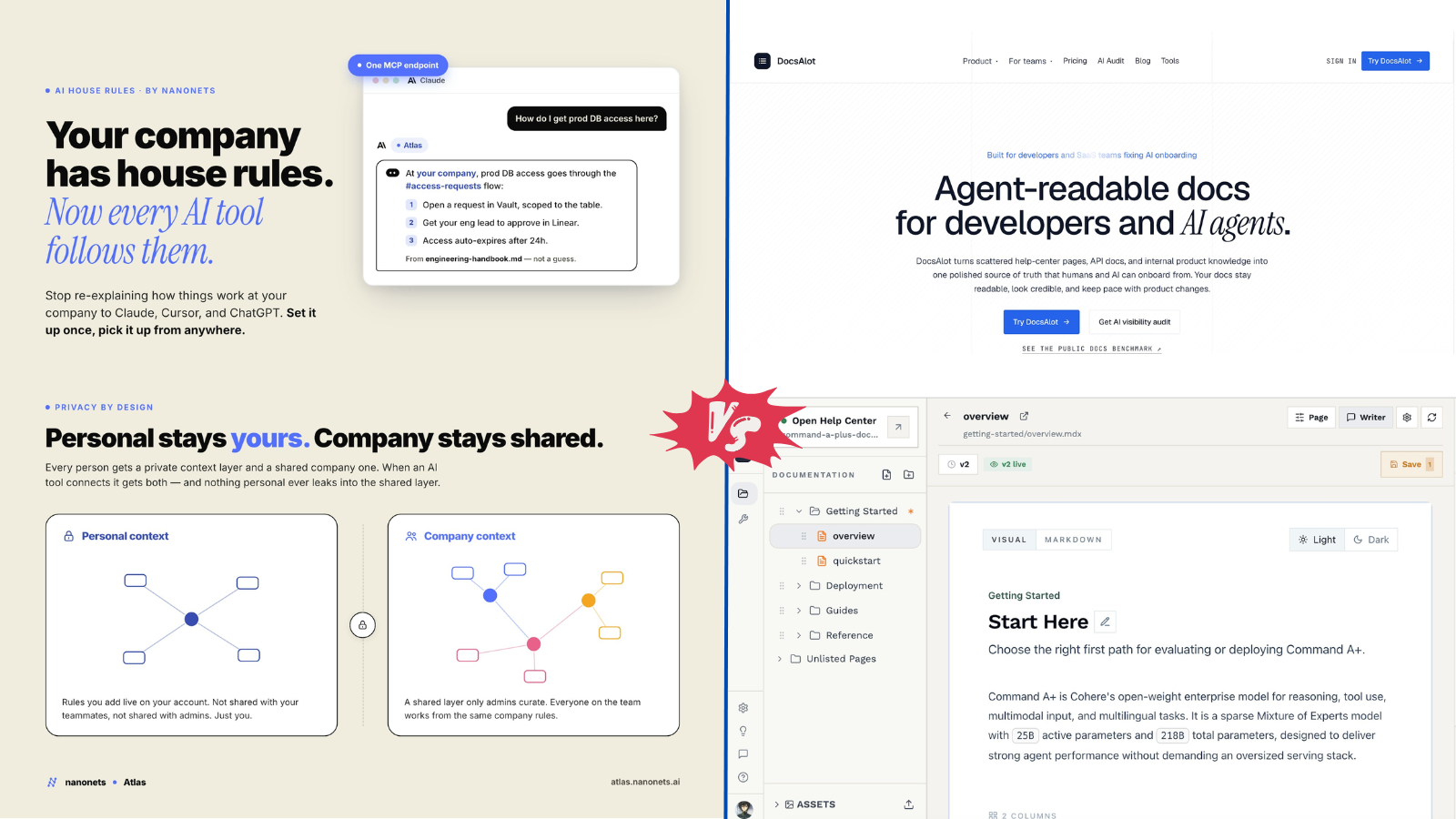
Nanonets vs DocsAlot: Two AI Tools Solving Different Enterprise Problems in 2026
Artificial intelligence is no longer just about generating text or writing code. The biggest productivity gains now come from removing repetitive work and making business knowledge instantly accessible. Every company sits on thousands of invoices, contracts, PDFs, emails, help articles, and internal documentation. The challenge is no longer creating information. It is finding it, understanding it, and putting it to work. Two recently launched products on ProductWatch approach this challenge from completely different directions. Nanonets focuses on turning unstructured business documents into structured, actionable data, while DocsAlot transforms scattered documentation into an AI-ready knowledge platform that both humans and AI agents can understand. Although both products use AI, they solve very different problems. One automates document-heavy business operations. The other ensures every AI assistant has accurate and up-to-date knowledge. NANONETS: TEACHING AI TO UNDERSTAND BUSINESS DOCUMENTS Every finance, logistics, healthcare, or insurance team deals with the same frustration. Important business information arrives inside PDFs, scanned invoices, receipts, contracts, purchase orders, and handwritten forms. Before any analysis can happen, someone has to manually copy that information into spreadsheets or ERP systems. Nanonets eliminates this manual step. Using AI-powered Optical Character Recognition (OCR), computer vision, and deep learning models, the platform automatically extracts information from complex documents, validates it, classifies it, and routes it into business workflows. Instead of simply recognizing text, Nanonets understands document structure, making it useful even for invoices and forms that differ between vendors. Unlike traditional OCR software that often requires fixed templates, Nanonets adapts to varying layouts and document types, significantly reducing manual intervention. It also integrates with popular ERP systems, CRMs, cloud storage providers, and accounting software to automate complete business workflows rather than just data extraction. Organizations use Nanonets for accounts payable automation, invoice processing, order management, insurance claims, identity verification, customs documentation, logistics paperwork, and many other document-intensive operations. The biggest advantage is that employees stop spending hours copying information and can instead focus on reviewing exceptions and making business decisions. DOCSALOT: DOCUMENTATION BUILT FOR HUMANS AND AI As AI assistants become part of everyday workflows, documentation has become far more important than a traditional help center. Most companies maintain documentation across GitHub repositories, Notion pages, internal wikis, support articles, Markdown files, and developer portals. Over time, these sources drift apart, making it difficult for employees and AI assistants to know which information is correct. DocsAlot addresses this growing problem by creating a centralized documentation platform designed specifically for the AI era. Instead of only publishing documentation for human readers, DocsAlot makes documentation consumable by AI systems through support for standards such as Model Context Protocol (MCP), llms.txt, and skill.md. This allows AI assistants to reference current documentation directly instead of relying on outdated training data or incomplete context. The platform also includes AI-assisted documentation generation, automated maintenance, multilingual publishing, hosted MCP endpoints, AI-ready help centers, and governance features that make documentation easier to maintain as products evolve. Teams can onboard new developers faster while ensuring AI-powered customer support remains consistent and accurate. Rather than replacing documentation writers, DocsAlot makes documentation significantly more useful for both people and intelligent systems. DIFFERENT PROBLEMS, DIFFERENT AUDIENCES Although both platforms rely heavily on artificial intelligence, they target entirely different business challenges. Nanonets helps companies automate operational workflows where documents are the primary source of business data. DocsAlot helps software companies, developer platforms, and SaaS teams maintain documentation that modern AI systems can reliably understand. One extracts information from incoming documents. The other organizes existing knowledge so AI can retrieve it correctly. For organizations investing heavily in AI, both problems are becoming increasingly important. FEATURE COMPARISON | Feature | Nanonets | DocsAlot | | | | | | Primary Purpose | AI document processing and workflow automation | AI-ready documentation platform | | Best For | Finance, logistics, insurance, operations, healthcare | SaaS companies, developer platforms, product teams | | Core AI Technology | OCR, deep learning, intelligent document extraction | AI-powered documentation management | | Handles PDFs & Scanned Documents | ✓ | Limited (documentation focused) | | Workflow Automation | ✓ Advanced | ✓ Documentation workflows | | AI Knowledge Base | ✗ | ✓ | | MCP Support | ✗ | ✓ | | llms.txt Support | ✗ | ✓ | | skill.md Support | ✗ | ✓ | | AI-Assisted Content Generation | Limited | ✓ | | Custom Domain | Enterprise deployments | ✓ Team plan and above | | API Access | ✓ | Available through hosted MCP infrastructure | | Enterprise Security | ✓ SSO, RBAC, compliance options | ✓ SSO and governance features | | Ideal Users | Business operations teams | Developers, technical writers, AI product teams | PRICING COMPARISON | Plan | Nanonets | DocsAlot | | | | | | Free Tier | $50 free processing credits | No permanent free plan | | Entry Pricing | Usage-based. After free credits, starts at $100/month for 100 credits | $39/month Startup plan | | Mid Tier | Volume pricing (Contact Sales) | $99/month Team plan | | Enterprise | Custom pricing | Custom pricing | | Pricing Model | Consumption-based, pay per workflow block | Fixed monthly subscription | WHICH TOOL SHOULD YOU CHOOSE? The answer depends entirely on the problem you're trying to solve. If your business spends hours processing invoices, receipts, contracts, purchase orders, or other business documents, Nanonets can dramatically reduce manual data entry while improving processing speed and accuracy. If your organization builds software, maintains APIs, or deploys AI assistants that rely on accurate documentation, DocsAlot provides a modern documentation platform designed specifically for AI-powered workflows. Some companies may even benefit from using both. Documents processed by Nanonets can feed structured business data into operational systems, while DocsAlot ensures employees and AI assistants always have access to accurate documentation about those systems. CONCLUSION Enterprise AI is moving beyond chatbots and text generation. Today's most valuable AI tools solve practical business problems by removing repetitive work and making knowledge easier to access. Nanonets demonstrates how AI can automate complex document processing that once required hours of manual effort. DocsAlot shows that as AI assistants become part of everyday work, documentation itself must evolve into something machines can understand as reliably as humans. Both products highlight an important trend in enterprise software: the future of AI is not just generating information, but organizing it, understanding it, and making it immediately useful.
Best AI Business Copilot Tools to Run Your Startup in 2026
Startup founders rarely struggle with ideas. The real challenge is keeping everything moving at the same time. Product development, customer support, fundraising, hiring, sales, engineering, documentation, marketing, finance, and operations all compete for attention. A typical workday involves jumping between Slack, Notion, GitHub, Linear, Jira, HubSpot, Google Drive, calendars, investor emails, analytics dashboards, and countless browser tabs. Valuable information ends up scattered across multiple platforms, making it difficult to stay focused on building the business. That challenge has created an entirely new category of software: AI business copilots. Unlike traditional AI assistants that simply answer questions or generate content, AI business copilots understand how a company operates. They connect with internal knowledge, project management platforms, customer data, financial systems, communication tools, and business workflows to provide meaningful context instead of isolated responses. Some function as AI-powered chiefs of staff, helping founders organize priorities and prepare for important decisions. Others operate as startup command centers that coordinate projects, monitor execution, automate repetitive work, and even manage autonomous AI agents capable of completing complex business tasks. For developers, founders, indie hackers, and startup teams, these platforms reduce operational overhead while improving visibility across the organization. Instead of spending hours collecting information, leaders can focus on product development, customer feedback, and business growth. This guide compares the best AI business copilot tools available in 2026, highlighting what each platform does best and which startups will benefit most from using them. > QUICK OVERVIEW > > Looking for an AI assistant that can do more than answer questions? Modern AI business copilots help founders manage operations, automate repetitive work, coordinate teams, organize company knowledge, and make faster decisions from a single workspace. > > In this guide, you'll discover: > > * Mission Control: AI operating system that helps founders manage projects, priorities, and company operations. > * BurnRateOS: Virtual AI executive team with AI CEO, CFO, CTO, CMO, and other business advisors. > * FounderOS: AI-powered workspace for startup planning, execution, and business management. > * CEO Workspace: Strategic planning platform for business growth, investor updates, and executive decision-making. > * GoTogether AI: AI collaboration platform that keeps teams, projects, and knowledge connected. > * Nautis: Startup operating system for managing operations, planning, and organizational workflows. > * xyroCore: AI CEO assistant that helps founders organize priorities and business execution. > * MetaTechAI FounderOS: AI-powered company operating system with intelligent agents and centralized business knowledge. > * Flowith: Visual AI workspace for research, strategic planning, brainstorming, and complex problem-solving. > * Lutra AI: AI workflow automation platform that eliminates repetitive business tasks. > * Relay.app: AI-powered workflow automation for coordinating multi-step business processes. > * Zapier AI Agents: Autonomous AI agents that automate work across thousands of business applications. > > The guide also includes a detailed comparison table, pricing, ideal use cases, and practical recommendations to help founders, developers, startup teams, and growing businesses choose the right AI business copilot in 2026. WHAT IS AN AI BUSINESS COPILOT? An AI business copilot is an intelligent software platform designed to help founders and startup teams manage everyday operations. Rather than acting as a standalone chatbot, it connects with the applications already used across the business, understands company context, retrieves relevant information, and assists with planning, coordination, and execution. Unlike traditional automation tools that rely on predefined rules, modern business copilots combine large language models, company knowledge, workflow automation, and AI agents to complete meaningful work. They can summarize meetings, monitor projects, retrieve documentation, organize priorities, prepare investor updates, automate repetitive workflows, and answer business questions using information spread across multiple systems. Many of these platforms are evolving into startup operating systems, providing a unified workspace where founders can manage projects, customer relationships, documentation, financial planning, and team collaboration from a single interface. WHY EVERY STARTUP NEEDS AN AI BUSINESS COPILOT Building a startup means making hundreds of decisions every week. Unfortunately, the information required to make those decisions is often scattered across different applications. Engineering updates might live inside GitHub or Linear. Customer feedback sits in Slack or Intercom. Sales data remains inside a CRM, while financial reports exist elsewhere. Even simple questions frequently require opening several applications before arriving at an answer. AI business copilots eliminate much of that friction by connecting these systems. Instead of searching for information manually, founders can ask natural-language questions, receive summarized insights, identify blockers, prepare meetings, automate routine work, and monitor company progress without switching between dozens of browser tabs. As startups scale, these capabilities become increasingly valuable because operational complexity usually grows faster than team size. HOW TO CHOOSE THE RIGHT AI BUSINESS COPILOT Every startup operates differently, so the ideal business copilot depends on existing workflows and long-term goals. Founders looking for a centralized operating system should prioritize platforms that combine company knowledge, project management, AI agents, and executive dashboards. Teams focused on automation may benefit more from workflow orchestration tools capable of connecting hundreds of business applications. Companies handling sensitive customer information should also evaluate security, permissions, compliance, and integration capabilities before selecting a platform. Scalability is another important consideration. While some tools are designed primarily for founders and early-stage startups, others support enterprise-grade workflows involving multiple departments, thousands of documents, and complex operational processes. The best AI business copilot should reduce administrative work without forcing teams to replace software that already works well. AI BUSINESS COPILOT COMPARISON | Tool | Primary Use Case | AI Agents | Multi-Agent Support | Workflow Automation | Integrations | Starting Price | | | | : : | : : | : : | : : | : | | Mission Control | AI operating system for founders | Yes | Yes | Yes | Limited | £9/month | | BurnRateOS | AI executive team (CEO, CFO, CTO & more) | Yes | Yes | Yes | Yes | Contact Sales | | FounderOS | Startup planning and execution | Yes | No | Yes | Limited | Contact Sales | | CEO Workspace | Business strategy and investor management | No | No | Limited | Limited | Custom Pricing | | GoTogether AI | Startup collaboration and operations | Yes | Yes | Yes | Yes | Contact Sales | | Nautis | Startup operating system | Yes | Yes | Yes | Yes | Free, Paid from $49/month | | xyroCore | AI CEO assistant | Yes | No | Limited | Limited | Contact Sales | | MetaTechAI FounderOS | AI company operating system | Yes | Yes | Yes | Yes | Custom Pricing | | Flowith | AI research and strategic planning | Yes | No | Limited | Yes | Free, Paid from $19/month | | Lutra AI | AI workflow automation | Yes | No | Yes | Yes | Free, Paid from $23/month | | Relay.app | AI-powered workflow automation | Yes | No | Yes | Yes | From $11/month | | Zapier AI Agents | Cross-platform business automation | Yes | No | Yes | Yes | Free, Paid from $19.99/month | THE BEST AI BUSINESS COPILOT TOOLS IN 2026 The platforms below represent the most innovative AI business copilots currently available. Each approaches business operations differently, ranging from AI executive assistants and startup operating systems to autonomous workflow platforms capable of coordinating entire business processes. The following sections compare each tool in detail, explaining where it excels, how it fits into modern startup workflows, and which teams are most likely to benefit from adopting it. 1. MISSION CONTROL Website: https://missioncontrolhq.ai/ Running a startup often means juggling product development, fundraising, hiring, customer feedback, engineering, and operations at the same time. Important updates quickly become scattered across project boards, documents, calendars, chats, and dashboards, making it difficult to maintain a clear picture of the business. Mission Control addresses this challenge by providing an AI-powered operating system built specifically for startup founders and leadership teams. Rather than functioning as another conversational AI assistant, Mission Control connects business knowledge, projects, strategic goals, and team activities into a unified workspace. Founders can quickly understand what requires attention, review ongoing initiatives, prepare for meetings, monitor company progress, and retrieve information without manually searching through multiple applications. This centralized approach helps reduce context switching while improving visibility across the organization. As startups grow, coordination often becomes more challenging than execution. Mission Control helps leadership teams stay aligned by organizing company priorities, surfacing important updates, and providing the context needed to make informed decisions. Instead of spending valuable time gathering information, founders can focus on building products, talking with customers, and executing growth strategies. Best For: Startup founders, CEOs, executive teams, and fast-growing companies looking for an AI-powered business operating system. 2. BURNRATEOS Website: https://burnrateos.com/ Most AI assistants support individual tasks, but BurnRateOS approaches business management from an executive perspective. The platform introduces an AI leadership team that includes specialized virtual executives such as an AI CEO, CFO, CTO, CMO, CRO, and other business roles. Each AI agent focuses on a different aspect of company operations, allowing founders to receive specialized recommendations across finance, engineering, marketing, sales, and strategic planning. Instead of relying on a single AI assistant for every decision, BurnRateOS distributes responsibilities across multiple AI executives who collaborate using shared business context. Financial planning, product strategy, operational improvements, customer acquisition, and technical decision-making can all be supported through dedicated AI advisors, helping founders evaluate opportunities from different business perspectives before making important decisions. This approach is especially valuable for early-stage startups where one founder often performs the responsibilities of several executives. By organizing strategic planning, operational insights, and business recommendations into one platform, BurnRateOS helps founders identify priorities while reducing the administrative workload associated with running a growing company. Best For: Startup founders, solo entrepreneurs, and leadership teams looking for AI-powered executive guidance across multiple business functions. 3. FOUNDEROS Website: https://founderos.me/ Building a startup requires constant planning, rapid execution, and the ability to adapt quickly when priorities change. FounderOS is designed to help founders manage those moving parts from a single workspace, bringing together strategy, goals, projects, documentation, and business planning into one AI-powered environment. Instead of replacing existing tools, it acts as an intelligent layer that helps organize information and keeps important work moving forward. The platform assists with everything from defining company objectives and tracking milestones to preparing product roadmaps and organizing operational knowledge. Rather than spending time updating multiple spreadsheets, notes, and project boards, founders can use FounderOS to maintain a structured overview of their startup while allowing AI to surface priorities, summarize progress, and recommend the next actions based on ongoing work. FounderOS is particularly useful during the early stages of a startup when small teams are responsible for every aspect of the business. Product planning, fundraising, customer discovery, hiring, and execution often happen simultaneously, and the platform helps reduce the operational complexity that comes with wearing multiple hats. Its focus on startup execution makes it more than a productivity tool, offering a structured system for turning ideas into measurable progress. Best For: Early-stage startups, solo founders, and small teams that need a centralized workspace for planning and execution. 4. CEO WORKSPACE Website: https://ceoworkspace.com/ Strategic planning often gets pushed aside while founders deal with everyday operational challenges. CEO Workspace focuses on the executive side of running a business by helping leaders organize strategic initiatives, prepare investor communications, monitor company performance, and maintain a clear view of long-term objectives. Rather than emphasizing task management, the platform supports higher-level decision-making through AI-assisted planning and business analysis. Founders can use the platform to develop business plans, create investor updates, organize board meeting materials, draft company strategies, and maintain documentation related to fundraising or business growth. By centralizing executive information, CEO Workspace reduces the effort required to prepare reports and communicate progress with investors, advisors, and stakeholders. As companies scale, leadership teams often spend significant time coordinating information before making strategic decisions. CEO Workspace simplifies this process by bringing planning, reporting, and company knowledge together in one environment, allowing executives to focus more on growth opportunities and less on administrative preparation. Best For: Startup founders, CEOs, executive teams, and businesses preparing for fundraising or long-term strategic planning. 5. GOTOGETHER AI Website: https://gotogether.ai/ Successful startups depend on effective collaboration between product, engineering, operations, marketing, and customer-facing teams. GoTogether AI is designed to improve that coordination by providing a shared workspace where projects, discussions, documentation, and business activities remain connected through AI. Instead of operating as a standalone assistant, it becomes part of the company's daily workflow, helping teams stay aligned while reducing unnecessary communication overhead. The platform connects information across departments, making it easier to understand project status, assign responsibilities, monitor execution, and identify blockers before they delay delivery. AI-generated summaries, contextual search, and intelligent recommendations help team members find relevant information without navigating multiple tools or long discussion threads. This creates a smoother experience for distributed teams working across different time zones and functions. GoTogether AI is particularly valuable for startups experiencing rapid growth, where communication often becomes fragmented as new employees join and responsibilities expand. By centralizing collaboration and providing AI-assisted coordination, the platform helps maintain transparency across the organization while supporting faster execution. Best For: Remote startups, cross-functional teams, and growing companies that want better collaboration and operational visibility. 6. NAUTIS Website: https://getnautis.com/ Managing a startup usually involves far more than building a product. Founders must balance hiring, finance, legal tasks, fundraising, customer acquisition, operational planning, and team coordination, often without dedicated specialists in each area. Nautis brings these responsibilities into a single AI-powered operating environment that helps organize business activities while reducing the need to jump between disconnected software. Instead of focusing on one department, Nautis supports multiple aspects of startup management, allowing founders to monitor operations, manage internal processes, coordinate business documentation, and track strategic objectives from one place. The platform encourages structured execution while providing AI assistance that helps teams stay organized as the business grows. Its broad approach makes Nautis particularly appealing to startups that want a centralized business workspace rather than separate applications for every operational task. By combining planning, collaboration, and AI-driven organization, the platform gives founders greater visibility into company activities while helping reduce routine administrative work. Best For: Startups and growing businesses looking for an all-in-one AI platform to manage operations, planning, and organizational workflows. 7. XYROCORE Website: https://xyrocore.com/ Every startup reaches a point where founders spend more time managing the business than actually building it. xyroCore is designed to reduce that burden by acting as an AI CEO that helps organize priorities, coordinate business activities, and support everyday decision-making. Rather than focusing on a single department, the platform provides assistance across operations, planning, customer management, and business execution through a unified AI workspace. The platform helps founders monitor ongoing initiatives, organize company knowledge, track important objectives, and receive AI-driven recommendations based on current business activities. Instead of manually collecting information from different systems, leadership teams can quickly access business insights and identify where attention is needed most. This approach makes routine management less reactive and allows founders to spend more time focusing on product development and customer growth. xyroCore is particularly well suited for startups that want executive-level AI assistance without building complex automation workflows. Its emphasis on operational visibility and strategic guidance makes it a practical choice for founders looking to simplify daily business management. Best For: Startup founders, small business owners, and leadership teams seeking an AI-powered executive assistant. 8. METATECHAI FOUNDEROS Website: https://metatechai.com/ Managing a growing startup requires more than tracking tasks. Teams need quick access to company knowledge, coordinated workflows, and reliable systems that keep every department aligned. MetaTechAI FounderOS approaches this challenge by positioning itself as a complete operating system for startups, combining AI agents, organizational memory, business workflows, and collaborative planning within a single platform. The platform connects information across different business functions, enabling founders to retrieve documents, coordinate projects, automate internal processes, and manage operational knowledge without relying on multiple disconnected applications. AI agents assist with planning, execution, reporting, and everyday business coordination while maintaining awareness of company context. This reduces repetitive work and allows teams to make decisions using up-to-date information rather than manually compiled reports. MetaTechAI FounderOS is especially valuable for technology startups experiencing rapid growth. As new employees, customers, and projects increase, maintaining consistent knowledge becomes more difficult. The platform helps preserve organizational context while improving collaboration across engineering, product, operations, and leadership teams. Best For: Technology startups, AI-first companies, and organizations looking for an intelligent business operating system. 9. FLOWITH Website: https://flowith.io/ Many AI tools rely on traditional chat interfaces that become difficult to manage during complex projects. Flowith introduces a visual workspace where ideas, research, planning, and AI conversations remain connected, making it easier to explore complicated business problems without losing context. This approach is particularly useful for founders who regularly evaluate markets, validate product ideas, prepare business strategies, or conduct competitive research. Instead of treating every prompt as an isolated conversation, Flowith allows users to build interconnected knowledge structures that grow as projects evolve. Product strategies, customer research, competitor analysis, fundraising preparation, and technical planning can all exist within the same visual workspace, giving founders a more organized way to think through important decisions. Developers, researchers, and startup teams working on long-term projects often benefit from this structured approach because it encourages deeper analysis instead of fragmented AI interactions. Flowith becomes more than a writing assistant by serving as an environment for strategic thinking and collaborative problem-solving. Best For: Founders, product managers, researchers, and strategy teams working on complex planning and decision-making. 10. LUTRA AI Website: https://lutra.ai/ As startups grow, repetitive administrative work begins consuming valuable engineering and operational time. Updating spreadsheets, processing customer requests, moving information between applications, generating reports, and handling routine workflows quickly become everyday responsibilities that slow business growth. Lutra AI focuses on eliminating these repetitive tasks through intelligent workflow automation powered by AI. The platform connects with popular business applications and enables teams to automate complex processes using natural language instead of writing scripts or configuring lengthy automation rules. Reports can be generated automatically, customer information synchronized across systems, repetitive data processing eliminated, and business workflows executed with minimal manual intervention. This allows teams to dedicate more time to product development and customer success rather than operational maintenance. Unlike startup operating systems that emphasize executive planning, Lutra AI specializes in execution. Its automation capabilities make it particularly attractive for startups that already have established workflows but want AI to perform routine operational tasks more efficiently. Best For: Operations teams, startups, and businesses looking to automate repetitive workflows across multiple business applications. CONCLUSION The way startups operate is changing rapidly, and AI business copilots are becoming an essential part of that transformation. Instead of relying on disconnected tools for planning, collaboration, automation, customer management, and decision-making, founders can now use AI to connect every aspect of their business through a unified workflow. The platforms featured in this guide represent different approaches to solving the same challenge. Some, such as Mission Control, FounderOS, and MetaTechAI FounderOS, are designed to serve as startup operating systems that centralize company knowledge, projects, and strategic execution. Others, including BurnRateOS and xyroCore, provide AI-powered executive support that helps founders make informed decisions across finance, marketing, engineering, and operations. Workflow-focused platforms like Lutra AI, Relay.app, and Zapier AI Agents excel at automating repetitive business processes, while tools such as Flowith and CEO Workspace help founders with research, strategic planning, and investor communication. The best AI business copilot ultimately depends on how a startup operates. Early-stage founders often benefit from platforms that organize ideas, goals, and execution in one place. Growing startups may prioritize automation, cross-functional collaboration, and AI agents that reduce manual work across multiple departments. Teams already using specialized software should also consider how well a platform integrates with their existing technology stack before making a decision. As AI continues to evolve, business copilots are becoming more than productivity tools. They are developing into intelligent operating systems that help founders spend less time managing software and more time building products, serving customers, and growing their businesses. Choosing the right platform today can create a more efficient, scalable, and data-driven foundation for the years ahead. Whether launching a new SaaS product, managing a remote engineering team, preparing for fundraising, or scaling an established startup, adopting the right AI business copilot can simplify operations, improve decision-making, and give founders more time to focus on what matters most: building a successful company.
10 Best Autonomous AI CRM Tools in 2026
Customer relationship management has changed significantly over the last few years. Traditional CRMs helped teams organize contacts, manage deals, and track customer interactions. The latest generation of AI-powered CRMs goes much further. Instead of waiting for users to update records or create follow-up tasks, autonomous AI agents can analyze conversations, qualify leads, schedule meetings, draft emails, update pipelines, and even recommend the next action automatically. For startups and growing businesses, this means spending less time on repetitive administrative work and more time building relationships with customers. Sales representatives no longer need to manually update every interaction, while founders can gain insights from conversations without reviewing hundreds of emails or meeting notes. As large language models continue to improve, nearly every major CRM platform has introduced AI agents capable of completing multi-step workflows instead of simply answering questions. Choosing the right platform, however, depends on the size of the business, existing tools, automation requirements, and budget. > QUICK OVERVIEW > > Autonomous AI CRM tools go beyond managing contacts and sales pipelines. They use AI agents to automate repetitive work, analyze customer interactions, recommend next steps, and help sales teams focus on building relationships instead of updating records. While every platform approaches AI differently, the best choice depends on your business size, existing tech stack, and automation needs. > > This guide reviews ten leading autonomous AI CRM platforms available today: > > * Salesforce Agentforce: Best for large enterprises that need autonomous AI agents, advanced workflow automation, and deep customization. > * HubSpot AI: A strong choice for startups and growing businesses looking for an easy-to-use CRM with built-in AI for sales, marketing, and customer support. > * Microsoft Dynamics 365 Copilot: Ideal for organizations already using Microsoft 365, Teams, and Azure that want AI integrated across their business tools. > * Zoho CRM with Zia: An affordable, AI-powered CRM that offers lead scoring, sales predictions, and automation for small and medium-sized businesses. > * Freshsales with Freddy AI: Designed for growing sales teams that want AI-assisted lead management, email generation, and revenue forecasting. > * Pipedrive AI: A sales-focused CRM that helps small businesses prioritize deals, automate follow-ups, and improve pipeline management. > * Creatio CRM: Combines AI with a no-code platform, making it suitable for enterprises that need highly customized business processes and workflows. > * SugarCRM: Focuses on predictive customer intelligence, analytics, and automation for organizations managing complex customer relationships. > * monday CRM: A flexible CRM built for teams that already use monday.com and want AI-powered workflows alongside project management. > * Attio: A modern AI-first CRM built for startups and fast-growing companies, featuring automatic contact enrichment, relationship intelligence, and flexible data modeling. WHAT IS AN AUTONOMOUS AI CRM? A traditional CRM stores customer information and helps sales teams manage opportunities. Most actions still require human input, such as updating deal stages, creating follow-up reminders, or writing emails. An autonomous AI CRM adds another layer. Instead of waiting for instructions, AI agents continuously observe customer activity, analyze communication, identify opportunities, and complete routine work automatically. For example, after a customer meeting, an autonomous CRM can: summarize the conversation, update the opportunity stage, create follow-up tasks, draft a personalized email, recommend the next sales action, and alert managers if a deal becomes at risk. The goal is not to replace sales teams but to remove repetitive work that consumes hours every week. HOW AUTONOMOUS AI CRMS WORK Modern AI CRMs combine several technologies instead of relying on a single language model. Most platforms integrate natural language processing, workflow automation, retrieval systems, predictive analytics, and external APIs. A typical workflow looks like this: Customer Interaction │ ▼ AI analyzes conversation │ ▼ Extracts customer intent │ ▼ Updates CRM automatically │ ▼ Creates follow-up tasks │ ▼ Drafts personalized outreach │ ▼ Suggests next best action Instead of acting as a chatbot, the AI functions more like a digital sales assistant that continuously monitors customer interactions and completes routine work in the background. COMPARISON TABLE | Tool | Best For | AI Features | Starting Price | | | | | | | Salesforce Agentforce | Large enterprises | Autonomous AI agents, workflow execution, sales coaching | From $25/user/month (Agentforce pricing varies) | | HubSpot AI | Startups & SMBs | AI assistant, content generation, prospecting, automation | Free plan available, paid from $20/user/month | | Microsoft Dynamics 365 Copilot | Organizations using the Microsoft ecosystem | Sales Copilot, email drafting, forecasting | From $65/user/month | | Zoho CRM with Zia | Small businesses | AI assistant, sales predictions, anomaly detection | From $14/user/month | | Freshsales CRM | Growing sales teams | AI lead scoring, email generation, sales forecasting | From $11/user/month | | Pipedrive AI | Small sales teams | AI email generation, deal recommendations | From $14/user/month | | Creatio CRM | No-code enterprises | AI-powered workflows, process automation | Custom pricing | | SugarCRM | Customer service & sales teams | Predictive intelligence, workflow automation | Custom pricing | | monday CRM AI | Teams already using monday.com | AI workflows, summaries, automations | From $12/user/month | | Attio | Modern startups | AI relationship intelligence, contact enrichment | Free plan available, paid from $29/user/month | 1. SALESFORCE AGENTFORCE Website: https://www.salesforce.com/agentforce Salesforce Agentforce moves beyond traditional CRM automation by introducing autonomous AI agents that can plan, execute, and complete business tasks with minimal human involvement. Built on the Salesforce ecosystem, it connects seamlessly with Sales Cloud, Service Cloud, Data Cloud, Slack, and Salesforce Flow, allowing customer information and workflows to remain centralized. Rather than assisting with individual actions, Agentforce is designed to complete entire processes, making it particularly valuable for organizations handling complex sales and support operations. Daily CRM work becomes significantly more efficient through AI-driven lead qualification, workflow execution, customer support automation, and sales coaching. Incoming leads can be evaluated using historical interactions, buying signals, and company information before being routed to the appropriate sales representative. After meetings, the AI can summarize conversations, update CRM records, identify customer objections, recommend follow-up actions, and even prepare personalized emails without manual intervention. The platform's enterprise-grade security, extensive customization, and mature integration ecosystem make it one of the most capable AI CRM solutions for large organizations, although implementation requires planning, experienced administrators, and a budget that is often beyond the reach of smaller businesses. Best For: Large enterprises that require advanced AI automation across sales, customer support, and business operations. 2. HUBSPOT AI Website: https://www.hubspot.com HubSpot AI extends the platform's reputation for simplicity by embedding artificial intelligence throughout marketing, sales, customer support, and content creation instead of introducing a separate AI product. The experience feels familiar to existing users because AI capabilities appear naturally inside everyday workflows, allowing teams to generate emails, summarize meetings, research prospects, qualify leads, and automate CRM updates without switching applications. A new lead entering the CRM can automatically be enriched with additional information, assigned to the appropriate representative, and placed into the right marketing or sales workflow based on customer behavior. AI-generated meeting summaries, personalized outreach, and intelligent pipeline recommendations reduce administrative work while helping sales teams stay focused on customer conversations. HubSpot remains one of the easiest AI-powered CRMs to learn, making it attractive for startups and growing businesses. Although the free plan offers an excellent starting point, many advanced automation capabilities are reserved for higher subscription tiers, causing costs to increase as organizations expand. Best For: Startups, agencies, SaaS companies, and growing businesses looking for AI features that require minimal setup. 3. MICROSOFT DYNAMICS 365 COPILOT Website: https://www.microsoft.com/dynamics-365 Microsoft Dynamics 365 Copilot brings generative AI directly into the Microsoft business ecosystem, allowing sales teams to work more efficiently without leaving familiar applications such as Outlook, Teams, and Microsoft 365. Rather than acting as a standalone assistant, Copilot becomes part of everyday business communication by analyzing customer interactions, summarizing conversations, preparing meeting briefings, and recommending the next steps based on CRM history. Its ability to reference emails, CRM records, meeting transcripts, internal documents, and Azure-powered business data gives sales representatives quick access to relevant information before every customer interaction. Integration with Power Automate and Power Apps also enables organizations to build custom workflows that extend well beyond CRM. This makes Dynamics 365 particularly attractive for enterprises already committed to Microsoft's ecosystem. The trade-off is a more complex implementation process, and licensing costs can become significant for organizations requiring advanced AI capabilities across multiple Microsoft services. Best For: Medium and large organizations already using Microsoft 365, Azure, Teams, and the broader Microsoft ecosystem. 4. ZOHO CRM WITH ZIA Website: https://www.zoho.com/crm Zoho CRM combines affordability with intelligent automation through Zia, an AI assistant designed to improve decision-making rather than simply generate content. As customer activity changes over time, Zia continuously analyzes CRM data to predict deal outcomes, monitor sales performance, identify unusual patterns, and recommend actions that deserve immediate attention. The result is a CRM that helps sales teams focus on the opportunities most likely to convert. Organizations already using Zoho's broader business ecosystem benefit from smooth data sharing across accounting, marketing, customer support, HR, and productivity applications. Natural language reporting, lead scoring, sentiment analysis, and workflow recommendations further reduce routine administrative work without requiring enterprise-level infrastructure. While Zia offers impressive automation for its price, it is less autonomous than some enterprise AI platforms, and advanced customization often requires additional configuration and time. Best For: Small businesses, agencies, startups, and companies already invested in the Zoho ecosystem. 5. FRESHSALES WITH FREDDY AI Website: https://www.freshworks.com/crm Freshsales approaches AI as a practical productivity tool rather than a replacement for sales teams. Freddy AI helps representatives spend less time updating CRM records and more time building customer relationships by automating routine tasks such as lead scoring, conversation summaries, revenue forecasting, follow-up recommendations, and email generation. Built-in communication tools, customer timelines, and workflow automation further simplify day-to-day sales operations. The platform also brings customer support and sales information together, allowing teams to view interactions across multiple touchpoints without relying heavily on third-party software. This unified approach makes Freshsales particularly appealing for SaaS companies and growing businesses that want CRM, communication, and AI assistance within a single workspace. Its modern interface and straightforward onboarding process make adoption relatively easy, although organizations requiring extensive enterprise customization or a larger integration marketplace may find competing platforms better suited to their needs. Best For: Growing SaaS companies, startups, service businesses, and small sales teams seeking practical AI-powered CRM automation. 6. PIPEDRIVE AI Website: https://www.pipedrive.com Pipedrive has built its reputation around keeping sales pipeline management straightforward, and its AI features follow the same philosophy. Rather than overwhelming users with enterprise-level complexity, the platform focuses on helping sales teams prioritize deals, stay organized, and spend more time engaging with prospects. AI capabilities are integrated into everyday workflows, making recommendations feel like a natural extension of the CRM instead of a separate tool. Sales representatives receive intelligent suggestions about which opportunities deserve immediate attention, while AI assists with drafting emails, summarizing conversations, forecasting pipeline performance, and reminding users about overdue activities. Workflow automation and smart contact management further reduce repetitive administrative work without requiring extensive technical knowledge. The clean interface, quick deployment, and competitive pricing make Pipedrive an attractive choice for smaller businesses, although organizations looking for advanced marketing automation or enterprise-grade customization may eventually outgrow the platform. Best For: Small businesses, startups, consultants, and sales-focused teams looking for an easy-to-use AI CRM. 7. CREATIO CRM Website: https://www.creatio.com Creatio combines customer relationship management with a powerful no-code automation platform, allowing businesses to build workflows that match their own processes instead of adapting to predefined templates. AI enhances this flexibility by helping organizations automate customer journeys, recommend process improvements, summarize interactions, and coordinate tasks across multiple departments. The result is a CRM that extends well beyond sales and customer support into broader business operations. Because workflows can be designed without extensive programming knowledge, business analysts and operations teams are able to create sophisticated automations for finance, procurement, onboarding, and customer service alongside traditional CRM activities. This flexibility makes Creatio especially valuable for organizations with unique operational requirements that standard CRM platforms struggle to accommodate. The trade-off is that implementation often requires careful planning, and mastering advanced workflow design can take time before the platform reaches its full potential. Best For: Large organizations that require highly customized CRM workflows and enterprise-wide business process automation. 8. ATTIO Website: https://attio.com Attio takes a modern approach to customer relationship management by replacing much of the manual data entry traditionally associated with CRMs. Customer records are automatically built and enriched by syncing emails, calendars, meetings, and contacts, allowing relationship data to stay current with minimal effort. Designed with startups and product-led companies in mind, the platform emphasizes collaboration, flexibility, and automation from the beginning. Its AI continuously organizes customer information, maps relationships between people and companies, and supports customizable workflows that adapt to different sales processes. Teams can create their own data structures instead of relying on rigid CRM templates, making Attio particularly appealing for fast-growing companies with evolving requirements. The modern interface and developer-friendly architecture are major advantages, although the platform's ecosystem remains smaller than those of more established competitors, and some advanced enterprise capabilities are still developing. Best For: Startups, SaaS companies, founders, investors, and teams looking for a flexible AI-first CRM. 9. SUGARCRM Website: https://www.sugarcrm.com SugarCRM focuses on helping businesses make better decisions through predictive intelligence rather than relying primarily on generative AI. By analyzing customer history, buying behavior, support interactions, and sales performance, the platform uncovers trends that might otherwise go unnoticed. These insights help sales teams prioritize opportunities while giving managers a clearer understanding of pipeline health and future revenue potential. Strong customization capabilities allow the CRM to adapt to industry-specific workflows, making it suitable for organizations with complex operational requirements. AI-driven lead scoring, forecasting, customer journey analysis, and workflow automation contribute to a more informed sales process without requiring constant manual analysis. Although SugarCRM delivers extensive flexibility and reporting capabilities, its interface feels less modern than many newer competitors, and implementation often benefits from experienced administrators or consulting support. Best For: Medium and large organizations that prioritize predictive analytics, customer intelligence, and extensive CRM customization. 10. MONDAY CRM AI Website: https://monday.com/crm monday CRM extends the familiar monday.com workspace into customer relationship management, making it easy for teams already using the platform to manage projects, operations, and sales from a single environment. Its AI capabilities are designed to simplify everyday work by generating emails, summarizing activities, extracting action items from conversations, and automating repetitive workflows through AI-powered automation blocks. The platform's visual interface makes customization approachable even for non-technical users, while flexible CRM boards allow businesses to connect customer management with project delivery, onboarding, and internal collaboration. This unified experience reduces the need to switch between multiple applications throughout the workday. While monday CRM excels in collaboration and workflow flexibility, businesses seeking highly specialized CRM functionality or deeper AI automation may find dedicated CRM platforms better suited to those requirements. Best For: Businesses already using monday.com that want to manage CRM, projects, and team collaboration within a single platform. WHICH AUTONOMOUS AI CRM SHOULD YOU CHOOSE? Choosing the right platform depends less on AI marketing claims and more on how well the software fits existing workflows. Salesforce Agentforce remains one of the strongest options for enterprises managing thousands of customers, complex approval processes, and multiple business units. Its autonomous AI agents can execute sophisticated workflows, but implementation often requires dedicated administrators. HubSpot AI offers one of the best balances between usability and functionality. Startups and growing businesses can begin with the free plan and gradually unlock more advanced AI capabilities as their sales process matures. Microsoft Dynamics 365 Copilot makes the most sense for organizations already invested in Microsoft 365, Teams, Azure, and Power Platform. Deep integration across Microsoft's ecosystem creates a more consistent experience than adding third-party AI tools. Zoho CRM with Zia provides impressive value for smaller businesses that need intelligent automation without enterprise pricing. Freshsales and Pipedrive focus on improving day-to-day productivity for sales teams, making them attractive choices for companies that want practical AI assistance without significant implementation overhead. Attio stands out for modern startups thanks to its flexible architecture, automatic data enrichment, and developer-friendly approach. Creatio and SugarCRM are better suited to enterprises that require extensive customization, industry-specific workflows, and advanced business process automation. Meanwhile, monday CRM is an excellent option for teams that already manage projects and operations inside the monday ecosystem. BEST PRACTICES BEFORE ADOPTING AN AUTONOMOUS AI CRM AI can automate repetitive work, but successful adoption depends on preparation rather than technology alone. Clean customer data should always come first. AI systems depend on high-quality information, and inaccurate records often lead to poor recommendations, duplicate contacts, and unreliable forecasts. Automation should be introduced gradually. Rather than allowing AI to control every workflow immediately, begin with lower-risk tasks such as meeting summaries, email drafting, contact enrichment, and follow-up reminders. As confidence grows, more complex workflows can be automated. It is also important to review AI-generated outputs regularly. Sales emails, opportunity updates, and customer insights should remain subject to human oversight, particularly for high-value accounts. Finally, consider integration capabilities before making a decision. A CRM that works well with email, calendars, communication platforms, accounting software, and internal applications usually delivers more value than one with impressive AI features but limited connectivity. COMMON MISTAKES TO AVOID Many organizations expect AI to replace their sales process entirely. In reality, the best results come when AI supports people instead of replacing them. Another common mistake is purchasing enterprise software that exceeds current business requirements. A startup with a small sales team rarely benefits from the complexity of an enterprise CRM. Ignoring user adoption is another frequent issue. Even the most advanced AI assistant becomes ineffective if employees avoid using the platform or fail to maintain accurate customer data. Businesses should also evaluate data privacy, security, compliance, and integration requirements before adopting any AI-powered CRM. CONCLUSION Autonomous AI is gradually changing what businesses expect from CRM software. Instead of acting as digital address books, modern platforms can qualify leads, summarize meetings, generate follow-ups, prioritize opportunities, and automate many of the repetitive tasks that previously consumed valuable sales time. However, the most capable AI CRM is not necessarily the best choice. The right platform is the one that fits existing workflows, integrates with everyday tools, scales with the business, and provides meaningful automation without adding unnecessary complexity. For startups and makers, simplicity and fast adoption often matter more than hundreds of enterprise features. Larger organizations, on the other hand, may benefit from advanced workflow orchestration, governance, and custom AI agents. As AI models continue to improve, autonomous CRM capabilities will likely become a standard feature rather than a premium add-on. Businesses that adopt these tools thoughtfully, while maintaining human oversight, will be better positioned to improve customer relationships and reduce administrative work.
10 Best SaaS Listing Automation Platforms for Startups and Indie Hackers in 2026
A SaaS product can spend months in development before reaching its first users. The code is written, the infrastructure is deployed, documentation is ready, and the landing page is live. Then comes the next challenge: discovery. For many early-stage SaaS products, getting attention is not only a product problem. It is a distribution problem. A founder launching a new tool usually needs to consider multiple channels: * SaaS directories * Startup communities * Product discovery platforms * AI tool directories * Software marketplaces * Industry-specific listing websites These platforms can help potential users discover products when they are actively searching for solutions. However, submitting a product manually to multiple directories creates a repetitive workflow. The same information needs to be entered again and again: * Product name * Short description * Long description * Features * Categories * Pricing details * Screenshots * Website URL * Social profiles Submitting to one directory may take only a few minutes. Repeating the process across dozens of platforms can consume valuable development and marketing time. This is where SaaS listing automation platforms help. These tools and services simplify the process of preparing, managing, and distributing product listings across multiple directories. Some platforms automate parts of the submission process. Others provide managed services where a team handles directory submissions. Some focus on helping founders create better listing content before submission. However, automation does not guarantee success. A product listed on hundreds of irrelevant directories may provide less value than one listed on fewer relevant platforms with the right audience. The goal is not simply more submissions. The goal is to create a repeatable distribution workflow that helps the right users discover the product. This guide covers the best SaaS listing automation platforms in 2026, how they work, their advantages, limitations, and which type of startup or indie hacker should consider each option. > SUMMARY > > SaaS listing automation platforms help founders reduce repetitive directory submission work by organizing product information and simplifying the launch distribution process. > > Instead of manually creating every listing, founders can use these platforms to prepare product details once and manage submissions across multiple channels. > > > IN THIS GUIDE: > > * Understand how SaaS listing automation works > * Learn why startups use directory submission platforms > * Compare automated tools and managed services > * Explore 10 SaaS listing automation platforms in 2026 > * Understand the advantages and limitations of each platform > * Choose the right submission approach for a SaaS launch PLATFORMS COVERED: | Platform | Website | Minimum Price | Type | Best For | Main Focus | | | | | | | | | Submitsaas | submitsaas.com | Starting from $60 one-time | Submission automation service | SaaS founders | SaaS directory distribution | | SubmitPro AI | submitpro.ai | Starting from $189 one-time | AI-assisted submission service | AI and SaaS products | Listing preparation and submissions | | SubmitMatic | submitmatic.com | Starting from $60 one-time | Submission automation platform | Startup launches | Multi-directory submissions | | BoringLaunch | boringlaunch.com | Starting from $149 one-time | Managed directory submission service | SaaS and AI startups | Manual directory submissions and SEO distribution | | ListingBott | listingbott.com | Custom pricing | Submission automation | Digital products | SaaS and startup directories | | LaunchRocket | launchrocket.io | Starting from $97 one-time | Managed submission service | Busy founders | Human-managed submissions | | Submission.Tools | submission.tools | Custom pricing | Planning and management tool | Structured launches | Content and submission workflow | | SaaSListing | saaslisting.co | Custom pricing | Managed SaaS submission service | SaaS companies | Directory campaigns | | SubmitDrive | submitdrive.com | Custom pricing | Managed service | SaaS and AI tools | Multi-directory campaigns | | GoSEO Directory Submission Service | goseo.to | Custom pricing | Curated submission service | Targeted launches | Directory outreach | WHAT IS SAAS LISTING AUTOMATION? SaaS listing automation refers to tools and services that help software companies submit and manage product listings across multiple online directories. A typical SaaS launch requires creating product profiles containing: * Product name * Website URL * Product description * Features * Categories * Pricing information * Screenshots * Company details Without automation, every directory requires a separate submission process. A simplified manual workflow looks like: | Type | Description | Best For | | | | | | Automated platform | Software assists with listing creation and submissions | Founders who want control | | AI-assisted platform | Uses AI to help create listing content | Teams managing many listings | | Managed service | A team handles submissions | Founders saving operational time | | Hybrid workflow | Combines automation with review | Startups needing quality control | HOW TO CHOOSE A SAAS LISTING AUTOMATION PLATFORM Choosing the right SaaS listing automation platform requires more than comparing the number of directories supported. The quality of submissions, workflow management, and customization options are equally important. DIRECTORY QUALITY The number of directories supported is not the only factor to consider. Important questions include: * Is the directory relevant to SaaS products? * Does it have active users? * Does it attract the target audience? * Is the listing likely to be indexed by search engines? A smaller number of relevant directories can provide more value than hundreds of unrelated submissions. SUBMISSION TRACKING A good SaaS listing automation platform should provide visibility into the submission process. Useful tracking features include: * Submitted directories * Approval status * Published listing URLs * Pending actions * Rejected submissions Tracking helps founders understand whether directory submissions are producing useful outcomes and where additional action may be required. CONTENT CUSTOMIZATION Different directories attract different audiences, so product messaging should be adjusted accordingly. A developer-focused directory may highlight: * API support * Integrations * Technical capabilities A business software directory may focus on: * Pricing * Workflow improvements * Team collaboration features Good platforms allow founders to customize product descriptions instead of using identical content everywhere. 10 BEST SAAS LISTING AUTOMATION PLATFORMS IN 2026 1. SUBMITSAAS Website: https://submitsaas.com/ Submitsaas is a SaaS directory submission automation service designed to help founders distribute product information across multiple SaaS directories. The service focuses on reducing the repetitive work involved in creating separate listings for different platforms. HOW TO USE SUBMITSAAS 1. Prepare SaaS product information: * Product name * Website URL * Description * Features * Categories * Pricing information * Screenshots 2. Submit product details through the platform. 3. Use the service workflow to assist with directory submissions. 4. Review submitted listings and published pages where available. BEST SUITED FOR * Early-stage SaaS founders * Indie hackers launching products * Small teams without dedicated marketing resources PROS * SaaS-focused submission workflow * Reduces repetitive directory tasks * Helps maintain consistent product information LIMITATIONS * Directory approval depends on each platform * Some directories require manual verification * Submission volume does not guarantee traffic 2. SUBMITPRO Website: https://submitpro.ai/ SubmitPro AI is an AI-assisted product submission service designed to help startups prepare and distribute listings across product directories. The platform combines submission workflows with AI support for creating listing information. HOW TO USE SUBMITPRO AI 1. Add product details: * Product name * Website * Description * Features * Category 2. Use AI-assisted tools to prepare listing content. 3. Review generated information. 4. Submit product information through supported workflows. BEST SUITED FOR * AI startups * SaaS founders managing multiple listings * Teams needing assistance with listing preparation PROS * AI assistance for content creation * Reduces repetitive writing work * Useful for multiple directory formats LIMITATIONS * AI-generated content requires review * Directory rules still need to be followed * Product positioning cannot be automated completely 3. SUBMITMATIC Website: submitmatic.com SubmitMatic is an automated SaaS directory submission platform designed to help founders distribute their products across multiple directories. The platform focuses on reducing repetitive submission tasks by organizing product information and assisting with directory listing workflows. HOW TO USE SUBMITMATIC 1. Prepare product information: * Product name * Website URL * Product description * Features * Categories * Pricing details 2. Add the required product details to the platform. 3. Select the submission requirements and target directories. 4. Manage the submission workflow through the platform. 5. Review submission progress and published listings. BEST SUITED FOR * SaaS startups preparing product launches * Indie hackers managing early distribution * Founders looking for structured directory submissions PROS * Focused on SaaS directory submissions * Reduces repetitive manual work * Helps organize product launch activities LIMITATIONS * Directory approval depends on individual platforms * Supported directories may change over time * Listings alone do not guarantee user acquisition 4. BORINGLAUNCH Website: boringlaunch.com BoringLaunch is a managed directory submission service designed for SaaS startups, AI tools, and digital products. Instead of providing only an automated submission dashboard, BoringLaunch focuses on handling directory submissions for founders by manually submitting products across relevant startup and SaaS platforms. The service helps founders avoid spending hours creating accounts, filling forms, and tracking multiple directory submissions manually. :contentReference[oaicite:0]{index=0} HOW TO USE BORINGLAUNCH 1. Provide product information: * Product name * Website URL * Product description * Logo * Screenshots * Pricing details * Category information 2. Select the suitable submission plan. 3. The team prepares and submits the product across selected directories. 4. Review the submission report containing completed listings and platform details. BEST SUITED FOR * SaaS founders launching new products * AI startup builders * Indie hackers who want managed directory distribution * Teams without time for manual submissions PROS * Managed submission workflow * Reduces repetitive directory research and form filling * Provides submission reports * Suitable for founders who prefer execution support LIMITATIONS * Less control compared with fully self-service platforms * Directory approval depends on each external platform * Directory submissions should support, not replace, other growth channels 5. LISTINGBOTT Website: listingbott.com ListingBott is a directory submission automation tool focused on SaaS products, startups, and digital products. The service helps founders distribute product information across multiple directories and discovery platforms. HOW TO USE LISTINGBOTT 1. Prepare product details: * Product name * Website * Description * Category * Product features 2. Submit product information through the platform. 3. Use the available workflow to manage directory submissions. 4. Review published listings and update information when required. BEST SUITED FOR * SaaS founders * Startup builders * Digital product creators PROS * Focuses on SaaS and startup products * Helps reduce manual directory submissions * Useful during product launch campaigns LIMITATIONS * Results depend on directory quality * Some directories may require additional verification * Automated submissions still require quality product information 6. LAUNCHROCKET DIRECTORY SUBMISSION SERVICE Website: launchrocket.io LaunchRocket provides a managed SaaS directory submission service for startups and software products. Instead of providing only a self-service automation tool, LaunchRocket handles submission activities as a managed service. HOW TO USE LAUNCHROCKET 1. Provide product information: * Product name * Website URL * Description * Logo * Screenshots * Pricing information 2. Share launch goals and submission requirements. 3. The service prepares directory listings based on the provided information. 4. Submissions are completed across selected directories. 5. Review completed submissions and published listings. BEST SUITED FOR * Founders who want execution support * Startups without dedicated marketing teams * Teams preparing launch campaigns PROS * Managed submission workflow * Reduces manual research and form filling * Useful for founders with limited time LIMITATIONS * Less direct control compared with self-service platforms * Directory approval is controlled by each platform * Outcomes depend on directory selection and product quality 7. SUBMISSION.TOOLS Website: submission.tools Submission.Tools is a startup and SaaS submission management platform focused on helping founders prepare listings, create submission plans, and organize directory campaigns. The platform focuses on workflow organization rather than only submission execution. HOW TO USE SUBMISSION.TOOLS 1. Add product details: * Product name * Description * Features * Target audience * Website information 2. Prepare listing-ready content. 3. Create a directory submission plan. 4. Track completed and pending submissions. 5. Update product information when required. BEST SUITED FOR * Indie hackers planning structured launches * SaaS founders managing multiple submissions * Startups that need better launch organization PROS * Helps organize submission workflows * Supports listing preparation * Useful for managing launch tasks LIMITATIONS * Directory acceptance still depends on each platform * Some submission steps may require manual work * Planning does not replace product marketing 8. SAASLISTING Website: saaslisting.co SaaSListing is a SaaS directory submission service focused on helping software companies distribute their products across multiple directories. The service manages SaaS listing campaigns and assists founders with product submissions. HOW TO USE SAASLISTING 1. Provide SaaS product information: * Product name * Website URL * Description * Features * Categories * Pricing details 2. Select the required submission service. 3. The service manages directory submission activities. 4. Review submitted listings and campaign results. BEST SUITED FOR * SaaS companies launching new products * Founders looking for managed directory submissions * Teams that want assistance with distribution PROS * SaaS-focused service * Managed submission workflow * Reduces manual directory research LIMITATIONS * Directory placement quality varies * Approval depends on third-party platforms * Traffic results cannot be guaranteed 9. SUBMITDRIVE Website: submitdrive.com SubmitDrive is a managed directory submission service for SaaS products, AI tools, startups, and digital products. The service focuses on helping founders distribute product listings across multiple online directories. HOW TO USE SUBMITDRIVE 1. Submit product details: * Product name * Website * Description * Category * Product assets 2. Share campaign requirements. 3. The service identifies suitable directory opportunities. 4. Product submissions are completed. 5. Review submission reports and published listings. BEST SUITED FOR * SaaS startups * AI tool creators * Founders who prefer managed execution PROS * Managed submission approach * Suitable for SaaS and startup products * Reduces operational workload LIMITATIONS * Requires trusting the service's directory selection * Some directories may reject submissions * Directory submissions should support, not replace, other growth channels 10. GOSEO DIRECTORY SUBMISSION SERVICE Website: goseo.to GoSEO provides a directory submission service for SaaS products, AI tools, and startups. The service focuses on curated submissions rather than only maximizing the number of directories. HOW TO USE GOSEO 1. Provide product information: * Website URL * Product description * Business category * Target audience * Required listing details 2. The service evaluates suitable directory opportunities. 3. Product listings are prepared and submitted. 4. Review published listings and submission progress. BEST SUITED FOR * SaaS companies seeking curated submissions * AI startups * Founders who prefer targeted directory campaigns PROS * Focuses on curated submissions * Suitable for SaaS and startup products * Managed workflow reduces manual effort LIMITATIONS * Directory selection impacts outcomes * External platforms control approvals * Results vary depending on product category CONCLUSION SaaS listing automation platforms can reduce one of the most repetitive parts of launching a software product: distributing product information across multiple directories. For startups and indie hackers, these tools help create a more organized launch workflow by reducing manual submissions, improving listing consistency, and making it easier to manage product distribution. However, directory submissions should be treated as one part of a broader SaaS growth strategy. The effectiveness of a listing campaign depends on several factors: * Choosing directories that match the target audience * Creating clear and useful product descriptions * Maintaining accurate product information * Tracking published listings and outcomes * Continuing other growth activities such as content marketing, community building, and customer research There is no single best SaaS listing automation platform for every founder. The right choice depends on the workflow: * Founders who want control may prefer self-service automation platforms. * Teams that need help preparing content may benefit from AI-assisted tools. * Busy founders who want execution support may prefer managed submission services. Before selecting a platform, evaluate directory quality, submission tracking, customization options, and the level of control required. A well-planned SaaS directory strategy is not about submitting everywhere. It is about making the product discoverable in the places where the right users are already looking.
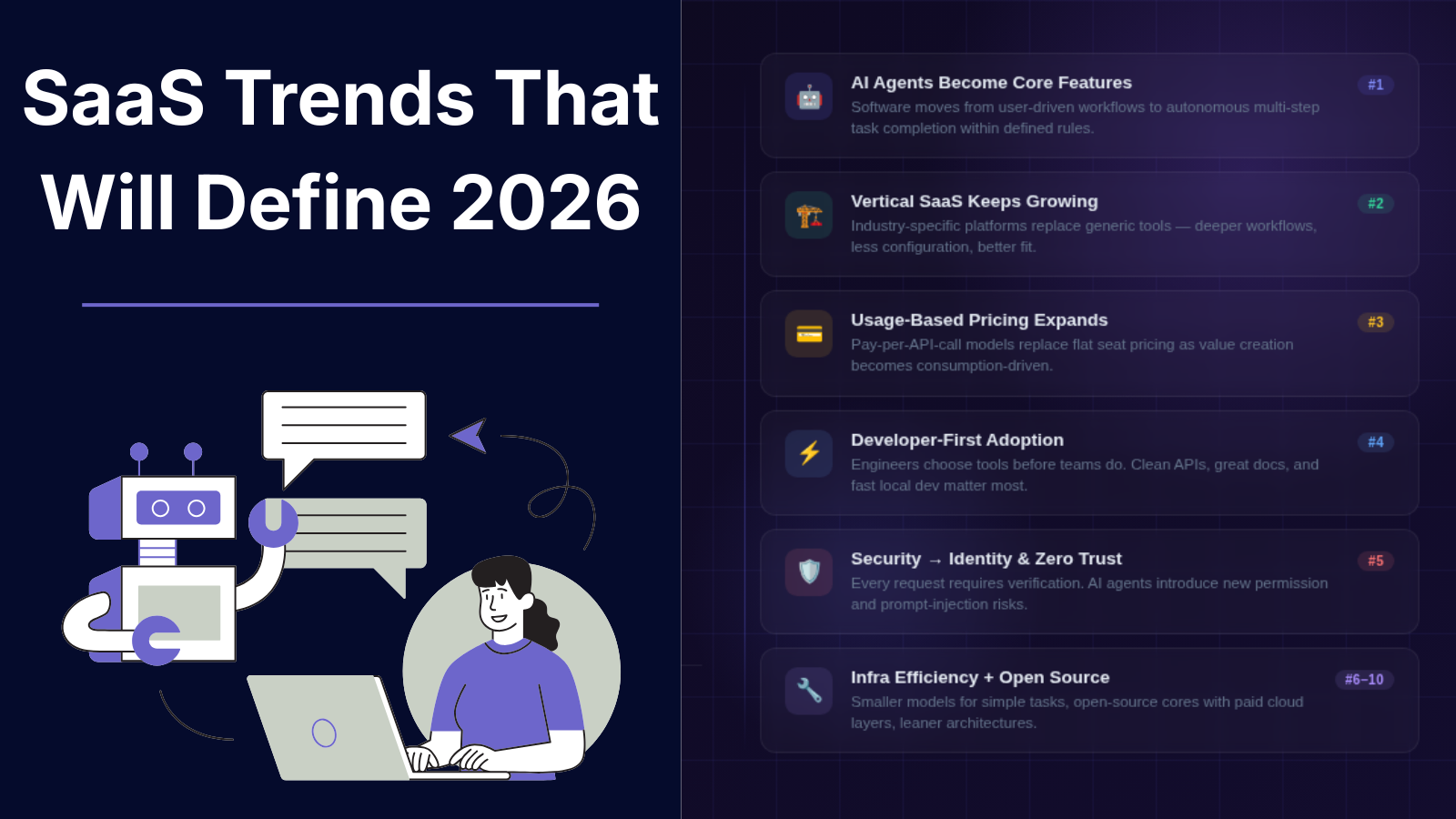
SaaS Trends That Will Define 2026
A developer deploying a new SaaS product in 2026 may write fewer traditional workflows and more instructions for autonomous systems. A simple API call that once required a dashboard, multiple user actions, and manual approval steps may now trigger an AI agent that analyzes data, makes decisions within defined rules, and completes tasks automatically. This shift is changing how SaaS products are built, priced, secured, and adopted. For years, SaaS growth followed a predictable pattern: build a web application, add collaboration features, improve user experience, and compete on functionality. In 2026, the competition is moving toward intelligence, specialization, and infrastructure efficiency. Companies are asking different questions: * Can software complete tasks instead of only helping users complete tasks? * Can products serve a specific industry better than general platforms? * Can developers integrate software capabilities directly into their own applications? * Can pricing match actual value creation instead of charging per seat? This article explores the SaaS trends that will shape 2026, why they matter, where they have limitations, and what founders and developers should consider when building the next generation of software products. > Summary > > * SaaS in 2026 is shifting from traditional software tools toward intelligent systems powered by AI agents, automation, and specialized workflows. > > * AI agents are changing how users interact with SaaS products by enabling software to analyze information, make decisions within defined limits, and complete multi-step tasks. > > * Vertical SaaS is growing as companies look for industry-specific solutions designed around real workflows instead of generic platforms. > > * Usage-based pricing models are becoming more common, especially for AI products, APIs, and infrastructure tools. > > * Developer-first SaaS platforms are gaining adoption through APIs, SDKs, documentation, and integration-focused workflows. > > * Security, identity management, and permission control are becoming essential as SaaS applications become more connected. > > * Open-source SaaS models are creating new opportunities through community-driven development combined with hosted services. > > * AI coding tools are changing software development workflows by helping developers write, test, document, and maintain applications. > > * SaaS companies are focusing on infrastructure efficiency as AI workloads increase cloud and computing costs. > > * The future of SaaS will be shaped by specialized solutions, reliable technology, intelligent automation, and user trust. 1. AI AGENTS WILL BECOME A CORE SAAS FEATURE The biggest SaaS shift in 2026 is moving from AI assistants to AI agents. Traditional SaaS applications usually follow a user-driven model: 1. User opens application 2. User searches information 3. User performs actions 4. Software provides output AI agent-based systems introduce a different workflow: 1. User defines a goal 2. Agent understands context 3. Agent selects available tools 4. Agent performs multiple steps 5. User reviews results For example, a customer support SaaS platform could move beyond suggesting replies. An AI agent could: * Read a support ticket * Check customer history * Search documentation * Create a response * Escalate complex cases The technical foundation behind these systems includes: * Large language models * Retrieval-augmented generation (RAG) * Tool calling APIs * Workflow orchestration * Permission management Popular AI development frameworks include: * LangChain * LlamaIndex * OpenAI API However, AI agents are not replacing traditional SaaS architecture. They introduce new engineering challenges: * Maintaining reliable outputs * Controlling permissions * Preventing incorrect actions * Monitoring agent behavior * Managing inference costs A useful AI agent system needs clear boundaries. A finance application should not allow an AI agent to approve unlimited transactions. A development platform should not allow an agent to deploy production code without review. The future of SaaS is likely not fully autonomous software. It is software with controlled autonomy. 2. VERTICAL SAAS WILL CONTINUE GROWING Generic SaaS platforms solved broad business problems. The next wave focuses on specific industries. Vertical SaaS means software designed for a particular industry or workflow. Examples include: * Healthcare management software * Construction project platforms * Legal workflow systems * Restaurant operations tools * Manufacturing monitoring systems A horizontal CRM platform may provide customer management features for everyone. A vertical CRM for real estate companies can include: * Property databases * Buyer communication workflows * Contract tracking * Local compliance requirements The advantage is deeper understanding of industry-specific problems. WHY VERTICAL SAAS WORKS Businesses often do not need more features. They need software that understands their process. A specialized SaaS product can reduce: * Training time * Manual configuration * Integration complexity * Workflow customization LIMITATIONS Vertical SaaS has challenges: * Smaller target markets * More complex customer research * Industry-specific regulations * Higher support requirements The opportunity is strongest where industries still depend heavily on spreadsheets, emails, and manual processes. 3. USAGE-BASED PRICING WILL REPLACE SOME SEAT-BASED MODELS The traditional SaaS pricing model is simple: $20/user/month This worked well when the value was connected to employees accessing software. However, modern SaaS products often create value through usage. Examples: * API requests * AI processing * Storage * Automation runs * Data processing volume Usage-based pricing allows customers to pay according to consumption. Examples: * Developer platforms charging per API request * AI tools charging per generated token * Infrastructure products charging by compute usage Companies such as Stripe and cloud providers have popularized consumption-based models. BENEFITS For customers: * Lower entry cost * Pricing aligned with growth * Easier experimentation For SaaS companies: * Revenue can grow with customer usage * Better alignment between cost and income CHALLENGES Usage-based pricing creates uncertainty. Customers may ask: * How much will this cost next month? * What happens during unexpected growth? * How can spending be controlled? Successful SaaS companies will need better billing visibility and spending controls. 4. DEVELOPER-FIRST SAAS WILL EXPAND Developers are becoming a primary SaaS buyer. Many modern tools are adopted because engineers can integrate them quickly. Developer-first products usually provide: * Clear documentation * APIs * SDKs * Command-line tools * Testing environments A developer evaluating a platform often checks: curl https://api.example.com/v1/projects \ -H "Authorization: Bearer API_KEY" before requesting a sales demo. Important factors include: * API reliability * Documentation quality * Authentication options * Error messages * Local development support Developer-focused SaaS categories include: * Authentication platforms * Database services * Monitoring tools * Deployment platforms * AI infrastructure The challenge is balancing developer adoption with business requirements. Developers may choose a tool, but companies usually need: * Security controls * Billing management * Compliance features * Administration dashboards 5. SAAS SECURITY WILL MOVE TOWARD IDENTITY AND ACCESS CONTROL As SaaS applications become more connected, security becomes more complex. A modern company may use dozens or hundreds of SaaS applications. Common risks include: * Excessive permissions * Forgotten accounts * API key exposure * Third-party integrations * Data leakage Security priorities in 2026 will focus heavily on: IDENTITY MANAGEMENT Companies need better control over: * Who can access data * Which applications have permissions * How long access remains active ZERO TRUST ARCHITECTURE Zero Trust assumes that access should always be verified. Instead of: "User is inside company network, therefore trusted" The model becomes: "Every request requires verification." AI SECURITY AI-powered SaaS introduces additional concerns: * Sensitive data entering models * Prompt injection attacks * Incorrect automated decisions * Agent permission abuse Security will become a product requirement, not an optional feature. 6. SAAS COMPANIES WILL BUILD SMALLER, MORE SPECIALIZED PRODUCTS The SaaS market has thousands of applications solving similar problems. In 2026, smaller focused products may compete effectively by solving narrow problems better. Examples: Instead of: "All-in-one business platform" A company may build: "Invoice automation for independent medical clinics" Instead of: "Marketing automation" A company may build: "SEO reporting automation for agencies" This approach reduces complexity. A smaller product can: * Launch faster * Understand users better * Maintain simpler architecture However, niche products need strong positioning. A narrow market means every customer relationship matters. 7. AI WILL CHANGE SAAS DEVELOPMENT WORKFLOWS AI tools are changing how software teams build products. Developers increasingly use AI for: * Code generation * Documentation * Testing * Debugging * Data analysis Examples include coding assistants and AI development environments. However, AI-generated code still requires review. Common issues include: * Incorrect assumptions * Security vulnerabilities * Outdated libraries * Poor architecture decisions A practical development workflow remains: 1. Generate initial implementation 2. Review generated code 3. Run automated tests 4. Check security implications 5. Deploy with monitoring AI can reduce repetitive work, but engineering judgment remains necessary. 8. SAAS CONSOLIDATION AND INTEGRATION WILL INCREASE Companies often use too many disconnected tools. A typical organization may have separate systems for: * Communication * Project management * Customer data * Analytics * Payments This creates problems: * Duplicate data * Manual reporting * Integration maintenance Future SaaS products will focus more on interoperability. Important technologies include: * APIs * Webhooks * Open standards * Data synchronization systems Products that integrate well with existing workflows have an advantage over isolated tools. 9. OPEN SOURCE SAAS MODELS WILL GAIN MORE ATTENTION Open source software and SaaS are becoming closer. A common model: 1. Open source core product 2. Free self-hosted version 3. Paid cloud hosting 4. Enterprise features Benefits: * Developer trust * Community contributions * Faster adoption Challenges: * Monetization * Hosting costs * Maintaining commercial features This model works especially well for developer tools and infrastructure software. 10. SUSTAINABILITY AND INFRASTRUCTURE EFFICIENCY MATTER MORE AI workloads increase infrastructure costs. SaaS companies need to optimize: * Database usage * Cloud spending * Model selection * Storage systems Not every task requires the largest AI model. A practical architecture may combine: * Smaller models for simple tasks * Larger models for complex reasoning * Traditional code for predictable workflows Efficiency will become an engineering advantage. SAAS TRENDS 2026: ADVANTAGES AND CHALLENGES | Trend | Benefits | Limitations | | | | | | AI Agents | Automation, faster workflows | Reliability and security issues | | Vertical SaaS | Industry-specific value | Smaller markets | | Usage Pricing | Better value alignment | Revenue prediction challenges | | Developer-first SaaS | Faster adoption | Requires strong documentation | | Open Source SaaS | Community growth | Monetization complexity | | AI Development | Faster coding workflows | Requires human review | HOW FOUNDERS SHOULD PREPARE FOR SAAS IN 2026 Founders building SaaS products should focus on: SOLVE SPECIFIC PROBLEMS A clear problem for a specific audience is often stronger than a broad product idea. DESIGN FOR INTEGRATION APIs and data portability should be considered from the beginning. TREAT AI AS INFRASTRUCTURE Adding a chatbot is rarely enough. Consider where AI can reduce real operational work. BUILD TRUST Security, transparency, and reliability will influence adoption. SAAS TOOLS DEFINING THE 2026 LANDSCAPE | Tool | Category | How It Fits Into 2026 SaaS Trends | | | | | | OpenAI API | AI Infrastructure | Enables developers to add AI capabilities, assistants, automation workflows, and AI-powered features into SaaS products. | | LangChain | AI Application Framework | Helps developers build applications using large language models, tool calling, agents, and retrieval-based workflows. | | LlamaIndex | AI Data Framework | Connects AI applications with private data sources to build knowledge-based SaaS experiences. | | AutoGen | AI Agent Framework | Supports multi-agent workflows where AI systems can collaborate and complete complex tasks. | | CrewAI | AI Agent Framework | Allows developers to create role-based AI agents for automated business workflows. | | Supabase | Developer Platform | Provides database, authentication, storage, and APIs that help developers build SaaS applications faster. | | Vercel | Deployment Platform | Provides frontend deployment infrastructure and developer workflows for modern web applications. | | Postman | API Development Platform | Helps teams design, test, document, and manage APIs used by SaaS products. | | GitHub Copilot | AI Coding Assistant | Assists developers with code generation, debugging, and software development tasks. | | Cursor | AI Code Editor | Provides AI-assisted coding workflows directly inside a development environment. | | Sentry | Application Monitoring | Helps SaaS teams detect errors, track performance issues, and improve application reliability. | | Auth0 | Identity Platform | Provides authentication and authorization infrastructure for SaaS applications. | | Clerk | User Management Platform | Simplifies authentication, user profiles, and account management for developers. | | Cloudflare | Cloud Infrastructure & Security | Provides security, networking, and performance services for SaaS applications. | | PostHog | Product Analytics Platform | Helps SaaS teams understand user behavior through analytics, session replay, and feature insights. | | Mixpanel | Product Analytics Platform | Provides event-based analytics for tracking user engagement and product usage. | | Linear | Project Management Platform | Supports software teams with issue tracking and product development workflows. | | Appwrite | Open Source Backend Platform | Provides self-hosted backend services for developers building SaaS products. | | Cal.com | Open Source Scheduling Platform | Shows how open-source SaaS models can combine community development with hosted services. | | Directus | Data Platform | Provides a data management layer and APIs for building custom applications. | CONCLUSION SaaS in 2026 will be defined less by the number of features a product offers and more by how effectively it solves specific problems. AI agents will change workflows. Vertical SaaS will create deeper industry solutions. Usage-based pricing will reshape how customers pay. Developer-first platforms will influence software adoption. Security and infrastructure efficiency will become central engineering concerns. The strongest SaaS products will likely combine three things: * Clear user problems * Reliable technology * Intelligent automation where it creates measurable value The future of SaaS is not simply more software. It is software that understands context, connects systems, and helps people complete meaningful work. REFERENCES Useful technical references: * OpenAI API Documentation * LangChain Documentation * LlamaIndex Documentation * NIST Zero Trust Architecture Publication * Stripe Billing Documentation
Best AI Automation Tools for Businesses in 2026
Every business has the same hidden problem: talented people burning hours on work a machine could handle. A customer support team drowning in 400 identical questions per week. A sales team copy-pasting lead data between systems like it's 2005. Developers babysitting scripts that shouldn't exist. The common thread? Repetitive digital work that follows the exact same pattern every time: 1. Receive an event 2. Extract information 3. Make a decision 4. Update another system 5. Notify a person AI automation tools now handle this entire chain - no custom scripts, no manual handoffs, no wasted talent. But here's the problem nobody talks about: thousands of tools claim to automate your business. Most don't fit your workflow, your data, or your team. This guide cuts through the noise. Below you'll find the best AI automation tools for 2025, how each one actually works, where they shine, where they fail, and exactly how to choose the right one. Modern AI automation platforms connect hundreds of business applications into a single, manageable workflow. QUICK SUMMARY (TL;DR) * AI automation tools eliminate repetitive manual work by connecting apps, APIs, and AI models into automated workflows * The best tool depends on workflow complexity, technical skill, existing software, and security needs * No-code platforms (Zapier, Make) work best for teams that need quick automation without developers * Microsoft Power Automate is the obvious choice for organizations already in the Microsoft ecosystem * Developer tools (n8n, LangChain, OpenAI API) give engineering teams full control over custom AI systems * AI automation works best for structured, predictable tasks: document processing, ticket classification, reporting, data sync, and internal workflows * Successful automation requires clean data, monitoring, human review loops, and ongoing testing * Start with a specific workflow problem - never with a tool WHAT ARE AI AUTOMATION TOOLS? (AND HOW THEY'RE DIFFERENT FROM TRADITIONAL AUTOMATION) Traditional automation follows hard-coded rules. If this happens, do that. No exceptions. AI-powered automation handles messier inputs - the kind where the exact wording changes every time, but the intent stays the same: Modern AI automation platforms typically combine: * Large language models (LLMs) for understanding and generating text * APIs for connecting external services * Workflow builders for defining logic and sequence * Data connectors for pulling from databases and business apps * Automation triggers for starting workflows based on events Real examples of what these systems handle today: * Summarizing customer conversations before a support agent replies * Categorizing incoming support tickets by issue type and urgency * Extracting structured data from unstructured documents (contracts, invoices, forms) * Auto-generating weekly performance reports * Updating CRM fields without manual data entry * Building internal knowledge assistants that answer employee questions * Processing and routing invoices through approval workflows WHY BUSINESSES ARE RACING TO ADOPT AI AUTOMATION Most business processes aren't intellectually difficult. They're just time-consuming - because they involve the same small decisions, repeated hundreds of times. A marketing team's typical week: * Collect leads from multiple form sources * Enrich company data for each prospect * Categorize prospects by fit and intent * Draft personalized follow-up emails * Update 12 different CRM fields per lead A finance team's typical week: * Review incoming invoices * Extract payment amounts, dates, and vendor details * Match invoices against purchase orders * Flag transactions that look unusual * Route approvals to the right people None of these steps requires deep human judgment. All of them consume serious time. AI automation connects these systems and handles the repetitive decisions - freeing people for work that actually requires a human. One important note: automation doesn't remove the need for oversight. Legal decisions, financial approvals, sensitive customer situations, and strategic calls still need human review. The goal is to eliminate the low-value repetition, not replacing judgment. HOW AI AUTOMATION ACTUALLY WORKS: THE 4-LAYER ARCHITECTURE Most business automation systems - regardless of the platform - follow the same underlying structure. LAYER 1: TRIGGER Every workflow starts when something happens. Common triggers: * New customer signup * Incoming email or message * New database record created * Document uploaded * Scheduled time (daily, weekly, monthly) Example trigger: New support ticket created in Zendesk LAYER 2: DATA PROCESSING The system gathers and prepares all relevant information. Customer email ↓ Text extracted ↓ Language detected ↓ Customer history retrieved from CRM LAYER 3: AI DECISION LAYER An AI model analyzes the prepared information and takes action. What AI can do at this layer: * Determine message category or urgency * Generate a draft response * Extract key fields from unstructured text * Summarize long documents * Recommend a next action LAYER 4: OUTPUT ACTION The workflow executes the result. Possible actions: * Send email or Slack message * Update CRM record * Create task or ticket * Store data in a database * Trigger another downstream workflow THE 8 BEST AI AUTOMATION TOOLS FOR BUSINESS IN 2026 Different tools solve different problems. Here's an honest breakdown of each. 1. ZAPIER AI - BEST FOR BUSINESS WORKFLOW AUTOMATION WITHOUT CODE Website: zapier.com Zapier connects over 7,000 applications. For teams that need to automate business processes without writing a single line of code, it's still the fastest path from problem to working solution. Zapier workflows run on a simple model: * Triggers start the workflow * Actions do things in other apps * Filters apply conditional logic * AI steps add intelligence to any point in the flow What Zapier excels at: Lead Management Automatically capture leads from any source, score customer intent using AI, push records into CRM, and alert the right sales rep - all without a developer. Content Operations Generate content briefs, draft social media posts, route approvals, and publish - with AI handling the creation steps. Customer Support Classify incoming tickets, generate response suggestions, and route complex cases to human agents. Advantages: * Largest app ecosystem of any automation platform * Fastest setup for non-technical users * Native AI workflow steps built in Limitations: * Complex multi-branch workflows become difficult to maintain at scale * Per-task pricing adds up quickly at high volume * Advanced conditional logic pushes against the platform's limits Best for: Small businesses, marketing teams, operations teams, and startups that need working automation without infrastructure investment. 2. MAKE - BEST VISUAL WORKFLOW AUTOMATION PLATFORM Website: make.com Make (formerly Integromat) takes a different approach: a canvas-based visual builder where workflows are built by connecting modules, not filling in form fields. This gives teams much more control over: * How data is transformed between steps * Complex conditional branching * Multiple parallel workflow paths * Direct API connections with custom configuration What Make excels at: * E-commerce order processing and fulfillment automation - Internal reporting pipelines that aggregate data from multiple sources * Bidirectional data synchronization between systems * Customer onboarding workflows with multiple decision branches Advantages: * Visual canvas makes complex workflows easier to understand and debug * More flexible data transformation than most no-code tools * Strong API-based automation without requiring code Limitations: * Higher learning curve than simpler tools * Large workflows require careful documentation to stay maintainable Best for: Operations teams and technically-minded users managing multi-step processes with complex logic. 3. MICROSOFT POWER AUTOMATE - BEST FOR MICROSOFT-ECOSYSTEM BUSINESSES Website: powerautomate.microsoft.com If the business already runs on Microsoft Teams, SharePoint, Dynamics 365, Outlook, Microsoft 365, Power Automate is the automation layer that fits without friction. It handles automation across: * All Microsoft 365 applications * Cloud and on-premises services * Desktop applications (via Power Automate Desktop) * Enterprise systems and legacy software Advantages: * Deep native integration with every Microsoft product * Desktop automation for legacy applications with no APIs * Strong enterprise security and compliance controls Limitations: * Best value only realized inside the Microsoft ecosystem * Licensing structure can get complicated for large organizations Best for: Mid-size to large organizations already invested in Microsoft infrastructure. CHOOSING BETWEEN THE THREE NO-CODE PLATFORMS | Tool | Best For | Technical Level | Ecosystem | | | | | | | Zapier | Quick business workflows | Beginner | 7,000+ apps | | Make | Complex visual automation | Intermediate | Strong API flexibility | | Power Automate | Enterprise Microsoft workflows | Intermediate | Microsoft-first | The right choice usually comes down to the existing software stack. If the team is non-technical and needs fast results, Zapier wins. If workflows are complex with multiple branches, Make is more capable. If the organization runs on Microsoft, Power Automate is the obvious fit. 4. N8N - BEST OPEN-SOURCE AI AUTOMATION PLATFORM FOR DEVELOPERS Website: n8n.io n8n is what technical teams reach for when they need the power of workflow automation but can't hand data to a third-party SaaS platform. Unlike Zapier or Make, n8n can be self-hosted on your own infrastructure - which changes everything for data privacy, security, and customization. Self-hosting gives control over: * Where data is stored and processed * Infrastructure scaling and reliability * Custom integrations not available on managed platforms * Authentication and access control What n8n excels at: Internal AI Assistants Teams can build assistants that connect directly to company documentation, internal databases, proprietary APIs, and internal tools - without sending data to third-party servers. Example: An employee asks, "Show all pending customer issues from last week." The workflow searches support data, summarizes open tickets, and generates a formatted report - entirely on internal infrastructure. Data Processing Pipelines n8n handles: * Scheduled data collection from multiple sources * API synchronization between systems * Automated report generation * Database updates and record maintenance CRM data export ↓ n8n processing workflow ↓ AI trend analysis ↓ Weekly sales report delivered to Slack Advantages: * Open-source with active community * Self-hosting option for data-sensitive organizations * Flexible API connections with full control over logic * Strong fit for custom AI workflow development Limitations: * Requires meaningful technical knowledge to set up and maintain * Self-hosted deployments require ongoing infrastructure maintenance * Workflow reliability depends on proper error handling and monitoring Best for: Developers, data-sensitive startups, and technical teams that need ownership of their automation stack. 5. OPENAI API - BEST FOR CUSTOM AI AUTOMATION SYSTEMS Website: platform.openai.com The OpenAI API isn't a workflow builder - it's the AI layer that powers custom-built automation systems. Instead of using a visual interface, engineering teams integrate AI capabilities directly into business applications. A basic API integration: from openai import OpenAI client = OpenAI() response = client.responses.create( model="gpt-4o-mini", input="Summarize this customer feedback and identify the primary complaint." ) print(response.output_text) A complete custom AI automation system might: 1. Receive customer data from an internal source 2. Send the data to an AI model for analysis 3. Process and validate the AI output 4. Store structured results in a database 5. Trigger a downstream business action What OpenAI API excels at: Document Processing Contract uploaded ↓ AI extracts key clauses and obligations ↓ Structured data saved to database ↓ Legal team notified with summary Customer Support Automation Engineering teams build systems that: * Classify incoming tickets by category and urgency * Suggest draft responses based on historical resolutions * Search internal documentation for relevant answers * Route complex or sensitive issues to human agents Advantages: * Complete control over the AI integration * Works within any existing software architecture * Ideal for building AI features into products Limitations: * Requires dedicated engineering resources to build and maintain * API costs require careful management at scale * AI outputs need validation logic - errors do occur Best for: Companies building custom software products or internal AI systems where off-the-shelf workflow tools don't fit. 6. LANGCHAIN - BEST FRAMEWORK FOR AI APPLICATION DEVELOPMENT Website: langchain.com LangChain is a development framework for building sophisticated AI-powered applications. It abstracts away the complexity of connecting language models with external tools, memory systems, and data sources. Common architecture: User Request ↓ LangChain Application Layer ↓ AI Model (GPT-4, Claude, etc.) ↓ External Tools (search, calculator, APIs) ↓ Business Data Sources What LangChain excels at: Knowledge Assistants Organizations upload internal documentation, product manuals, or knowledge bases. The system: 1. Searches relevant documents using vector similarity 2. Retrieves the most relevant content 3. Generates an accurate, grounded answer AI Agents That Complete Multi-Step Tasks Example: A user asks, "Prepare a quarterly sales report." The AI agent: 1. Retrieves sales data from the CRM 2. Pulls comparison data from the previous quarter 3. Analyzes trends and anomalies 4. Generates a formatted summary report Advantages: * Purpose-built for AI application development * Supports tool-using AI agents with complex decision flows * Large developer community with extensive documentation Limitations: * Requires solid programming knowledge * AI applications need careful testing before production deployment * Architectural decisions compound in complexity as systems grow Best for: Developers building production-grade AI applications with retrieval, memory, or multi-step agent capabilities. 7. UIPATH - BEST FOR ENTERPRISE ROBOTIC PROCESS AUTOMATION Website: uipath.com UiPath specializes in Robotic Process Automation (RPA) - automating tasks by interacting with application user interfaces the same way a human would, rather than through APIs. This matters for one critical reason: legacy software often has no API. UiPath can automate systems that no modern tool can touch. What UiPath excels at: * Finance operations in organizations running older ERP systems * Insurance claims processing with complex legacy interfaces * High-volume data entry into systems without API access * Enterprise application workflows that span multiple systems Advantages: * Reaches legacy software that no API-based tool can touch * Strong enterprise adoption with proven track record * Handles UI-based tasks at scale Limitations: * UI changes in target applications break automations - requires maintenance * Large deployments need dedicated governance and monitoring * Not every process justifies the complexity of RPA deployment Best for: Large enterprises with significant legacy software investments and high-volume operational processes. 8. CLAUDE API - BEST FOR LONG-CONTEXT, DOCUMENT-HEAVY WORKFLOWS Website: anthropic.com Anthropic's Claude models are particularly well-suited for workflows that involve large documents, nuanced analysis, or careful business writing. Claude's context window handles documents that other models struggle with - making it a strong choice for document-centric automation. What Claude API excels at: * Legal and contract document review * Research synthesis across long reports * Internal knowledge management systems * Policy analysis and comparison * Business writing assistance with consistent tone Advantages: * Strong performance on long documents and complex analysis tasks * Developer API available for custom integration * Works across a wide range of business applications Limitations: * Requires application development for custom workflow integration * AI outputs require human review for high-stakes decisions * Costs scale with usage volume Best for: Organizations handling large volumes of text-based information where document understanding is the core workflow requirement. FULL AI AUTOMATION TOOLS COMPARISON | Tool | Main Purpose | Best User | Self-Hosted | Technical Level | | | | | | | | Zapier | App workflow automation | Business teams | No | Beginner | | Make | Visual automation | Operations teams | No | Intermediate | | Power Automate | Enterprise Microsoft workflows | Microsoft users | Limited | Intermediate | | n8n | Custom automation | Developers | Yes | Advanced | | OpenAI API | Custom AI applications | Developers | Depends | Advanced | | LangChain | AI system development | Developers | Yes | Advanced | | UiPath | RPA / legacy systems | Enterprise ops teams | Enterprise | Advanced | | Claude API | Document-heavy workflows | Developers & businesses | No | Advanced | HOW TO CHOOSE THE RIGHT AI AUTOMATION TOOL: A DECISION FRAMEWORK The biggest mistake teams make: choosing a tool before defining the problem. Here's the right sequence. STEP 1: IDENTIFY THE RIGHT WORKFLOW TO AUTOMATE Strong automation candidates share these characteristics: * Clear, consistent inputs * Steps that follow the same pattern every time * Outcomes that don't require deep human judgment Good automation candidates: * Data entry and record updates * Report generation on a schedule * Email and ticket classification * Document data extraction * Customer notification workflows Poor automation candidates: * Strategic decisions with significant consequences * Sensitive approvals requiring accountability * Tasks where the right answer changes based on unstructured context * Situations requiring empathy and relationship management STEP 2: AUDIT EXISTING SYSTEMS Before selecting any tool, answer: * Which software systems does this workflow touch? * Do those systems have APIs, or only user interfaces? * What data governance and security requirements apply? * Can the automation tool access the required data? A workflow that can't connect to the required systems provides zero value, regardless of how capable the tool is. STEP 3: MATCH TECHNICAL REQUIREMENTS TO TEAM SKILLS Choose no-code tools when: * Teams need working automation quickly * Processes are relatively simple * Developer resources are limited or unavailable * The business needs to iterate rapidly Choose developer-focused tools when: * Custom business logic is required * Security and data sovereignty matter * Automation needs to become part of a product * The organization wants full ownership of the stack COMMON MISTAKES THAT KILL AI AUTOMATION PROJECTS AUTOMATING A BROKEN PROCESS Automation amplifies what already exists - including inefficiency. A manual process with unnecessary steps becomes a faster, harder-to-change, inefficient automated process. Fix the workflow logic before automating it. IGNORING DATA QUALITY AI systems are only as good as their inputs. Common data problems that derail automation: * Outdated documentation the AI is trained on * Inconsistent customer records across systems * Missing fields that break downstream logic Garbage in, garbage out - applies to AI more than anywhere. REMOVING HUMAN REVIEW TOO EARLY AI-generated outputs can contain: * Incorrect assumptions based on ambiguous input * Missing context that a human would catch * Misclassifications that compound over time Critical business workflows should always include human approval steps - at least initially. Remove oversight only after monitoring proves reliability. BUILDING WITHOUT MONITORING Production automation without observability is a liability. Every automated workflow needs: * Error tracking and alerting * Execution logs for debugging * Usage and volume monitoring * Human feedback loops for quality improvement This combines automation with human oversight - reducing manual work without removing accountability. The key insight: the goal isn't to replace the entire process. It's to eliminate the low-value steps so people focus where human judgment actually matters. WHICH AI AUTOMATION TOOL SHOULD YOU USE? | Situation | Best Choice | | | | | Non-technical team, quick automation needed | Zapier | | Complex multi-branch workflows, visual builder preferred | Make | | Already using Microsoft 365 / Dynamics | Power Automate | | Need self-hosted, data-sensitive automation | n8n | | Building a custom AI product or internal system | OpenAI API | | Building AI agents or knowledge retrieval apps | LangChain | | Legacy enterprise systems with no API access | UiPath | | Document-heavy workflows requiring deep text understanding | Claude API | No single platform wins every scenario. The right tool is the one that fits the specific workflow, the existing software stack, the team's technical capability, and the organization's data requirements. Start with the problem. The tool choice follows naturally. CONCLUSION The numbers around AI automation are compelling - fewer errors, faster turnaround, lower operational cost. But the most underrated benefit is something harder to measure: where human attention goes instead. When a support team stops manually triaging 400 tickets a week, those hours don't disappear. They flow toward harder problems - the edge cases, the frustrated customers, the issues that actually need a person. When a finance team stops manually matching invoices, they have time to analyze spend patterns, catch vendor irregularities, and contribute to decisions that move the business forward. That's the real return on AI automation. Not just efficiency - but a reallocation of the most valuable resource in any organization. A few principles to carry forward: * Automate the repeatable. Protect the irreplaceable. * Start with one workflow, prove it works, then expand. * Monitor everything. AI systems drift, data changes, and integrations break. * Keep humans in the loop for anything that has real consequences. * Revisit tool choices as the team and stack evolve - the right platform today may not be right at 10x scale. The businesses winning with AI automation in 2026 aren't the ones that automated the most. They're the ones that automated the right things - and freed their teams to do the work only humans can do. Pick one workflow. Build one automation. See what becomes possible when repetition stops being the enemy of progress.