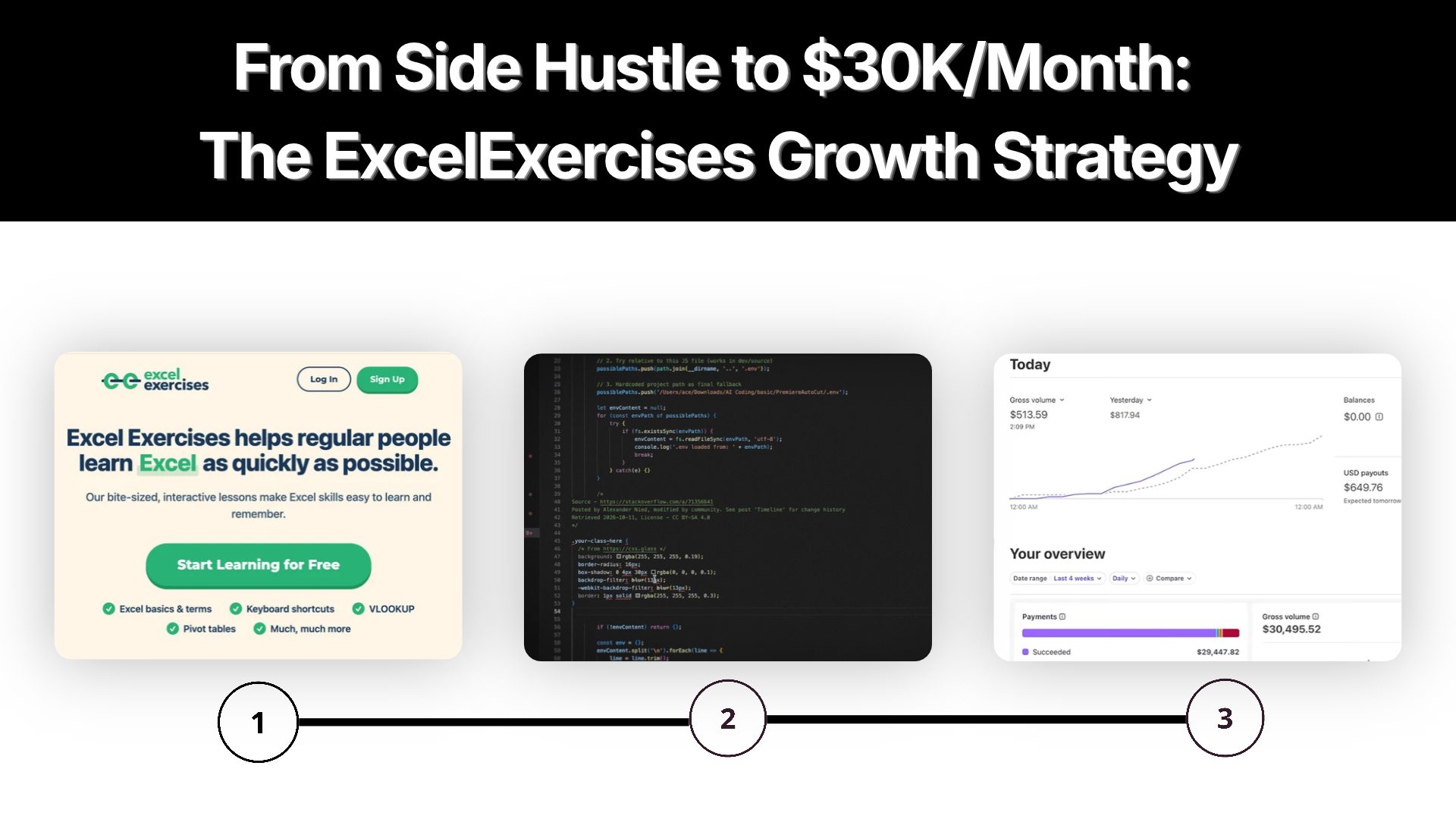
A website that teaches Excel through interactive exercises sounds almost too simple to become a serious SaaS business.
Yet Excel Exercises reached more than $30,000 in revenue over a recent four-week period, with around 50,000 visitors and roughly 2,500 active paying subscribers, according to founder Jake Shimota's interview. Revenue reportedly sits around $30,000 to $35,000 per month.
More interesting than the revenue number is how growth happened.
No complicated SaaS platform. No huge product team. No large feature list.
Growth came through a combination of a narrow problem, early validation, search-driven content, a long landing page, paid acquisition, university and corporate deals, and eventually deeper pricing analysis.
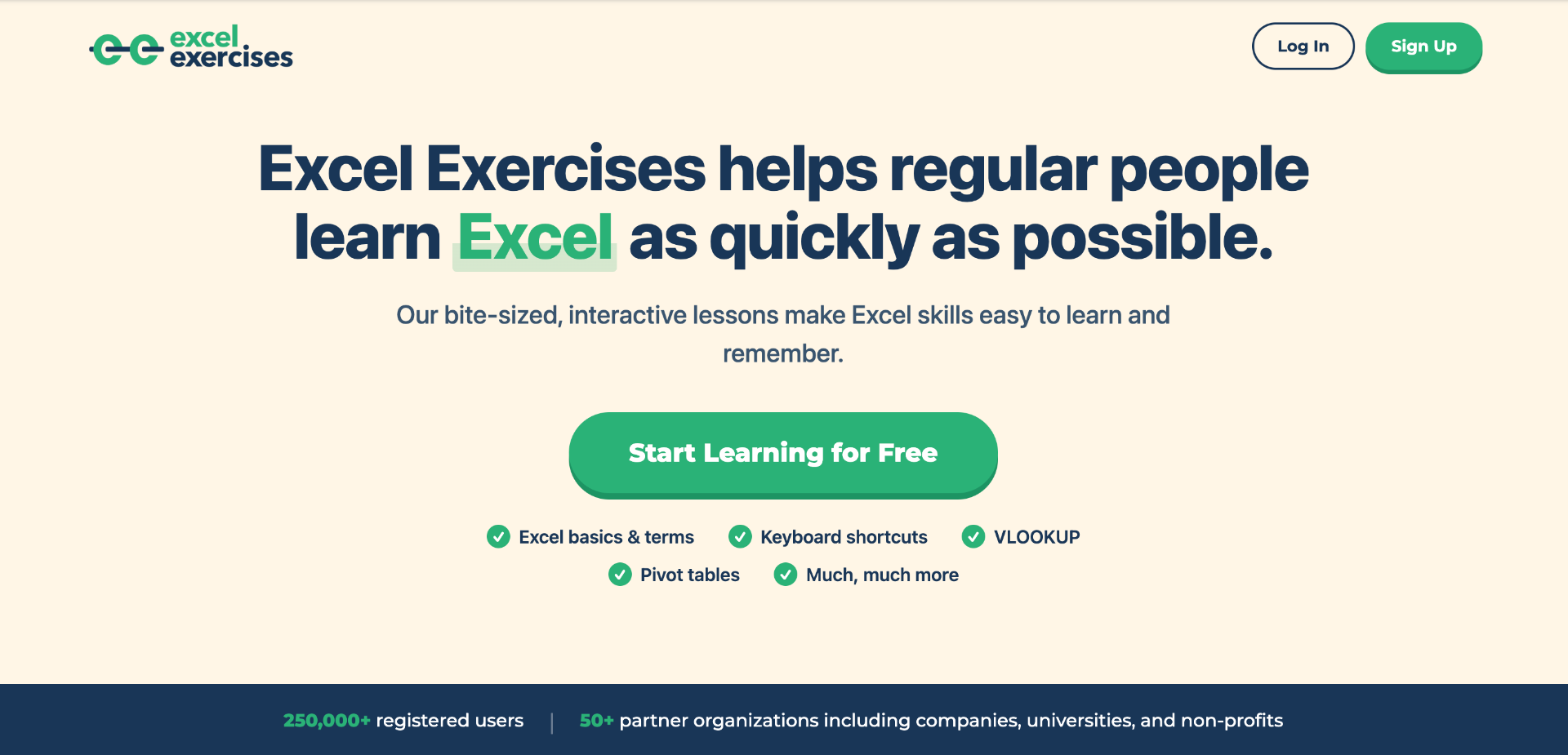
**Current Excel Exercises data also shows 250,000+ registered users and 50+ partner organizations, including companies, universities, and nonprofits. **
Quick Summary
- Find a problem through personal experience: Identify a recurring problem in an industry you understand, just as Jake noticed the limitations of traditional Excel training.
- Build around one clear use case: Focus on solving that problem with a specific product instead of adding unrelated features.
- Launch with core functionality: Release a working version that solves the main problem rather than waiting for a complete platform.
- Validate with paying customers: Treat the first customer payments as evidence that people are willing to pay for the solution.
- Use SEO to reach $10K/month: Publish articles targeting specific Excel-related searches and expand homepage content to 1,500 to 2,000 words to explain the product, learning process, and benefits of interactive practice.
- Scale from $10K to $30K/month: Introduce paid advertising after establishing organic acquisition, and pursue university and corporate deals to reach larger customer groups.
- Improve homepage conversions: Explain product features, practical use cases, and learning outcomes so visitors understand what they can achieve.
- Expand beyond individual users: Approach universities and companies that need Excel training for students and employees.
- Analyze subscription economics: Compare monthly and annual plans, retention, and customer revenue before changing pricing.
- Follow the growth sequence: Problem Discovery → Focused Product → First Paying Customers → SEO Growth → Paid Advertising → Institutional Sales → Pricing Optimization.
Excel Exercises is an online learning platform focused on practical Excel training. Instead of relying mainly on videos, it lets users learn by solving interactive exercises covering formulas, functions, shortcuts, pivot tables, and other spreadsheet skills directly in the browser.
The product was created by Jake Shimota, who came from a finance and consulting background. His experience with workplace Excel training highlighted a common problem: watching tutorials does not always translate into remembering how to perform tasks independently.
That led to a simple idea: what if learning Excel worked more like language learning, where repeated practice builds real skill?
Excel Exercises was built around that approach, turning Excel learning from passive watching into hands-on practice. The platform launched in 2019 and has since grown into a focused tool for people looking to improve their Excel skills through practice.
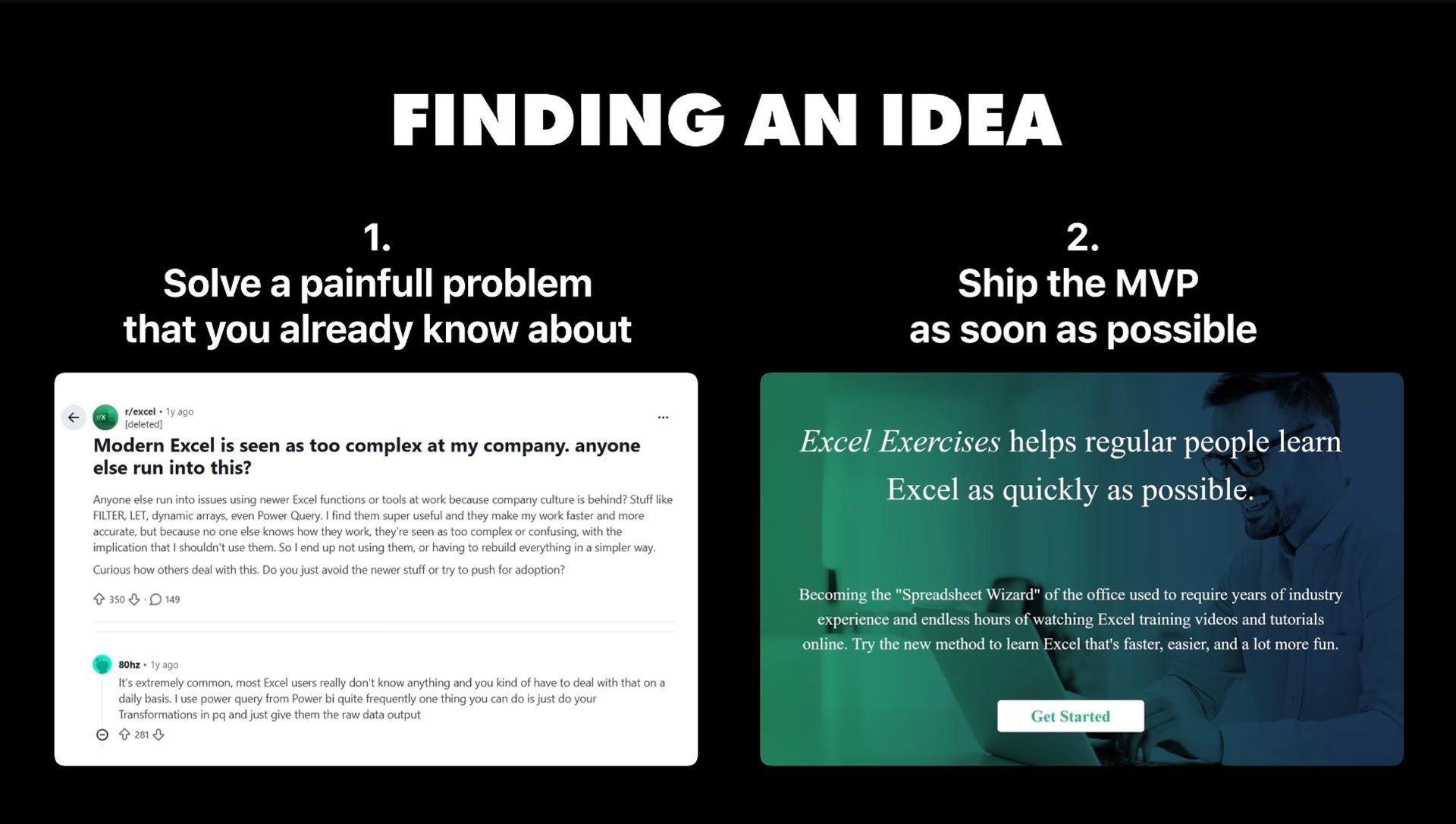
Excel Exercises did not start with a random SaaS idea.
The problem came from direct experience.
While working in finance, Jake had to complete online Excel training that relied heavily on long videos. Watching videos did not create enough practice or retention, which created a clear product opportunity.
Instead of asking:
"What SaaS could make money?"
A better question was:
"What frustrating task has already been experienced repeatedly?"
This distinction matters for SaaS founders.
Deep familiarity gives access to real user language, workflows, objections, alternatives, and purchasing triggers.
For a developer working in sales, this might mean building a better lead qualification tool.
For an accountant, it might mean automating a repetitive reporting workflow.
For a recruiter, it might mean solving a painful candidate-screening problem.
For a developer working with APIs, it might mean simplifying an integration that repeatedly causes problems.
Problem familiarity reduces guesswork before development begins.
Excel Exercises did not try to become another massive learning management system.
Core proposition stayed narrow:
Learn Excel by practicing Excel.
Current homepage messaging still follows that structure, offering bite-sized interactive lessons covering Excel basics, shortcuts, VLOOKUP, pivot tables, and more.
This type of positioning gives users an immediate answer to four questions:
A focused SaaS product can often explain its value in one sentence.
That is useful for users, search engines, sales conversations, and AI answer engines.
Product positioning can follow:
Problem → User → Solution → Outcome
For Excel Exercises:
Weak Excel skills → professionals/students → interactive practice → better spreadsheet skills.
First version took months because coding was still being learned.
Technology was intentionally simple. Interview details describe HTML, CSS, vanilla JavaScript, Google Cloud Platform, Google Analytics, SendGrid, and Stripe as major parts of the stack.
More importantly, the product was placed online before it looked finished.
An unexpected $50 payment arrived before meaningful promotion had started.
That payment mattered more than a survey response because someone had crossed an actual purchasing barrier.
For a SaaS founder, an early validation sequence can be:
Build → publish → attract a few users → ask for payment → observe behavior → improve.
Useful tools for this stage include Stripe Billing for subscriptions, Google Analytics for traffic measurement, and Microsoft Clarity for recordings and heatmaps.
Stripe currently supports recurring subscriptions, trials, discounts, customer portals, pricing models, and revenue reporting.
Excel Exercises uses a free-to-paid model.
Users can access free lessons and experience how interactive practice works before reaching premium content.
That solves an important SaaS conversion problem.
When a product category is unfamiliar, visitors may not understand why a paid product is different from free YouTube videos, blog posts, or spreadsheets.
A free sample reduces that uncertainty.
Current premium access includes Excel lessons and additional learning content, while separate options exist for monthly, annual, and lifetime access.
This strategy can be adapted to many SaaS products:
Free calculator → paid advanced calculations
Free report → paid automation
Free lessons → paid curriculum
Free audit → paid monitoring
Free template → paid workflow
Free API tier → paid usage
A free experience should demonstrate product value rather than simply remove features.
This is probably the most important growth lesson from the case study.
According to Jake, SEO became the major growth source during the move from $0 to roughly $10K/month.
Individual articles about Excel functions helped, but one unusual tactic played a major role: expanding homepage copy to roughly 1,500 to 2,000 words.
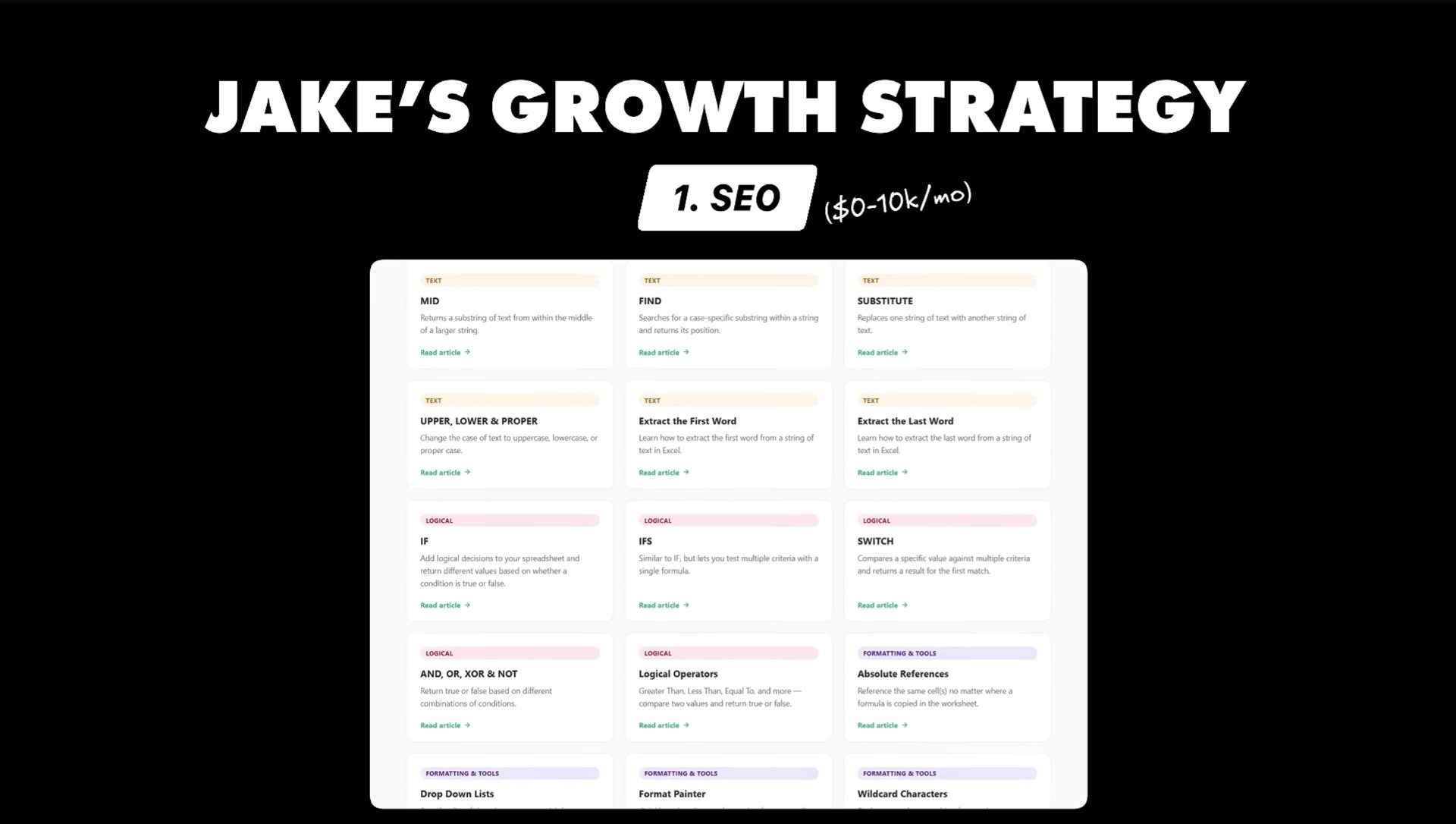
Instead of keeping homepage copy extremely short, content explained what Excel Exercises was, how learning worked, and why interactive practice differed from videos.
That content created more opportunities for search engines to understand and index product relevance.
A useful SEO workflow for a SaaS product can look like this:
Seed topic → search demand → competitor pages → user questions → content cluster → landing page → internal links → measurement.
Useful research tools include:
Ahrefs Site Audit currently checks 170+ technical and on-page SEO issues, while Semrush provides keyword research, competitor analysis, keyword gaps, topic clustering, and search-position tracking.
For a new SaaS website, avoid publishing hundreds of disconnected articles.
Instead, build clusters around actual product use cases.
For example, an accounting SaaS could build:
Accounting automation
→ invoice automation
→ recurring invoices
→ expense tracking
→ accounting workflows
→ accounting templates
→ QuickBooks alternatives
→ accounting automation for small businesses
Each page should answer a specific user question and connect naturally back to product functionality.
Excel Exercises provides an important nuance.
Long homepage content worked because it explained a real product clearly and matched search intent.
That does not mean every SaaS homepage should contain 2,000 words.
Word count is not a ranking strategy.
Search intent is.
A useful page should explain:
What is being solved → who needs it → how solution works → examples → alternatives → frequently asked questions → next step.
Semrush's current keyword research documentation similarly emphasizes search volume, difficulty, competitor rankings, keyword gaps, and topic relationships rather than simply producing more pages.
For founders, a better target is:
Create the best answer for a commercially relevant problem.
SEO created an organic acquisition engine.
Then paid advertising entered.
Jake described paid advertising as a major turning point between roughly $10K and $30K monthly revenue. University and corporate deals also accelerated growth.
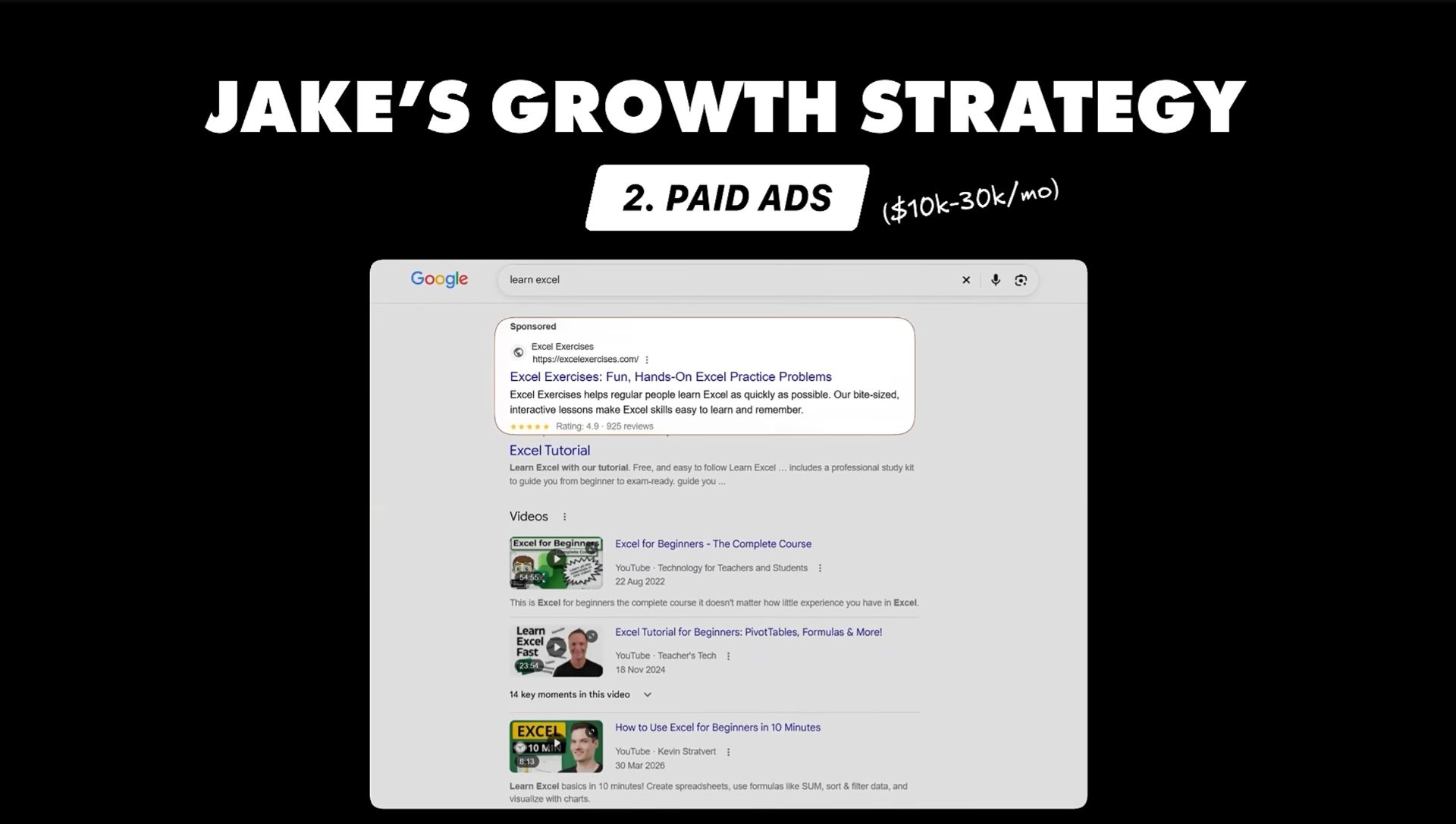
This is where many SaaS businesses make an expensive mistake.
Paid traffic should not be added simply because organic traffic is growing.
First calculate:
Customer Acquisition Cost Average Revenue Per Customer Lifetime Value Payback Period Gross Margin Conversion Rate Churn
Google Ads provides conversion tracking for purchases, signups, quote requests, and other actions, along with tagging and enhanced conversion measurement.
Useful acquisition channels include:
Paid advertising becomes much safer when each campaign has a defined conversion event and acceptable acquisition cost.
Another important part of Excel Exercises growth came from universities and companies.
A user could discover Excel Exercises individually, find value, and then recommend team-wide access to an employer or educational organization.
That creates a simple product-led sales loop:
Individual user → product experience → internal recommendation → team purchase.
This model can work particularly well for SaaS products used inside organizations.
A founder can deliberately design for this behavior by adding:
Team plans, Organization billing, Admin dashboards, Usage reports, Shared workspaces, Education pricing, Bulk seats, Referral incentives
Current Excel Exercises pages show free access options for teachers and educators, while premium products support broader lesson access.
For sales management, tools such as HubSpot, Pipedrive, or Close can help manage organization-level leads and follow-ups.
One of strongest lessons came near end of interview.
Average LTV-to-CAC looked healthy at roughly 3:1.
But average numbers hid a problem.
After exporting payment data and separating monthly customers from annual customers, Jake found that annual customers were highly profitable while monthly customers had much weaker economics and a roughly four-to-five-month payback period.
Monthly pricing was then doubled while annual pricing stayed unchanged.
According to Jake, growth accelerated after that change.
This is a critical lesson for subscription SaaS.
Never rely only on: Average LTV, Average CAC, and Average conversion rate.
Instead, segment by: Monthly vs annual, Organic vs paid, Country, Acquisition channel, Plan, Company size, Customer type, andCohort.
A product can have a healthy average LTV:CAC ratio while one customer segment loses money.
Stripe Billing can provide subscription and revenue data, while a product analytics platform such as PostHog can help analyze funnels, retention, conversion, and user behavior. PostHog supports trends, funnels, paths, retention, lifecycle analysis, dashboards, and alerts.
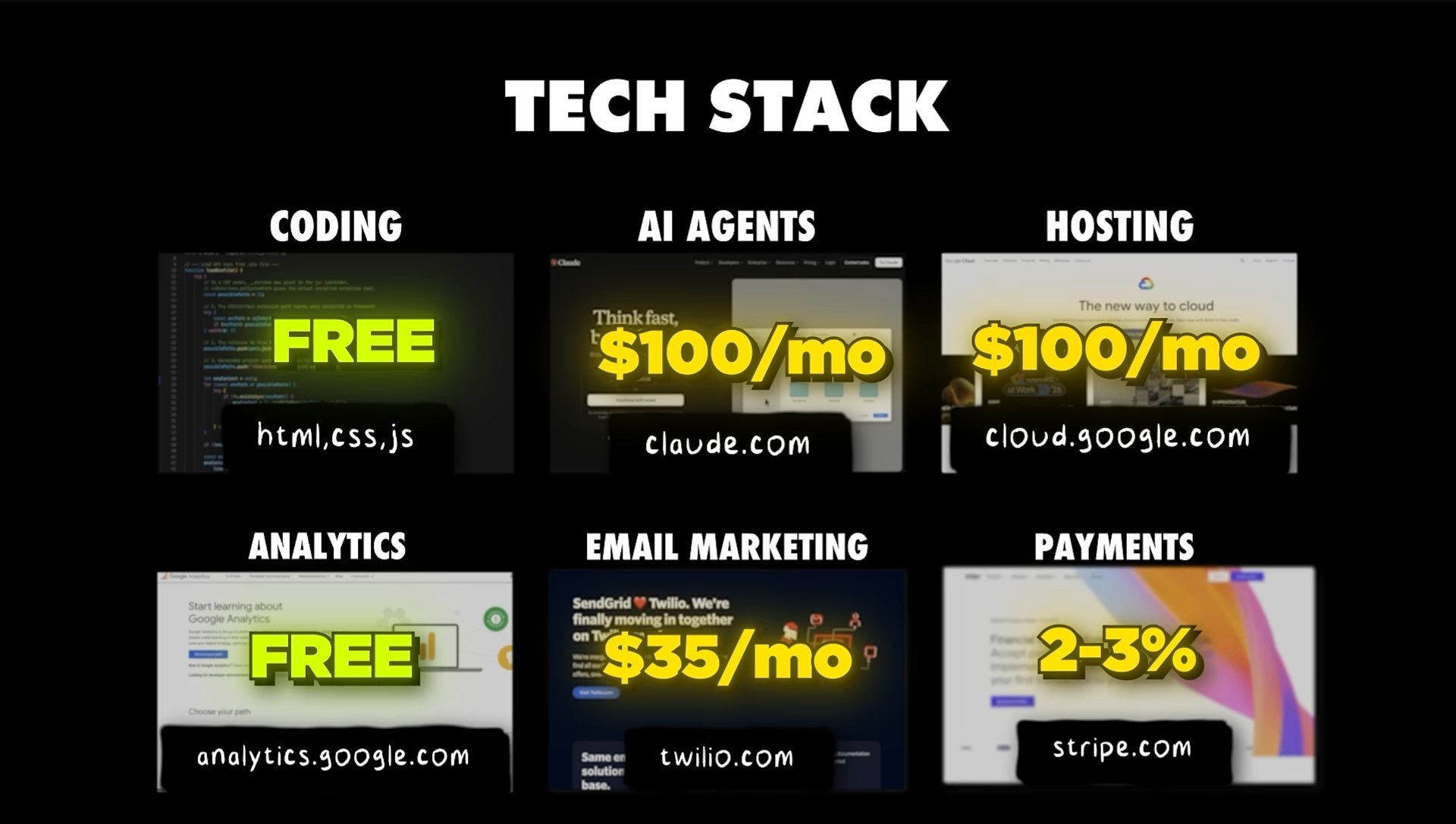
Excel Exercises did not require an enormous technology stack.
Interview information lists Google Cloud hosting at generally below $100 per month, Google Analytics as free, SendGrid at around $35 per month, plus payment-processing fees.
Current technology options make a similar setup even easier.
A focused SaaS can combine:
A small stack is enough when product scope remains narrow.
Adding tools should follow a business problem, not a desire to make a technology stack look sophisticated.
Copying Excel Exercises literally would miss its most important lesson.
Building another Excel-learning website is not the strategy.
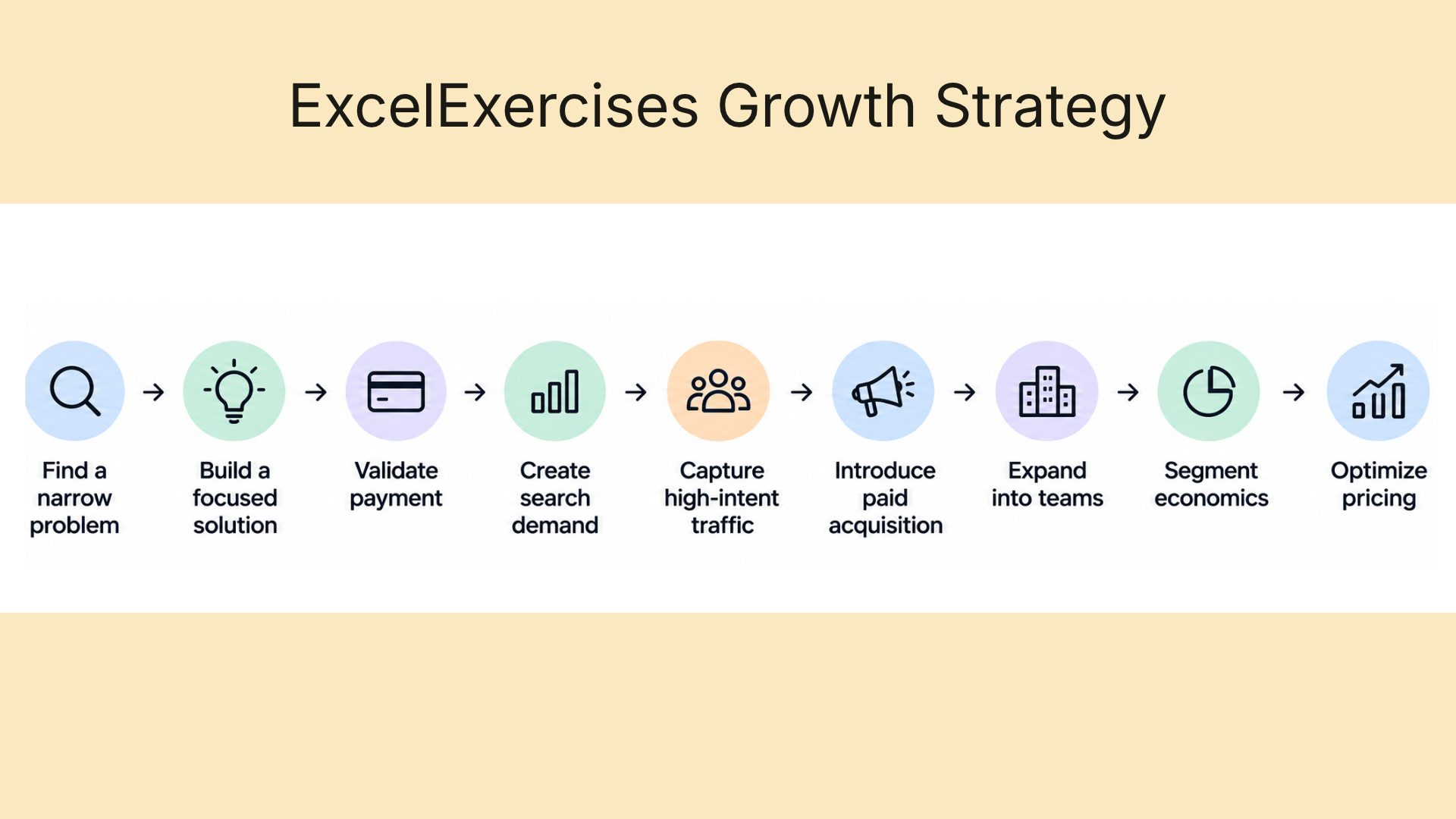
That framework applies across SaaS categories.
A developer building an API monitoring tool could start with one painful monitoring workflow.
A sales founder could solve one prospecting problem for one customer segment.
A finance SaaS could automate one recurring reporting task.
A developer tool could solve one repetitive GitHub workflow.
Small initial scope does not mean small business potential.
It means fewer assumptions need to be validated before revenue becomes possible.
A modern version can be even more structured.
Step 1: Identify one expensive or repetitive problem.
Talk to users who experience that problem regularly. Collect exact language, existing alternatives, frequency, urgency, and willingness to pay.
Step 2: Build one useful workflow.
Avoid building a platform before users repeatedly use one feature.
Step 3: Put a working version online quickly.
Use a simple stack. Measure actual behavior instead of relying only on opinions.
Step 4: Create a free entry point.
Let users experience a meaningful part of product before asking for payment.
Step 5: Build search pages around buyer problems.
Use Search Console, Ahrefs, Semrush, Keyword Planner, Reddit discussions, forums, competitor pages, and customer questions to identify topics.
Step 6: Create commercial landing pages.
Do not publish generic traffic articles only. Build pages around problems that can lead naturally to product usage.
Step 7: Add internal linking.
Connect educational content with feature pages, comparison pages, use cases, documentation, and signup pages.
Step 8: Add paid acquisition only after conversion data exists.
Start with small budgets and measure CAC, activation, paid conversion, LTV, gross margin, and payback by campaign.
Step 9: Create team expansion paths.
Allow individual users to invite coworkers, teachers, managers, or departments.
Step 10: Recalculate economics by segment.
Separate monthly, annual, paid, organic, enterprise, geography, and acquisition-channel cohorts before making pricing decisions.
A founder following this model should maintain a simple growth dashboard.
Microsoft Clarity can reveal where visitors click, scroll, stop, or leave, while PostHog can connect product events with funnels and retention.
Excel Exercises did not win by creating a complicated product.
It solved a specific problem for a specific audience, launched before perfection, allowed users to experience value before paying, built search visibility around relevant topics, introduced paid acquisition after organic traction, converted individual users into organizational customers, and eventually discovered that average unit economics were hiding major differences between customer segments.
For founders and SaaS developers, the strongest lesson is not:
"Build a boring website."
It is:
"Build a useful product around a problem that can be explained, searched, tested, purchased, and expanded."
A simple product can become a meaningful business when distribution and economics receive as much attention as code.
Excel Exercises started with one question: how can people learn Excel through practice instead of passive training?
Years later, that narrow answer has become a business generating more than $30K in reported monthly revenue.
