
Blogs in solo-founder
stay updated with the latest news, insights, and guides on solo-founder from ProductWatch.
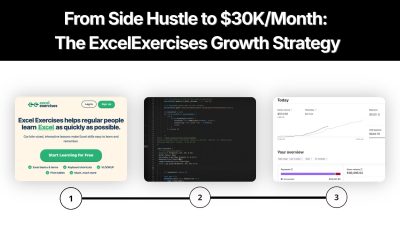
From Side Hustle to $30K/Month: The ExcelExercises Growth Strategy
A website that teaches Excel through interactive exercises sounds almost too simple to become a serious SaaS business. Yet Excel Exercises reached more than $30,000 in revenue over a recent four-week period, with around 50,000 visitors and roughly 2,500 active paying subscribers, according to founder Jake Shimota's interview. Revenue reportedly sits around $30,000 to $35,000 per month. More interesting than the revenue number is how growth happened. No complicated SaaS platform. No huge product team. No large feature list. Growth came through a combination of a narrow problem, early validation, search-driven content, a long landing page, paid acquisition, university and corporate deals, and eventually deeper pricing analysis. **Current Excel Exercises data also shows 250,000+ registered users and 50+ partner organizations, including companies, universities, and nonprofits. ** > QUICK SUMMARY > > * Find a problem through personal experience: Identify a recurring problem in an industry you understand, just as Jake noticed the limitations of traditional Excel training. > * Build around one clear use case: Focus on solving that problem with a specific product instead of adding unrelated features. > * Launch with core functionality: Release a working version that solves the main problem rather than waiting for a complete platform. > * Validate with paying customers: Treat the first customer payments as evidence that people are willing to pay for the solution. > * Use SEO to reach $10K/month: Publish articles targeting specific Excel-related searches and expand homepage content to 1,500 to 2,000 words to explain the product, learning process, and benefits of interactive practice. > * Scale from $10K to $30K/month: Introduce paid advertising after establishing organic acquisition, and pursue university and corporate deals to reach larger customer groups. > * Improve homepage conversions: Explain product features, practical use cases, and learning outcomes so visitors understand what they can achieve. > * Expand beyond individual users: Approach universities and companies that need Excel training for students and employees. > * Analyze subscription economics: Compare monthly and annual plans, retention, and customer revenue before changing pricing. > * Follow the growth sequence: Problem Discovery → Focused Product → First Paying Customers → SEO Growth → Paid Advertising → Institutional Sales → Pricing Optimization. EXCEL EXERCISES: COMPANY BEHIND THE CASE STUDY Excel Exercises is an online learning platform focused on practical Excel training. Instead of relying mainly on videos, it lets users learn by solving interactive exercises covering formulas, functions, shortcuts, pivot tables, and other spreadsheet skills directly in the browser. The product was created by Jake Shimota, who came from a finance and consulting background. His experience with workplace Excel training highlighted a common problem: watching tutorials does not always translate into remembering how to perform tasks independently. That led to a simple idea: what if learning Excel worked more like language learning, where repeated practice builds real skill? Excel Exercises was built around that approach, turning Excel learning from passive watching into hands-on practice. The platform launched in 2019 and has since grown into a focused tool for people looking to improve their Excel skills through practice. 1. START WITH A PROBLEM ALREADY UNDERSTOOD Excel Exercises did not start with a random SaaS idea. The problem came from direct experience. While working in finance, Jake had to complete online Excel training that relied heavily on long videos. Watching videos did not create enough practice or retention, which created a clear product opportunity. Instead of asking: > "What SaaS could make money?" A better question was: > "What frustrating task has already been experienced repeatedly?" This distinction matters for SaaS founders. Deep familiarity gives access to real user language, workflows, objections, alternatives, and purchasing triggers. For a developer working in sales, this might mean building a better lead qualification tool. For an accountant, it might mean automating a repetitive reporting workflow. For a recruiter, it might mean solving a painful candidate-screening problem. For a developer working with APIs, it might mean simplifying an integration that repeatedly causes problems. Problem familiarity reduces guesswork before development begins. 2. TURN ONE PAIN POINT INTO ONE CLEAR PRODUCT Excel Exercises did not try to become another massive learning management system. Core proposition stayed narrow: Learn Excel by practicing Excel. Current homepage messaging still follows that structure, offering bite-sized interactive lessons covering Excel basics, shortcuts, VLOOKUP, pivot tables, and more. This type of positioning gives users an immediate answer to four questions: * What does it do? * Who is it for? * What problem does it solve? * Why is it different? A focused SaaS product can often explain its value in one sentence. That is useful for users, search engines, sales conversations, and AI answer engines. Product positioning can follow: > Problem → User → Solution → Outcome For Excel Exercises: > Weak Excel skills → professionals/students → interactive practice → better spreadsheet skills. 3. SHIP BEFORE PRODUCT-MARKET FIT FEELS OBVIOUS First version took months because coding was still being learned. Technology was intentionally simple. Interview details describe HTML, CSS, vanilla JavaScript, Google Cloud Platform, Google Analytics, SendGrid, and Stripe as major parts of the stack. More importantly, the product was placed online before it looked finished. An unexpected $50 payment arrived before meaningful promotion had started. That payment mattered more than a survey response because someone had crossed an actual purchasing barrier. For a SaaS founder, an early validation sequence can be: Build → publish → attract a few users → ask for payment → observe behavior → improve. Useful tools for this stage include Stripe Billing for subscriptions, Google Analytics for traffic measurement, and Microsoft Clarity for recordings and heatmaps. Stripe currently supports recurring subscriptions, trials, discounts, customer portals, pricing models, and revenue reporting. 4. GIVE USERS A REASON TO PAY BEFORE ASKING FOR MONEY Excel Exercises uses a free-to-paid model. Users can access free lessons and experience how interactive practice works before reaching premium content. That solves an important SaaS conversion problem. When a product category is unfamiliar, visitors may not understand why a paid product is different from free YouTube videos, blog posts, or spreadsheets. A free sample reduces that uncertainty. Current premium access includes Excel lessons and additional learning content, while separate options exist for monthly, annual, and lifetime access. This strategy can be adapted to many SaaS products: > Free calculator → paid advanced calculations > > Free report → paid automation > > Free lessons → paid curriculum > > Free audit → paid monitoring > > Free template → paid workflow > > Free API tier → paid usage A free experience should demonstrate product value rather than simply remove features. 5. SEO TOOK EXCEL EXERCISES FROM $0 TO ABOUT $10K/MONTH This is probably the most important growth lesson from the case study. According to Jake, SEO became the major growth source during the move from $0 to roughly $10K/month. Individual articles about Excel functions helped, but one unusual tactic played a major role: expanding homepage copy to roughly 1,500 to 2,000 words. Instead of keeping homepage copy extremely short, content explained what Excel Exercises was, how learning worked, and why interactive practice differed from videos. That content created more opportunities for search engines to understand and index product relevance. A useful SEO workflow for a SaaS product can look like this: Seed topic → search demand → competitor pages → user questions → content cluster → landing page → internal links → measurement. Useful research tools include: * Google Search Console for actual queries, impressions, clicks, CTR, and ranking positions. * Google Keyword Planner for search-demand research. * Ahrefs for competitor keywords, backlinks, content gaps, and technical SEO. * Lumirank.ai for AI-driven rank tracking, search visibility insights, and organic growth monitoring. * Google Trends for seasonality and changing search interest. Ahrefs Site Audit currently checks 170+ technical and on-page SEO issues, while Semrush provides keyword research, competitor analysis, keyword gaps, topic clustering, and search-position tracking. For a new SaaS website, avoid publishing hundreds of disconnected articles. Instead, build clusters around actual product use cases. For example, an accounting SaaS could build: Accounting automation → invoice automation → recurring invoices → expense tracking → accounting workflows → accounting templates → QuickBooks alternatives → accounting automation for small businesses Each page should answer a specific user question and connect naturally back to product functionality. 6. DO NOT CONFUSE MORE CONTENT WITH BETTER SEO Excel Exercises provides an important nuance. Long homepage content worked because it explained a real product clearly and matched search intent. That does not mean every SaaS homepage should contain 2,000 words. Word count is not a ranking strategy. Search intent is. A useful page should explain: What is being solved → who needs it → how solution works → examples → alternatives → frequently asked questions → next step. Semrush's current keyword research documentation similarly emphasizes search volume, difficulty, competitor rankings, keyword gaps, and topic relationships rather than simply producing more pages. For founders, a better target is: Create the best answer for a commercially relevant problem. 7. $10K TO $30K CHANGED THE GROWTH MODEL SEO created an organic acquisition engine. Then paid advertising entered. Jake described paid advertising as a major turning point between roughly $10K and $30K monthly revenue. University and corporate deals also accelerated growth. This is where many SaaS businesses make an expensive mistake. Paid traffic should not be added simply because organic traffic is growing. First calculate: > Customer Acquisition Cost Average Revenue Per Customer Lifetime Value Payback Period Gross Margin Conversion Rate Churn Google Ads provides conversion tracking for purchases, signups, quote requests, and other actions, along with tagging and enhanced conversion measurement. Useful acquisition channels include: * Google Ads for high-intent search demand. * Meta Ads for audience-based acquisition. * Google Tag Manager for tracking implementation. * Google Analytics for acquisition and conversion analysis. Paid advertising becomes much safer when each campaign has a defined conversion event and acceptable acquisition cost. 8. INDIVIDUAL USERS CAN BECOME B2B CUSTOMERS Another important part of Excel Exercises growth came from universities and companies. A user could discover Excel Exercises individually, find value, and then recommend team-wide access to an employer or educational organization. That creates a simple product-led sales loop: > Individual user → product experience → internal recommendation → team purchase. This model can work particularly well for SaaS products used inside organizations. A founder can deliberately design for this behavior by adding: > Team plans, Organization billing, Admin dashboards, Usage reports, Shared workspaces, Education pricing, Bulk seats, Referral incentives Current Excel Exercises pages show free access options for teachers and educators, while premium products support broader lesson access. For sales management, tools such as HubSpot, Pipedrive, or Close can help manage organization-level leads and follow-ups. 9. PRICING ANALYSIS CREATED ANOTHER GROWTH LEVER One of strongest lessons came near end of interview. Average LTV-to-CAC looked healthy at roughly 3:1. But average numbers hid a problem. After exporting payment data and separating monthly customers from annual customers, Jake found that annual customers were highly profitable while monthly customers had much weaker economics and a roughly four-to-five-month payback period. Monthly pricing was then doubled while annual pricing stayed unchanged. According to Jake, growth accelerated after that change. This is a critical lesson for subscription SaaS. Never rely only on: Average LTV, Average CAC, and Average conversion rate. Instead, segment by: Monthly vs annual, Organic vs paid, Country, Acquisition channel, Plan, Company size, Customer type, andCohort. A product can have a healthy average LTV:CAC ratio while one customer segment loses money. Stripe Billing can provide subscription and revenue data, while a product analytics platform such as PostHog can help analyze funnels, retention, conversion, and user behavior. PostHog supports trends, funnels, paths, retention, lifecycle analysis, dashboards, and alerts. 10. SIMPLE TECHNOLOGY KEPT FIXED COSTS LOW Excel Exercises did not require an enormous technology stack. Interview information lists Google Cloud hosting at generally below $100 per month, Google Analytics as free, SendGrid at around $35 per month, plus payment-processing fees. Current technology options make a similar setup even easier. A focused SaaS can combine: | Requirement | Useful tools | | | | | Website | Webflow / Framer | | App development | Next.js / Vercel | | Database | Supabase / PostgreSQL | | Payments | Stripe | | Analytics | Google Analytics / PostHog | | User behavior | Microsoft Clarity / Hotjar | | SEO research | Ahrefs / Semrush | | Search data | Google Search Console | | Email | SendGrid / Resend | | CRM | HubSpot / Pipedrive | | Advertising | Google Ads / Meta Ads | | Customer support | Intercom / Crisp | | SEO crawling | Screaming Frog | | Forms | Typeform / Tally | A small stack is enough when product scope remains narrow. Adding tools should follow a business problem, not a desire to make a technology stack look sophisticated. WHAT STRATEGY SHOULD FOUNDERS COPY? Copying Excel Exercises literally would miss its most important lesson. Building another Excel-learning website is not the strategy. That framework applies across SaaS categories. A developer building an API monitoring tool could start with one painful monitoring workflow. A sales founder could solve one prospecting problem for one customer segment. A finance SaaS could automate one recurring reporting task. A developer tool could solve one repetitive GitHub workflow. Small initial scope does not mean small business potential. It means fewer assumptions need to be validated before revenue becomes possible. A MODIFIED GROWTH STRATEGY FOR 2026 A modern version can be even more structured. Step 1: Identify one expensive or repetitive problem. Talk to users who experience that problem regularly. Collect exact language, existing alternatives, frequency, urgency, and willingness to pay. Step 2: Build one useful workflow. Avoid building a platform before users repeatedly use one feature. Step 3: Put a working version online quickly. Use a simple stack. Measure actual behavior instead of relying only on opinions. Step 4: Create a free entry point. Let users experience a meaningful part of product before asking for payment. Step 5: Build search pages around buyer problems. Use Search Console, Ahrefs, Semrush, Keyword Planner, Reddit discussions, forums, competitor pages, and customer questions to identify topics. Step 6: Create commercial landing pages. Do not publish generic traffic articles only. Build pages around problems that can lead naturally to product usage. Step 7: Add internal linking. Connect educational content with feature pages, comparison pages, use cases, documentation, and signup pages. Step 8: Add paid acquisition only after conversion data exists. Start with small budgets and measure CAC, activation, paid conversion, LTV, gross margin, and payback by campaign. Step 9: Create team expansion paths. Allow individual users to invite coworkers, teachers, managers, or departments. Step 10: Recalculate economics by segment. Separate monthly, annual, paid, organic, enterprise, geography, and acquisition-channel cohorts before making pricing decisions. METRICS WORTH TRACKING A founder following this model should maintain a simple growth dashboard. | Stage | Metrics | | | | | Validation | Visitors, activated users, first payments | | SEO | Impressions, clicks, CTR, rankings, organic signups | | Product | Activation, engagement, retention | | Conversion | Free-to-paid rate, checkout conversion | | Paid acquisition | CAC, ROAS, conversion rate | | Subscription | MRR, churn, ARPU, LTV | | Pricing | LTV by plan, payback period by plan | | B2B | Demo requests, seats per account, expansion revenue | | Content | Traffic, conversions, assisted conversions | | Business | MRR, ARR, gross margin, operating costs | Microsoft Clarity can reveal where visitors click, scroll, stop, or leave, while PostHog can connect product events with funnels and retention. CONCLUSION Excel Exercises did not win by creating a complicated product. It solved a specific problem for a specific audience, launched before perfection, allowed users to experience value before paying, built search visibility around relevant topics, introduced paid acquisition after organic traction, converted individual users into organizational customers, and eventually discovered that average unit economics were hiding major differences between customer segments. For founders and SaaS developers, the strongest lesson is not: "Build a boring website." It is: "Build a useful product around a problem that can be explained, searched, tested, purchased, and expanded." A simple product can become a meaningful business when distribution and economics receive as much attention as code. Excel Exercises started with one question: how can people learn Excel through practice instead of passive training? Years later, that narrow answer has become a business generating more than $30K in reported monthly revenue.
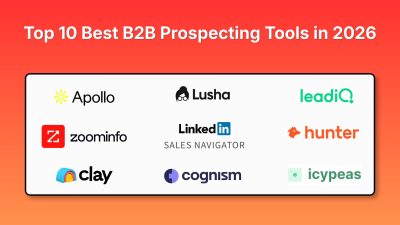
Top 10 Best B2B Prospecting Tools in 2026
A predictable B2B sales pipeline starts with knowing who to target and when to reach them. A SaaS founder may know exactly which companies are a good fit, but turning that ideal customer profile into qualified prospects takes work. Identifying the right decision-maker, verifying work emails, checking technology stacks, spotting buying signals, and keeping contact data updated can quickly consume hours. That’s where B2B prospecting tools come in. Modern sales platforms help teams discover target companies, identify decision-makers, verify contact details, enrich lead data, uncover buying signals, and move qualified prospects into CRM or outreach workflows. > QUICK SUMMARY > > * Apollo.io: An all-in-one B2B prospecting platform combining a large contact database, advanced filters, buying intent, lead scoring, enrichment, and outbound sequences, making it useful for teams that want prospecting and outreach in one place. > > * ZoomInfo SalesOS: An enterprise sales intelligence platform built around company and contact data, intent signals, organizational information, and account intelligence for larger sales and marketing teams. > > * LinkedIn Sales Navigator: Uses LinkedIn's professional network for advanced lead and account search, saved lists, alerts, InMail, account maps, and relationship-based prospecting. > > * Clay: A flexible prospecting and enrichment platform that connects 150+ data providers with waterfall enrichment, AI research through Claygent, job-change signals, web intent, and CRM automation. > > * Cognism: A B2B sales intelligence platform focused on verified contact and company data, mobile numbers, intent signals, job changes, AI research, and compliance-focused prospecting, with particularly strong relevance for European sales teams. > > Other useful tools include Lusha, UpLead, Hunter, LeadIQ, and Icypeas, which support contact discovery, verification, enrichment, and prospect research. B2B PROSPECTING TOOLS COMPARISON | # | Tool | Key prospecting features | Minimum price | Best for | Free plan | | -- | | | | | | | 1 | Apollo.io | 240M+ contacts, 65+ filters, buying intent, lead scoring, enrichment, sequences, AI research | $49/user/month, billed annually | SaaS founders, startups, sales teams wanting data + outreach | Yes | | 2 | ZoomInfo SalesOS | Contact/company intelligence, intent data, org charts, buyer signals, account intelligence | Custom quote | Enterprise sales and ABM teams | Trial | | 3 | LinkedIn Sales Navigator | Advanced search, lead/account lists, alerts, InMail, account maps, buyer interest | $119.99/user/month | Founder-led sales, B2B sales, relationship prospecting | Trial | | 4 | Clay | 150+ data providers, waterfall enrichment, Claygent AI research, job changes, intent, CRM enrichment | $185/month for Launch | RevOps, developers, growth teams, custom prospecting workflows | Yes | | 5 | Cognism | Verified emails and mobiles, firmographics, technographics, intent, job changes, AI research | Custom quote | EMEA prospecting and enterprise sales teams | No | | 6 | Lusha | Verified contact data, phone numbers, firmographics, buying signals, Chrome extension, CRM enrichment | $37/month, billed annually | SMB and mid-market sales teams | Yes | | 7 | UpLead | Verified emails, mobile numbers, company data, Chrome extension, LinkedIn prospecting | $99/month | Small sales teams and founders needing verified contacts | 5-credit trial | | 8 | Hunter | Domain search, email finder, email verification, lead discovery, AI assistant, outreach | $34/month | Email-first prospecting and lean teams | Yes | | 9 | LeadIQ | Contact discovery, job changes, CRM enrichment, AI messaging, sales signals, Chrome extension | Free, paid plans available | SDR teams and LinkedIn-based prospecting | Yes | | 10 | Icypeas | Email finding, verification, profile scraping, company search, API, MCP, no-code integrations | $19/month | Developers, agencies, and lean outbound workflows | Yes | 1. APOLLO.IO Apollo.io is one of the most complete options for teams that want to combine B2B contact discovery with outbound sales workflows. Its prospecting database currently covers more than 240 million contacts, and users can filter prospects using more than 65 data attributes. Filters can be used to narrow prospects by company, role, seniority, location, industry, technology, and other characteristics. Apollo also supports personas, buying intent, saved searches, alerts, and lookalike prospecting. For a SaaS founder, this can simplify the process of defining an ICP and turning it into an actual lead list. For example, a developer selling an API monitoring platform could search for engineering leaders at SaaS companies using a specific technology stack and then enrich those contacts before starting outreach. Apollo also goes beyond database search. Its platform includes CRM enrichment, CSV enrichment, API enrichment, lead scoring, AI research, and outbound sequences. That means a small sales team does not necessarily need separate tools for finding prospects and starting email outreach. PRICING Minimum paid price: $49/user/month, billed annually. A free plan is available, while higher tiers add more credits, intent topics, filters, automation, and other capabilities. Best for: SaaS founders, startups, agencies, and sales teams that want prospecting data and outbound execution in one platform. 2. ZOOMINFO SALESOS ZoomInfo SalesOS is designed for organizations that need detailed B2B sales intelligence across companies, contacts, accounts, and buying signals. The platform is particularly relevant for enterprise sales teams because prospecting is not limited to finding someone's email address. Teams can investigate company structures, identify decision-makers, monitor intent, and build account-level intelligence around target organizations. ZoomInfo's wider data platform includes company and professional profiles, organizational information, intent data, and signals that can help sales teams prioritize accounts. Current industry comparisons continue to position it as an enterprise-focused B2B intelligence platform with deep North American coverage. For an enterprise SaaS company selling into large organizations, this account-level approach can be more useful than simply downloading a large contact list. Sales teams can identify the company first, map the buying group, and then build an outreach strategy around multiple stakeholders. The tradeoff is that ZoomInfo is designed for a much larger sales operation than a solo founder who needs 50 verified emails. It makes more sense when account intelligence, intent data, organizational structures, and sales workflows justify an enterprise platform. PRICING Minimum price: Custom quote. Current market comparisons report enterprise contracts rather than a standard public self-serve price. Best for: Enterprise sales organizations, ABM teams, and businesses selling complex products into large companies. 3. LINKEDIN SALES NAVIGATOR LinkedIn Sales Navigator is different from traditional contact databases because its biggest advantage is direct access to LinkedIn's professional network. Its advanced search lets salespeople identify leads and companies using criteria such as job title, company, geography, seniority, industry, and other professional attributes. Users can save leads and accounts, receive alerts, use InMail, and organize prospects into custom lists. For founders, this is especially useful when selling requires understanding the person before sending an email. A founder selling developer infrastructure, for example, can identify CTOs, engineering managers, or founders at target companies, follow their activity, and use relevant information to make the first message more specific. Sales Navigator also has account maps and buyer-interest features. Advanced and Advanced Plus plans add collaboration and CRM-related functionality, with Advanced Plus supporting CRM synchronization and activity writeback. It is therefore particularly useful when LinkedIn is already part of the sales process. The platform is less about exporting a giant database and more about helping salespeople identify and work with professional relationships. PRICING Minimum paid price: $119.99/user/month for Sales Navigator Core. LinkedIn also offers Advanced and Advanced Plus plans with additional capabilities. Annual billing lowers the effective monthly cost. Best for: Founders, B2B salespeople, recruiters, consultants, and teams that rely heavily on LinkedIn for prospect research and relationship building. 4. CLAY Clay is particularly interesting for developers, RevOps teams, growth engineers, and founders who want to build custom prospecting workflows instead of relying on a single database. The platform connects more than 150 data providers and can run multi-provider waterfalls. This means a team can search one source, then use another provider when the first source does not return the required information. Clay also includes Claygent, its AI research agent, which can use web research to generate custom data points. A founder could use this to identify whether a company uses a particular technology, determine whether it recently launched a product, classify companies according to an ICP, or research information that is not available as a standard database field. The platform also supports job-change signals, company news, hiring signals, CRM enrichment, web intent, APIs, webhooks, and automated workflows. This makes it particularly useful when prospecting becomes a data-engineering problem rather than a simple lead-search task. For example, a SaaS developer could build a workflow that finds companies hiring backend engineers, enriches them with technology information, checks company size, researches recent funding, and sends the resulting records to a CRM. PRICING Minimum paid plan: $185/month for Launch. Clay also has a free plan with limited actions and data credits. Best for: Developers, RevOps teams, growth engineers, agencies, and technical founders building custom prospecting and enrichment workflows. 5. COGNISM Cognism focuses on verified B2B data and is particularly relevant for companies prospecting in Europe. The platform provides company and contact information, including emails, mobile numbers, job titles, work history, technology usage, and company information. Its prospecting workflows also include firmographic, technographic, and signal-based filters. One of Cognism's differentiators is its focus on mobile verification. Its Pro package includes on-demand mobile verification, while the platform also supports intent data, job changes, funding, hiring, and M&A signals. Cognism also includes AI company research, AI persona building, AI search, CSV enrichment, CRM enrichment, and API or bulk data delivery. This makes it suitable for teams that need more than a browser extension for finding individual contacts. For companies selling into the UK and European markets, compliance and data quality can be important factors when selecting a prospecting database. Cognism explicitly positions its platform around compliance-first data and offers GDPR-related controls and documentation. PRICING Minimum price: Custom quote. Cognism's current pricing is based on the package, team setup, data requirements, and usage. Best for: EMEA-focused sales teams, larger B2B companies, and businesses that need verified mobile data and compliance-focused prospecting. 6. LUSHA Lusha is designed for sales and marketing teams that need verified contact and company information without adopting a large enterprise sales intelligence platform. Its prospecting workflow provides contact information, company details, buying signals, and enrichment. Lusha also offers a Chrome extension that can be used while browsing LinkedIn and other websites. Current 2026 materials from Lusha state that the platform has more than 290 million contacts and supports signals such as hiring, funding, technology changes, and intent. For a founder, this can be useful when building a focused list rather than downloading thousands of contacts. For example, a SaaS founder can search for a specific job role at companies within a particular size range, verify contact details, and then move the selected prospects into a CRM. Lusha also supports CRM enrichment and integrations, allowing teams to keep contact information updated instead of repeatedly rebuilding lists. The platform is therefore a good middle ground between lightweight email finders and expensive enterprise intelligence systems. PRICING Minimum paid price: $37/month when billed annually. Lusha also provides a free plan with limited credits. Best for: SMB and mid-market sales teams, founders, agencies, and marketers that need verified contact data plus buying signals. 7. UPLEAD UpLead focuses on verified B2B contact data and gives users a relatively straightforward way to find emails and mobile numbers. Its database search supports company and contact filters, while its platform provides verified emails, mobile direct dials, and company information. The Chrome extension can also be used while browsing LinkedIn or other websites. One useful feature for smaller teams is the way UpLead handles credits. One credit unlocks one contact, including the available email and mobile direct dial. This makes it relatively easy to estimate how much a prospecting campaign will consume before building a list. UpLead also states that it verifies email addresses with a 95% accuracy rate. This is a vendor-reported figure, so teams should still test data quality against their own target market before building a large campaign. For founders who only need a few hundred targeted prospects rather than a large sales intelligence platform, this straightforward credit model can be easier to manage. PRICING Minimum paid plan: $99/month for Essentials. A seven-day free trial includes five credits. Best for: Small sales teams, agencies, founders, and marketers who want verified contact information with a simple credit-based model. 8. HUNTER Hunter is best known for email discovery and verification, but its current platform has expanded into broader prospecting and outreach. The platform can find professional emails using domain search and individual email lookup, verify email addresses, enrich leads, and identify potential opportunities. It also includes an AI Assistant inside its Discover database and supports cold email sequences. Hunter is particularly useful when the main prospecting requirement is finding a reliable business email rather than building a complete account-intelligence system. For example, a founder may already have a list of 200 target companies and only need to identify the correct email addresses for CEOs, marketing heads, CTOs, or sales leaders. Hunter can fit that workflow without requiring the team to adopt a large sales platform. Its API is also useful for developers who want to integrate email discovery and verification into an internal application or automated lead-generation workflow. PRICING Minimum paid price: $34/month. Hunter also has a free plan with 50 credits per month. Best for: Solo founders, marketers, agencies, developers, and small teams that mainly need email finding and verification. 9. LEADIQ LeadIQ combines contact discovery with sales signals, CRM enrichment, and AI-assisted outreach. The platform can find email addresses and phone numbers, track job changes, enrich CRM records, generate AI-assisted messages, and provide sales signals. Its Chrome extension makes it possible to prospect while browsing the web or LinkedIn. One useful aspect is its credit structure. Email discovery uses one credit, while phone numbers use more credits, allowing teams to decide whether they need only email data or both email and phone information. LeadIQ is also designed to fit into existing sales engagement workflows. This matters for teams that already use CRM and sales engagement software and want prospect data to flow into those systems instead of maintaining separate spreadsheets. The platform is therefore more relevant to SDR teams and sales organizations than to someone who only wants to find a handful of email addresses. PRICING Minimum price: Free plan available. Paid pricing depends on the number of credits and the selected plan. Best for: SDR teams, sales teams using LinkedIn for prospecting, and organizations that need contact discovery plus CRM and sales workflow integration. 10. ICYPEAS Icypeas is a more specialized prospecting and email enrichment platform that can be attractive to developers, agencies, and lean sales teams. Its core tools include email finding, email verification, domain scanning, profile scraping, company scraping, person and company discovery, reverse email lookup, API access, and no-code integrations with platforms such as Make, Zapier, and n8n. It also supports MCP, which makes it relevant to teams experimenting with AI agents and automated research workflows. One important difference is its focus on paying for verified or found data rather than purchasing a large all-in-one sales intelligence suite. The platform also supports credit rollover, meaning unused credits do not simply disappear at the end of the billing period. Its pricing structure can therefore work well for teams whose prospecting volume changes from month to month. For developers, the API and automation support are particularly useful. A team can connect Icypeas to an internal lead-generation workflow, automate email discovery, verify addresses, and send clean data into another system. PRICING Minimum paid plan: $19/month plus VAT. A free plan includes 50 credits, while paid plans provide larger monthly credit allocations. Best for: Developers, agencies, technical founders, and businesses that primarily need affordable email enrichment and API-based prospecting. HOW TO CHOOSE A B2B PROSPECTING TOOL The first question should not be "Which tool has the biggest database?" The better question is what exactly needs to happen between identifying a target company and contacting the right person? If the workflow starts with a list of companies and ends with a personalized outbound sequence, an all-in-one platform such as Apollo.io can reduce the number of tools involved. If the process starts with account research and relationship building, LinkedIn Sales Navigator may fit better because the prospect's professional activity and company relationships remain central to the workflow. If the team wants to combine several data providers, run custom enrichment, research websites with AI, or build automated workflows, Clay is more appropriate. Its multi-provider waterfalls and AI research capabilities are specifically designed for this type of workflow. For teams primarily looking for verified contact information, Lusha, UpLead, Hunter, and Icypeas offer more focused workflows. For European prospecting, Cognism deserves particular consideration because its platform emphasizes verified mobile data, intent signals, and compliance-focused workflows. WHAT B2B PROSPECTING FEATURES MATTER MOST? ACCURATE CONTACT DATA A huge database means little if emails bounce or contacts have changed jobs. Look for email verification, phone data, job-change detection, regular updates, and replacement options for inaccurate records. ADVANCED FILTERS Good prospecting tools should turn your ICP into searchable criteria. Example: SaaS → 50–500 employees → US/UK/India → hiring engineers → AWS users → CTO or VP Engineering. Better filters mean less manual research. BUYING SIGNALS Firmographics show who fits your ICP. Buying signals help answer why contact them now. Funding, hiring, leadership changes, technology adoption, and expansion can provide useful outreach context. CRM ENRICHMENT Your prospecting system should keep CRM records fresh by filling missing information and updating outdated contact or company data. API & AUTOMATION For technical teams, API access can turn prospecting data into part of an automated lead-generation workflow. Clay and Icypeas are particularly useful for custom enrichment and automation. COMPLIANCE Before scaling outbound campaigns, check how a provider handles data sources, opt-outs, privacy requirements, processing, and retention, especially for European prospects. A PRACTICAL B2B PROSPECTING STACK You rarely need ten different tools. A simple workflow could look like: Sales Navigator → Find target accounts → Apollo/Lusha → Find contacts → Hunter/Icypeas → Verify emails → Clay → Enrich → CRM → Outreach Larger organizations may use ZoomInfo or Cognism as their central sales intelligence platform. The goal is not to collect more databases. It is to build a workflow that produces accurate contacts, useful context, timely outreach, and clean CRM data. CONCLUSION The right prospecting tool depends on your sales process. Apollo.io combines prospecting, contact data, enrichment, and outbound workflows. ZoomInfo focuses on broader sales intelligence for larger teams, while LinkedIn Sales Navigator is useful when LinkedIn plays a central role in prospect discovery. Clay is well suited to custom enrichment workflows, while Cognism focuses strongly on B2B data and EMEA prospecting. Lusha, UpLead, Hunter, LeadIQ, and Icypeas can handle more focused contact discovery, verification, and enrichment needs. For founders and small SaaS teams, start with one core prospecting platform. Add enrichment or verification tools only when a specific gap appears.
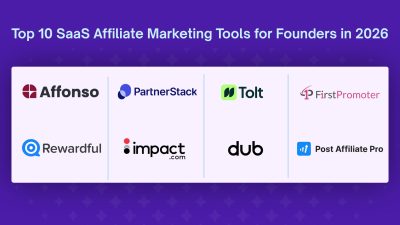
Top 10 SaaS Affiliate Marketing Tools for Founders in 2026
Affiliate marketing can become one of the most efficient acquisition channels for a SaaS business. Instead of paying for every click or running campaigns that may never convert, a SaaS company can work with affiliates, creators, customers, agencies, consultants, and industry experts who promote the product and earn a commission when they generate a qualified conversion. The difficult part is managing that process manually. A serious SaaS affiliate program needs more than a referral link. It needs accurate attribution, recurring commissions, coupon tracking, affiliate dashboards, payout management, fraud detection, reporting, integrations with billing systems, and sometimes tools for finding new partners. That is where SaaS affiliate marketing platforms come in. The right affiliate software can help a founder launch a program without building tracking infrastructure from scratch. For a growing company, it can also provide the controls needed to manage hundreds or thousands of affiliates. > QUICK SUMMARY > > * Affonso: A SaaS-focused affiliate platform with Stripe, Paddle, Polar, Creem, and Dodo integrations, affiliate discovery, fraud protection, API access, recurring commissions, and developer tools. > * Rewardful: A Stripe and Paddle-focused platform known for quick setup, recurring commissions, unlimited affiliates, REST API access, and 0% transaction fees on its core plans. > * FirstPromoter: A SaaS affiliate and referral platform with recurring commissions, affiliate portals, email automation, fraud detection, tax-form collection, and support for multiple billing providers. > * Tolt: A startup-focused affiliate platform built around SaaS referral programs, recurring commissions, affiliate management, and automated payouts. > * PartnerStack: An enterprise B2B partner platform combining affiliate tracking, lead and deal registration, partner payments, CRM integrations, onboarding, and access to its partner marketplace. > > impact.com, Tapfiliate, Dub Partners, Post Affiliate Pro, and Affise also support affiliate tracking, partner management, commission management, reporting, automation, and performance analytics. BEST SAAS AFFILIATE MARKETING PLATFORMS COMPARED |Platform | Key features | Minimum price | Best for | Free Trial | | | | : | | | | Affonso | SaaS-focused tracking, recurring commissions, fraud detection, affiliate discovery, API, SDK, webhooks, Stripe/Paddle integrations | $15/month | Early-stage and growing SaaS companies | ✓ 14 days | | Rewardful | Stripe/Paddle integration, recurring commissions, affiliate portal, REST API, mass payouts, fraud detection | $49/month | Stripe-powered SaaS businesses | ✓ 14 days | | FirstPromoter | Affiliate/referral/influencer programs, recurring commissions, affiliate portal, email automation, fraud detection | $49/month | SaaS and subscription businesses | ✓ 14 days | | Tolt | SaaS affiliate tracking, recurring commissions, affiliate management, automated payouts, Stripe/Paddle support | $69/month | Startups and SaaS founders | ✓ Trial available | | PartnerStack | Partner marketplace, affiliate tracking, lead/deal registration, partner payments, CRM integrations, onboarding | $1,000/month | B2B SaaS and enterprise partner programs | ✗ | | impact.com | Affiliate tracking, partner marketplace, influencer partnerships, contracting, reporting, automated partner management | $30/month | Businesses managing multiple partner types | ✗ | | Tapfiliate | 30+ integrations, recurring commissions, coupon tracking, real-time reports, affiliate groups, automated payouts | $89/month | SaaS and ecommerce teams needing flexible integrations | ✓ 7 days | | Dub Partners | Developer-focused tracking, APIs, SDKs, referral links, attribution, programmatic workflows | From $90/month | Developer-led SaaS businesses | ✓ 14 days | | Post Affiliate Pro | 125+ plugins, 220+ integrations on Pro, fraud protection, advanced reporting, recurring and multi-tier commissions | $89/month | Growing businesses needing deep customization | ✓ Trial available | | Affise | Partner tracking, campaign management, analytics, automation, fraud prevention, performance reporting | Custom quote | Performance marketing and larger partner programs | ✓ Trial available | 1. AFFONSO Affonso is one of the more interesting options for SaaS founders because it is designed specifically around SaaS affiliate and partner programs rather than treating SaaS as just another use case. The platform supports integrations with Stripe, Paddle, Polar, Creem, and Dodo Payments. That makes it useful for SaaS businesses that use modern subscription billing systems and do not want to build affiliate attribution around a single payment provider. For founders, the useful part is that Affonso covers much more than referral links. It includes recurring and one-time commissions, coupon tracking, partner groups, fraud detection, affiliate discovery, personalized referral links, webhooks, API access, SDKs, and CLI support. Developers can also integrate the platform directly into their application. API access, webhooks, SDK support, and programmatic conversion tracking make it suitable for products that need more control than a simple dashboard-based affiliate tool. The platform also includes an affiliate marketplace and discovery functionality, which can help SaaS teams find potential partners instead of relying entirely on inbound affiliate applications. PRICING From $15/month. The Launch plan includes up to $1,000/month in affiliate-attributed revenue, while higher plans increase the revenue limit and add features such as managed payouts, private programs, more team seats, and advanced partner management. Best for: SaaS startups and growing software companies that want a developer-friendly affiliate platform with modern billing integrations. 2. REWARDFUL Rewardful is built primarily for SaaS and subscription businesses using Stripe or Paddle. Its biggest advantage is simplicity. A founder can set up an affiliate or referral program without building a complicated partner-management system. Rewardful provides affiliate links, dashboards, campaign management, commission tracking, and integrations with billing systems. For SaaS businesses, recurring commissions are particularly important. If an affiliate refers a customer who continues paying for a subscription, the program can continue tracking the relationship rather than treating the initial payment as the only valuable event. Rewardful also provides a REST API, PayPal mass payouts, Wise bulk payouts, affiliate portals, custom rewards, custom domains, and campaign management on higher plans. Another useful feature is its Affiliate Finder, which searches the web for potential affiliates based on a query. This can help founders who have the affiliate infrastructure ready but do not yet have a large partner network. PRICING From $49/month. Rewardful currently lists Starter at $49/month, Growth at $99/month, and Enterprise at $149+/month. Core plans have a 0% transaction fee. Best for: SaaS companies using Stripe or Paddle that want a simple affiliate program without enterprise-level complexity. 3. FIRSTPROMOTER FirstPromoter has been focused on affiliate and referral programs for SaaS and subscription businesses for years. The platform can handle affiliate, referral, and influencer programs from one account. This is useful for SaaS companies that want to work with different types of partners without maintaining separate tracking systems. Its affiliate portal gives partners a place to access their links, see earnings, and monitor referrals. Founders can also customize the portal and collect information such as W-8/W-9 tax forms for affiliates. FirstPromoter also includes affiliate email automation, broadcast emails, fraud detection, commission tracking, coupon tracking, and integrations with multiple billing providers. That broader billing support can matter when a SaaS company has moved beyond a simple Stripe-only setup. For businesses with recurring subscriptions, the platform can calculate commissions based on billing events. This makes it useful for subscription products where the affiliate relationship continues after the first payment. PRICING From $49/month. FirstPromoter currently lists Starter at $49/month, Business at $99/month, and Enterprise starting at $149/month. Best for: SaaS and subscription businesses that need affiliate, referral, and influencer management with broader billing support. 4. TOLT Tolt is designed around modern SaaS affiliate and referral programs. The platform is particularly attractive to startups that want to create an affiliate program without implementing the extensive infrastructure associated with enterprise partner-management software. Tolt supports the workflows SaaS founders typically need, including affiliate tracking, referral management, recurring commissions, partner dashboards, and payouts. It is also designed to work with common SaaS billing environments such as Stripe and Paddle. The main appeal is its focus. Instead of trying to become a complete enterprise partnership platform, Tolt concentrates on giving SaaS teams the tools needed to operate an affiliate program and grow it as the business expands. This makes it worth considering for founders who want something more dedicated to SaaS than a general ecommerce affiliate platform. PRICING From $69/month. Current 2026 comparisons list Tolt plans at $69/month, $99/month, and $199/month, with limits based on affiliate-generated revenue and additional considerations around automated payouts. Best for: SaaS startups that want a focused affiliate platform without moving into enterprise partner-management software. 5. PARTNERSTACK PartnerStack is aimed at a very different stage of business compared with lightweight SaaS affiliate tools. Instead of focusing only on affiliate links, PartnerStack supports broader partner-led growth programs. Its platform includes affiliate link tracking, lead and deal registration, partner payments, onboarding, training, CRM integrations, and access to the PartnerStack Marketplace. The marketplace is particularly important for B2B SaaS companies. A startup can use the platform not only to track existing partners but also to become discoverable by partners already looking for software programs. PartnerStack is also built around longer B2B sales cycles. That matters when a partner referral does not immediately result in a credit-card purchase but instead becomes a lead, opportunity, or closed deal. For a SaaS company running affiliates, agencies, resellers, referral partners, and technology partnerships, PartnerStack can therefore function as a broader partner ecosystem rather than simply an affiliate tracker. PRICING From $1,000/month, paid annually, according to current 2026 pricing information. PartnerStack's official pricing page uses sales-led plans and does not display a standard public price directly, so buyers should confirm the current commercial terms with PartnerStack. Best for: Established B2B SaaS companies building a large partner ecosystem. 6. IMPACT.COM impact.com is much broader than a traditional SaaS affiliate platform. The platform supports affiliate partnerships, influencers, creators, referrals, and other partner types. This makes it useful for businesses that want to bring several partnership channels into one system. Its tracking infrastructure can monitor conversions, leads, app installs, bookings, and other events. The platform also provides partner contracting, reporting, automated partner recommendations, and access to a large partner marketplace on higher plans. For a SaaS company, the value becomes more apparent when the partnership strategy goes beyond traditional affiliates. A business might have content creators generating awareness, affiliates driving subscriptions, technology partners sending qualified leads, and influencers promoting specific campaigns. Instead of operating these channels separately, impact.com can provide a centralized partnership infrastructure. It is therefore more appropriate for companies with a broad partnership strategy than a founder who simply wants a referral link for the first 20 affiliates. PRICING From $30/month. impact.com currently lists a Starter plan at $30/month. Its Essentials plan starts at $500/month and adds features such as access to the Partner Marketplace and broader tracking capabilities. Best for: Businesses that want to manage affiliates alongside influencers, creators, referrals, and other partner channels. 7. TAPFILIATE Tapfiliate is a flexible affiliate management platform that works across SaaS, ecommerce, and other online businesses. One of its strengths is its integrations. The platform currently advertises more than 30 pre-built integrations, including Stripe, Shopify, BigCommerce, and other systems. Tapfiliate provides recurring commissions, coupon tracking, real-time reporting, affiliate payment methods, bulk actions, deep links, and short links. This makes it useful for companies that want more flexibility around how affiliates promote products. The Scale plan adds unlimited affiliates and programs, advanced commission management, affiliate groups, private creative assets, automated payouts, and multi-level marketing functionality. For a SaaS company that also sells through other channels, Tapfiliate can be useful because the platform does not force the business into a narrowly SaaS-only workflow. PRICING From $89/month. Tapfiliate currently lists Launch at $89/month, Scale at $179/month, and Enterprise with custom pricing. Annual billing reduces the effective monthly price. Best for: SaaS and online businesses that need broad integrations and flexible affiliate management. 8. DUB PARTNERS Dub Partners is particularly interesting for developer-led SaaS businesses. Traditional affiliate software often focuses heavily on dashboard configuration. Developer-focused teams may instead want APIs, SDKs, programmatic tracking, and the ability to integrate referral infrastructure directly into their application. Dub's ecosystem is built around link management and attribution, making it suitable for companies that want referral and partner functionality close to their existing product infrastructure. This approach can be useful for technical founders who want more control over the user experience rather than sending affiliates to a completely separate system. The developer-first positioning also makes it interesting for API companies, developer tools, AI products, and other technical SaaS businesses where referrals can be embedded directly into the product workflow. PRICING From $90/month. Current 2026 comparisons list Dub Partners at $90/month for its entry-level plan, with higher plans available for larger programs. Best for: Developer-led SaaS companies that prioritize APIs, SDKs, and programmatic control. 9. POST AFFILIATE PRO Post Affiliate Pro is one of the more mature options in this category. The platform provides extensive tracking capabilities, advanced reporting, fraud protection, customizable affiliate interfaces, and a large plugin and integration ecosystem. Its Pro plan currently advertises more than 220 integrations and more than 125 plugins. For SaaS businesses, recurring commissions are important because affiliates can continue receiving commissions from subscription payments. Post Affiliate Pro supports recurring commissions, lifetime referrals, product-specific commissions, action-based commissions, and multi-tier commission structures. Another advantage is tracking volume. The entry plan supports 10,000 tracking requests per month, while higher plans increase this to 1 million, 6 million, or 20 million depending on the plan. That makes Post Affiliate Pro a strong option for businesses that need more customization than lightweight SaaS affiliate tools provide. PRICING From $89/month when billed monthly, with annual billing reducing the effective monthly price to $79. Higher plans start at $139/month monthly or $129/month annually. Best for: Growing businesses that need extensive integrations, tracking controls, reporting, and commission customization. 10. AFFISE Affise is designed more around performance marketing and partner management than the simple SaaS referral programs offered by lightweight platforms. It can be useful for businesses running larger partner campaigns that need detailed tracking, analytics, automation, campaign management, and performance monitoring. This makes Affise more relevant when a company has moved beyond a small group of SaaS affiliates and is managing a broader performance marketing operation. For example, a business could use a platform in this category to manage multiple campaigns, partners, traffic sources, conversion events, and performance metrics from one environment. The tradeoff is complexity. A founder looking for a simple Stripe referral program probably does not need a platform designed for a larger performance marketing operation. PRICING Custom quote. Best for: Larger businesses and performance marketing teams managing complex partner and campaign operations. HOW TO CHOOSE THE BEST SAAS AFFILIATE MARKETING PLATFORM The best affiliate platform depends on the stage of the SaaS business. An early-stage founder does not necessarily need enterprise partner-management software. The most important requirements may simply be affiliate tracking, recurring commissions, Stripe or Paddle integration, an affiliate dashboard, and reliable payouts. For this use case, Affonso, Rewardful, FirstPromoter, or Tolt can be more practical than an enterprise platform. As the affiliate program grows, other requirements become important. A business may need multiple affiliate programs, different commission structures, team permissions, fraud detection, advanced reporting, affiliate recruitment, API access, and automated payouts. This is where platforms such as Tapfiliate and Post Affiliate Pro become more interesting. For a B2B SaaS company with agencies, resellers, technology partners, and referral partners, the definition of affiliate marketing also changes. The company may need lead registration, deal registration, partner onboarding, CRM synchronization, partner payments, and a partner marketplace. In that situation, PartnerStack or impact.com may make more sense than a lightweight affiliate tracker. Developers should also pay close attention to API and webhook support. If the affiliate platform cannot communicate properly with the application's backend, complex attribution workflows can become difficult to maintain. WHAT FEATURES SHOULD A SAAS AFFILIATE PLATFORM HAVE? RECURRING COMMISSION TRACKING Subscription SaaS products need to track more than one-time purchases. If a customer pays $50 every month, the affiliate program may need to calculate commissions on those recurring payments according to the program's rules. ACCURATE ATTRIBUTION Affiliate software should clearly identify which affiliate generated a signup, lead, trial, or paid customer. Cookie tracking is common, but SaaS companies should also investigate coupon tracking, direct referral attribution, server-side events, and other tracking methods when relevant. BILLING INTEGRATION The closer the affiliate platform integrates with the billing system, the easier it becomes to track upgrades, downgrades, cancellations, refunds, and recurring payments. Stripe and Paddle are particularly important for SaaS companies, but businesses using other billing providers should verify compatibility before selecting a platform. AFFILIATE DASHBOARD Affiliates should be able to see their links, clicks, conversions, commissions, and payouts without repeatedly asking the SaaS team for reports. A good affiliate portal can also provide promotional assets, campaign information, and commission details. FRAUD PROTECTION Affiliate fraud can quickly become expensive. Useful controls include self-referral detection, duplicate conversions, suspicious traffic detection, duplicate payout methods, and refund or chargeback handling. API AND WEBHOOKS Developers should not ignore this feature. API and webhook access can make it possible to connect affiliate events to internal databases, analytics systems, CRM platforms, billing workflows, and custom dashboards. AFFILIATE RECRUITMENT Tracking affiliates is only half the problem. A new SaaS program also needs affiliates. Features such as affiliate marketplaces, discovery tools, partner recommendations, and competitor-affiliate research can help founders find potential partners instead of waiting for applications. CONCLUSION A SaaS affiliate program can start with something as simple as a referral link, but it becomes much more complicated once dozens or hundreds of partners start generating customers. The best affiliate marketing platform should therefore match the company's current stage rather than simply having the longest feature list. Affonso, Rewardful, FirstPromoter, and Tolt are strong starting points for SaaS companies that want focused affiliate infrastructure without an enterprise implementation. Tapfiliate and Post Affiliate Pro are worth considering when broader integrations, tracking controls, and commission customization become important. PartnerStack and impact.com are better suited to businesses building larger partner ecosystems that include affiliates alongside other partner types. For developer-led companies, API and webhook capabilities should be treated as first-class requirements rather than optional extras. And for founders, one question should come before every feature comparison: Can this platform reliably turn partner referrals into accurately tracked customers and commissions without creating more operational work than the revenue it generates? If the answer is yes, the platform is probably worth testing.
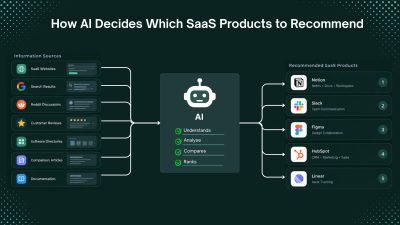
How AI Decides Which SaaS Products to Recommend
When someone asks an AI assistant to recommend a SaaS product, the answer may look like a simple list of software names. Behind that answer, however, can be multiple layers, including large language models, search engines, web retrieval systems, product databases, reviews, community discussions, and ranking systems. For example, someone looking for “the best project management software for a small startup” may ask ChatGPT, Google AI Mode, Perplexity, Claude, or another AI search tool instead of manually comparing search results. This is changing SaaS discovery. It is no longer enough for a product to rank well in traditional search. AI systems also need to discover the product, understand what it does, evaluate whether it fits the user's needs, and find reliable evidence before recommending it. This is often called AI visibility or AI search visibility. But one important distinction is often overlooked: an LLM is not the same as an AI application that uses an LLM. > QUICK SUMMARY > > * SaaS products enter AI recommendations through model knowledge, web retrieval, or both. > * AI platforms do not publish a single fixed SaaS ranking formula. > * Define the product clearly: explain its function, target users, and problem solved. Use Semrush and Ahrefs for competitor and search-intent research. > * Publish complete information: features, pricing, documentation, use cases, integrations, and comparisons. > * Build third-party presence: maintain accurate profiles on G2, Capterra, Product Hunt, and Product Watch. > * Participate authentically on Reddit: useful discussions, experiences, and comparisons provide valuable product context. > * Keep information updated: maintain current pricing, features, integrations, and availability. Monitor indexing with Google Search Console. > * Collect customer evidence: genuine reviews, testimonials, and case studies on G2 and Capterra. > * Maintain technical SEO: use Screaming Frog and PageSpeed Insights to check crawling, indexing, structure, and performance. > * Track AI visibility: use Ahrefs Brand Radar and Semrush AI Visibility Toolkit. > * The goal: make the SaaS product easy to discover, understand, verify, and recommend. LLMS AND AI APPLICATIONS WORK DIFFERENTLY Large language models (LLMs) primarily learn from training data. If a SaaS product appears frequently enough in the data used to train a model, the model may already have information about it. However, training knowledge is not the same as a live search database. An LLM does not automatically know every new product, pricing change, feature release, or company launched after its training data. AI applications can extend an LLM with web search, retrieval systems, databases, APIs, and other external sources. A simplified version looks like this image: This means a SaaS product does not always need to be famous in historical training data. If an AI application can retrieve reliable current information about the product, that information can potentially influence its answer. This creates two related visibility challenges: 1. Training-data visibility: Is the product already represented in model knowledge? 2. Retrieval visibility: Can current AI systems find useful information about the product? AI DOES NOT USE ONE UNIVERSAL RECOMMENDATION ALGORITHM There is no evidence of one universal AI ranking formula used across ChatGPT, Google AI features, Perplexity, Gemini, Claude, and other systems. Each system can use different models, search engines, retrieval methods, ranking systems, source-selection processes, and application-level instructions. The answer can also change based on the query, user requirements, available sources, freshness, and context. For SaaS companies, the more useful question is: What makes a SaaS product easy for AI systems to discover, understand, evaluate, and recommend? RELEVANCE IS MORE IMPORTANT THAN SIMPLY BEING FAMOUS AI recommendations are contextual. A large enterprise CRM may not be the best recommendation for a five-person startup. A powerful project management platform may not be the best option for a development team that needs deep GitHub integration. Clear positioning helps AI systems understand where a product fits. A vague description such as: > “An innovative platform that helps teams work better.” provides little useful context. A more precise description explains the category, audience, problem, and differentiator: > "An AI-powered project management platform for SaaS development teams that connects engineering tasks with GitHub workflows" The second description creates clearer associations between the product, category, audience, problem, and use case. PRODUCT POSITIONING CREATES AN ENTITY An AI system needs more than a company name. It needs enough information to understand what the company represents. An entity can be thought of as a recognizable concept connected to attributes, categories, audiences, problems, competitors, integrations, and use cases. For example: > Product → project management software → startup teams → task management → collaboration → Slack integration → alternative to Asana → customer reviews → Reddit discussions The homepage is only one source of this information. External references help create a broader information footprint around the product. Together, these sources create what can be called an information footprint. YOUR WEBSITE IS ONLY ONE PART OF YOUR AI VISIBILITY A strong website helps explain a product, but it is only one part of the information ecosystem. Compare: Product A: Strong homepage, but almost no independent information. Product B: Strong website plus customer reviews, product directories, comparison articles, tutorials, integration documentation, community discussions, and independent coverage. Product B gives AI systems more sources from which to understand and verify the product. This does not mean simply collecting mentions. The quality, relevance, independence, and consistency of information matter. AI visibility is not only a website optimization problem. It is an information ecosystem problem. WHY REDDIT DESERVES SPECIAL ATTENTION Reddit has become particularly interesting in AI search because it contains a large amount of first-hand discussion. Traditional marketing content usually comes from companies attempting to explain why their products are useful. Reddit discussions can contain something different: people explaining what happened when they actually used a product. > A user may ask: > > “Has anyone tried this CRM?” > > “What's the best alternative to this tool?” > > “Which project management platform works for a five-person startup?” > > “Is this AI writing tool actually worth paying for?” These conversations contain opinions, experiences, comparisons, complaints, recommendations, implementation details, and alternatives. That information can be highly useful to an AI system attempting to answer a recommendation question. Research from Semrush has found that Reddit URLs appear frequently among sources cited or mentioned by major AI search systems. Its research has also identified Q&A, comparison, and discussion content as important categories of Reddit pages appearing in AI-generated answers. However, Reddit should not be misunderstood as a guaranteed high-weight ranking signal. There is no reliable basis for saying that “Reddit gets a fixed 5x or 10x weight” in AI recommendations. Retrieval behavior changes between systems and over time. The more useful conclusion is that Reddit provides independent, conversational, first-hand information, which can be especially relevant to recommendation and comparison queries. REDDIT VISIBILITY CANNOT BE MANUFACTURED AT SCALE This distinction is important because some SaaS companies may interpret Reddit's visibility as an opportunity to create large numbers of promotional posts. That is usually the wrong approach. Reddit communities have their own rules, and Reddit's platform policies prohibit spam and repetitive promotional behavior. A better approach is to participate in relevant discussions with genuinely useful information. If someone is asking how to automate a particular workflow, an expert can explain the architecture, tradeoffs, tools, implementation problems, and possible solutions. If a product is genuinely relevant, it can be mentioned naturally. For a real-world example of how authentic community engagement can support SaaS growth, see how Goji Berry reached $4M ARR in under 12 months. The objective should not be “get the product mentioned on Reddit.” It should be to provide information that is genuinely useful to the community. INDEPENDENT SOURCES CAN STRENGTHEN BRAND UNDERSTANDING A product's own website is naturally biased toward the company's preferred positioning. Independent sources provide another layer. A SaaS company might describe itself as a “complete AI sales platform,” while customers and independent publications may describe it more specifically as an “AI outbound prospecting tool for small sales teams.” The second description may actually be more useful because it reflects how the market understands the product. This is why SaaS companies should monitor not only what they publish, but also how other websites describe them. Search for the brand alongside terms such as: > “alternative”, “review”, “vs”, “best”, “for startups”, “for agencies”, “for developers” “pricing”, “integrations”, “API”, “competitors”, “use cases” These searches reveal the language and categories that surround the product. That surrounding language can be valuable for understanding brand positioning. FRESHNESS MATTERS IN AI SEARCH One of the biggest advantages of web-connected AI applications is access to newer information. SaaS products change quickly. Pricing changes. Features change. Products launch and shut down. Integrations are added or removed. Free plans disappear. Companies reposition themselves. A product that was an excellent recommendation two years ago may not be the best option today. This makes freshness increasingly important for SaaS companies. Important product information should therefore remain current across the website and relevant external sources. Pricing pages, feature documentation, integration pages, product comparisons, changelogs, help documentation, and major product pages should not be allowed to become outdated. Freshness is particularly important for queries containing words such as “best,” “latest,” “current,” “2026,” “new,” or “updated.” WHY COMPARISON CONTENT IS SO VALUABLE Recommendation engines naturally deal with comparisons. > Users rarely ask only: > > “What is Product X?” > > They often ask: > > “What is the best alternative to Product X?” > > “Product A vs Product B?” > > “What should a startup use instead of Product X?” > > “Which is better for a small team?” These questions create opportunities for SaaS brands to establish competitive context. A strong comparison page should not simply declare that the company's own product wins. It should explain where each product is strongest, where each product has limitations, which customers each option suits, pricing differences, major feature differences, and situations where one option may be preferable. That creates useful decision-making content. It also gives AI systems clearer information about the relationship between products. ALTERNATIVES PAGES CAN BECOME IMPORTANT BRAND ASSETS An “alternatives” page can serve a different purpose from a standard product landing page. A product page answers: Why should this product be considered? An alternatives page answers: Why might someone looking at another product consider this one? That distinction aligns closely with how users interact with AI assistants. Someone who has already identified a competitor is often much closer to a purchasing decision than someone searching for a broad category. Therefore, SaaS companies should consider building high-quality pages around relevant competitor alternatives, but only when the comparison is genuinely useful and factually accurate. Thin pages created solely to capture competitor names are unlikely to provide the same value as detailed comparison resources. REVIEWS PROVIDE ANOTHER LAYER OF EVIDENCE Independent customer experiences can provide information about usability, reliability, support, pricing, implementation, integrations, and real-world use cases. No individual review should be treated as absolute truth. A broader collection of independent customer experiences provides better context. Useful platforms for collecting and managing SaaS reviews include G2, Capterra, Trustpilot, and TrustRadius. Customer feedback tools such as Delighted and Typeform can also help collect structured customer feedback and testimonials. TECHNICAL SEO STILL MATTERS AI visibility does not replace technical SEO. Search engines still need to crawl, index, understand, and retrieve website content. Google has also stated that existing SEO fundamentals continue to apply to AI search features. SaaS companies should therefore continue investing in technical fundamentals such as crawlability, indexability, internal linking, page structure, descriptive titles, useful headings, structured data where appropriate, canonicalization, performance, and accessible content. AI optimization should not become an excuse to ignore SEO. A better approach is to think of it as an extension of search visibility. Traditional SEO asks: Can the search engine find and rank this page? AI search adds: Can the AI system retrieve this information and use it to answer a user's question? Tools such as Google Search Console, Screaming Frog SEO Spider, Google PageSpeed Insights, and Google Rich Results Test can help SaaS teams identify crawling, indexing, technical, structured-data, and performance issues. BUILD A CONSISTENT PRODUCT KNOWLEDGE GRAPH ACROSS THE WEB Product information should remain consistent across websites, directories, reviews, documentation, communities, and other sources. For example, if a product is positioned as an: “AI-powered customer support platform for B2B SaaS companies,” that core identity should remain consistent even when different sources use different wording. The underlying relationships should make sense: Brand → category → audience → problem → use case → competitors → integrations → outcomes This is much stronger than simply trying to increase the number of brand mentions. HOW TO IMPROVE SAAS BRAND POSITION FOR AI RECOMMENDATIONS 1. MAKE THE PRODUCT CATEGORY UNMISTAKABLE The homepage should clearly state what the product does, who it is for, and the main problem it solves. Avoid describing the same product with several unrelated categories. For example, a developer-focused SaaS should clearly explain whether it is an API monitoring platform, developer analytics tool, CI/CD platform, or another specific category. Tools such as Google Search Console and Google Search Central can help identify how search engines discover and understand the website. Product directories such as Product Watch and Product Hunt can also provide additional places where the product category and description are publicly defined. 2. BUILD PAGES AROUND SPECIFIC USE CASES Create dedicated pages for important customer problems instead of describing every feature on one generic product page. For example: * /use-cases/remote-team-project-management * /solutions/project-management-for-saas-teams * /integrations/github * /compare/project-tool-for-startups Tools such as Ahrefs and Semrush can help identify the searches, questions, competitors, and topics related to those use cases. 3. STRENGTHEN INDEPENDENT VISIBILITY A SaaS product should have information available outside its own website. Useful platforms include: * G2 for software reviews and category pages * Capterra for software listings and reviews * Product Hunt for product launches and community discussions * Product Watch for SaaS and technology product discovery * Industry publications, newsletters, podcasts, and independent comparison websites The goal is not to create hundreds of listings. The important part is having accurate, consistent product information on relevant third-party websites. 4. PARTICIPATE IN COMMUNITIES WITHOUT TURNING THEM INTO ADVERTISING CHANNELS Reddit, developer communities, industry forums, and professional communities can provide first-hand product discussions. For example, a developer tool can answer technical questions, explain implementation problems, share lessons from building the product, and participate in relevant discussions. Reddit should not be treated as a link-building system. Communities can remove promotional content, and Reddit has rules covering spam and self-promotion. The useful approach is to contribute information that would still be valuable without the product link. 5. CREATE COMPARISON AND ALTERNATIVES PAGES Comparison pages help users who are already evaluating products. Useful formats include: * [Product] vs [Competitor] * Best [Category] Alternatives * Best [Category] for [Audience] * [Product] Alternatives for [Specific Use Case] For example, a project-management SaaS could create: > Asana alternatives for small SaaS teams or: > ClickUp vs [Product] for software development teams The comparison should contain specific differences in pricing, integrations, features, limitations, target users, and use cases rather than simply claiming that one product is better. 6. KEEP PRODUCT INFORMATION CURRENT Maintain current information for: Pricing, Features, Integrations, API documentation, Product availability, Supported platforms, Security information, Use cases A simple change log or regularly updated product documentation can help prevent outdated information from remaining on the web. Google Search Console can be used to monitor search performance and indexing. Google also recommends maintaining accurate sitemaps and making updated URLs discoverable. 7. IMPROVE THE WEBSITE'S TECHNICAL ACCESSIBILITY Important product and content pages should be crawlable and indexable. Useful tools include: * Google Search Console for indexing and search performance * Google PageSpeed Insights for page performance * Google Rich Results Test for structured-data testing * Screaming Frog SEO Spider for crawling and technical SEO checks Google specifically recommends checking crawlability, robots.txt, sitemaps, URLs, JavaScript rendering, and structured data when making websites search-friendly. 8. MEASURE AI VISIBILITY DIRECTLY Instead of manually asking an AI chatbot one question occasionally, create a fixed list of prompts and track the results over time. Useful tools include: * Ahrefs Brand Radar for monitoring AI mentions, citations, competitors, and AI share of voice * Semrush AI Visibility Toolkit for tracking AI mentions, cited pages, competitors, prompts, and technical issues * Google Search Console for measuring visibility from Google AI features such as AI Overviews and AI Mode Ahrefs Brand Radar, for example, tracks metrics including mentions, citations, AI share of voice, and estimated impressions. AI VISIBILITY AND SAAS GROWTH ARE CONNECTED AI visibility affects more than initial discovery. A customer may discover a product through an AI answer, visit the website, check reviews on G2, search Reddit for user experiences, compare competitors, check integrations, and then ask another AI system whether the product fits a specific use case. Each stage requires accurate information. This makes AI visibility a product research problem, not simply a ranking problem. THE NEW SAAS VISIBILITY FLYWHEEL A strong SaaS visibility strategy can create a continuous cycle: Better product → happier customers → stronger reviews → useful community discussions → independent mentions → stronger product information footprint → better search and AI discovery → qualified traffic → more customers The strongest foundation is therefore not artificial visibility. It is accurate information supported by real customer experiences and independent sources. WHAT SAAS COMPANIES SHOULD AVOID Do not use a formula such as: > Publish 100 articles + create 50 Reddit mentions + build 1,000 backlinks = AI recommendations Several tactics can weaken long-term visibility and trust: * Fake Reddit discussions * Repetitive promotional comments * Mass directory submissions * Hundreds of low-value AI-generated articles * Fake reviews * Inconsistent product descriptions * Outdated pricing and feature information * Optimizing AI visibility while ignoring website conversion Reddit is especially important here because promotional activity can violate community rules or result in content removal. THE PRACTICAL FRAMEWORK: DISCOVER, UNDERSTAND, VALIDATE, RECOMMEND, CONVERT Discover: Can search engines, AI systems, directories, communities, and review platforms find the product? Understand: Can they determine what the product does, who it serves, and which category it belongs to? Validate: Are there reviews, customer experiences, technical documentation, comparisons, and third-party sources supporting the product information? Recommend: Does the product match the user's requirements better than the available alternatives? Convert: Does the website provide clear pricing, features, documentation, customer evidence, and a simple signup or purchase path? A weakness at any stage can reduce the value of the other stages. THE FUTURE OF SAAS DISCOVERY IS MORE CONVERSATIONAL Traditional search often starts with a short keyword: > project management software AI search can start with a detailed requirement: > A project management tool for a 15-person remote SaaS team with GitHub integration, simple sprint planning, and affordable guest access. This means SaaS websites need to clearly communicate category, audience, problems solved, features, integrations, pricing, and use cases. The brands most likely to benefit from this shift are not necessarily those targeting the broadest keyword. Stronger opportunities can come from building clear associations between the product, a specific audience, a specific problem, and a specific workflow. CONCLUSION AI recommendations are influenced by model knowledge, web retrieval, relevance, source quality, freshness, and product context, not a single ranking formula. For SaaS companies, the goal is to build a clear and consistent information footprint through strong positioning, useful content, technical SEO, independent reviews, community discussions, comparisons, and current product information. The goal is not simply to “rank in ChatGPT.” It is to make the product easy to discover, understand, verify, and confidently recommend.
Top 10 AI Demand Forecasting Tools for Smarter Business Planning in 2026
Demand forecasting is no longer just about looking at last year's sales and estimating what might happen next month. For retailers, manufacturers, distributors, and consumer brands, demand can change because of promotions, seasonality, pricing, weather, customer behavior, new product launches, economic conditions, and supply disruptions. A forecast that misses those changes can quickly turn into excess inventory, stockouts, rushed production, or lost sales. AI demand forecasting tools help planning teams analyze historical demand alongside additional signals and automatically generate forecasts. Depending on the platform, they can also support demand sensing, scenario planning, inventory optimization, collaborative planning, and automated decision-making. The right platform, however, depends heavily on company size and planning complexity. A global manufacturer managing thousands of SKUs across multiple markets may need a completely different system from a $50 million manufacturer trying to move beyond spreadsheets. This guide compares 10 AI demand forecasting tools and explains what each one is designed to do, who should consider it, and how its pricing works. > QUICK SUMMARY > > * o9 Solutions: An enterprise AI planning platform that combines ML forecasting, demand sensing, scenario planning, and an Enterprise Knowledge Graph for complex global supply chains. > * Kinaxis Maestro: Uses machine learning, real-time signals, and concurrent planning to help large organizations create explainable forecasts and respond quickly to demand changes. > * Blue Yonder: A broad supply chain planning platform using statistical methods, ML, AI, external signals, and demand-driver analysis for enterprise demand planning. > * SAP Integrated Business Planning: Combines AI with traditional time-series forecasting, demand sensing, automated forecasting, collaboration, and SAP's wider supply chain planning ecosystem. > * Anaplan PlanIQ: Provides ML-powered forecasting without requiring a dedicated data science team and can be embedded into broader Anaplan planning workflows. > > RELEX Solutions, ToolsGroup, Logility, BetterDemand, and Netstock cover different parts of the market, from retail-focused AI forecasting and probabilistic planning to mid-market manufacturing and developer-oriented forecasting. Amazon Forecast is now closed to new customers, so it should generally be considered a legacy option rather than a new project choice. AI DEMAND FORECASTING TOOLS COMPARISON | Tool | Key features | Minimum price | Best for | Free/Paid | | | | : | | | | o9 Solutions | AI/ML forecasting, demand sensing, demand drivers, scenario planning, Enterprise Knowledge Graph | Custom quote | Large global enterprises | Paid | | Kinaxis Maestro | ML forecasting, demand sensing, concurrent planning, real-time signals, scenario planning | Custom quote | Complex global supply chains | Paid | | Blue Yonder | AI/ML forecasting, demand sensing, demand drivers, consensus planning, automated decisions | Custom quote | Retail, manufacturing, and enterprise supply chains | Paid | | SAP Integrated Business Planning (IBP) | AI forecasting, demand sensing, time-series forecasting, S&OP, scenario planning | From $2,707/month for Starter Edition | SAP-based enterprises | Paid | | Anaplan PlanIQ | AI/ML forecasting, statistical models, automated forecasting, scenario planning | Custom quote | Enterprise planning teams | Paid | | RELEX Solutions | ML forecasting, demand sensing, new-product forecasting, retail demand planning | Custom quote | Retail and CPG companies | Paid | | ToolsGroup Decision | Probabilistic forecasting, AI demand sensing, demand shaping, inventory planning | Custom quote | Retail, manufacturing, and distribution | Paid | | Logility | AI forecasting, demand sensing, demand drivers, GenAI, AI agents | Custom quote | Supply chain and demand planning teams | Paid | | BetterDemand | Customer-level forecasting, weekly/monthly forecasts, safety stock, reorder points, AI agent | From $500/month | Mid-market manufacturers and distributors | Paid | | Netstock | AI-powered demand forecasting, inventory optimization, demand planning, scenario forecasting, ERP integrations | $900/month | SMBs and mid-market businesses managing inventory and supply chains | Paid | 1. O9 SOLUTIONS o9 Solutions is designed for organizations that need demand forecasting as part of a much larger planning environment rather than as an isolated forecasting application. Its demand planning capabilities combine AI and machine learning with internal and external demand signals. The platform supports multi-level and multi-horizon forecasting, demand sensing, demand assumptions, collaborative planning, and exception-based forecasting. One of its notable components is the Enterprise Knowledge Graph. o9 describes this as a digital twin of the business that connects data, models, and decisions. This makes the platform particularly relevant when demand planning needs to connect with supply planning, inventory, financial planning, and other business processes. The platform is primarily aimed at large multinational organizations with complex operations. o9 states that its typical customers manage multiple business units, product portfolios, ERP systems, and global supply networks. Pricing is not publicly listed and is scoped according to business complexity, users, functions, and deployment requirements. Best for: Large enterprises with complex global supply chains, multiple planning functions, and a need to connect demand forecasting with broader business planning. Price: Custom enterprise quote. 2. KINAXIS MAESTRO Kinaxis Maestro takes a different approach by connecting AI forecasting with concurrent supply chain planning. Its machine learning demand forecasting can combine historical data with real-time signals such as promotions, weather, and market activity. The system is designed to produce forecasts across different time horizons while helping planners understand the factors influencing those forecasts. A major strength is explainability. Rather than presenting a forecast as an unexplained number, Kinaxis provides visibility into the demand drivers affecting the result. This can be important when sales, operations, finance, and supply chain teams need to agree on one forecast. Kinaxis also emphasizes concurrent planning. Changes in demand can be evaluated alongside their effects on supply, inventory, production, and logistics. This makes Maestro more suitable for organizations where forecasting is directly connected to complex operational decisions. Best for: Large manufacturers and enterprises that need AI forecasting connected to real-time supply chain decisions and cross-functional planning. Price: Custom quote. Kinaxis directs prospective customers toward a demo rather than publishing a standard public price. 3. BLUE YONDER Blue Yonder offers demand planning as part of a wider supply chain platform. The system combines statistical forecasting, machine learning, AI, and external signals to understand customer demand. Its demand planning capabilities include consensus planning, demand transparency, automated predictions, demand and supply planning, and scenario planning. One useful feature is its focus on demand drivers. Instead of relying only on historical sales, Blue Yonder can incorporate internal and external signals to identify the factors affecting demand. Its outside-in forecasting approach is particularly relevant for retailers and consumer businesses where promotions, market conditions, and customer behavior can change quickly. Blue Yonder is therefore a strong option when demand forecasting needs to connect with inventory, supply planning, retail operations, and broader enterprise planning. It is not positioned as a lightweight forecasting tool for a small team. Best for: Enterprise retailers, manufacturers, and supply chain organizations that need demand forecasting integrated with broader planning and inventory operations. Price: Custom quote. 4. SAP INTEGRATED BUSINESS PLANNING SAP Integrated Business Planning is particularly relevant for companies already operating within the SAP ecosystem. Its demand planning functionality combines AI with traditional time-series algorithms. It can automatically analyze demand drivers, classify historical patterns, select forecasting algorithms, detect and correct outliers, and automate statistical forecasting. SAP also provides demand sensing for short-term forecasts. The system can use current order patterns and downstream signals such as point-of-sale data to adjust forecasts and help supply planning respond to near-term changes. It also supports forecasting for new products using synthetic history or representative product curves when sufficient historical data does not exist. Pricing is one of the few areas where SAP provides a public reference point. Its published Integrated Business Planning starter edition is listed at $2,707 per month, with a three-month contract, up to 10 concurrent users, and specific proof-of-concept limits. A full production deployment can have different pricing and requirements. Best for: Organizations already using SAP that want AI-powered demand planning connected to S&OP, inventory, supply planning, and the broader SAP ecosystem. Price: SAP IBP starter edition listed at $2,707/month. Production pricing varies by configuration. 5. ANAPLAN PLANIQ Anaplan PlanIQ brings AI and machine learning forecasting into the Anaplan planning environment. PlanIQ combines statistical, AI, and ML techniques to generate forecasts from internal and external data. Anaplan positions it as a way to generate forecasts without requiring an in-house data science team to build and maintain forecasting models. The platform can be used for demand forecasting, sales forecasting, inventory planning, and other planning scenarios. Its connection to the wider Anaplan platform makes it particularly useful when forecasts need to flow into business planning and scenario analysis rather than remain inside a separate forecasting application. PlanIQ uses a prediction-point model for usage. Anaplan documentation explains that prediction points depend on the number of items being forecast and the number of forecast actions being run. This means the cost depends partly on how extensively the forecasting engine is used. Best for: Enterprises that already use Anaplan and want AI-powered forecasting integrated with broader business planning. Price: Custom quote. Usage is based partly on forecasting activity and prediction points. 6. RELEX SOLUTIONS RELEX Solutions is particularly strong for retail and consumer goods companies where demand changes rapidly across stores, products, and channels. RELEX uses machine learning to analyze demand drivers and automate large parts of the forecasting process. Its platform can process large datasets and generate forecasts at scale, which is important for retailers dealing with large numbers of products and locations. Its demand sensing functionality uses new internal and external signals to identify short-term changes in demand. RELEX also has a Product Attribute AI agent designed to help forecast new products by finding suitable reference products and creating day-one forecasts. This makes RELEX especially interesting for businesses dealing with promotions, seasonality, new products, omnichannel sales, and frequent changes in customer behavior. It is designed as part of a broader planning platform rather than a simple standalone forecasting API. Best for: Retailers, consumer packaged goods companies, and large organizations managing complex product and location networks. Price: Custom quote. 7. TOOLSGROUP DECISION ToolsGroup Decision focuses heavily on probabilistic forecasting. Instead of producing only a single expected demand number, ToolsGroup's approach models a range of possible demand outcomes and their probabilities. This can be particularly useful for businesses dealing with intermittent, seasonal, long-tail, or highly variable demand. The platform combines probabilistic forecasting, machine learning, real-time demand sensing, and demand shaping. It also supports collaborative demand planning and connected planning across demand, inventory, supply, and operations. ToolsGroup is designed for manufacturers, retailers, distributors, and other organizations with large and complex product portfolios. Its official materials report forecast accuracy improvements and inventory reductions, although those figures are company-reported results rather than guarantees for every implementation. Best for: Organizations with unpredictable, intermittent, long-tail, or promotion-driven demand that need probabilistic forecasting and inventory-aware planning. Price: Custom quote. 8. LOGILITY Logility combines AI-first demand forecasting with generative AI and broader supply chain planning capabilities. Its DemandAI+ solution is designed to help planners understand the factors driving demand instead of simply presenting a forecast number. The system can expose the impact of events and promotions on forecasted demand, helping planners understand why the forecast changed. Logility is also moving beyond forecasting into AI-assisted decision-making. Its current DemandAI+ offering includes agents designed to surface risks, recommend next actions, and guide planners through multi-step workflows. This makes Logility worth considering for organizations that want demand forecasting combined with supply chain collaboration and AI assistance. Its official materials also describe an AI accelerator package combining DemandAI+ with its Logility Expert Advisor. Best for: Supply chain teams looking for AI-powered forecasting combined with generative AI and planning assistance. Price: Custom quote. 9. BETTERDEMAND BetterDemand targets a different segment from many of the enterprise platforms on this list. BetterDemand is built specifically for mid-market manufacturers and distributors, particularly companies in the $30 million to $250 million revenue range that have outgrown spreadsheets but may not need a large enterprise planning implementation. Its Forecaster module supports weekly or monthly customer-level forecasts using shipments, orders, POS data, and other available business data. It can also reconcile retailer forecasts against the company's own forecast and calculate safety stock and reorder points that change as demand changes. Pricing is significantly more transparent than most enterprise competitors. BetterDemand states that its platform costs $6,000 to $70,000 per year all-in depending on the package and also lists a starting price of $500 per month. This makes it one of the more accessible options for mid-market manufacturers that need dedicated forecasting without moving directly into a large enterprise planning suite. Best for: Mid-market manufacturers and distributors that have outgrown spreadsheets but are not ready for a large enterprise planning platform. Price: Starts at $500/month; official site also states $6,000 to $70,000/year all-in. 10. NETSTOCK Netstock is an AI-powered supply and demand planning platform designed to help businesses improve inventory decisions and forecast future demand. It is particularly focused on small and mid-sized businesses that need more accurate forecasting without the complexity of large enterprise supply chain platforms. The platform uses demand forecasting, inventory optimization, and supply planning capabilities to help teams identify potential stockouts, excess inventory, and changing demand patterns. Netstock can also provide recommendations that help businesses determine what to order and when, making forecasts more actionable for inventory and purchasing teams. One of Netstock's advantages is its focus on turning forecasts into practical inventory decisions. Rather than treating demand forecasting as a standalone analytics task, the platform connects forecasting insights with inventory planning and replenishment decisions. G2 currently lists Netstock among the products defining its AI-Powered Solutions theme for demand planning. The platform is also rated highly by users for demand forecasting and inventory management on Capterra. Best for: Small and mid-sized businesses looking for AI-powered demand forecasting and inventory planning. Price: Starts at $900/month. WHICH AI DEMAND FORECASTING TOOL SHOULD YOU CHOOSE? There is no single best demand forecasting platform for every business. For a large multinational enterprise, o9 Solutions, Kinaxis Maestro, Blue Yonder, SAP IBP, and Anaplan PlanIQ are the more natural choices because they connect forecasting with wider planning processes. For retail and consumer goods, RELEX and Blue Yonder are particularly relevant because their forecasting capabilities are designed around complex product, store, promotion, and demand-sensing scenarios. For businesses dealing with highly variable or intermittent demand, ToolsGroup's probabilistic approach is worth evaluating because it models uncertainty rather than relying only on a single forecast value. For mid-market manufacturers, BetterDemand is particularly interesting because it targets companies between spreadsheet-based planning and large enterprise planning suites, while publishing a starting price that is easier to understand than most enterprise platforms. For organizations already deeply invested in SAP or Anaplan, staying within the existing ecosystem can reduce integration complexity and make the forecasting output easier to connect with other planning processes. WHAT TO LOOK FOR IN AN AI DEMAND FORECASTING TOOL Forecast accuracy should not be the only metric used to compare these platforms. A good system should be able to work with the data your business actually has. Historical sales are important, but promotions, pricing, weather, holidays, customer behavior, point-of-sale data, inventory levels, and external market signals can also influence demand. Explainability is another important consideration. A forecast that says demand will increase by 18% is less useful if planners cannot understand what caused the change. Tools such as Kinaxis, SAP, Blue Yonder, and Logility emphasize visibility into demand drivers and forecast logic. The system should also fit the planning process. If forecasts remain inside an analytics dashboard and never influence purchasing, inventory, production, or replenishment decisions, the business may not get the full value of the technology. Finally, consider implementation effort. Enterprise platforms can provide extensive capabilities, but they may require significant integration and change management. A mid-market manufacturer may get more practical value from a focused platform such as BetterDemand than from implementing a large enterprise suite. CONCLUSION AI demand forecasting is becoming less about simply predicting next month's sales and more about connecting prediction with action. The strongest platforms on this list do more than generate numbers. They can analyze demand drivers, detect short-term changes, model uncertainty, explain forecast changes, automate repetitive planning tasks, and connect demand decisions with inventory and supply planning. For enterprise-scale planning, o9 Solutions, Kinaxis Maestro, Blue Yonder, SAP IBP, and Anaplan PlanIQ offer broad planning capabilities. RELEX and ToolsGroup are strong options for businesses dealing with retail, consumer goods, complex inventory, and volatile demand. Logility adds AI-assisted forecasting and generative AI capabilities, while BetterDemand focuses on making advanced forecasting more accessible to mid-market manufacturers. The most important consideration is not which platform has the most AI features. It is which tool can turn your company's actual demand data into forecasts that planners can understand, trust, and use to make better inventory, production, purchasing, and customer decisions.
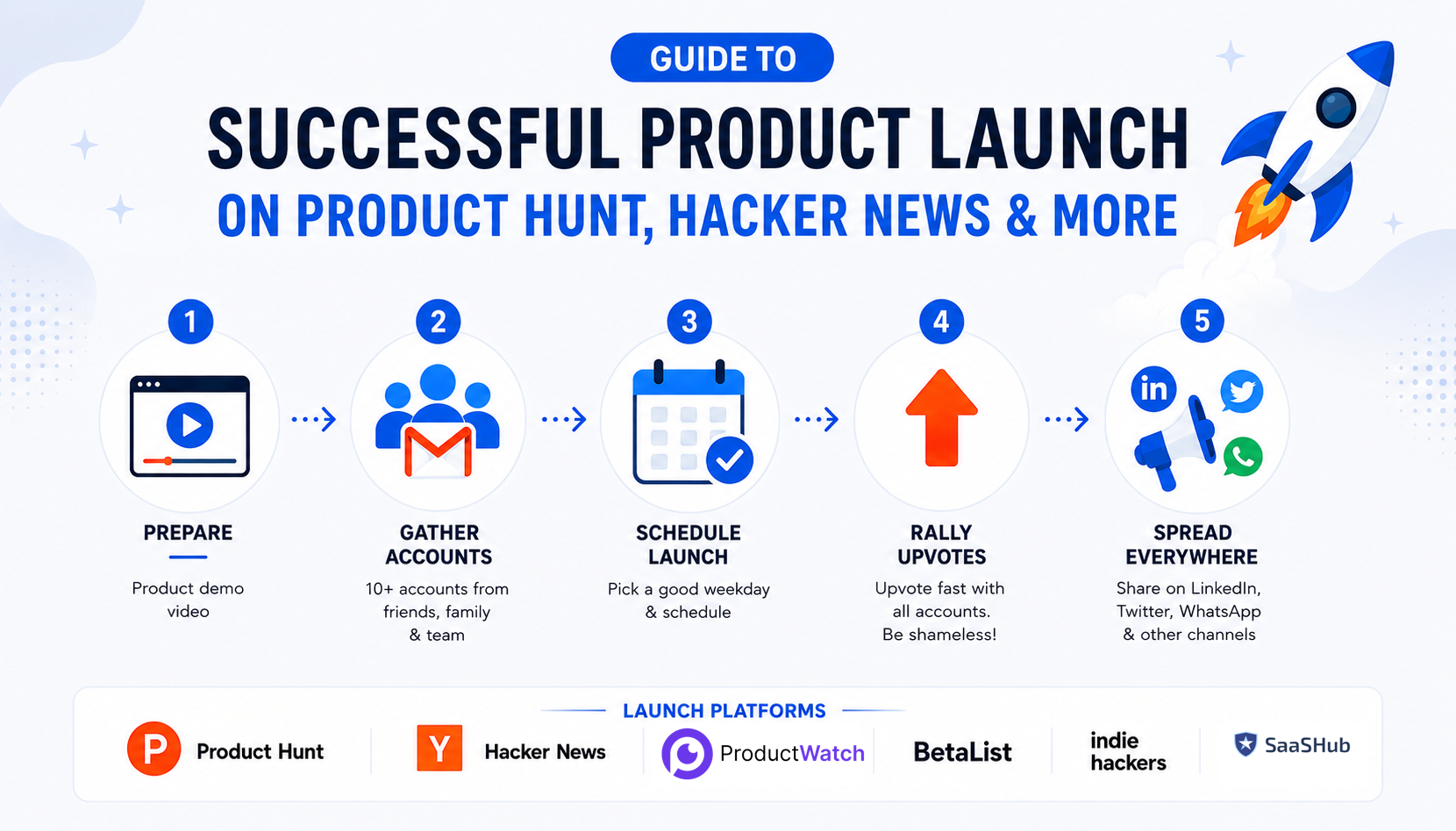
How to Successfully Launch a Product on Product Hunt, Hacker News, and Other Launch Platforms
Launching a SaaS product is easy. Getting the right people to notice it is the difficult part. For indie hackers, solo-founders, and SaaS developers, launch platforms such as Product Hunt, Hacker News, Indie Hackers, Reddit, LinkedIn, and X can create a powerful burst of visibility. But simply publishing a product page does not guarantee users, customers, or even meaningful attention. A successful launch starts well before launch day. The product needs a clear demo, the launch page needs to communicate its value quickly, the team needs to choose an appropriate launch time, and the founder needs a plan for distributing the launch across existing networks. This guide focuses on the practical launch process, particularly preparing a demo, building a genuine Product Hunt presence, choosing launch timing, generating legitimate launch-day momentum, distributing the launch through social and personal networks, and understanding why buying or manipulating votes is not a sustainable strategy. > QUICK SUMMARY > > * Product Hunt: Record a short demo before launch, complete the launch page, prepare your screenshots and description, schedule the launch when your team can be available, and ask your real network for feedback and sharing rather than creating fake accounts or buying votes. > * Hacker News: Launch when the product has something genuinely useful or technically interesting for developers. Write a clear post explaining what was built and why it matters, then stay available to answer technical questions. > * Indie Hackers: Share the actual building journey, including the problem, product decisions, launch experience, early users, mistakes, and results. Start participating in discussions before promoting the product. > * Reddit: Find subreddits where your target users already discuss the problem your product solves. Check each community's rules, contribute useful information, and share the launch only where self-promotion is allowed. > * Startup directories: Submit the product to relevant directories such as Product Watch to create additional discovery opportunities, referral traffic, and long-term SEO value. Do not expect every directory to generate immediate launch-day traffic. > * LinkedIn & X : Turn the launch into several posts instead of sharing the same announcement repeatedly. Publish the demo, explain the problem, show the product in action, share the founder story, and post early results > * WhatsApp and personal networks: Send the launch to friends, colleagues, existing users, and relevant professional contacts who may genuinely be interested. Ask them to try the product and share honest feedback rather than simply asking everyone to upvote. > * After launch: Do not stop when the Product Hunt ranking settles. Follow up with people who tried the product, collect feedback, fix the biggest problems, share the results, and continue promoting the product through content, communities, directories, and social media. USEFUL TOOLS FOR THE LAUNCH PROCESS | Launch task | Tool | Primary use | | | | | | Product graphics and video | Canva | Screenshots, launch graphics, thumbnails and video | | Screen recording | Loom | Product demos and technical walkthroughs | | AI/UGC video | HeyGen | AI presenter and UGC-style videos | | Social scheduling | Buffer | Preparing and scheduling launch posts | | Product launch | Product Hunt | Product discovery and launch | | Technical launch | Hacker News | Developer-focused launches | | Founder distribution | Indie Hackers | SaaS stories and founder discussions | | Community distribution | Reddit | Niche communities | | Professional distribution | LinkedIn | B2B and founder audiences | | Developer/founder distribution | X | Threads, product updates and build-in-public content | 1. PREPARE A PRODUCT DEMO BEFORE LAUNCHING The first thing to prepare is a short product demo. A common mistake among SaaS founders is spending weeks preparing the product and then trying to record a demo a few hours before launch. The demo should make the product understandable without requiring the visitor to read a long description. Ideally, someone should be able to watch it and understand what the product does, who it is for, and why it is useful within a minute or two. > For example, imagine an indie hacker launching an AI tool that converts GitHub commits into social media posts. Instead of explaining every feature, the demo could show a GitHub repository, select a commit, generate the post, make a small edit, and publish the result. The entire value proposition becomes visible through the workflow. A simple structure works well: show the problem, introduce the product, demonstrate the core workflow, and finish with the result.* For visual assets and lightweight video editing, Canva can be used to create product screenshots, launch graphics, thumbnails, captions, and short videos. For straightforward screen recording, Loom is particularly useful for SaaS and developer products because the founder can simply record the actual product in action. The goal should not be to make the video look like a large company's advertisement. The goal is to make the product immediately understandable. Product Hunt itself includes product media and launch preparation guidance for makers preparing their pages. 2. BUILD YOUR PRODUCT HUNT PRESENCE BEFORE LAUNCH One of the most common Product Hunt launch tactics found in older growth guides is to create multiple accounts through friends and family and use them to generate a large number of votes immediately after launch. That is not a strategy worth following. Product Hunt explicitly says makers should not ask friends or family to upvote their products. It expects people to vote because they genuinely like or find the product interesting, and coordinated requests can result in ranking drops or removal from the homepage. Product Hunt also works to detect fake accounts, voting rings, and other forms of vote manipulation, and suspicious votes can be removed. The useful idea behind the old strategy is actually starting early. Instead of creating accounts solely for voting, founders and team members should create genuine Product Hunt profiles well before launch and participate in the community. Product Hunt recommends joining the community before launching and says newly created accounts must wait at least one week before posting a product. It also recommends becoming familiar with the community considerably earlier than launch. For an indie hacker, this means the founder can start following other makers, discovering products, leaving useful comments, and understanding how successful launches are presented. If there is a team, genuine team members can also participate. The important distinction is that every account should represent a real person rather than an account created simply to manipulate launch rankings. 3. SCHEDULE THE LAUNCH AT THE RIGHT TIME Launch timing matters, but there is no magical weekday that guarantees a Product Hunt win. Product Hunt itself says there is no universal "golden-ticket" day because launch performance depends on several factors, including competing launches, events, audience behavior, and the maker's ability to participate during the launch. Product Hunt currently recommends 12:01 a.m. Pacific Time as the default launch time when makers do not have another timing constraint. This gives the product a full 24-hour launch cycle. Product Hunt also allows makers to schedule launches up to one month in advance. For a SaaS founder, the practical question is therefore not simply "Which day gets the most votes?" It is "When can the team give the launch its full attention?" If the founder launches at midnight but goes to sleep immediately, a theoretically perfect launch window becomes much less useful. Someone should be available to respond to comments, answer questions, monitor the application, investigate bugs, and talk to early users. Before scheduling, the Product Hunt page, demo video, screenshots, launch description, first comment, website, analytics, social posts, and support process should all be ready. 4. LAUNCH DAY: CREATE MOMENTUM WITHOUT MANIPULATING VOTES This is where the traditional "get 10 accounts and upvote immediately" strategy should be replaced with something much more effective. When the product goes live, activate the people who already know about the product. That could include beta users, newsletter subscribers, existing customers, genuine community members, friends who are actually interested in the product, previous collaborators, and the founder's professional network. The message should not be: > "Go upvote this Product Hunt launch." Instead, it can be: > The launch is live 🚀 Would love to get your honest feedback on the product. If you have a few minutes, check it out and let us know what you think. That small change matters. It invites genuine engagement rather than attempting to manufacture votes. Product Hunt recommends asking people to visit, comment, provide feedback, and share rather than directly asking them for upvotes. A person who genuinely likes the product can decide whether to upvote it themselves. This approach also produces something more valuable than a vote. Someone may become a customer, report a bug, introduce another founder, write a review, share the product, or provide feedback that improves the product. Product Hunt says its ranking system considers multiple signals, including votes, comments, time since submission, and other factors, while keeping the exact algorithm private to prevent manipulation. The objective should therefore be real engagement, not a particular vote number. 5. TELL YOUR NETWORK ABOUT THE LAUNCH Once the product is live, do not simply wait for Product Hunt's internal traffic. Use the channels where the founder already has relationships. LinkedIn can be particularly effective for B2B SaaS. Instead of publishing a generic "We are live on Product Hunt" announcement, explain the problem that led to the product. For example: > After months of building, [Product Name] is finally live. > The problem was simple: developers were spending too much time switching between tools to debug API requests. > The new workflow puts the entire process into one place. > Here's a 45-second demo. > Feedback from developers and SaaS founders would be especially useful. That type of post gives the audience a reason to care before asking them to visit the launch. The same principle applies to X. A founder can turn the launch into a short story showing what was built, why it was built, what changed during development, and what the product does now. For visual content, Canva can turn the same product screenshots into LinkedIn graphics, X images, carousels, thumbnails, and short videos. 6. USE WHATSAPP AND PERSONAL NETWORKS CAREFULLY WhatsApp can be useful for early-stage launches because founders often have personal and professional relationships there. However, blasting dozens of groups with "Please upvote this" can quickly become spammy and can also produce low-quality engagement. A better approach is to contact people who are actually relevant. For example, if a founder has built a developer tool, a personal message to developer friends can say: > The product is finally live. Since you work with APIs, would love your honest opinion after trying it. If the person likes the product, they can share it naturally. The same principle applies to Slack groups, Discord communities, Telegram groups, email lists, and private communities. The launch should be relevant to the audience rather than simply distributed everywhere. Product Hunt specifically recommends sharing launches through email, LinkedIn, in-app notifications, and communities where the maker has already established a presence. It also warns against suddenly spamming communities such as Reddit or Indie Hackers on launch day. 7. PREPARE SOCIAL POSTS BEFORE LAUNCH DAY Launch day can become surprisingly chaotic. A founder may need to answer Product Hunt comments, solve bugs, respond to customers, monitor infrastructure, speak with potential users, and track traffic at the same time. Social content should therefore be prepared before launch. Buffer can help schedule posts across social platforms so the founder does not have to manually publish every update during the launch. Instead of publishing the same announcement repeatedly, create different angles around the same product. The first post can announce the launch. A later post can show the product demo. Another can explain the problem that inspired the product. Another can highlight a feature. A later post can share what users discovered during launch day. This makes the launch feel like an ongoing story rather than a single promotional message repeated five times. 8. TURN ONE PRODUCT DEMO INTO MULTIPLE LAUNCH ASSETS The demo video created before launch should not be used only on Product Hunt. A 60-second product demo can be transformed into several pieces of content. The full version can appear on the Product Hunt page. A shorter version can be posted on LinkedIn and X. Individual scenes can become screenshots. A particularly interesting workflow can become a GIF. A technical section can become an X thread or developer-focused post. Canva is useful for creating these variations, while Loom can be used when additional technical walkthroughs are needed. For founders experimenting with different hooks, HeyGen can also create different AI-presenter or UGC-style versions. For example, the same SaaS product can have one video starting with: > "Still doing this manually?" Another can start with: > "This used to take 20 minutes. Now it takes 30 seconds." Another can start with: > "Here's how this developer workflow works." The product remains the same. The positioning changes according to the audience. 9. USE REDDIT TO REACH THE RIGHT AUDIENCE Reddit can be a strong launch channel for SaaS products, indie projects, and developer tools, but the approach should be different from Product Hunt. Instead of posting the same promotional message everywhere, find subreddits where potential users already discuss the problem the product solves. Some useful communities to research include r/SaaS, r/SideProject, r/indiehackers, r/buildinpublic, r/microsaas, r/startups, r/EntrepreneurRideAlong, and r/RoastMyStartup. For example, rather than saying "Our SaaS is live, check it out," share the problem, development journey, results, or ask for genuine feedback. Always check the current subreddit rules before posting because many communities restrict self-promotion or provide dedicated launch threads. The goal is not to post on the most subreddits. It is to find the communities where the product genuinely belongs. 10. STAY ACTIVE AFTER THE PRODUCT GOES LIVE Launching is not the end of the process. The first few hours can generate questions that reveal exactly what potential customers do not understand. If multiple people ask how pricing works, the pricing page may need improvement. If people repeatedly ask whether a certain integration exists, that integration may be worth considering. If visitors watch the demo but do not sign up, the onboarding or landing page may have friction. If developers love the technical idea but struggle to install the product, the documentation may need work. Product Hunt recommends being available and responding to comments as quickly as possible during launch day. For a small SaaS team, this can be one of the most valuable parts of the launch because the founder is suddenly receiving concentrated feedback from people who discovered the product without being personally recruited. 11. DON'T OBSESS OVER THE PRODUCT HUNT LEADERBOARD It is tempting to refresh the Product Hunt ranking every few minutes. But ranking is only one part of the outcome. Suppose a launch receives 5,000 visitors but only two customers. Another source sends 500 visitors and produces ten paying customers. The second channel may be much more valuable. Product Hunt itself identifies goals such as website traffic, sales and leads, early adopters, feedback, networking, social buzz, and brand recognition as potential launch outcomes. For an early-stage SaaS, track what happens after the click. Website visitors matter. Signups matter more. Activated users matter more than signups. Paying customers matter more than activated users. Retention matters more than one-time purchases. The launch should therefore be evaluated as a funnel rather than simply as a leaderboard position. 12. WHAT ABOUT BUYING UPVOTES? The original six-step strategy includes buying upvotes if there is enough budget. That should not be part of a legitimate Product Hunt launch strategy. Product Hunt explicitly warns against artificial engagement, vote manipulation, paid hunters, and incentivized voting. It states that products involved in rule-breaking can be unfeatured or removed and that makers may face permanent bans. There is a major difference between paying for distribution and paying for votes. A founder can legitimately spend money on a video, design, advertising, sponsorships, creator partnerships, or other marketing activities. But paying people specifically to create artificial Product Hunt engagement can put the launch and account at risk. For a limited SaaS marketing budget, money is generally better spent improving the assets that create genuine demand. A better $100 can be spent on a better demo, landing-page improvements, customer interviews, or content that continues generating traffic after launch. PRODUCT HUNT LAUNCH WORKFLOW FOR SAAS FOUNDERS The entire process can be reduced to a straightforward workflow. Before launch: Build the product, prepare the demo, create a genuine Product Hunt profile, participate in the community, prepare the launch page, and schedule the launch. One week before: Prepare LinkedIn, X, email, and personal-network content. Make sure analytics and support are ready. Launch day: Publish the product, notify the existing audience, share the demo, ask for feedback, respond to comments, and monitor the product. During the first 24 hours: Continue genuine distribution instead of repeatedly asking for votes. Talk to users, answer questions, identify friction, and monitor signups. After launch: Share what was learned, improve the product, follow up with interested users, and turn the launch into additional content. CONCLUSION A successful Product Hunt launch is not about creating ten accounts, asking everyone to upvote, or purchasing votes. The real advantage comes from preparation and distribution. Prepare a product demo that makes the SaaS immediately understandable. Build a genuine Product Hunt presence before launch instead of creating accounts solely for voting. Schedule the launch when the team can actually participate. On launch day, activate the people who genuinely care about the product and ask for feedback rather than manufactured engagement. Then take the launch outside Product Hunt. Share the story on LinkedIn. Turn the development journey into an X thread. Reach relevant people through personal networks and email. Use communities where the founder already participates. Repurpose the demo into multiple pieces of content. Tools such as Canva, Loom, HeyGen, and Buffer can make this process significantly easier for a small team. Most importantly, do not confuse votes with traction. The strongest launch is not necessarily the one with the highest leaderboard position. It is the one that brings the right people into the product, creates meaningful conversations, generates customers, reveals product weaknesses, and gives the founder enough momentum to keep growing after launch day. Launch day gets attention. What happens after launch determines whether that attention becomes a business.
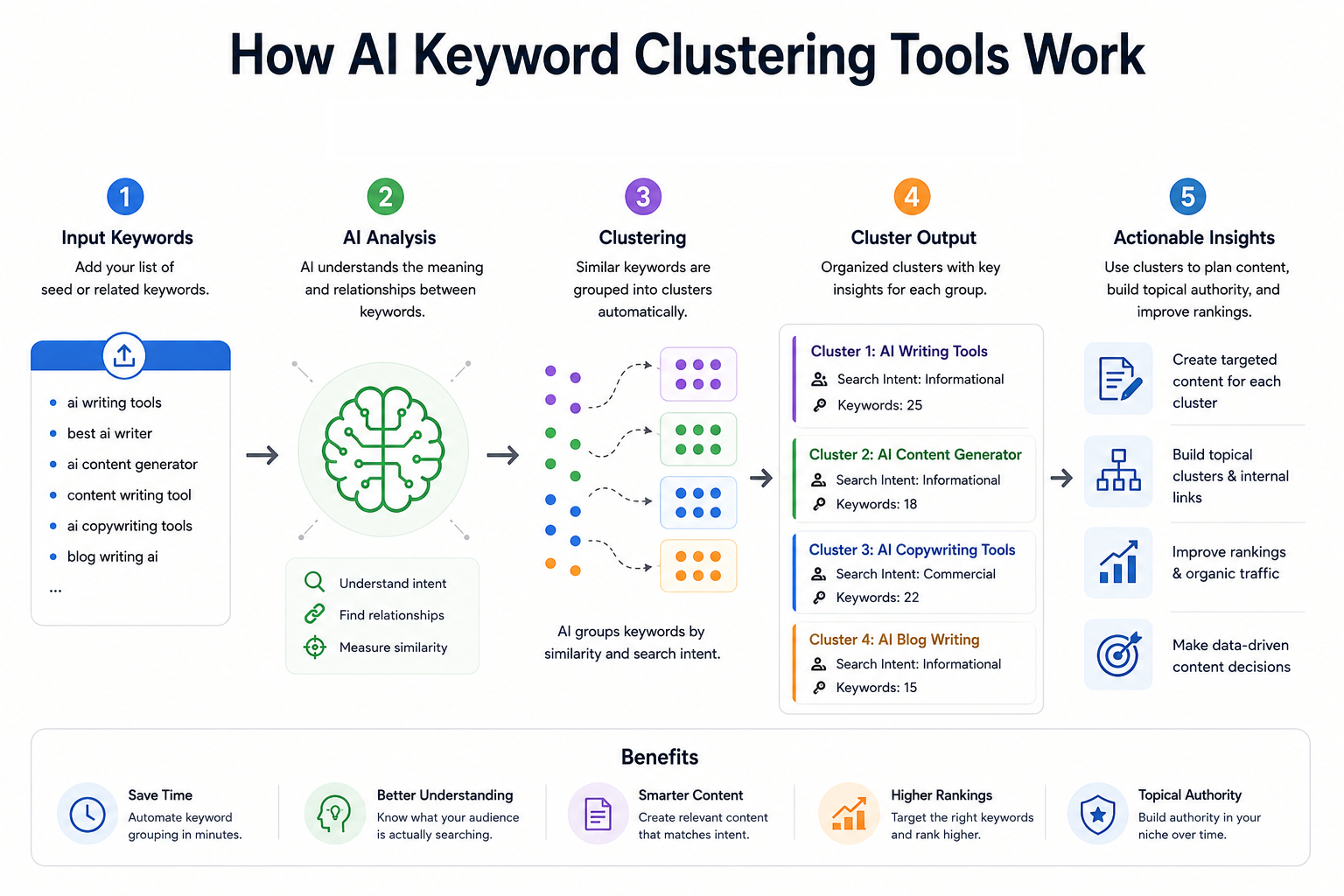
10 Best AI Keyword Clustering Tools in 2026 for Better SEO & Content Strategy
Keyword clustering has become an important part of modern SEO because one search query rarely represents the entire topic a user wants to understand. A SaaS founder researching “API monitoring,” for example, may also need content around API monitoring tools, API observability, API testing, uptime monitoring, alerts, dashboards, and related implementation questions. Treating every variation as a separate article can create overlapping pages, thin content, and keyword cannibalization. AI-assisted keyword clustering tools solve this by grouping related queries into logical topics based on factors such as search intent, semantic similarity, shared SERPs, ranking URLs, and topic relationships. The result is a clearer content architecture that can help developers, solo-founders, SaaS teams, and content teams decide which keywords belong on the same page and which deserve separate pages. The tools in this list take different approaches. Some, such as Keyword Insights and Keyword Cupid, are dedicated clustering platforms. Others, including Ahrefs and Semrush, combine clustering with large-scale keyword research and competitive SEO data. Surfer and Frase connect clustering with content optimization, while MarketMuse takes a broader topic-authority approach. KeyClusters focuses on pay-as-you-go SERP clustering, and Answer Socrates is particularly useful for question-led keyword discovery and clustering. One important distinction is that not every platform here is an AI-first keyword clustering product. Some use proprietary algorithms, SERP analysis, machine learning, or semantic models rather than generative AI. For SEO, that distinction matters less than the quality of the resulting clusters and whether those clusters reflect actual search behavior. > QUICK SUMMARY > > * Keyword Insights: A dedicated SERP-based clustering platform that analyzes live, country-specific search results and supports clustering up to 200,000 keywords at once. > * Keyword Cupid: A SERP-based clustering platform with neural-network clustering, SERP analysis, silo structuring, mind maps, and large keyword-report limits depending on the plan. > * Semrush: A broad SEO platform whose Keyword Strategy Builder organizes keywords into topics, pillar pages, and subpages, with clustering actions available across paid SEO Toolkit plans. > * Ahrefs: A full SEO suite with Keywords Explorer clustering by Parent Topic and related terms, backed by a large keyword database and extensive competitive SEO data. > * Surfer: A content-focused SEO platform whose Keyword Research feature groups keywords by intent and competitor SERP data and connects clusters directly to content optimization workflows. > > KeyClusters, Answer Socrates, LowFruits, MarketMuse, and Frase: These cover pay-as-you-go SERP clustering, question-led keyword discovery, SERP and semantic clustering, topic-authority analysis, and visual topic-cluster planning respectively. COMPARATIVE TABLE: BEST AI KEYWORD CLUSTERING TOOLS | Tool | Key clustering features | Starting price | Best for | Free or paid | | | | : | | | | Keyword Insights | Live SERP clustering, adjustable SERP overlap, search intent, ranking URLs, opportunity volume, up to 200K keywords | $58/month | Dedicated large-scale keyword clustering | Paid, $1 trial | | Keyword Cupid | SERP-based clustering, neural-network clustering, SERP Spy, silo structuring, mind maps, geo/device targeting | $9.99/month | SEO professionals and agencies needing detailed clustering | Paid, 7-day trial | | Semrush | Keyword Strategy Builder, topic clusters, pillar pages, subpages, keyword metrics, content workflow | $139.95/month | All-in-one SEO and content strategy | Paid, 7-day trial | | Ahrefs | Parent Topic clustering, related-term clustering, SERP similarity, keyword metrics, Traffic Potential | £99/month | Developers and teams needing clustering plus competitive SEO | Paid | | Surfer | SERP-driven keyword clusters, intent, sub-keywords, content-score benchmarks, Topical Maps | $99/month or $79/month annually | Content-focused SaaS teams and writers | Paid | | KeyClusters | Real-time Google SERPs, 3+ shared URLs, CSV export, Ahrefs/Semrush imports, geo/device targeting | $19 one-time credit pack | Pay-as-you-go clustering | Paid credits | | Answer Socrates | Keyword research, question discovery, clustering, PAA, recursive searches, trending topics | Free; paid from $15/month | Question-led content and solo founders | Free + paid | | LowFruits | SERP clustering, semantic clustering, intent grouping, low-competition analysis, SERP scores | $29.90/month | Niche sites and low-competition SEO | Paid + PAYG | | MarketMuse | Cluster Analysis, topic modeling, personalized difficulty, Topic Authority, content gaps, content planning | Free tier; paid plans via demo | Topic authority and content planning | Free + paid | | Frase | Visual topic clusters, pillar/supporting pages, missing subtopics, briefs, SEO/GEO optimization | $49/month or $39/month annually | Content teams building topical authority | Paid, 7-day trial | 1. KEYWORD INSIGHTS Keyword Insights is one of the most specialized options in this list. Its primary focus is keyword clustering rather than treating clustering as a small feature inside a much larger SEO suite. The platform uses live, country-specific SERP data and groups keywords when their ranking URLs overlap. The default SERP overlap threshold is 40%, and users can adjust the clustering settings depending on how strict the grouping needs to be. The scale is particularly relevant for large SaaS websites, programmatic SEO projects, agencies, and developers managing thousands of product-related queries. The platform currently supports clustering up to 200,000 keywords in one operation. Reports can include ranking URLs, average rankings, search intent, potential traffic opportunities, difficulty, and SERP features. Another useful feature is intent analysis. The system classifies keywords into informational, commercial, transactional, and other intent categories and can identify the dominant intent of a cluster. This makes the output more actionable than a simple spreadsheet containing groups of similar phrases. A developer launching documentation, comparison pages, or SaaS landing pages can use the intent information to decide whether a cluster should become a guide, feature page, comparison page, or commercial landing page. Price: The current pricing page lists Basic at $58/month with 10,000 credits and Professional at $99/month with 20,000 credits. Clustering costs one credit per keyword, while a $1 seven-day trial provides 5,000 credits and allows up to 500 keywords to be clustered. Enterprise pricing is custom. Best for: For teams that want a clustering-first workflow rather than a general SEO suite, this is one of the strongest options. The ability to control SERP overlap and work with large keyword sets makes it particularly useful for SaaS companies with extensive feature, integration, documentation, or comparison-page inventories. 2. KEYWORD CUPID Keyword Cupid approaches clustering through search-result relationships and is specifically designed for keyword grouping. Its system analyzes live Google SERPs and examines ranking URLs that appear across multiple keywords. Keywords with meaningful SERP overlap are grouped according to search intent, creating clusters that can then be used for content and site architecture. The platform goes beyond simply producing a CSV of grouped keywords. Its feature set includes SERP Spy, URL Analyzer, content briefs, neural-network clustering, interactive mind maps, downloadable Excel reports, SERP geotargeting, and device or search-engine targeting. It also supports silo structuring, which can be useful when the goal is to turn keyword research into an actual website architecture. For developers and solo-founders, the "Bring Your Own Data" approach is useful because keyword research can be collected elsewhere and then sent into the clustering workflow. This makes it possible to export keyword data from another SEO platform, upload it, and use the clustering engine to decide which terms should share a page. Price: The Starter plan costs $9.99/month and includes 500 keyword credits per month with reports supporting up to 2,000 keywords. Freelancer costs $49.99/month with 5,000 credits and up to 20,000 keywords per report. Agency costs $149.99/month with 20,000 credits and reports of up to 40,000 keywords, while Enterprise costs $499.99/month with 80,000 credits and reports of up to 80,000 keywords. A seven-day trial is available. Best for: The main advantage is depth. If the goal is simply to group 500 keywords, there are cheaper and simpler approaches. If the goal is to understand how keywords relate to SERPs, pages, silos, and search intent, Keyword Cupid provides a more specialized workflow. 3. SEMRUSH Semrush is better understood as an all-in-one SEO platform that happens to have a substantial keyword clustering workflow. Its Keyword Strategy Builder can analyze and organize up to 10,000 keywords into topics, pillar pages, and subpages. Users can start from seed keywords, import research from other Semrush tools, or upload their own keyword lists. The structured workflow is useful for building a content architecture rather than merely obtaining keyword groups. The system considers relevance, search volume, keyword difficulty, domain diversity, and SERP features when prioritizing pages. Users can then send keywords to content workflows or Position Tracking, making the transition from research to execution relatively direct. For a developer-led SaaS business, this wider ecosystem can be valuable. A founder may begin with competitor keywords, move those terms into Keyword Strategy Builder, organize them into pillar and supporting pages, and then use the rest of the platform for site audits, ranking tracking, competitor research, and content production. Price: The current SEO Toolkit pricing lists Pro at $139.95/month, Guru at $249.95/month, and Business at $499.95/month. Keyword Strategy Builder clustering actions are limited by plan, with 10 monthly actions on Pro, 30 on Guru, and 50 on Business. Semrush also advertises a seven-day free trial. Best for: Semrush makes the most sense when keyword clustering is only one part of a larger SEO operation. It is more expensive than specialist clustering tools, but the additional competitor, technical SEO, content, and rank-tracking capabilities can justify that cost for growing SaaS companies and agencies. 4. AHREFS Ahrefs takes a slightly different approach to keyword clustering. Keywords Explorer can instantly group keywords by Parent Topic or related terms, allowing users to identify which searches can potentially be targeted by the same page. The platform combines this with keyword difficulty, search volume, Traffic Potential, SERP analysis, and a very large keyword database. Its Parent Topic concept is especially useful for understanding whether a specific keyword belongs under a broader search topic. Ahrefs explains that the Parent Topic is determined from the keyword responsible for sending the most traffic to the top-ranking page. This makes the clustering approach closely connected to actual ranking behavior rather than simply matching words. The tool also provides a SERP similarity comparison for checking whether two individual keywords should be targeted by the same page. This is useful when a developer is deciding between two potentially overlapping articles, such as "API monitoring tools" and "API observability tools." If the SERPs are highly similar, combining them may make more sense than publishing two competing pages. Price: The current Ahrefs pricing page lists the Lite plan at £99/month, Standard at £199/month, and Advanced at £359/month. Annual billing can save up to 17%. Best for: Ahrefs is particularly suitable when clustering needs to sit alongside backlink analysis, competitor research, keyword research, SERP analysis, and traffic estimation. It is not the cheapest choice for clustering alone, but it becomes considerably more compelling when SEO research is part of a broader growth workflow. 5. SURFER Surfer connects keyword clustering directly with content planning and optimization. Its Keyword Research feature analyzes top-performing Google results for a target keyword and identifies how terms are grouped by intent. Each cluster can contain a main topic keyword, search intent, suggested sub-keywords, and a benchmark based on the content scores of ranking pages. The workflow is particularly useful for content teams that do not want to stop at keyword grouping. Once a cluster has been identified, it can be sent into Content Editor to create a content brief. This makes it possible to move from keyword discovery to article planning without manually copying every related keyword into another document. For SaaS teams, this can help when building topical coverage around developer-oriented subjects. A cluster around "webhook testing," for example, could reveal related searches around webhook debugging, webhook testing tools, local webhook testing, webhook security, and webhook automation. Those terms can then inform a pillar page and supporting articles instead of becoming a collection of disconnected posts. Price: Surfer's current Essential plan is $99/month, or $79/month when billed annually. It includes Keyword Research, Topical Maps, 30 Content Editor articles per month, and five AI articles per month. Scale costs $219/month or $175/month annually and raises the limits substantially. Enterprise pricing is custom. Best for: Surfer is a good choice when the real objective is not just clustering keywords but turning those clusters into optimized content. Its strongest use case is therefore content-led SEO teams, SaaS marketers, founders publishing regularly, and developers who also handle their own technical content. 6. KEYCLUSTERS KeyClusters is built around a straightforward concept: upload a keyword list, let the system analyze Google SERPs, and receive the keywords grouped according to shared ranking pages. It checks the top 10 results for each keyword and groups keywords when three or more ranking pages are shared. The pay-as-you-go model makes it different from most large SEO suites. There is no recurring subscription. Users purchase credits, and one credit represents one keyword. Credit packs include 2,500 keywords for $19, 20,000 for $110, and 100,000 for $350. Credits do not expire. The workflow also supports keyword files from Ahrefs and Semrush, along with custom files. Results can be exported to Excel, and the platform supports real-time SERP data, geographic targeting, desktop and mobile clustering, and large-scale keyword processing. That makes it practical for someone who already has keyword research and only needs a dedicated clustering layer. Price: The entry point is $19 for 2,500 keyword credits, with larger packs reducing the cost per keyword. There is no monthly subscription, no recurring charge, and no credit expiration. Best for: For solo-founders, developers, and agencies that only need clustering occasionally, this pricing model can be attractive. Instead of paying for a full SEO suite every month, a team can buy credits when a new content project begins and process the keyword set in one batch. 7. ANSWER SOCRATES Answer Socrates began with question-focused keyword research, but its current feature set also includes keyword clustering and grouping. The platform can generate search ideas from a seed topic, surface People Also Ask questions, identify long-tail searches, and organize related keywords into topic clusters. The question-first approach is particularly useful for developers building documentation, tutorials, help centers, and educational SaaS content. Instead of beginning with a large commercial keyword such as "API gateway," a developer can discover questions around how API gateways work, why they are used, API gateway security, API gateway vs reverse proxy, and implementation-related queries. The platform also includes recursive search, which can uncover additional searches connected to the initial research path. It supports country and language selection, CSV downloads, trending-topic research, and an LLM Brand Tracker. This combination makes it useful for content planning that needs to account for both traditional search and emerging AI-search visibility. Price: There is a free version for basic research. Paid plans currently start with Socrates Lite at $15/month, followed by Seneca at $29/month, Aurelius at $49/month, and Senate at $299/month. Paid plans add SEO metrics, larger keyword allowances, recursive searches, clustering credits, CSV downloads, and LLM tracking depending on the tier. Best for: This is one of the better choices for solo-founders and developers who want to understand what people actually ask rather than only looking at traditional head keywords. It is especially useful for FAQs, documentation, tutorials, comparison content, and question-driven content hubs. 8. LOWFRUITS LowFruits combines keyword discovery, SERP analysis, low-competition research, and keyword clustering. Its clustering workflow has two primary methods: SERP clustering and semantic clustering. SERP clustering groups keywords according to shared ranking URLs, while semantic clustering groups terms according to shared word patterns. The SERP method is particularly interesting because the default grouping threshold is based on a 40% URL overlap. Users can adjust the similarity threshold, allowing the clusters to become broader or narrower depending on the project. The platform also identifies the keyword with the highest estimated search volume as the main keyword for a cluster. LowFruits is also designed around finding weaker SERPs and lower-competition opportunities. That makes the clustering output more useful for smaller sites that cannot realistically compete with high-authority domains for every broad keyword. The platform can export keyword lists containing cluster information, which is useful when building content plans in spreadsheets or project-management tools. Price : The Standard plan costs $29.90/month, or $20.75/month when billed yearly, and includes 3,000 credits per month. Premium costs $79.90/month, or $62.45/month annually, with 10,000 credits. Pay-as-you-go credits start at $25 for 2,000 credits, and purchased PAYG credits remain valid for one year. Best for: LowFruits is a strong option for niche-site builders, smaller SaaS projects, affiliate sites, and founders who want keyword clusters combined with practical competition analysis. It is less focused on enterprise content governance than MarketMuse or Semrush, but its low-competition orientation can make the resulting clusters easier to act on. 9. MARKETMUSE MarketMuse approaches keyword clustering as part of a broader topic-authority and content-planning system. Its Cluster Analysis workflow can group topics and keywords while also examining rankings, search volume, intent, URLs, Topic Authority, Personalized Difficulty, parent terms, and competitive information. The platform's Topic Model is another important part of the workflow. It analyzes related topics and provides information such as volume, CPC, and trend data. Those topics can then be added to an inventory and used to build content plans and briefs. This makes the system more focused on understanding an entire subject than simply grouping a spreadsheet of keywords. MarketMuse can also analyze a site or collection of pages to determine what content already exists within a topic cluster, what is missing, and what should be updated or created. Its personalized metrics are designed to account for the authority and coverage of a particular website rather than relying only on generic keyword difficulty. Price: MarketMuse has a Free plan with one user and 10 queries per month. Paid tiers include Optimize with 100 tracked topics, Research with 1,000 tracked topics, and Strategy with 10,000 tracked topics. The current public pricing page does not display dollar amounts for those paid tiers and instead directs users to book a demo. Best for MarketMuse is best suited to teams that care about topical authority, content gaps, existing-site analysis, and content prioritization rather than simply producing keyword groups. For a mature SaaS site with hundreds of articles, documentation pages, and product resources, that broader perspective can be more valuable than clustering alone. 10. FRASE Frase has evolved from a content research and optimization platform into a broader SEO and GEO content workflow. Its Topic Clusters feature maps pillar pages and supporting content, identifies missing subtopics, and turns those gaps into content briefs. The result is a visual representation of how content fits together around a central topic. The cluster map is particularly useful for content teams that need to understand their website architecture. Instead of receiving a list of keywords and deciding manually where everything belongs, the platform can suggest where a new piece of content fits within existing clusters. It also surfaces questions and sections found in ranking results that the current cluster does not adequately cover. The GEO component is increasingly relevant for 2026. Frase can score content for both SEO and GEO and provides AI visibility features involving systems such as ChatGPT and Google AI. It also supports planning, research, and writing in more than 70 languages, which makes it useful for teams building content for multiple markets. Price: The Starter plan costs $49/month month-to-month, or $39/month when billed yearly. Professional costs $129/month month-to-month, or $103/month annually. Scale costs $299/month month-to-month, or $239/month annually. A seven-day free trial is available without a credit card. Best for: Frase is a strong fit for content teams that want keyword and topic clustering connected directly to briefs, writing, optimization, publishing, and GEO analysis. For solo founders, Starter provides a relatively accessible entry point, while larger content operations can use the higher tiers for multiple sites and users. HOW TO CHOOSE THE RIGHT KEYWORD CLUSTERING TOOL The right choice depends less on the word "AI" and more on how the tool decides that two keywords belong together. A semantic model may group keywords because they look similar linguistically, while SERP-based systems look at whether Google ranks similar pages for those queries. For SEO content planning, SERP-based clustering can often provide a clearer indication of whether two searches can realistically be targeted by one page. For developers and SaaS founders, Keyword Insights, Keyword Cupid, KeyClusters, and LowFruits are worth considering when clustering itself is the primary requirement. They are particularly useful when there is already a keyword list from another source and the next question is, "Which of these keywords should share a page?" For teams that need a complete SEO workflow, Semrush and Ahrefs make more sense. Their clustering features sit alongside keyword research, competitor analysis, rank tracking, backlinks, SERP analysis, and other SEO capabilities. That broader functionality can justify the higher subscription cost when SEO is a major acquisition channel. For content-heavy teams, Surfer, MarketMuse, and Frase offer a different advantage. They connect clustering with content optimization, topic authority, briefs, content gaps, and publishing workflows. This is particularly useful for SaaS companies that need to transform keyword research into a repeatable editorial system. Answer Socrates is the standout option when questions and long-tail searches are central to the strategy. A developer writing technical tutorials, documentation, FAQ pages, or educational content can use question-led clusters to understand what users are trying to solve, not simply what short keyword they entered into Google. KEYWORD CLUSTERING BEST PRACTICES FOR DEVELOPERS AND SAAS FOUNDERS Keyword clustering should not mean putting every keyword containing the same words on one page. The most important question is whether the searches have sufficiently similar intent and SERPs. If "API monitoring" produces tool pages while "how does API monitoring work" produces educational guides, they may belong to different content types even though they contain the same core phrase. A practical workflow is to begin with a broad keyword list, remove irrelevant terms, cluster the remaining keywords, and then inspect the SERPs for the largest or most commercially important clusters. This additional manual review matters because automated clustering is an aid to decision-making, not a substitute for understanding the search landscape. For SaaS websites, clusters can also be mapped to different page types. Informational clusters can become guides and tutorials. Commercial investigation clusters can become comparison or alternatives pages. Transactional clusters can support product, feature, integration, or landing pages. Question clusters can feed documentation, FAQ, and educational resources. Internal linking should then connect related pages. A pillar page can cover the broad concept while supporting pages answer narrower questions. This creates a useful structure for visitors and gives search engines clearer signals about how individual pages relate to the broader subject. Keyword clustering is also useful for avoiding unnecessary content production. If five keywords consistently return the same type of pages in Google, publishing five separate articles may create competing pages instead of five independent ranking opportunities. Combining those queries into one comprehensive page can provide broader topical coverage while keeping the site architecture cleaner. CONCLUSION The best AI keyword clustering tool is not necessarily the one with the most AI features. The more important question is whether it produces clusters that reflect actual search intent, SERP relationships, and the way users expect information to be organized. For a developer or solo-founder starting a SaaS content strategy, a simple workflow can be enough: discover keywords, cluster them by search behavior, identify the primary intent, assign each cluster to a page type, and build internal links between related pages. As the website grows, more advanced platforms can add ranking data, competitive analysis, personalized difficulty, content briefs, topic authority, and GEO insights. Among the ten options, Keyword Insights is particularly compelling for dedicated large-scale clustering, Ahrefs and Semrush are strong for broader SEO research, Surfer and Frase are useful for content execution, MarketMuse stands out for topic authority, LowFruits, is well suited to lower-competition opportunities, KeyClusters works well for pay-as-you-go clustering, Keyword Cupid provides a specialized clustering environment, and Answer Socrates is particularly useful for question-driven content research. The most effective approach is to use keyword clusters as a planning layer rather than treating them as an SEO shortcut. When clusters are based on genuine search behavior and then translated into useful pages, clear site architecture, strong internal linking, and comprehensive answers, they can become the foundation of a scalable SEO and GEO strategy.
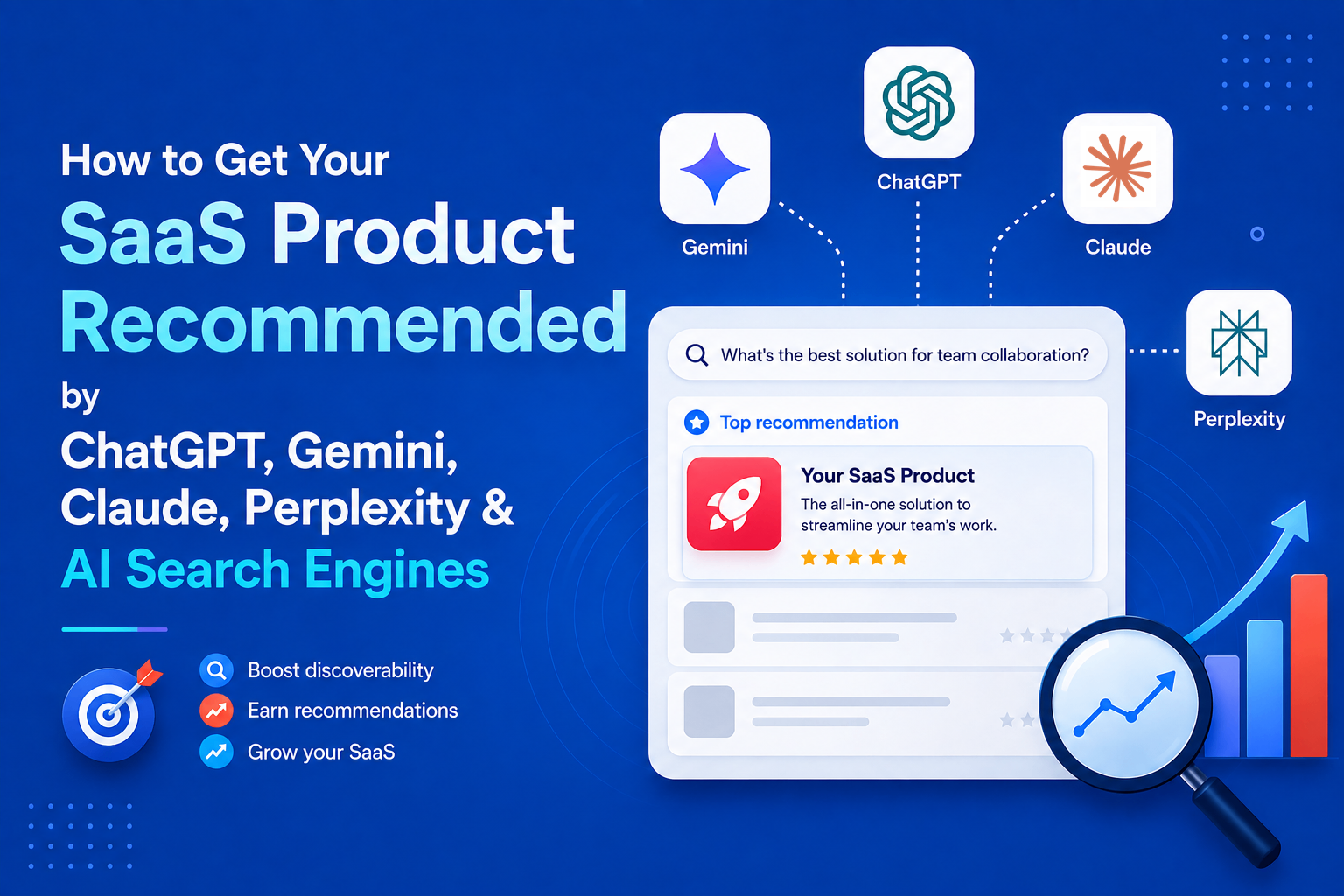
How to Get Your SaaS Product Recommended by ChatGPT, Gemini, Claude, Perplexity & AI Search Engines
A SaaS buyer who once searched Google for “best project management software” can now ask ChatGPT, Gemini, Perplexity, Claude , or Google AI Mode the same question in natural language: “What’s the best project management tool for a 10-person remote team?” Instead of returning a list of blue links, these systems can synthesize information from multiple sources and recommend a small set of products. That changes how SaaS companies need to think about search visibility. Ranking on Google still matters, but it is no longer the only way a potential customer can discover a product. AI search visibility is becoming an additional layer of SaaS SEO. It combines technical SEO, clear product positioning, useful content, third-party mentions, review platforms, community discussions, and consistent brand information across the web. There is no single tactic that guarantees a product will be recommended by an AI search engine. However, research from Google, OpenAI, Anthropic, Perplexity, Microsoft, Ahrefs, Semrush, and independent researchers reveals several recurring patterns. This guide explains what those patterns mean for SaaS companies and how to build a practical strategy for increasing visibility across ChatGPT, Google AI, Gemini, Perplexity, Claude, and Microsoft Copilot. > QUICK ANSWER > > For SaaS companies, AI search visibility comes down to six core areas: > > 1. Technical accessibility: Make sure search engines and AI crawlers can discover, crawl, and understand important pages. > 2. Entity clarity: Clearly explain what the product does, who it is for, what problem it solves, and how it differs from alternatives. > 3. Answer-focused content: Create comparison, alternatives, use-case, pricing, integration, and problem-focused content that directly answers buyer questions. > 4. Third-party presence: Build genuine visibility across platforms such as G2, Capterra, Reddit, YouTube, GitHub, Product Watch, Product Hunt, and relevant industry publications. > 5. Brand consistency: Keep product descriptions, categories, audiences, features, and other important facts consistent across the web. > 6. Measurement: Track realistic buyer prompts across multiple AI platforms instead of assuming that visibility on one platform means visibility everywhere. > > None of these guarantees a citation or recommendation. AI answers vary between platforms, queries, users, and model updates. The goal is to make the product easy for both people and AI systems to discover, understand, verify, and mention. WHAT "AI SEARCH VISIBILITY" ACTUALLY MEANS FOR A SAAS COMPANY Traditional SEO optimizes for a ranked list of links. AI search systems, including ChatGPT Search, Google's AI Overviews and AI Mode, Gemini, Perplexity, Claude, and Microsoft Copilot, instead synthesize answers from multiple retrieved sources and often attach citations. Princeton, Georgia Tech, the Allen Institute for AI, and IIT Delhi introduced the concept of "generative engines" in their Generative Engine Optimization (GEO) research paper, later published at KDD 2024. In a 10,000-query benchmark, adding citations, statistics, and quotations to content improved visibility by roughly 30 to 40% in their test setup. This was a controlled benchmark, not a guarantee of visibility on today's AI search platforms. Three distinctions matter. First, being retrieved is not the same as being cited: AI systems can retrieve pages without ultimately using them in the answer. Second, visibility is platform-specific. A page cited by Perplexity may not appear in ChatGPT for the same query because platforms use different retrieval and ranking systems. Third, AI visibility is not deterministic. The same prompt can produce different sources, so visibility should be measured as an ongoing trend rather than a one-time ranking. HOW THE MAJOR AI SEARCH PLATFORMS ACTUALLY RETRIEVE AND CITE CONTENT Each platform has published at least some documentation about how it handles web content, and independent research has filled in some of the gaps. None of the platforms discloses its full ranking logic, and none should be assumed to work identically to the others. CHATGPT SEARCH ChatGPT can rewrite a user's request into targeted search queries, retrieve web results, and generate answers with linked sources. OpenAI's OAI-SearchBot crawls sites for search visibility, while third-party research indicates ChatGPT may rely partly on Bing's index for live results. Bing indexing therefore matters alongside Google SEO. GOOGLE AI OVERVIEWS & AI MODE Google says there are no special SEO requirements, schema, or AI-specific files needed for AI Overviews or AI Mode. Pages must be indexed and eligible for normal Google Search. Both features use Google's Search index and existing quality signals, making strong traditional SEO the foundation for visibility. GEMINI Gemini and Google AI Mode use Google's Search infrastructure and Knowledge Graph. Third-party citation research suggests Gemini frequently draws from sources such as YouTube, Wikipedia, and Reddit, depending on the query. PERPLEXITY Perplexity uses its own crawler, PerplexityBot, to retrieve and cite web content. Its retrieval system evaluates multiple candidate pages before selecting sources based on factors such as relevance, freshness, and content structure. Fresh, recently updated content appears particularly important for fast-moving topics. CLAUDE Claude's web search and Research features provide real-time results with citations. Third-party reporting identifies Brave Search as its underlying search provider. Independent analysis of Claude citations has also found a strong presence of practitioner and company blogs containing detailed primary-source information. MICROSOFT COPILOT Microsoft Copilot uses Bing for current web information and applies Bing's ranking signals, including relevance, engagement, and freshness. For SaaS companies, Bing Webmaster Tools, sitemaps, and IndexNow can therefore help improve discoverability in Copilot. PLATFORM COMPARISON | Platform | Search/Web Access | Sources/Citations | SaaS Visibility Considerations | | | | | | | ChatGPT Search | Auto-triggers or manual search; OpenAI crawlers plus third-party search partners (Bing among them) for live retrieval | Inline citations with a linked sources panel; OpenAI documents exactly one official crawler-access lever (allowing OAI-SearchBot) | Bing indexing matters independently of Google; server-rendered, fact-dense pages are more reliably fetched than JS-heavy pages | | Google AI Overviews / AI Mode | Built on the standard Google Search index and Gemini models; no separate crawl or index | Supporting links must already be indexed and snippet-eligible in regular Search; Google states no special schema or markup is required | Classic technical SEO and Search Console health are the primary levers; there is currently no confirmed SaaS-specific override | | Gemini (standalone) | Google Search grounding plus Knowledge Graph; third-party analysis suggests heavier reliance on YouTube, Wikipedia, Reddit for some categories | Citations vary by mode; less transparent sourcing than Perplexity | Video content and community-sourced corroboration may carry more relative weight than on other platforms | | Perplexity | Dedicated PerplexityBot crawler plus live retrieval; roughly ten pages retrieved, three to four typically cited | Always shows inline, clickable citations | Strong, measurable recency bias; review-site and forum trust signals (G2, Trustpilot) reported to carry extra weight for commercial queries | | Claude | Web search tool (Brave Search backend, per independent reporting) and Research feature; both cite sources | Citations reference specific retrieved passages; Anthropic documentation confirms citation behavior but not ranking logic | Third-party analysis suggests a preference for primary-source, well-structured practitioner and company content over aggregated news | | Microsoft Copilot | Routes web queries through the Bing search service across all Copilot surfaces (consumer, Edge, Microsoft 365) | Cited answers; Bing Webmaster Tools now reports "AI Performance" showing which URLs are cited | Bing-specific indexing (Bing Webmaster Tools, IndexNow) is a separate, necessary channel from Google SEO | Two caveats apply to the whole table. None of the platforms discloses its complete ranking algorithm, so the "considerations" column reflects a mix of official documentation and credible third-party research, not confirmed formulas. And overlap between platforms is smaller than intuition suggests. Ahrefs' analysis of citation data found only about 13.7 percent URL overlap between Google's own AI Overviews and AI Mode, and other research has found only around 2 percent of cited URLs appear consistently across AI Overviews, ChatGPT, and Perplexity together. Treating "AI search" as one monolithic channel is a measurable mistake. DEFINING THE SAAS ENTITY CLEARLY Before any content or outreach tactic matters, AI systems first need to understand what the product is, who it serves, and what problem it solves. Generative engines rely heavily on entity recognition, connecting a brand to consistent facts across multiple sources. A useful framework is: For SaaS, a simple entity statement can be: [Product] is a [category] for [audience] that helps them [solve problem]. Instead of vague copy like “an all-in-one platform that helps teams work better,” clearly state something like “asynchronous status-update software for distributed engineering teams.” This gives AI systems concrete signals to match against relevant queries. The same core facts should remain consistent across the official website, G2, Capterra, Product Watch, Product Hunt, LinkedIn, GitHub, founder profiles, and industry coverage. Wording can vary, but category, core function, and audience should not contradict each other. HubSpot's semantic-restructuring experiment also suggests that making key facts explicit and consistently associated with the brand can improve AI citation visibility, although it was only one part of a broader strategy. Product association is the next layer. Category positioning answers “What is this?” while association answers “What tools, workflows, and platforms is it mentioned alongside?” Founder interviews, integration directories, tech-stack articles, comparison pages, and third-party coverage can expand these associations and help a product appear in adjacent AI-generated recommendations. CONTENT STRATEGY: ANSWERING REAL QUESTIONS, NOT JUST PUBLISHING UPDATES Generative engines are frequently used for genuinely comparative and evaluative questions, "what are the best expense management tools for startups," "what's the difference between Linear and Jira for a small engineering team," "what are good alternatives to Asana that are cheaper", and a SaaS company's content has the best chance of being useful to a retrieval system when it exists to answer exactly these questions, rather than existing primarily to announce product releases or promote features. This points toward several content types with a demonstrated logical fit for AI-search queries, though the degree to which any one of them "works" varies by category and competitive density: Comparison and alternatives pages directly match a large share of observed AI search queries in B2B SaaS ("X vs Y," "alternatives to X"), and Search Engine Land's analysis of cited content formats found articles, listicles, and comparison-style product pages among the most frequently cited formats across AI Mode, ChatGPT, and Perplexity. A comparison page written honestly, including where a competitor genuinely does something better, tends to be more citable than one written as thinly veiled marketing, because it more closely matches the kind of even-handed synthesis a language model is trying to produce. Use-case and audience-specific pages ("expense management for remote agencies," "CRM for solo consultants") map onto the highly specific, qualifier-heavy way people phrase conversational AI queries, which tend to be longer and more contextual than typed search queries. Integration pages matter disproportionately for SaaS because buyers frequently ask about compatibility ("does X integrate with Salesforce") as a filtering question before evaluating the product itself. Implementation and how-to guides serve two audiences simultaneously: the human reader deciding whether the product is usable for their situation, and a retrieval system looking for concrete, procedural, extractable answers rather than abstract claims. Pricing-comparison content addresses one of the most common conversational AI queries in SaaS ("what does X cost compared to Y") and is a category where accuracy and freshness matter more than almost anywhere else, since pricing pages go stale quickly and AI systems have been shown to favor recently updated sources for this reason. Problem-focused content, written around the buyer's actual pain point rather than the product's feature list, tends to match how people phrase questions to a conversational assistant more closely than product-centric copy does. What should get comparatively less priority, based on the evidence above, is content whose primary purpose is announcing releases, company milestones, or internal news, not because such content is worthless, but because it rarely matches the kind of evaluative or comparative question that triggers an AI-generated answer with citations in the first place. Product update content still has value for existing users and for direct-traffic engagement; it is simply not where AI-search visibility is most likely to be won. It helps to think concretely about how these queries actually sound in a conversational assistant, since phrasing shapes what gets retrieved. A typed Google query like "expense management software" becomes, in ChatGPT or Gemini, something closer to "what's a good expense management tool for a 15-person agency that already uses Xero, and does it handle multi-currency reimbursements." The qualifiers, team size, existing stack, a specific feature requirement- are exactly the kind of detail a generic homepage rarely addresses but a well-built use-case or integration page does. Content built around these longer, more specific phrasings has a structural advantage: it more closely mirrors both the query itself and the kind of self-contained, directly answerable passage a retrieval system is built to extract. This is also why FAQ-style sections embedded within longer pages, not necessarily marked up with the now-retired FAQPage rich result, but written as clear question-and-answer pairs, continue to have practical value for extraction even where the visual search-result benefit has gone away. Depth matters more than volume here. Search Engine Land's format analysis found listicles, standalone articles, and product pages among the most-cited content types, but none of the underlying research suggests that publishing a higher number of thin pages outperforms fewer, more thorough ones. A single comparison page that accurately covers pricing, feature parity, ideal-customer fit, and honest limitations for both products is more likely to be extracted cleanly than five shorter posts that each cover part of the same ground with less rigor. DO SAAS DIRECTORIES ACTUALLY HELP? Yes, with real caveats. G2's own account of third-party data, corroborated independently by Semrush and by the AI-visibility platform Profound, indicates G2 is disproportionately dominant among software review platforms as a citation source, accounting for roughly one-third to three-quarters of review-site citations across ChatGPT, Google AI Overviews, and Perplexity, depending on the study and platform measured. Separate research from AirOps and from SE Ranking found that review platforms collectively appear in roughly a third of commercial AI Overview answers, with the top five review platforms, Gartner Peer Insights, G2, Capterra, Product Watch, Software Advice, and TrustRadius, accounting for the large majority of review-site citations. In a notable consolidation, G2 completed a $110 million acquisition of Capterra, Software Advice, and GetApp from Gartner in early 2026, meaning a single company now operates several of the most-cited software review destinations. The practical implication is that a G2 and Capterra listing, populated with a meaningful number of genuine, detailed reviews, functions less like a marketing nicety and more like a prerequisite for being included in AI-generated software recommendations for many B2B categories; several independent analyses describe the absence of any review-platform presence as something close to a de facto exclusion from AI recommendation sets for competitive SaaS categories. Product Hunt operates differently: a launch can generate a short-term spike in mentions, backlinks, and community discussion, and Product Hunt pages themselves are occasionally cited directly, but the evidence for Product Hunt as an ongoing citation source is thinner and more anecdotal than the evidence for G2 or Capterra. Smaller or niche directories (SaaSHub, Product Watch, BetaList, category-specific lists) can support discoverability and backlink profiles in a modest way, but no available research shows they function as meaningful AI citation sources in their own right. This is also where a clear line needs to be drawn between legitimate directory presence and low-quality directory spam. Submitting a SaaS product to dozens of low-authority, auto-approval directories primarily built to sell backlinks does not have documented evidence of improving AI visibility, and several of the same studies that show backlink volume correlating only weakly with AI citation (discussed below) suggest this kind of mass submission is largely wasted effort. A small number of relevant, actively used, review-based platforms, where real customers leave real reviews that get periodically refreshed, appear to matter considerably more than a large number of generic listings. WHERE SAAS DIRECTORIES FIT INTO AI SEARCH VISIBILITY SaaS directories can contribute to discoverability, but not all directories provide the same value. A listing on a well-established platform can give AI systems another independent source that confirms what a product is, which category it belongs to, who uses it, and how it compares with other products. Review platforms such as G2 and Capterra are particularly relevant because they contain structured product information, customer reviews, category classifications, comparisons, and other signals that can help establish a product's presence in the software ecosystem. Product discovery platforms and niche SaaS directories can also help create additional references to a product, particularly when their pages are indexed, maintained, and genuinely useful to users. However, submitting a product to hundreds of low-quality directories purely to obtain backlinks should not be confused with building AI search visibility. A large number of duplicate or low-value listings is not a substitute for genuine reviews, community discussion, editorial coverage, useful comparisons, and strong product information. The goal is not to collect the largest possible number of directory links. The goal is to build a consistent and credible web presence around the product. COMMUNITY AND THIRD-PARTY VISIBILITY Independent research consistently finds that the large majority of what AI systems cite about a brand originates from sources the brand does not own or directly control. Muck Rack's analysis of AI citations across ChatGPT, Claude, and Gemini found that the substantial majority of citations traced back to earned media rather than brand-owned domains, with paid or advertorial content accounting for a negligible fraction. Separate analysis attributes only a small single-digit-to-low-double-digit percentage of AI-cited sources to a brand's own website. This reframes the practical objective: a SaaS company's own blog and documentation matter, but the majority of the visibility work happens in coverage, mentions, and discussion the company does not directly author. Reddit and Hacker News discussions occupy an unusual position here. On one hand, several platforms, Gemini and, to a lesser extent, ChatGPT and Perplexity, have been documented drawing on Reddit as a grounding source, and HubSpot's own case study reported Reddit-driven citations of its content growing from roughly 178 in May 2025 to around 146,000 by December 2025, a scale shift the company attributes partly to deliberate community engagement. On the other hand, Reddit's own CEO, Steve Huffman, stated on the company's Q3 2025 earnings call that AI chatbots were not, at that point, a meaningful source of referral traffic back to Reddit, a reminder that a platform can be an important input to AI answers while sending little direct traffic in return, and that community visibility should be evaluated as a citation-source strategy, not primarily as a traffic-generation one. Indie Hackers, relevant subreddits, and product-specific Slack or Discord communities function best as venues for genuine participation rather than promotion: answering real questions, being named organically by other founders and users in threads about tooling choices, and letting a product accumulate the kind of independent, third-party corroboration that both traditional SEO and AI retrieval systems treat as a trust signal. GitHub carries particular weight for developer-facing SaaS products specifically: an active, well-documented repository, responsive issue handling, and genuine community contribution function as both a technical credibility signal and a discovery surface, since developer questions about tooling are disproportionately likely to surface GitHub activity, README content, and developer blog posts in both traditional search and AI-assisted coding tools. The distinction between being present and being mentioned is important. Creating a Reddit account and repeatedly posting links to a product does not create the same signal as a product being discussed by independent users. Similarly, having a GitHub repository is different from having developers reference, contribute to, or discuss that repository. For AI search, the stronger objective is not simply to publish more links. It is to become part of the existing conversations around a category, problem, workflow, or use case. The core limitation to keep in mind: none of this research supports treating a single viral Reddit thread, one well-performing Hacker News post, or one favorable YouTube review as proof of a repeatable strategy. These are individual data points in a large and shifting system, useful for identifying directional patterns rather than as standalone case studies. TECHNICAL SEO AND STRUCTURED DATA: WHAT STILL MATTERS, AND WHAT DOESN'T Google's own documentation is explicit that AI Overviews and AI Mode rely on the same underlying index and ranking systems as regular Search, and that a page ineligible for a normal Search snippet is not going to appear in either AI feature. That single fact does most of the work in explaining why technical SEO fundamentals have not become obsolete: crawlability (robots.txt not blocking relevant bots, no accidental noindex tags), clean XML sitemaps, sensible internal linking, server-side or properly hydrated rendering for JavaScript-heavy sites, reasonable page performance, and a healthy Search Console account remain foundational, not because they are new AI-search tactics, but because AI features are downstream of the same indexing pipeline as everything else. For crawler access specifically, each AI platform operates named bots that a SaaS site can allow or block through robots.txt: OpenAI's GPTBot and OAI-SearchBot, Google's crawlers (including the Google-Extended designation relevant to AI training and features), Anthropic's ClaudeBot, PerplexityBot, and Bingbot for Microsoft's ecosystem. Blocking a platform's crawler is a legitimate choice some publishers make for data-use reasons, but it comes with a direct visibility trade-off for that specific platform, and several analyses note that blocking AI training crawlers (distinct from AI search/retrieval crawlers, which are frequently separate bots with separate directives) has been shown to have negligible measurable effect on Google ranking specifically, the two access decisions are not the same lever. On structured data, the evidence is more mixed than much of the SEO industry content on this topic suggests. Google's documentation states directly that no special or new schema is required to appear in AI Overviews or AI Mode. That does not make schema markup pointless; Organization, Product, SoftwareApplication, Article, and BreadcrumbList markup remain useful for classic rich-result eligibility and for giving any parsing system (human-built or AI-built) an unambiguous, structured description of entities like pricing, ratings, and authorship. FAQPage markup is a partial exception worth flagging precisely: Google discontinued the FAQ rich-result search feature in mid-2026, along with related Search Console reporting, though FAQPage itself remains a valid schema.org type and well-structured question-and-answer content can still support extraction by AI systems even without the now-retired rich-result treatment. Review schema, applied honestly to genuine customer reviews rather than manufactured ones, supports the same trust signals that third-party review platforms provide, though it does not substitute for an actual G2 or Capterra presence. JavaScript rendering deserves a specific note because SaaS marketing sites, often built on modern frontend frameworks, are more exposed to this issue than many other website categories. Several independent crawler analyses have found that AI retrieval bots are less consistent than Googlebot at executing client-side JavaScript before extracting content, meaning a page that renders correctly in a browser can still return largely empty or partial content to a crawler that only reads the initial HTML response. Server-side rendering, static generation, or dynamic rendering specifically for known bot user agents reduces this risk. This is a case where a technical SEO best practice that predates AI search, ensuring content is present in the initial HTML rather than requiring script execution, has become more, not less, important, because the cost of failure (a blank or truncated page fed to a retrieval system) is more consequential when the page might otherwise have been quoted directly in an answer. Freshness signals also merit a more precise treatment than "keep content updated." Visible, accurate "last updated" dates, genuinely refreshed statistics and screenshots (not just a changed timestamp on unchanged text), and updated comparison data as competitors change pricing or features all appear to matter, particularly for Perplexity and for any AI Overview query with a time-sensitive dimension. Several industry analyses report a measurable citation gap between recently updated and stale content, though exact figures vary by study and should be read as directional rather than as a precise, universal multiplier. The llms.txt file deserves a direct, evidence-based answer, because it has generated disproportionate attention relative to what has actually been confirmed. llms.txt is a community-proposed convention, not a standard endorsed by any standards body, and not something any major AI company has publicly confirmed using in production retrieval or citation systems. Google's Search Advocate Gary Illyes has stated on the record that Google does not support it, and John Mueller has compared it to the long-discredited keywords meta tag. Independent research reinforces this: SE Ranking's analysis of roughly 300,000 domains found no statistically significant correlation between having an llms.txt file and AI citation frequency, and removing the variable from a predictive citation model reportedly improved the model's accuracy. Separate crawler-log analysis covering hundreds of millions of AI bot visits found that llms.txt files were fetched only a negligible number of times relative to total AI crawler traffic. The honest, evidence-based conclusion is that llms.txt is low-cost to implement, occasionally useful for developer-documentation sites and for the emerging category of AI coding agents that may consume it directly, but it is not a confirmed AI-search ranking or citation factor, and content teams should not treat it as a substitute for the fundamentals above. THE STEP-BY-STEP VISIBILITY PLAYBOOK The sections above explain what the evidence supports. This playbook turns that evidence into an order of operations, sequenced by dependency and effect rather than by calendar time. Each step builds on the one before it. Skipping ahead, for example, chasing press coverage before the product's own category positioning is settled, tends to waste the later effort, because journalists, reviewers, and community members have nothing consistent to repeat back. The steps below are not a schedule. They are a priority order: work through them in sequence, and revisit earlier steps whenever a later one exposes a gap. STEP-BY-STEP AI SEARCH VISIBILITY PLAYBOOK Step 1: Make the site fully crawlable. Ensure important pages are crawlable, indexable, and rendered correctly without relying entirely on JavaScript. Check robots.txt, Search Console, XML sitemaps, Bing Webmaster Tools, and key pages such as the homepage, pricing, comparison, and use-case pages. Keep AI search crawlers and training crawlers as separate access decisions. Step 2: Define the product clearly and consistently. Create one clear statement covering the category, audience, problem, use cases, and differentiator. Use the same core description across the website, G2, Capterra, Product Hunt, LinkedIn, and other relevant profiles. Consistency makes the product easier to identify and distinguish. Step 3: Create content around real buyer questions. Prioritize comparison, alternatives, use-case, integration, pricing, and problem-focused content. Write for specific queries such as "expense software for a 15-person agency using Xero," rather than relying only on broad category pages. Keep comparisons balanced and information accurate. Step 4: Build genuine third-party presence. Maintain relevant G2 and Capterra profiles, encourage genuine customer reviews, and participate naturally in Reddit, Indie Hackers, Slack, and Discord communities. For developer-focused SaaS, GitHub activity, documentation, and issue responsiveness can also strengthen the product's wider web presence. Step 5: Earn independent coverage. Build relationships with industry publications, independent bloggers, reviewers, and relevant media. Since AI systems frequently use third-party sources, independent mentions can provide additional evidence about what the product is and where it fits. Step 6: Measure and iterate. Track a fixed set of buyer-focused prompts across major AI platforms. Record mentions, recommendation position, accuracy, competitors, and cited sources. Treat the first results as a baseline and use subsequent changes to decide where to invest more in content, technical SEO, community, and third-party coverage. AN ORIGINAL AI SEARCH VISIBILITY FRAMEWORK FOR SAAS The framework below is an editorial tool for structuring internal audits and prioritization; it is not an official scoring system from Google, OpenAI, Anthropic, or Perplexity, none of which publish a visibility score of this kind. It organizes the areas covered in this article into eight dimensions a SaaS team can walk through, roughly in order of foundational dependency: later dimensions matter less if earlier ones are unresolved. 1. Entity clarity: Is the product's category, audience, and function stated unambiguously and consistently across owned and third-party surfaces, following the Product → Category → Audience → Problem → Use Case → Features → Alternatives → Differentiator chain? 2. Technical discoverability: Is the site fully crawlable and indexable by Googlebot, Bingbot, and the relevant AI crawlers; is content accessible without heavy client-side rendering dependencies; is Search Console clean of major errors? 3. Content depth and answer-readiness: Does the site have dedicated pages answering real comparison, alternative, use-case, and pricing questions, structured with direct, extractable answers rather than only marketing narrative? 4. Topical authority, Does the site demonstrate depth across a coherent topic cluster relevant to its category, rather than isolated, disconnected posts? 5. Third-party and earned presence, Does independent coverage exist in industry publications, comparison sites, and community discussion that a generative engine is likely to retrieve alongside or instead of the owned domain? 6. Review-platform strength, Is the product listed and actively reviewed on G2, Capterra, and any category-relevant review platform, with a volume and recency of reviews that supports trust signals? 7. Community visibility: Is the product discussed organically, without being purely self-promotional, in Reddit, Hacker News, Indie Hackers, and (for developer products) GitHub? 8. Brand consistency and freshness: Do the core facts about the product remain accurate and current across all of the above, with a visible cadence of updates rather than stale, unmaintained pages? A team scoring itself honestly against these eight dimensions, even informally, without a numeric system, will generally find gaps concentrated in dimensions five through seven, since most SaaS marketing organizations are structurally built to manage dimensions one through four (owned content and technical SEO) and much less equipped to manage earned, third-party, and community presence. HOW TO MEASURE AI SEARCH VISIBILITY Because AI platforms do not offer a universal equivalent of Google Search Console, most SaaS teams combine manual prompt testing with AI-visibility monitoring tools. Bing Webmaster Tools and Google Search Console are also adding limited AI-search reporting. Start with realistic buyer queries rather than brand searches: * “What are the best [category] tools?” * “What are the best [category] tools for startups?” * “What are alternatives to [competitor]?” * “Compare [Product A] vs [Product B] for [use case].” * “What is the best [category] tool for [use case]?” Run these prompts across ChatGPT, Gemini, Perplexity, Claude and Copilot and record whether the product appears, its position, whether the description is accurate, and which sources are cited. Repeat the same prompts regularly because AI answers can change over time. For larger-scale tracking, tools such as PromptWatch, Profound, Peec AI, Otterly.AI, Semrush, and Ahrefs can automate prompt monitoring, competitor comparisons, and citation analysis. The goal is not a single visibility score. Look for sustained patterns across realistic buyer queries, especially which competitors appear consistently and which third-party sources are behind their recommendations. CONCLUSION AI search visibility is not a replacement for SEO. For SaaS companies, it is becoming an additional layer of search visibility built on many of the same foundations. A product still needs a crawlable website, useful content, strong technical SEO, and clear information. But that is only part of the picture. AI systems also need enough independent evidence to understand what the product does, who it serves, how it compares with alternatives, and whether other people and organizations recognize it as a credible solution. That makes AI search visibility a broader ecosystem problem rather than a single-page optimization exercise. The strongest approach is therefore straightforward: make the product technically accessible, define the product clearly, answer the questions buyers actually ask, build genuine third-party presence, keep information consistent, and measure visibility across multiple AI platforms. There is no guaranteed formula for appearing in ChatGPT, Gemini, Perplexity, Google AI, Claude, or Copilot. But SaaS companies that consistently make their products easier to discover, understand, verify, and discuss are better positioned for the way software discovery is changing. REFERENCES 1. Xu, H., Iqbal, U., & Montgomery, J. M. (2026). Measuring Google AI Overviews: Activation, Source Quality, Claim Fidelity, and Publisher Impact. arXiv:2605.14021. 2. Zhang, P., Cui, R., & Zhang, D. J. (2026). The Impact of AI Search on the Online Content Ecosystem: Evidence from Google and Reddit. arXiv:2605.16428. 3. Top 10 AI Search Visibility Tools in 2026 4. Top 8 Programmatic SEO Tools to Scale Organic Search Traffic in 2026 5. Best 50 Product Hunt Alternatives in 2026
Top 10 AI Tools for Personal Branding & Thought Leadership in 2026
Building a personal brand used to mean spending hours writing social media posts, replying to comments, creating graphics, publishing newsletters, and staying active across multiple platforms. Today, founders, creators, executives, developers, consultants, and marketers are expected to share insights consistently to build trust and establish authority. The challenge isn't having expertise. It's finding enough time to turn that expertise into content. Artificial intelligence is making that process much easier. Modern AI personal branding tools can help generate ideas, write authentic posts, schedule content, repurpose long-form articles into social updates, create branded visuals, analyse audience engagement, and even identify trending conversations within your industry. Instead of replacing your voice, these platforms help you communicate your knowledge more consistently while saving hours every week. Some tools focus exclusively on LinkedIn, while others support X (formerly Twitter), newsletters, blogs, and multi-platform publishing. Several specialise in AI writing, whereas others concentrate on content research, visual branding, scheduling, or analytics. Choosing the right platform depends on where your audience spends time and how you prefer to create content. In this guide, we'll compare the best AI tools for personal branding and thought leadership in 2026. Whether you're launching a startup, growing a SaaS company, building an audience as a creator, or positioning yourself as an industry expert, these tools can help you publish consistently, grow your influence, and strengthen your online presence. > SUMMARY > > AI personal branding tools help professionals build a stronger online presence by creating content, scheduling posts, analyzing performance, and growing their audience across social platforms. Many also offer AI writing, content inspiration, analytics, and brand management features to make publishing more consistent and effective. > > The best tool depends on your goals, whether you're growing on LinkedIn, managing multiple social channels, creating visual content, or automating your content workflow. > > * Taplio - Best for all-in-one LinkedIn personal branding with AI writing, scheduling, analytics, and lead generation. > * EasyGen - Ideal for creating authentic LinkedIn posts that reflect your expertise and personal voice. > * AuthoredUp - Built for improving LinkedIn posts with advanced editing, formatting, previews, and publishing tools. > * Typefully - Best for creators managing LinkedIn and X with AI-assisted writing, scheduling, analytics, and cross-posting. > * Supergrow - Helps professionals consistently grow their LinkedIn presence with AI content creation, scheduling, and performance insights. > > Other notable AI personal branding tools include Hypefury, Blaze.ai, Lately.ai, Ocoya, and Kleo, each offering specialized features for content automation, visual branding, content repurposing, audience growth, and social media optimization. COMPARISON TABLE | Tool | Best For | Core Feature | Starting Price | Free Plan | Platform | | : | : | : | : | : | : | | Taplio | LinkedIn personal branding | AI writing, scheduling, analytics & lead generation | From $39/month | 7-day trial | Cloud SaaS | | EasyGen | Authentic LinkedIn content | AI-generated posts based on your expertise | From $59/month | ✗ | Cloud SaaS | | AuthoredUp | LinkedIn optimisation | Writing, formatting, previews & publishing | From $19.95/month | ✗ | Browser Extension | | Supergrow | LinkedIn growth | AI writing, scheduling & inspiration | From $19/month | Limited | Cloud SaaS | | Typefully | X & LinkedIn creators | AI writing, scheduling & analytics | Free / From $12.50/month | ✓ | Cloud SaaS | | Hypefury | Building in public | X automation, evergreen posts & engagement | From $29/month | 7-day trial | Cloud SaaS | | Blaze.ai | Consistent brand voice | AI content creation across blogs, newsletters & social media | From $26/month | Trial | Cloud SaaS | | Lately.ai | Content repurposing | Turn blogs, videos & podcasts into social content | Custom | Demo | Cloud SaaS | | Ocoya | AI social media management | AI copywriting, content scheduling, graphics & analytics | From $15/month | 7-day free trial | Cloud SaaS | | Kleo | LinkedIn research | Creator research, post inspiration & trend discovery | Free | ✓ | Chrome Extension | 1. TAPLIO Building a strong personal brand on LinkedIn requires far more than publishing occasional posts. Consistency, audience engagement, content quality, and understanding what resonates with readers all play an important role in growing influence. Taplio is one of the most comprehensive AI-powered platforms built specifically for LinkedIn, helping founders, entrepreneurs, consultants, marketers, and creators streamline every stage of their content workflow. At its core, Taplio combines AI writing, scheduling, analytics, lead generation, and content inspiration into a single platform. Instead of starting every post from a blank page, users can generate ideas based on trending LinkedIn topics, rewrite existing drafts, expand short notes into complete posts, and create content tailored to their own writing style. The platform also includes a library of viral LinkedIn posts, allowing users to analyse successful content and identify formats that consistently perform well within their niche. One of Taplio's biggest strengths is its AI-assisted writing experience. Rather than producing generic marketing copy, it helps users write professional posts that reflect their expertise while maintaining a natural tone. Whether you're sharing product updates, startup lessons, industry insights, or customer stories, the platform speeds up content creation without sacrificing authenticity. Taplio also simplifies publishing by allowing users to schedule posts in advance and maintain a consistent posting calendar. Instead of manually publishing content every day, founders can prepare several weeks of content and let the platform publish it automatically at the most effective times. Detailed analytics track impressions, engagement, follower growth, and post performance, making it easier to understand which topics generate the strongest response. Another feature that sets Taplio apart is its LinkedIn lead generation capability. Users can discover relevant prospects, organise contacts, and build meaningful professional relationships directly within the platform. This makes Taplio valuable not only for building personal authority but also for supporting business development and networking. For professionals whose primary audience is on LinkedIn, Taplio remains one of the most complete AI personal branding platforms available. By combining content creation, scheduling, analytics, and lead generation into one workspace, it removes much of the manual work involved in growing a professional presence online. PRICING | Plan | Pricing | | : | : | | Starter | $39/month | | Standard | $65/month | | Pro | $199/month | BEST FOR Founders, executives, consultants, agencies, marketers, recruiters, and professionals who want to build authority, grow their LinkedIn audience, and generate business opportunities through consistent content. 2. EASYGEN Many AI writing tools generate polished content, but they often struggle to capture a person's unique voice and professional experience. EasyGen takes a different approach by focusing exclusively on LinkedIn content that reflects your own expertise. Designed by LinkedIn creator Ruben Hassid, the platform helps founders, executives, creators, and consultants publish authentic posts that sound like they were written by a real person rather than an AI assistant. Instead of relying on generic prompts, EasyGen asks users about their experiences, ideas, achievements, and opinions before generating content. The platform then transforms these inputs into engaging LinkedIn posts that feel natural and conversational. This process helps professionals maintain their individual writing style while significantly reducing the time required to create consistent content. EasyGen also provides multiple post variations, allowing users to experiment with different storytelling styles, hooks, and structures before publishing. Whether you're sharing startup lessons, customer success stories, industry observations, or personal experiences, the platform produces content designed to encourage conversations rather than simply attract impressions. Because it focuses entirely on LinkedIn, EasyGen keeps the writing process simple. Users don't need to configure complex workflows or switch between multiple tools to create professional posts. The clean interface allows founders and busy professionals to generate high-quality content in minutes, making it easier to maintain a consistent publishing schedule. For individuals who value authenticity over automation, EasyGen offers one of the strongest AI-assisted writing experiences available. Instead of replacing your ideas, it helps communicate them more clearly while preserving the personality that makes personal branding effective. PRICING | Plan | Pricing | | : | : | | Creator | From $59/month | BEST FOR Founders, CEOs, consultants, creators, coaches, and professionals who want authentic AI-assisted LinkedIn content that reflects their own experience and expertise. 3. AUTHOREDUP Writing a great LinkedIn post is only part of building a successful personal brand. Formatting, readability, publishing consistency, and presentation all influence how people engage with your content. AuthoredUp is designed specifically to improve the LinkedIn writing experience by helping creators draft, preview, organize, and publish professional posts with greater confidence. Unlike AI writing platforms that generate content from scratch, AuthoredUp focuses on refining and optimizing posts before they go live. Its editor closely mirrors LinkedIn's publishing interface, allowing users to preview exactly how posts will appear on desktop and mobile devices. This helps eliminate formatting issues while making it easier to create visually appealing content that encourages readers to stop scrolling. The platform also includes AI-assisted editing to improve clarity, grammar, and readability without changing the original message. Users can save drafts, organize ideas, schedule content, and manage a complete publishing calendar from one workspace. For professionals publishing several times each week, these workflow improvements can save significant time while maintaining consistency. Another advantage is its post analytics and content management features. AuthoredUp helps users review past content, identify successful posts, and build a repeatable publishing strategy based on audience engagement rather than guesswork. Since the platform is focused entirely on LinkedIn, every feature is designed to help professionals produce cleaner, better-structured posts. For creators who already have ideas but want a smoother writing and publishing experience, AuthoredUp complements AI writing tools exceptionally well. Instead of replacing your voice, it helps present your expertise in the most professional way possible. PRICING | Plan | Pricing | | : | : | | Monthly | $19.95/month | | Annual | $16.63/month (billed annually) | BEST FOR LinkedIn creators, founders, consultants, recruiters, and professionals who want better formatting, editing, scheduling, and publishing without changing their writing style. 4. SUPERGROW Consistency is one of the biggest challenges in personal branding. Many founders and professionals have valuable insights to share but struggle to publish regularly while managing their businesses. Supergrow helps solve this problem by combining AI writing, scheduling, inspiration, and analytics into a platform built specifically for LinkedIn growth. The platform begins by helping users generate content ideas based on their expertise and industry trends. Instead of relying on generic prompts, Supergrow inspires successful LinkedIn posts and transforms rough ideas into polished content that reflects the user's tone and professional background. This allows founders to publish valuable insights more consistently without spending hours writing every post. Supergrow also simplifies content planning through its built-in scheduling tools. Users can prepare posts weeks in advance, organize them within a content calendar, and automatically publish at the most effective times. This makes it easier to maintain a regular posting schedule, which is essential for growing visibility and engagement on LinkedIn. Beyond writing and scheduling, Supergrow offers performance analytics that help users understand which posts generate the highest engagement, reach, and audience growth. These insights enable creators to refine their content strategy over time instead of relying on assumptions about what works. For professionals who want a balance between AI assistance and creative control, Supergrow provides a practical workflow that covers the entire LinkedIn publishing process. Its focus on idea generation, consistent publishing, and performance tracking makes it an excellent choice for founders looking to establish long-term thought leadership. PRICING | Plan | Pricing | | : | : | | Starter | From $19/month | | Pro | From $49/month | | Agency | Custom pricing | BEST FOR Founders, startup teams, consultants, coaches, and LinkedIn creators looking to publish consistently, grow their audience, and build authority with AI-assisted content creation. 5. TYPEFULLY Growing a personal brand often means publishing consistently across multiple social platforms instead of focusing on just one. Typefully is built for creators, founders, marketers, and professionals who want to write, schedule, and analyse content for X (formerly Twitter) and LinkedIn from a single workspace. Its clean writing experience, AI assistance, and collaboration features make it one of the most popular tools for thought leaders managing content across multiple channels. Typefully combines AI writing with an intuitive editor that helps users draft posts, improve readability, generate alternative versions, and refine tone before publishing. Instead of switching between different platforms, creators can prepare content for multiple social networks while keeping a consistent voice. The platform also supports long-form posts, threads, and cross-posting, allowing users to adapt content for different audiences with minimal effort. Scheduling is another area where Typefully stands out. Users can organise their content using a visual calendar, schedule posts at the best times, and automate publishing across supported platforms. This allows busy founders and professionals to maintain a regular posting schedule without logging into multiple social media accounts every day. Beyond publishing, Typefully offers detailed analytics that help users understand audience growth, engagement trends, and post performance. Teams can also collaborate on drafts, review content before publication, and manage approval workflows, making the platform suitable for both individual creators and marketing teams. For professionals building authority on both LinkedIn and X, Typefully provides an efficient workflow that combines AI writing, scheduling, analytics, and collaboration without unnecessary complexity. PRICING | Plan | Pricing | | : | : | | Free | Available | | Creator | From $12.50/month (billed annually) | | Team | From $29/month per member | BEST FOR Founders, creators, marketers, agencies, and professionals managing thought leadership across LinkedIn and X. 6. HYPEFURY For creators building their personal brand on X, consistency is one of the biggest drivers of long-term growth. Hypefury helps automate much of the publishing process by combining AI-assisted writing, scheduling, evergreen content recycling, and audience engagement tools. It has become especially popular among indie hackers, founders, solopreneurs, and creators who regularly share startup updates, product launches, and educational content. Instead of manually publishing every post, Hypefury allows users to schedule tweets, threads, and promotional content in advance while automatically reposting high-performing content at appropriate intervals. This evergreen automation helps valuable insights continue reaching new audiences without requiring creators to constantly rewrite their best-performing posts. The platform also includes AI-powered writing assistance that helps users generate ideas, improve existing drafts, and create engaging hooks for better visibility. Combined with post scheduling and automation, this significantly reduces the amount of time required to maintain an active presence on X. Hypefury also supports automatic promotion of newsletters, products, podcasts, and digital downloads, making it useful for founders and creators monetising their audience. Built-in analytics provide insights into follower growth, engagement, and content performance, allowing users to refine their publishing strategy based on real data rather than guesswork. For professionals focused on building in public and growing an engaged audience on X, Hypefury offers one of the most complete automation platforms available. Its combination of AI writing, scheduling, and evergreen content management helps creators stay consistent while reaching more people with less manual effort. PRICING | Plan | Pricing | | : | : | | Creator | From $29/month | | Business | From $49/month | BEST FOR Founders, indie hackers, creators, solopreneurs, and professionals who want to automate content publishing and grow their audience on X while building a strong personal brand. 7. BLAZE.AI Creating a recognizable personal brand requires more than publishing social media posts. Founders and professionals often need to write LinkedIn updates, newsletters, blog articles, email campaigns, landing pages, and marketing content while maintaining a consistent tone across every channel. Blaze.ai is designed to solve this challenge by acting as an AI-powered content workspace that helps users create high-quality content while preserving their unique brand voice. One of Blaze.ai's biggest strengths is its Brand Voice feature. Instead of generating generic AI copy, the platform learns your writing style, preferred tone, audience, and messaging guidelines. This allows it to produce content that feels consistent whether you're writing a LinkedIn post, publishing a blog, sending an email newsletter, or announcing a product launch. For founders building trust online, maintaining a recognizable voice across different platforms is essential for long-term credibility. The platform supports a wide range of content formats, including social media posts, blogs, newsletters, marketing campaigns, website copy, and promotional materials. Users can also transform existing content into different formats, making it easier to repurpose a blog article into several LinkedIn posts or convert a webinar into email content without starting from scratch. Blaze.ai also includes collaboration features for teams, allowing multiple users to review, edit, and approve content before publication. Combined with built-in templates and AI-assisted editing, it helps businesses maintain consistent messaging while significantly reducing content production time. For professionals who publish across multiple channels rather than focusing only on LinkedIn or X, Blaze.ai offers one of the most flexible AI content creation platforms available. Its emphasis on brand consistency makes it particularly valuable for founders, executives, agencies, and marketing teams building long-term authority. PRICING | Plan | Pricing | | : | : | | Creator | From $26/month | | Professional | From $49/month | | Enterprise | Custom pricing | BEST FOR Founders, marketers, agencies, consultants, and businesses looking to maintain a consistent brand voice across blogs, newsletters, LinkedIn, websites, and social media. 8. LATELY.AI Many founders and executives already produce valuable long-form content through podcasts, webinars, interviews, blog posts, presentations, and videos. The challenge is turning that content into a consistent stream of social media updates. Lately.ai focuses on solving exactly that problem by using AI to transform long-form content into dozens of ready-to-publish social posts. Instead of creating every post manually, users can upload blog articles, podcast transcripts, YouTube videos, newsletters, or webinar recordings. Lately.ai analyses the content, identifies the most engaging ideas, and generates multiple social media posts while preserving the original context and messaging. This allows businesses to maximise the value of existing content without investing additional hours in content creation. The platform also learns from previous engagement data to recommend writing styles and messaging that resonate with your audience. Over time, its AI adapts to your brand voice, helping create posts that feel more authentic rather than overly automated. Combined with scheduling and publishing features, Lately.ai simplifies the entire content repurposing workflow. For thought leaders who regularly produce educational content, this approach provides significant efficiency gains. Instead of publishing a podcast once and moving on, users can continue generating weeks of LinkedIn and X content from a single recording, increasing reach while maintaining consistent visibility. Although Lately.ai is primarily known for content repurposing, it also helps businesses build a more sustainable content strategy by ensuring valuable ideas continue reaching new audiences long after the original content has been published. PRICING Lately.ai provides custom pricing based on business requirements and team size. Interested users can request a personalised demonstration through the official website. BEST FOR Founders, executives, agencies, podcast creators, educators, and businesses looking to repurpose blogs, webinars, podcasts, and videos into high-performing social media content. 9. OCOYA Building a personal brand requires more than writing great content. To stay visible, creators and founders need to publish consistently, design engaging visuals, and manage multiple social media accounts without spending hours every day. Ocoya combines AI content creation, graphic design, scheduling, and analytics into one platform, making it an excellent solution for professionals looking to streamline their entire social media workflow. At the heart of Ocoya is its AI copywriting assistant, which can generate captions, LinkedIn posts, X updates, Instagram content, marketing copy, and promotional messages in multiple languages. Instead of starting from a blank page, users can quickly create content ideas and adapt them for different social platforms while maintaining a consistent brand voice. This significantly reduces the time required to produce regular content. Ocoya also includes a built-in design studio that allows users to create professional social media graphics using customizable templates, stock images, and AI-generated visuals. Rather than switching between separate design and scheduling tools, businesses can create visuals, write captions, and schedule posts from a single dashboard. The platform integrates with popular social networks, enabling users to publish content automatically while maintaining a consistent posting schedule. Another strength is its collaborative workflow. Marketing teams can manage multiple brands, organize content calendars, review drafts, and monitor publishing performance together. Analytics provide insights into engagement and audience growth, helping creators understand which content performs best and where they should focus future efforts. For founders, consultants, agencies, and creators managing several social channels, Ocoya simplifies the entire content lifecycle. By combining AI writing, visual creation, scheduling, and analytics, it reduces the need for multiple subscriptions while helping users maintain a strong and consistent online presence. PRICING | Plan | Pricing | | : | : | | Bronze | From $15/month | | Silver | From $39/month | | Gold | From $79/month | | Diamond | Custom pricing | BEST FOR Founders, marketers, agencies, content creators, and businesses looking for an all-in-one AI platform for social media content creation, design, scheduling, and publishing. 10. KLEO Creating high-quality content consistently becomes much easier when you understand what already resonates with your audience. Kleo is a Chrome extension built specifically for LinkedIn creators who want to discover high-performing posts, analyse successful thought leaders, and find inspiration for their own content. Instead of generating posts automatically, Kleo helps users learn from the best-performing creators on the platform. The extension allows users to browse LinkedIn while accessing advanced filters that surface viral posts based on engagement, topic, creator, and content type. Rather than endlessly scrolling through the feed, founders can quickly identify trending conversations, study successful storytelling techniques, and understand what formats generate meaningful discussions within their industry. Kleo also provides creator analytics, helping users analyse posting frequency, engagement patterns, and content strategies used by influential professionals. These insights make it easier to identify recurring themes and content opportunities without relying on guesswork. Because the extension works directly inside LinkedIn, researching competitors and industry leaders becomes much faster than using manual searches. Although Kleo doesn't generate content like many AI writing tools, it complements them exceptionally well. Many founders use Kleo for research and inspiration before drafting content in platforms such as Taplio, EasyGen, or Supergrow. This combination allows creators to produce original content informed by proven trends while maintaining their own authentic voice. For professionals serious about LinkedIn thought leadership, Kleo offers one of the simplest ways to understand what performs well on the platform. By helping users discover ideas, analyse creators, and identify emerging trends, it supports a more strategic approach to personal branding. PRICING Kleo is free to use as a Chrome extension. BEST FOR Founders, creators, consultants, marketers, recruiters, and LinkedIn professionals looking to research successful creators, discover trending content ideas, and improve their publishing strategy. CONCLUSION Building a strong personal brand is no longer limited to publishing occasional social media posts. Consistency, authenticity, and valuable insights are what establish trust and position professionals as thought leaders. AI tools make this process more efficient by helping founders, creators, marketers, and executives generate ideas, create content, schedule posts, repurpose existing material, and analyse audience engagement without sacrificing their unique voice. Each platform in this guide focuses on a different part of the personal branding journey. Taplio provides one of the most complete LinkedIn growth platforms, while EasyGen helps professionals create authentic posts based on their expertise. AuthoredUp improves the publishing experience, Supergrow simplifies consistent LinkedIn growth, and Typefully helps creators manage both LinkedIn and X from a single workspace. Hypefury automates audience growth on X, Blaze.ai maintains a consistent brand voice across multiple channels, Lately.ai transforms long-form content into dozens of social posts, Ocoya combines AI writing with design and scheduling, and Kleo helps discover the content ideas that already resonate with LinkedIn audiences. The right tool depends on your goals and preferred content workflow. Whether you're building authority on LinkedIn, growing an audience on X, launching a startup, or positioning yourself as an industry expert, investing in the right AI platform can save hours of work while helping you publish consistently. Combined with genuine expertise and valuable insights, these tools can accelerate audience growth, strengthen credibility, and establish long-term thought leadership in your industry.
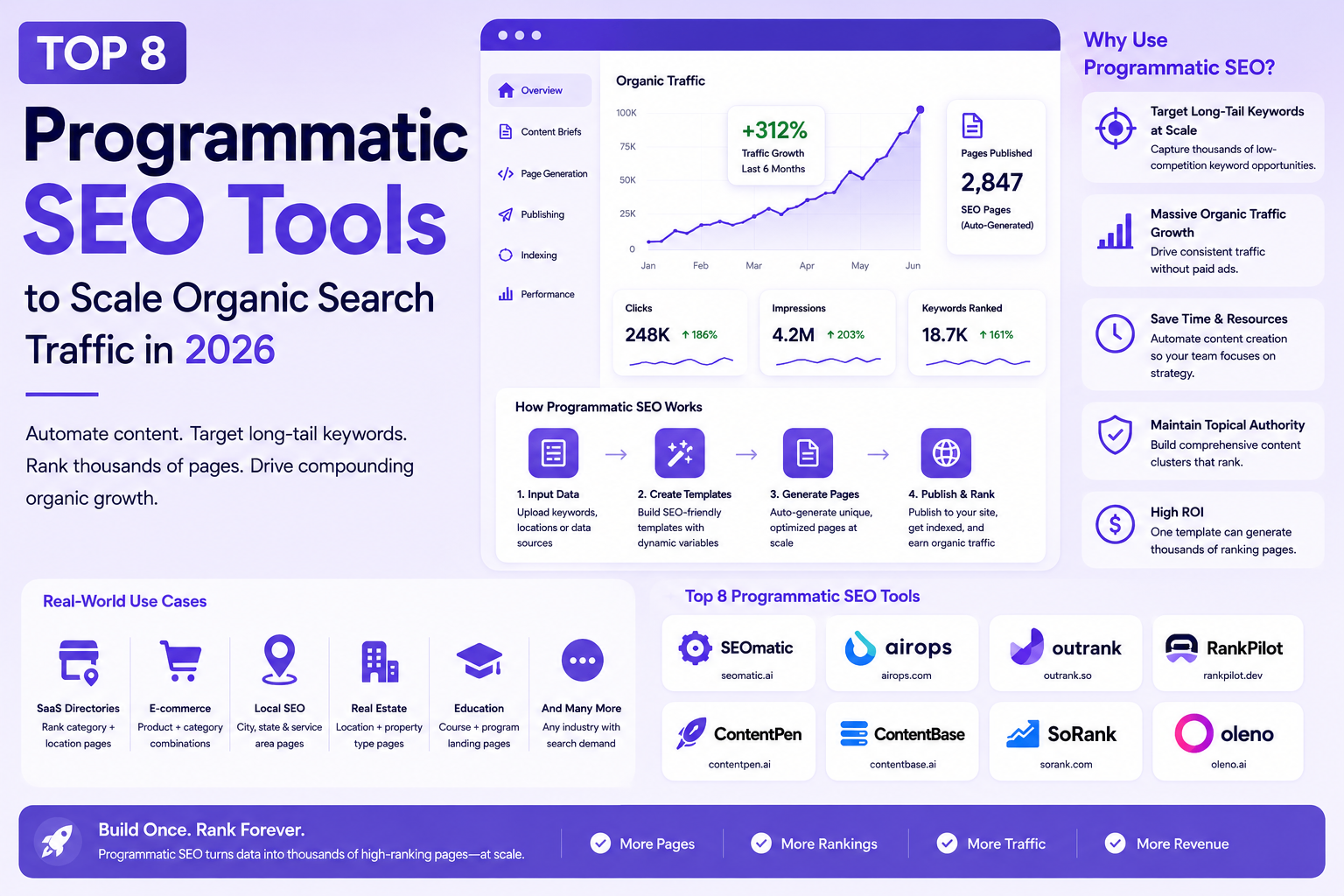
Top 8 Programmatic SEO Tools to Scale Organic Search Traffic in 2026
Scaling organic traffic in 2026 is no longer about manually drafting blog posts one by one. To rank for thousands of highly specific, long-tail search terms, such as "best CRM for real estate" or "[Tool A] vs [Tool B] alternative", modern marketing teams rely on Programmatic SEO (pSEO). By combining structured datasets, dynamic templates, AI content generation, and automated CMS workflows, pSEO allows brands to instantly build and publish conversion-focused landing pages at scale. > QUICK SUMMARY > > * SEOmatic – Best overall platform for launching AI-powered programmatic SEO websites without writing code. > * AirOps – Best for automating large-scale SEO research, content generation, and publishing workflows. > * Outrank – Best for AI-generated landing pages and long-tail content campaigns. > * RankPilot.dev – Best developer-first platform for technical SEO automation and scalable page generation. > * ContentPen AI – Best for creating SEO articles and landing pages from keyword datasets. > > Other excellent tools include ContentBase AI, Oleno AI, and Sorank. Choosing the right tool depends on your content strategy, technical expertise, and publishing goals. HOW PROGRAMMATIC SEO WORKS IN THE AI-SEARCH ERA Mass-producing thin, repetitive content no longer yields rankings. Next-generation search engines and answer engines like Google AI Overviews, ChatGPT Search, Perplexity, and Gemini strictly reward deep topical authority, structured schema, and authentic user value. Modern programmatic tools don't just dump spreadsheet data into static templates; they intelligently cluster search intent, build dynamic internal linking networks, and generate contextually rich content that directly answers complex user queries. BUILDING THE ULTIMATE PROGRAMMATIC TECH STACK Executing a successful Programmatic SEO growth engine requires a dedicated software stack to manage database entries, sync datasets, and render optimized templates automatically. Whether you are a solo founder building your first content engine, an enterprise marketing team managing thousands of pages, or an agency scaling client campaigns, having the right setup is essential. COMPARISON MATRIX | Tool | Best For | Core Feature | Pricing (Starting) | Free Plan | Platform | | : | : | : | : | : : | : | | SEOmatic | No-code programmatic SEO | AI page generation, CMS publishing, templates | Starts at $149/mo | 14-day free trial | Cloud SaaS | | AirOps | AI SEO workflows | Research, AI writing, publishing automation | Free (paid plans available, Enterprise custom) | ✓ | Cloud SaaS | | Outrank | AI landing pages | Automated SEO page generation | Custom pricing (demo required) | ✓ | Cloud SaaS | | RankPilot.dev | Developer workflows | Programmatic page automation and SEO tooling | Custom pricing | Limited | Cloud SaaS | | ContentPen AI | AI SEO content | Keyword-to-article generation | Starts at $27/mo (annual billing) | Free trial | Cloud SaaS | | ContentBase AI | AI content operations | Automated websites and SEO publishing | Starts at $79/mo (annual) or $99/mo monthly | 7-day free trial | Cloud SaaS | | Sorank | SEO optimisation | AI optimisation, GEO and ranking insights | Starts at $99/site/mo | Free trial | Cloud SaaS | | Oleno AI | Autonomous content operations | AI research, writing, optimisation and publishing | Starts at $149/mo | Demo | Cloud SaaS | 1. SEOMATIC For businesses looking to scale organic traffic without building a complex content infrastructure, SEOmatic has emerged as one of the most complete programmatic SEO platforms available. Unlike traditional website builders or CMS plugins, SEOmatic is purpose-built for creating thousands of SEO-friendly landing pages using structured datasets, AI-generated content, and reusable templates. This makes it particularly attractive for SaaS companies, startups, marketplaces, and agencies targeting large numbers of long-tail keywords. SEOmatic simplifies what is usually a complicated workflow. Instead of connecting multiple tools for keyword research, content generation, template management, and publishing, everything is managed from a single platform. Users can import data from spreadsheets or databases, create dynamic page templates, generate unique AI-powered content, and publish thousands of pages without writing code. The platform also supports multilingual websites, custom variables, automated metadata, schema markup, and bulk page generation, allowing businesses to launch large-scale SEO projects in a fraction of the usual time. Another strength of SEOmatic is its flexibility. Generated pages can be published to popular CMS platforms or exported as static pages, making it suitable for different technical stacks. Teams can also customise templates, manage internal linking, and update content in bulk whenever datasets change, ensuring that large websites remain consistent and easy to maintain. Although SEOmatic automates much of the page creation process, content quality still depends on the underlying data and templates. Businesses investing time in structured datasets and thoughtful page design will achieve significantly better results than those relying entirely on AI-generated copy. When used correctly, SEOmatic provides one of the fastest ways to build scalable content hubs that target thousands of highly specific search queries while maintaining a consistent user experience. PRICING Plans start at approximately $49/month, with higher tiers supporting larger publishing limits and additional AI capabilities. BEST FOR Founders, SaaS companies, marketplaces, agencies, and marketing teams looking for a no-code platform to build and manage large-scale programmatic SEO websites. 2. AIROPS Modern programmatic SEO is no longer just about generating landing pages. Successful teams also need to research keywords, identify search intent, create content briefs, optimise articles, maintain internal links, and publish consistently across hundreds or thousands of pages. AirOps addresses this challenge by providing an AI-powered workflow platform that automates much of the content production process rather than focusing on a single stage. Instead of working like a conventional AI writer, AirOps enables users to build reusable workflows that combine AI models, structured data, search APIs, spreadsheets, and content management systems. A single workflow can automatically cluster keywords, generate detailed briefs, write first drafts, optimise metadata, suggest internal links, and prepare content for publishing. This dramatically reduces repetitive manual work while keeping content production consistent across large websites. One of AirOps' biggest advantages is its flexibility. Marketing teams can customise workflows to match their editorial process, while developers can integrate external APIs and internal databases to create highly specialised automation pipelines. Whether the goal is generating location pages, comparison articles, product descriptions, or documentation, AirOps allows businesses to standardise their content operations without sacrificing quality. The platform is particularly valuable for organisations scaling content production through AI. Rather than replacing editors, AirOps handles repetitive research and generation tasks so teams can focus on refining content, adding expertise, and ensuring accuracy. As AI-powered search continues to evolve, this workflow-first approach helps businesses produce high-quality, search-optimised content more efficiently while supporting long-term topical authority. PRICING AirOps offers a free plan for individual users, while advanced workflow automation, collaboration features, and enterprise capabilities are available through custom pricing. BEST FOR Content teams, SaaS companies, AI startups, SEO agencies, and enterprises looking to automate research, content generation, optimisation, and publishing through scalable AI workflows. 3. OUTRANK Creating hundreds of SEO landing pages manually can quickly become a bottleneck for growing businesses. Outrank is designed to remove that friction by using AI to generate, optimise, and publish content at scale. Instead of spending weeks researching keywords and writing individual pages, users can build large SEO campaigns from structured data and automated workflows, making it an excellent choice for startups and SaaS companies focused on rapid organic growth. Outrank starts with keyword discovery and content planning before moving into AI-powered page generation. The platform creates SEO-friendly landing pages, comparison pages, and long-form articles based on your target keywords and business information. Rather than producing generic AI content, it focuses on creating pages that match search intent while maintaining a consistent structure across large websites. This approach makes it easier to target hundreds or even thousands of long-tail search queries without increasing the workload for content teams. The platform also helps automate many technical SEO tasks that are often overlooked when publishing content at scale. Metadata generation, internal linking, structured page layouts, and content updates can all be managed from a single dashboard. Teams can monitor projects, refresh existing pages, and continuously expand their content library as new keyword opportunities emerge. Outrank is particularly useful for businesses that want to move beyond traditional blogging and build scalable landing page strategies. Whether you're targeting location pages, industry-specific solutions, product comparisons, or integration pages, the platform simplifies the entire workflow while reducing the manual effort needed to maintain large SEO websites. PRICING Outrank offers custom pricing based on project size and content requirements. BEST FOR Startups, SaaS companies, agencies, marketplaces, and businesses building large-scale AI-powered landing page strategies. 4. RANKPILOT.DEV While many programmatic SEO platforms are built primarily for marketers, RankPilot.dev takes a developer-first approach. It focuses on helping technical teams automate SEO workflows, generate dynamic pages, and manage large content operations through flexible infrastructure rather than visual page builders. This makes it especially appealing for engineering-driven SaaS companies and businesses with custom applications. RankPilot.dev enables developers to create programmatic pages using structured datasets, APIs, and automated workflows. Instead of manually maintaining thousands of pages, businesses can generate dynamic content based on products, locations, integrations, documentation, or customer data. Because the platform is designed for modern development workflows, it integrates well with headless CMS platforms, custom websites, and existing deployment pipelines. One of its strongest capabilities is automation. Businesses can continuously update landing pages whenever source data changes, ensuring that content remains accurate without requiring editors to manually review every page. The platform also supports technical SEO best practices such as metadata management, structured data, internal linking, and scalable URL generation, helping large websites remain organised as they grow. Unlike traditional AI writing platforms, RankPilot.dev focuses more on infrastructure than content creation. It works best when paired with AI writing tools or existing content systems, allowing businesses to combine automated publishing with high-quality content generation. For organisations managing complex websites or developer documentation, this flexibility can significantly reduce operational overhead while supporting long-term SEO growth. PRICING RankPilot.dev offers custom pricing based on usage and implementation requirements. BEST FOR Developers, technical SEO teams, SaaS companies, and enterprises building custom programmatic SEO infrastructure at scale. 5. CONTENTPEN AI Producing high-quality SEO content consistently can be difficult, especially for startups and small marketing teams with limited resources. ContentPen AI is designed to simplify this process by turning keywords into well-structured, search-friendly articles that are ready for editing and publication. Rather than acting as a general AI writing assistant, the platform focuses on helping businesses build a steady pipeline of SEO content that supports long-term organic growth. The platform begins with a target keyword and uses AI to generate outlines, headings, and complete article drafts based on search intent. Instead of requiring users to build every article manually, ContentPen AI automates much of the research and writing process while maintaining a logical structure suitable for blogs, landing pages, product pages, and knowledge bases. This significantly reduces the time required to move from keyword research to a publishable draft. ContentPen AI also supports content optimisation by generating SEO-friendly titles, meta descriptions, FAQs, and structured sections that improve readability and search visibility. Teams managing large keyword lists can create multiple articles in a consistent format, making it particularly useful for content marketing campaigns and programmatic SEO projects. As content needs evolve, users can update existing articles, expand topic coverage, and generate fresh content without rebuilding their workflow from scratch. While the platform accelerates content production, human review remains important to ensure accuracy, originality, and brand consistency. Businesses that combine ContentPen AI with editorial oversight can significantly increase publishing speed while maintaining high content quality. PRICING ContentPen AI offers subscription-based pricing with a free plan available for limited usage. Plans start at $27/month. BEST FOR Content marketers, startups, agencies, bloggers, and businesses looking to generate SEO-optimised articles at scale. 6. CONTENTBASE AI For businesses that want to automate more than just content writing, ContentBase AI provides an AI-first platform built around creating, managing, and growing SEO websites. It combines content generation, publishing automation, and optimisation into a single workflow, allowing businesses to build organic traffic without relying on multiple disconnected tools. Instead of simply generating articles, ContentBase AI helps users create complete websites around targeted keyword clusters. The platform automates content planning, article generation, metadata creation, internal linking, and publishing, making it easier to scale websites across multiple topics. This integrated approach is particularly valuable for founders, affiliate marketers, and niche website owners who want to expand their online presence without manually managing every stage of content production. Another notable strength is its focus on continuous website growth. As new keyword opportunities emerge, ContentBase AI can generate additional pages that fit naturally into the site's existing structure. This helps businesses build topical authority over time while keeping content organised and easy for search engines to crawl. The platform also simplifies routine SEO tasks, allowing users to spend more time refining strategy instead of handling repetitive publishing work. ContentBase AI works particularly well for teams aiming to launch new content projects quickly or scale existing websites efficiently. By combining AI writing with publishing automation, it reduces the operational effort required to maintain a growing SEO content library. PRICING ContentBase AI offers subscription-based plans with a free tier available for new users. Plans start at $79/month. BEST FOR Founders, affiliate marketers, niche website owners, agencies, and businesses looking to automate website growth through AI-powered content publishing. 7. SORANK As AI-generated content becomes more common, creating articles alone is no longer enough to achieve strong search rankings. Businesses also need to optimise existing content, identify ranking opportunities, and continuously improve their pages based on search performance. Sorank is built with this goal in mind, helping marketers create, optimise, and scale SEO content using AI-powered workflows. The platform combines keyword research, AI content generation, on-page optimisation, and performance insights into a unified workflow. Instead of relying on separate tools for each stage, users can discover keyword opportunities, generate SEO-friendly articles, refine existing pages, and monitor optimisation recommendations from a single dashboard. This makes Sorank particularly useful for businesses managing multiple content campaigns simultaneously. One of Sorank's strengths is its focus on practical optimisation rather than simply generating AI text. It analyses content structure, topical coverage, and on-page SEO elements to identify opportunities for improving search visibility. The platform also assists with metadata generation, content refinement, and workflow automation, helping marketing teams maintain consistent quality across growing content libraries. For businesses investing in long-term organic growth,Sorank offers a balanced combination of AI writing and SEO optimisation. Rather than replacing content teams, it streamlines repetitive tasks so marketers can focus on strategy, user experience, and creating content that delivers lasting value. PRICING Sorank offers subscription-based pricing with a free trial available. Plans start at $99/site/month. BEST FOR Marketing teams, SEO professionals, agencies, startups, and businesses looking to optimise and scale AI-assisted content production. 8. OLENO AI While many AI content platforms focus on generating articles, Oleno AI takes a broader approach by acting as an autonomous content operations platform. It is designed to help businesses research topics, generate high-quality content, optimise it for search engines, and publish directly to their CMS from a single workflow. This makes it one of the most comprehensive solutions for organisations looking to automate large portions of their content strategy. Oleno AI begins by analysing your knowledge base, website, or product information to understand your business before generating content. Instead of relying solely on generic AI prompts, it creates articles grounded in your own information, helping maintain accuracy and consistency across every publication. The platform can also generate detailed content briefs, FAQs, metadata, schema markup, and internal linking recommendations to improve both traditional SEO and visibility in AI-powered search experiences. Another standout capability is its automated publishing workflow. Once content has been reviewed, Oleno AI can publish directly to supported content management systems, reducing the manual effort required to move from research to a live article. Built-in quality checks help identify factual inconsistencies, formatting issues, and missing optimisation opportunities before publication, making it particularly useful for businesses producing content at scale. As AI search platforms continue to influence how users discover information, Oleno AI also focuses on Generative Engine Optimisation (GEO), helping businesses create content that is well structured for AI-generated search results in addition to traditional search engines. This forward-looking approach makes it a valuable option for companies planning long-term content growth. PRICING Oleno AI offers custom pricing based on business requirements and content volume. Plans start at $149/month. BEST FOR Growing startups, SaaS companies, agencies, publishers, and enterprises looking for an end-to-end AI platform for research, content creation, optimisation, and automated publishing. CONCLUSION Programmatic SEO has evolved far beyond generating thousands of pages from spreadsheets. In 2026, the most successful businesses are combining AI, structured data, automation, and high-quality content to build scalable SEO systems that continuously attract qualified organic traffic. Whether you're targeting long-tail keywords, creating location pages, publishing product comparisons, or building resource hubs, the right platform can dramatically reduce manual work while improving content consistency and search visibility. The tools featured in this guide each solve a different part of the programmatic SEO workflow. SEOmatic makes it easy to launch and manage thousands of dynamic landing pages without writing code, while AirOps automates research, content generation, and publishing through powerful AI workflows. Businesses looking to create AI-generated landing pages at scale can benefit from Outrank, whereas RankPilot.dev provides developers with the flexibility to build custom programmatic SEO systems. For content-focused teams, ContentPen AI and ContentBase AI simplify large-scale content creation and publishing, making it easier to build topical authority across hundreds of pages. Sorank strengthens existing content through AI-powered optimisation, while Oleno AI delivers an end-to-end autonomous content workflow that combines research, writing, optimisation, quality assurance, and publishing into a single platform. Choosing the best tool depends on your goals, technical expertise, and publishing strategy. A startup launching its first SEO campaign may prioritise ease of use and AI-assisted content creation, while an enterprise managing thousands of pages may need workflow automation, custom integrations, and advanced publishing capabilities. Instead of searching for one platform that does everything, focus on the tool that best supports your existing workflow and helps eliminate your biggest bottlenecks. It's also important to remember that programmatic SEO is not about publishing the largest number of pages. Search engines increasingly reward websites that demonstrate expertise, answer specific user questions, and provide genuinely useful information. AI can accelerate research and production, but long-term success still depends on content quality, accurate data, thoughtful page templates, and regular optimisation. As Google AI Overviews, ChatGPT Search, Perplexity, and other AI-powered search experiences continue to reshape how people discover information, businesses that build scalable, high-quality content systems today will be better positioned to capture organic traffic tomorrow. By combining the right programmatic SEO platform with a strong content strategy, you can create sustainable organic growth that continues to deliver value long after each page is published.
Top AI Landing Page Creation Tools in 2026
Launching a landing page no longer requires a designer, copywriter, and developer working for days. In 2026, AI can generate a complete landing page with layouts, copy, images, and forms in just a few minutes. Tools like Lovable have pushed this even further by turning simple prompts into production-ready websites and web apps, helping founders and developers move from idea to launch faster than ever. But speed is only part of the story. Once the first draft is ready, you'll need to refine content, connect your CRM, optimize SEO, run A/B tests, and improve conversions over time. The right AI landing page builder should support your entire workflow, not just generate a page. This guide compares the 10 best AI landing page builders in 2026 based on AI capabilities, customization, integrations, performance, pricing, and real-world usability. Whether you're a solo founder validating an MVP, a developer building product launches, or a marketing team scaling campaigns, these tools can help you ship faster while maintaining full control over your landing pages. > QUICK SUMMARY > > Out of the ten tools tested for this guide, these five stood out for combining real AI generation with a workflow teams can actually keep using after launch: > > * Framer – The strongest option for design-first teams that want AI-generated layouts they can still hand-tune pixel by pixel. > * Unbounce – The most mature AI-driven traffic routing (Smart Traffic) for performance marketers running paid campaigns at scale. > * Landingi – The best value for marketing teams that need volume, templates, and built-in A/B testing without enterprise pricing. > * 10Web – The clear pick for teams that want an AI-generated site built on WordPress, with managed hosting and speed optimization included. > * Landingsite.ai – The fastest way for non-technical founders to go from a text prompt to a published, SEO-formatted page. > > Other solid AI landing page builders worth considering include Instapage, Leadpages, Durable, Wix, and HubSpot. COMPARISON TABLE | Tool | Pricing (starting) | Free Plan | AI Features | Best For | | | | | | | | Unbounce | From around $99/mo (Build); annual billing lowers this | No (14-day trial) | AI copywriting, Smart Traffic AI routing, Smart Builder page generation | Paid-traffic teams running A/B tests | | Instapage | From around $99/mo (Create); annual billing lowers this | No (14-day trial) | AI content generation, AdMap ad-to-page matching, personalization | Agencies and PPC teams needing pixel-level control | | Leadpages | Pricing has been restructured multiple times in 2026; check current tiers | No (free trial only) | AI page generation, AI credit system, conversion guidance | Solo founders and course creators on a budget | | Landingi | From around $24 to $29/mo (Build/Lite tier) | No (recently removed; 14-day trial) | AI Assistant for copy and SEO, Smart Sections, AI insights | Agencies and marketing teams needing volume | | Framer | Free tier available | Yes | AI Wireframer (prompt-to-site), AI content rewriting, AI translation | Designers and founders wanting design control | | Durable | From around $15/mo (Starter) | Free trial, limited | Full-site generation in under a minute, AI CRM, AI marketing copy | Solopreneurs and local service businesses | | 10Web | From around $10/mo (AI Starter, annual) | Free AI site generation, no ongoing free plan | Agentic AI website builder, AI Co-Pilot editing, AI content in WordPress | WordPress users who want AI plus managed hosting | | Landingsite.ai | From around $12/mo | Yes | Full prompt-to-page generation, AI copy, conversational live editing | Non-technical users validating an idea fast | | Wix | From around $17/mo (Light); Wix Studio from around $19/mo | Yes | Chat-style AI site generation, AI text and image tools | Small businesses wanting one all-in-one platform | | HubSpot | Landing page builder free; paid Marketing Hub tiers scale up sharply | Yes | AI Campaign Assistant for copy, CRM-connected pages | Startups already using HubSpot's CRM | DETAILED TOOL REVIEWS UNBOUNCE Unbounce is one of the most established landing page builders and continues to be a favorite among marketers who prioritize conversions. Instead of simply helping users build pages, it uses AI to optimize how visitors interact with them. Its Smart Traffic feature automatically sends visitors to the page variant most likely to convert based on their attributes, helping businesses improve campaign performance without manually managing traffic distribution. The platform also includes AI-powered copy generation, a drag-and-drop editor, and Dynamic Text Replacement for creating more relevant landing pages from paid search campaigns. The builder integrates with hundreds of marketing, CRM, analytics, and email platforms, making it easy to fit into existing workflows. Businesses running Google Ads, Meta Ads, or other paid campaigns can benefit from its optimization tools and detailed reporting. While beginners may need some time to learn the platform, experienced marketers and agencies will appreciate the level of control it offers. Rather than focusing on complete website creation, Unbounce is designed specifically for building high-converting landing pages that support lead generation and customer acquisition. What Stands Out Unbounce stands out for combining AI-assisted page creation with industry-leading conversion optimization tools like Smart Traffic and Dynamic Text Replacement. Its powerful integrations and testing capabilities make it an excellent choice for marketing teams, although advanced features are available only on higher-priced plans. Pricing starts at around $99/month, making it best suited for businesses that actively invest in digital marketing. INSTAPAGE Instapage is designed for businesses that run large advertising campaigns and want every landing page to closely match the ads driving traffic. Its biggest strength is post-click optimization, helping marketers create personalized experiences that improve conversion rates. The platform includes AI tools for generating headlines and page copy while providing a flexible editor that gives designers complete control over layouts. Features like AdMap visually connect ads to landing pages, making campaign management much easier for larger teams. The platform also offers reusable page sections through Instablocks, built-in heatmaps, collaboration tools, and server-side A/B testing. Unlike AI-first builders that generate an entire page from a simple prompt,Instapage focuses more on refining and optimizing professionally designed pages. This makes it particularly attractive for agencies, enterprise marketing teams, and businesses managing multiple advertising campaigns. Although it requires more manual design work, the optimization features are among the best in the industry. What Stands Out Instapage excels in campaign optimization, collaboration, and enterprise-grade testing rather than instant AI page generation. It is ideal for teams managing high advertising budgets and multiple landing pages. The premium pricing may be difficult for smaller businesses, with plans typically starting around $99/month, while advanced optimization tools require higher-tier subscriptions. LEADPAGES Leadpages focuses on simplicity, making it one of the easiest landing page builders for entrepreneurs, creators, consultants, and small businesses. Its AI features help generate landing page layouts and marketing copy quickly, allowing users to publish pages without requiring design or coding experience. The drag-and-drop editor is straightforward, and the platform offers a wide range of templates that can be customized for different industries and marketing goals. One of Leadpages' s biggest advantages is its focus on affordability while still including features like lead capture forms, pop-ups, alert bars, and built-in A/B testing. Unlike some competitors that limit monthly visitors, Leadpages generally provides generous traffic allowances, making it suitable for growing businesses. Although it lacks some of the advanced optimization features found in enterprise platforms, it provides an excellent balance between ease of use and marketing functionality for everyday campaigns. What Stands Out Leadpages is an excellent option for users who want to launch landing pages quickly without dealing with a complex interface. It offers good value for money, beginner-friendly tools, and practical marketing features, although it is less suitable for large enterprise campaigns. Pricing generally starts between $37 and $99/month, depending on the selected plan and billing cycle. FRAMER Framer combines AI-powered website generation with a professional design environment, making it a popular choice among designers, startups, and creative teams. Its AI Wireframer can generate responsive landing pages from simple text prompts, giving users a solid starting point that can be refined visually. Unlike traditional drag-and-drop builders, Framer provides a freeform canvas similar to modern design tools, allowing greater creative freedom without sacrificing performance. The platform automatically generates clean, responsive pages with fast loading speeds and strong SEO foundations. It also includes a built-in CMS for managing dynamic content, making it useful for marketing websites beyond simple landing pages. Although Framer has a steeper learning curve than beginner-focused builders, it rewards users with much greater design flexibility. It is particularly well suited for founders, designers, and agencies that want modern websites without writing code. What Stands Out Framer stands out for its design flexibility, AI-assisted page generation, and excellent website performance. It offers a generous free plan and scales well for growing businesses, though beginners may need time to become comfortable with its interface. Paid plans typically start at around $10/month, with advanced features available on higher tiers. LANDINGI Landingi is a versatile landing page builder that balances AI assistance with powerful marketing features, making it suitable for businesses of all sizes. The platform includes an AI Assistant that helps generate landing page copy, SEO metadata, and image suggestions, reducing the time needed to launch campaigns. With more than 400 professionally designed templates, users can quickly create pages for lead generation, product launches, webinars, and marketing campaigns. Its drag-and-drop editor is easy to use while still offering enough flexibility for marketers who want to customize layouts. Beyond page creation, Landingi focuses on optimization. It includes built-in A/B testing, Smart Sections for reusing content across multiple pages, and EventTracker for server-side analytics without relying entirely on third-party tools. The platform also integrates with popular CRM, email marketing, and automation platforms, making it easy to manage leads. It is a strong choice for agencies and growing businesses that need to publish and manage multiple landing pages without paying enterprise-level prices. What Stands Out Landingi offers one of the best feature-to-price ratios in this category by combining AI writing, A/B testing, reusable sections, and extensive integrations in a single platform. While advanced customizations may still require external tools, it provides excellent value for marketing teams. Pricing generally starts at around $29/month, with higher plans designed for agencies and businesses managing larger campaigns. DURABLE Durable is built for speed, allowing users to generate a complete website or landing page in under a minute using AI. After answering a few simple questions, the platform creates layouts, marketing copy, images, and business information automatically. It also includes built-in tools such as CRM, invoicing, and marketing features, making it more than just a landing page builder. This all-in-one approach is especially useful for freelancers, consultants, and local businesses that want to establish an online presence quickly. The editor keeps customization simple without overwhelming users with advanced design controls. While it cannot match the flexibility of platforms like Frameror Wix, it delivers polished websites with minimal effort. Businesses that prioritize speed over detailed customization will find Durable particularly appealing. Its integrated business tools also reduce the need for multiple subscriptions, making it convenient for small teams and solo entrepreneurs. What Stands Out Durable is one of the fastest AI website builders available and is ideal for users who want a professional landing page with almost no setup. Its customization options are more limited than design-focused competitors, but the built-in CRM and business tools provide excellent value. Pricing starts at around $15/month, with higher plans supporting multiple businesses and additional AI features. 10WEB 10Web combines AI-powered website generation with managed WordPress hosting, making it an excellent choice for users who want the flexibility of WordPress without spending hours building a site from scratch. Its AI Website Builder can generate complete landing pages, business websites, and online stores from a simple prompt, including layouts, copy, and images. Since the platform is built on Elementor, users can continue customizing every part of the website using familiar WordPress tools after the AI completes the initial design. This makes 10Web appealing to freelancers, agencies, and businesses that need both automation and flexibility. Beyond website generation, 10Web includes managed hosting on Google Cloud, automated backups, security features, performance optimization, and AI-powered content assistance. WooCommerce support also makes it suitable for e-commerce businesses looking to launch stores quickly. Although users still need to manage WordPress plugins and updates, the platform simplifies much of the technical work. For anyone already comfortable with WordPress, 10Web provides an efficient way to build and manage AI-powered landing pages. What Stands Out 10Web successfully combines AI website generation with the flexibility of WordPress, making it a great option for businesses that don't want to be locked into a proprietary builder. Its managed hosting and optimization tools add significant value, although users still need to manage the WordPress ecosystem. Paid plans generally start at around $10/month, with higher tiers offering additional AI, hosting, and ecommerce capabilities. LANDINGSITE.AI Landingsite.ai is built specifically for users who want to generate landing pages from a simple text prompt. Instead of spending time selecting templates and arranging sections, users simply describe their product, audience, and campaign goals, and the AI creates a complete landing page with headlines, supporting copy, images, lead capture forms, and SEO metadata. The editing experience is equally simple, allowing users to request changes through natural language instead of manually adjusting every design element. The platform focuses on speed and simplicity rather than deep customization, making it ideal for startups, indie makers, and founders validating new ideas. Built-in Getty Images integration, responsive layouts, and automatic optimization help users publish professional-looking pages quickly. While agencies and designers may find the editor restrictive, non-technical users can launch campaigns within minutes without learning complex design tools. What Stands Out Landingsite.ai offers one of the fastest prompt-to-published workflows among AI landing page builders. It sacrifices advanced customization in favor of simplicity, making it ideal for rapid product launches and MVP validation. Pricing starts at around $12/month, with higher plans providing additional customization and generation limits. WIX Wix has evolved from a traditional website builder into a comprehensive AI-powered platform capable of generating complete websites and landing pages in minutes. Its AI Website Builder guides users through a conversational setup process before creating a personalized website with relevant layouts, content, and images. Unlike dedicated landing page builders, Wix also includes e-commerce, blogging, appointment booking, email marketing, and a large app marketplace, making it suitable for businesses that need more than a single campaign page. The drag-and-drop editor gives users complete control over customization, while Wix Studio provides additional collaboration and development features for agencies and professional designers. This flexibility allows businesses to start with AI-generated content and gradually expand into a full-featured website as they grow. Although it includes more features than many users may initially need, Wix remains one of the most complete website-building platforms available. What Stands Out Wix is an excellent choice for businesses looking for an all-in-one platform instead of a dedicated landing page builder. Its AI generation, extensive app ecosystem, and long-term scalability make it attractive for growing brands, though the wide range of features can feel overwhelming for simple projects. A free plan is available, while premium plans generally begin at around $17/month. HUBSPOT HubSpot's landing page builder is part of its broader CRM and marketing platform, making it particularly valuable for businesses that already manage customer relationships through HubSpot. The platform allows users to create landing pages with a drag-and-drop editor while using AI-powered Campaign Assistant to generate headlines, marketing copy, and campaign content. Every form submission automatically flows into HubSpot CRM, eliminating the need for additional integrations and simplifying lead management. Beyond page creation, HubSpot provides built-in analytics, email marketing, automation, personalization, and customer tracking within a single platform. This makes it much more than a landing page builder, as businesses can manage their complete sales and marketing funnel from one dashboard. While it may be more comprehensive than necessary for users who only need standalone landing pages, it becomes a powerful solution for companies looking to scale their marketing operations. What Stands Out HubSpot stands out because it connects landing page creation directly with one of the industry's leading CRM platforms. Businesses already using HubSpotwill benefit from seamless lead management and automation, while smaller teams may find the broader platform more than they need. The landing page builder is available on the free plan, with advanced marketing features unlocked through paid Marketing Hub subscriptions. HOW TO CHOOSE THE RIGHT AI LANDING PAGE BUILDER Ease of use. A tool that produces an impressive AI-generated first draft is only useful if a non-developer on the team can keep editing it after launch. Test how a builder handles a rewritten headline, a new pricing table, or a swapped image before judging it on the demo alone. Customization. Prompt-to-page tools like Landingsite.ai and Durable trade design flexibility for speed. Design-first tools like Framer trade a steeper learning curve for far more creative control. Decide which side of that tradeoff matters more for the specific campaign. AI capabilities. Distinguish between AI that generates full pages from a prompt (Framer, Landingsite.ai, Durable, 10Web), AI that optimizes traffic after a page is built (Unbounce's Smart Traffic), and AI that only assists with copywriting (Instapage, HubSpot. These solve different problems, and a tool can be strong at one without being strong at the others. Integrations. Check whether the builder connects natively to the CRM, ad platforms, and analytics tools already in use. Unbounce, Instapage, and Landingi all publish integration counts in the hundreds; smaller or newer tools tend to rely more heavily on Zapier or manual setup. Export options. Framer and Landingsite.ai keep pages inside their own hosting ecosystem with no code export. 10Web produces a portable WordPress site. This matters most for teams that want the option to migrate hosting providers later without rebuilding from scratch. SEO support. Most tools on this list now generate basic meta titles and descriptions automatically. Fewer offer deep technical SEO control, like structured data or granular URL management, so teams with strict SEO requirements should verify specifics rather than assume parity across tools. Performance. Static-site tools like Framer and 10Web (with its PageSpeed guarantee) tend to load faster out of the box than heavier all-in-one platforms. Page speed affects both conversion rate and ad quality scores, so it is worth testing directly rather than trusting marketing claims. Pricing. As this guide's own research turned up, published pricing across this category is unusually inconsistent, sometimes changing more than once within the same year for the same product. Budget with some margin, and re-check the official pricing page immediately before subscribing. Scalability. Visitor caps and overage fees (common with Unbounce and Instapage can turn a cheap entry plan into an expensive one once a campaign performs well. Tools like Leadpages that have marketed unlimited traffic avoid this specific problem, though their own pricing has been inconsistent for other reasons. Collaboration. Agencies managing multiple clients should look specifically at white-label options, sub-accounts, and team seat limits, features concentrated in Landingi's Agency tier, Instapage's team plans, and Wix Studio, rather than assumed to exist across every tool. CONCLUSION There is no single best AI landing page builder in 2026, only a best fit for a specific team and campaign. Startups and solo founders validating an idea with a limited budget and no design resources should start with Landingsite.ai or Durable for speed, or Framer's free tier if some design control matters. Developers and technically comfortable builders who want AI-assisted layout without giving up manual control should look at Framer first, with 10Web as the alternative for anyone who wants to stay inside the WordPress ecosystem. Agencies managing multiple client accounts should prioritize Landingi or Instapage for their team collaboration and white-label features, or Wix Studio if clients need a full website rather than isolated campaign pages. Marketers running paid traffic at real volume should weigh Unbounce's Smart Traffic against Instapage's AdMap and testing depth; both justify their premium pricing specifically for high-spend performance campaigns, and neither is worth the cost for a single low-traffic page. Enterprises with existing marketing stacks should evaluate HubSpot first if a CRM decision is also on the table, since the landing page builder's value compounds with the rest of the platform, and Instapage or Unbounce if landing pages are being evaluated as a standalone system. Whichever tool looks best on paper, request a trial or use the free tier before committing to an annual plan. AI-generated first drafts all look similar in a five-minute demo; the real difference between these tools shows up in week three, when someone on the team needs to change something quickly without waiting on a developer.
Best AI Business Copilot Tools to Run Your Startup in 2026
Startup founders rarely struggle with ideas. The real challenge is keeping everything moving at the same time. Product development, customer support, fundraising, hiring, sales, engineering, documentation, marketing, finance, and operations all compete for attention. A typical workday involves jumping between Slack, Notion, GitHub, Linear, Jira, HubSpot, Google Drive, calendars, investor emails, analytics dashboards, and countless browser tabs. Valuable information ends up scattered across multiple platforms, making it difficult to stay focused on building the business. That challenge has created an entirely new category of software: AI business copilots. Unlike traditional AI assistants that simply answer questions or generate content, AI business copilots understand how a company operates. They connect with internal knowledge, project management platforms, customer data, financial systems, communication tools, and business workflows to provide meaningful context instead of isolated responses. Some function as AI-powered chiefs of staff, helping founders organize priorities and prepare for important decisions. Others operate as startup command centers that coordinate projects, monitor execution, automate repetitive work, and even manage autonomous AI agents capable of completing complex business tasks. For developers, founders, indie hackers, and startup teams, these platforms reduce operational overhead while improving visibility across the organization. Instead of spending hours collecting information, leaders can focus on product development, customer feedback, and business growth. This guide compares the best AI business copilot tools available in 2026, highlighting what each platform does best and which startups will benefit most from using them. > QUICK OVERVIEW > > Looking for an AI assistant that can do more than answer questions? Modern AI business copilots help founders manage operations, automate repetitive work, coordinate teams, organize company knowledge, and make faster decisions from a single workspace. > > In this guide, you'll discover: > > * Mission Control: AI operating system that helps founders manage projects, priorities, and company operations. > * BurnRateOS: Virtual AI executive team with AI CEO, CFO, CTO, CMO, and other business advisors. > * FounderOS: AI-powered workspace for startup planning, execution, and business management. > * CEO Workspace: Strategic planning platform for business growth, investor updates, and executive decision-making. > * GoTogether AI: AI collaboration platform that keeps teams, projects, and knowledge connected. > * Nautis: Startup operating system for managing operations, planning, and organizational workflows. > * xyroCore: AI CEO assistant that helps founders organize priorities and business execution. > * MetaTechAI FounderOS: AI-powered company operating system with intelligent agents and centralized business knowledge. > * Flowith: Visual AI workspace for research, strategic planning, brainstorming, and complex problem-solving. > * Lutra AI: AI workflow automation platform that eliminates repetitive business tasks. > * Relay.app: AI-powered workflow automation for coordinating multi-step business processes. > * Zapier AI Agents: Autonomous AI agents that automate work across thousands of business applications. > > The guide also includes a detailed comparison table, pricing, ideal use cases, and practical recommendations to help founders, developers, startup teams, and growing businesses choose the right AI business copilot in 2026. WHAT IS AN AI BUSINESS COPILOT? An AI business copilot is an intelligent software platform designed to help founders and startup teams manage everyday operations. Rather than acting as a standalone chatbot, it connects with the applications already used across the business, understands company context, retrieves relevant information, and assists with planning, coordination, and execution. Unlike traditional automation tools that rely on predefined rules, modern business copilots combine large language models, company knowledge, workflow automation, and AI agents to complete meaningful work. They can summarize meetings, monitor projects, retrieve documentation, organize priorities, prepare investor updates, automate repetitive workflows, and answer business questions using information spread across multiple systems. Many of these platforms are evolving into startup operating systems, providing a unified workspace where founders can manage projects, customer relationships, documentation, financial planning, and team collaboration from a single interface. WHY EVERY STARTUP NEEDS AN AI BUSINESS COPILOT Building a startup means making hundreds of decisions every week. Unfortunately, the information required to make those decisions is often scattered across different applications. Engineering updates might live inside GitHub or Linear. Customer feedback sits in Slack or Intercom. Sales data remains inside a CRM, while financial reports exist elsewhere. Even simple questions frequently require opening several applications before arriving at an answer. AI business copilots eliminate much of that friction by connecting these systems. Instead of searching for information manually, founders can ask natural-language questions, receive summarized insights, identify blockers, prepare meetings, automate routine work, and monitor company progress without switching between dozens of browser tabs. As startups scale, these capabilities become increasingly valuable because operational complexity usually grows faster than team size. HOW TO CHOOSE THE RIGHT AI BUSINESS COPILOT Every startup operates differently, so the ideal business copilot depends on existing workflows and long-term goals. Founders looking for a centralized operating system should prioritize platforms that combine company knowledge, project management, AI agents, and executive dashboards. Teams focused on automation may benefit more from workflow orchestration tools capable of connecting hundreds of business applications. Companies handling sensitive customer information should also evaluate security, permissions, compliance, and integration capabilities before selecting a platform. Scalability is another important consideration. While some tools are designed primarily for founders and early-stage startups, others support enterprise-grade workflows involving multiple departments, thousands of documents, and complex operational processes. The best AI business copilot should reduce administrative work without forcing teams to replace software that already works well. AI BUSINESS COPILOT COMPARISON | Tool | Primary Use Case | AI Agents | Multi-Agent Support | Workflow Automation | Integrations | Starting Price | | | | : : | : : | : : | : : | : | | Mission Control | AI operating system for founders | Yes | Yes | Yes | Limited | £9/month | | BurnRateOS | AI executive team (CEO, CFO, CTO & more) | Yes | Yes | Yes | Yes | Contact Sales | | FounderOS | Startup planning and execution | Yes | No | Yes | Limited | Contact Sales | | CEO Workspace | Business strategy and investor management | No | No | Limited | Limited | Custom Pricing | | GoTogether AI | Startup collaboration and operations | Yes | Yes | Yes | Yes | Contact Sales | | Nautis | Startup operating system | Yes | Yes | Yes | Yes | Free, Paid from $49/month | | xyroCore | AI CEO assistant | Yes | No | Limited | Limited | Contact Sales | | MetaTechAI FounderOS | AI company operating system | Yes | Yes | Yes | Yes | Custom Pricing | | Flowith | AI research and strategic planning | Yes | No | Limited | Yes | Free, Paid from $19/month | | Lutra AI | AI workflow automation | Yes | No | Yes | Yes | Free, Paid from $23/month | | Relay.app | AI-powered workflow automation | Yes | No | Yes | Yes | From $11/month | | Zapier AI Agents | Cross-platform business automation | Yes | No | Yes | Yes | Free, Paid from $19.99/month | THE BEST AI BUSINESS COPILOT TOOLS IN 2026 The platforms below represent the most innovative AI business copilots currently available. Each approaches business operations differently, ranging from AI executive assistants and startup operating systems to autonomous workflow platforms capable of coordinating entire business processes. The following sections compare each tool in detail, explaining where it excels, how it fits into modern startup workflows, and which teams are most likely to benefit from adopting it. 1. MISSION CONTROL Website: https://missioncontrolhq.ai/ Running a startup often means juggling product development, fundraising, hiring, customer feedback, engineering, and operations at the same time. Important updates quickly become scattered across project boards, documents, calendars, chats, and dashboards, making it difficult to maintain a clear picture of the business. Mission Control addresses this challenge by providing an AI-powered operating system built specifically for startup founders and leadership teams. Rather than functioning as another conversational AI assistant, Mission Control connects business knowledge, projects, strategic goals, and team activities into a unified workspace. Founders can quickly understand what requires attention, review ongoing initiatives, prepare for meetings, monitor company progress, and retrieve information without manually searching through multiple applications. This centralized approach helps reduce context switching while improving visibility across the organization. As startups grow, coordination often becomes more challenging than execution. Mission Control helps leadership teams stay aligned by organizing company priorities, surfacing important updates, and providing the context needed to make informed decisions. Instead of spending valuable time gathering information, founders can focus on building products, talking with customers, and executing growth strategies. Best For: Startup founders, CEOs, executive teams, and fast-growing companies looking for an AI-powered business operating system. 2. BURNRATEOS Website: https://burnrateos.com/ Most AI assistants support individual tasks, but BurnRateOS approaches business management from an executive perspective. The platform introduces an AI leadership team that includes specialized virtual executives such as an AI CEO, CFO, CTO, CMO, CRO, and other business roles. Each AI agent focuses on a different aspect of company operations, allowing founders to receive specialized recommendations across finance, engineering, marketing, sales, and strategic planning. Instead of relying on a single AI assistant for every decision, BurnRateOS distributes responsibilities across multiple AI executives who collaborate using shared business context. Financial planning, product strategy, operational improvements, customer acquisition, and technical decision-making can all be supported through dedicated AI advisors, helping founders evaluate opportunities from different business perspectives before making important decisions. This approach is especially valuable for early-stage startups where one founder often performs the responsibilities of several executives. By organizing strategic planning, operational insights, and business recommendations into one platform, BurnRateOS helps founders identify priorities while reducing the administrative workload associated with running a growing company. Best For: Startup founders, solo entrepreneurs, and leadership teams looking for AI-powered executive guidance across multiple business functions. 3. FOUNDEROS Website: https://founderos.me/ Building a startup requires constant planning, rapid execution, and the ability to adapt quickly when priorities change. FounderOS is designed to help founders manage those moving parts from a single workspace, bringing together strategy, goals, projects, documentation, and business planning into one AI-powered environment. Instead of replacing existing tools, it acts as an intelligent layer that helps organize information and keeps important work moving forward. The platform assists with everything from defining company objectives and tracking milestones to preparing product roadmaps and organizing operational knowledge. Rather than spending time updating multiple spreadsheets, notes, and project boards, founders can use FounderOS to maintain a structured overview of their startup while allowing AI to surface priorities, summarize progress, and recommend the next actions based on ongoing work. FounderOS is particularly useful during the early stages of a startup when small teams are responsible for every aspect of the business. Product planning, fundraising, customer discovery, hiring, and execution often happen simultaneously, and the platform helps reduce the operational complexity that comes with wearing multiple hats. Its focus on startup execution makes it more than a productivity tool, offering a structured system for turning ideas into measurable progress. Best For: Early-stage startups, solo founders, and small teams that need a centralized workspace for planning and execution. 4. CEO WORKSPACE Website: https://ceoworkspace.com/ Strategic planning often gets pushed aside while founders deal with everyday operational challenges. CEO Workspace focuses on the executive side of running a business by helping leaders organize strategic initiatives, prepare investor communications, monitor company performance, and maintain a clear view of long-term objectives. Rather than emphasizing task management, the platform supports higher-level decision-making through AI-assisted planning and business analysis. Founders can use the platform to develop business plans, create investor updates, organize board meeting materials, draft company strategies, and maintain documentation related to fundraising or business growth. By centralizing executive information, CEO Workspace reduces the effort required to prepare reports and communicate progress with investors, advisors, and stakeholders. As companies scale, leadership teams often spend significant time coordinating information before making strategic decisions. CEO Workspace simplifies this process by bringing planning, reporting, and company knowledge together in one environment, allowing executives to focus more on growth opportunities and less on administrative preparation. Best For: Startup founders, CEOs, executive teams, and businesses preparing for fundraising or long-term strategic planning. 5. GOTOGETHER AI Website: https://gotogether.ai/ Successful startups depend on effective collaboration between product, engineering, operations, marketing, and customer-facing teams. GoTogether AI is designed to improve that coordination by providing a shared workspace where projects, discussions, documentation, and business activities remain connected through AI. Instead of operating as a standalone assistant, it becomes part of the company's daily workflow, helping teams stay aligned while reducing unnecessary communication overhead. The platform connects information across departments, making it easier to understand project status, assign responsibilities, monitor execution, and identify blockers before they delay delivery. AI-generated summaries, contextual search, and intelligent recommendations help team members find relevant information without navigating multiple tools or long discussion threads. This creates a smoother experience for distributed teams working across different time zones and functions. GoTogether AI is particularly valuable for startups experiencing rapid growth, where communication often becomes fragmented as new employees join and responsibilities expand. By centralizing collaboration and providing AI-assisted coordination, the platform helps maintain transparency across the organization while supporting faster execution. Best For: Remote startups, cross-functional teams, and growing companies that want better collaboration and operational visibility. 6. NAUTIS Website: https://getnautis.com/ Managing a startup usually involves far more than building a product. Founders must balance hiring, finance, legal tasks, fundraising, customer acquisition, operational planning, and team coordination, often without dedicated specialists in each area. Nautis brings these responsibilities into a single AI-powered operating environment that helps organize business activities while reducing the need to jump between disconnected software. Instead of focusing on one department, Nautis supports multiple aspects of startup management, allowing founders to monitor operations, manage internal processes, coordinate business documentation, and track strategic objectives from one place. The platform encourages structured execution while providing AI assistance that helps teams stay organized as the business grows. Its broad approach makes Nautis particularly appealing to startups that want a centralized business workspace rather than separate applications for every operational task. By combining planning, collaboration, and AI-driven organization, the platform gives founders greater visibility into company activities while helping reduce routine administrative work. Best For: Startups and growing businesses looking for an all-in-one AI platform to manage operations, planning, and organizational workflows. 7. XYROCORE Website: https://xyrocore.com/ Every startup reaches a point where founders spend more time managing the business than actually building it. xyroCore is designed to reduce that burden by acting as an AI CEO that helps organize priorities, coordinate business activities, and support everyday decision-making. Rather than focusing on a single department, the platform provides assistance across operations, planning, customer management, and business execution through a unified AI workspace. The platform helps founders monitor ongoing initiatives, organize company knowledge, track important objectives, and receive AI-driven recommendations based on current business activities. Instead of manually collecting information from different systems, leadership teams can quickly access business insights and identify where attention is needed most. This approach makes routine management less reactive and allows founders to spend more time focusing on product development and customer growth. xyroCore is particularly well suited for startups that want executive-level AI assistance without building complex automation workflows. Its emphasis on operational visibility and strategic guidance makes it a practical choice for founders looking to simplify daily business management. Best For: Startup founders, small business owners, and leadership teams seeking an AI-powered executive assistant. 8. METATECHAI FOUNDEROS Website: https://metatechai.com/ Managing a growing startup requires more than tracking tasks. Teams need quick access to company knowledge, coordinated workflows, and reliable systems that keep every department aligned. MetaTechAI FounderOS approaches this challenge by positioning itself as a complete operating system for startups, combining AI agents, organizational memory, business workflows, and collaborative planning within a single platform. The platform connects information across different business functions, enabling founders to retrieve documents, coordinate projects, automate internal processes, and manage operational knowledge without relying on multiple disconnected applications. AI agents assist with planning, execution, reporting, and everyday business coordination while maintaining awareness of company context. This reduces repetitive work and allows teams to make decisions using up-to-date information rather than manually compiled reports. MetaTechAI FounderOS is especially valuable for technology startups experiencing rapid growth. As new employees, customers, and projects increase, maintaining consistent knowledge becomes more difficult. The platform helps preserve organizational context while improving collaboration across engineering, product, operations, and leadership teams. Best For: Technology startups, AI-first companies, and organizations looking for an intelligent business operating system. 9. FLOWITH Website: https://flowith.io/ Many AI tools rely on traditional chat interfaces that become difficult to manage during complex projects. Flowith introduces a visual workspace where ideas, research, planning, and AI conversations remain connected, making it easier to explore complicated business problems without losing context. This approach is particularly useful for founders who regularly evaluate markets, validate product ideas, prepare business strategies, or conduct competitive research. Instead of treating every prompt as an isolated conversation, Flowith allows users to build interconnected knowledge structures that grow as projects evolve. Product strategies, customer research, competitor analysis, fundraising preparation, and technical planning can all exist within the same visual workspace, giving founders a more organized way to think through important decisions. Developers, researchers, and startup teams working on long-term projects often benefit from this structured approach because it encourages deeper analysis instead of fragmented AI interactions. Flowith becomes more than a writing assistant by serving as an environment for strategic thinking and collaborative problem-solving. Best For: Founders, product managers, researchers, and strategy teams working on complex planning and decision-making. 10. LUTRA AI Website: https://lutra.ai/ As startups grow, repetitive administrative work begins consuming valuable engineering and operational time. Updating spreadsheets, processing customer requests, moving information between applications, generating reports, and handling routine workflows quickly become everyday responsibilities that slow business growth. Lutra AI focuses on eliminating these repetitive tasks through intelligent workflow automation powered by AI. The platform connects with popular business applications and enables teams to automate complex processes using natural language instead of writing scripts or configuring lengthy automation rules. Reports can be generated automatically, customer information synchronized across systems, repetitive data processing eliminated, and business workflows executed with minimal manual intervention. This allows teams to dedicate more time to product development and customer success rather than operational maintenance. Unlike startup operating systems that emphasize executive planning, Lutra AI specializes in execution. Its automation capabilities make it particularly attractive for startups that already have established workflows but want AI to perform routine operational tasks more efficiently. Best For: Operations teams, startups, and businesses looking to automate repetitive workflows across multiple business applications. CONCLUSION The way startups operate is changing rapidly, and AI business copilots are becoming an essential part of that transformation. Instead of relying on disconnected tools for planning, collaboration, automation, customer management, and decision-making, founders can now use AI to connect every aspect of their business through a unified workflow. The platforms featured in this guide represent different approaches to solving the same challenge. Some, such as Mission Control, FounderOS, and MetaTechAI FounderOS, are designed to serve as startup operating systems that centralize company knowledge, projects, and strategic execution. Others, including BurnRateOS and xyroCore, provide AI-powered executive support that helps founders make informed decisions across finance, marketing, engineering, and operations. Workflow-focused platforms like Lutra AI, Relay.app, and Zapier AI Agents excel at automating repetitive business processes, while tools such as Flowith and CEO Workspace help founders with research, strategic planning, and investor communication. The best AI business copilot ultimately depends on how a startup operates. Early-stage founders often benefit from platforms that organize ideas, goals, and execution in one place. Growing startups may prioritize automation, cross-functional collaboration, and AI agents that reduce manual work across multiple departments. Teams already using specialized software should also consider how well a platform integrates with their existing technology stack before making a decision. As AI continues to evolve, business copilots are becoming more than productivity tools. They are developing into intelligent operating systems that help founders spend less time managing software and more time building products, serving customers, and growing their businesses. Choosing the right platform today can create a more efficient, scalable, and data-driven foundation for the years ahead. Whether launching a new SaaS product, managing a remote engineering team, preparing for fundraising, or scaling an established startup, adopting the right AI business copilot can simplify operations, improve decision-making, and give founders more time to focus on what matters most: building a successful company.
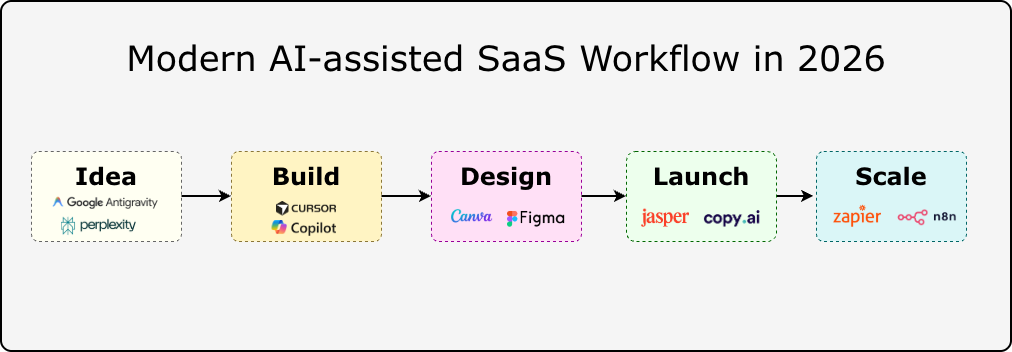
50 Best AI Tools in 2026 for your startup journey from Idea to Scale
AI tools in 2026 are solving these practical problems at the infrastructure level. The shift is no longer about chatbots answering questions. Developers are running AI inside their editors, connected to repositories. Researchers work with document-aware assistants that reason across private knowledge bases. Founders automate entire go-to-market workflows with AI agents. The difficulty is not finding AI tools; it is choosing the right one. Thousands of products exist, and most comparisons skip the hard part: what breaks at scale, what gets expensive, and what actually fits a small technical team's workflow. This guide covers 50 AI tools that are useful for real workflows in 2026. The list focuses on tools that developers, founders, creators, marketers, and small teams can actually use. Each tool is evaluated based on: * Practical use cases * Pricing approach * Strengths * Limitations * Where it fits best KEY TAKEAWAYS * The best AI tool depends on your workflow, not its product-hunt ranking. A developer, marketer, and founder often needs completely different tools for what looks like the same problem. * AI coding tools are becoming standard in engineering workflows, but generated code still requires testing, security review, and architectural judgment. * Affordable and open-source AI tools now match enterprise products in many categories, with more control over data and deployment. * AI productivity tools compound when integrated into existing processes. Used as standalone experiments, they rarely stick. * Agentic and multi-model workflows are the frontier. Tools like LangGraph and AutoGen are moving from research to production. 1. BEST AI TOOLS FOR PRODUCTIVITY Productivity AI tools in 2026 are becoming more focused on reducing repeated work rather than replacing human decision-making. The useful tools are the ones that fit into existing workflows: researching information, organizing knowledge, managing tasks, writing content, and connecting different applications. PERPLEXITY Website: https://www.perplexity.ai Pricing: Free plan available. Perplexity Pro starts at $20/month. Enterprise plans are available. Perplexity is an AI-powered search and research assistant built for finding information with references. Instead of returning only search results, it creates summarized answers by analyzing multiple sources and attaching citations. This makes it useful for developers, researchers, founders, and professionals who need quick context before making decisions. A developer researching a new framework can use Perplexity to compare documentation, community discussions, and technical explanations before starting implementation. BEST USE CASES * Technical research * Market analysis * Comparing software tools * Understanding documentation * Learning new technologies STRENGTHS * Provides source references with answers * Faster than manually reviewing many pages * Useful for exploring unfamiliar topics LIMITATIONS * Sources still require verification * Complex technical decisions need deeper research * Not a replacement for reading original documentation ANTIGRAVITY Website: https://antigravity.com Pricing: Pricing depends on available plans and product features. Antigravity is an AI-assisted productivity platform designed around organizing tasks, information, and workflows. Many productivity problems come from scattered information rather than a lack of tools. Antigravity focuses on helping users structure projects, manage knowledge, and create more organized workflows with AI assistance. It is useful for founders, teams, and individuals handling multiple projects where keeping information organized becomes difficult. BEST USE CASES * Project planning * Workflow organization * Managing information * Task management * Personal productivity systems STRENGTHS * Helps organize complex workflows * Useful for planning and information management * Reduces repetitive organization tasks LIMITATIONS * Results depend on workflow setup * Specialized tools are better for coding or design work * Requires consistent usage to provide value 2. BEST AI TOOLS FOR DEVELOPERS AI development tools in 2026 are moving beyond autocomplete. Modern coding assistants can understand repositories, explain unfamiliar code, generate tests, and help developers modify larger sections of applications. They still require engineering review because generated code can contain bugs, security issues, or incorrect assumptions. CURSOR Website: https://cursor.com Pricing: Free plan available. Pro plan starts at $20/month. Business plans are available. Cursor is an AI-powered code editor built on Visual Studio Code. The main difference between Cursor and traditional code completion tools is their ability to work with the entire project context. Developers can ask questions about a repository, modify multiple files, and understand relationships between different parts of an application. For example, a developer joining an existing project can ask Cursor to explain the authentication flow, database connections, or API structure. BEST USE CASES * Understanding large repositories * Refactoring applications * Debugging problems * Building prototypes * Writing tests STRENGTHS * Project-level code understanding * Works inside the development environment * Supports multiple AI models * Useful for existing applications LIMITATIONS * Large repositories need careful context handling * Generated changes require review * Poor instructions can create unnecessary edits GITHUB COPILOT Website: https://github.com/features/copilot Pricing: Individual plans start at $10/month. Business plans start at $19/user/month. GitHub Copilot is an AI coding assistant integrated into popular development environments, including Visual Studio Code, Visual Studio, JetBrains IDEs, and Neovim. It helps developers write code faster by suggesting implementations, generating tests, explaining functions, and creating documentation. Copilot works best as a coding partner for repetitive tasks. Developers still need to decide on the architecture, review the output, and validate security. BEST USE CASES * Code completion * Test generation * Documentation * Code explanation * Learning new frameworks STRENGTHS * Strong IDE integration * Supports many programming languages * Reduces repetitive coding work * Fits existing developer workflows LIMITATIONS * Suggestions can be incorrect * Does not understand complete business requirements * Generated code needs testing 3. BEST AI TOOLS FOR DESIGN AND CONTENT CREATION AI design tools are helping teams create visual assets, prototypes, and marketing materials faster. The biggest benefit is reducing repetitive design tasks while allowing creators to spend more time refining ideas. CANVA AI Website: https://www.canva.com Pricing: Free plan available. Canva Pro starts at $15/month per person. Canva AI combines generative AI features with Canva's existing design platform. It allows users to create presentations, social media graphics, marketing materials, and visual assets using AI-assisted tools. For startups and content teams, Canva AI is useful because it combines templates, editing features, and AI generation in one workspace. BEST USE CASES * Social media graphics * Presentations * Marketing designs * Brand assets * Quick visual experiments STRENGTHS * Easy learning curve * Large template library * Useful AI editing features * Good for non-design teams LIMITATIONS * Less control than professional design tools * Generated assets need review * Complex UI design requires dedicated software FIGMA AI Website: https://www.figma.com Pricing: Free plan available. Professional plans start at $16/editor/month, billed monthly. Figma AI brings artificial intelligence into product design workflows. It helps designers and product teams generate interface ideas, organize designs, create content, and speed up prototype development. For software teams, the advantage is keeping AI assistance inside the same environment used for wireframes, prototypes, and design systems. BEST USE CASES * UI prototyping * Product design * Design systems * Interface content generation STRENGTHS * Works inside product design workflows * Useful for team collaboration * Helps speed up early design stages LIMITATIONS * AI suggestions need design judgment * Complex interfaces still require manual work * Not a replacement for UX research 4. BEST AI TOOLS FOR MARKETING Marketing AI tools help teams research audiences, create campaigns, optimize content, and automate communication. The best results come from combining AI assistance with human strategy and editing. JASPER Website: https://www.jasper.ai Pricing: Creator plans start at $49/month. Business pricing is customized. Jasper is an AI content platform designed specifically for marketing teams. It focuses on creating marketing copy, campaign materials, product descriptions, and brand-focused content. Unlike general AI assistants, Jasper provides workflows around marketing tasks and brand consistency. BEST USE CASES * Marketing campaigns * Email content * Social media writing * Product descriptions * Brand messaging STRENGTHS * Marketing-focused features * Brand voice controls * Team collaboration support LIMITATIONS * Requires human editing * Generic prompts create average content * Strategy decisions still require marketers COPY.AI Website: https://www.copy.ai Pricing: Free plan available. Paid plans and enterprise options are available. Copy.ai is an AI platform focused on sales and marketing workflows. It helps teams create emails, sales messages, social media content, and campaign materials. The platform is especially useful for repetitive marketing tasks where teams need multiple variations of content. BEST USE CASES * Sales emails * Marketing campaigns * Social media posts * Content workflows STRENGTHS * Marketing templates * Workflow automation * Useful for sales teams LIMITATIONS * Requires editing for final content * Output quality depends on input instructions * Does not replace customer research BEST AI TOOLS FOR AUTOMATION Automation platforms connect AI with real business workflows. Instead of only generating responses, these tools can trigger actions across applications and reduce manual operations. ZAPIER AI Website: https://zapier.com Pricing: Free plan available. Professional plans start at $19.99/month billed annually. Zapier AI connects thousands of applications and helps automate repetitive business processes. A typical workflow can capture information from one application, process it with AI, and send the result to another service. Example: Customer form submission → AI summary → CRM update → Team notification BEST USE CASES * Business automation * Lead management * Data workflows * Email automation STRENGTHS * Large integration ecosystem * Easy workflow creation * Useful for non-developers LIMITATIONS * Costs increase with usage * Complex workflows need maintenance * Advanced logic may require custom development N8N Website: https://n8n.io Pricing: Self-hosted version is free. Cloud plans start at €24/month. n8n is an open-source workflow automation platform designed for technical users. Unlike simpler automation tools, n8n provides more control through self-hosting, custom integrations, API connections, and advanced workflow logic. It is commonly used by developers building internal tools, AI agents, and automated data pipelines. BEST USE CASES * AI agent workflows * API automation * Internal tools * Data processing STRENGTHS * Self-hosting support * Developer-friendly architecture * Flexible workflow control LIMITATIONS * Requires technical knowledge * Self-hosting needs maintenance * More complex than simple automation tools 40 MORE AI TOOLS IN 2026 COMPARED The first 10 tools cover some of the most commonly used AI workflows. However, many specialized tools solve specific problems better. A developer building an AI application may need a framework like LangChain. A marketing team may need SEO tools. A creator may need video- or voice-generation platforms. The following table compares 40 additional AI tools by category, primary use case, pricing model, and where they fit. | Product Name | Category | Best Use | Pricing | | | | | | | Amazon Q Developer | Developer Tools | AWS application development, code suggestions, debugging, and cloud workflow assistance | Free tier available, Pro plan: $19/user/month | | Windsurf | Developer Tools | AI-powered coding editor, repository understanding, and AI pair programming | Free plan available, paid plans available | | Tabnine | Developer Tools | Private AI code completion focused on developer teams and enterprise environments | Starter plans available, paid plans vary by usage | | Aider | Developer Tools | Terminal-based AI pair programming, code editing, and Git workflow assistance | Free open-source tool, model API costs vary | | Continue | Developer Tools | Open-source AI coding assistant for VS Code and JetBrains IDEs | Free and open source | | Vercel AI SDK | AI Development | Building AI-powered web applications using JavaScript and TypeScript | Free and open source | | LangChain | AI Framework | Developing LLM applications, AI agents, retrieval systems, and AI workflows | Open source, paid platform options available | | LlamaIndex | AI Framework | Connecting language models with private data, documents, and knowledge bases | Open source, cloud plans available | | LangGraph | AI Agents | Building structured AI agent workflows with state management | Free and open source | | AutoGen | AI Agents | Creating multi-agent AI applications and conversational agent systems | Free and open source | | CrewAI | AI Agents | Building collaborative AI agent teams for automated workflows | Open source, enterprise plans available | | Hugging Face | AI Platform | Accessing AI models, datasets, machine learning libraries, and model hosting | Free tier available, paid compute options | | Replicate | AI Infrastructure | Running machine learning models through APIs without managing infrastructure | Usage-based pricing | | Pinecone | AI Infrastructure | Vector database infrastructure for semantic search and retrieval applications | Free tier available, paid usage plans | | Modal | AI Infrastructure | Running AI workloads, GPU jobs, and machine learning applications in the cloud | Usage-based pricing | | Weights & Biases | Machine Learning | Tracking experiments, evaluating models, and managing ML workflows | Free tier available, paid team plans | | MLflow | Machine Learning | Managing machine learning experiments, deployment, and model lifecycle | Free and open source | | LM Studio | Local AI | Running and testing local language models on personal computers | Free | | Midjourney | Image Generation | Creating AI-generated images, concept art, product visuals, and creative assets | Plans start at $10/month | | Adobe Firefly | Design AI | AI image generation, editing, and creative workflow assistance | Free credits available, paid Creative Cloud plans available | | Leonardo AI | Image Generation | Generating artwork, marketing visuals, game assets, and product images | Free plan available, paid plans available | | Runway | Video AI | AI video generation, editing, background removal, and creative production | Free plan available, paid plans available | | Pika | Video AI | Short AI video generation and creative visual effects | Free plan available, paid plans available | | Synthesia | Video AI | AI avatar videos, training videos, and business presentations | Paid plans available | | HeyGen | Video AI | AI avatar creation, video translation, and marketing video production | Free plan available, paid plans available | | Descript | Video Editing AI | Transcript-based video editing, podcast editing, and content production | Free plan available, paid plans available | | Grammarly | Writing AI | Writing improvement, grammar checking, and communication assistance | Free plan available, Premium plans available | | Writesonic | Content AI | SEO content creation, AI writing workflows, and marketing content generation | Free plan available, paid plans available | | Frase | SEO AI | SEO research, content briefs, optimization, and search content analysis | Paid plans available | | Surfer SEO | SEO AI | Content optimization, keyword analysis, and SEO planning | Paid plans available | | Make | Automation | Visual workflow automation connecting applications and APIs | Free plan available, paid plans start around $9/month | | Microsoft Power Automate | Automation | Business process automation across Microsoft services and external applications | Free trial available, paid plans available | | Bardeen AI | Automation | Browser automation, data extraction, and repetitive workflow automation | Free plan available, paid plans available | | Reclaim AI | Productivity Automation | AI calendar management, scheduling, and task planning | Free plan available, paid plans available | | Motion | Productivity AI | AI scheduling, project management, and task prioritization | Paid plans available | | Intercom Fin AI | Customer Support AI | AI-powered customer support conversations and helpdesk automation | Usage-based pricing | | HubSpot AI | Business AI | CRM assistance, sales automation, marketing workflows, and customer management | Free CRM available, paid Hub plans available | | Gong | Sales AI | Sales conversation intelligence, call analysis, and revenue insights | Custom pricing | | Typefully | Social Media AI | Social media writing, scheduling, and content planning | Free plan available, paid plans available | HOW TO CHOOSE THE RIGHT AI TOOL IN 2026 With thousands of AI tools available, choosing the right one depends on the workflow, not popularity. 1. DEFINE THE PROBLEM FIRST Start with the task you want to improve. Examples: * Code understanding → Cursor or Claude Code * Research and analysis → Perplexity or NotebookLM * Design workflows → Canva AI or Midjourney * Automation → Make or n8n The best tool is the one that solves a specific bottleneck. 2. CHECK WORKFLOW COMPATIBILITY Before adopting a tool, evaluate: * API availability * Existing integrations * Data handling policies * Export options * Team collaboration features A tool should fit into existing systems instead of creating another isolated workflow. 3. CONSIDER LIMITATIONS AI tools still require human review. Common challenges include: * Incorrect outputs * Limited context understanding * Privacy considerations * Increasing costs with higher usage The most effective AI workflows combine automation with human judgment. CONCLUSION The AI tool landscape in 2026 is becoming more specialized. A single AI assistant is no longer enough for every workflow. Developers need coding tools that understand repositories. Researchers need systems that work with documents. Creators need tools for images, video, and audio. Businesses need automation that connects existing software. The most useful approach is to choose tools based on specific problems rather than following every new release. A small team using the right combination of AI tools can reduce repetitive work, test ideas faster, and spend more time on decisions that require human judgment. The goal is not to use more AI tools. The goal is to build better workflows with the tools that actually solve problems.
The Best Free Tools for Solo Founders in 2026
Every tool tested across three side projects over 18 months. Here's what actually earned its place in the stack - and a few that sounded good but weren't worth the tab. KEY TAKEAWAYS * A complete startup stack can run for around $1/month before revenue. * Vercel, Supabase, Railway, AWS Activate and Cloudflare cover most infrastructure needs. * Zoho mail, Resend and Brevo solve transactional and marketing emails separately. * Umami and PostHog provide privacy-friendly analytics and product insights. * Notion, Linear, Tally, and Cal.com simplify operations and user management. * AI tools like Antigravity, ChatGPT, Claude, and GitHub Copilot are useful even on free plans. * Some popular tools are no longer worth using due to restrictive free tiers. At $0 MRR you need to be careful what you pay for. But the free tiers across infrastructure, tooling, and SaaS have genuinely improved over the last few years. You can build, ship, and market a real product today without a credit card - at least until you have users who justify the cost. This post covers the stack that held up across three side projects over 18 months - actual usage, not speculation. Two of those projects are still running, and one now pays for its own hosting. INFRASTRUCTURE: HOST, SHIP, ITERATE VERCEL Pricing: Free up to 100GB bandwidth/month The Hobby plan is genuinely good. You get automatic deploys on push, preview URLs per branch, serverless functions, and Edge Config. For a solo founder running a Next.js or SvelteKit app, this handles 90% of prod deployments without configuration. The unexpected upside: how much faster iteration gets when every PR has a preview URL. Share it with a beta user in Slack. They test. They reply. No staging server to manage. Free tier limit: 100GB bandwidth and 6,000 function-hours per month. You'll hit these with real traffic - which is fine, because at that point you should have paying customers. * Works great for: Next.js, SvelteKit, Nuxt, static sites * Watch out for: long-running background jobs (use Railway instead) SUPABASE Pricing: Free for individuals Postgres with a dashboard, row-level security, auth (including OAuth and magic links out of the box), and a storage layer - all free to start. The DX is better than you'd expect from a hosted database. The SQL editor works, the table view is usable, and supabase gen types typescript keeps client types in sync with the schema. Auth alone makes it worth it. Setting up email/password + Google + GitHub OAuth takes about 20 minutes, including the callback routes. That's time previously spent reinventing the same plumbing on every project. Free tier limit: Projects pause after 1 week of inactivity. Fine for dev; pin your prod project to avoid cold starts for real users. * Works great for: apps that need auth + db + storage together * Watch out for: paused projects surprising early users at 2am RAILWAY Pricing: $5 monthly usage credit Where Vercel handles the frontend, Railway handles the stuff that needs to run longer than a serverless function - background queues, cron jobs, a separate Python service for ML inference. Everything deploys from a GitHub repo with environment variables and a Dockerfile or Nixpacks auto-detection. The $5/month free credit covers low-traffic services comfortably. A Node worker + Redis queue processing a few hundred jobs per day can run free for months before hitting the credit ceiling. AWS ACTIVATE Pricing: Free ( program, eligible startups can receive up to $ 100,000 to $ 200,000 in promotional credits to offset cloud infrastructure costs, including compute, storage, and machine learning models like Amazon Bedrock) If you're building something that eventually outgrows free tiers, AWS Activate can significantly extend your runway. Eligible startups can receive cloud credits that offset infrastructure costs across services like EC2, S3, RDS, Lambda, and more. The program is particularly valuable for founders working on AI, data, or infrastructure-heavy products that need more flexibility than typical free plans provide. * Works great for: startups planning to scale on AWS * Best benefit: cloud credits that reduce early infrastructure costs CLOUDFLARE Pricing: DNS + CDN + DDoS protection + Pages hosting: Free Cloudflare offers one of the most generous free tiers for builders. Beyond free DNS, SSL certificates, CDN, and DDoS protection, it also includes Cloudflare Pages for hosting landing pages, blogs, documentation sites, and portfolios at no cost. Cloudflare Workers further extends the platform with up to 100,000 free requests per day, making it useful for lightweight APIs, rate limiting, redirects, and edge applications. For many side projects and early-stage startups, Cloudflare can handle DNS, security, performance optimization, and static hosting from a single platform. * Best for: DNS, CDN, security, static websites, and edge functions * Includes: Cloudflare Pages, SSL certificates, and global CDN * Standout feature: 100,000 free Worker requests per day GITHUB PAGES Pricing: Free static website hosting GitHub Pages is a simple way to publish websites directly from a GitHub repository. It works particularly well for documentation, project websites, open-source projects, and personal portfolios where a lightweight deployment workflow is preferred. * Best for: documentation, project sites, open-source projects * Standout feature: deploy directly from a GitHub repository DESIGN AND PAYMENTS CANVA Pricing: Free graphics, presentations, and video editing Canva has become the default design tool for many founders who aren't professional designers. The free plan covers social media graphics, posters, presentations, YouTube thumbnails, short videos, pitch decks, and marketing assets. For early-stage projects, Canva often replaces multiple tools. A product launch graphic, investor deck, feature announcement, and demo video can all be created from the same workspace. * Works great for: social media posts, launch graphics, pitch decks, short videos * Watch out for: some premium templates and assets require a paid plan FIGMA Pricing: Free - 3 projects Three projects cover a lot of ground for a solo founder. Keep one file per product with everything: screens, component library, and the occasional architecture diagram for your own reference. Dev mode inspection is free now - previously a paid feature - and it's genuinely useful for getting spacing right. If you're technical, don't skip Figma just because you "don't need design tools." Having a single source of truth for what the app looks like - even a rough one - prevents you from redesigning the same modal for times in code. STRIPE Pricing: Free to use - 2.9% + 30¢ per transaction No monthly fee. You pay per transaction. For a SaaS doing subscriptions, the Billing and Checkout products handle almost everything: dunning, invoice emails, proration on plan changes, and the tax bits if you turn on Stripe Tax. The Stripe CLI is worth knowing about: stripe listen --forward-to localhost:3000/webhooks This routes webhook events to your local server. Test a subscription upgrade flow in 10 minutes without touching ngrok. EMAIL - TWO DIFFERENT PROBLEMS > Transactional vs. marketing email: these are separate problems and you want separate tools. Mixing them causes deliverability issues for both. A password reset landing in the Promotions tab is a support ticket waiting to happen. ZOHO MAIL Pricing: Free business email Having a professional email address helps establish credibility from day one. Zoho Mail offers a free plan that supports custom domains, allowing emails like [email protected] without paying for Google Workspace. For bootstrapped founders, it is one of the easiest ways to get business email running before revenue starts coming in. * Works great for: business email on custom domains * Watch out for: fewer collaboration features than Google Workspace RESEND Pricing: Free - 3,000 emails/mo, 100/day Transactional email that doesn't require a PhD to set up. Verify your domain, grab the API key, drop in the SDK. The React Email integration is the best part - write templates as React components, preview them in a browser, and render them server-side before sending. No more testing email HTML in Outlook. // send a welcome email in 8 lines import { Resend } from 'resend'; import { WelcomeEmail } from './emails/welcome'; const resend = new Resend(process.env.RESEND_API_KEY); await resend.emails.send({ from: '[email protected]', to: user.email, subject: 'Welcome to ProductWatch', react: <WelcomeEmail name={user.name} />, }); BREVO Pricing: Free - 300 emails/day, unlimited contacts Unlimited contacts on the free plan is the differentiator. Mailchimp caps you at 500 contacts free. If you're collecting a waitlist, Brevo lets you grow without paying until you're actually sending campaigns at volume. The automation builder is serviceable for a 4-email onboarding sequence triggered on signup - nothing fancy, but it works. The interface is a bit dated compared to newer tools, but that doesn't matter much when you're writing copy, not CSS. * Watch out for: the daily send limit on free means batching your launches. Not ideal for a 2,000-person waitlist email. ANALYTICS WITHOUT THE SURVEILLANCE BAGGAGE UMAMI Pricing: Free - self-hostable or free cloud tier Privacy-first analytics that doesn't need a cookie banner. Umami tracks page views, referrers, and custom events without fingerprinting users. The dashboard is clean enough that you'll actually check it instead of just assuming Google Analytics is running somewhere. The cloud free tier gives you 10,000 events per month. Deploy it yourself on Railway and you get unlimited events for ~$1/month in compute: # self-host in 20 minutes git clone https://github.com/umami-software/umami # add DATABASE_URL, APP_SECRET to Railway # deploy - done POSTHOG Pricing: Free - 1M events/mo Where Umami handles traffic, PostHog handles product analytics: funnels, session recordings, feature flags, A/B testing. One million events per month free is enough for early-stage products to get real insight into where users drop off. Feature flags alone justify adding it. You can ship half-rolled-out features to 10% of users in production, measure the activation rate, and toggle the flag off without a deploy. That's normally a paid feature. * Best use: funnel analysis for a signup or activation flow where you need to find the exact drop-off step MANAGING YOURSELF NOTION Pricing: Free - unlimited pages, 10 guests Notion works well for everything that's not code: user research notes, the product roadmap, a CRM with one table, launch checklists, blog drafts. The free plan is generous enough to run an entire early-stage operation inside it. One pattern that holds up: a "weekly review" page as a Notion template. Duplicate it weekly, fill in what shipped, what's stuck, and what the single most important thing is next week. Keeps the project from drifting in the wrong direction for a month without noticing. LINEAR Pricing: Free - unlimited issues, 1 workspace Linear is Jira if Jira were designed for people who have to actually use it. Free for a solo project. Tracking bugs, features, and user-reported issues in Linear - rather than in Notion - helps because keeping a separate space for "things to fix" vs "things to think about" reduces context-switching. The GitHub integration is good: reference an issue in a commit message and it closes automatically on merge. Keeps the issue list clean without extra bookkeeping. CAL.COM Pricing: Free - unlimited issues, 1 workspace Open-source Calendly. Self-hostable, or use the cloud version free. Embed it in the product for user onboarding calls. The shared link is a lot less awkward than emailing back and forth about times, and the free tier doesn't watermark your booking page the way some alternatives do. TALLY Pricing: Free - unlimited forms and submissions Typeform-style forms with unlimited everything free. Good for user research surveys, feature request forms embedded in the app, and feedback collection after onboarding calls. The Notion integration sends responses straight to a database without Zapier in the middle. AI TOOLS WORTH THE FREE TIER ANTIGRAVITY Pricing: Free AI access Many AI tools provide limited daily usage on free plans. AntiGravity stands out by offering a more generous free experience, making it practical for coding assistance, content generation, research, brainstorming, and day-to-day startup work. For founders trying to minimize software spending, a generous AI free tier often delivers more value than access to a specific model. * Best for: coding help, content generation, idea validation, research * Advantage: higher usable free-tier limits for regular workflows Other useful options include ChatGPT and Claude, though their free plans tend to have tighter daily limits depending on usage. GITHUB COPILOT Pricing: Free for individuals GitHub rolled out a free Copilot tier - 2,000 completions per month and 50 chat messages. Enough for coding sessions where you want autocomplete without paying $10/month until the product is actually making money. * Best for: boilerplate, tests, and filling in the obvious 5 lines you were about to type anyway * Skip for: anything security-sensitive - review what it suggests before committing WHAT TO SKIP Not everything with a free tier earns its place in the stack. Some tools tested and removed: | Tool | Tested for | Why it got cut | | | | | | Airtable | User CRM | Free tier caps at 1,000 records. Notion does the same job at any scale for free. | | Heroku | Backend deploys | Killed their free tier in 2022. Railway is better anyway. | | Mailchimp free | Newsletter | 500-contact cap is painfully low. Brevo's unlimited contacts wins immediately. | | Zendesk free | Support tickets | Overkill. Crisp's free chat + a shared inbox in Gmail works fine at <100 users. | | PlanetScale | MySQL alternative to Supabase | Killed their free tier in 2024. Supabase and Neon are better options now. | > Watch out for free tier cliffs. PlanetScale, Heroku, and Render have all reduced or removed free tiers in the last two years. Before building on a free tier, check the pricing page carefully for what happens when the bill arrives. THE WHOLE STACK, PRICED OUT Here's the full stack running on an active side project, and what it actually costs per month before there are paying users: | Tool | What it does | Monthly cost at $0 MRR | | | | | | Vercel (Hobby) | Frontend hosting, deploys | $0 | | Supabase (Free) | DB + auth + storage | $0 | | Railway | Background workers | $0 (under $5 credit) | | Cloudflare | DNS, CDN, Security, Pages, Workers | $0 | | GitHub Pages | Static website hosting | $0 | | AWS Activate | Startup cloud credits | $0 (eligible startups) | | Zoho Mail | Business email | $0 | | Resend | Transactional email | $0 | | Brevo | Marketing email | $0 | | Umami(self-hosted) | Analytics | ~$1 (Railway compute) | | PostHog | Product analytics | $0 | | Canva | Graphics, presentations, videos | $0 | | Figma | Design & UI mockups | $0 | | Antigravity | AI assistant | $0 | | GitHub Copilot (Free) | AI coding assistance | $0 | | Notion + Linear | Planning & project management | $0 | | Stripe | Payments | $0 (pay per transaction) | | Total | | ~$1/mo | The domain name ($12/year from Cloudflare Registrar) is the actual biggest expense before revenue. When a project starts earning, the first paid upgrades usually go in this order: Vercel Pro for faster builds, PostHog Scale for more events, then Resend's paid plan for higher send limits. The infrastructure grows with revenue instead of preceding it. > The goal isn't the cheapest stack. It's delaying cash outflow until there's cash in. These tools make that possible without meaningful tradeoffs on quality. CONCLUSION Building a product no longer requires a large software budget. The current generation of free tiers is capable enough to support hosting, databases, authentication, analytics, email, design, project management, and even AI-assisted development. The most valuable lesson isn't finding the cheapest tools. It's choosing tools that let a project grow without forcing early spending. A good startup stack should scale alongside revenue, not ahead of it. For most solo founders and indie hackers, the combination of Vercel, Supabase, Railway, Cloudflare, Resend, PostHog , Notion, and a few supporting tools is more than enough to launch, validate, and grow an idea before reaching for a credit card.