
Blogs in growth strategy
stay updated with the latest news, insights, and guides on growth strategy from ProductWatch.
How Buttondown Reached $1M ARR and Became an AI-Recommended Newsletter Platform
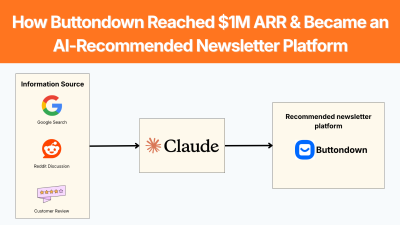
Getting a SaaS product recommended by Claude, ChatGPT, Gemini or Perplexity is becoming an important part of product discovery. But AI recommendations do not appear just because a company simply adds a few keywords to its website. Buttondown is a useful example. The newsletter platform entered a crowded market, grew without a viral launch or major funding round, and eventually passed a $1M ARR run rate. In its September 2026 Indie Hackers case study, founder Justin Duke said that LLM-based acquisition had started increasing and wrote: “Claude loves us.” The interesting question is not only how Buttondown reached $1M ARR. It is how years of product positioning, public writing, customer support, word of mouth, searchable content, and product visibility created the information footprint that now helps AI systems understand and recommend the company. > QUICK SUMMARY > > * Solve one clear problem: Buttondown began in 2017 because Justin Duke wanted a simpler newsletter tool for his own use, rather than trying to compete with every email platform. > * Own a specific niche: It focused on Markdown-based newsletters, technical writers, developers, and independent publishers. > * Publish useful content: Founder-led writing and documentation built searchable information around the product. > * Turn customers into distribution: Good support and product experience drove recommendations and word of mouth. > * Build third-party visibility: Customer mentions, communities, reviews, and articles gave search engines and AI systems more evidence about the product. > * Optimize for AI discovery: Clear connections between product → audience → problem → use case help AI systems understand when Buttondown is relevant. > * Track AI recommendations: Duke says LLM-based acquisition is increasing and that Claude recommends Buttondown. > * Measure and improve: Use tools such as Lumirank.ai, Semrush, Profound, or OtterlyAI to track AI mentions, citations, competitors, and prompts. BUTTONDOWN: THE COMPANY BEHIND THE CASE STUDY Buttondown is a newsletter publishing platform designed around a simpler workflow than large marketing automation systems. Its positioning centers on newsletters, Markdown, technical publishing, APIs, automation, and a relatively minimal writing experience. The product was created by Justin Duke, a software engineer who worked at Stripe and Amazon before and during the early period of Buttondown. The idea came from his own frustration with newsletter software. He had been using TinyLetter and felt that existing alternatives were either too heavy or tried to take control of more of the publishing experience than he wanted. Buttondown's development started in April 2017, became functional enough to send emails by the end of May, and officially launched by the end of June 2017. Duke's December 2017 review says the product already had paying customers by July. The original product was intentionally narrow. Duke wanted a tool that could handle the basic newsletter workflow without forcing writers into a large marketing platform. That positioning remains important because Buttondown is now associated with a specific type of user rather than trying to compete for every email-marketing use case. The September 2026 Indie Hackers article reports that Buttondown now powers newsletters for tens of thousands of writers, from small personal newsletters to publications reaching hundreds of thousands of subscribers. The company is fully bootstrapped, profitable, and generating more than $83K per month, according to the case study. Absolutely. The content and writing style are kept the same, but the 15 points have been condensed into 10 points by combining closely related sections. The original ideas and terminology are preserved. Pasted text 1. START WITH A SPECIFIC USER AND CLEAR CATEGORY Buttondown did not begin by trying to serve every possible email marketer. The initial customer was much easier to understand: someone who wanted to publish a newsletter without dealing with the complexity and marketing-heavy design of larger platforms. Duke's advice is direct: build for a specific person, ideally yourself, and resist generalizing before there is a reason to do so. Buttondown's identity is relatively easy to describe: newsletter software for people who want a simple, technical, Markdown-friendly publishing workflow. That is more useful for search and AI discovery than broad positioning such as: > “An all-in-one marketing platform for modern businesses.” A product should have clear answers to: What does it do? Who is it for? What problem does it solve? What makes it different? When should someone choose it instead of an alternative? The connection becomes: Product → audience → problem → use case That relationship should remain consistent across the website, documentation, customer stories, directories, reviews, and third-party articles. 2. PUBLIC WRITING AND WORD OF MOUTH BUILD LONG-TERM DISCOVERY One of Buttondown's most important growth channels was writing. Duke says he wrote extensively in public about building the product, product decisions, and the less interesting parts of running a software business. This writing did not always convert through a measurable funnel, but it built trust with people who were likely to become customers. This is relevant to GEO because AI systems need information to build an understanding of a company. A product page can explain what a product does. But independent articles, technical posts, documentation, reviews, customer stories, and community discussions provide additional context. Buttondown also did not have one launch that suddenly changed the business. Duke explicitly says most growth came from a good product and customers telling their friends. A satisfied customer may: * Mention the product in a newsletter. * Recommend it in a community. * Write a comparison. * Publish a tutorial. * Link to the product. * Mention it when someone asks for an alternative. The company therefore gains information sources that it does not completely control. 3. CUSTOMER SUPPORT BECAME A MARKETING CHANNEL Duke identifies customer support as another major part of Buttondown's growth. When customers reported problems, a real person responded and tried to solve them quickly. Good support increases the chance that customers stay. It also increases the chance that customers recommend the product. That creates a simple loop: Good support → satisfied customers → recommendations → more discovery No AI visibility tool can manufacture this loop. GEO can increase the chances that existing reputation is discovered, but the underlying reputation still needs to exist. 4. THE PRODUCT ITSELF CAN CREATE VISIBILITY Buttondown has another advantage that many SaaS products do not have: its customers publish newsletters. Duke points out that Buttondown's emails carry the company's identity and that public newsletter archives create additional exposure. Every customer publishing through the platform can potentially introduce another person to Buttondown. This is a form of product-led distribution. The product is not simply used to create value. Its normal operation creates additional opportunities for discovery. Other SaaS products can look for similar mechanisms. For example: A form builder can create public forms. A website builder can create public sites. A documentation tool can create public documentation. A scheduling tool can create shareable booking pages. A design tool can create public projects. The strongest examples turn product usage into legitimate distribution without forcing promotional content into the customer's experience. 5. AI RECOMMENDATIONS ARE BECOMING ANOTHER DISCOVERY CHANNEL The most interesting part of the new Indie Hackers case study is the statement: > “LLM-based acquisition has bent the curve up a bit too. Claude loves us.” This indicates that AI assistants have become another discovery channel for Buttondown. The user may instead ask: > “What is the best newsletter platform for a developer who wants Markdown and an API?” The answer engine decides which products to mention. That changes the competition. Traditional SEO is largely about ranking pages for queries. AEO/GEO is about making sure the company, product, use case, evidence, and relevant sources are available to answer engines when they construct an answer. There is no single “AI ranking.” A brand needs to monitor multiple answer engines and multiple prompts. 6. BUILD CONTENT AROUND BUYER QUESTIONS AND CREATE PAGES THAT CAN BE CITED AEO starts with understanding the questions. For a newsletter SaaS, useful prompts might include: What is the best newsletter platform for developers? What are good alternatives to Substack for technical writers? Which newsletter tools support Markdown? What newsletter platforms offer an API? What is a simple alternative to Mailchimp for a small newsletter? The content strategy should answer those questions directly. Do not create a page simply because a keyword has search volume. Create a useful answer that explains: The problem → available options → differences → who each option is for → evidence → recommendation criteria. Being mentioned by AI is useful. Being cited as a source is even more useful. Useful citation targets include: Original research, Product documentation, Detailed comparison pages, Technical guides, Pricing explanations, Industry statistics, Customer case studies, Definitions and explanations Avoid creating pages that contain only promotional claims. Instead of: > “The fastest and best AI prospecting platform.” Publish: > “How to identify companies hiring SDRs, which data points to collect, and how to turn those signals into a prospecting workflow.” The second page contains information an AI system can use. 7. BUILD AN ENTITY, NOT JUST A WEBSITE A SaaS brand needs more than a homepage. AI systems may encounter information about a company through: Official website → documentation → reviews → directories → customer websites → communities → comparison articles → social profiles → founder content → news → third-party research The objective is consistency. If the company's website says it is an AI sales research platform, its documentation says the same thing, customers describe it that way, and third-party articles classify it similarly, an AI system has several independent signals connecting the company to that category. If every page uses a different description, the model has a harder classification problem. This is why entity consistency is an important part of GEO. 8. USE AI VISIBILITY TOOLS AND TEST ACTUAL AI RECOMMENDATIONS You cannot improve AI visibility if you do not know where the company currently appears. Lumirank.ai helps brands understand how they appear in AI search. It tracks how ChatGPT, Gemini, Perplexity, Copilot, and Google AI mention a brand, including visibility, sentiment, competitors, and cited sources. Other useful tools include: * Semrush AI Visibility tracks brand visibility across ChatGPT, Gemini, Perplexity, and Google AI, while providing competitor comparisons, prompt tracking, citations, and AI-readiness audits. * Profound focuses on answer-engine visibility, prompt research, citations, competitor analysis, AI crawler activity, and content recommendations. * OtterlyAI monitors brand mentions and citations across major AI search systems and provides prompt research and GEO optimization features. The workflow is simple: Run prompts → record recommendations → identify competitors → inspect citations → find content gaps → publish or improve content → run the prompts again. Do not assume that strong Google rankings mean strong AI visibility. Create a list of 20–50 questions potential customers might ask. Then test those questions across Claude, ChatGPT, Gemini, and Perplexity. Record: Was the brand mentioned? What position did it receive? How was the product described? Which competitors appeared? Which websites were cited? Was the description accurate? Which use cases triggered the recommendation? 9. FIND TRUSTED SOURCES AND DO NOT TRY TO MANIPULATE AI RECOMMENDATIONS Suppose Claude recommends a competitor whenever someone asks: > “What are the best AI sales tools for small SaaS companies?” Look at the sources behind those answers. Maybe the competitor is repeatedly mentioned in: * SaaS comparison articles * Review websites * Industry publications * Reddit discussions * Founder interviews * Software directories * Customer case studies Those sources provide a roadmap. The objective is not to copy the competitor's content. It is to understand what information ecosystem is influencing the category. GEO should not become a campaign of publishing hundreds of pages that mention a brand repeatedly. Instead, build information that deserves to be referenced. For example, a cybersecurity company could publish original research about phishing attacks. An analytics platform could publish benchmark data. An SEO tool could publish a study of search behavior. A developer tool could publish technical documentation and benchmarks. A SaaS company can also create detailed comparisons and customer case studies based on real data. Original information gives other websites and AI systems something concrete to reference. 10. BUTTONDOWN SHOWS WHY TIME MATTERS One of the strongest lessons from Buttondown is that many of its acquisition channels compound slowly. Duke says starting the company while he had a full-time salary gave him the financial stability to make patient decisions. He specifically connects patience with channels such as SEO and word of mouth. That is also true for GEO. A company cannot create years of customer recommendations, independent mentions, documentation, and useful content overnight. But it can start building those assets now. The process is: Clear positioning → useful product → useful content → customer satisfaction → recommendations → third-party references → stronger entity recognition → AI visibility Pasted text A PRACTICAL AEO/GEO WORKFLOW FOR SAAS A SaaS marketing team can turn the Buttondown example into a repeatable process. STEP 1: DEFINE THE CATEGORY Write one clear sentence explaining what the product does and who it serves. STEP 2: BUILD THE PROMPT LIST Collect questions customers might ask ChatGPT, Claude, Gemini, Perplexity, and Google AI. STEP 3: ESTABLISH THE BASELINE Run those prompts and record brand mentions, competitors, rankings, descriptions, and citations. STEP 4: ANALYZE COMPETITORS Find the products appearing most often and identify the sources cited around them. STEP 5: FIX THE WEBSITE Make product pages, documentation, comparison pages, pricing, use cases, and FAQs clear and factually consistent. STEP 6: PUBLISH USEFUL INFORMATION Create original research, technical guides, customer stories, comparisons, and pages that directly answer important buyer questions. STEP 7: BUILD THIRD-PARTY PRESENCE Earn relevant mentions through customers, communities, publications, directories, reviews, partnerships, and industry content. STEP 8: MONITOR AI VISIBILITY Use Lumirank.ai, Semrush, Profound, or OtterlyAI to monitor mentions, citations, competitors, and prompt-level changes. STEP 9: IMPROVE THE MISSING AREAS If competitors appear for a valuable prompt and your product does not, investigate why. The missing piece may be content, positioning, authority, citations, or simply a better explanation of the product. STEP 10: REPEAT AI search changes continuously. Run the same prompts regularly and compare the results over time. CONCLUSION Buttondown's $1M ARR story is not primarily about one marketing tactic. It is about building a product for a clearly defined user, keeping the product focused, supporting customers directly, publishing useful information, and allowing word of mouth to compound over years. The new part of the story is AI discovery. Justin Duke says LLM-based acquisition has increased and specifically notes that Claude recommends Buttondown. That outcome makes sense when viewed through an AEO/GEO lens. Buttondown has a clear product identity, years of public writing, customer recommendations, documentation, public archives, and third-party references. Those sources give search engines and AI systems enough context to connect the product with specific newsletter use cases. The lesson for SaaS companies is straightforward: Do not optimize only to rank a page. Build the information, reputation, and evidence needed for an AI system to confidently understand when your product is the right answer. Then measure whether that actually happens. That is where tools such as Lumirank.ai, Semrush, Profound, and OtterlyAI become useful: they turn AI visibility from something a company occasionally checks into something the marketing team can monitor, compare, and improve.
How Career Hound Reached $25K+ a Month With a Simple Job Board
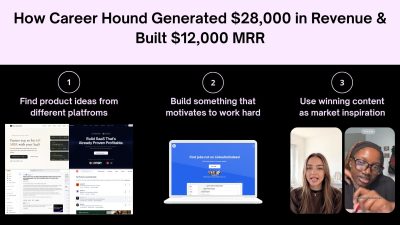
Can a simple job board really become a $25,000-plus-per-month business? Career Hound is an interesting example of how it can happen without building an unusually complicated product. The platform helps people find jobs posted directly on company websites, giving job seekers another way to discover opportunities beyond traditional job boards. In one recent month, Career Hound generated $28,000 in total revenue, while its reported MRR was around $12,000. The platform had more than 8,000 users and 779 active subscribers, with an average customer lifetime value of approximately $50. At the same time, its social content generated 11.7 million views in 30 days. The numbers are impressive, but the product itself is not particularly complicated. > KEY TAKEAWAYS > > * Career Hound solved a specific problem: finding jobs directly from company websites. > * During the Starter Story interview, Roman reported $28K monthly revenue, $12K MRR, 8,000+ users, and 779 active subscribers. > * Social content generated 11.7M views in 30 days. > * Roman researched Reddit, TikTok, Instagram, and other platforms to understand what job seekers repeatedly wanted. > * The strategy focused on evergreen topics and repeatable content formats instead of constantly chasing trends. > * Creators received clear formats and instructions, making content production easier to repeat. > * Marketing experiments were measured by clicks, signups, subscriptions, retention, and revenue, not views alone. > * The core system was research → test → measure → repeat. A QUICK LOOK AT CAREER HOUND Career Hound was launched around 2024 by Roman Lakhnyuk, a non-technical founder who built the platform after seeing how difficult it was to find relevant jobs through traditional job boards. The idea came from a simpler approach: find job openings directly on company websites and make those opportunities easier to discover. Today, Career Hound focuses on helping job seekers find jobs that may not appear on LinkedIn or Indeed. The platform has grown to more than 8,500 job seekers and says it has identified over 4.5 million hidden jobs. What started as a simple job-search solution eventually became a business generating around $25,000 per month, with the growth driven less by complex technology and more by content, audience research, and creator-led distribution. THE CAREER HOUND PLAYBOOK FOR BUILDING A SAAS BUSINESS Career Hound’s growth story is useful because the business was not built around a complicated product or a large marketing department. Roman started with a specific job-search problem, turned an existing scraping process into a product, and then built distribution around content and creators. The strategy was repeated for roughly two years, with marketing experiments used to identify which topics, formats, creators, and messages could consistently attract the target audience. For solo founders and SaaS builders, the important part is not copying Career Hound’s job-board model. A developer tool, analytics platform, recruiting SaaS, or AI product will need different content. What can be copied is the process: start with an existing problem, identify a specific audience, research what already gets their attention, find repeatable content formats, test them continuously, measure business results, and put more resources into the formats that produce customers. STEP 1: START WITH A PROBLEM THAT ALREADY EXISTS Career Hound did not begin with the assumption that people needed another general-purpose job board. The original idea came from a friend who had built a scraper that found job openings directly on company websites. Roman and his friend saw an existing process that solved a real problem and turned it into a product. That distinction matters for SaaS founders. Instead of starting with a feature and then searching for a market, start with a problem people are already spending time, money, or effort trying to solve. Look at how people currently handle the problem. Search Reddit discussions, communities, app reviews, YouTube comments, support forums, social posts, and competing products. Pay attention to repeated complaints and workarounds. Tools such as Reddit, YouTube, and G2 can help founders research existing conversations, reviews, and customer complaints. A good starting question is not, "What should be built?" It is, "What are people already trying to accomplish, and where is the current process failing them?" Career Hound's product came from an existing job-search workflow. That reduced the need to convince people that the problem existed. The marketing challenge became showing people that there was a better way to find opportunities. STEP 2: DEFINE ONE SPECIFIC CUSTOMER GROUP Career Hound initially focused on people in the United States who were looking for jobs, including both employed and unemployed job seekers. That gave Roman a defined audience to study. A SaaS product should be equally specific at the beginning. "Anyone who needs productivity software" is too broad to create a useful marketing system. A more useful target could be freelance developers managing multiple clients, small SaaS teams tracking product analytics, recruiters sourcing technical candidates, or solo founders trying to automate customer support. The narrower the initial audience, the easier it becomes to understand what that audience watches, reads, searches for, shares, and buys. This also makes content research more useful. When the audience is specific, a founder can identify recurring questions and desired outcomes instead of producing general educational content that could apply to everyone and therefore feels relevant to nobody. Tools such as SparkToro can help research where a specific audience spends time online, while Google Trends can help identify search interest around audience problems. STEP 3: RESEARCH THE AUDIENCE BEFORE CREATING CONTENT Roman's marketing process starts with research. He spends substantial time looking at content across platforms such as Instagram, Reddit, and TikTok. He looks at both video and text because the objective is not to study one platform. The objective is to understand what attracts attention from people in the niche. This is where Career Hound's "content thrifting" approach comes from. Instead of opening a blank document and trying to invent a topic, Roman collects examples that already made people stop, watch, read, comment, or share. A SaaS founder can use the same process. Suppose the product is a developer monitoring tool. Instead of immediately writing "10 Benefits of Application Monitoring," research what developers are already discussing. Look for posts about production incidents, debugging failures, unexpected cloud bills, database bottlenecks, uptime problems, and deployment mistakes. Save the posts that receive strong engagement and examine what made them work. The goal is not to copy the content. The goal is to identify recurring demand. After collecting enough examples, patterns begin to appear. Certain problems appear repeatedly. Certain hooks receive attention. Certain formats make complicated subjects easier to consume. Those patterns can become the foundation for the company's own content strategy. Tools such as Google Trends, AnswerThePublic, and BuzzSumo can help identify recurring questions, topics, and content patterns. STEP 4: SEPARATE TIMELY TOPICS FROM TIMELESS DEMAND Career Hound's marketing strategy distinguishes between timely content and timeless content. Timely content depends on something happening now. It can generate attention quickly, but its usefulness may disappear when the trend ends. A company can spend significant time chasing these topics without building a repeatable acquisition system. Timeless content is different. It is based on a problem or desired outcome that keeps returning. Roman gave remote and worldwide job opportunities as an example. People continue searching for companies that hire remotely. The exact companies can change, but the underlying demand remains. This distinction is important for SaaS marketing. A founder should not build the entire acquisition strategy around whatever happens to be trending that week. Look for subjects where the underlying demand is likely to remain. For an analytics product, a timeless topic might be "how to understand where users drop out of a signup funnel." For a recruiting product, it could be "how to find qualified technical candidates." For an AI writing product, it could be "how to create consistent product documentation." The topic can be updated, but the underlying problem remains. Tools such as Google Trends can help compare search interest over time and identify whether interest around a topic is recurring or heavily tied to a particular moment. STEP 5: FIND THE DESIRED OUTCOME Career Hound's content is built around outcomes rather than product features. Job seekers want a better job, remote work, access to more opportunities, or a faster way to discover relevant openings. That gives the content a clear reason to exist. SaaS founders should identify the outcome their audience already wants before deciding what content to publish. The product can then become part of the path toward that outcome. For example, an accounting SaaS may sell automated financial reporting, but customers may care more about knowing whether the business is actually profitable. A project management tool may sell task management, but customers may care more about completing projects without missing deadlines. The marketing message should begin with the outcome the customer recognizes, then show how the product helps achieve it. Tools such as Hotjar can help founders understand what visitors are trying to do on a website through behavioral insights and feedback. STEP 6: TURN ONE SUCCESSFUL IDEA INTO A REPEATABLE FORMAT One of Career Hound's key strategies is finding content formats that convert and repeating them. Roman's remote-job example follows a simple structure: introduce a desirable outcome, present a list of companies that provide that outcome, and direct viewers toward Career Hound for more opportunities. The strength of this approach is repeatability. The entire concept does not need to be reinvented for every post. A SaaS company can create the same type of system around its own audience. A cybersecurity company could repeatedly publish security mistakes found in real applications. An analytics product could repeatedly show examples of why users abandon a funnel. A developer tool could repeatedly demonstrate common production problems and how developers diagnose them. Once a format produces meaningful results, the founder can change the subject while keeping the underlying structure. This creates a content system instead of a collection of unrelated posts. Tools such as Notion or Airtable can help organize content ideas, formats, production briefs, and publishing workflows. STEP 7: TEST VARIATIONS INSTEAD OF GUESSING Career Hound's marketing process treats content as a series of experiments. A founder can change one variable at a time: the hook, topic, creator, opening line, format, presentation, CTA, or audience segment. The purpose is to discover which combination produces the desired business result. For example, suppose three videos all discuss the same SaaS feature. One uses a problem-based hook, one uses a list format, and one uses a product demonstration. If one consistently generates more qualified website visitors, that provides evidence about the format. The process should continue after the first successful post. One successful video is not necessarily a repeatable acquisition channel. The next step is to reproduce the structure with different topics and creators and see whether the result happens again. This is why failed experiments are useful. A post that receives little attention eliminates one possible approach. A post that generates views but no signups reveals a different problem. A post that generates signups but few paid customers provides another piece of information. Every experiment should reduce uncertainty. Tools such as PostHog can help track product behavior and experiments, while Google Analytics can help measure website traffic and conversions. STEP 8: BUILD A CREATOR DISTRIBUTION SYSTEM Career Hound does not rely only on Roman's personal content output. He works with creators who already produce content for the target audience. The important part is audience fit, not simply follower count. Roman specifically described working with older creators for job-search content because he believed their appearance could communicate experience and credibility to the audience. That is a Career Hound-specific choice, not a universal rule. Another SaaS category may require a completely different creator profile. The general principle is to identify the type of person the audience already listens to. Creators can be found through creator marketplaces or by directly contacting people who are already making relevant content. The best candidates do not necessarily have enormous audiences. Someone with a smaller but highly relevant audience can be more useful than a large account whose followers have no connection to the product. Tools such as TikTok Creator Marketplace and Instagram Creator Marketplace can help brands discover creators and evaluate potential audience matches. STEP 9: MAKE THE CREATOR'S JOB EXTREMELY SIMPLE Roman's creator workflow removes research from the creator's responsibilities. He maintains a sheet containing content formats and precise instructions. The creator does not need to research the subject, determine the structure, or figure out what the company wants to communicate. The instructions explain what needs to be created. This is an important operational lesson. If a company hires ten creators and gives each person a vague instruction such as "make a video about our product," every creator will interpret the assignment differently. Quality becomes inconsistent, revisions increase, and the founder spends more time managing content. A better system defines the format, topic, hook, key information, CTA, and any important restrictions before the creator starts. Roman described trying to make the instructions simple enough that there is little room for confusion. That makes the system easier to scale and reduces the amount of management required from the founder. Tools such as Google Sheets, Notion, and Trello can help maintain creator briefs, instructions, deadlines, and content status. STEP 10: KEEP CREATOR COSTS CONTROLLED During the Starter Story interview, Roman said he generally aimed to pay no more than around $20 per video in most situations. The exact number should not be copied blindly. Creator pricing depends on the platform, niche, audience, quality, geography, and deliverables. The useful lesson is to control the cost of experimentation. If a company spends hundreds of dollars testing every new content idea, it becomes difficult to run enough experiments to identify a winning format. If the cost of testing is controlled, the company can run more experiments and learn faster. The objective is not to pay creators as little as possible. The objective is to establish a repeatable cost structure where enough experiments can be run to determine what works. Tools such as SideShift, Upwork and Fiverr can help founders compare creator and freelance production options. STEP 11: MEASURE THE ENTIRE FUNNEL Views alone do not tell a SaaS founder whether content is producing a business. Career Hound reported 11.7 million social views in the 30 days before the Starter Story interview. During the same interview, Roman reported 779 active subscribers, approximately $12,000 in MRR, $28,000 in total revenue for the previous month, an average lifetime value of around $50, and approximately 31% churn. These figures are from the interview period and should not be treated as current financial results. The important lesson is how to connect marketing activity to business results. A useful funnel is: If a video receives 100,000 views but produces almost no website traffic, the problem may be the CTA or audience fit. If it produces traffic but few signups, the landing page or offer may need work. If it produces signups but few paid users, the product or pricing may not match the promise made by the content. Without this funnel, a founder can mistake attention for growth. Tools such as PostHog and Google Analytics can help connect traffic, user behavior, conversions, and product activity across the funnel. STEP 12: USE THE PRODUCT TO SUPPORT THE MARKETING PROMISE Career Hound's product solves a clear problem: finding job openings directly from company websites. The marketing works because the content and product are connected. A video about finding companies that hire remotely naturally leads to a service designed to help users discover more job opportunities. SaaS founders should create the same connection. If the content promises faster customer research, the product should help users perform that research. If the content promises easier analytics, the product should make the analysis easier. If the content promises a list of opportunities, the product should provide access to more opportunities. The CTA should feel like the next step rather than an unrelated advertisement. Tools such as Framer or Webflow can help founders create and test landing pages that connect the content promise with the product experience. STEP 13: KEEP THE TECHNOLOGY FOCUSED ON OPERATIONS Career Hound does not rely on a large collection of specialized software. Roman reported using a relatively lightweight stack, with each tool supporting a specific operational requirement across marketing, creator management, analytics, email, hosting, and infrastructure. | Tool | Purpose | How Career Hound Uses It | | | | | | Shorttimize | Social tracking | Tracks clicks and connects social content with website traffic | | PostHog | Experiments and analytics | Supports product and marketing experiments and measures user behavior | | WhatsApp | Creator communication | Keeps communication with content creators simple and direct | | Microsoft Clarity | Visitor behavior | Shows how visitors interact with the website after arriving from content | | Hetzner | Server infrastructure | Provides the server infrastructure used to run the application | | Postmark | Email | Handles transactional and product-related email delivery | | Google Workspace | Business communication | Manages business email and day-to-day communication | | Cloudflare | Infrastructure and security | Supports website infrastructure, traffic management, and security | The important point is not to copy this exact stack. Career Hound uses each tool for a specific operational need. Short URL connects social activity with traffic, PostHog supports experiments, Clarity helps understand visitor behavior, and WhatsApp makes creator coordination easier. For a solo founder, the useful lesson is to add technology when a specific operational problem appears. If it is difficult to track which content sends visitors to the website, improve attribution. If visitor behavior is unclear, add analytics. If managing creators becomes difficult, improve the communication and production workflow. The technology should support the growth process rather than become the growth process. Career Hound's reported results came from audience research, repeatable content formats, creator distribution, marketing experiments, and measurement. The technology helped operate that system in the background. STEP 14: TURN EXPERIMENTS INTO A REPEATABLE OPERATING SYSTEM The real Career Hound playbook is not one viral video or one creator campaign. It is the repeated cycle behind them. Research what the audience already cares about. Identify recurring problems and desired outcomes. Find content formats that attract attention. Turn those formats into clear creator instructions. Publish multiple variations. Track traffic, signups, subscriptions, and revenue. Remove formats that repeatedly fail. Produce more versions of formats that generate customers. This creates a feedback loop. Research produces ideas. Experiments produce data. Data identifies useful formats. Useful formats become repeatable processes. Repetition creates more data. The process then starts again. That is much more useful than trying to find a single "perfect" marketing strategy. Tools such as Notion, Airtable, and PostHog can help document experiments, organize processes, and track results. STEP 15: BUILD A SIMPLE WEEKLY GROWTH ROUTINE A solo founder can turn this process into a weekly operating routine. At the beginning of the week, research the audience and collect new examples from the platforms where customers spend time. Identify recurring questions, problems, formats, and hooks. Next, select several content concepts based on those patterns. Turn each concept into a simple production brief containing the hook, topic, structure, key information, CTA, and target audience. Then publish or send the briefs to creators. Keep the experiments small enough that multiple variations can be tested without consuming the entire marketing budget. At the end of the week, review the numbers. Separate views from actual business outcomes. Identify which topics generated traffic, which generated signups, and which produced paying customers. The following week should not start from zero. Carry the strongest formats forward and test new variations against them. This is how a founder gradually builds a marketing system from repeated evidence rather than intuition. Tools such as Notion or Google Sheets can be used to manage the weekly research, content pipeline, experiments, and results. STEP 16: USE FAILURE TO NARROW THE STRATEGY Roman compares marketing experiments with his previous door-to-door sales experience. Every unsuccessful door eliminated one possibility, while each successful interaction moved him closer to a sale. The same logic applies to SaaS marketing. A failed topic tells you something about demand. A weak creator tells you something about audience fit. A high-view video with no signups tells you something about the connection between attention and product intent. A strong signup rate but poor paid conversion tells you something about the offer. The mistake is treating every failed experiment as wasted money. A failed experiment becomes useful when the result changes what the company does next. The objective is not to make every campaign successful. The objective is to learn quickly enough that unsuccessful approaches are removed and successful approaches receive more resources. Tools such as PostHog can help founders record experiment results and compare changes in user behavior. STEP 17: DO NOT CONFUSE CONTENT REACH WITH PRODUCT-MARKET FIT Career Hound's social reach is a major part of its distribution strategy, but content reach alone does not prove that a product has product-market fit. A SaaS business needs customers who continue using and paying for the product. Career Hound's interview data provides a useful example. Roman reported 779 active subscribers and approximately 31% churn at the time. For a job-search product, churn has to be interpreted in the context of the customer's situation because a user may stop needing a job-search service after finding employment. This is why founders should track retention alongside acquisition. A marketing campaign that produces thousands of new signups but very little continued usage can create a large audience without creating a durable business. Tools such as PostHog and Mixpanel can help founders analyze retention, cohorts, conversion, and user behavior. The product category changes. The research and testing process stays similar. Tools such as GitHub, Hacker News, Reddit, and YouTube can support research across different SaaS audiences. THE COMPLETE CAREER HOUND GROWTH LOOP Career Hound's strategy can be reduced to one operating loop: The strength of this approach is that it does not depend on guessing which marketing channel will suddenly work. It creates a process for discovering what works. For a solo founder, that distinction matters. The goal is not to become a full-time content creator or copy Career Hound's exact videos. The goal is to build a repeatable system where every week produces new information about the audience, the content, the creators, and the product. Career Hound's reported growth shows what can happen when that process is maintained for a long period. Roman started with a specific job-search problem, built a focused product, researched what the audience wanted to see, worked with creators who matched that audience, and repeated content experiments for roughly two years. For other SaaS founders, the practical playbook is straightforward: solve a problem people already have, study the audience before creating content, build around recurring demand, test many small ideas, measure customers rather than views, and keep repeating the formats that produce measurable business results. That is the part of the Career Hound story worth copying. CONCLUSION Career Hound's journey to more than $25,000 a month is not really a story about building a revolutionary product. It is a story about distribution. The product is simple, the market is proven, and the technology stack is lean. The growth comes from understanding the audience, finding evergreen content opportunities, identifying repeatable formats, and building a creator system around them. For solo founders and SaaS builders, that is the bigger takeaway. The next successful product does not necessarily need to be complicated or completely original. A simple product solving a proven problem can become a substantial business when the distribution system is strong enough. Build something people understand. Research what they care about. Find what content works. Then repeat and improve it.
Why Brand-New Websites Are Invisible on Google for Months
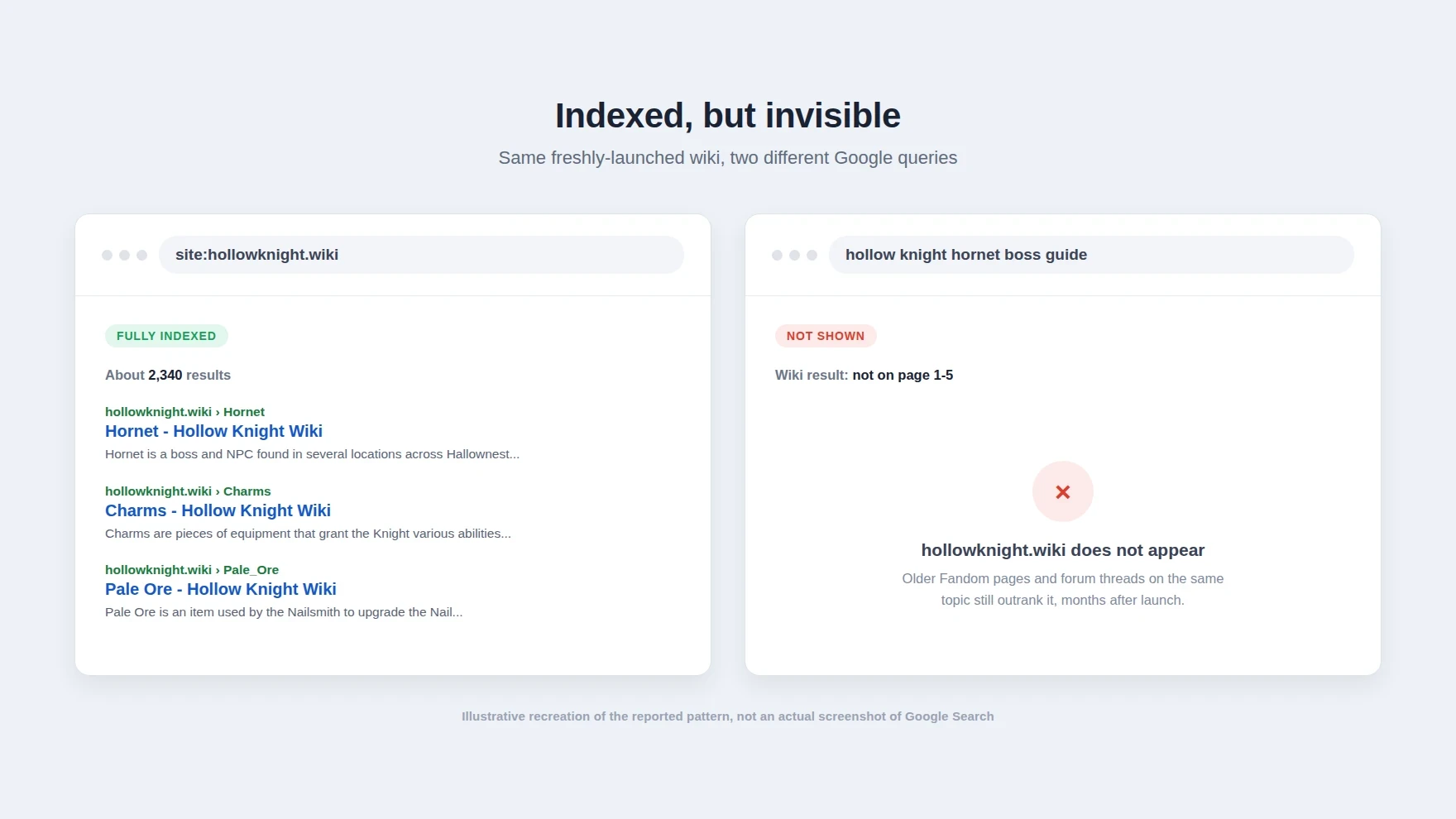
Run site:hollowknight.wiki on Google, and you get roughly 2,300 results: articles on every boss, charm, and item, all fully crawled and indexed. Search for almost any of that content by name, "hollow knight hornet boss guide," say, and the wiki doesn't show up. Not on page one, not on page five. Older Fandom pages on the same topic, some of them years stale, outrank a wiki that Google's own index says it has fully read. That gap between "indexed" and "rankable" is what a growing number of wiki operators and independent site owners have started calling Google Jail: a stretch, sometimes lasting the better part of a year, where a brand-new domain is crawled and stored but rarely surfaced for anything except a search for its own name. It traces back to Google's March 2024 core update; it isn't officially acknowledged as a distinct penalty, and the evidence for it is now solid enough that it's worth understanding if you're about to point a new domain at anything. > SUMMARY > > 1. The pattern: since Google's March 2024 core update, new wikis on fresh domains get crawled and indexed (confirmed by site: searches showing thousands of pages) but essentially never surface for ordinary queries, sometimes for up to a year. > 2. The scale: Weird Gloop, the team behind several game wikis, estimates roughly 90% of wikis launched on new domains since March 2024 have hit this, including gta.wiki, hytalewiki.org, hollowknight.wiki, and the Path of Exile 2 wiki. Around 85% of a typical game wiki's traffic normally comes from Google, so the effect is close to existential for a new project. > 3. Google's public position: there's no such thing as a "sandbox." John Mueller has said as much since at least 2018. What Google confirms instead is three spam policies rolled out alongside the March 2024 update, expired domain abuse, scaled content abuse, and site reputation abuse, aimed at cutting low-quality and unoriginal content from search results by about 40%. > 4. A messier, competing explanation: one wiki operator traced their own visibility loss to aggressive crawler abuse through residential proxies hammering expensive, uncached pages, which caused server instability that they believe triggered the penalty, independent of domain age. > 5. The workaround is ironic: the fastest fix people have found is launching on a subdomain of an already-trusted domain, then migrating later, the exact centralization pattern many of these wikis exist to escape. INDEXED, BUT INVISIBLE The mechanism itself is the strange part. This isn't a crawl problem. Google is visiting these sites, parsing the pages, and adding them to its index at a normal rate; you can watch it happen in Search Console. The break happens one step later, at ranking. A page can be indexed and still functionally never be shown, because ranking and indexing are separate systems, and a low enough trust score on the ranking side means a page essentially never clears the bar for a real query, no matter how directly it answers it. > Illustration: Comparing a site: search showing a wiki fully indexed with thousands of results against a normal search query where the same wiki does not appear at all. That's a meaningfully different failure mode than the classic reasons a new site struggles: thin content, bad backlink profile, technical SEO mistakes. Those depress rankings gradually and unevenly. This is closer to a blanket suppression that lifts all at once, months later, for reasons that aren't visible from the outside. THE SCALE OF IT The clearest writeup of the pattern comes from Weird Gloop, the team that runs the RuneScape wikis and several others, in a post published in August 2026. Cookmeplox, writing for Weird Gloop, put a number on it: roughly 90% of wikis launched on brand-new domains since the March 2024 core update have run into this, and it has lasted "sometimes up to a year." The named list is not a handful of edge cases: gta.wiki, hytalewiki.org, hollowknight.wiki, poe2wiki.net (the Path of Exile 2 wiki), plus wikis for Undertale and Vampire Survivors, and the Overwatch and Fortnite wikis that recently migrated off Fandom onto their own domains. The reason this matters so much specifically for wikis is the traffic mix. Cookmeplox cites roughly 85% of video game wiki traffic as coming from Google. A wiki that isn't visible in ordinary search results isn't losing a growth channel, it's losing almost the entire reason anyone finds it, which starves the very thing a wiki needs to survive: enough visitors turning into enough editors to keep pages current. A few wikis have reportedly clawed their way out early by riding a big game update that generated a surge of fresh, timely content, but "wait for a viral event" isn't a strategy most projects can plan around. WHERE THIS TRACES BACK TO Google's own account of what changed in March 2024 is public, if you know to look at the spam policy announcement rather than the core ranking update. Alongside the core update, Google introduced three new spam policies aimed squarely at gaming trust rather than content quality in the traditional sense: expired domain abuse (buying a lapsed domain to inherit its old authority and load it with unrelated content), scaled content abuse (mass-producing pages, however they're generated, mainly to manipulate rankings rather than help anyone), and site reputation abuse (third parties publishing low-oversight content on a trusted host purely to borrow its ranking signal). Google gave two months' notice on enforcing the site reputation abuse policy specifically and started acting on it May 5, 2024. The stated goal for the whole update was to reduce the amount of low-quality, unoriginal content in search results by about 40%. None of those three policies is written to target new domains as a category. But if the practical signal Google is now weighting more heavily is something like is this domain's history and pattern of behavior something we already trust, a brand-new domain has, structurally, no history to weigh. It's not that new sites are penalized on purpose. It's that the fastest way to catch the abuse patterns Google actually named is a filter that also happens to catch everything with no track record yet, real projects included. IS THIS JUST THE OLD "SANDBOX," BACK UNDER A NEW NAME? SEO forums have talked about a "Google Sandbox" holding back new sites since at least the mid-2000s, and Google has been consistent in denying it exists as a formal mechanism. John Mueller said in a 2018 Search Central office-hours session: "With regards to sandbox, we don't really have this traditional sandbox that a lot of SEOs used to be talking about in the years past." He repeated essentially the same line in 2021, adding that what people perceive as a sandbox is more likely "a number of algorithms that might look similar" but are really just Google "trying to understand how this website fits in with the rest of the websites trying to rank for those queries." That's a real distinction, not just PR. There's a difference between "we hold new sites back on purpose" and "we don't have enough signal about a new site yet, so our trust-scoring algorithms rank it conservatively by default until it earns more." The end result looks identical from the outside: nothing ranks for months. But the second framing is closer to what Weird Gloop's data actually shows, because the effect isn't uniform. It concentrates specifically on new domains competing against something Google already trusts on the same topic. A MESSIER, MORE SPECIFIC CULPRIT The Hacker News discussion of the Weird Gloop post surfaced a data point that complicates the "just domain age" story. iamacyborg, who operates the Path of Exile 2 wiki, wrote that their visibility problem in the last few months wasn't really about being new at all: "The recent issues relate to site errors due to aggressive crawling of uncached, server-intensive pages (diffs, etc) hidden behind residential proxies. We were being hit sufficiently hard that the server had stability issues and we were penalised by Google." In other words, bot traffic disguised behind residential IPs hammered expensive, dynamically generated pages hard enough to make the server unreliable, and Google's systems appear to have read that instability as a quality signal and dropped the site's trust score accordingly, independent of how old the domain was. A second data point pushes in the same direction. miladyincontrol described running a wiki for "a rather specific niche" launched about 1.5 years ago that ranked well within a few months, no jail. Their read: "It sounds like the issue isnt for 'independent wikis' but for wikis competing with an existing domain already hosting one on the topic, in this case fandom.com's." A wiki with no real incumbent to displace seems to onboard normally. A wiki trying to out-rank an established Fandom page on the same subject is where the suppression shows up hardest, which reads less like a blanket new-domain penalty and more like Google being deliberately conservative about handing rankings to a challenger until it's proven itself over time. And it isn't limited to wikis with heavy dynamic content, either, arjie, a self-hoster running a personal blog on MediaWiki, described being "absent from all search engines for a year" on a low-traffic site with none of the crawler-abuse dynamics wikis like poe2wiki have. Put together, there probably isn't one clean cause. Domain trust, competing against an established incumbent on the same query, and the site's own operational health (whether bots are hammering it into instability) all look like inputs into the same underlying trust score, and a new site is more exposed on every one of those axes at once. THE IRONY OF THE FIX The workaround people have actually converged on says a lot about how the incentives shake out. Cookmeplox notes that the Overwatch wiki, freshly launched as a subdomain of the already-established weirdgloop.org, was indexing normally within seven days, a fraction of what a brand-new root domain takes. The plan for future wikis, per that post, is to launch on a subdomain of a domain Google already trusts, build an editing and traffic base there, and only later migrate to a clean, independent root domain with 301 redirects once the project has enough of a track record to survive the transition. That's a rational response to the actual algorithm, and it's also exactly backwards from the reason a lot of these projects exist in the first place. The entire pitch of an independent wiki is escaping a centralized host, Fandom, HN commenter unglaublich summed up the frustration bluntly as "another push to centralizing and walling off user content." A search algorithm that makes a brand-new independent domain functionally invisible for months, while a subdomain of an existing platform indexes in a week, is quietly re-creating the dependency on centralized hosts that these projects were trying to leave. WHAT THIS MEANS IF YOU'RE LAUNCHING SOMETHING NEW None of this is specific to game wikis. If you're about to point a new root domain at a SaaS product, a docs site, a blog, or any other content that's meant to be found through search, the practical planning assumption should be that Google is not your first channel. Budget for a multi-month gap, plausibly the better part of a year in a competitive niche, between launch and any meaningful organic traffic, and plan your early distribution around things that don't depend on Google at all: communities where your actual audience already gathers, direct links from people who already trust you, a newsletter, word of mouth. That's not a new idea for anyone who has watched a Show HN post or a Product Hunt or Product Watch launch actually move the needle for a new product, but it becomes a load-bearing plan rather than a nice-to-have once you know the SEO channel is functionally off for months. Once you're past that window, the fundamentals of making a new site properly crawlable and indexable are still worth getting right early, so there's nothing left blocking you once Google starts trusting the domain. Two more concrete takeaways follow from the causes above. First, since scaled content abuse is one of the three policies Google explicitly named, resist the urge to pad a new site with thin, templated, or AI-bulk-generated pages to look bigger faster; that's precisely the pattern the March 2024 policies were built to catch, and doing it on a domain with zero trust built up is the worst possible time to test the boundary. Second, since at least one operator traced their suppression to uncontrolled bot traffic destabilizing their server, it's worth hardening whatever endpoints get hit hardest on a new site (search pages, diff views, anything expensive and uncached) with basic rate limiting before launch, not after a scraper finds them. CONCLUSION Google's official line is that there's no sandbox, and taken literally, that's true: there's no single flag in some admin panel labeled "hold new sites back." What Weird Gloop's data, the named wiki examples, and the operator accounts on Hacker News add up to instead is a set of trust-scoring systems that, in combination, produce the same real-world outcome anyway: a brand-new domain, especially one trying to out-rank an established incumbent on the same topic, can be fully crawled and indexed and still be functionally unsearchable for months. Whatever you call the mechanism, if you're launching something new on a fresh domain, the honest plan is to expect Google traffic to be near zero for a while and to have already lined up somewhere else for your first readers to come from.
Top 10 SaaS Affiliate Marketing Tools for Founders in 2026
Affiliate marketing can become one of the most efficient acquisition channels for a SaaS business. Instead of paying for every click or running campaigns that may never convert, a SaaS company can work with affiliates, creators, customers, agencies, consultants, and industry experts who promote the product and earn a commission when they generate a qualified conversion. The difficult part is managing that process manually. A serious SaaS affiliate program needs more than a referral link. It needs accurate attribution, recurring commissions, coupon tracking, affiliate dashboards, payout management, fraud detection, reporting, integrations with billing systems, and sometimes tools for finding new partners. That is where SaaS affiliate marketing platforms come in. The right affiliate software can help a founder launch a program without building tracking infrastructure from scratch. For a growing company, it can also provide the controls needed to manage hundreds or thousands of affiliates. > QUICK SUMMARY > > * Affonso: A SaaS-focused affiliate platform with Stripe, Paddle, Polar, Creem, and Dodo integrations, affiliate discovery, fraud protection, API access, recurring commissions, and developer tools. > * Rewardful: A Stripe and Paddle-focused platform known for quick setup, recurring commissions, unlimited affiliates, REST API access, and 0% transaction fees on its core plans. > * FirstPromoter: A SaaS affiliate and referral platform with recurring commissions, affiliate portals, email automation, fraud detection, tax-form collection, and support for multiple billing providers. > * Tolt: A startup-focused affiliate platform built around SaaS referral programs, recurring commissions, affiliate management, and automated payouts. > * PartnerStack: An enterprise B2B partner platform combining affiliate tracking, lead and deal registration, partner payments, CRM integrations, onboarding, and access to its partner marketplace. > > impact.com, Tapfiliate, Dub Partners, Post Affiliate Pro, and Affise also support affiliate tracking, partner management, commission management, reporting, automation, and performance analytics. BEST SAAS AFFILIATE MARKETING PLATFORMS COMPARED |Platform | Key features | Minimum price | Best for | Free Trial | | | | : | | | | Affonso | SaaS-focused tracking, recurring commissions, fraud detection, affiliate discovery, API, SDK, webhooks, Stripe/Paddle integrations | $15/month | Early-stage and growing SaaS companies | ✓ 14 days | | Rewardful | Stripe/Paddle integration, recurring commissions, affiliate portal, REST API, mass payouts, fraud detection | $49/month | Stripe-powered SaaS businesses | ✓ 14 days | | FirstPromoter | Affiliate/referral/influencer programs, recurring commissions, affiliate portal, email automation, fraud detection | $49/month | SaaS and subscription businesses | ✓ 14 days | | Tolt | SaaS affiliate tracking, recurring commissions, affiliate management, automated payouts, Stripe/Paddle support | $69/month | Startups and SaaS founders | ✓ Trial available | | PartnerStack | Partner marketplace, affiliate tracking, lead/deal registration, partner payments, CRM integrations, onboarding | $1,000/month | B2B SaaS and enterprise partner programs | ✗ | | impact.com | Affiliate tracking, partner marketplace, influencer partnerships, contracting, reporting, automated partner management | $30/month | Businesses managing multiple partner types | ✗ | | Tapfiliate | 30+ integrations, recurring commissions, coupon tracking, real-time reports, affiliate groups, automated payouts | $89/month | SaaS and ecommerce teams needing flexible integrations | ✓ 7 days | | Dub Partners | Developer-focused tracking, APIs, SDKs, referral links, attribution, programmatic workflows | From $90/month | Developer-led SaaS businesses | ✓ 14 days | | Post Affiliate Pro | 125+ plugins, 220+ integrations on Pro, fraud protection, advanced reporting, recurring and multi-tier commissions | $89/month | Growing businesses needing deep customization | ✓ Trial available | | Affise | Partner tracking, campaign management, analytics, automation, fraud prevention, performance reporting | Custom quote | Performance marketing and larger partner programs | ✓ Trial available | 1. AFFONSO Affonso is one of the more interesting options for SaaS founders because it is designed specifically around SaaS affiliate and partner programs rather than treating SaaS as just another use case. The platform supports integrations with Stripe, Paddle, Polar, Creem, and Dodo Payments. That makes it useful for SaaS businesses that use modern subscription billing systems and do not want to build affiliate attribution around a single payment provider. For founders, the useful part is that Affonso covers much more than referral links. It includes recurring and one-time commissions, coupon tracking, partner groups, fraud detection, affiliate discovery, personalized referral links, webhooks, API access, SDKs, and CLI support. Developers can also integrate the platform directly into their application. API access, webhooks, SDK support, and programmatic conversion tracking make it suitable for products that need more control than a simple dashboard-based affiliate tool. The platform also includes an affiliate marketplace and discovery functionality, which can help SaaS teams find potential partners instead of relying entirely on inbound affiliate applications. PRICING From $15/month. The Launch plan includes up to $1,000/month in affiliate-attributed revenue, while higher plans increase the revenue limit and add features such as managed payouts, private programs, more team seats, and advanced partner management. Best for: SaaS startups and growing software companies that want a developer-friendly affiliate platform with modern billing integrations. 2. REWARDFUL Rewardful is built primarily for SaaS and subscription businesses using Stripe or Paddle. Its biggest advantage is simplicity. A founder can set up an affiliate or referral program without building a complicated partner-management system. Rewardful provides affiliate links, dashboards, campaign management, commission tracking, and integrations with billing systems. For SaaS businesses, recurring commissions are particularly important. If an affiliate refers a customer who continues paying for a subscription, the program can continue tracking the relationship rather than treating the initial payment as the only valuable event. Rewardful also provides a REST API, PayPal mass payouts, Wise bulk payouts, affiliate portals, custom rewards, custom domains, and campaign management on higher plans. Another useful feature is its Affiliate Finder, which searches the web for potential affiliates based on a query. This can help founders who have the affiliate infrastructure ready but do not yet have a large partner network. PRICING From $49/month. Rewardful currently lists Starter at $49/month, Growth at $99/month, and Enterprise at $149+/month. Core plans have a 0% transaction fee. Best for: SaaS companies using Stripe or Paddle that want a simple affiliate program without enterprise-level complexity. 3. FIRSTPROMOTER FirstPromoter has been focused on affiliate and referral programs for SaaS and subscription businesses for years. The platform can handle affiliate, referral, and influencer programs from one account. This is useful for SaaS companies that want to work with different types of partners without maintaining separate tracking systems. Its affiliate portal gives partners a place to access their links, see earnings, and monitor referrals. Founders can also customize the portal and collect information such as W-8/W-9 tax forms for affiliates. FirstPromoter also includes affiliate email automation, broadcast emails, fraud detection, commission tracking, coupon tracking, and integrations with multiple billing providers. That broader billing support can matter when a SaaS company has moved beyond a simple Stripe-only setup. For businesses with recurring subscriptions, the platform can calculate commissions based on billing events. This makes it useful for subscription products where the affiliate relationship continues after the first payment. PRICING From $49/month. FirstPromoter currently lists Starter at $49/month, Business at $99/month, and Enterprise starting at $149/month. Best for: SaaS and subscription businesses that need affiliate, referral, and influencer management with broader billing support. 4. TOLT Tolt is designed around modern SaaS affiliate and referral programs. The platform is particularly attractive to startups that want to create an affiliate program without implementing the extensive infrastructure associated with enterprise partner-management software. Tolt supports the workflows SaaS founders typically need, including affiliate tracking, referral management, recurring commissions, partner dashboards, and payouts. It is also designed to work with common SaaS billing environments such as Stripe and Paddle. The main appeal is its focus. Instead of trying to become a complete enterprise partnership platform, Tolt concentrates on giving SaaS teams the tools needed to operate an affiliate program and grow it as the business expands. This makes it worth considering for founders who want something more dedicated to SaaS than a general ecommerce affiliate platform. PRICING From $69/month. Current 2026 comparisons list Tolt plans at $69/month, $99/month, and $199/month, with limits based on affiliate-generated revenue and additional considerations around automated payouts. Best for: SaaS startups that want a focused affiliate platform without moving into enterprise partner-management software. 5. PARTNERSTACK PartnerStack is aimed at a very different stage of business compared with lightweight SaaS affiliate tools. Instead of focusing only on affiliate links, PartnerStack supports broader partner-led growth programs. Its platform includes affiliate link tracking, lead and deal registration, partner payments, onboarding, training, CRM integrations, and access to the PartnerStack Marketplace. The marketplace is particularly important for B2B SaaS companies. A startup can use the platform not only to track existing partners but also to become discoverable by partners already looking for software programs. PartnerStack is also built around longer B2B sales cycles. That matters when a partner referral does not immediately result in a credit-card purchase but instead becomes a lead, opportunity, or closed deal. For a SaaS company running affiliates, agencies, resellers, referral partners, and technology partnerships, PartnerStack can therefore function as a broader partner ecosystem rather than simply an affiliate tracker. PRICING From $1,000/month, paid annually, according to current 2026 pricing information. PartnerStack's official pricing page uses sales-led plans and does not display a standard public price directly, so buyers should confirm the current commercial terms with PartnerStack. Best for: Established B2B SaaS companies building a large partner ecosystem. 6. IMPACT.COM impact.com is much broader than a traditional SaaS affiliate platform. The platform supports affiliate partnerships, influencers, creators, referrals, and other partner types. This makes it useful for businesses that want to bring several partnership channels into one system. Its tracking infrastructure can monitor conversions, leads, app installs, bookings, and other events. The platform also provides partner contracting, reporting, automated partner recommendations, and access to a large partner marketplace on higher plans. For a SaaS company, the value becomes more apparent when the partnership strategy goes beyond traditional affiliates. A business might have content creators generating awareness, affiliates driving subscriptions, technology partners sending qualified leads, and influencers promoting specific campaigns. Instead of operating these channels separately, impact.com can provide a centralized partnership infrastructure. It is therefore more appropriate for companies with a broad partnership strategy than a founder who simply wants a referral link for the first 20 affiliates. PRICING From $30/month. impact.com currently lists a Starter plan at $30/month. Its Essentials plan starts at $500/month and adds features such as access to the Partner Marketplace and broader tracking capabilities. Best for: Businesses that want to manage affiliates alongside influencers, creators, referrals, and other partner channels. 7. TAPFILIATE Tapfiliate is a flexible affiliate management platform that works across SaaS, ecommerce, and other online businesses. One of its strengths is its integrations. The platform currently advertises more than 30 pre-built integrations, including Stripe, Shopify, BigCommerce, and other systems. Tapfiliate provides recurring commissions, coupon tracking, real-time reporting, affiliate payment methods, bulk actions, deep links, and short links. This makes it useful for companies that want more flexibility around how affiliates promote products. The Scale plan adds unlimited affiliates and programs, advanced commission management, affiliate groups, private creative assets, automated payouts, and multi-level marketing functionality. For a SaaS company that also sells through other channels, Tapfiliate can be useful because the platform does not force the business into a narrowly SaaS-only workflow. PRICING From $89/month. Tapfiliate currently lists Launch at $89/month, Scale at $179/month, and Enterprise with custom pricing. Annual billing reduces the effective monthly price. Best for: SaaS and online businesses that need broad integrations and flexible affiliate management. 8. DUB PARTNERS Dub Partners is particularly interesting for developer-led SaaS businesses. Traditional affiliate software often focuses heavily on dashboard configuration. Developer-focused teams may instead want APIs, SDKs, programmatic tracking, and the ability to integrate referral infrastructure directly into their application. Dub's ecosystem is built around link management and attribution, making it suitable for companies that want referral and partner functionality close to their existing product infrastructure. This approach can be useful for technical founders who want more control over the user experience rather than sending affiliates to a completely separate system. The developer-first positioning also makes it interesting for API companies, developer tools, AI products, and other technical SaaS businesses where referrals can be embedded directly into the product workflow. PRICING From $90/month. Current 2026 comparisons list Dub Partners at $90/month for its entry-level plan, with higher plans available for larger programs. Best for: Developer-led SaaS companies that prioritize APIs, SDKs, and programmatic control. 9. POST AFFILIATE PRO Post Affiliate Pro is one of the more mature options in this category. The platform provides extensive tracking capabilities, advanced reporting, fraud protection, customizable affiliate interfaces, and a large plugin and integration ecosystem. Its Pro plan currently advertises more than 220 integrations and more than 125 plugins. For SaaS businesses, recurring commissions are important because affiliates can continue receiving commissions from subscription payments. Post Affiliate Pro supports recurring commissions, lifetime referrals, product-specific commissions, action-based commissions, and multi-tier commission structures. Another advantage is tracking volume. The entry plan supports 10,000 tracking requests per month, while higher plans increase this to 1 million, 6 million, or 20 million depending on the plan. That makes Post Affiliate Pro a strong option for businesses that need more customization than lightweight SaaS affiliate tools provide. PRICING From $89/month when billed monthly, with annual billing reducing the effective monthly price to $79. Higher plans start at $139/month monthly or $129/month annually. Best for: Growing businesses that need extensive integrations, tracking controls, reporting, and commission customization. 10. AFFISE Affise is designed more around performance marketing and partner management than the simple SaaS referral programs offered by lightweight platforms. It can be useful for businesses running larger partner campaigns that need detailed tracking, analytics, automation, campaign management, and performance monitoring. This makes Affise more relevant when a company has moved beyond a small group of SaaS affiliates and is managing a broader performance marketing operation. For example, a business could use a platform in this category to manage multiple campaigns, partners, traffic sources, conversion events, and performance metrics from one environment. The tradeoff is complexity. A founder looking for a simple Stripe referral program probably does not need a platform designed for a larger performance marketing operation. PRICING Custom quote. Best for: Larger businesses and performance marketing teams managing complex partner and campaign operations. HOW TO CHOOSE THE BEST SAAS AFFILIATE MARKETING PLATFORM The best affiliate platform depends on the stage of the SaaS business. An early-stage founder does not necessarily need enterprise partner-management software. The most important requirements may simply be affiliate tracking, recurring commissions, Stripe or Paddle integration, an affiliate dashboard, and reliable payouts. For this use case, Affonso, Rewardful, FirstPromoter, or Tolt can be more practical than an enterprise platform. As the affiliate program grows, other requirements become important. A business may need multiple affiliate programs, different commission structures, team permissions, fraud detection, advanced reporting, affiliate recruitment, API access, and automated payouts. This is where platforms such as Tapfiliate and Post Affiliate Pro become more interesting. For a B2B SaaS company with agencies, resellers, technology partners, and referral partners, the definition of affiliate marketing also changes. The company may need lead registration, deal registration, partner onboarding, CRM synchronization, partner payments, and a partner marketplace. In that situation, PartnerStack or impact.com may make more sense than a lightweight affiliate tracker. Developers should also pay close attention to API and webhook support. If the affiliate platform cannot communicate properly with the application's backend, complex attribution workflows can become difficult to maintain. WHAT FEATURES SHOULD A SAAS AFFILIATE PLATFORM HAVE? RECURRING COMMISSION TRACKING Subscription SaaS products need to track more than one-time purchases. If a customer pays $50 every month, the affiliate program may need to calculate commissions on those recurring payments according to the program's rules. ACCURATE ATTRIBUTION Affiliate software should clearly identify which affiliate generated a signup, lead, trial, or paid customer. Cookie tracking is common, but SaaS companies should also investigate coupon tracking, direct referral attribution, server-side events, and other tracking methods when relevant. BILLING INTEGRATION The closer the affiliate platform integrates with the billing system, the easier it becomes to track upgrades, downgrades, cancellations, refunds, and recurring payments. Stripe and Paddle are particularly important for SaaS companies, but businesses using other billing providers should verify compatibility before selecting a platform. AFFILIATE DASHBOARD Affiliates should be able to see their links, clicks, conversions, commissions, and payouts without repeatedly asking the SaaS team for reports. A good affiliate portal can also provide promotional assets, campaign information, and commission details. FRAUD PROTECTION Affiliate fraud can quickly become expensive. Useful controls include self-referral detection, duplicate conversions, suspicious traffic detection, duplicate payout methods, and refund or chargeback handling. API AND WEBHOOKS Developers should not ignore this feature. API and webhook access can make it possible to connect affiliate events to internal databases, analytics systems, CRM platforms, billing workflows, and custom dashboards. AFFILIATE RECRUITMENT Tracking affiliates is only half the problem. A new SaaS program also needs affiliates. Features such as affiliate marketplaces, discovery tools, partner recommendations, and competitor-affiliate research can help founders find potential partners instead of waiting for applications. CONCLUSION A SaaS affiliate program can start with something as simple as a referral link, but it becomes much more complicated once dozens or hundreds of partners start generating customers. The best affiliate marketing platform should therefore match the company's current stage rather than simply having the longest feature list. Affonso, Rewardful, FirstPromoter, and Tolt are strong starting points for SaaS companies that want focused affiliate infrastructure without an enterprise implementation. Tapfiliate and Post Affiliate Pro are worth considering when broader integrations, tracking controls, and commission customization become important. PartnerStack and impact.com are better suited to businesses building larger partner ecosystems that include affiliates alongside other partner types. For developer-led companies, API and webhook capabilities should be treated as first-class requirements rather than optional extras. And for founders, one question should come before every feature comparison: Can this platform reliably turn partner referrals into accurately tracked customers and commissions without creating more operational work than the revenue it generates? If the answer is yes, the platform is probably worth testing.
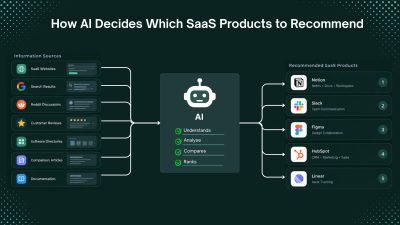
How AI Decides Which SaaS Products to Recommend
When someone asks an AI assistant to recommend a SaaS product, the answer may look like a simple list of software names. Behind that answer, however, can be multiple layers, including large language models, search engines, web retrieval systems, product databases, reviews, community discussions, and ranking systems. For example, someone looking for “the best project management software for a small startup” may ask ChatGPT, Google AI Mode, Perplexity, Claude, or another AI search tool instead of manually comparing search results. This is changing SaaS discovery. It is no longer enough for a product to rank well in traditional search. AI systems also need to discover the product, understand what it does, evaluate whether it fits the user's needs, and find reliable evidence before recommending it. This is often called AI visibility or AI search visibility. But one important distinction is often overlooked: an LLM is not the same as an AI application that uses an LLM. > QUICK SUMMARY > > * SaaS products enter AI recommendations through model knowledge, web retrieval, or both. > * AI platforms do not publish a single fixed SaaS ranking formula. > * Define the product clearly: explain its function, target users, and problem solved. Use Semrush and Ahrefs for competitor and search-intent research. > * Publish complete information: features, pricing, documentation, use cases, integrations, and comparisons. > * Build third-party presence: maintain accurate profiles on G2, Capterra, Product Hunt, and Product Watch. > * Participate authentically on Reddit: useful discussions, experiences, and comparisons provide valuable product context. > * Keep information updated: maintain current pricing, features, integrations, and availability. Monitor indexing with Google Search Console. > * Collect customer evidence: genuine reviews, testimonials, and case studies on G2 and Capterra. > * Maintain technical SEO: use Screaming Frog and PageSpeed Insights to check crawling, indexing, structure, and performance. > * Track AI visibility: use Ahrefs Brand Radar and Semrush AI Visibility Toolkit. > * The goal: make the SaaS product easy to discover, understand, verify, and recommend. LLMS AND AI APPLICATIONS WORK DIFFERENTLY Large language models (LLMs) primarily learn from training data. If a SaaS product appears frequently enough in the data used to train a model, the model may already have information about it. However, training knowledge is not the same as a live search database. An LLM does not automatically know every new product, pricing change, feature release, or company launched after its training data. AI applications can extend an LLM with web search, retrieval systems, databases, APIs, and other external sources. A simplified version looks like this image: This means a SaaS product does not always need to be famous in historical training data. If an AI application can retrieve reliable current information about the product, that information can potentially influence its answer. This creates two related visibility challenges: 1. Training-data visibility: Is the product already represented in model knowledge? 2. Retrieval visibility: Can current AI systems find useful information about the product? AI DOES NOT USE ONE UNIVERSAL RECOMMENDATION ALGORITHM There is no evidence of one universal AI ranking formula used across ChatGPT, Google AI features, Perplexity, Gemini, Claude, and other systems. Each system can use different models, search engines, retrieval methods, ranking systems, source-selection processes, and application-level instructions. The answer can also change based on the query, user requirements, available sources, freshness, and context. For SaaS companies, the more useful question is: What makes a SaaS product easy for AI systems to discover, understand, evaluate, and recommend? RELEVANCE IS MORE IMPORTANT THAN SIMPLY BEING FAMOUS AI recommendations are contextual. A large enterprise CRM may not be the best recommendation for a five-person startup. A powerful project management platform may not be the best option for a development team that needs deep GitHub integration. Clear positioning helps AI systems understand where a product fits. A vague description such as: > “An innovative platform that helps teams work better.” provides little useful context. A more precise description explains the category, audience, problem, and differentiator: > "An AI-powered project management platform for SaaS development teams that connects engineering tasks with GitHub workflows" The second description creates clearer associations between the product, category, audience, problem, and use case. PRODUCT POSITIONING CREATES AN ENTITY An AI system needs more than a company name. It needs enough information to understand what the company represents. An entity can be thought of as a recognizable concept connected to attributes, categories, audiences, problems, competitors, integrations, and use cases. For example: > Product → project management software → startup teams → task management → collaboration → Slack integration → alternative to Asana → customer reviews → Reddit discussions The homepage is only one source of this information. External references help create a broader information footprint around the product. Together, these sources create what can be called an information footprint. YOUR WEBSITE IS ONLY ONE PART OF YOUR AI VISIBILITY A strong website helps explain a product, but it is only one part of the information ecosystem. Compare: Product A: Strong homepage, but almost no independent information. Product B: Strong website plus customer reviews, product directories, comparison articles, tutorials, integration documentation, community discussions, and independent coverage. Product B gives AI systems more sources from which to understand and verify the product. This does not mean simply collecting mentions. The quality, relevance, independence, and consistency of information matter. AI visibility is not only a website optimization problem. It is an information ecosystem problem. WHY REDDIT DESERVES SPECIAL ATTENTION Reddit has become particularly interesting in AI search because it contains a large amount of first-hand discussion. Traditional marketing content usually comes from companies attempting to explain why their products are useful. Reddit discussions can contain something different: people explaining what happened when they actually used a product. > A user may ask: > > “Has anyone tried this CRM?” > > “What's the best alternative to this tool?” > > “Which project management platform works for a five-person startup?” > > “Is this AI writing tool actually worth paying for?” These conversations contain opinions, experiences, comparisons, complaints, recommendations, implementation details, and alternatives. That information can be highly useful to an AI system attempting to answer a recommendation question. Research from Semrush has found that Reddit URLs appear frequently among sources cited or mentioned by major AI search systems. Its research has also identified Q&A, comparison, and discussion content as important categories of Reddit pages appearing in AI-generated answers. However, Reddit should not be misunderstood as a guaranteed high-weight ranking signal. There is no reliable basis for saying that “Reddit gets a fixed 5x or 10x weight” in AI recommendations. Retrieval behavior changes between systems and over time. The more useful conclusion is that Reddit provides independent, conversational, first-hand information, which can be especially relevant to recommendation and comparison queries. REDDIT VISIBILITY CANNOT BE MANUFACTURED AT SCALE This distinction is important because some SaaS companies may interpret Reddit's visibility as an opportunity to create large numbers of promotional posts. That is usually the wrong approach. Reddit communities have their own rules, and Reddit's platform policies prohibit spam and repetitive promotional behavior. A better approach is to participate in relevant discussions with genuinely useful information. If someone is asking how to automate a particular workflow, an expert can explain the architecture, tradeoffs, tools, implementation problems, and possible solutions. If a product is genuinely relevant, it can be mentioned naturally. For a real-world example of how authentic community engagement can support SaaS growth, see how Goji Berry reached $4M ARR in under 12 months. The objective should not be “get the product mentioned on Reddit.” It should be to provide information that is genuinely useful to the community. INDEPENDENT SOURCES CAN STRENGTHEN BRAND UNDERSTANDING A product's own website is naturally biased toward the company's preferred positioning. Independent sources provide another layer. A SaaS company might describe itself as a “complete AI sales platform,” while customers and independent publications may describe it more specifically as an “AI outbound prospecting tool for small sales teams.” The second description may actually be more useful because it reflects how the market understands the product. This is why SaaS companies should monitor not only what they publish, but also how other websites describe them. Search for the brand alongside terms such as: > “alternative”, “review”, “vs”, “best”, “for startups”, “for agencies”, “for developers” “pricing”, “integrations”, “API”, “competitors”, “use cases” These searches reveal the language and categories that surround the product. That surrounding language can be valuable for understanding brand positioning. FRESHNESS MATTERS IN AI SEARCH One of the biggest advantages of web-connected AI applications is access to newer information. SaaS products change quickly. Pricing changes. Features change. Products launch and shut down. Integrations are added or removed. Free plans disappear. Companies reposition themselves. A product that was an excellent recommendation two years ago may not be the best option today. This makes freshness increasingly important for SaaS companies. Important product information should therefore remain current across the website and relevant external sources. Pricing pages, feature documentation, integration pages, product comparisons, changelogs, help documentation, and major product pages should not be allowed to become outdated. Freshness is particularly important for queries containing words such as “best,” “latest,” “current,” “2026,” “new,” or “updated.” WHY COMPARISON CONTENT IS SO VALUABLE Recommendation engines naturally deal with comparisons. > Users rarely ask only: > > “What is Product X?” > > They often ask: > > “What is the best alternative to Product X?” > > “Product A vs Product B?” > > “What should a startup use instead of Product X?” > > “Which is better for a small team?” These questions create opportunities for SaaS brands to establish competitive context. A strong comparison page should not simply declare that the company's own product wins. It should explain where each product is strongest, where each product has limitations, which customers each option suits, pricing differences, major feature differences, and situations where one option may be preferable. That creates useful decision-making content. It also gives AI systems clearer information about the relationship between products. ALTERNATIVES PAGES CAN BECOME IMPORTANT BRAND ASSETS An “alternatives” page can serve a different purpose from a standard product landing page. A product page answers: Why should this product be considered? An alternatives page answers: Why might someone looking at another product consider this one? That distinction aligns closely with how users interact with AI assistants. Someone who has already identified a competitor is often much closer to a purchasing decision than someone searching for a broad category. Therefore, SaaS companies should consider building high-quality pages around relevant competitor alternatives, but only when the comparison is genuinely useful and factually accurate. Thin pages created solely to capture competitor names are unlikely to provide the same value as detailed comparison resources. REVIEWS PROVIDE ANOTHER LAYER OF EVIDENCE Independent customer experiences can provide information about usability, reliability, support, pricing, implementation, integrations, and real-world use cases. No individual review should be treated as absolute truth. A broader collection of independent customer experiences provides better context. Useful platforms for collecting and managing SaaS reviews include G2, Capterra, Trustpilot, and TrustRadius. Customer feedback tools such as Delighted and Typeform can also help collect structured customer feedback and testimonials. TECHNICAL SEO STILL MATTERS AI visibility does not replace technical SEO. Search engines still need to crawl, index, understand, and retrieve website content. Google has also stated that existing SEO fundamentals continue to apply to AI search features. SaaS companies should therefore continue investing in technical fundamentals such as crawlability, indexability, internal linking, page structure, descriptive titles, useful headings, structured data where appropriate, canonicalization, performance, and accessible content. AI optimization should not become an excuse to ignore SEO. A better approach is to think of it as an extension of search visibility. Traditional SEO asks: Can the search engine find and rank this page? AI search adds: Can the AI system retrieve this information and use it to answer a user's question? Tools such as Google Search Console, Screaming Frog SEO Spider, Google PageSpeed Insights, and Google Rich Results Test can help SaaS teams identify crawling, indexing, technical, structured-data, and performance issues. BUILD A CONSISTENT PRODUCT KNOWLEDGE GRAPH ACROSS THE WEB Product information should remain consistent across websites, directories, reviews, documentation, communities, and other sources. For example, if a product is positioned as an: “AI-powered customer support platform for B2B SaaS companies,” that core identity should remain consistent even when different sources use different wording. The underlying relationships should make sense: Brand → category → audience → problem → use case → competitors → integrations → outcomes This is much stronger than simply trying to increase the number of brand mentions. HOW TO IMPROVE SAAS BRAND POSITION FOR AI RECOMMENDATIONS 1. MAKE THE PRODUCT CATEGORY UNMISTAKABLE The homepage should clearly state what the product does, who it is for, and the main problem it solves. Avoid describing the same product with several unrelated categories. For example, a developer-focused SaaS should clearly explain whether it is an API monitoring platform, developer analytics tool, CI/CD platform, or another specific category. Tools such as Google Search Console and Google Search Central can help identify how search engines discover and understand the website. Product directories such as Product Watch and Product Hunt can also provide additional places where the product category and description are publicly defined. 2. BUILD PAGES AROUND SPECIFIC USE CASES Create dedicated pages for important customer problems instead of describing every feature on one generic product page. For example: * /use-cases/remote-team-project-management * /solutions/project-management-for-saas-teams * /integrations/github * /compare/project-tool-for-startups Tools such as Ahrefs and Semrush can help identify the searches, questions, competitors, and topics related to those use cases. 3. STRENGTHEN INDEPENDENT VISIBILITY A SaaS product should have information available outside its own website. Useful platforms include: * G2 for software reviews and category pages * Capterra for software listings and reviews * Product Hunt for product launches and community discussions * Product Watch for SaaS and technology product discovery * Industry publications, newsletters, podcasts, and independent comparison websites The goal is not to create hundreds of listings. The important part is having accurate, consistent product information on relevant third-party websites. 4. PARTICIPATE IN COMMUNITIES WITHOUT TURNING THEM INTO ADVERTISING CHANNELS Reddit, developer communities, industry forums, and professional communities can provide first-hand product discussions. For example, a developer tool can answer technical questions, explain implementation problems, share lessons from building the product, and participate in relevant discussions. Reddit should not be treated as a link-building system. Communities can remove promotional content, and Reddit has rules covering spam and self-promotion. The useful approach is to contribute information that would still be valuable without the product link. 5. CREATE COMPARISON AND ALTERNATIVES PAGES Comparison pages help users who are already evaluating products. Useful formats include: * [Product] vs [Competitor] * Best [Category] Alternatives * Best [Category] for [Audience] * [Product] Alternatives for [Specific Use Case] For example, a project-management SaaS could create: > Asana alternatives for small SaaS teams or: > ClickUp vs [Product] for software development teams The comparison should contain specific differences in pricing, integrations, features, limitations, target users, and use cases rather than simply claiming that one product is better. 6. KEEP PRODUCT INFORMATION CURRENT Maintain current information for: Pricing, Features, Integrations, API documentation, Product availability, Supported platforms, Security information, Use cases A simple change log or regularly updated product documentation can help prevent outdated information from remaining on the web. Google Search Console can be used to monitor search performance and indexing. Google also recommends maintaining accurate sitemaps and making updated URLs discoverable. 7. IMPROVE THE WEBSITE'S TECHNICAL ACCESSIBILITY Important product and content pages should be crawlable and indexable. Useful tools include: * Google Search Console for indexing and search performance * Google PageSpeed Insights for page performance * Google Rich Results Test for structured-data testing * Screaming Frog SEO Spider for crawling and technical SEO checks Google specifically recommends checking crawlability, robots.txt, sitemaps, URLs, JavaScript rendering, and structured data when making websites search-friendly. 8. MEASURE AI VISIBILITY DIRECTLY Instead of manually asking an AI chatbot one question occasionally, create a fixed list of prompts and track the results over time. Useful tools include: * Ahrefs Brand Radar for monitoring AI mentions, citations, competitors, and AI share of voice * Semrush AI Visibility Toolkit for tracking AI mentions, cited pages, competitors, prompts, and technical issues * Google Search Console for measuring visibility from Google AI features such as AI Overviews and AI Mode Ahrefs Brand Radar, for example, tracks metrics including mentions, citations, AI share of voice, and estimated impressions. AI VISIBILITY AND SAAS GROWTH ARE CONNECTED AI visibility affects more than initial discovery. A customer may discover a product through an AI answer, visit the website, check reviews on G2, search Reddit for user experiences, compare competitors, check integrations, and then ask another AI system whether the product fits a specific use case. Each stage requires accurate information. This makes AI visibility a product research problem, not simply a ranking problem. THE NEW SAAS VISIBILITY FLYWHEEL A strong SaaS visibility strategy can create a continuous cycle: Better product → happier customers → stronger reviews → useful community discussions → independent mentions → stronger product information footprint → better search and AI discovery → qualified traffic → more customers The strongest foundation is therefore not artificial visibility. It is accurate information supported by real customer experiences and independent sources. WHAT SAAS COMPANIES SHOULD AVOID Do not use a formula such as: > Publish 100 articles + create 50 Reddit mentions + build 1,000 backlinks = AI recommendations Several tactics can weaken long-term visibility and trust: * Fake Reddit discussions * Repetitive promotional comments * Mass directory submissions * Hundreds of low-value AI-generated articles * Fake reviews * Inconsistent product descriptions * Outdated pricing and feature information * Optimizing AI visibility while ignoring website conversion Reddit is especially important here because promotional activity can violate community rules or result in content removal. THE PRACTICAL FRAMEWORK: DISCOVER, UNDERSTAND, VALIDATE, RECOMMEND, CONVERT Discover: Can search engines, AI systems, directories, communities, and review platforms find the product? Understand: Can they determine what the product does, who it serves, and which category it belongs to? Validate: Are there reviews, customer experiences, technical documentation, comparisons, and third-party sources supporting the product information? Recommend: Does the product match the user's requirements better than the available alternatives? Convert: Does the website provide clear pricing, features, documentation, customer evidence, and a simple signup or purchase path? A weakness at any stage can reduce the value of the other stages. THE FUTURE OF SAAS DISCOVERY IS MORE CONVERSATIONAL Traditional search often starts with a short keyword: > project management software AI search can start with a detailed requirement: > A project management tool for a 15-person remote SaaS team with GitHub integration, simple sprint planning, and affordable guest access. This means SaaS websites need to clearly communicate category, audience, problems solved, features, integrations, pricing, and use cases. The brands most likely to benefit from this shift are not necessarily those targeting the broadest keyword. Stronger opportunities can come from building clear associations between the product, a specific audience, a specific problem, and a specific workflow. CONCLUSION AI recommendations are influenced by model knowledge, web retrieval, relevance, source quality, freshness, and product context, not a single ranking formula. For SaaS companies, the goal is to build a clear and consistent information footprint through strong positioning, useful content, technical SEO, independent reviews, community discussions, comparisons, and current product information. The goal is not simply to “rank in ChatGPT.” It is to make the product easy to discover, understand, verify, and confidently recommend.
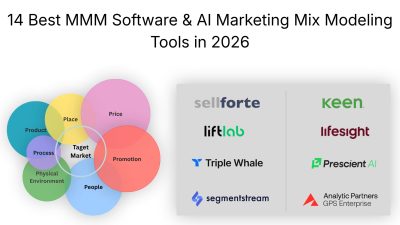
14 Best MMM Software & AI Marketing Mix Modeling Tools in 2026
Marketing teams can see how much they spend on Google, Meta, TikTok, YouTube, TV, CTV, influencers, and other channels. The harder question is which channels actually caused the additional revenue. Last-click attribution often gives too much credit to the final interaction. Marketing Mix Modeling (MMM) takes a broader view by analyzing historical marketing spend alongside sales, seasonality, promotions, pricing, geography, and other business factors. Modern MMM platforms can then estimate incremental impact, calculate ROI, model diminishing returns, and test how a different budget allocation could affect future results. That makes MMM particularly useful for companies running several marketing channels at once. Instead of asking whether Google Ads reported a 5x ROAS, a marketing team can ask a more useful question: "What happens to revenue if another $100,000 is moved from Google to Meta, CTV, or another channel?" The tools in this list take different approaches. Some are complete commercial platforms with data integration, experimentation, forecasting, and budget optimization. Others, such as Google Meridian and Meta Robyn, are open-source frameworks that give data science teams much more control but require technical resources to implement. This guide compares 14 AI and modern Marketing Mix Modeling tools for marketers, growth teams, ecommerce brands, analysts, and data science teams. > QUICK SUMMARY > > * Lifesight: Combines causal MMM, incrementality testing, geo testing, forecasting, scenario planning, and AI-powered optimization across online and offline marketing. > * Mutinex GrowthOS: An enterprise MMM platform that combines automated data ingestion, continuous modeling, scenario planning, and AI assistance through its MAITE analyst. > * Paramark: Combines continuous MMM with incrementality testing and scenario planning, with published plans starting at $100,000/year. > * Recast: A Bayesian MMM platform designed for data science teams that need transparent models, uncertainty analysis, and channel-level marketing measurement. Pricing is custom. > * Analytic Partners GPS Enterprise: An enterprise commercial analytics platform that combines marketing mix modeling with broader business-driver analysis, forecasting, scenario planning, and optimization. > > Prescient AI,Keen Decision Systems, Sellforte, Measured, SegmentStream, and Meta Robyn cover the rest of the market, ranging from omnichannel MMM and ecommerce optimization to enterprise experimentation, automated budget allocation, and open-source modeling. AI MARKETING MIX MODELING TOOLS COMPARISON | Tool | Features that matter | Minimum price | Best for | Free/Paid | | | | : | | | | Lifesight | Causal MMM, geo-lift testing, incrementality, forecasting, scenario planning, AI optimization, online + offline measurement | Custom annual subscription | Scaling brands and enterprises | Paid | | Analytic Partners GPS Enterprise | Commercial analytics, MMM, holistic business-driver modeling, forecasting, scenario planning, optimization, pricing, promotions, competition, macro factors | Custom quote | Large enterprises and complex marketing organizations | Paid | | LiftLab | Agile MMM, response curves, diminishing returns, incrementality calibration, scenario planning, next-best-dollar optimization | Custom quote | Growth leaders, DTC, retail, and CPG brands | Paid | | Keen Decision Systems | AI-driven MMM, incremental revenue measurement, what-if scenarios, forecasting, budget optimization | Custom quote | Enterprise and multi-channel marketing teams | Paid | | Sellforte | Causal MMM, incrementality testing, campaign/ad-set measurement, geo experiments, media planning, AI optimization | From $2,990/month | Ecommerce, DTC, and retail brands | Paid | | Recast | Bayesian MMM, GeoLift, incrementality testing, forecasting, scenario planning, budget optimization, response curves | Custom for MMM | DTC, retail, CPG, and enterprise teams | Paid | | Mutinex GrowthOS | Continuous MMM, automated data ingestion, campaign-varying analysis, scenario planning, forecasting, AI analysis | Custom quote | Enterprise marketing teams | Paid | | SegmentStream | Cross-channel measurement, marginal ROAS, incrementality testing, scenario planning, AI/MCP workflows, automated budget allocation | From $800/month | Digital-first marketing teams | Paid | | Triple Whale | MMM, incrementality testing, attribution, weekly modeling, budget recommendations, scenario planning, online + offline channels | Custom for MMM | Ecommerce, DTC, and omnichannel brands | Paid | | Measured | Causal MMM, incrementality testing, predictive ROI, media planning, diminishing-return curves, scenario modeling | Custom quote | Enterprise brands | Paid | | Prescient AI | Incremental revenue measurement, halo effects, MMM ROAS, channel analysis, forecasting, budget optimization | Custom pricing | Omnichannel and DTC brands | Paid | | Paramark | Bayesian MMM, incrementality testing, 60+ models, scenario planning, forecasting, weekly model refreshes | Custom pricing | Growth and enterprise marketing teams | Paid | | Google Meridian | Bayesian MMM, ROI analysis, response curves, budget optimization, geo-level modeling, open source | $0 software cost| In-house data science teams | Free | | Meta Robyn | Ridge regression, hyperparameter optimization, adstock, saturation curves, budget allocation, open source | $0 software cost | R/Python data science teams | Free | 1. LIFESIGHT Lifesight is a marketing measurement platform that combines Marketing Mix Modeling with incrementality testing, causal attribution, forecasting, and optimization. It is designed for businesses that need to understand which marketing investments are actually contributing to incremental growth across multiple channels. Its MMM methodology analyzes marketing investments alongside factors such as seasonality, pricing, promotions, distribution, competition, and macroeconomic changes. This gives marketing teams a broader view of performance than last-click or platform attribution and can help identify the actual contribution of different channels. One practical feature is scenario-based media planning. Teams can model different budget allocations and estimate how changes in spending could affect business outcomes before committing the budget. Depending on the plan, Lifesight also provides causal MMM, geo-test calibration, advanced geo and time testing, forecasting, and AI-powered campaign optimization. The platform supports online and offline marketing data, making it useful for brands investing in digital advertising alongside CTV, OOH, influencers, retail, and traditional media. This can help businesses bring fragmented marketing data into a single measurement framework. Best for: Scaling brands and enterprises that need causal MMM, incrementality testing, forecasting, and budget planning across online and offline channels. Price: Custom annual subscription. 2. MUTINEX GROWTHOS Mutinex GrowthOS is a continuous Marketing Mix Modeling and growth intelligence platform designed to make marketing measurement part of an ongoing planning workflow rather than a one-time analysis. The platform combines DataOS for data ingestion and cleaning with GrowthOS for MMM and growth intelligence. It also includes MAITE, an AI consultant designed to work with the company's model and business data, allowing teams to explore marketing performance and potential decisions using AI-assisted analysis. GrowthOS provides scenario planning that lets marketers test potential changes to their budgets before implementing them. Its campaign-varying MMM can also analyze factors such as creative, format, publisher, geography, and audience segment, giving teams more detailed insight into what may be driving performance. Mutinex has also introduced an on-demand workflow designed to automate parts of the MMM onboarding process. The company says the workflow can take raw marketing and business data through agentic onboarding and produce production-ready modeling in under 24 hours. Best for: Enterprise marketing teams that want continuous MMM, automated data processing, scenario planning, and AI-assisted marketing analysis. Price: Custom quote. 3. SEGMENTSTREAM SegmentStream combines marketing measurement with marginal ROAS analysis, incrementality testing, scenario planning, and automated budget allocation. Its focus is on turning measurement results into decisions that can influence how marketing budgets are distributed. Its marginal ROAS capability looks beyond the average return of a channel and estimates the potential return from additional spending. This can help marketers identify channels that still have room to scale and channels where additional investment may be producing diminishing returns. SegmentStream also provides geo-lift experimentation and AI workflows through MCP. This allows marketing measurement data to be connected with AI clients and workflows, making it possible for teams to interact with their measurement infrastructure through newer AI-based workflows. The platform can also connect measurement insights with budget allocation. For teams managing multiple advertising platforms, this can reduce the gap between analyzing performance and acting on the results. Best for: Digital-first marketing teams that want marginal ROAS, incrementality testing, scenario planning, AI workflows, and automated budget allocation. Price: From $800/month. | Plan | Starting price | | | : | | Online | $800/month | | Full Funnel | $1,200/month | | Enterprise | $5,000/month | Plans are priced per project rather than per user. 4. LIFTLAB LiftLab is a marketing measurement and optimization platform that combines Agile Marketing Mix Modeling with incrementality testing. Its focus is not simply reporting which channels generated revenue, but helping marketing teams determine where additional investment is likely to create incremental growth. LiftLab's Agile MMM is designed to separate advertising marketplace dynamics from consumer response. This can help teams understand how factors such as media costs, advertising pressure, and consumer behavior influence marketing efficiency instead of treating every change in performance as a direct result of increased or decreased spend. The platform provides response curves and diminishing-return analysis that can help marketers see how channel performance changes as budgets increase. These insights can be used to identify opportunities for reallocating spend and determine where the next marketing dollar may have the greatest potential impact. LiftLab also connects MMM with incrementality testing, giving teams a way to validate model conclusions with real-world experiments. This combination is useful for businesses that want to move from measurement toward continuous budget optimization. Best for: Growth-focused DTC, retail, CPG, and enterprise teams that want automated MMM, incrementality testing, response curves, and next-best-dollar budget decisions. Price: Custom quote. 5. KEEN DECISION SYSTEMS Keen Decision Systems is a marketing measurement and planning platform that uses AI-driven Marketing Mix Modeling to help businesses connect marketing measurement with future investment decisions. Its models can analyze marketing activity across channels and estimate incremental revenue and other business outcomes. Rather than relying only on historical performance reports, Keen focuses on using those measurements to understand how future marketing investments could affect business results. A key capability is what-if scenario planning. Marketing teams can change spending levels across channels and evaluate potential outcomes before implementing a new media plan. This can make it easier to compare competing budget strategies and understand the potential trade-offs involved in moving spend between channels. Keen is particularly useful for organizations managing large, complex marketing budgets where decisions need to account for multiple channels, markets, and business objectives. Its platform is designed to turn MMM outputs into planning decisions rather than leaving analysts with a static measurement report. Best for: Enterprise marketing teams that want AI-driven MMM, scenario planning, forecasting, and budget optimization. Price: Custom quote. 6. SELLFORTE Sellforte combines causal Marketing Mix Modeling with incrementality testing and marketing optimization. It is particularly focused on helping ecommerce, DTC, and retail companies connect marketing measurement with practical media and budget decisions. The platform can measure marketing performance at different levels, including channels, campaigns, and ad sets. This gives teams more detail than a traditional high-level MMM report and can help identify which parts of a media strategy are contributing to incremental sales. Sellforte also provides scenario planning, media planning, AI-powered optimization, and integrations with digital and offline sales data. Depending on the plan, businesses can work with marketplace sales, offline sales, external variables, multiple time series, and custom media taxonomies. This makes Sellforte useful when a marketing team wants to answer practical questions such as which campaigns should receive more budget, where diminishing returns are appearing, and how a proposed media plan could affect future sales. Best for: Ecommerce, DTC, and retail brands that want causal MMM connected to campaign-level measurement and budget optimization. Price: From $2,990/month + customizations. | Plan | Starting price | | | : | | Growth | $2,990/month + customizations | | Advanced | $3,990/month | | Enterprise | $4,990/month | Sellforte's published pricing is based on a stated average monthly media spend of €800,000, so actual pricing can vary. 7. RECAST Recast is a marketing planning and analysis platform built around Bayesian Marketing Mix Modeling. It is designed to help businesses understand how marketing channels contribute to revenue while accounting for uncertainty, changing market conditions, and the delayed effects of advertising. One of Recast's useful capabilities is time-varying ROI analysis. The platform can show how channel efficiency changes over time, helping teams identify the effects of seasonality, creative fatigue, competition, and other changes in the market. Response curves and time-shift analysis can also help marketers understand diminishing returns and delayed marketing effects. Recast connects MMM with incrementality testing through GeoLift. Teams can run geographic experiments and use the results to validate or calibrate their MMM. This can help answer practical questions such as whether increasing spending on a channel actually produces incremental sales or whether a channel is mainly capturing demand generated elsewhere. The platform also supports forecasting, scenario planning, and budget optimization. Businesses can model different channel budgets and constraints to estimate potential future outcomes, while hierarchical modeling can help organizations bring together data from DTC, Amazon, retail, and product-level sources. Best for: DTC, retail, CPG, and enterprise teams that need Bayesian MMM, incrementality testing, forecasting, and budget planning across online and offline channels. Price: Custom pricing for MMM. Recast's standalone GeoLift product is available free for six months, then starts at $100/month. 8. ANALYTIC PARTNERS GPS ENTERPRISE Analytic Partners GPS Enterprise is an enterprise marketing analytics platform built to help businesses understand how marketing and other business factors influence revenue and profit. Its approach goes beyond measuring individual advertising channels by connecting marketing activity with factors such as pricing, promotions, competition, distribution, and broader market conditions. The platform uses Marketing Mix Modeling to measure the contribution of different marketing investments and identify where marketing is creating incremental business results. This can help teams move away from platform-reported ROAS and understand the wider impact of their marketing across channels and markets. One of its useful capabilities is scenario planning and optimization. Marketing teams can test different investment plans and see how changing budgets across channels could affect business outcomes. This makes the platform useful for planning future campaigns rather than only analyzing what happened in the past. GPS Enterprise is particularly suited to large organizations with complex marketing mixes, multiple markets, and significant offline and online investments. Its broader business modeling can also help teams account for non-marketing factors that may affect sales, which is important when marketing performance cannot be separated cleanly from pricing, promotions, seasonality, or competitive activity. Best for: Large enterprises that need MMM, business-driver analysis, forecasting, scenario planning, and marketing optimization across complex markets. Price: Custom quote. 9. TRIPLE WHALE Triple Whale is an ecommerce analytics platform that combines attribution, Marketing Mix Modeling, incrementality measurement, and broader business analytics. Its MMM offering is particularly relevant for ecommerce and DTC brands that want to understand marketing performance across both digital and offline activity. Triple Whale's MMM can analyze historical revenue and marketing spend while incorporating factors such as promotions, seasonality, influencers, offline marketing, and other business variables. This gives ecommerce teams a broader view than relying exclusively on platform attribution from Meta, Google, TikTok, or other advertising networks. The platform is designed to make MMM more accessible to ecommerce teams that may not have a dedicated data science department. Teams can use the model to understand channel contribution, identify changing returns, and evaluate how different marketing investments may affect future revenue. Triple Whale also combines MMM with its broader measurement stack. This can be useful for brands that want attribution, experimentation, and MMM in the same ecommerce analytics environment rather than maintaining separate systems for each measurement method. Best for: Ecommerce, DTC, and omnichannel brands that want MMM alongside attribution and incrementality measurement. Price: Custom pricing for MMM. Triple Whale's public platform plans do not represent the price of its Enterprise MMM offering. 10. MEASURED Measured combines Marketing Mix Modeling with incrementality testing and focuses on causal measurement. It is designed for organizations that want to understand whether marketing activity is actually generating incremental business results rather than simply correlating with conversions. Its approach combines experimentation with MMM. Incrementality tests provide evidence about the causal impact of marketing activities, while MMM provides a broader view across channels and longer time periods. This can give marketing teams multiple sources of evidence when evaluating channel performance. Measured provides predictive ROI, diminishing-return curves, what-if budget planning, and cross-channel measurement. These capabilities can help teams investigate how much additional investment a channel can absorb and what may happen when budgets are shifted between channels. The platform is particularly relevant to enterprise brands where marketing budgets are distributed across many channels and a single attribution model cannot adequately explain the full customer journey. Best for: Enterprise brands that want causal MMM, incrementality testing, predictive ROI, and budget planning. Price: Custom enterprise quote. 11. PRESCIENT AI Prescient AI focuses on measuring incremental marketing impact for omnichannel and DTC brands. Its platform is designed to account for the fact that customers can interact with several marketing channels before completing a purchase. A notable feature is halo-effect measurement. Marketing activity in one channel can influence sales through another channel, and Prescient's models attempt to measure these relationships. The platform provides metrics such as incremental revenue, MMM-paid revenue, MMM-paid ROAS, new customers, CAC, channel revenue, and halo revenue. Prescient also provides forecasting and budget optimization. Teams can create different budget scenarios and estimate how those changes could affect revenue, helping marketers compare potential allocation strategies before changing their media plans. This makes the platform particularly useful for omnichannel brands where digital advertising, retail, offline activity, and other channels interact. Prescient reports that its models have analyzed more than $100 billion in revenue and $7.2 billion in advertising spend across 100+ omnichannel brands. These figures are vendor-reported and should not be treated as independent performance guarantees. Best for: Omnichannel and DTC brands that need incremental revenue measurement, halo-effect analysis, forecasting, and budget optimization. Price: Custom pricing. 12. PARAMARK Paramark combines Marketing Mix Modeling with incrementality testing and scenario planning. Its platform is designed for companies that want a more continuous view of marketing performance and the ability to connect measurement with future budget decisions. Paramark uses Bayesian modeling and evaluates multiple models to identify an approach that fits the available business data. The platform provides frequent model refreshes and reporting, allowing marketing teams to monitor how channel performance changes rather than relying on a single annual MMM study. Its models can include paid, owned, and earned channels while accounting for factors such as seasonality, macroeconomic trends, advertising carryover, and diminishing returns. Paramark also connects MMM with incrementality experiments, which can provide additional evidence for validating model results. The platform's scenario planning capabilities allow teams to explore potential budget allocations and estimate how different investment strategies could affect business outcomes. This can be useful when marketing leaders need to compare budget scenarios before finalizing a media plan. Best for: Growth and enterprise marketing teams that want Bayesian MMM, incrementality testing, forecasting, and scenario planning. Price: From $100,000/year. | Plan | Price | | | : | | Essentials | $100,000/year | | Advanced | $150,000/year | | Enterprise | $220,000/year | 13. GOOGLE MERIDIAN Google Meridian is an open-source Marketing Mix Modeling framework from Google. Unlike the commercial platforms above, Meridian provides the modeling framework rather than a complete managed SaaS service. Meridian uses Bayesian modeling to estimate marketing ROI, channel contribution, response curves, and budget allocation. Google provides tools and documentation for data preparation, model building, evaluation, calibration, and optimization. The biggest advantage is control. Data science teams can inspect the framework, customize their implementation, work with their own data, and build their own reporting and optimization layers. This can make Meridian attractive to companies that already have analytics and engineering resources. The trade-off is that the company is responsible for the surrounding infrastructure and workflow. Teams need to manage data preparation, implementation, model monitoring, interpretation, reporting, and maintenance themselves. Best for: Companies with data scientists, analysts, and engineers that want a customizable Bayesian MMM framework. Price: Free, open source. Internal engineering and data science costs apply. 14. META ROBYN Meta Robyn is an open-source Marketing Mix Modeling framework developed by Meta Marketing Science. It gives data science teams a foundation for building their own MMM workflow rather than providing a managed marketing analytics platform. Robyn uses techniques such as ridge regression, evolutionary algorithms for hyperparameter optimization, time-series decomposition, adstock modeling, saturation curves, and gradient-based budget allocation. These methods allow teams to model advertising effects and investigate how marketing returns change as spending levels increase. The framework is useful for organizations that want direct control over the modeling process. Teams can customize the implementation, inspect the underlying methodology, and build their own reporting or optimization systems around Robyn. However, Robyn requires technical expertise. Data preparation, infrastructure, model execution, interpretation, monitoring, and reporting remain the responsibility of the internal team. For businesses without data science resources, a managed MMM platform may be easier to deploy and maintain. Best for: Data science and analytics teams that want a free, open-source MMM framework and have R/Python expertise. Price: Free, MIT-licensed open source. Internal development and maintenance costs apply. HOW TO CHOOSE THE RIGHT AI MARKETING MIX MODELING TOOL Choosing an MMM tool starts with the business decision you need to make, not the number of features a platform offers. For teams that want automation, forecasting, scenario planning, and optimization without building everything internally, platforms such as Analytic Partners GPS Enterprise, Lifesight, LiftLab, Keen Decision Systems, Sellforte, Recast, Mutinex GrowthOS, and SegmentStream offer managed solutions. Ecommerce and DTC brands should also consider how easily a tool can connect advertising, ecommerce, retail, offline, and promotional data. Sellforte, Recast, and Triple Whale are particularly relevant for these use cases. Next, consider how the results will be used. If the goal is simply understanding channel contribution, basic MMM may be enough. If the team needs to decide where the next marketing dollar should go, look for response curves, marginal ROAS, diminishing-return analysis, scenario planning, forecasting, and budget optimization. Incrementality testing is also important because historical models alone cannot always prove causation. Tools such as Lifesight, LiftLab, Sellforte, Recast, Measured, and Paramark combine MMM with experimentation or incrementality analysis to provide additional evidence for budget decisions. Finally, companies with strong data science teams can consider Google Meridian or Meta Robyn. Both are free and open source, but businesses still need internal resources for data preparation, implementation, modeling, and maintenance. CONCLUSION The best MMM tool is not necessarily the one with the most AI features. It is the one that helps the business make better marketing budget decisions. The right platform should help answer questions such as: Which channels generate incremental revenue? Where are returns declining? What happens if the budget changes? And where should the next marketing dollar go? For enterprise teams, Analytic Partners, Lifesight, LiftLab, and Keen Decision Systems are strong options to explore. For ecommerce and DTC brands, Sellforte, Recast, and Triple Whale offer relevant measurement and optimization capabilities. For teams that prefer to build internally, Google Meridian and Meta Robyn provide free open-source foundations. Ultimately, modern MMM is moving beyond reporting past performance. Its real value is helping marketing teams decide what to do with the next dollar of budget.
15 Best Backlink Marketplaces and Link Building Platforms in 2026
Building backlinks is still one of the most time-consuming parts of SEO. For SaaS founders, developers, indie hackers, agencies, and businesses, the difficult part is usually not knowing that backlinks matter. The difficult part is finding relevant websites, checking their traffic and authority, negotiating with publishers, creating content, following up, and tracking whether the placement actually went live. Backlink marketplaces simplify much of that process. Instead of finding every publisher manually, you can search a database of websites, compare metrics, choose a placement, and manage the order from one platform. However, not every backlink marketplace works the same way. Some focus on self-serve guest posts, some specialize in editorial outreach, some are designed for link exchanges, while others combine backlinks with digital PR, content creation, AI visibility, or managed SEO services. > Important: A backlink marketplace should not be treated as a shortcut to spam links. Google recommends focusing on helpful content and avoiding link schemes designed primarily to manipulate rankings. Relevance, editorial quality, traffic, and the actual value of the referring website matter more than simply collecting a large number of backlinks. For this comparison, the platforms were evaluated based on publisher selection, website metrics, topical relevance, link insertion options, guest posting, content support, transparency, campaign management, international coverage, and usefulness for SaaS founders and businesses. The ranking is based on the overall usefulness of the platform, not simply the number of websites listed. > QUICK SUMMARY > > * INSERT.LINK: A strong all-around marketplace for finding relevant pages, guest posts, link insertions, listicles, and PR placements, with page-level search and API/MCP capabilities for teams that want to automate link-building workflows. > * SearchEye: A large marketplace focused on vetted publications, transparent pricing, publisher approval, and placements that can also support visibility across AI search engines. > * Linkhouse: A mature marketplace with 90,000+ portals, 25 languages, 60+ filters, link insertions, guest posts, competitor backlink analysis, and campaign planning tools. > * Collaborator: A large digital PR and content distribution marketplace with 40K+ websites, thousands of Telegram channels, advanced filtering, and verified traffic data from Google Analytics and Search Console. > * WhitePress: A strong choice for international SEO campaigns because it combines a large publisher database with multilingual content, SEO metrics, publication management, and international targeting. > * Loganix: A more managed approach to link building, offering marketplace placements alongside niche edits, guest posts, premium editorial links, digital PR, and white-label SEO services. > * Authority Builders: Focuses on manually reviewed editorial placements from real websites, with guest posts, link insertions, high-authority links, and managed campaigns. > > Adsy, FatJoe, Accessily, Swappsy, Bazoom, Linksman, and Link Publishers are useful options for curated backlink placements, guest posts, publisher discovery, link exchange management, and affordable thematic backlinks. COMPARISON OF THE BEST BACKLINK MARKETPLACES | Rank | Platform | Key features | Minimum price | Best for | | : | | | : | | | 1 | INSERT.LINK | Page-level search, NLP relevance, guest posts, niche edits, listicles, PR, API/MCP, campaign management | From $20/link | SaaS founders, agencies, SEO teams, automated campaigns | | 2 | SearchEye | 50K+ publications, vetted publishers, publisher approval, transparent pricing, AI-search visibility | From $40 shown on marketplace | SaaS brands, digital PR, AI visibility | | 3 | Linkhouse | 90K+ portals, 60+ filters, guest posts, link insertions, backlink gap, Link Planner | From $15 listed marketplace offers | Agencies, businesses, international campaigns | | 4 | Collaborator | 40K+ websites, 3K+ Telegram channels, 70+ filters, GA/GSC verification, PR distribution | From $20+ per placement | SEO teams, SaaS companies, digital PR | | 5 | WhitePress | Large international database, multilingual content, 50+ filters, backlink monitoring, content publishing | From ~$20/link | International SEO and multilingual campaigns | | 6 | Loganix | Marketplace, niche edits, guest posts, premium editorial links, digital PR, white-label services | From ~$99/link | Agencies and quality-focused businesses | | 7 | Authority Builders | Manually vetted sites, guest posts, link insertions, high-authority placements, managed campaigns | From ~$177/link | High-quality editorial backlinks | | 8 | Swappsy | Backlink swaps, content collaborations, tool placements, partner discovery, DR/traffic filters | Free during beta | SaaS founders and genuine link exchanges | | 9 | Linksman | Guest posts, link insertions, visible traffic/DA/DR, country filters, marketplace management | From ~$150 listed offers | SaaS, agencies, niche-relevant placements | | 10 | Bazoom | Intelligent marketplace, content engine, strategy builder, insights, 80K+ media network | From ~$60/link | Businesses wanting managed link-building support | | 11 | Link Publishers | AI-powered marketplace, publisher database, digital PR, managed services, campaign support | From ~$75/link | Agencies, SaaS, digital PR | | 12 | FatJoe | Blogger outreach, niche edits, multilingual outreach, digital PR, white-label services, content | From ~$80/link | Agencies and done-for-you SEO | | 13 | PressWhizz | Publisher metrics, traffic graphs, referring domains, keyword/page search, guest posts, niche edits | From ~$20/link | Fast self-serve placements | | 14 | Adsy | Large guest-post database, site metrics, writing + placement, link insertions, content options | From ~$12/link | Budget-conscious SEO campaigns | | 15 | Accessily | Publisher marketplace, website monetization, buyer connections, order management, hosting ecosystem | From ~$20/link | Small businesses and publisher-driven campaigns | 1. INSERT.LINK INSERT.LINK ranks first because it combines the flexibility of a traditional backlink marketplace with more advanced page-level discovery. Instead of searching only by domain metrics, the platform focuses heavily on finding relevant pages and contextual opportunities. Its current marketplace lists more than 31,000 websites, while its page-level system analyzes more than 50 million indexed publisher pages. This is particularly useful for SaaS founders. Suppose a developer has built an API monitoring product. Finding a website with DR 70 is not enough. The better opportunity may be an existing article about API testing, webhooks, developer monitoring, or DevOps where the product can naturally fit. The platform supports link insertions, guest posts, listicles, press releases, PR publications, and fast-delivery placements. It also provides project and budget management, which is useful for agencies managing multiple clients. Another major advantage is automation. INSERT.LINK offers API and MCP access, allowing teams to connect marketplace data and link-building workflows with their own systems. That makes it particularly interesting for technical SEO teams and SaaS companies building repeatable acquisition workflows. PRICING From $20 per link. BEST FOR: SaaS founders, agencies, SEO teams, and businesses that want page-level relevance and scalable link-building workflows. 2. SEARCHEYE SearchEye takes a modern approach to backlink acquisition by connecting traditional SEO with AI search visibility. Its marketplace currently advertises more than 50,000 publications across different countries and niches. Buyers can see publisher information and pricing before ordering, while placements require publisher approval. One of its most interesting features is the focus on whether publications are already being cited by AI systems. The marketplace shows examples of publications associated with visibility in systems such as ChatGPT, Perplexity, and Gemini. For SaaS brands trying to build visibility beyond traditional Google results, this is an important differentiator. SearchEye is also useful when a company wants more control over publisher selection. Rather than purchasing an unspecified "high authority backlink," buyers can examine individual opportunities and decide which publication makes sense for the brand. For founders building a recognizable SaaS brand, this can be more valuable than simply increasing the number of referring domains. A relevant mention on a publication that potential customers actually read can contribute to referral traffic, brand discovery, and broader search visibility. PRICING From $40 for currently displayed marketplace offers. BEST FOR: SaaS companies, digital PR campaigns, AI search visibility, and brands looking for vetted publications. 3. LINKHOUSE Linkhouse is one of the more established platforms in this category and is particularly useful for businesses running larger or international campaigns. The platform says its database contains more than 90,000 portals across 25 languages. Its marketplace provides more than 60 filters and combines SEO data from external tools to help advertisers compare potential publishers. Linkhouse supports several formats, including sponsored articles, link insertions, advertising links, banners, and press mentions. This gives businesses more options than simply buying a guest post. Its Link Planner can also help create a campaign based on a domain and budget, while the Backlink Gap tool is designed to help compare a site's link profile with competitors. For businesses targeting several countries, this international inventory is one of Linkhouse's strongest advantages. A SaaS company expanding from the US into Europe, for example, can use country and language filters rather than searching for publishers manually in every market. PRICING From $15 for listed marketplace offers. BEST FOR: Agencies, SaaS businesses, international SEO campaigns, and companies that need advanced filtering. 4. COLLABORATOR Collaborator is more than a simple backlink marketplace. It combines guest posting, digital PR, website publishing, and Telegram distribution in one platform. The current platform advertises more than 40,000 websites and 3,000+ Telegram channels. It also provides advanced filtering with more than 70 parameters. A useful feature for businesses is the availability of verified traffic information. Collaborator says more than 8,500 websites have real Google Analytics data and more than 7,000 have been verified through Google Search Console. That matters because a website's DR alone does not tell you whether it can send meaningful visitors. A SaaS founder can compare traffic, geography, category, authority, and other metrics before selecting a placement. Collaborator is therefore a good fit for teams that want both SEO value and distribution. A product launch, research report, or industry article can potentially reach readers through the publisher's website and additional distribution channels. PRICING From $20+ per placement. BEST FOR: SEO teams, SaaS companies, agencies, and digital PR campaigns. 5. WHITEPRESS WhitePress is particularly useful when a backlink strategy needs to cover multiple countries and languages. The platform combines content marketing with link building and provides publishers across international markets. It supports content creation and publication while giving advertisers access to SEO metrics for comparing websites. This makes WhitePress useful for SaaS companies expanding internationally. A product targeting Germany, France, Spain, Poland, and the UK may need different publisher types and content languages in each market. The platform also provides tools for monitoring published links and managing campaigns, which becomes increasingly important once a company has dozens or hundreds of placements. For a small founder running a single website, the large inventory can feel overwhelming. But for an agency or international business, the ability to search across different markets from one dashboard can save substantial prospecting time. PRICING From approximately $20 per link. BEST FOR: International SEO, multilingual SaaS campaigns, agencies, and businesses targeting multiple countries. 6. LOGANIX Loganix is better suited to companies that care about the quality and execution of the placement rather than simply finding the cheapest backlink. The platform offers a marketplace alongside niche edits, guest posts, premium editorial placements, digital PR, brand mentions, and other SEO services. This makes it particularly useful for agencies. An agency can use Loganix for individual placements or combine it with managed SEO and white-label services. The marketplace model also gives buyers more control over selecting placements, while the managed services provide an alternative for teams that do not want to handle every part of the link-building process themselves. For SaaS founders, Loganix can make sense when the goal is to build a smaller number of stronger, relevant editorial links instead of buying a large volume of inexpensive placements. PRICING From approximately $99 per link. BEST FOR: Agencies, SaaS businesses, white-label SEO, and quality-focused link campaigns. 7. AUTHORITY BUILDERS Authority Builders focuses heavily on editorial quality and manually reviewed publisher relationships. The platform offers guest posts, link insertions, high-authority links, managed campaigns, digital PR, listicles, and other authority-building services. Authority Builders says its publisher relationships are developed through direct outreach and manual review rather than automated listings. This approach is designed to prioritize real websites and actual audiences. That makes the platform more appropriate for businesses that are willing to spend more for carefully selected placements. A B2B SaaS company competing for difficult commercial keywords may prefer several highly relevant editorial links rather than dozens of low-quality placements. The platform also provides managed campaign options, which can be useful when the founder understands the importance of backlinks but does not have time to manage publisher outreach. PRICING From approximately $177 per link. BEST FOR: High-quality editorial backlinks, established SaaS companies, agencies, and businesses targeting competitive keywords. 8. SWAPPSY Swappsy is different from most platforms on this list because its core model focuses on backlink exchanges and content collaborations. Instead of paying for every placement, founders can create a profile containing their website, niche, domain rating, and partnership requirements. They can then discover potential partners and request collaborations. The platform also supports tool and listicle placements, which can be particularly interesting for SaaS companies. A developer who has built a useful tool may find another website that wants relevant tools for a comparison article, creating a mutually beneficial opportunity. Swappsy includes filters based on metrics such as DR and traffic, along with built-in messaging and link tracking. For founders with limited link-building budgets, this model is worth exploring because the emphasis is on finding genuine partnerships rather than purchasing every backlink. PRICING Free during beta. BEST FOR: SaaS founders, indie hackers, bloggers, and businesses interested in genuine backlink exchanges. 9. LINKSMAN Linksman combines a backlink marketplace with broader link-building services. The marketplace displays information such as organic traffic, DA, DR, country, and offer type. Current listings include both guest posts and link insertions, allowing buyers to compare different placement options. This makes the platform relatively straightforward for founders who want to inspect actual opportunities before purchasing. The additional SEO tools are another useful feature. Linksman offers link analysis, backlink status checking, broken-link checking, and other SEO utilities alongside its marketplace. For SaaS founders, the ability to compare traffic and authority before selecting a placement can help avoid buying links based solely on a publisher's claimed metrics. PRICING From approximately $150 for currently listed guest-post offers. BEST FOR: SaaS companies, agencies, and businesses looking for visible publisher metrics and niche-relevant placements. 10. BAZOOM Bazoom combines a link marketplace with content and strategic SEO services. Its platform includes an intelligent marketplace, content engine, strategy builder, support, and insights. Bazoom also says its network includes more than 80,000 media outlets. This broader approach can be useful for businesses that do not want to manage the entire link-building process manually. For example, a SaaS founder can use the marketplace to identify publishers, while the content services can help create material suitable for those publications. Bazoom also targets agencies and direct clients, so it can work for both a company building links to its own website and an agency managing multiple client campaigns. PRICING From approximately $60 per link. BEST FOR: Businesses, agencies, SaaS companies, and teams that want marketplace access plus strategy and content support. 11. LINK PUBLISHERS Link Publishers positions itself as an AI-powered link-building and digital PR marketplace. The platform currently advertises more than 114,000 websites, more than 25,000 verified link builders, and more than 71,000 completed orders. The marketplace is designed to give buyers access to publisher opportunities while also offering managed services for companies that want additional support. One useful aspect for agencies is the combination of marketplace access and managed campaigns. That allows a team to start with individual placements and move toward larger campaigns when the process becomes more established. For SaaS companies, the digital PR component is also worth considering. A backlink campaign does not always need to revolve around traditional guest posts. Product launches, research, original data, and industry reports can create stronger reasons for publishers to mention a company. PRICING From approximately $75 per link. BEST FOR: SaaS companies, agencies, digital PR, and businesses looking for a large publisher marketplace. 12. FATJOE FatJoe takes more of a service-based approach than a pure self-serve marketplace. Its offerings include blogger outreach, niche edits, multilingual outreach, digital PR, media placements, content syndication, brand mentions, community mentions, and content writing. This makes FatJoe particularly useful for agencies that need to outsource link building rather than manually selecting and managing every publisher. The company also emphasizes white-label delivery, which means agencies can use the service as part of their own client fulfillment process. It reports more than 256,000 orders delivered since 2012 and offers a money-back guarantee on its services. For a founder without an SEO team, this managed model can be easier than learning how to evaluate hundreds of websites. The tradeoff is that there is less of the hands-on marketplace experience found on platforms built primarily around self-service selection. PRICING From approximately $80 per link. BEST FOR: Agencies, SaaS businesses, white-label SEO, and founders who want managed link building. 13. PRESSWHIZZ PressWhizz is designed around fast, self-serve backlink purchasing. Its marketplace provides publisher data including Moz and Ahrefs metrics, traffic graphs, referring domains, and other information. Buyers can filter publishers and even search for pages that already contain relevant keywords. That page-level search can save time because a relevant existing article may be more useful than simply choosing a domain with a high DR. PressWhizz supports both guest posts and link insertions, including niche edits. It also reports that most orders are delivered within 24 hours, although some publishers can take longer. For founders running short campaigns, this speed can be useful. Instead of waiting weeks for traditional outreach, a team can find a suitable publisher, place an order, and track the publication through the marketplace. PRICING From approximately $20 per link. BEST FOR: Fast self-serve campaigns, SaaS founders, SEO freelancers, and businesses that want detailed publisher data. 14. ADSY Adsy is a large guest-posting marketplace with a strong focus on publisher selection and content placement. The platform lets advertisers choose websites and order different publishing options, including writing and placement. Its FAQ explains that buyers can select a site and request content according to specific requirements, with additional charges depending on content length. Adsy also publishes detailed research based on its own marketplace. Its 2026 pricing study analyzed more than 52,000 websites and found that pricing varies considerably according to DR, traffic, niche, country, and whether the placement is a guest post or link insertion. That makes Adsy particularly useful for marketers who want a large selection and granular publisher comparisons. For SaaS founders, the platform can be useful when building links to specific product pages, comparison pages, integrations, or educational content. The important part is still selecting websites that are relevant to the actual audience rather than choosing solely on domain metrics. PRICING From approximately $12 per placement. BEST FOR: Budget-conscious SEO campaigns, guest posting, SaaS founders, and marketers who want a large publisher selection. 15. ACCESSILY Accessily connects website publishers with businesses looking for publishing opportunities. Its current platform is evolving beyond a simple guest-post marketplace into a broader publisher ecosystem covering hosting, monetization, buyer demand, orders, indexing, backups, and payouts. Accessily says it already connects more than 3,000 publishers with buyers. This publisher-focused approach makes the platform useful for businesses that want to discover websites while also giving publishers tools to manage their own inventory. For a small business or SaaS founder, the main attraction is simplicity. Rather than contacting publishers individually, the marketplace creates a central place to discover and manage opportunities. It is also useful for website owners themselves. Publishers can bring their websites to the platform, list them in the marketplace, and manage monetization and orders from one dashboard. PRICING From approximately $20 per link. BEST FOR: Small businesses, SaaS founders, publishers, and teams looking for a straightforward marketplace. HOW TO CHOOSE THE RIGHT BACKLINK MARKETPLACE The cheapest backlink is rarely the best backlink. A $20 placement on a website that has no relevant audience, declining organic traffic, and hundreds of unrelated outbound links may be less useful than a more expensive placement on a publication that regularly attracts the exact customers a SaaS company wants. Start with relevance. If a developer has built an API testing platform, look for technology, software development, DevOps, testing, backend, and developer publications. If the company sells accounting software, finance, accounting, small-business, and SaaS publications are more appropriate. Next, check organic traffic and traffic trends. A high DR does not automatically mean that a website has useful traffic. Platforms such as Collaborator provide verified traffic information for many publishers, while marketplaces such as PressWhizz and INSERT.LINK expose additional publisher or page-level data. Then check where the link will actually appear. A contextual link inside an established article can be very different from a link placed on a generic "sponsored posts" page. Finally, think about the purpose of the campaign. If the goal is SEO, prioritize relevant editorial placements. If the goal is referral traffic, prioritize publications with real audiences in the target market. If the goal is brand visibility, consider digital PR and listicle placements. If the goal is AI search visibility, platforms such as SearchEye are worth investigating because they specifically offer publication opportunities tied to AI citation visibility. BACKLINK MARKETPLACE VS. LINK EXCHANGE These two approaches are often confused. A backlink marketplace lets a business purchase a placement from a publisher or through a platform. The marketplace handles discovery, ordering, and often content or publication management. A link exchange works differently. Two websites agree to mention each other, either directly or through more sophisticated collaboration structures. For a bootstrapped SaaS, link exchanges can be attractive because they reduce cash costs. A developer tool might exchange a useful integration article with another complementary SaaS company, for example. Swappsy is specifically built around this type of relationship, with backlink swaps, content collaborations, and tool placements. However, exchanges should still be natural and useful to readers. Creating large-scale reciprocal linking purely to manipulate rankings can create SEO risk. CONCLUSION The best backlink marketplace depends on your goals, budget, and how much control you want over link building. INSERT.LINK is ideal for backlink discovery and automation, while SearchEye focuses on AI search visibility and digital PR. Linkhouse, WhitePress, and Collaborator are strong choices for large-scale publisher outreach. Loganix and Authority Builders suit quality-focused campaigns, while Adsy, PressWhizz, and Swappsy offer flexible options for smaller budgets. FatJoe and Bazoom are better suited to businesses looking for managed link-building services. The key takeaway is simple: choose backlinks based on relevance, audience, and editorial quality, not just DR or price. A link that genuinely helps readers and fits naturally within useful content is more likely to deliver sustainable SEO value over time.
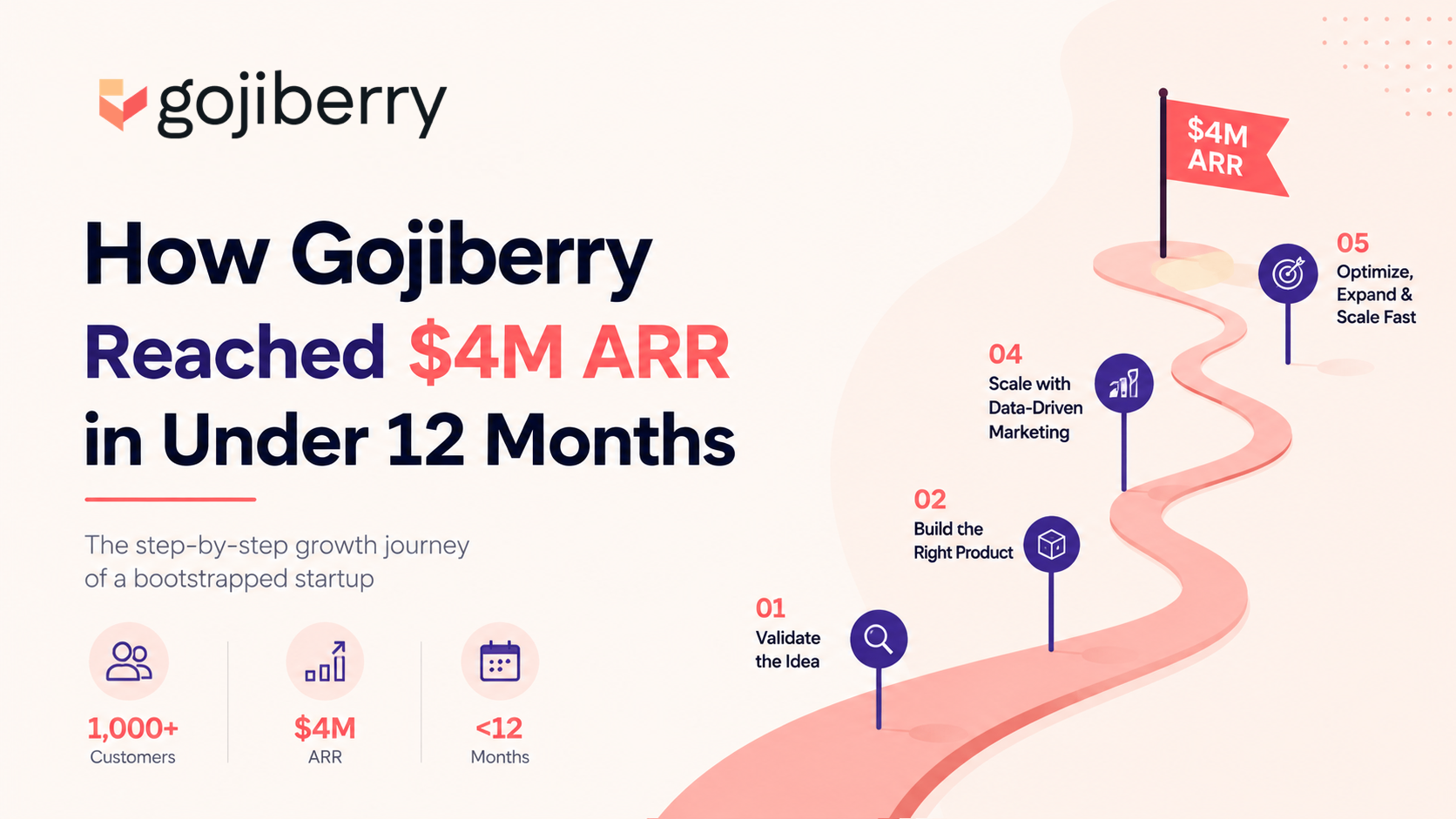
How Gojiberry Reached $4M ARR in Under 12 Months?
Can a three-person team really take a startup from zero to $4 million in annual recurring revenue in under a year, without a marketing department, without a funding round to lean on, and without paid ads for most of that journey? Gojiberry AI did exactly that. The company builds AI agents that find, message, and book meetings with high-intent buyers, and it used almost none of the tricks most founders assume they need. No viral TikTok moment. No celebrity investor. No six-figure ad budget on day one. Just five growth stages, run one at a time, each one stacked on top of the last. What makes this case study different from most "how we grew" threads is that Gojiberry AI's founders, led by CTO Dylan Txa and CEO Pierre-Eliott Lallemant, published the entire sequence publicly. That means every founder, developer, and marketer reading this can copy the exact order of operations instead of guessing at it. This post breaks the growth story down into the five stages that actually built the revenue, and for each one, it explains how you can automate that same stage today using the AI and outbound tools available right now, so a solo founder or a small team can run this playbook without hiring a growth department first. > KEY TAKEAWAYS > > * Gojiberry grew from $0 to roughly $3.5 to $4 million in ARR in under 12 months, bootstrapped, before joining Y Combinator. > * Growth happened in five sequential stages, each mapped to a specific MRR milestone, and no earlier channel was ever abandoned once a new one was added. > * Stage 1 ran on cold outbound targeted only at buying-intent signals, not scraped lists, and produced 25 to 40 percent reply rates. > * Every stage of this playbook can now be automated with tools like Apollo.io, Clay, Instantly, PhantomBuster, and AI prospecting agents, which is the part most "growth story" posts leave out. > * The company launched in early 2025, crossed $1 million ARR in about 9 months, and reached roughly $3.5 to $4 million ARR and $300,000 MRR by month 11 or 12. A QUICK LOOK AT GOJIBERRY AI Gojiberry builds AI agents that automate the unglamorous parts of sales: researching leads, writing outreach messages, following up, and booking meetings. In practice, it does for its customers exactly what its own founders did manually in the early days, which is probably why the product resonates so well with the audience it sells to. The company was founded in early 2025 by Dylan Txa, Pierre-Eliott Lallemant, and Romàn Czerny. It started the way most bootstrapped B2B tools do, with the founders using their own early product to land their first customers before pitching it to anyone else. Gojiberry publicly launched on Product Hunt in the months that followed, and within roughly nine months of starting, it had already crossed $1 million in ARR, fully bootstrapped and without outside funding. Growth accelerated from there. By month 11, the company was reporting close to $3.5 million in ARR, and it crossed $300,000 in MRR and roughly $4 million in ARR shortly after, which is around the point the team joined Y Combinator. Pricing sits around $97 to $99 per month with a free trial, and the company now serves between 2,000 and 2,800 paying customers out of more than 5,000 businesses that have used the platform. None of that came from a single viral moment. It came from five stages, run in order, each one automated a little more than the last. THE 5-STAGE GROWTH SEQUENCE, AND HOW TO AUTOMATE EACH ONE Gojiberry's revenue did not grow in a straight line pulled by five channels running at once. It grew in steps, where a single channel was pushed until it clearly worked, and only then did a second channel get added on top. This section walks through each stage the way it actually happened, followed by how a founder in 2026 can automate that exact stage instead of doing it by hand the way Gojiberry originally did. STAGE 1: $0 TO $6,000 MRR, PURE OUTBOUND At this stage, there is no brand, no case studies, and no audience to lean on. The only lever available is direct outreach aimed at people who are already showing buying intent, which is why the team ran cold email and LinkedIn messages by hand, using their own early product on themselves before selling it to anyone else. There was no scraped list involved. Every prospect had shown a real signal first: a recent job change, a funding announcement, engagement with a competitor's content, or a public post describing the exact problem Gojiberry solves. That discipline is what produced a 25 to 40 percent reply rate, compared with the 1 to 2 percent typical of a cold, generic list. How to automate this stage today. The manual version of Stage 1 is what most founders picture when they hear "cold outreach," but almost none of it needs to be manual anymore. A tool like Apollo.io or Clay can build the same intent-based list that Gojiberry built by hand, filtering for job changes, funding rounds, and content engagement rather than just company size and industry. Hunter.io or Findymail then verifies the email address so the domain does not get flagged as spam. Once the list exists, Instantly.ai, Smartlead, or Lemlist can run the actual sending sequence, rotating across warmed-up mailboxes and handling follow-ups automatically. At the same time, the first line of every email stays personalized to the specific signal that got the prospect on the list in the first place. On LinkedIn, tools like Expandi or PhantomBuster handle the connection requests and follow-up messages once a working message has been tested manually. The entire loop, from finding a signal to sending a personalized message to logging a reply, is now close to what Gojiberry AIs own product automates for its customers. STAGE 2: $6,000 TO $25,000 MRR, THE REDDIT BREAKTHROUGH Once outbound was working, the constraint shifted from message quality to volume, and Reddit solved that without any media spend. The team posted educational breakdowns inside SaaS-focused subreddits instead of anything that looked like an ad, and those posts generated more than 10 million organic views over time. The traffic was lower intent than outbound, but it was high volume and nearly free, and it flooded the trial funnel at a stage when volume mattered more than precision. The posts that performed best were the ones that read like a founder genuinely explaining a process, with the product mentioned briefly at the end rather than in the headline. How to automate this stage today. Reddit punishes anything that smells automated, so full automation is the wrong goal here. What can be systematized is the research and repurposing around it. A social listening tool or a simple Reddit search alert can flag new threads in relevant subreddits the moment someone asks a question your product answers, so a founder can reply while the thread is still active instead of finding it three days late. Writing tools like Claude or ChatGPT can help draft the first version of an educational post from a rough outline, which still needs a human pass to sound native to the subreddit before it goes live. Once a post performs well, that same content becomes the raw material for Stage 3, so the actual "automation" win here is having a repeatable process for spotting, drafting, and repurposing rather than automating the posting itself. STAGE 3: $25,000 TO $75,000 MRR, CONTENT PLUS FREE BLUEPRINTS At this stage, Gojiberry shifted from one-off wins to a repeatable content engine. LinkedIn posts, YouTube videos, and motion-design clips became the primary growth channel, and instead of gating any of it behind a sales call, the team gave away their internal processes as free blueprints. Content built reach, the blueprints built trust, and trust is what turned a reader into a trial signup without a founder ever getting on a call. How to automate this stage today. Producing three content formats in parallel used to require a small team, and now it mostly requires a repeatable workflow. One core idea, usually the same idea that performed well on Reddit in Stage 2, gets turned into a long-form LinkedIn post, a script for a short video, and a one-page blueprint using a tool like Canva or Notion. AI writing tools can generate the first draft of each format from a single outline, which cuts production time from days to hours, while a tool like CapCut or Descript turns a script into a short motion-design clip without hiring an editor. The real unlock is treating every blueprint as reusable raw material: one well-made resource can be repackaged into a LinkedIn carousel, a YouTube walkthrough, and a Reddit answer, which is how a team of three produced enough content volume to compound without a dedicated content department. STAGE 4: $75,000 TO $150,000 MRR, PARTNERSHIPS AND X With outbound, Reddit, and content already compounding, Gojiberry layered in partnerships. B2B influencers, sponsored newsletters, and a lifetime affiliate program brought in audiences the team had not built themselves, and this is also when the company joined Y Combinator, which sharpened execution speed across every other channel already running. How to automate this stage today. A lifetime or recurring-commission affiliate program set up through Rewardful, FirstPromoter, or PartnerStack removes most of the manual tracking and payout work that used to make affiliate programs hard to run for a small team. Finding the right newsletters and creators to pitch is largely a research problem now, and a tool like Apollo or Clay can filter for newsletter operators and B2B creators the same way it filters for cold outbound prospects, based on audience relevance rather than raw follower count. The actual sponsorship pitch works best when it offers the free blueprint from Stage 3 as the sponsored content itself, since that performs better than a generic ad and costs nothing extra to produce. STAGE 5: $150,000-PLUS MRR, PAID ACQUISITION AND HIRING By the time paid acquisition entered the mix, Gojiberry already had organic proof of what converted. Meta ads, Google ads, and influencer agencies scaled the message that had already worked for free, and the company's first serious hires across growth, sales, engineering, and product arrived once these channels were already producing revenue, not before. How to automate this stage today. The safest starting point for a paid campaign is the best-performing organic post or video from Stage 3, since it has already been validated by a real audience at zero cost. Meta's own campaign tools can build a lookalike audience from existing paying customers rather than broad interest targeting, and a small daily budget, commonly around $1,000 a day to start, keeps the risk low while cost per trial and cost per paying customer are measured. Google Ads layered on high-intent search terms tends to convert faster than social traffic at this stage, since the person searching has already defined their own problem. Influencer agencies are brought in for scale rather than discovery, placing an already-proven message with more creators faster instead of guessing at a new one. MISTAKES THAT QUIETLY KILL THIS PLAYBOOK Most founders who try to copy a growth story like this one do not fail because the tactics do not work. They fail because they skip the discipline underneath the tactics. The most common mistake is running every channel at once from day one, on the theory that more activity means more results, when in reality it spreads a small team too thin to make any single channel work well enough to compound. A close second is buying a large, generic list and blasting it with cold email in the first week, which produces spam complaints and a damaged sending domain instead of customers, when a tight list of 100 genuinely high-intent prospects would have outperformed 5,000 cold names. On Reddit, the same impatience shows up as posting an identical promotional message across ten subreddits in a single day, which reads as spam to both moderators and the platform's own spam detection and can get an account banned across the entire site. On LinkedIn, founders often gate content behind a link instead of a comment keyword, not realizing that links quietly suppress reach on most platforms, which kills the visibility the content was created to earn. Further along, many teams launch paid ads with brand-new, unproven creative instead of scaling the organic post that already worked, which turns paid acquisition into an expensive way to discover what does not resonate, instead of an amplifier for something that already does. Every one of these mistakes comes from skipping a stage instead of finishing it. CONCLUSION Gojiberry's path from zero to roughly $4 million in ARR was not built on a viral moment or a lucky break. It was built on five stages, run one at a time, each one automated a little more than the last as the tools available caught up with what the founders were already doing by hand. Each stage mapped to a specific revenue milestone, and none of the earlier channels were ever thrown away once a new one started working. For developers thinking about a side project, for solo founders trying to land their first paying customers, for business owners deciding where to spend their next marketing dollar, and for anyone working in SEO or content who wants to understand how organic growth actually compounds into revenue, this case study offers something rare: a growth story with the exact steps left in, along with the tools that make each step realistic to run in 2026. What remains is deciding which stage matches where the business is right now, and having the patience to automate and dominate it before adding the next. REFERENCES: 1. Reddit Strategy Playbook 2. The LinkedIn High Intent Outreach System: How We Booked 12 demos in 5 days with AI (powered by CLAUDE OPUS 4.8)
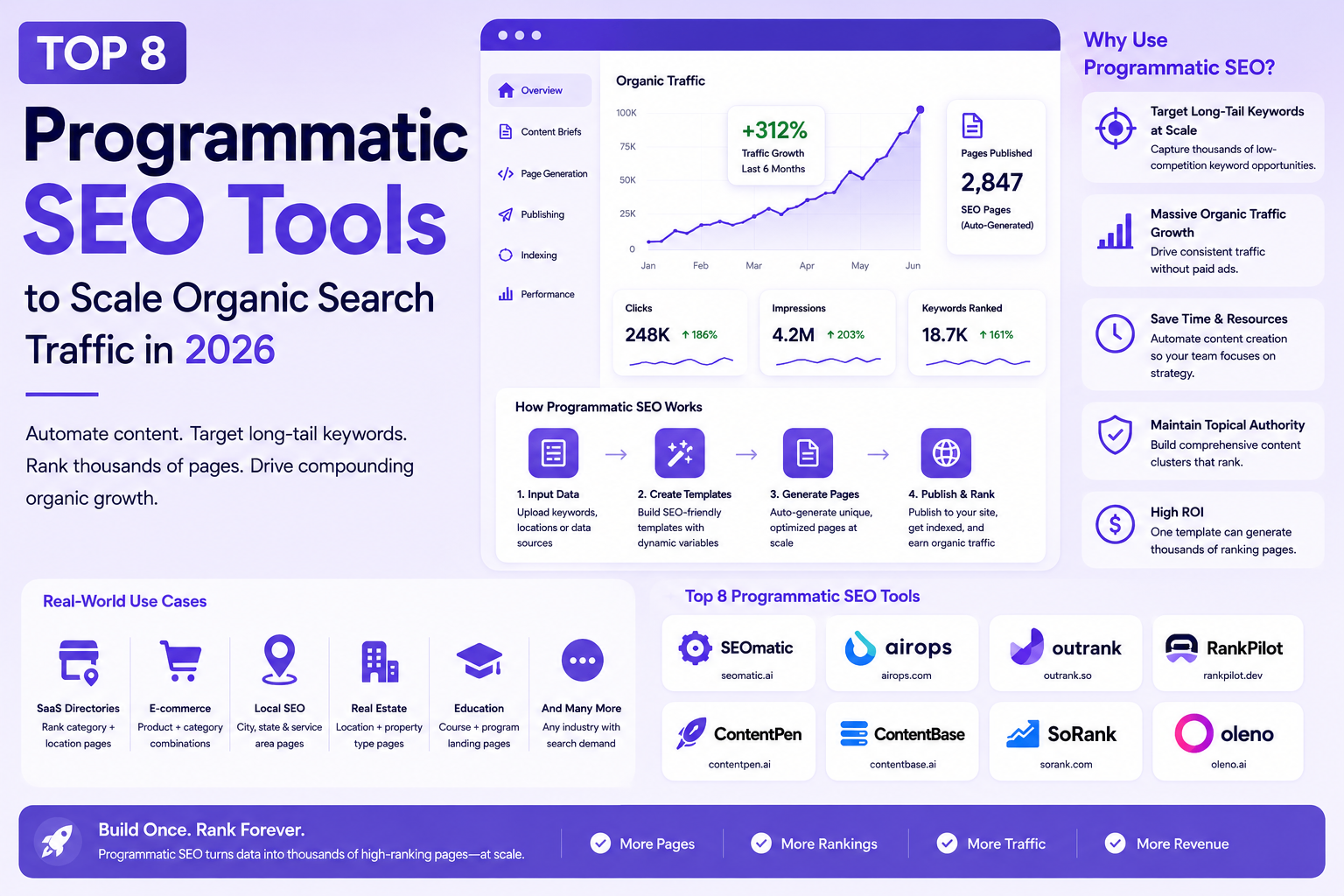
Top 8 Programmatic SEO Tools to Scale Organic Search Traffic in 2026
Scaling organic traffic in 2026 is no longer about manually drafting blog posts one by one. To rank for thousands of highly specific, long-tail search terms, such as "best CRM for real estate" or "[Tool A] vs [Tool B] alternative", modern marketing teams rely on Programmatic SEO (pSEO). By combining structured datasets, dynamic templates, AI content generation, and automated CMS workflows, pSEO allows brands to instantly build and publish conversion-focused landing pages at scale. > QUICK SUMMARY > > * SEOmatic – Best overall platform for launching AI-powered programmatic SEO websites without writing code. > * AirOps – Best for automating large-scale SEO research, content generation, and publishing workflows. > * Outrank – Best for AI-generated landing pages and long-tail content campaigns. > * RankPilot.dev – Best developer-first platform for technical SEO automation and scalable page generation. > * ContentPen AI – Best for creating SEO articles and landing pages from keyword datasets. > > Other excellent tools include ContentBase AI, Oleno AI, and Sorank. Choosing the right tool depends on your content strategy, technical expertise, and publishing goals. HOW PROGRAMMATIC SEO WORKS IN THE AI-SEARCH ERA Mass-producing thin, repetitive content no longer yields rankings. Next-generation search engines and answer engines like Google AI Overviews, ChatGPT Search, Perplexity, and Gemini strictly reward deep topical authority, structured schema, and authentic user value. Modern programmatic tools don't just dump spreadsheet data into static templates; they intelligently cluster search intent, build dynamic internal linking networks, and generate contextually rich content that directly answers complex user queries. BUILDING THE ULTIMATE PROGRAMMATIC TECH STACK Executing a successful Programmatic SEO growth engine requires a dedicated software stack to manage database entries, sync datasets, and render optimized templates automatically. Whether you are a solo founder building your first content engine, an enterprise marketing team managing thousands of pages, or an agency scaling client campaigns, having the right setup is essential. COMPARISON MATRIX | Tool | Best For | Core Feature | Pricing (Starting) | Free Plan | Platform | | : | : | : | : | : : | : | | SEOmatic | No-code programmatic SEO | AI page generation, CMS publishing, templates | Starts at $149/mo | 14-day free trial | Cloud SaaS | | AirOps | AI SEO workflows | Research, AI writing, publishing automation | Free (paid plans available, Enterprise custom) | ✓ | Cloud SaaS | | Outrank | AI landing pages | Automated SEO page generation | Custom pricing (demo required) | ✓ | Cloud SaaS | | RankPilot.dev | Developer workflows | Programmatic page automation and SEO tooling | Custom pricing | Limited | Cloud SaaS | | ContentPen AI | AI SEO content | Keyword-to-article generation | Starts at $27/mo (annual billing) | Free trial | Cloud SaaS | | ContentBase AI | AI content operations | Automated websites and SEO publishing | Starts at $79/mo (annual) or $99/mo monthly | 7-day free trial | Cloud SaaS | | Sorank | SEO optimisation | AI optimisation, GEO and ranking insights | Starts at $99/site/mo | Free trial | Cloud SaaS | | Oleno AI | Autonomous content operations | AI research, writing, optimisation and publishing | Starts at $149/mo | Demo | Cloud SaaS | 1. SEOMATIC For businesses looking to scale organic traffic without building a complex content infrastructure, SEOmatic has emerged as one of the most complete programmatic SEO platforms available. Unlike traditional website builders or CMS plugins, SEOmatic is purpose-built for creating thousands of SEO-friendly landing pages using structured datasets, AI-generated content, and reusable templates. This makes it particularly attractive for SaaS companies, startups, marketplaces, and agencies targeting large numbers of long-tail keywords. SEOmatic simplifies what is usually a complicated workflow. Instead of connecting multiple tools for keyword research, content generation, template management, and publishing, everything is managed from a single platform. Users can import data from spreadsheets or databases, create dynamic page templates, generate unique AI-powered content, and publish thousands of pages without writing code. The platform also supports multilingual websites, custom variables, automated metadata, schema markup, and bulk page generation, allowing businesses to launch large-scale SEO projects in a fraction of the usual time. Another strength of SEOmatic is its flexibility. Generated pages can be published to popular CMS platforms or exported as static pages, making it suitable for different technical stacks. Teams can also customise templates, manage internal linking, and update content in bulk whenever datasets change, ensuring that large websites remain consistent and easy to maintain. Although SEOmatic automates much of the page creation process, content quality still depends on the underlying data and templates. Businesses investing time in structured datasets and thoughtful page design will achieve significantly better results than those relying entirely on AI-generated copy. When used correctly, SEOmatic provides one of the fastest ways to build scalable content hubs that target thousands of highly specific search queries while maintaining a consistent user experience. PRICING Plans start at approximately $49/month, with higher tiers supporting larger publishing limits and additional AI capabilities. BEST FOR Founders, SaaS companies, marketplaces, agencies, and marketing teams looking for a no-code platform to build and manage large-scale programmatic SEO websites. 2. AIROPS Modern programmatic SEO is no longer just about generating landing pages. Successful teams also need to research keywords, identify search intent, create content briefs, optimise articles, maintain internal links, and publish consistently across hundreds or thousands of pages. AirOps addresses this challenge by providing an AI-powered workflow platform that automates much of the content production process rather than focusing on a single stage. Instead of working like a conventional AI writer, AirOps enables users to build reusable workflows that combine AI models, structured data, search APIs, spreadsheets, and content management systems. A single workflow can automatically cluster keywords, generate detailed briefs, write first drafts, optimise metadata, suggest internal links, and prepare content for publishing. This dramatically reduces repetitive manual work while keeping content production consistent across large websites. One of AirOps' biggest advantages is its flexibility. Marketing teams can customise workflows to match their editorial process, while developers can integrate external APIs and internal databases to create highly specialised automation pipelines. Whether the goal is generating location pages, comparison articles, product descriptions, or documentation, AirOps allows businesses to standardise their content operations without sacrificing quality. The platform is particularly valuable for organisations scaling content production through AI. Rather than replacing editors, AirOps handles repetitive research and generation tasks so teams can focus on refining content, adding expertise, and ensuring accuracy. As AI-powered search continues to evolve, this workflow-first approach helps businesses produce high-quality, search-optimised content more efficiently while supporting long-term topical authority. PRICING AirOps offers a free plan for individual users, while advanced workflow automation, collaboration features, and enterprise capabilities are available through custom pricing. BEST FOR Content teams, SaaS companies, AI startups, SEO agencies, and enterprises looking to automate research, content generation, optimisation, and publishing through scalable AI workflows. 3. OUTRANK Creating hundreds of SEO landing pages manually can quickly become a bottleneck for growing businesses. Outrank is designed to remove that friction by using AI to generate, optimise, and publish content at scale. Instead of spending weeks researching keywords and writing individual pages, users can build large SEO campaigns from structured data and automated workflows, making it an excellent choice for startups and SaaS companies focused on rapid organic growth. Outrank starts with keyword discovery and content planning before moving into AI-powered page generation. The platform creates SEO-friendly landing pages, comparison pages, and long-form articles based on your target keywords and business information. Rather than producing generic AI content, it focuses on creating pages that match search intent while maintaining a consistent structure across large websites. This approach makes it easier to target hundreds or even thousands of long-tail search queries without increasing the workload for content teams. The platform also helps automate many technical SEO tasks that are often overlooked when publishing content at scale. Metadata generation, internal linking, structured page layouts, and content updates can all be managed from a single dashboard. Teams can monitor projects, refresh existing pages, and continuously expand their content library as new keyword opportunities emerge. Outrank is particularly useful for businesses that want to move beyond traditional blogging and build scalable landing page strategies. Whether you're targeting location pages, industry-specific solutions, product comparisons, or integration pages, the platform simplifies the entire workflow while reducing the manual effort needed to maintain large SEO websites. PRICING Outrank offers custom pricing based on project size and content requirements. BEST FOR Startups, SaaS companies, agencies, marketplaces, and businesses building large-scale AI-powered landing page strategies. 4. RANKPILOT.DEV While many programmatic SEO platforms are built primarily for marketers, RankPilot.dev takes a developer-first approach. It focuses on helping technical teams automate SEO workflows, generate dynamic pages, and manage large content operations through flexible infrastructure rather than visual page builders. This makes it especially appealing for engineering-driven SaaS companies and businesses with custom applications. RankPilot.dev enables developers to create programmatic pages using structured datasets, APIs, and automated workflows. Instead of manually maintaining thousands of pages, businesses can generate dynamic content based on products, locations, integrations, documentation, or customer data. Because the platform is designed for modern development workflows, it integrates well with headless CMS platforms, custom websites, and existing deployment pipelines. One of its strongest capabilities is automation. Businesses can continuously update landing pages whenever source data changes, ensuring that content remains accurate without requiring editors to manually review every page. The platform also supports technical SEO best practices such as metadata management, structured data, internal linking, and scalable URL generation, helping large websites remain organised as they grow. Unlike traditional AI writing platforms, RankPilot.dev focuses more on infrastructure than content creation. It works best when paired with AI writing tools or existing content systems, allowing businesses to combine automated publishing with high-quality content generation. For organisations managing complex websites or developer documentation, this flexibility can significantly reduce operational overhead while supporting long-term SEO growth. PRICING RankPilot.dev offers custom pricing based on usage and implementation requirements. BEST FOR Developers, technical SEO teams, SaaS companies, and enterprises building custom programmatic SEO infrastructure at scale. 5. CONTENTPEN AI Producing high-quality SEO content consistently can be difficult, especially for startups and small marketing teams with limited resources. ContentPen AI is designed to simplify this process by turning keywords into well-structured, search-friendly articles that are ready for editing and publication. Rather than acting as a general AI writing assistant, the platform focuses on helping businesses build a steady pipeline of SEO content that supports long-term organic growth. The platform begins with a target keyword and uses AI to generate outlines, headings, and complete article drafts based on search intent. Instead of requiring users to build every article manually, ContentPen AI automates much of the research and writing process while maintaining a logical structure suitable for blogs, landing pages, product pages, and knowledge bases. This significantly reduces the time required to move from keyword research to a publishable draft. ContentPen AI also supports content optimisation by generating SEO-friendly titles, meta descriptions, FAQs, and structured sections that improve readability and search visibility. Teams managing large keyword lists can create multiple articles in a consistent format, making it particularly useful for content marketing campaigns and programmatic SEO projects. As content needs evolve, users can update existing articles, expand topic coverage, and generate fresh content without rebuilding their workflow from scratch. While the platform accelerates content production, human review remains important to ensure accuracy, originality, and brand consistency. Businesses that combine ContentPen AI with editorial oversight can significantly increase publishing speed while maintaining high content quality. PRICING ContentPen AI offers subscription-based pricing with a free plan available for limited usage. Plans start at $27/month. BEST FOR Content marketers, startups, agencies, bloggers, and businesses looking to generate SEO-optimised articles at scale. 6. CONTENTBASE AI For businesses that want to automate more than just content writing, ContentBase AI provides an AI-first platform built around creating, managing, and growing SEO websites. It combines content generation, publishing automation, and optimisation into a single workflow, allowing businesses to build organic traffic without relying on multiple disconnected tools. Instead of simply generating articles, ContentBase AI helps users create complete websites around targeted keyword clusters. The platform automates content planning, article generation, metadata creation, internal linking, and publishing, making it easier to scale websites across multiple topics. This integrated approach is particularly valuable for founders, affiliate marketers, and niche website owners who want to expand their online presence without manually managing every stage of content production. Another notable strength is its focus on continuous website growth. As new keyword opportunities emerge, ContentBase AI can generate additional pages that fit naturally into the site's existing structure. This helps businesses build topical authority over time while keeping content organised and easy for search engines to crawl. The platform also simplifies routine SEO tasks, allowing users to spend more time refining strategy instead of handling repetitive publishing work. ContentBase AI works particularly well for teams aiming to launch new content projects quickly or scale existing websites efficiently. By combining AI writing with publishing automation, it reduces the operational effort required to maintain a growing SEO content library. PRICING ContentBase AI offers subscription-based plans with a free tier available for new users. Plans start at $79/month. BEST FOR Founders, affiliate marketers, niche website owners, agencies, and businesses looking to automate website growth through AI-powered content publishing. 7. SORANK As AI-generated content becomes more common, creating articles alone is no longer enough to achieve strong search rankings. Businesses also need to optimise existing content, identify ranking opportunities, and continuously improve their pages based on search performance. Sorank is built with this goal in mind, helping marketers create, optimise, and scale SEO content using AI-powered workflows. The platform combines keyword research, AI content generation, on-page optimisation, and performance insights into a unified workflow. Instead of relying on separate tools for each stage, users can discover keyword opportunities, generate SEO-friendly articles, refine existing pages, and monitor optimisation recommendations from a single dashboard. This makes Sorank particularly useful for businesses managing multiple content campaigns simultaneously. One of Sorank's strengths is its focus on practical optimisation rather than simply generating AI text. It analyses content structure, topical coverage, and on-page SEO elements to identify opportunities for improving search visibility. The platform also assists with metadata generation, content refinement, and workflow automation, helping marketing teams maintain consistent quality across growing content libraries. For businesses investing in long-term organic growth,Sorank offers a balanced combination of AI writing and SEO optimisation. Rather than replacing content teams, it streamlines repetitive tasks so marketers can focus on strategy, user experience, and creating content that delivers lasting value. PRICING Sorank offers subscription-based pricing with a free trial available. Plans start at $99/site/month. BEST FOR Marketing teams, SEO professionals, agencies, startups, and businesses looking to optimise and scale AI-assisted content production. 8. OLENO AI While many AI content platforms focus on generating articles, Oleno AI takes a broader approach by acting as an autonomous content operations platform. It is designed to help businesses research topics, generate high-quality content, optimise it for search engines, and publish directly to their CMS from a single workflow. This makes it one of the most comprehensive solutions for organisations looking to automate large portions of their content strategy. Oleno AI begins by analysing your knowledge base, website, or product information to understand your business before generating content. Instead of relying solely on generic AI prompts, it creates articles grounded in your own information, helping maintain accuracy and consistency across every publication. The platform can also generate detailed content briefs, FAQs, metadata, schema markup, and internal linking recommendations to improve both traditional SEO and visibility in AI-powered search experiences. Another standout capability is its automated publishing workflow. Once content has been reviewed, Oleno AI can publish directly to supported content management systems, reducing the manual effort required to move from research to a live article. Built-in quality checks help identify factual inconsistencies, formatting issues, and missing optimisation opportunities before publication, making it particularly useful for businesses producing content at scale. As AI search platforms continue to influence how users discover information, Oleno AI also focuses on Generative Engine Optimisation (GEO), helping businesses create content that is well structured for AI-generated search results in addition to traditional search engines. This forward-looking approach makes it a valuable option for companies planning long-term content growth. PRICING Oleno AI offers custom pricing based on business requirements and content volume. Plans start at $149/month. BEST FOR Growing startups, SaaS companies, agencies, publishers, and enterprises looking for an end-to-end AI platform for research, content creation, optimisation, and automated publishing. CONCLUSION Programmatic SEO has evolved far beyond generating thousands of pages from spreadsheets. In 2026, the most successful businesses are combining AI, structured data, automation, and high-quality content to build scalable SEO systems that continuously attract qualified organic traffic. Whether you're targeting long-tail keywords, creating location pages, publishing product comparisons, or building resource hubs, the right platform can dramatically reduce manual work while improving content consistency and search visibility. The tools featured in this guide each solve a different part of the programmatic SEO workflow. SEOmatic makes it easy to launch and manage thousands of dynamic landing pages without writing code, while AirOps automates research, content generation, and publishing through powerful AI workflows. Businesses looking to create AI-generated landing pages at scale can benefit from Outrank, whereas RankPilot.dev provides developers with the flexibility to build custom programmatic SEO systems. For content-focused teams, ContentPen AI and ContentBase AI simplify large-scale content creation and publishing, making it easier to build topical authority across hundreds of pages. Sorank strengthens existing content through AI-powered optimisation, while Oleno AI delivers an end-to-end autonomous content workflow that combines research, writing, optimisation, quality assurance, and publishing into a single platform. Choosing the best tool depends on your goals, technical expertise, and publishing strategy. A startup launching its first SEO campaign may prioritise ease of use and AI-assisted content creation, while an enterprise managing thousands of pages may need workflow automation, custom integrations, and advanced publishing capabilities. Instead of searching for one platform that does everything, focus on the tool that best supports your existing workflow and helps eliminate your biggest bottlenecks. It's also important to remember that programmatic SEO is not about publishing the largest number of pages. Search engines increasingly reward websites that demonstrate expertise, answer specific user questions, and provide genuinely useful information. AI can accelerate research and production, but long-term success still depends on content quality, accurate data, thoughtful page templates, and regular optimisation. As Google AI Overviews, ChatGPT Search, Perplexity, and other AI-powered search experiences continue to reshape how people discover information, businesses that build scalable, high-quality content systems today will be better positioned to capture organic traffic tomorrow. By combining the right programmatic SEO platform with a strong content strategy, you can create sustainable organic growth that continues to deliver value long after each page is published.

Best AI Search Engines in 2026
Search has changed dramatically over the last few years. Opening ten browser tabs, comparing articles, and manually verifying information is no longer the fastest way to find answers. Modern AI search engines combine large language models with real-time web indexing, citations, and reasoning to deliver answers that are easier to understand while still allowing users to verify the sources. The shift is particularly noticeable for developers, founders, researchers, marketers, and students. Instead of searching with several keywords and filtering through pages of links, users can ask complete questions, upload documents, compare products, debug code, summarize research papers, or generate structured reports in a single conversation. Traditional search engines still play an important role, especially for discovering websites and recent news. However, AI-powered search is becoming the preferred choice for complex questions that require explanation rather than a list of links. This guide explores the best AI search engines available in 2026, comparing where each one performs well, where it falls short, and which type of user benefits most from it. > SUMMARY > > AI search engines combine web search with large language models (LLMs) to generate direct, conversational answers instead of only displaying links. Many also provide citations, summarize webpages and documents, support follow-up questions, and help users find information faster. > > The best AI search engine depends on your workflow, whether you're researching, coding, creating content, or looking for quick answers. > > * Perplexity AI - Best for research, fact-checking, and citation-based answers. > * ChatGPT Search - Ideal for everyday search, writing, brainstorming, and productivity. > * Google AI Mode - Best for combining Google's search index with AI-generated summaries. > * You.com - Great for productivity, AI assistants, and customizable search experiences. > * Phind AI - Built specifically for developers, coding, debugging, and technical documentation. > > Other notable AI search engines include You.com, Exa, Felo AI, Komo AI, Duck.ai, and Grok, each offering unique features for productivity, AI applications, multilingual research, conversational search, private AI chat, and real-time web search. BEST AI SEARCH ENGINES COMPARED | AI Search Engine | Best For | Web Access | Citation Support | Developer API | Free Tier | Starting Paid Price | What You Get | | | | | | | | | | | Perplexity AI | Research & general search | Live | Full | ✓ | ✓ | $20/month (Pro) | More Pro searches, advanced AI models (GPT, Claude, Gemini), file analysis, image generation, API credits | | ChatGPT Search | Daily search & productivity | Live | Full | Limited | ✓ | $20/month (Plus) | GPT-5, faster responses, advanced reasoning, Deep Research, larger file uploads, higher usage limits | | Google AI Mode | General web search | Live | Full | ✗ | ✓ | Free | AI-powered search summaries, follow-up questions, Google Search integration | | You.com | Productivity & AI workspace | Live | Full | ✓ | ✓ | $20/month (Pro) | Premium AI models, higher limits, AI agents, document analysis, custom workflows | | Phind AI | Developers | Live | Full | ✓ | ✓ | $20/month (Pro) | Faster searches, GPT-5 and Claude access, larger context windows, more developer queries | | Brave Search AI | Privacy | Live | Full | ✓ | ✓ | $14/month (Premium) | Ad-free search, higher AI usage limits, premium privacy features | | Exa | AI applications & RAG | Live | Full | ✓ | Limited | Pay-as-you-go (API) | Semantic search API, web crawling, RAG-ready search, structured results | | Felo AI | Knowledge discovery | Live | Full | ✗ | ✓ | ~$15/month (Pro) | More AI searches, premium models, document analysis, higher usage limits | | Komo AI | Conversational search | Live | Full | ✗ | ✓ | ~$15/month (Pro) | Unlimited AI search, premium models, faster responses, increased usage | | Duck.ai | Private AI conversations | Limited | Partial | ✗ | ✓ | Free | Anonymous AI chat with multiple models, no account required | | Grok | Real-time search & X integration | Live | Full | ✓ | ✓ | $30/month (SuperGrok) | Higher usage limits, advanced Grok models, DeepSearch, Think mode, image generation, API access (separate API pricing applies) | WHAT MAKES AN AI SEARCH ENGINE DIFFERENT? A traditional search engine primarily retrieves pages that appear relevant to a query. Ranking algorithms determine which pages should appear first based on hundreds of signals such as relevance, authority, freshness, and user experience. An AI search engine introduces another layer between the user and the web. After retrieving relevant information, it processes multiple sources using a large language model before generating a conversational answer. Instead of asking users to manually compare 10 articles, it combines the most relevant information into a structured explanation and often provides citations to the original sources. This workflow significantly reduces the time required to understand unfamiliar topics, compare software, analyze documentation, or summarize technical reports. For developers, this means spending less time switching between Stack Overflow, official documentation, GitHub repositories, and blog posts. For founders and marketers, it becomes easier to compare competitors, research industries, and validate ideas without opening dozens of tabs. HOW AI SEARCH ENGINES WORK Although implementations vary, most AI search engines follow a similar pipeline. A user's prompt is first analyzed to understand its intent. The system then retrieves information from web indexes, proprietary databases, academic repositories, or trusted knowledge sources. The retrieved content is ranked according to relevance before being processed by one or more language models. The language model generates a natural-language response, often accompanied by citations, references, images, or suggested follow-up questions. Some platforms also maintain conversational memory, allowing users to continue exploring the same topic without repeating previous context. The quality of the final answer depends on several factors, including the freshness of indexed content, retrieval accuracy, the reasoning capabilities of the underlying language model, and transparency of citations. BEST AI SEARCH ENGINES PERPLEXITY AI Official Website: https://www.perplexity.ai/ Perplexity AI combines conversational AI with real-time web search to deliver direct answers backed by citations. Instead of presenting a list of links, it summarizes information from multiple trusted sources while allowing users to explore the original references for deeper research. The platform excels at follow-up conversations, enabling users to refine questions naturally without restarting their search. It also supports document analysis, image understanding, and research collections, making it suitable for long-form research and knowledge management. Perplexity frequently references official documentation, GitHub repositories, technical blogs, and research papers, making it a popular choice among developers, researchers, consultants, and startup founders. Best For Research, fact-checking, technical documentation, market analysis, and citation-based web search. CHATGPT SEARCH Official Website: https://chatgpt.com/ ChatGPT Search combines conversational AI with live web search, allowing users to ask natural questions while receiving answers enriched with current information and source references. Rather than switching between a chatbot and a traditional search engine, users can research, brainstorm, and solve problems within a single conversation. Its conversational memory makes complex research easier by maintaining context across multiple follow-up questions. Beyond web search, ChatGPT Search also assists with writing, coding, summarization, planning, and document analysis, making it a versatile AI assistant for both personal and professional use. Best For Every day search, writing, coding, productivity, brainstorming, and multi-step research. GOOGLE AI MODE Google AI Mode enhances traditional Google Search by combining AI-generated summaries with Google's extensive search index. Instead of only displaying ranked webpages, it provides concise answers while preserving access to the original sources, allowing users to continue exploring the web when needed. Built on Google's search infrastructure, it performs particularly well for everyday questions, shopping research, travel planning, local information, and discovering recent news. The familiar search experience makes it easy for users transitioning from traditional search to AI-assisted search. Best For General web search, shopping, travel planning, local information, and everyday research. PHIND AI Official Website: https://phindai.org/ Phind is an AI search engine built specifically for developers. It combines conversational AI with web search to help users understand programming concepts, debug code, compare frameworks, explain APIs, and explore technical documentation without manually searching across multiple websites. The platform maintains context throughout coding sessions, allowing developers to ask follow-up questions while referencing documentation, GitHub repositories, and other technical resources. Whether learning a new framework or troubleshooting production issues, Phind streamlines technical research and software development. Best For Software development, debugging, API documentation, programming tutorials, and technical research. GROK Official Website: https://grok.com/ Grok is an AI-powered search engine and conversational assistant developed by xAI. It combines advanced reasoning with real-time web search to answer questions, summarize news, generate content, write code, analyze images, and assist with research. Since it is integrated with X (formerly Twitter), Grok can also surface insights from public conversations, making it particularly useful for tracking breaking news and trending topics. Unlike traditional search engines that primarily return links, Grok generates direct answers while allowing users to ask follow-up questions and refine searches naturally. It also supports multimodal interactions, enabling users to analyze images alongside text-based queries. Best For Real-time news, web research, coding assistance, content creation, market research, and trending discussions. YOU.COM Official Website: https://you.com/ You.com combines AI search with a complete productivity workspace. Alongside conversational search, it includes AI writing, coding assistance, document analysis, image generation, and workflow automation, allowing users to complete research and content creation without switching between multiple applications. Its integrated approach makes it particularly useful for professionals, startup teams, marketers, consultants, and developers who frequently move between research, writing, and coding throughout the day. Best For Productivity, AI writing, coding, document analysis, and collaborative research. BRAVE SEARCH AI Official Website: https://search.brave.com/ Brave Search AI combines conversational AI with an independent search index while emphasizing user privacy. Unlike many search platforms that rely heavily on third-party search providers, Brave indexes the web independently and minimizes user tracking during searches. The platform delivers AI-generated summaries with citations while maintaining a privacy-first approach. This makes it especially appealing for users who want accurate search results without extensive personalization or advertising profiles. Best For Privacy-focused search, technical research, software comparisons, and everyday web browsing. EXA Official Website: https://exa.ai/ Exa is an AI-native search engine designed for semantic search and Retrieval-Augmented Generation (RAG). Rather than relying solely on keyword matching, it understands the meaning behind queries to retrieve highly relevant webpages and documents. Its powerful API has made Exa a popular choice for developers building AI agents, research assistants, knowledge management systems, and enterprise search applications that require access to current web information. Best For Semantic search, AI agents, RAG applications, developer tools, and AI-powered search infrastructure. FELO AI Official Website: https://felo.ai/ Felo AI focuses on knowledge discovery by organizing information into structured, easy-to-follow research paths. Instead of simply answering questions, it encourages users to explore related concepts, compare ideas, and build a deeper understanding of complex topics. Its conversational interface and multilingual capabilities make it well suited for students, researchers, founders, and professionals conducting market research, competitive analysis, or academic studies. Best For Knowledge discovery, multilingual research, learning, and exploratory analysis. KOMO AI Official Website: https://komo.ai/ Komo AI is a conversational search engine designed for idea exploration and interactive research. Instead of relying on short keyword searches, it encourages users to refine questions naturally, making brainstorming and discovery feel more like a discussion than a traditional search session. Its clean interface and conversational approach make it particularly useful for startup research, creative thinking, learning new subjects, and exploring unfamiliar ideas. Best For Brainstorming, startup research, idea validation, creative exploration, and conversational learning. DUCK.AI Official Website: https://duck.ai/ Duck.ai brings AI-powered conversations to DuckDuckGo's privacy-focused ecosystem. Users can interact with multiple AI models while benefiting from strong privacy protections, minimal data collection, and anonymous conversations without creating an account. The platform is designed for everyday questions, web exploration, summarization, and quick research while keeping user privacy at the center of the experience. Best For Privacy-first AI conversations, everyday search, web exploration, and quick research. WHICH AI SEARCH ENGINE IS BEST FOR DEVELOPERS? Developers often require more than conversational answers. Reliable citations, official documentation, API references, GitHub repositories, and code explanations significantly improve productivity. Phind AI remains one of the strongest choices for software development because its search experience is intentionally designed around programming workflows. Perplexity AI performs exceptionally well when combining technical explanations with trusted citations, making it useful for architecture research and framework comparisons. ChatGPT Search provides an excellent balance between reasoning, coding assistance, and conversational problem solving, while Exa stands out for teams building AI products that require semantic retrieval or retrieval-augmented generation. Choosing between them depends less on raw intelligence and more on workflow. A software engineer debugging production issues has different requirements from a startup building AI agents or a student learning Python. WHICH AI SEARCH ENGINE IS BEST FOR RESEARCH? Research often requires more than finding a single answer. The ability to compare multiple sources, identify contradictions, and continue asking follow-up questions makes AI search substantially more useful than conventional keyword search. Perplexity AI consistently performs well because of its transparent citations and structured responses. Google AI Mode remains valuable when original webpages are just as important as AI summaries. Felo AI encourages deeper exploration of related concepts, making it particularly effective for market research and long-form learning. For academic work, original papers should always remain the primary source. AI search engines should accelerate discovery rather than replace careful reading and verification. CONCLUSION AI search engines have become practical productivity tools rather than experimental technology. They reduce the time required to understand unfamiliar topics, compare software, explore documentation, and conduct research while keeping users connected to the sources. No single platform is the best choice for every situation. Perplexity AI stands out for research and citations, ChatGPT Search delivers an excellent conversational experience, Google AI Mode combines AI summaries with traditional search, Phind remains a favorite among developers, and Exa provides the infrastructure needed for modern AI applications. The most effective workflow combines AI-assisted reasoning with careful verification. Using conversational search to accelerate understanding while validating important information through official sources produces better results than relying exclusively on either AI or traditional search. As language models continue improving and search engines become increasingly context-aware, AI-powered search is likely to become the default way many professionals interact with information on the web.
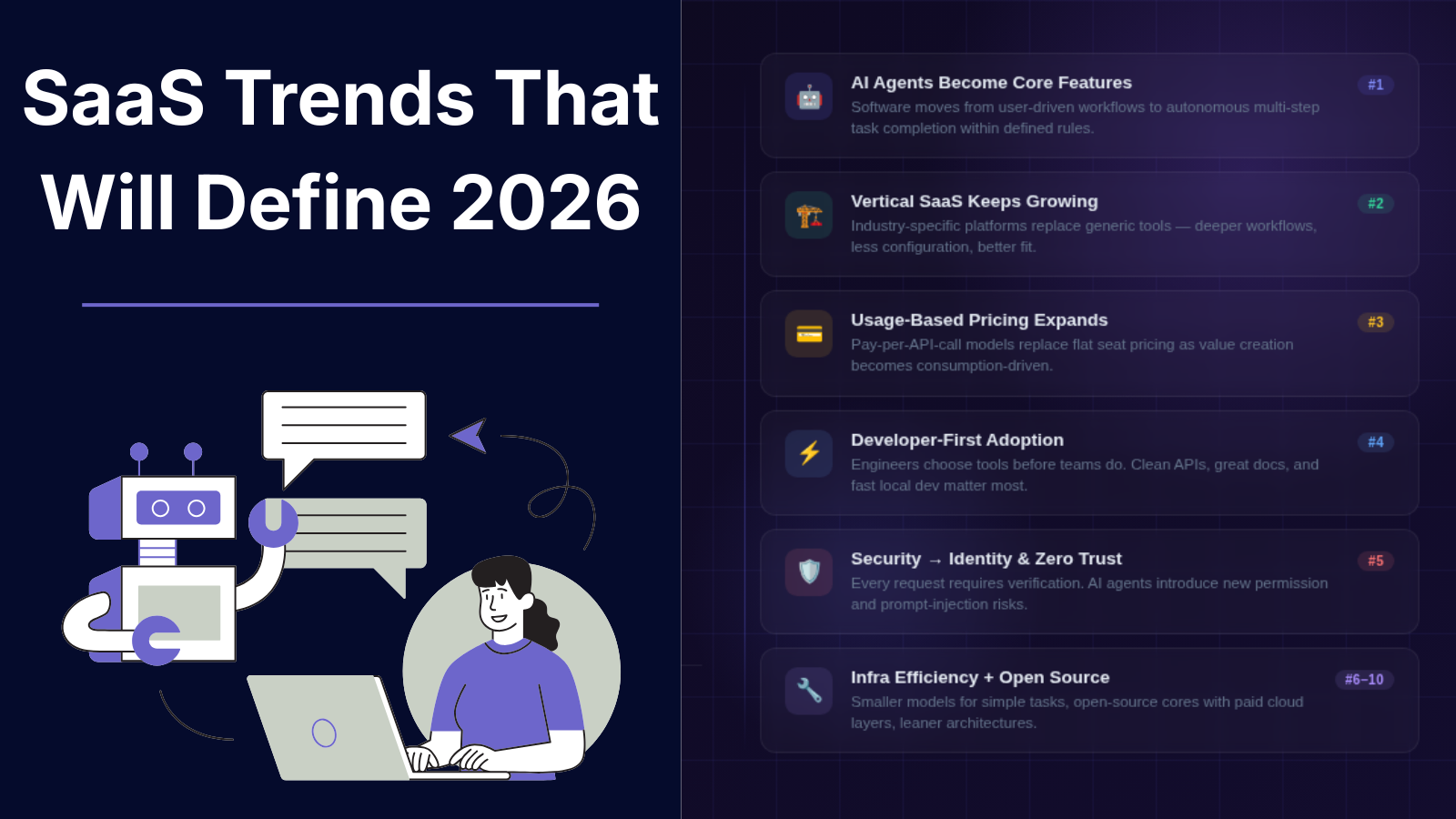
SaaS Trends That Will Define 2026
A developer deploying a new SaaS product in 2026 may write fewer traditional workflows and more instructions for autonomous systems. A simple API call that once required a dashboard, multiple user actions, and manual approval steps may now trigger an AI agent that analyzes data, makes decisions within defined rules, and completes tasks automatically. This shift is changing how SaaS products are built, priced, secured, and adopted. For years, SaaS growth followed a predictable pattern: build a web application, add collaboration features, improve user experience, and compete on functionality. In 2026, the competition is moving toward intelligence, specialization, and infrastructure efficiency. Companies are asking different questions: * Can software complete tasks instead of only helping users complete tasks? * Can products serve a specific industry better than general platforms? * Can developers integrate software capabilities directly into their own applications? * Can pricing match actual value creation instead of charging per seat? This article explores the SaaS trends that will shape 2026, why they matter, where they have limitations, and what founders and developers should consider when building the next generation of software products. > Summary > > * SaaS in 2026 is shifting from traditional software tools toward intelligent systems powered by AI agents, automation, and specialized workflows. > > * AI agents are changing how users interact with SaaS products by enabling software to analyze information, make decisions within defined limits, and complete multi-step tasks. > > * Vertical SaaS is growing as companies look for industry-specific solutions designed around real workflows instead of generic platforms. > > * Usage-based pricing models are becoming more common, especially for AI products, APIs, and infrastructure tools. > > * Developer-first SaaS platforms are gaining adoption through APIs, SDKs, documentation, and integration-focused workflows. > > * Security, identity management, and permission control are becoming essential as SaaS applications become more connected. > > * Open-source SaaS models are creating new opportunities through community-driven development combined with hosted services. > > * AI coding tools are changing software development workflows by helping developers write, test, document, and maintain applications. > > * SaaS companies are focusing on infrastructure efficiency as AI workloads increase cloud and computing costs. > > * The future of SaaS will be shaped by specialized solutions, reliable technology, intelligent automation, and user trust. 1. AI AGENTS WILL BECOME A CORE SAAS FEATURE The biggest SaaS shift in 2026 is moving from AI assistants to AI agents. Traditional SaaS applications usually follow a user-driven model: 1. User opens application 2. User searches information 3. User performs actions 4. Software provides output AI agent-based systems introduce a different workflow: 1. User defines a goal 2. Agent understands context 3. Agent selects available tools 4. Agent performs multiple steps 5. User reviews results For example, a customer support SaaS platform could move beyond suggesting replies. An AI agent could: * Read a support ticket * Check customer history * Search documentation * Create a response * Escalate complex cases The technical foundation behind these systems includes: * Large language models * Retrieval-augmented generation (RAG) * Tool calling APIs * Workflow orchestration * Permission management Popular AI development frameworks include: * LangChain * LlamaIndex * OpenAI API However, AI agents are not replacing traditional SaaS architecture. They introduce new engineering challenges: * Maintaining reliable outputs * Controlling permissions * Preventing incorrect actions * Monitoring agent behavior * Managing inference costs A useful AI agent system needs clear boundaries. A finance application should not allow an AI agent to approve unlimited transactions. A development platform should not allow an agent to deploy production code without review. The future of SaaS is likely not fully autonomous software. It is software with controlled autonomy. 2. VERTICAL SAAS WILL CONTINUE GROWING Generic SaaS platforms solved broad business problems. The next wave focuses on specific industries. Vertical SaaS means software designed for a particular industry or workflow. Examples include: * Healthcare management software * Construction project platforms * Legal workflow systems * Restaurant operations tools * Manufacturing monitoring systems A horizontal CRM platform may provide customer management features for everyone. A vertical CRM for real estate companies can include: * Property databases * Buyer communication workflows * Contract tracking * Local compliance requirements The advantage is deeper understanding of industry-specific problems. WHY VERTICAL SAAS WORKS Businesses often do not need more features. They need software that understands their process. A specialized SaaS product can reduce: * Training time * Manual configuration * Integration complexity * Workflow customization LIMITATIONS Vertical SaaS has challenges: * Smaller target markets * More complex customer research * Industry-specific regulations * Higher support requirements The opportunity is strongest where industries still depend heavily on spreadsheets, emails, and manual processes. 3. USAGE-BASED PRICING WILL REPLACE SOME SEAT-BASED MODELS The traditional SaaS pricing model is simple: $20/user/month This worked well when the value was connected to employees accessing software. However, modern SaaS products often create value through usage. Examples: * API requests * AI processing * Storage * Automation runs * Data processing volume Usage-based pricing allows customers to pay according to consumption. Examples: * Developer platforms charging per API request * AI tools charging per generated token * Infrastructure products charging by compute usage Companies such as Stripe and cloud providers have popularized consumption-based models. BENEFITS For customers: * Lower entry cost * Pricing aligned with growth * Easier experimentation For SaaS companies: * Revenue can grow with customer usage * Better alignment between cost and income CHALLENGES Usage-based pricing creates uncertainty. Customers may ask: * How much will this cost next month? * What happens during unexpected growth? * How can spending be controlled? Successful SaaS companies will need better billing visibility and spending controls. 4. DEVELOPER-FIRST SAAS WILL EXPAND Developers are becoming a primary SaaS buyer. Many modern tools are adopted because engineers can integrate them quickly. Developer-first products usually provide: * Clear documentation * APIs * SDKs * Command-line tools * Testing environments A developer evaluating a platform often checks: curl https://api.example.com/v1/projects \ -H "Authorization: Bearer API_KEY" before requesting a sales demo. Important factors include: * API reliability * Documentation quality * Authentication options * Error messages * Local development support Developer-focused SaaS categories include: * Authentication platforms * Database services * Monitoring tools * Deployment platforms * AI infrastructure The challenge is balancing developer adoption with business requirements. Developers may choose a tool, but companies usually need: * Security controls * Billing management * Compliance features * Administration dashboards 5. SAAS SECURITY WILL MOVE TOWARD IDENTITY AND ACCESS CONTROL As SaaS applications become more connected, security becomes more complex. A modern company may use dozens or hundreds of SaaS applications. Common risks include: * Excessive permissions * Forgotten accounts * API key exposure * Third-party integrations * Data leakage Security priorities in 2026 will focus heavily on: IDENTITY MANAGEMENT Companies need better control over: * Who can access data * Which applications have permissions * How long access remains active ZERO TRUST ARCHITECTURE Zero Trust assumes that access should always be verified. Instead of: "User is inside company network, therefore trusted" The model becomes: "Every request requires verification." AI SECURITY AI-powered SaaS introduces additional concerns: * Sensitive data entering models * Prompt injection attacks * Incorrect automated decisions * Agent permission abuse Security will become a product requirement, not an optional feature. 6. SAAS COMPANIES WILL BUILD SMALLER, MORE SPECIALIZED PRODUCTS The SaaS market has thousands of applications solving similar problems. In 2026, smaller focused products may compete effectively by solving narrow problems better. Examples: Instead of: "All-in-one business platform" A company may build: "Invoice automation for independent medical clinics" Instead of: "Marketing automation" A company may build: "SEO reporting automation for agencies" This approach reduces complexity. A smaller product can: * Launch faster * Understand users better * Maintain simpler architecture However, niche products need strong positioning. A narrow market means every customer relationship matters. 7. AI WILL CHANGE SAAS DEVELOPMENT WORKFLOWS AI tools are changing how software teams build products. Developers increasingly use AI for: * Code generation * Documentation * Testing * Debugging * Data analysis Examples include coding assistants and AI development environments. However, AI-generated code still requires review. Common issues include: * Incorrect assumptions * Security vulnerabilities * Outdated libraries * Poor architecture decisions A practical development workflow remains: 1. Generate initial implementation 2. Review generated code 3. Run automated tests 4. Check security implications 5. Deploy with monitoring AI can reduce repetitive work, but engineering judgment remains necessary. 8. SAAS CONSOLIDATION AND INTEGRATION WILL INCREASE Companies often use too many disconnected tools. A typical organization may have separate systems for: * Communication * Project management * Customer data * Analytics * Payments This creates problems: * Duplicate data * Manual reporting * Integration maintenance Future SaaS products will focus more on interoperability. Important technologies include: * APIs * Webhooks * Open standards * Data synchronization systems Products that integrate well with existing workflows have an advantage over isolated tools. 9. OPEN SOURCE SAAS MODELS WILL GAIN MORE ATTENTION Open source software and SaaS are becoming closer. A common model: 1. Open source core product 2. Free self-hosted version 3. Paid cloud hosting 4. Enterprise features Benefits: * Developer trust * Community contributions * Faster adoption Challenges: * Monetization * Hosting costs * Maintaining commercial features This model works especially well for developer tools and infrastructure software. 10. SUSTAINABILITY AND INFRASTRUCTURE EFFICIENCY MATTER MORE AI workloads increase infrastructure costs. SaaS companies need to optimize: * Database usage * Cloud spending * Model selection * Storage systems Not every task requires the largest AI model. A practical architecture may combine: * Smaller models for simple tasks * Larger models for complex reasoning * Traditional code for predictable workflows Efficiency will become an engineering advantage. SAAS TRENDS 2026: ADVANTAGES AND CHALLENGES | Trend | Benefits | Limitations | | | | | | AI Agents | Automation, faster workflows | Reliability and security issues | | Vertical SaaS | Industry-specific value | Smaller markets | | Usage Pricing | Better value alignment | Revenue prediction challenges | | Developer-first SaaS | Faster adoption | Requires strong documentation | | Open Source SaaS | Community growth | Monetization complexity | | AI Development | Faster coding workflows | Requires human review | HOW FOUNDERS SHOULD PREPARE FOR SAAS IN 2026 Founders building SaaS products should focus on: SOLVE SPECIFIC PROBLEMS A clear problem for a specific audience is often stronger than a broad product idea. DESIGN FOR INTEGRATION APIs and data portability should be considered from the beginning. TREAT AI AS INFRASTRUCTURE Adding a chatbot is rarely enough. Consider where AI can reduce real operational work. BUILD TRUST Security, transparency, and reliability will influence adoption. SAAS TOOLS DEFINING THE 2026 LANDSCAPE | Tool | Category | How It Fits Into 2026 SaaS Trends | | | | | | OpenAI API | AI Infrastructure | Enables developers to add AI capabilities, assistants, automation workflows, and AI-powered features into SaaS products. | | LangChain | AI Application Framework | Helps developers build applications using large language models, tool calling, agents, and retrieval-based workflows. | | LlamaIndex | AI Data Framework | Connects AI applications with private data sources to build knowledge-based SaaS experiences. | | AutoGen | AI Agent Framework | Supports multi-agent workflows where AI systems can collaborate and complete complex tasks. | | CrewAI | AI Agent Framework | Allows developers to create role-based AI agents for automated business workflows. | | Supabase | Developer Platform | Provides database, authentication, storage, and APIs that help developers build SaaS applications faster. | | Vercel | Deployment Platform | Provides frontend deployment infrastructure and developer workflows for modern web applications. | | Postman | API Development Platform | Helps teams design, test, document, and manage APIs used by SaaS products. | | GitHub Copilot | AI Coding Assistant | Assists developers with code generation, debugging, and software development tasks. | | Cursor | AI Code Editor | Provides AI-assisted coding workflows directly inside a development environment. | | Sentry | Application Monitoring | Helps SaaS teams detect errors, track performance issues, and improve application reliability. | | Auth0 | Identity Platform | Provides authentication and authorization infrastructure for SaaS applications. | | Clerk | User Management Platform | Simplifies authentication, user profiles, and account management for developers. | | Cloudflare | Cloud Infrastructure & Security | Provides security, networking, and performance services for SaaS applications. | | PostHog | Product Analytics Platform | Helps SaaS teams understand user behavior through analytics, session replay, and feature insights. | | Mixpanel | Product Analytics Platform | Provides event-based analytics for tracking user engagement and product usage. | | Linear | Project Management Platform | Supports software teams with issue tracking and product development workflows. | | Appwrite | Open Source Backend Platform | Provides self-hosted backend services for developers building SaaS products. | | Cal.com | Open Source Scheduling Platform | Shows how open-source SaaS models can combine community development with hosted services. | | Directus | Data Platform | Provides a data management layer and APIs for building custom applications. | CONCLUSION SaaS in 2026 will be defined less by the number of features a product offers and more by how effectively it solves specific problems. AI agents will change workflows. Vertical SaaS will create deeper industry solutions. Usage-based pricing will reshape how customers pay. Developer-first platforms will influence software adoption. Security and infrastructure efficiency will become central engineering concerns. The strongest SaaS products will likely combine three things: * Clear user problems * Reliable technology * Intelligent automation where it creates measurable value The future of SaaS is not simply more software. It is software that understands context, connects systems, and helps people complete meaningful work. REFERENCES Useful technical references: * OpenAI API Documentation * LangChain Documentation * LlamaIndex Documentation * NIST Zero Trust Architecture Publication * Stripe Billing Documentation
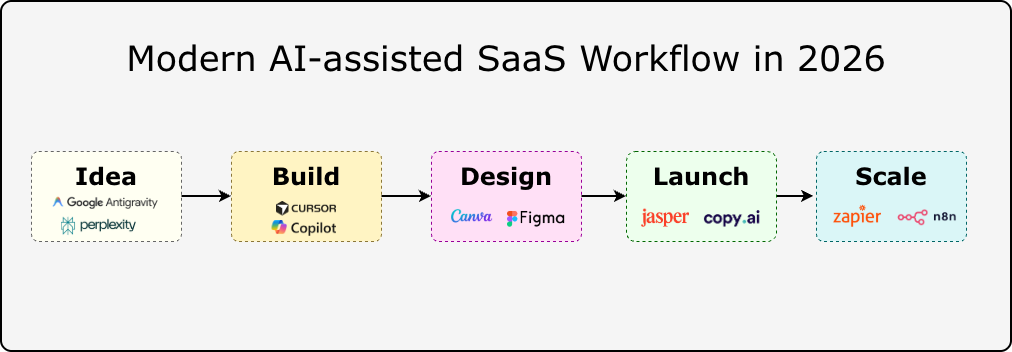
50 Best AI Tools in 2026 for your startup journey from Idea to Scale
AI tools in 2026 are solving these practical problems at the infrastructure level. The shift is no longer about chatbots answering questions. Developers are running AI inside their editors, connected to repositories. Researchers work with document-aware assistants that reason across private knowledge bases. Founders automate entire go-to-market workflows with AI agents. The difficulty is not finding AI tools; it is choosing the right one. Thousands of products exist, and most comparisons skip the hard part: what breaks at scale, what gets expensive, and what actually fits a small technical team's workflow. This guide covers 50 AI tools that are useful for real workflows in 2026. The list focuses on tools that developers, founders, creators, marketers, and small teams can actually use. Each tool is evaluated based on: * Practical use cases * Pricing approach * Strengths * Limitations * Where it fits best KEY TAKEAWAYS * The best AI tool depends on your workflow, not its product-hunt ranking. A developer, marketer, and founder often needs completely different tools for what looks like the same problem. * AI coding tools are becoming standard in engineering workflows, but generated code still requires testing, security review, and architectural judgment. * Affordable and open-source AI tools now match enterprise products in many categories, with more control over data and deployment. * AI productivity tools compound when integrated into existing processes. Used as standalone experiments, they rarely stick. * Agentic and multi-model workflows are the frontier. Tools like LangGraph and AutoGen are moving from research to production. 1. BEST AI TOOLS FOR PRODUCTIVITY Productivity AI tools in 2026 are becoming more focused on reducing repeated work rather than replacing human decision-making. The useful tools are the ones that fit into existing workflows: researching information, organizing knowledge, managing tasks, writing content, and connecting different applications. PERPLEXITY Website: https://www.perplexity.ai Pricing: Free plan available. Perplexity Pro starts at $20/month. Enterprise plans are available. Perplexity is an AI-powered search and research assistant built for finding information with references. Instead of returning only search results, it creates summarized answers by analyzing multiple sources and attaching citations. This makes it useful for developers, researchers, founders, and professionals who need quick context before making decisions. A developer researching a new framework can use Perplexity to compare documentation, community discussions, and technical explanations before starting implementation. BEST USE CASES * Technical research * Market analysis * Comparing software tools * Understanding documentation * Learning new technologies STRENGTHS * Provides source references with answers * Faster than manually reviewing many pages * Useful for exploring unfamiliar topics LIMITATIONS * Sources still require verification * Complex technical decisions need deeper research * Not a replacement for reading original documentation ANTIGRAVITY Website: https://antigravity.com Pricing: Pricing depends on available plans and product features. Antigravity is an AI-assisted productivity platform designed around organizing tasks, information, and workflows. Many productivity problems come from scattered information rather than a lack of tools. Antigravity focuses on helping users structure projects, manage knowledge, and create more organized workflows with AI assistance. It is useful for founders, teams, and individuals handling multiple projects where keeping information organized becomes difficult. BEST USE CASES * Project planning * Workflow organization * Managing information * Task management * Personal productivity systems STRENGTHS * Helps organize complex workflows * Useful for planning and information management * Reduces repetitive organization tasks LIMITATIONS * Results depend on workflow setup * Specialized tools are better for coding or design work * Requires consistent usage to provide value 2. BEST AI TOOLS FOR DEVELOPERS AI development tools in 2026 are moving beyond autocomplete. Modern coding assistants can understand repositories, explain unfamiliar code, generate tests, and help developers modify larger sections of applications. They still require engineering review because generated code can contain bugs, security issues, or incorrect assumptions. CURSOR Website: https://cursor.com Pricing: Free plan available. Pro plan starts at $20/month. Business plans are available. Cursor is an AI-powered code editor built on Visual Studio Code. The main difference between Cursor and traditional code completion tools is their ability to work with the entire project context. Developers can ask questions about a repository, modify multiple files, and understand relationships between different parts of an application. For example, a developer joining an existing project can ask Cursor to explain the authentication flow, database connections, or API structure. BEST USE CASES * Understanding large repositories * Refactoring applications * Debugging problems * Building prototypes * Writing tests STRENGTHS * Project-level code understanding * Works inside the development environment * Supports multiple AI models * Useful for existing applications LIMITATIONS * Large repositories need careful context handling * Generated changes require review * Poor instructions can create unnecessary edits GITHUB COPILOT Website: https://github.com/features/copilot Pricing: Individual plans start at $10/month. Business plans start at $19/user/month. GitHub Copilot is an AI coding assistant integrated into popular development environments, including Visual Studio Code, Visual Studio, JetBrains IDEs, and Neovim. It helps developers write code faster by suggesting implementations, generating tests, explaining functions, and creating documentation. Copilot works best as a coding partner for repetitive tasks. Developers still need to decide on the architecture, review the output, and validate security. BEST USE CASES * Code completion * Test generation * Documentation * Code explanation * Learning new frameworks STRENGTHS * Strong IDE integration * Supports many programming languages * Reduces repetitive coding work * Fits existing developer workflows LIMITATIONS * Suggestions can be incorrect * Does not understand complete business requirements * Generated code needs testing 3. BEST AI TOOLS FOR DESIGN AND CONTENT CREATION AI design tools are helping teams create visual assets, prototypes, and marketing materials faster. The biggest benefit is reducing repetitive design tasks while allowing creators to spend more time refining ideas. CANVA AI Website: https://www.canva.com Pricing: Free plan available. Canva Pro starts at $15/month per person. Canva AI combines generative AI features with Canva's existing design platform. It allows users to create presentations, social media graphics, marketing materials, and visual assets using AI-assisted tools. For startups and content teams, Canva AI is useful because it combines templates, editing features, and AI generation in one workspace. BEST USE CASES * Social media graphics * Presentations * Marketing designs * Brand assets * Quick visual experiments STRENGTHS * Easy learning curve * Large template library * Useful AI editing features * Good for non-design teams LIMITATIONS * Less control than professional design tools * Generated assets need review * Complex UI design requires dedicated software FIGMA AI Website: https://www.figma.com Pricing: Free plan available. Professional plans start at $16/editor/month, billed monthly. Figma AI brings artificial intelligence into product design workflows. It helps designers and product teams generate interface ideas, organize designs, create content, and speed up prototype development. For software teams, the advantage is keeping AI assistance inside the same environment used for wireframes, prototypes, and design systems. BEST USE CASES * UI prototyping * Product design * Design systems * Interface content generation STRENGTHS * Works inside product design workflows * Useful for team collaboration * Helps speed up early design stages LIMITATIONS * AI suggestions need design judgment * Complex interfaces still require manual work * Not a replacement for UX research 4. BEST AI TOOLS FOR MARKETING Marketing AI tools help teams research audiences, create campaigns, optimize content, and automate communication. The best results come from combining AI assistance with human strategy and editing. JASPER Website: https://www.jasper.ai Pricing: Creator plans start at $49/month. Business pricing is customized. Jasper is an AI content platform designed specifically for marketing teams. It focuses on creating marketing copy, campaign materials, product descriptions, and brand-focused content. Unlike general AI assistants, Jasper provides workflows around marketing tasks and brand consistency. BEST USE CASES * Marketing campaigns * Email content * Social media writing * Product descriptions * Brand messaging STRENGTHS * Marketing-focused features * Brand voice controls * Team collaboration support LIMITATIONS * Requires human editing * Generic prompts create average content * Strategy decisions still require marketers COPY.AI Website: https://www.copy.ai Pricing: Free plan available. Paid plans and enterprise options are available. Copy.ai is an AI platform focused on sales and marketing workflows. It helps teams create emails, sales messages, social media content, and campaign materials. The platform is especially useful for repetitive marketing tasks where teams need multiple variations of content. BEST USE CASES * Sales emails * Marketing campaigns * Social media posts * Content workflows STRENGTHS * Marketing templates * Workflow automation * Useful for sales teams LIMITATIONS * Requires editing for final content * Output quality depends on input instructions * Does not replace customer research BEST AI TOOLS FOR AUTOMATION Automation platforms connect AI with real business workflows. Instead of only generating responses, these tools can trigger actions across applications and reduce manual operations. ZAPIER AI Website: https://zapier.com Pricing: Free plan available. Professional plans start at $19.99/month billed annually. Zapier AI connects thousands of applications and helps automate repetitive business processes. A typical workflow can capture information from one application, process it with AI, and send the result to another service. Example: Customer form submission → AI summary → CRM update → Team notification BEST USE CASES * Business automation * Lead management * Data workflows * Email automation STRENGTHS * Large integration ecosystem * Easy workflow creation * Useful for non-developers LIMITATIONS * Costs increase with usage * Complex workflows need maintenance * Advanced logic may require custom development N8N Website: https://n8n.io Pricing: Self-hosted version is free. Cloud plans start at €24/month. n8n is an open-source workflow automation platform designed for technical users. Unlike simpler automation tools, n8n provides more control through self-hosting, custom integrations, API connections, and advanced workflow logic. It is commonly used by developers building internal tools, AI agents, and automated data pipelines. BEST USE CASES * AI agent workflows * API automation * Internal tools * Data processing STRENGTHS * Self-hosting support * Developer-friendly architecture * Flexible workflow control LIMITATIONS * Requires technical knowledge * Self-hosting needs maintenance * More complex than simple automation tools 40 MORE AI TOOLS IN 2026 COMPARED The first 10 tools cover some of the most commonly used AI workflows. However, many specialized tools solve specific problems better. A developer building an AI application may need a framework like LangChain. A marketing team may need SEO tools. A creator may need video- or voice-generation platforms. The following table compares 40 additional AI tools by category, primary use case, pricing model, and where they fit. | Product Name | Category | Best Use | Pricing | | | | | | | Amazon Q Developer | Developer Tools | AWS application development, code suggestions, debugging, and cloud workflow assistance | Free tier available, Pro plan: $19/user/month | | Windsurf | Developer Tools | AI-powered coding editor, repository understanding, and AI pair programming | Free plan available, paid plans available | | Tabnine | Developer Tools | Private AI code completion focused on developer teams and enterprise environments | Starter plans available, paid plans vary by usage | | Aider | Developer Tools | Terminal-based AI pair programming, code editing, and Git workflow assistance | Free open-source tool, model API costs vary | | Continue | Developer Tools | Open-source AI coding assistant for VS Code and JetBrains IDEs | Free and open source | | Vercel AI SDK | AI Development | Building AI-powered web applications using JavaScript and TypeScript | Free and open source | | LangChain | AI Framework | Developing LLM applications, AI agents, retrieval systems, and AI workflows | Open source, paid platform options available | | LlamaIndex | AI Framework | Connecting language models with private data, documents, and knowledge bases | Open source, cloud plans available | | LangGraph | AI Agents | Building structured AI agent workflows with state management | Free and open source | | AutoGen | AI Agents | Creating multi-agent AI applications and conversational agent systems | Free and open source | | CrewAI | AI Agents | Building collaborative AI agent teams for automated workflows | Open source, enterprise plans available | | Hugging Face | AI Platform | Accessing AI models, datasets, machine learning libraries, and model hosting | Free tier available, paid compute options | | Replicate | AI Infrastructure | Running machine learning models through APIs without managing infrastructure | Usage-based pricing | | Pinecone | AI Infrastructure | Vector database infrastructure for semantic search and retrieval applications | Free tier available, paid usage plans | | Modal | AI Infrastructure | Running AI workloads, GPU jobs, and machine learning applications in the cloud | Usage-based pricing | | Weights & Biases | Machine Learning | Tracking experiments, evaluating models, and managing ML workflows | Free tier available, paid team plans | | MLflow | Machine Learning | Managing machine learning experiments, deployment, and model lifecycle | Free and open source | | LM Studio | Local AI | Running and testing local language models on personal computers | Free | | Midjourney | Image Generation | Creating AI-generated images, concept art, product visuals, and creative assets | Plans start at $10/month | | Adobe Firefly | Design AI | AI image generation, editing, and creative workflow assistance | Free credits available, paid Creative Cloud plans available | | Leonardo AI | Image Generation | Generating artwork, marketing visuals, game assets, and product images | Free plan available, paid plans available | | Runway | Video AI | AI video generation, editing, background removal, and creative production | Free plan available, paid plans available | | Pika | Video AI | Short AI video generation and creative visual effects | Free plan available, paid plans available | | Synthesia | Video AI | AI avatar videos, training videos, and business presentations | Paid plans available | | HeyGen | Video AI | AI avatar creation, video translation, and marketing video production | Free plan available, paid plans available | | Descript | Video Editing AI | Transcript-based video editing, podcast editing, and content production | Free plan available, paid plans available | | Grammarly | Writing AI | Writing improvement, grammar checking, and communication assistance | Free plan available, Premium plans available | | Writesonic | Content AI | SEO content creation, AI writing workflows, and marketing content generation | Free plan available, paid plans available | | Frase | SEO AI | SEO research, content briefs, optimization, and search content analysis | Paid plans available | | Surfer SEO | SEO AI | Content optimization, keyword analysis, and SEO planning | Paid plans available | | Make | Automation | Visual workflow automation connecting applications and APIs | Free plan available, paid plans start around $9/month | | Microsoft Power Automate | Automation | Business process automation across Microsoft services and external applications | Free trial available, paid plans available | | Bardeen AI | Automation | Browser automation, data extraction, and repetitive workflow automation | Free plan available, paid plans available | | Reclaim AI | Productivity Automation | AI calendar management, scheduling, and task planning | Free plan available, paid plans available | | Motion | Productivity AI | AI scheduling, project management, and task prioritization | Paid plans available | | Intercom Fin AI | Customer Support AI | AI-powered customer support conversations and helpdesk automation | Usage-based pricing | | HubSpot AI | Business AI | CRM assistance, sales automation, marketing workflows, and customer management | Free CRM available, paid Hub plans available | | Gong | Sales AI | Sales conversation intelligence, call analysis, and revenue insights | Custom pricing | | Typefully | Social Media AI | Social media writing, scheduling, and content planning | Free plan available, paid plans available | HOW TO CHOOSE THE RIGHT AI TOOL IN 2026 With thousands of AI tools available, choosing the right one depends on the workflow, not popularity. 1. DEFINE THE PROBLEM FIRST Start with the task you want to improve. Examples: * Code understanding → Cursor or Claude Code * Research and analysis → Perplexity or NotebookLM * Design workflows → Canva AI or Midjourney * Automation → Make or n8n The best tool is the one that solves a specific bottleneck. 2. CHECK WORKFLOW COMPATIBILITY Before adopting a tool, evaluate: * API availability * Existing integrations * Data handling policies * Export options * Team collaboration features A tool should fit into existing systems instead of creating another isolated workflow. 3. CONSIDER LIMITATIONS AI tools still require human review. Common challenges include: * Incorrect outputs * Limited context understanding * Privacy considerations * Increasing costs with higher usage The most effective AI workflows combine automation with human judgment. CONCLUSION The AI tool landscape in 2026 is becoming more specialized. A single AI assistant is no longer enough for every workflow. Developers need coding tools that understand repositories. Researchers need systems that work with documents. Creators need tools for images, video, and audio. Businesses need automation that connects existing software. The most useful approach is to choose tools based on specific problems rather than following every new release. A small team using the right combination of AI tools can reduce repetitive work, test ideas faster, and spend more time on decisions that require human judgment. The goal is not to use more AI tools. The goal is to build better workflows with the tools that actually solve problems.
The Best Free Tools for Solo Founders in 2026
Every tool tested across three side projects over 18 months. Here's what actually earned its place in the stack - and a few that sounded good but weren't worth the tab. KEY TAKEAWAYS * A complete startup stack can run for around $1/month before revenue. * Vercel, Supabase, Railway, AWS Activate and Cloudflare cover most infrastructure needs. * Zoho mail, Resend and Brevo solve transactional and marketing emails separately. * Umami and PostHog provide privacy-friendly analytics and product insights. * Notion, Linear, Tally, and Cal.com simplify operations and user management. * AI tools like Antigravity, ChatGPT, Claude, and GitHub Copilot are useful even on free plans. * Some popular tools are no longer worth using due to restrictive free tiers. At $0 MRR you need to be careful what you pay for. But the free tiers across infrastructure, tooling, and SaaS have genuinely improved over the last few years. You can build, ship, and market a real product today without a credit card - at least until you have users who justify the cost. This post covers the stack that held up across three side projects over 18 months - actual usage, not speculation. Two of those projects are still running, and one now pays for its own hosting. INFRASTRUCTURE: HOST, SHIP, ITERATE VERCEL Pricing: Free up to 100GB bandwidth/month The Hobby plan is genuinely good. You get automatic deploys on push, preview URLs per branch, serverless functions, and Edge Config. For a solo founder running a Next.js or SvelteKit app, this handles 90% of prod deployments without configuration. The unexpected upside: how much faster iteration gets when every PR has a preview URL. Share it with a beta user in Slack. They test. They reply. No staging server to manage. Free tier limit: 100GB bandwidth and 6,000 function-hours per month. You'll hit these with real traffic - which is fine, because at that point you should have paying customers. * Works great for: Next.js, SvelteKit, Nuxt, static sites * Watch out for: long-running background jobs (use Railway instead) SUPABASE Pricing: Free for individuals Postgres with a dashboard, row-level security, auth (including OAuth and magic links out of the box), and a storage layer - all free to start. The DX is better than you'd expect from a hosted database. The SQL editor works, the table view is usable, and supabase gen types typescript keeps client types in sync with the schema. Auth alone makes it worth it. Setting up email/password + Google + GitHub OAuth takes about 20 minutes, including the callback routes. That's time previously spent reinventing the same plumbing on every project. Free tier limit: Projects pause after 1 week of inactivity. Fine for dev; pin your prod project to avoid cold starts for real users. * Works great for: apps that need auth + db + storage together * Watch out for: paused projects surprising early users at 2am RAILWAY Pricing: $5 monthly usage credit Where Vercel handles the frontend, Railway handles the stuff that needs to run longer than a serverless function - background queues, cron jobs, a separate Python service for ML inference. Everything deploys from a GitHub repo with environment variables and a Dockerfile or Nixpacks auto-detection. The $5/month free credit covers low-traffic services comfortably. A Node worker + Redis queue processing a few hundred jobs per day can run free for months before hitting the credit ceiling. AWS ACTIVATE Pricing: Free ( program, eligible startups can receive up to $ 100,000 to $ 200,000 in promotional credits to offset cloud infrastructure costs, including compute, storage, and machine learning models like Amazon Bedrock) If you're building something that eventually outgrows free tiers, AWS Activate can significantly extend your runway. Eligible startups can receive cloud credits that offset infrastructure costs across services like EC2, S3, RDS, Lambda, and more. The program is particularly valuable for founders working on AI, data, or infrastructure-heavy products that need more flexibility than typical free plans provide. * Works great for: startups planning to scale on AWS * Best benefit: cloud credits that reduce early infrastructure costs CLOUDFLARE Pricing: DNS + CDN + DDoS protection + Pages hosting: Free Cloudflare offers one of the most generous free tiers for builders. Beyond free DNS, SSL certificates, CDN, and DDoS protection, it also includes Cloudflare Pages for hosting landing pages, blogs, documentation sites, and portfolios at no cost. Cloudflare Workers further extends the platform with up to 100,000 free requests per day, making it useful for lightweight APIs, rate limiting, redirects, and edge applications. For many side projects and early-stage startups, Cloudflare can handle DNS, security, performance optimization, and static hosting from a single platform. * Best for: DNS, CDN, security, static websites, and edge functions * Includes: Cloudflare Pages, SSL certificates, and global CDN * Standout feature: 100,000 free Worker requests per day GITHUB PAGES Pricing: Free static website hosting GitHub Pages is a simple way to publish websites directly from a GitHub repository. It works particularly well for documentation, project websites, open-source projects, and personal portfolios where a lightweight deployment workflow is preferred. * Best for: documentation, project sites, open-source projects * Standout feature: deploy directly from a GitHub repository DESIGN AND PAYMENTS CANVA Pricing: Free graphics, presentations, and video editing Canva has become the default design tool for many founders who aren't professional designers. The free plan covers social media graphics, posters, presentations, YouTube thumbnails, short videos, pitch decks, and marketing assets. For early-stage projects, Canva often replaces multiple tools. A product launch graphic, investor deck, feature announcement, and demo video can all be created from the same workspace. * Works great for: social media posts, launch graphics, pitch decks, short videos * Watch out for: some premium templates and assets require a paid plan FIGMA Pricing: Free - 3 projects Three projects cover a lot of ground for a solo founder. Keep one file per product with everything: screens, component library, and the occasional architecture diagram for your own reference. Dev mode inspection is free now - previously a paid feature - and it's genuinely useful for getting spacing right. If you're technical, don't skip Figma just because you "don't need design tools." Having a single source of truth for what the app looks like - even a rough one - prevents you from redesigning the same modal for times in code. STRIPE Pricing: Free to use - 2.9% + 30¢ per transaction No monthly fee. You pay per transaction. For a SaaS doing subscriptions, the Billing and Checkout products handle almost everything: dunning, invoice emails, proration on plan changes, and the tax bits if you turn on Stripe Tax. The Stripe CLI is worth knowing about: stripe listen --forward-to localhost:3000/webhooks This routes webhook events to your local server. Test a subscription upgrade flow in 10 minutes without touching ngrok. EMAIL - TWO DIFFERENT PROBLEMS > Transactional vs. marketing email: these are separate problems and you want separate tools. Mixing them causes deliverability issues for both. A password reset landing in the Promotions tab is a support ticket waiting to happen. ZOHO MAIL Pricing: Free business email Having a professional email address helps establish credibility from day one. Zoho Mail offers a free plan that supports custom domains, allowing emails like [email protected] without paying for Google Workspace. For bootstrapped founders, it is one of the easiest ways to get business email running before revenue starts coming in. * Works great for: business email on custom domains * Watch out for: fewer collaboration features than Google Workspace RESEND Pricing: Free - 3,000 emails/mo, 100/day Transactional email that doesn't require a PhD to set up. Verify your domain, grab the API key, drop in the SDK. The React Email integration is the best part - write templates as React components, preview them in a browser, and render them server-side before sending. No more testing email HTML in Outlook. // send a welcome email in 8 lines import { Resend } from 'resend'; import { WelcomeEmail } from './emails/welcome'; const resend = new Resend(process.env.RESEND_API_KEY); await resend.emails.send({ from: '[email protected]', to: user.email, subject: 'Welcome to ProductWatch', react: <WelcomeEmail name={user.name} />, }); BREVO Pricing: Free - 300 emails/day, unlimited contacts Unlimited contacts on the free plan is the differentiator. Mailchimp caps you at 500 contacts free. If you're collecting a waitlist, Brevo lets you grow without paying until you're actually sending campaigns at volume. The automation builder is serviceable for a 4-email onboarding sequence triggered on signup - nothing fancy, but it works. The interface is a bit dated compared to newer tools, but that doesn't matter much when you're writing copy, not CSS. * Watch out for: the daily send limit on free means batching your launches. Not ideal for a 2,000-person waitlist email. ANALYTICS WITHOUT THE SURVEILLANCE BAGGAGE UMAMI Pricing: Free - self-hostable or free cloud tier Privacy-first analytics that doesn't need a cookie banner. Umami tracks page views, referrers, and custom events without fingerprinting users. The dashboard is clean enough that you'll actually check it instead of just assuming Google Analytics is running somewhere. The cloud free tier gives you 10,000 events per month. Deploy it yourself on Railway and you get unlimited events for ~$1/month in compute: # self-host in 20 minutes git clone https://github.com/umami-software/umami # add DATABASE_URL, APP_SECRET to Railway # deploy - done POSTHOG Pricing: Free - 1M events/mo Where Umami handles traffic, PostHog handles product analytics: funnels, session recordings, feature flags, A/B testing. One million events per month free is enough for early-stage products to get real insight into where users drop off. Feature flags alone justify adding it. You can ship half-rolled-out features to 10% of users in production, measure the activation rate, and toggle the flag off without a deploy. That's normally a paid feature. * Best use: funnel analysis for a signup or activation flow where you need to find the exact drop-off step MANAGING YOURSELF NOTION Pricing: Free - unlimited pages, 10 guests Notion works well for everything that's not code: user research notes, the product roadmap, a CRM with one table, launch checklists, blog drafts. The free plan is generous enough to run an entire early-stage operation inside it. One pattern that holds up: a "weekly review" page as a Notion template. Duplicate it weekly, fill in what shipped, what's stuck, and what the single most important thing is next week. Keeps the project from drifting in the wrong direction for a month without noticing. LINEAR Pricing: Free - unlimited issues, 1 workspace Linear is Jira if Jira were designed for people who have to actually use it. Free for a solo project. Tracking bugs, features, and user-reported issues in Linear - rather than in Notion - helps because keeping a separate space for "things to fix" vs "things to think about" reduces context-switching. The GitHub integration is good: reference an issue in a commit message and it closes automatically on merge. Keeps the issue list clean without extra bookkeeping. CAL.COM Pricing: Free - unlimited issues, 1 workspace Open-source Calendly. Self-hostable, or use the cloud version free. Embed it in the product for user onboarding calls. The shared link is a lot less awkward than emailing back and forth about times, and the free tier doesn't watermark your booking page the way some alternatives do. TALLY Pricing: Free - unlimited forms and submissions Typeform-style forms with unlimited everything free. Good for user research surveys, feature request forms embedded in the app, and feedback collection after onboarding calls. The Notion integration sends responses straight to a database without Zapier in the middle. AI TOOLS WORTH THE FREE TIER ANTIGRAVITY Pricing: Free AI access Many AI tools provide limited daily usage on free plans. AntiGravity stands out by offering a more generous free experience, making it practical for coding assistance, content generation, research, brainstorming, and day-to-day startup work. For founders trying to minimize software spending, a generous AI free tier often delivers more value than access to a specific model. * Best for: coding help, content generation, idea validation, research * Advantage: higher usable free-tier limits for regular workflows Other useful options include ChatGPT and Claude, though their free plans tend to have tighter daily limits depending on usage. GITHUB COPILOT Pricing: Free for individuals GitHub rolled out a free Copilot tier - 2,000 completions per month and 50 chat messages. Enough for coding sessions where you want autocomplete without paying $10/month until the product is actually making money. * Best for: boilerplate, tests, and filling in the obvious 5 lines you were about to type anyway * Skip for: anything security-sensitive - review what it suggests before committing WHAT TO SKIP Not everything with a free tier earns its place in the stack. Some tools tested and removed: | Tool | Tested for | Why it got cut | | | | | | Airtable | User CRM | Free tier caps at 1,000 records. Notion does the same job at any scale for free. | | Heroku | Backend deploys | Killed their free tier in 2022. Railway is better anyway. | | Mailchimp free | Newsletter | 500-contact cap is painfully low. Brevo's unlimited contacts wins immediately. | | Zendesk free | Support tickets | Overkill. Crisp's free chat + a shared inbox in Gmail works fine at <100 users. | | PlanetScale | MySQL alternative to Supabase | Killed their free tier in 2024. Supabase and Neon are better options now. | > Watch out for free tier cliffs. PlanetScale, Heroku, and Render have all reduced or removed free tiers in the last two years. Before building on a free tier, check the pricing page carefully for what happens when the bill arrives. THE WHOLE STACK, PRICED OUT Here's the full stack running on an active side project, and what it actually costs per month before there are paying users: | Tool | What it does | Monthly cost at $0 MRR | | | | | | Vercel (Hobby) | Frontend hosting, deploys | $0 | | Supabase (Free) | DB + auth + storage | $0 | | Railway | Background workers | $0 (under $5 credit) | | Cloudflare | DNS, CDN, Security, Pages, Workers | $0 | | GitHub Pages | Static website hosting | $0 | | AWS Activate | Startup cloud credits | $0 (eligible startups) | | Zoho Mail | Business email | $0 | | Resend | Transactional email | $0 | | Brevo | Marketing email | $0 | | Umami(self-hosted) | Analytics | ~$1 (Railway compute) | | PostHog | Product analytics | $0 | | Canva | Graphics, presentations, videos | $0 | | Figma | Design & UI mockups | $0 | | Antigravity | AI assistant | $0 | | GitHub Copilot (Free) | AI coding assistance | $0 | | Notion + Linear | Planning & project management | $0 | | Stripe | Payments | $0 (pay per transaction) | | Total | | ~$1/mo | The domain name ($12/year from Cloudflare Registrar) is the actual biggest expense before revenue. When a project starts earning, the first paid upgrades usually go in this order: Vercel Pro for faster builds, PostHog Scale for more events, then Resend's paid plan for higher send limits. The infrastructure grows with revenue instead of preceding it. > The goal isn't the cheapest stack. It's delaying cash outflow until there's cash in. These tools make that possible without meaningful tradeoffs on quality. CONCLUSION Building a product no longer requires a large software budget. The current generation of free tiers is capable enough to support hosting, databases, authentication, analytics, email, design, project management, and even AI-assisted development. The most valuable lesson isn't finding the cheapest tools. It's choosing tools that let a project grow without forcing early spending. A good startup stack should scale alongside revenue, not ahead of it. For most solo founders and indie hackers, the combination of Vercel, Supabase, Railway, Cloudflare, Resend, PostHog , Notion, and a few supporting tools is more than enough to launch, validate, and grow an idea before reaching for a credit card.
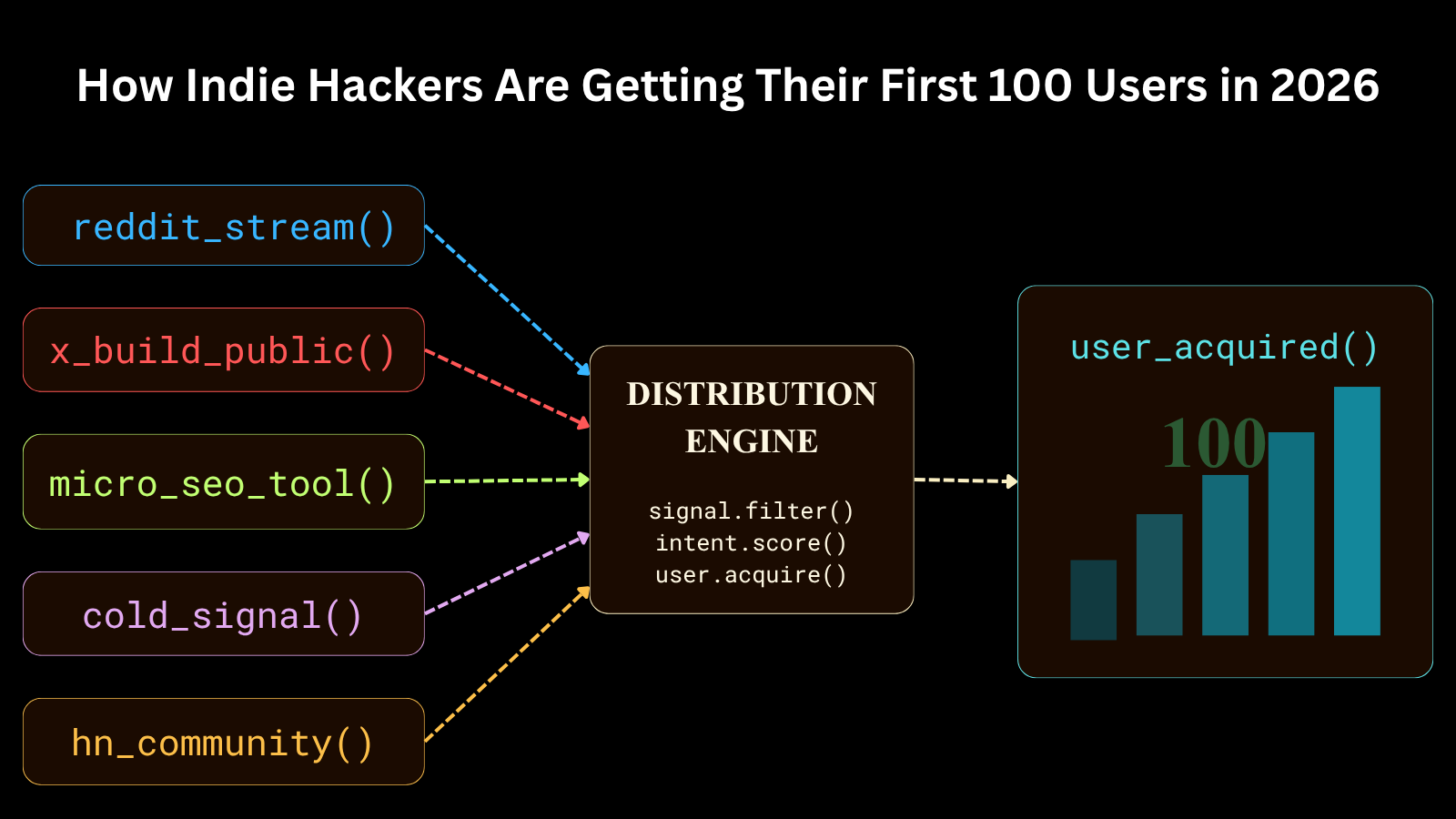
How Indie Hackers Are Getting Their First 100 Users in 2026
The standard playbook for launching a software product - drop it on Product Hunt, schedule ten tweets, spam a few subreddits, and wait for the Stripe webhooks to roll in - is completely broken. In 2026, programmatic SEO spam and LLM-generated wrapper noise have completely saturated traditional aggregate feeds. Buyers are fatigued, and filter algorithms are aggressive. To get your first 100 users right now, you need un-scalable, highly targeted programmatic and manual distribution layers. We analyzed data from 42 successful SaaS micro-launches tracked on ProductWatch.io over the last two quarters. The metrics show a distinct shift: distribution has moved away from broad broadcast channels toward high-intent, hyper-niche communities and hard-engineered discovery loops. Here is the exact breakdown of what works, what fails, and how to execute the technical mechanics of 2026 user acquisition. ACQUISITION CHANNELS FOR FIRST 100 USERS | Channel | Share of Initial Signups | | | | | Reddit & Niche Forums | 34% | | Programmatic SEO & Micro-Tools | 24% | | Targeted Cold Outbound | 18% | | Directories & Launch Frameworks | 12% | | Twitter/X Build in Public | 10% | 1. REDDIT - SUBREDDIT MONITORING VIA KEYWORD TRIGGERS Reddit remains the single highest-converting channel for early users, but drop-shipping links into subreddits will get your domain blacklisted by AutoModerator within seconds. The 2026 approach requires monitoring high-intent, low-volume subreddits for structural friction points where your software provides an immediate fix. Instead of manually browsing, developers are setting up listeners against the Reddit API streams. You want to query for problem-indicative strings like "how can I automate", "is there a tool for", or "alternative to [expensive incumbent]". Here is a bare-bones Node.js listener structure that pipes filtered keyword mentions straight into a Discord webhook for real-time triage: const axios = require('axios'); // Simple Reddit comment stream monitor async function monitorReddit() { const endpoint = 'https://oauth.reddit.com/r/selfhosted/comments.json?limit=100'; const response = await axios.get(endpoint, { headers: { 'User-Agent': 'ProductWatchBot/0.1 by /u/yourusername' } }); const comments = response.data.data.children; comments.forEach(comment => { const body = comment.data.body.toLowerCase(); if (body.includes('alternative to') || body.includes('how do I monitor')) { sendDiscordAlert(comment.data.permalink, comment.data.body); } }); } When you respond to a flagged post, do not pitch your product directly in the top-level comment. Write a short, highly technical explanation of how to solve the user's issue manually. At the bottom, add a brief sign-off: > "I got tired of doing this manually, so I wrote an open-source parser to handle it at yourlink.com - let me know if it breaks on your data." This establishes baseline competence first. 2. TWITTER/X - RE-ENGINEERING THE "BUILD IN PUBLIC" LOOP The era of getting traction by posting clean Tailwind screenshots or vague indie hacker platitudes is over. The algorithm on X heavily suppresses external outbound links unless the tweet secures intense initial engagement. The founders succeeding on X right now are shipping raw engineering retrospectives. Post about system failures, database scaling bottlenecks, or exactly how an unoptimized SQL query ran up a $400 database bill overnight. Use explicit snippets. Show the bad code alongside the fix: -- Before: Full table scan on 2M rows, ~3.4s SELECT * FROM events WHERE user_id = 42 ORDER BY created_at DESC LIMIT 10; -- After: Composite index + covering query, ~1.8ms CREATE INDEX idx_events_user_created ON events(user_id, created_at DESC); SELECT id, type, payload, created_at FROM events WHERE user_id = 42 ORDER BY created_at DESC LIMIT 10; When you give away the technical solution directly inside the platform without forcing a click-through, the algorithm amplifies it. Place your product link exclusively in the auto-DM or as a secondary reply thread once the initial code teardown catches velocity. 3. PROGRAMMATIC SEO AND MICRO-TOOLS Traditional long-form blog posts take months to index and rarely rank for competitive commercial keywords anymore. Successful developers are instead launching dedicated, single-purpose micro-tools that target hyper-specific long-tail search queries. If you are building a database migration SaaS, do not just write articles about database migration. Build a free, zero-auth, client-side browser tool like a "Raw SQL to Prisma Schema Converter" hosted at prisma-converter.yourdomain.com. Ensure it: * Loads instantly * Processes data strictly in local memory using Web Workers (no server round-trip, no data privacy concerns) * Places a prominent, context-aware call-to-action directly next to the output box These micro-utilities rank quickly because they carry strong engagement signals and earn organic backlinks from developer resource lists. The compounding effect of a dozen such tools is significant. The technical architecture matters for SEO too. Serve the tool on a subdomain so it inherits your root domain authority while keeping the slug clean. Implement proper <meta> tags, a canonical URL, and a sitemap.xml that pings Google Search Console on deploy via a CI hook: # In your GitHub Actions deploy.yml - name: Ping Google Search Console run: | curl "https://www.google.com/ping?sitemap=https://yoursite.com/sitemap.xml" 4. LOW-FRICTION LAUNCH PLATFORMS AND SAAS DIRECTORIES Launch platforms no longer guarantee immediate sustainable business, but they are highly efficient for initial regression testing and getting your first 30 to 40 sandbox users. The key is structural timing. Do not launch on Product Hunt, Peerlist, and BetaList simultaneously. * BetaList & Kernal Beta: Use these when you have a bare-minimum working prototype. Expect high churn but highly articulate technical feedback from fellow builders. * Product Hunt: Schedule this strictly after fixing the edge cases surfaced during your beta phase. Launch at exactly 12:01 AM PST on a Tuesday or Wednesday if you want raw volume, or choose a Saturday morning if you are trying to secure a "Top 3 Product of the Day" badge with significantly lower voting competition. * SaaS Directories: Submit systematically to structured indexes like Product Watch, AlternativeTo, BuiltWithMyStack, and specialized lists. This gives your domain early referral pathways and initial domain authority. 5. COLD OUTREACH VIA PUBLIC SIGNAL SCRAPING Cold emails work only if the context is so specific it feels impossible to automate. Generic sequences sent at scale yield near-zero conversion and put your sending domain at risk of being flagged by major inbox providers. Instead, look for public technical triggers. If your product optimizes heavy media assets, monitor public repositories or websites with automated scripts to check for uncompressed images. When you find an unoptimized target, programmatically generate a specific optimized asset and email the engineering lead directly: Subject: Unoptimized assets on your landing page Hey [Name], I noticed your homepage is downloading a 4.2MB uncompressed PNG, which adds about 1.8 seconds to your mobile load times. I ran it through our compression stack - here is the optimized 310KB version. Saved you about 90% of the payload size. If you want to automate this across your asset pipeline, I built a simple webhook listener that does it automatically on every deployment: yourlink.com - Your Name The response rate on this approach is high for one reason: it bypasses conventional marketing frameworks entirely and delivers quantifiable value before asking for anything. You have already done the work. The ask is a footnote. You can build the scraper with a straightforward Playwright or Puppeteer script: const { chromium } = require('playwright'); async function checkAssets(url) { const browser = await chromium.launch(); const page = await browser.newPage(); const oversizedImages = []; page.on('response', async (response) => { const contentType = response.headers()['content-type'] || ''; if (contentType.includes('image')) { const buffer = await response.body().catch(() => null); if (buffer && buffer.length > 1_000_000) { // > 1MB oversizedImages.push({ url: response.url(), size: buffer.length }); } } }); await page.goto(url, { waitUntil: 'networkidle' }); await browser.close(); return oversizedImages; } 6. HIGH-INTENT DEVELOPER COMMUNITIES Getting traction in Discord servers, Slack communities, and Hacker News requires respecting strict cultural boundaries. On Hacker News, the tolerance for marketing copy is zero. A post that reads like an ad will be downvoted into oblivion within minutes. To succeed on Hacker News, tell the story of your technical architecture. Explain exactly why you chose SQLite over PostgreSQL for a multi-tenant platform, or how you cut Docker layer rebuild time from 4 minutes to 22 seconds by restructuring your COPY ordering # Slow: copies app code early, invalidates layer on every change FROM node:20-alpine COPY . /app RUN npm ci CMD ["node", "server.js"] # Fast: copy package files first, cache npm install layer FROM node:20-alpine COPY package*.json /app/ RUN npm ci COPY . /app CMD ["node", "server.js"] Open-source the core infrastructure or the underlying engine of your product if possible. The Hacker News audience explores landing pages from genuinely interesting technical posts, but only if the technical core earns it. On Discord and Slack, lurk in the channels relevant to your niche for at least two weeks before posting anything. Answer questions genuinely. Provide value without expectation. When you eventually mention your tool, it lands as a recommendation from a known contributor, not a cold drop. CONCLUSION Getting your first 100 users in 2026 is an exercise in engineering distribution with the exact same precision you apply to your codebase. Broadcasting to massive groups is a waste of time. Instead, focus your energy on setting up programmatic listeners, launching hyper-focused micro-utilities, and delivering highly individualized cold outreach that leads with concrete engineering value. Once you secure those initial 100 high-touch users, your primary product feedback loops will stabilize, giving you the real-world validation data required to build out scalable programmatic acquisition funnels. Getting your first 100 users in 2026 is an exercise in engineering distribution with the exact same precision you apply to your codebase. Broadcasting to massive audiences is a waste of time and budget. Instead, focus on: * Setting up programmatic keyword listeners on Reddit and niche forums * Launching hyper-focused micro-utilities that target long-tail search intent * Running highly individualized cold outreach that leads with concrete, pre-delivered engineering value * Timing your launch-platform appearances strategically, beta platforms first, Product Hunt after fixing edge cases * Building genuine credibility in developer communities before you need anything from them Once you secure those first 100 high-touch users, your feedback loops stabilize. You get a real-world signal. And then, only then, you have the data required to build scalable programmatic acquisition on top of a foundation that actually holds.
Best 50 Product Hunt Alternatives in 2026
Launching a startup in 2026 looks very different from what it did just a few years ago. Back then, a single Product Hunt launch could create enough momentum to kickstart growth. Founders would spend weeks preparing for one launch day, hit the homepage, and suddenly see a flood of signups, investor attention, social shares, and press mentions. That still happens occasionally. But today, the launch ecosystem is far more competitive, fragmented, and fast-moving. Thousands of AI tools, SaaS products, developer platforms, and creator apps launch every month. Attention spans are shorter, timelines move faster, and even successful launches often fade quickly without a broader distribution strategy behind them. Modern startup growth is no longer about launching once. It is about launching repeatedly, across multiple platforms, communities, directories, and ecosystems where your potential users already spend time. That includes: * launch communities * SaaS directories * review platforms * AI tool aggregators * startup databases * founder communities * and alternative-search websites More importantly, these platforms create a cascading visibility effect that many founders underestimate. A strong directory listing or launch post does not just generate direct traffic. It often gets picked up by newsletters, startup roundups, AI tool collections, social media threads, founder communities, and blog posts. Those mentions create additional backlinks, citations, referral traffic, brand searches, and SEO authority over time. One launch can turn into dozens of mentions across the web. That is why smart founders in 2026 are focusing heavily on distribution and backlink ecosystems alongside product development. The startups that keep growing are usually the ones consistently showing up everywhere, not just on one launch platform for 24 hours. This guide covers 50 of the best Product Hunt alternatives worth using in 2026, including launch communities, review sites, directories, and startup discovery platforms that can help generate long-term visibility, backlinks, SEO growth, and recurring user discovery long after launch day ends. LIST OF BEST PRODUCT HUNT ALTERNATIVES | # | Platform | Category | Pricing | Best For | | | | | | | | 1 | Product Watch | Launch & Discovery | Free | Daily product discovery among tech enthusiasts | | 2 | SaaSHub | SaaS Directory | Free | SaaS discovery and alternative-search traffic | | 3 | Alternative.me | SaaS Directory | Free | Capturing buyers searching for alternatives | | 4 | BetaList | Launch & Discovery | Free / $129 | Pre-launch beta sign-ups and early adopters | | 5 | Launching Next | Launch & Discovery | Free | Community-driven daily startup discovery | | 6 | G2 | Software Review | Free / Paid | B2B SaaS buyers across SMB and enterprise | | 7 | SoftwareWorld | SaaS Directory | Free | Software category listing and SEO visibility | | 8 | Crunchbase | Investor / Intelligence | Free / $29/mo | Investor visibility and startup credibility | | 9 | WebCatalog | SaaS Directory | Free | Web app discovery and desktop app wrapping | | 10 | Uneed.best | Launch & Discovery | Free / $30 | Daily launch competitions with SEO backlinks | | 11 | Capterra | Software Review | Free / PPC | Top-of-funnel SMB software discovery | | 12 | TrustRadius | Software Review | Free / $30k | Enterprise procurement and long-form reviews | | 13 | PeerSpot | Software Review | Free | Enterprise IT, cybersecurity and DevOps products | | 14 | Pitchwall | Launch & Discovery | Free / $99 | Pre-launch validation and equal-visibility exposure | | 15 | TinyLaunch | Niche / Indie | Free | Indie makers launching focused micro-products | | 16 | Trustpilot | Software Review | Free / Paid | Consumer-facing SaaS and brand trust signals | | 17 | AppSumo | Deal Marketplace | Revenue share | Rapid user acquisition via lifetime deals | | 18 | Tiny Startups | Niche / Indie | Free | Bootstrapped and micro-SaaS founders | | 19 | Starthub.zip | Launch & Discovery | Free | Startup discovery among tech-forward founders | | 20 | Toolfolio | SaaS Directory | Free | Curated tool discovery for makers and creators | | 21 | EarlyHunt | Launch & Discovery | Free | First community of users for early-stage products | | 22 | Slocco | Niche / Indie | Free | Community-driven product sharing and feedback | | 23 | Toolfame | SaaS Directory | Free | Tool promotion among productivity communities | | 24 | Aura++ | SaaS Directory | Free / Paid | Automated online presence and backlink building | | 25 | Do Follow Tools | SaaS Directory | Free | SEO-focused do-follow backlink acquisition | | 26 | Dang | SaaS Directory | Free | AI tools and modern software discovery | | 27 | Peerlist | Launch & Discovery | Free | Professional weekly product launches with backlinks | | 28 | Startup Buffer | Launch & Discovery | Free / Paid | Early-stage startup promotion and newsletter reach | | 29 | Launch Llama | SaaS Directory | Free / Paid | Multi-directory submission for founders | | 30 | ctrlalt.cc | SaaS Directory | Free | Software alternatives community discovery | | 31 | StartupRanking | Investor / Intelligence | Free | Global startup visibility and community ranking | | 32 | IndieHunt | Niche / Indie | Free | AI-focused indie maker weekly launches | | 33 | StartupBase | Launch & Discovery | Free | Community platform for makers and early adopters | | 34 | TechnologyAdvice | Software Review | Free / Paid | B2B software leads via content and comparison | | 35 | SaaSGenius | SaaS Directory | Free | SaaS-specific discovery and product comparison | | 36 | AlternativeTo | SaaS Directory | Free | Long-term organic traffic from alternative searches | | 37 | StackShare | SaaS Directory | Free | Developer tools and technical SaaS discovery | | 38 | SaaSworthy | SaaS Directory | Free | SaaS products across all B2B categories | | 39 | WebAppRater | SaaS Directory | Free | Web application reviews and community evaluation | | 40 | Software Findr | SaaS Directory | Free | Bottom-of-funnel intent-driven software discovery | | 41 | ScoutForge | Investor / Intelligence | Free | Product discovery and angel investor visibility | | 42 | Twelve.tools | SaaS Directory | Free | Curated editorial tool discovery | | 43 | Next Gen Tools | SaaS Directory | Free | Emerging tech and AI-powered tool discovery | | 44 | KEN Moo | Deal Marketplace | Free | SaaS deal discovery and lifetime deal community | | 45 | Faizer |Niche / Indie| Free | Founder community product sharing and feedback | | 46 | SideProjectors | Niche / Indie | Free | Side projects with buy/sell marketplace option | | 47 | LaunchIgniter | Launch & Discovery | Free | Startup launch exposure and ongoing discovery | | 48 | Microlaunch | Niche / Indie | Free | Micro-SaaS with month-long product visibility | | 49 | TopDevelopers | SaaS Directory | Free / Paid | SaaS tools for development-adjacent audiences | | 50 | StartupBlink | Investor / Intelligence | Free / Paid | Global ecosystem map and investor discovery | OVERVIEW OF PRODUCT HUNT Product Hunt is still the most recognizable startup launch platform on the internet. Founded in 2013, it turned product discovery into a daily ritual for founders, developers, investors, early adopters, and tech enthusiasts looking for the next interesting tool or startup. A successful Product Hunt launch can still generate thousands of visitors, social proof, investor attention, customer feedback, and media visibility in a very short period of time. That influence is exactly why most founders still prioritize Product Hunt during launch week. But Product Hunt also changed significantly over the years. The competition became much more intense. Launches became increasingly dependent on timing, audience size, and existing networks. Products now compete inside an ecosystem where hundreds of startups launch every week, especially across AI and SaaS categories. As a result, many founders are now combining Product Hunt with additional launch and discovery platforms to build more sustainable visibility. That is where Product Watch and the broader ecosystem of startup discovery platforms become incredibly valuable. Instead of depending on a single 24-hour launch cycle, founders can create long-term discoverability through communities, directories, reviews, backlinks, and niche startup audiences across multiple platforms. The goal is no longer just launch-day attention. The goal is lasting distribution. TOP 10 PRODUCT HUNT ALTERNATIVES THAT ACTUALLY MATTER 1. PRODUCT WATCH Website: https://productwatch.io/ Domain Rating: DR 72 Best For: Early product visibility, startup launches, and maker discovery Product Watch deserves the top spot because it still feels discovery-first instead of popularity-first. Unlike overcrowded launch platforms where products with huge audiences dominate instantly, Product Watch gives smaller startups and indie makers a realistic chance to get noticed organically. The platform focuses heavily on showcasing genuinely useful new products to a growing audience of founders, developers, and early adopters. The interface is clean, submissions are straightforward, and products continue receiving visibility after launch day instead of disappearing within 24 hours. For founders launching without a massive Twitter following, Product Watch is one of the most practical Product Hunt alternatives available right now. 2. SAASHUB Website: https://www.saashub.com/ Domain Rating: DR 78 Best For: Long-term SEO traffic and alternative-search discovery SaaSHub quietly becomes more valuable over time. The platform ranks extremely well for searches like: * “best alternatives to X” * “tools similar to Y” * “top SaaS for Z” That means the traffic coming from SaaSHub is often highly targeted and purchase-driven. Users discovering your product here are usually already comparing solutions. For SaaS startups, SaaSHub is one of the best long-term discovery platforms available. 3. BETALIST Website: https://betalist.com/ Domain Rating: DR 75 Best For: Pre-launch startups and beta signups BetaList remains one of the strongest pre-launch communities for startups. Its audience actively looks for early-stage products, private betas, and upcoming launches. That makes it perfect for: * collecting waitlist signups * testing positioning * validating demand * building early momentum Many successful startup launches begin on BetaList before they ever appear on Product Hunt. 4. G2 Website: https://www.g2.com/ Domain Rating: DR 91 Best For: SaaS trust and software reviews G2 is where software buyers go when they are seriously evaluating tools. Once people discover your product, they immediately search for reviews, comparisons, and credibility signals. A strong G2 profile dramatically improves trust, especially for B2B SaaS companies. Even a handful of authentic reviews can improve conversions significantly. 5. ALTERNATIVETO Website: https://alternativeto.net/ Domain Rating: DR 79 Best For: Capturing competitor-switch traffic AlternativeTo is incredibly powerful because users arrive with intent. They are already searching for alternatives to another tool and actively looking for replacements. That makes the traffic highly relevant and conversion-friendly. Once your product gets positioned properly inside competitor alternative pages, the visibility compounds for years. 6. PEERLIST Website: https://peerlist.io/ Domain Rating: DR 76 Best For: Developer launches and technical founder communities Peerlist has become one of the best launch platforms for developers and builders. Its audience includes: * developers * indie hackers * designers * technical founders * startup professionals The weekly launch format also gives products more time to gain traction naturally compared to Product Hunt’s intense 24-hour cycle. 7. UNEED Website: https://www.uneed.best/ Domain Rating: DR 74 Best For: Launch competitions and backlinks Uneed combines launch exposure with strong SEO value. Products compete in daily launch rankings similar to Product Hunt, but competition is far less saturated. The platform also gives valuable backlinks and newsletter exposure. For smaller startups, Uneed often feels much easier to win visibility on. 8. CRUNCHBASE Website: https://www.crunchbase.com/ Domain Rating: DR 91 Best For: Startup legitimacy and investor visibility Crunchbase is less about customer acquisition and more about credibility. Investors, journalists, recruiters, and startup communities constantly use Crunchbase to research companies. A complete Crunchbase profile strengthens your startup’s online legitimacy and improves discoverability across the web. 9. APPSUMO Website: https://appsumo.com/ Domain Rating: DR 83 Best For: Explosive user growth and lifetime deals AppSumo is completely different from traditional launch platforms. Instead of discovery, it focuses on rapid customer acquisition through software deals and lifetime pricing campaigns. A successful AppSumo launch can generate: * thousands of users * immediate revenue * huge awareness * massive product feedback But it works best for products that are already stable and ready to scale. 10. CAPTERRA Website: https://www.capterra.com/ Domain Rating: DR 91 Best For: SMB software discovery Capterra is one of the biggest software review and comparison platforms online. The users browsing Capterra are usually actively evaluating software, which makes the traffic highly commercial and purchase-oriented. For SaaS products targeting SMBs, operations teams, or agencies, Capterra becomes extremely valuable after launch. 40 MORE PRODUCT HUNT ALTERNATIVES 11. LAUNCHING NEXT * Domain Rating: DR 50 * Best For: Daily startup discovery and launch visibility 12. SOFTWAREWORLD * Domain Rating: DR 73 * Best For: SaaS SEO visibility and category discovery 13. WEBCATALOG * Domain Rating: DR 59 * Best For: Web app discovery and desktop app exposure 14. TRUSTRADIUS * Domain Rating: DR 84 * Best For: Enterprise SaaS credibility and reviews 15. PEERSPOT * Domain Rating: DR 73 * Best For: Enterprise IT and cybersecurity products 16. PITCHWALL * Domain Rating: DR 75 * Best For: Pre-launch validation and startup feedback 17. TINYLAUNCH * Domain Rating: DR 72 * Best For: Indie makers and micro SaaS launches 18. TRUSTPILOT * Domain Rating: DR 94 * Best For: Consumer trust and brand reputation 19. TINY STARTUPS * Domain Rating: DR 60 * Best For: Bootstrapped founders and indie projects 20. STARTHUB.ZIP * Domain Rating: DR 26 * Best For: Startup discovery communities 21. TOOLFOLIO * Domain Rating: DR 37 * Best For: Creator and productivity tools 22. EARLYHUNT * Domain Rating: DR 54 * Best For: Early adopters and MVP launches 23. STARTUP RANKING * Domain Rating: DR 61 * Best For: Community-driven founder feedback 24. TOOLFAME * Domain Rating: DR 73 * Best For: Tool promotion and SEO backlinks 25. AURA++ * Domain Rating: DR 70 * Best For: Online presence and backlink building 26. DO FOLLOW TOOLS * Domain Rating: DR 72 * Best For: SEO-focused do-follow backlinks 27. DANG * Domain Rating: DR 81 * Best For: AI tools and emerging SaaS products 28. STARTUP BUFFER * Domain Rating: DR 40 * Best For: Startup exposure and newsletter reach 29. INDIETOOL * Domain Rating: DR 35 * Best For: Discovering and promoting indie SaaS and AI tools. 30. CTRLALT.CC * Domain Rating: DR 49 * Best For: Alternative software discovery 31. STARTUPRANKING * Domain Rating: DR 74 * Best For: Global startup visibility 32. INDIEHUNT * Domain Rating: DR 55 * Best For: AI launches and indie products 33. STARTUPBASE * Domain Rating: DR 40 * Best For: Founder communities and startup launches 34. TECHNOLOGYADVICE * Domain Rating: DR 78 * Best For: B2B software buyer leads 35. SAASGENIUS * Domain Rating: DR 57 * Best For: SaaS comparison and discovery 36. ALTERNATIVE.ME * Domain Rating: DR 74 * Best For: Competitor alternative traffic 37. STACKSHARE * Domain Rating: DR 79 * Best For: Developer tools and engineering software 38. SAASWORTHY * Domain Rating: DR 70 * Best For: SaaS product discovery 39. WEBAPPRATER * Domain Rating: DR 34 * Best For: Web application reviews 40. SOFTWARE FINDR * Domain Rating: DR 74 * Best For: Bottom-of-funnel software buyers 41. SCOUTFORGE * Domain Rating: DR 46 * Best For: Startup discovery and investor visibility 42. TWELVE.TOOLS * Domain Rating: DR 80 * Best For: Curated productivity and maker tools 43. NEXT GEN TOOLS * Domain Rating: DR 65 * Best For: AI-powered and emerging tech products 44. KEN MOO * Domain Rating: DR 37 * Best For: SaaS deal discovery and LTD launches 45. FAIZER * Domain Rating: DR 81 * Best For: Founder networking and startup communities 46. SIDEPROJECTORS * Domain Rating: DR 70 * Best For: Side projects and indie SaaS products 47. LAUNCHIGNITER * Domain Rating: DR 75 * Best For: Startup launch exposure 48. MICROLAUNCH * Domain Rating: DR 60 * Best For: Micro SaaS and indie maker launches 49. TOPDEVELOPERS * Domain Rating: DR 74 * Best For: Technical SaaS and developer-focused products 50. STARTUPBLINK * Domain Rating: DR 72 * Best For: Global startup ecosystem visibility CONCLUSION Launching a product in 2026 is no longer about a single launch day or one platform. While Product Hunt remains an important part of the startup ecosystem, the products that continue growing are usually the ones building visibility across multiple channels over time. Launch communities, SaaS directories, review platforms, founder networks, and alternative-search websites all play a role in helping users discover and trust your product. Some platforms help generate early traction. Others improve SEO, build credibility, or create long-term discoverability through search and backlinks. Together, they create a stronger and more sustainable launch strategy than relying on any single source of traffic. You also do not need to submit everywhere at once. The better approach is to start with a few platforms that align with your product, audience, and stage of growth, then expand gradually as your visibility grows. At the end of the day, successful launches are rarely driven by hype alone. They come from consistent distribution, clear positioning, and showing up where your potential users are already searching for solutions.