
Blogs in startup tools
stay updated with the latest news, insights, and guides on startup tools from ProductWatch.
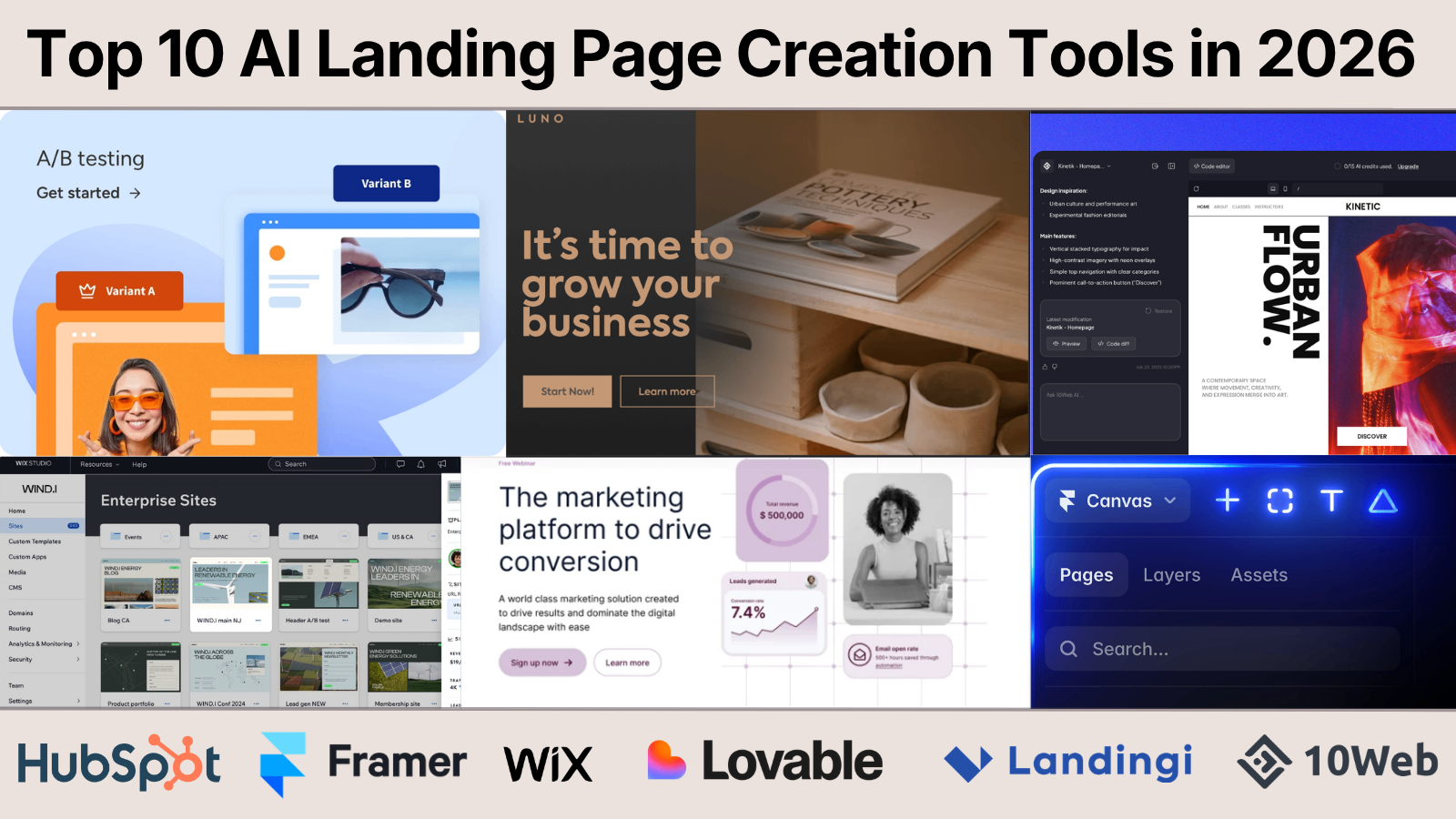
Top AI Landing Page Creation Tools in 2026
Launching a landing page no longer requires a designer, copywriter, and developer working for days. In 2026, AI can generate a complete landing page with layouts, copy, images, and forms in just a few minutes. Tools like Lovable have pushed this even further by turning simple prompts into production-ready websites and web apps, helping founders and developers move from idea to launch faster than ever. But speed is only part of the story. Once the first draft is ready, you'll need to refine content, connect your CRM, optimize SEO, run A/B tests, and improve conversions over time. The right AI landing page builder should support your entire workflow, not just generate a page. This guide compares the 10 best AI landing page builders in 2026 based on AI capabilities, customization, integrations, performance, pricing, and real-world usability. Whether you're a solo founder validating an MVP, a developer building product launches, or a marketing team scaling campaigns, these tools can help you ship faster while maintaining full control over your landing pages. > QUICK SUMMARY > > Out of the ten tools tested for this guide, these five stood out for combining real AI generation with a workflow teams can actually keep using after launch: > > * Framer – The strongest option for design-first teams that want AI-generated layouts they can still hand-tune pixel by pixel. > * Unbounce – The most mature AI-driven traffic routing (Smart Traffic) for performance marketers running paid campaigns at scale. > * Landingi – The best value for marketing teams that need volume, templates, and built-in A/B testing without enterprise pricing. > * 10Web – The clear pick for teams that want an AI-generated site built on WordPress, with managed hosting and speed optimization included. > * Landingsite.ai – The fastest way for non-technical founders to go from a text prompt to a published, SEO-formatted page. > > Other solid AI landing page builders worth considering include Instapage, Leadpages, Durable, Wix, and HubSpot. COMPARISON TABLE | Tool | Pricing (starting) | Free Plan | AI Features | Best For | | | | | | | | Unbounce | From around $99/mo (Build); annual billing lowers this | No (14-day trial) | AI copywriting, Smart Traffic AI routing, Smart Builder page generation | Paid-traffic teams running A/B tests | | Instapage | From around $99/mo (Create); annual billing lowers this | No (14-day trial) | AI content generation, AdMap ad-to-page matching, personalization | Agencies and PPC teams needing pixel-level control | | Leadpages | Pricing has been restructured multiple times in 2026; check current tiers | No (free trial only) | AI page generation, AI credit system, conversion guidance | Solo founders and course creators on a budget | | Landingi | From around $24 to $29/mo (Build/Lite tier) | No (recently removed; 14-day trial) | AI Assistant for copy and SEO, Smart Sections, AI insights | Agencies and marketing teams needing volume | | Framer | Free tier available | Yes | AI Wireframer (prompt-to-site), AI content rewriting, AI translation | Designers and founders wanting design control | | Durable | From around $15/mo (Starter) | Free trial, limited | Full-site generation in under a minute, AI CRM, AI marketing copy | Solopreneurs and local service businesses | | 10Web | From around $10/mo (AI Starter, annual) | Free AI site generation, no ongoing free plan | Agentic AI website builder, AI Co-Pilot editing, AI content in WordPress | WordPress users who want AI plus managed hosting | | Landingsite.ai | From around $12/mo | Yes | Full prompt-to-page generation, AI copy, conversational live editing | Non-technical users validating an idea fast | | Wix | From around $17/mo (Light); Wix Studio from around $19/mo | Yes | Chat-style AI site generation, AI text and image tools | Small businesses wanting one all-in-one platform | | HubSpot | Landing page builder free; paid Marketing Hub tiers scale up sharply | Yes | AI Campaign Assistant for copy, CRM-connected pages | Startups already using HubSpot's CRM | DETAILED TOOL REVIEWS UNBOUNCE Unbounce is one of the most established landing page builders and continues to be a favorite among marketers who prioritize conversions. Instead of simply helping users build pages, it uses AI to optimize how visitors interact with them. Its Smart Traffic feature automatically sends visitors to the page variant most likely to convert based on their attributes, helping businesses improve campaign performance without manually managing traffic distribution. The platform also includes AI-powered copy generation, a drag-and-drop editor, and Dynamic Text Replacement for creating more relevant landing pages from paid search campaigns. The builder integrates with hundreds of marketing, CRM, analytics, and email platforms, making it easy to fit into existing workflows. Businesses running Google Ads, Meta Ads, or other paid campaigns can benefit from its optimization tools and detailed reporting. While beginners may need some time to learn the platform, experienced marketers and agencies will appreciate the level of control it offers. Rather than focusing on complete website creation, Unbounce is designed specifically for building high-converting landing pages that support lead generation and customer acquisition. What Stands Out Unbounce stands out for combining AI-assisted page creation with industry-leading conversion optimization tools like Smart Traffic and Dynamic Text Replacement. Its powerful integrations and testing capabilities make it an excellent choice for marketing teams, although advanced features are available only on higher-priced plans. Pricing starts at around $99/month, making it best suited for businesses that actively invest in digital marketing. INSTAPAGE Instapage is designed for businesses that run large advertising campaigns and want every landing page to closely match the ads driving traffic. Its biggest strength is post-click optimization, helping marketers create personalized experiences that improve conversion rates. The platform includes AI tools for generating headlines and page copy while providing a flexible editor that gives designers complete control over layouts. Features like AdMap visually connect ads to landing pages, making campaign management much easier for larger teams. The platform also offers reusable page sections through Instablocks, built-in heatmaps, collaboration tools, and server-side A/B testing. Unlike AI-first builders that generate an entire page from a simple prompt,Instapage focuses more on refining and optimizing professionally designed pages. This makes it particularly attractive for agencies, enterprise marketing teams, and businesses managing multiple advertising campaigns. Although it requires more manual design work, the optimization features are among the best in the industry. What Stands Out Instapage excels in campaign optimization, collaboration, and enterprise-grade testing rather than instant AI page generation. It is ideal for teams managing high advertising budgets and multiple landing pages. The premium pricing may be difficult for smaller businesses, with plans typically starting around $99/month, while advanced optimization tools require higher-tier subscriptions. LEADPAGES Leadpages focuses on simplicity, making it one of the easiest landing page builders for entrepreneurs, creators, consultants, and small businesses. Its AI features help generate landing page layouts and marketing copy quickly, allowing users to publish pages without requiring design or coding experience. The drag-and-drop editor is straightforward, and the platform offers a wide range of templates that can be customized for different industries and marketing goals. One of Leadpages' s biggest advantages is its focus on affordability while still including features like lead capture forms, pop-ups, alert bars, and built-in A/B testing. Unlike some competitors that limit monthly visitors, Leadpages generally provides generous traffic allowances, making it suitable for growing businesses. Although it lacks some of the advanced optimization features found in enterprise platforms, it provides an excellent balance between ease of use and marketing functionality for everyday campaigns. What Stands Out Leadpages is an excellent option for users who want to launch landing pages quickly without dealing with a complex interface. It offers good value for money, beginner-friendly tools, and practical marketing features, although it is less suitable for large enterprise campaigns. Pricing generally starts between $37 and $99/month, depending on the selected plan and billing cycle. FRAMER Framer combines AI-powered website generation with a professional design environment, making it a popular choice among designers, startups, and creative teams. Its AI Wireframer can generate responsive landing pages from simple text prompts, giving users a solid starting point that can be refined visually. Unlike traditional drag-and-drop builders, Framer provides a freeform canvas similar to modern design tools, allowing greater creative freedom without sacrificing performance. The platform automatically generates clean, responsive pages with fast loading speeds and strong SEO foundations. It also includes a built-in CMS for managing dynamic content, making it useful for marketing websites beyond simple landing pages. Although Framer has a steeper learning curve than beginner-focused builders, it rewards users with much greater design flexibility. It is particularly well suited for founders, designers, and agencies that want modern websites without writing code. What Stands Out Framer stands out for its design flexibility, AI-assisted page generation, and excellent website performance. It offers a generous free plan and scales well for growing businesses, though beginners may need time to become comfortable with its interface. Paid plans typically start at around $10/month, with advanced features available on higher tiers. LANDINGI Landingi is a versatile landing page builder that balances AI assistance with powerful marketing features, making it suitable for businesses of all sizes. The platform includes an AI Assistant that helps generate landing page copy, SEO metadata, and image suggestions, reducing the time needed to launch campaigns. With more than 400 professionally designed templates, users can quickly create pages for lead generation, product launches, webinars, and marketing campaigns. Its drag-and-drop editor is easy to use while still offering enough flexibility for marketers who want to customize layouts. Beyond page creation, Landingi focuses on optimization. It includes built-in A/B testing, Smart Sections for reusing content across multiple pages, and EventTracker for server-side analytics without relying entirely on third-party tools. The platform also integrates with popular CRM, email marketing, and automation platforms, making it easy to manage leads. It is a strong choice for agencies and growing businesses that need to publish and manage multiple landing pages without paying enterprise-level prices. What Stands Out Landingi offers one of the best feature-to-price ratios in this category by combining AI writing, A/B testing, reusable sections, and extensive integrations in a single platform. While advanced customizations may still require external tools, it provides excellent value for marketing teams. Pricing generally starts at around $29/month, with higher plans designed for agencies and businesses managing larger campaigns. DURABLE Durable is built for speed, allowing users to generate a complete website or landing page in under a minute using AI. After answering a few simple questions, the platform creates layouts, marketing copy, images, and business information automatically. It also includes built-in tools such as CRM, invoicing, and marketing features, making it more than just a landing page builder. This all-in-one approach is especially useful for freelancers, consultants, and local businesses that want to establish an online presence quickly. The editor keeps customization simple without overwhelming users with advanced design controls. While it cannot match the flexibility of platforms like Frameror Wix, it delivers polished websites with minimal effort. Businesses that prioritize speed over detailed customization will find Durable particularly appealing. Its integrated business tools also reduce the need for multiple subscriptions, making it convenient for small teams and solo entrepreneurs. What Stands Out Durable is one of the fastest AI website builders available and is ideal for users who want a professional landing page with almost no setup. Its customization options are more limited than design-focused competitors, but the built-in CRM and business tools provide excellent value. Pricing starts at around $15/month, with higher plans supporting multiple businesses and additional AI features. 10WEB 10Web combines AI-powered website generation with managed WordPress hosting, making it an excellent choice for users who want the flexibility of WordPress without spending hours building a site from scratch. Its AI Website Builder can generate complete landing pages, business websites, and online stores from a simple prompt, including layouts, copy, and images. Since the platform is built on Elementor, users can continue customizing every part of the website using familiar WordPress tools after the AI completes the initial design. This makes 10Web appealing to freelancers, agencies, and businesses that need both automation and flexibility. Beyond website generation, 10Web includes managed hosting on Google Cloud, automated backups, security features, performance optimization, and AI-powered content assistance. WooCommerce support also makes it suitable for e-commerce businesses looking to launch stores quickly. Although users still need to manage WordPress plugins and updates, the platform simplifies much of the technical work. For anyone already comfortable with WordPress, 10Web provides an efficient way to build and manage AI-powered landing pages. What Stands Out 10Web successfully combines AI website generation with the flexibility of WordPress, making it a great option for businesses that don't want to be locked into a proprietary builder. Its managed hosting and optimization tools add significant value, although users still need to manage the WordPress ecosystem. Paid plans generally start at around $10/month, with higher tiers offering additional AI, hosting, and ecommerce capabilities. LANDINGSITE.AI Landingsite.ai is built specifically for users who want to generate landing pages from a simple text prompt. Instead of spending time selecting templates and arranging sections, users simply describe their product, audience, and campaign goals, and the AI creates a complete landing page with headlines, supporting copy, images, lead capture forms, and SEO metadata. The editing experience is equally simple, allowing users to request changes through natural language instead of manually adjusting every design element. The platform focuses on speed and simplicity rather than deep customization, making it ideal for startups, indie makers, and founders validating new ideas. Built-in Getty Images integration, responsive layouts, and automatic optimization help users publish professional-looking pages quickly. While agencies and designers may find the editor restrictive, non-technical users can launch campaigns within minutes without learning complex design tools. What Stands Out Landingsite.ai offers one of the fastest prompt-to-published workflows among AI landing page builders. It sacrifices advanced customization in favor of simplicity, making it ideal for rapid product launches and MVP validation. Pricing starts at around $12/month, with higher plans providing additional customization and generation limits. WIX Wix has evolved from a traditional website builder into a comprehensive AI-powered platform capable of generating complete websites and landing pages in minutes. Its AI Website Builder guides users through a conversational setup process before creating a personalized website with relevant layouts, content, and images. Unlike dedicated landing page builders, Wix also includes e-commerce, blogging, appointment booking, email marketing, and a large app marketplace, making it suitable for businesses that need more than a single campaign page. The drag-and-drop editor gives users complete control over customization, while Wix Studio provides additional collaboration and development features for agencies and professional designers. This flexibility allows businesses to start with AI-generated content and gradually expand into a full-featured website as they grow. Although it includes more features than many users may initially need, Wix remains one of the most complete website-building platforms available. What Stands Out Wix is an excellent choice for businesses looking for an all-in-one platform instead of a dedicated landing page builder. Its AI generation, extensive app ecosystem, and long-term scalability make it attractive for growing brands, though the wide range of features can feel overwhelming for simple projects. A free plan is available, while premium plans generally begin at around $17/month. HUBSPOT HubSpot's landing page builder is part of its broader CRM and marketing platform, making it particularly valuable for businesses that already manage customer relationships through HubSpot. The platform allows users to create landing pages with a drag-and-drop editor while using AI-powered Campaign Assistant to generate headlines, marketing copy, and campaign content. Every form submission automatically flows into HubSpot CRM, eliminating the need for additional integrations and simplifying lead management. Beyond page creation, HubSpot provides built-in analytics, email marketing, automation, personalization, and customer tracking within a single platform. This makes it much more than a landing page builder, as businesses can manage their complete sales and marketing funnel from one dashboard. While it may be more comprehensive than necessary for users who only need standalone landing pages, it becomes a powerful solution for companies looking to scale their marketing operations. What Stands Out HubSpot stands out because it connects landing page creation directly with one of the industry's leading CRM platforms. Businesses already using HubSpotwill benefit from seamless lead management and automation, while smaller teams may find the broader platform more than they need. The landing page builder is available on the free plan, with advanced marketing features unlocked through paid Marketing Hub subscriptions. HOW TO CHOOSE THE RIGHT AI LANDING PAGE BUILDER Ease of use. A tool that produces an impressive AI-generated first draft is only useful if a non-developer on the team can keep editing it after launch. Test how a builder handles a rewritten headline, a new pricing table, or a swapped image before judging it on the demo alone. Customization. Prompt-to-page tools like Landingsite.ai and Durable trade design flexibility for speed. Design-first tools like Framer trade a steeper learning curve for far more creative control. Decide which side of that tradeoff matters more for the specific campaign. AI capabilities. Distinguish between AI that generates full pages from a prompt (Framer, Landingsite.ai, Durable, 10Web), AI that optimizes traffic after a page is built (Unbounce's Smart Traffic), and AI that only assists with copywriting (Instapage, HubSpot. These solve different problems, and a tool can be strong at one without being strong at the others. Integrations. Check whether the builder connects natively to the CRM, ad platforms, and analytics tools already in use. Unbounce, Instapage, and Landingi all publish integration counts in the hundreds; smaller or newer tools tend to rely more heavily on Zapier or manual setup. Export options. Framer and Landingsite.ai keep pages inside their own hosting ecosystem with no code export. 10Web produces a portable WordPress site. This matters most for teams that want the option to migrate hosting providers later without rebuilding from scratch. SEO support. Most tools on this list now generate basic meta titles and descriptions automatically. Fewer offer deep technical SEO control, like structured data or granular URL management, so teams with strict SEO requirements should verify specifics rather than assume parity across tools. Performance. Static-site tools like Framer and 10Web (with its PageSpeed guarantee) tend to load faster out of the box than heavier all-in-one platforms. Page speed affects both conversion rate and ad quality scores, so it is worth testing directly rather than trusting marketing claims. Pricing. As this guide's own research turned up, published pricing across this category is unusually inconsistent, sometimes changing more than once within the same year for the same product. Budget with some margin, and re-check the official pricing page immediately before subscribing. Scalability. Visitor caps and overage fees (common with Unbounce and Instapage can turn a cheap entry plan into an expensive one once a campaign performs well. Tools like Leadpages that have marketed unlimited traffic avoid this specific problem, though their own pricing has been inconsistent for other reasons. Collaboration. Agencies managing multiple clients should look specifically at white-label options, sub-accounts, and team seat limits, features concentrated in Landingi's Agency tier, Instapage's team plans, and Wix Studio, rather than assumed to exist across every tool. CONCLUSION There is no single best AI landing page builder in 2026, only a best fit for a specific team and campaign. Startups and solo founders validating an idea with a limited budget and no design resources should start with Landingsite.ai or Durable for speed, or Framer's free tier if some design control matters. Developers and technically comfortable builders who want AI-assisted layout without giving up manual control should look at Framer first, with 10Web as the alternative for anyone who wants to stay inside the WordPress ecosystem. Agencies managing multiple client accounts should prioritize Landingi or Instapage for their team collaboration and white-label features, or Wix Studio if clients need a full website rather than isolated campaign pages. Marketers running paid traffic at real volume should weigh Unbounce's Smart Traffic against Instapage's AdMap and testing depth; both justify their premium pricing specifically for high-spend performance campaigns, and neither is worth the cost for a single low-traffic page. Enterprises with existing marketing stacks should evaluate HubSpot first if a CRM decision is also on the table, since the landing page builder's value compounds with the rest of the platform, and Instapage or Unbounce if landing pages are being evaluated as a standalone system. Whichever tool looks best on paper, request a trial or use the free tier before committing to an annual plan. AI-generated first drafts all look similar in a five-minute demo; the real difference between these tools shows up in week three, when someone on the team needs to change something quickly without waiting on a developer.
Best AI Business Copilot Tools to Run Your Startup in 2026
Startup founders rarely struggle with ideas. The real challenge is keeping everything moving at the same time. Product development, customer support, fundraising, hiring, sales, engineering, documentation, marketing, finance, and operations all compete for attention. A typical workday involves jumping between Slack, Notion, GitHub, Linear, Jira, HubSpot, Google Drive, calendars, investor emails, analytics dashboards, and countless browser tabs. Valuable information ends up scattered across multiple platforms, making it difficult to stay focused on building the business. That challenge has created an entirely new category of software: AI business copilots. Unlike traditional AI assistants that simply answer questions or generate content, AI business copilots understand how a company operates. They connect with internal knowledge, project management platforms, customer data, financial systems, communication tools, and business workflows to provide meaningful context instead of isolated responses. Some function as AI-powered chiefs of staff, helping founders organize priorities and prepare for important decisions. Others operate as startup command centers that coordinate projects, monitor execution, automate repetitive work, and even manage autonomous AI agents capable of completing complex business tasks. For developers, founders, indie hackers, and startup teams, these platforms reduce operational overhead while improving visibility across the organization. Instead of spending hours collecting information, leaders can focus on product development, customer feedback, and business growth. This guide compares the best AI business copilot tools available in 2026, highlighting what each platform does best and which startups will benefit most from using them. > QUICK OVERVIEW > > Looking for an AI assistant that can do more than answer questions? Modern AI business copilots help founders manage operations, automate repetitive work, coordinate teams, organize company knowledge, and make faster decisions from a single workspace. > > In this guide, you'll discover: > > * Mission Control: AI operating system that helps founders manage projects, priorities, and company operations. > * BurnRateOS: Virtual AI executive team with AI CEO, CFO, CTO, CMO, and other business advisors. > * FounderOS: AI-powered workspace for startup planning, execution, and business management. > * CEO Workspace: Strategic planning platform for business growth, investor updates, and executive decision-making. > * GoTogether AI: AI collaboration platform that keeps teams, projects, and knowledge connected. > * Nautis: Startup operating system for managing operations, planning, and organizational workflows. > * xyroCore: AI CEO assistant that helps founders organize priorities and business execution. > * MetaTechAI FounderOS: AI-powered company operating system with intelligent agents and centralized business knowledge. > * Flowith: Visual AI workspace for research, strategic planning, brainstorming, and complex problem-solving. > * Lutra AI: AI workflow automation platform that eliminates repetitive business tasks. > * Relay.app: AI-powered workflow automation for coordinating multi-step business processes. > * Zapier AI Agents: Autonomous AI agents that automate work across thousands of business applications. > > The guide also includes a detailed comparison table, pricing, ideal use cases, and practical recommendations to help founders, developers, startup teams, and growing businesses choose the right AI business copilot in 2026. WHAT IS AN AI BUSINESS COPILOT? An AI business copilot is an intelligent software platform designed to help founders and startup teams manage everyday operations. Rather than acting as a standalone chatbot, it connects with the applications already used across the business, understands company context, retrieves relevant information, and assists with planning, coordination, and execution. Unlike traditional automation tools that rely on predefined rules, modern business copilots combine large language models, company knowledge, workflow automation, and AI agents to complete meaningful work. They can summarize meetings, monitor projects, retrieve documentation, organize priorities, prepare investor updates, automate repetitive workflows, and answer business questions using information spread across multiple systems. Many of these platforms are evolving into startup operating systems, providing a unified workspace where founders can manage projects, customer relationships, documentation, financial planning, and team collaboration from a single interface. WHY EVERY STARTUP NEEDS AN AI BUSINESS COPILOT Building a startup means making hundreds of decisions every week. Unfortunately, the information required to make those decisions is often scattered across different applications. Engineering updates might live inside GitHub or Linear. Customer feedback sits in Slack or Intercom. Sales data remains inside a CRM, while financial reports exist elsewhere. Even simple questions frequently require opening several applications before arriving at an answer. AI business copilots eliminate much of that friction by connecting these systems. Instead of searching for information manually, founders can ask natural-language questions, receive summarized insights, identify blockers, prepare meetings, automate routine work, and monitor company progress without switching between dozens of browser tabs. As startups scale, these capabilities become increasingly valuable because operational complexity usually grows faster than team size. HOW TO CHOOSE THE RIGHT AI BUSINESS COPILOT Every startup operates differently, so the ideal business copilot depends on existing workflows and long-term goals. Founders looking for a centralized operating system should prioritize platforms that combine company knowledge, project management, AI agents, and executive dashboards. Teams focused on automation may benefit more from workflow orchestration tools capable of connecting hundreds of business applications. Companies handling sensitive customer information should also evaluate security, permissions, compliance, and integration capabilities before selecting a platform. Scalability is another important consideration. While some tools are designed primarily for founders and early-stage startups, others support enterprise-grade workflows involving multiple departments, thousands of documents, and complex operational processes. The best AI business copilot should reduce administrative work without forcing teams to replace software that already works well. AI BUSINESS COPILOT COMPARISON | Tool | Primary Use Case | AI Agents | Multi-Agent Support | Workflow Automation | Integrations | Starting Price | | | | : : | : : | : : | : : | : | | Mission Control | AI operating system for founders | Yes | Yes | Yes | Limited | £9/month | | BurnRateOS | AI executive team (CEO, CFO, CTO & more) | Yes | Yes | Yes | Yes | Contact Sales | | FounderOS | Startup planning and execution | Yes | No | Yes | Limited | Contact Sales | | CEO Workspace | Business strategy and investor management | No | No | Limited | Limited | Custom Pricing | | GoTogether AI | Startup collaboration and operations | Yes | Yes | Yes | Yes | Contact Sales | | Nautis | Startup operating system | Yes | Yes | Yes | Yes | Free, Paid from $49/month | | xyroCore | AI CEO assistant | Yes | No | Limited | Limited | Contact Sales | | MetaTechAI FounderOS | AI company operating system | Yes | Yes | Yes | Yes | Custom Pricing | | Flowith | AI research and strategic planning | Yes | No | Limited | Yes | Free, Paid from $19/month | | Lutra AI | AI workflow automation | Yes | No | Yes | Yes | Free, Paid from $23/month | | Relay.app | AI-powered workflow automation | Yes | No | Yes | Yes | From $11/month | | Zapier AI Agents | Cross-platform business automation | Yes | No | Yes | Yes | Free, Paid from $19.99/month | THE BEST AI BUSINESS COPILOT TOOLS IN 2026 The platforms below represent the most innovative AI business copilots currently available. Each approaches business operations differently, ranging from AI executive assistants and startup operating systems to autonomous workflow platforms capable of coordinating entire business processes. The following sections compare each tool in detail, explaining where it excels, how it fits into modern startup workflows, and which teams are most likely to benefit from adopting it. 1. MISSION CONTROL Website: https://missioncontrolhq.ai/ Running a startup often means juggling product development, fundraising, hiring, customer feedback, engineering, and operations at the same time. Important updates quickly become scattered across project boards, documents, calendars, chats, and dashboards, making it difficult to maintain a clear picture of the business. Mission Control addresses this challenge by providing an AI-powered operating system built specifically for startup founders and leadership teams. Rather than functioning as another conversational AI assistant, Mission Control connects business knowledge, projects, strategic goals, and team activities into a unified workspace. Founders can quickly understand what requires attention, review ongoing initiatives, prepare for meetings, monitor company progress, and retrieve information without manually searching through multiple applications. This centralized approach helps reduce context switching while improving visibility across the organization. As startups grow, coordination often becomes more challenging than execution. Mission Control helps leadership teams stay aligned by organizing company priorities, surfacing important updates, and providing the context needed to make informed decisions. Instead of spending valuable time gathering information, founders can focus on building products, talking with customers, and executing growth strategies. Best For: Startup founders, CEOs, executive teams, and fast-growing companies looking for an AI-powered business operating system. 2. BURNRATEOS Website: https://burnrateos.com/ Most AI assistants support individual tasks, but BurnRateOS approaches business management from an executive perspective. The platform introduces an AI leadership team that includes specialized virtual executives such as an AI CEO, CFO, CTO, CMO, CRO, and other business roles. Each AI agent focuses on a different aspect of company operations, allowing founders to receive specialized recommendations across finance, engineering, marketing, sales, and strategic planning. Instead of relying on a single AI assistant for every decision, BurnRateOS distributes responsibilities across multiple AI executives who collaborate using shared business context. Financial planning, product strategy, operational improvements, customer acquisition, and technical decision-making can all be supported through dedicated AI advisors, helping founders evaluate opportunities from different business perspectives before making important decisions. This approach is especially valuable for early-stage startups where one founder often performs the responsibilities of several executives. By organizing strategic planning, operational insights, and business recommendations into one platform, BurnRateOS helps founders identify priorities while reducing the administrative workload associated with running a growing company. Best For: Startup founders, solo entrepreneurs, and leadership teams looking for AI-powered executive guidance across multiple business functions. 3. FOUNDEROS Website: https://founderos.me/ Building a startup requires constant planning, rapid execution, and the ability to adapt quickly when priorities change. FounderOS is designed to help founders manage those moving parts from a single workspace, bringing together strategy, goals, projects, documentation, and business planning into one AI-powered environment. Instead of replacing existing tools, it acts as an intelligent layer that helps organize information and keeps important work moving forward. The platform assists with everything from defining company objectives and tracking milestones to preparing product roadmaps and organizing operational knowledge. Rather than spending time updating multiple spreadsheets, notes, and project boards, founders can use FounderOS to maintain a structured overview of their startup while allowing AI to surface priorities, summarize progress, and recommend the next actions based on ongoing work. FounderOS is particularly useful during the early stages of a startup when small teams are responsible for every aspect of the business. Product planning, fundraising, customer discovery, hiring, and execution often happen simultaneously, and the platform helps reduce the operational complexity that comes with wearing multiple hats. Its focus on startup execution makes it more than a productivity tool, offering a structured system for turning ideas into measurable progress. Best For: Early-stage startups, solo founders, and small teams that need a centralized workspace for planning and execution. 4. CEO WORKSPACE Website: https://ceoworkspace.com/ Strategic planning often gets pushed aside while founders deal with everyday operational challenges. CEO Workspace focuses on the executive side of running a business by helping leaders organize strategic initiatives, prepare investor communications, monitor company performance, and maintain a clear view of long-term objectives. Rather than emphasizing task management, the platform supports higher-level decision-making through AI-assisted planning and business analysis. Founders can use the platform to develop business plans, create investor updates, organize board meeting materials, draft company strategies, and maintain documentation related to fundraising or business growth. By centralizing executive information, CEO Workspace reduces the effort required to prepare reports and communicate progress with investors, advisors, and stakeholders. As companies scale, leadership teams often spend significant time coordinating information before making strategic decisions. CEO Workspace simplifies this process by bringing planning, reporting, and company knowledge together in one environment, allowing executives to focus more on growth opportunities and less on administrative preparation. Best For: Startup founders, CEOs, executive teams, and businesses preparing for fundraising or long-term strategic planning. 5. GOTOGETHER AI Website: https://gotogether.ai/ Successful startups depend on effective collaboration between product, engineering, operations, marketing, and customer-facing teams. GoTogether AI is designed to improve that coordination by providing a shared workspace where projects, discussions, documentation, and business activities remain connected through AI. Instead of operating as a standalone assistant, it becomes part of the company's daily workflow, helping teams stay aligned while reducing unnecessary communication overhead. The platform connects information across departments, making it easier to understand project status, assign responsibilities, monitor execution, and identify blockers before they delay delivery. AI-generated summaries, contextual search, and intelligent recommendations help team members find relevant information without navigating multiple tools or long discussion threads. This creates a smoother experience for distributed teams working across different time zones and functions. GoTogether AI is particularly valuable for startups experiencing rapid growth, where communication often becomes fragmented as new employees join and responsibilities expand. By centralizing collaboration and providing AI-assisted coordination, the platform helps maintain transparency across the organization while supporting faster execution. Best For: Remote startups, cross-functional teams, and growing companies that want better collaboration and operational visibility. 6. NAUTIS Website: https://getnautis.com/ Managing a startup usually involves far more than building a product. Founders must balance hiring, finance, legal tasks, fundraising, customer acquisition, operational planning, and team coordination, often without dedicated specialists in each area. Nautis brings these responsibilities into a single AI-powered operating environment that helps organize business activities while reducing the need to jump between disconnected software. Instead of focusing on one department, Nautis supports multiple aspects of startup management, allowing founders to monitor operations, manage internal processes, coordinate business documentation, and track strategic objectives from one place. The platform encourages structured execution while providing AI assistance that helps teams stay organized as the business grows. Its broad approach makes Nautis particularly appealing to startups that want a centralized business workspace rather than separate applications for every operational task. By combining planning, collaboration, and AI-driven organization, the platform gives founders greater visibility into company activities while helping reduce routine administrative work. Best For: Startups and growing businesses looking for an all-in-one AI platform to manage operations, planning, and organizational workflows. 7. XYROCORE Website: https://xyrocore.com/ Every startup reaches a point where founders spend more time managing the business than actually building it. xyroCore is designed to reduce that burden by acting as an AI CEO that helps organize priorities, coordinate business activities, and support everyday decision-making. Rather than focusing on a single department, the platform provides assistance across operations, planning, customer management, and business execution through a unified AI workspace. The platform helps founders monitor ongoing initiatives, organize company knowledge, track important objectives, and receive AI-driven recommendations based on current business activities. Instead of manually collecting information from different systems, leadership teams can quickly access business insights and identify where attention is needed most. This approach makes routine management less reactive and allows founders to spend more time focusing on product development and customer growth. xyroCore is particularly well suited for startups that want executive-level AI assistance without building complex automation workflows. Its emphasis on operational visibility and strategic guidance makes it a practical choice for founders looking to simplify daily business management. Best For: Startup founders, small business owners, and leadership teams seeking an AI-powered executive assistant. 8. METATECHAI FOUNDEROS Website: https://metatechai.com/ Managing a growing startup requires more than tracking tasks. Teams need quick access to company knowledge, coordinated workflows, and reliable systems that keep every department aligned. MetaTechAI FounderOS approaches this challenge by positioning itself as a complete operating system for startups, combining AI agents, organizational memory, business workflows, and collaborative planning within a single platform. The platform connects information across different business functions, enabling founders to retrieve documents, coordinate projects, automate internal processes, and manage operational knowledge without relying on multiple disconnected applications. AI agents assist with planning, execution, reporting, and everyday business coordination while maintaining awareness of company context. This reduces repetitive work and allows teams to make decisions using up-to-date information rather than manually compiled reports. MetaTechAI FounderOS is especially valuable for technology startups experiencing rapid growth. As new employees, customers, and projects increase, maintaining consistent knowledge becomes more difficult. The platform helps preserve organizational context while improving collaboration across engineering, product, operations, and leadership teams. Best For: Technology startups, AI-first companies, and organizations looking for an intelligent business operating system. 9. FLOWITH Website: https://flowith.io/ Many AI tools rely on traditional chat interfaces that become difficult to manage during complex projects. Flowith introduces a visual workspace where ideas, research, planning, and AI conversations remain connected, making it easier to explore complicated business problems without losing context. This approach is particularly useful for founders who regularly evaluate markets, validate product ideas, prepare business strategies, or conduct competitive research. Instead of treating every prompt as an isolated conversation, Flowith allows users to build interconnected knowledge structures that grow as projects evolve. Product strategies, customer research, competitor analysis, fundraising preparation, and technical planning can all exist within the same visual workspace, giving founders a more organized way to think through important decisions. Developers, researchers, and startup teams working on long-term projects often benefit from this structured approach because it encourages deeper analysis instead of fragmented AI interactions. Flowith becomes more than a writing assistant by serving as an environment for strategic thinking and collaborative problem-solving. Best For: Founders, product managers, researchers, and strategy teams working on complex planning and decision-making. 10. LUTRA AI Website: https://lutra.ai/ As startups grow, repetitive administrative work begins consuming valuable engineering and operational time. Updating spreadsheets, processing customer requests, moving information between applications, generating reports, and handling routine workflows quickly become everyday responsibilities that slow business growth. Lutra AI focuses on eliminating these repetitive tasks through intelligent workflow automation powered by AI. The platform connects with popular business applications and enables teams to automate complex processes using natural language instead of writing scripts or configuring lengthy automation rules. Reports can be generated automatically, customer information synchronized across systems, repetitive data processing eliminated, and business workflows executed with minimal manual intervention. This allows teams to dedicate more time to product development and customer success rather than operational maintenance. Unlike startup operating systems that emphasize executive planning, Lutra AI specializes in execution. Its automation capabilities make it particularly attractive for startups that already have established workflows but want AI to perform routine operational tasks more efficiently. Best For: Operations teams, startups, and businesses looking to automate repetitive workflows across multiple business applications. CONCLUSION The way startups operate is changing rapidly, and AI business copilots are becoming an essential part of that transformation. Instead of relying on disconnected tools for planning, collaboration, automation, customer management, and decision-making, founders can now use AI to connect every aspect of their business through a unified workflow. The platforms featured in this guide represent different approaches to solving the same challenge. Some, such as Mission Control, FounderOS, and MetaTechAI FounderOS, are designed to serve as startup operating systems that centralize company knowledge, projects, and strategic execution. Others, including BurnRateOS and xyroCore, provide AI-powered executive support that helps founders make informed decisions across finance, marketing, engineering, and operations. Workflow-focused platforms like Lutra AI, Relay.app, and Zapier AI Agents excel at automating repetitive business processes, while tools such as Flowith and CEO Workspace help founders with research, strategic planning, and investor communication. The best AI business copilot ultimately depends on how a startup operates. Early-stage founders often benefit from platforms that organize ideas, goals, and execution in one place. Growing startups may prioritize automation, cross-functional collaboration, and AI agents that reduce manual work across multiple departments. Teams already using specialized software should also consider how well a platform integrates with their existing technology stack before making a decision. As AI continues to evolve, business copilots are becoming more than productivity tools. They are developing into intelligent operating systems that help founders spend less time managing software and more time building products, serving customers, and growing their businesses. Choosing the right platform today can create a more efficient, scalable, and data-driven foundation for the years ahead. Whether launching a new SaaS product, managing a remote engineering team, preparing for fundraising, or scaling an established startup, adopting the right AI business copilot can simplify operations, improve decision-making, and give founders more time to focus on what matters most: building a successful company.
10 Best SaaS Listing Automation Platforms for Startups and Indie Hackers in 2026
A SaaS product can spend months in development before reaching its first users. The code is written, the infrastructure is deployed, documentation is ready, and the landing page is live. Then comes the next challenge: discovery. For many early-stage SaaS products, getting attention is not only a product problem. It is a distribution problem. A founder launching a new tool usually needs to consider multiple channels: * SaaS directories * Startup communities * Product discovery platforms * AI tool directories * Software marketplaces * Industry-specific listing websites These platforms can help potential users discover products when they are actively searching for solutions. However, submitting a product manually to multiple directories creates a repetitive workflow. The same information needs to be entered again and again: * Product name * Short description * Long description * Features * Categories * Pricing details * Screenshots * Website URL * Social profiles Submitting to one directory may take only a few minutes. Repeating the process across dozens of platforms can consume valuable development and marketing time. This is where SaaS listing automation platforms help. These tools and services simplify the process of preparing, managing, and distributing product listings across multiple directories. Some platforms automate parts of the submission process. Others provide managed services where a team handles directory submissions. Some focus on helping founders create better listing content before submission. However, automation does not guarantee success. A product listed on hundreds of irrelevant directories may provide less value than one listed on fewer relevant platforms with the right audience. The goal is not simply more submissions. The goal is to create a repeatable distribution workflow that helps the right users discover the product. This guide covers the best SaaS listing automation platforms in 2026, how they work, their advantages, limitations, and which type of startup or indie hacker should consider each option. > SUMMARY > > SaaS listing automation platforms help founders reduce repetitive directory submission work by organizing product information and simplifying the launch distribution process. > > Instead of manually creating every listing, founders can use these platforms to prepare product details once and manage submissions across multiple channels. > > > IN THIS GUIDE: > > * Understand how SaaS listing automation works > * Learn why startups use directory submission platforms > * Compare automated tools and managed services > * Explore 10 SaaS listing automation platforms in 2026 > * Understand the advantages and limitations of each platform > * Choose the right submission approach for a SaaS launch PLATFORMS COVERED: | Platform | Website | Minimum Price | Type | Best For | Main Focus | | | | | | | | | Submitsaas | submitsaas.com | Starting from $60 one-time | Submission automation service | SaaS founders | SaaS directory distribution | | SubmitPro AI | submitpro.ai | Starting from $189 one-time | AI-assisted submission service | AI and SaaS products | Listing preparation and submissions | | SubmitMatic | submitmatic.com | Starting from $60 one-time | Submission automation platform | Startup launches | Multi-directory submissions | | BoringLaunch | boringlaunch.com | Starting from $149 one-time | Managed directory submission service | SaaS and AI startups | Manual directory submissions and SEO distribution | | ListingBott | listingbott.com | Custom pricing | Submission automation | Digital products | SaaS and startup directories | | LaunchRocket | launchrocket.io | Starting from $97 one-time | Managed submission service | Busy founders | Human-managed submissions | | Submission.Tools | submission.tools | Custom pricing | Planning and management tool | Structured launches | Content and submission workflow | | SaaSListing | saaslisting.co | Custom pricing | Managed SaaS submission service | SaaS companies | Directory campaigns | | SubmitDrive | submitdrive.com | Custom pricing | Managed service | SaaS and AI tools | Multi-directory campaigns | | GoSEO Directory Submission Service | goseo.to | Custom pricing | Curated submission service | Targeted launches | Directory outreach | WHAT IS SAAS LISTING AUTOMATION? SaaS listing automation refers to tools and services that help software companies submit and manage product listings across multiple online directories. A typical SaaS launch requires creating product profiles containing: * Product name * Website URL * Product description * Features * Categories * Pricing information * Screenshots * Company details Without automation, every directory requires a separate submission process. A simplified manual workflow looks like: | Type | Description | Best For | | | | | | Automated platform | Software assists with listing creation and submissions | Founders who want control | | AI-assisted platform | Uses AI to help create listing content | Teams managing many listings | | Managed service | A team handles submissions | Founders saving operational time | | Hybrid workflow | Combines automation with review | Startups needing quality control | HOW TO CHOOSE A SAAS LISTING AUTOMATION PLATFORM Choosing the right SaaS listing automation platform requires more than comparing the number of directories supported. The quality of submissions, workflow management, and customization options are equally important. DIRECTORY QUALITY The number of directories supported is not the only factor to consider. Important questions include: * Is the directory relevant to SaaS products? * Does it have active users? * Does it attract the target audience? * Is the listing likely to be indexed by search engines? A smaller number of relevant directories can provide more value than hundreds of unrelated submissions. SUBMISSION TRACKING A good SaaS listing automation platform should provide visibility into the submission process. Useful tracking features include: * Submitted directories * Approval status * Published listing URLs * Pending actions * Rejected submissions Tracking helps founders understand whether directory submissions are producing useful outcomes and where additional action may be required. CONTENT CUSTOMIZATION Different directories attract different audiences, so product messaging should be adjusted accordingly. A developer-focused directory may highlight: * API support * Integrations * Technical capabilities A business software directory may focus on: * Pricing * Workflow improvements * Team collaboration features Good platforms allow founders to customize product descriptions instead of using identical content everywhere. 10 BEST SAAS LISTING AUTOMATION PLATFORMS IN 2026 1. SUBMITSAAS Website: https://submitsaas.com/ Submitsaas is a SaaS directory submission automation service designed to help founders distribute product information across multiple SaaS directories. The service focuses on reducing the repetitive work involved in creating separate listings for different platforms. HOW TO USE SUBMITSAAS 1. Prepare SaaS product information: * Product name * Website URL * Description * Features * Categories * Pricing information * Screenshots 2. Submit product details through the platform. 3. Use the service workflow to assist with directory submissions. 4. Review submitted listings and published pages where available. BEST SUITED FOR * Early-stage SaaS founders * Indie hackers launching products * Small teams without dedicated marketing resources PROS * SaaS-focused submission workflow * Reduces repetitive directory tasks * Helps maintain consistent product information LIMITATIONS * Directory approval depends on each platform * Some directories require manual verification * Submission volume does not guarantee traffic 2. SUBMITPRO Website: https://submitpro.ai/ SubmitPro AI is an AI-assisted product submission service designed to help startups prepare and distribute listings across product directories. The platform combines submission workflows with AI support for creating listing information. HOW TO USE SUBMITPRO AI 1. Add product details: * Product name * Website * Description * Features * Category 2. Use AI-assisted tools to prepare listing content. 3. Review generated information. 4. Submit product information through supported workflows. BEST SUITED FOR * AI startups * SaaS founders managing multiple listings * Teams needing assistance with listing preparation PROS * AI assistance for content creation * Reduces repetitive writing work * Useful for multiple directory formats LIMITATIONS * AI-generated content requires review * Directory rules still need to be followed * Product positioning cannot be automated completely 3. SUBMITMATIC Website: submitmatic.com SubmitMatic is an automated SaaS directory submission platform designed to help founders distribute their products across multiple directories. The platform focuses on reducing repetitive submission tasks by organizing product information and assisting with directory listing workflows. HOW TO USE SUBMITMATIC 1. Prepare product information: * Product name * Website URL * Product description * Features * Categories * Pricing details 2. Add the required product details to the platform. 3. Select the submission requirements and target directories. 4. Manage the submission workflow through the platform. 5. Review submission progress and published listings. BEST SUITED FOR * SaaS startups preparing product launches * Indie hackers managing early distribution * Founders looking for structured directory submissions PROS * Focused on SaaS directory submissions * Reduces repetitive manual work * Helps organize product launch activities LIMITATIONS * Directory approval depends on individual platforms * Supported directories may change over time * Listings alone do not guarantee user acquisition 4. BORINGLAUNCH Website: boringlaunch.com BoringLaunch is a managed directory submission service designed for SaaS startups, AI tools, and digital products. Instead of providing only an automated submission dashboard, BoringLaunch focuses on handling directory submissions for founders by manually submitting products across relevant startup and SaaS platforms. The service helps founders avoid spending hours creating accounts, filling forms, and tracking multiple directory submissions manually. :contentReference[oaicite:0]{index=0} HOW TO USE BORINGLAUNCH 1. Provide product information: * Product name * Website URL * Product description * Logo * Screenshots * Pricing details * Category information 2. Select the suitable submission plan. 3. The team prepares and submits the product across selected directories. 4. Review the submission report containing completed listings and platform details. BEST SUITED FOR * SaaS founders launching new products * AI startup builders * Indie hackers who want managed directory distribution * Teams without time for manual submissions PROS * Managed submission workflow * Reduces repetitive directory research and form filling * Provides submission reports * Suitable for founders who prefer execution support LIMITATIONS * Less control compared with fully self-service platforms * Directory approval depends on each external platform * Directory submissions should support, not replace, other growth channels 5. LISTINGBOTT Website: listingbott.com ListingBott is a directory submission automation tool focused on SaaS products, startups, and digital products. The service helps founders distribute product information across multiple directories and discovery platforms. HOW TO USE LISTINGBOTT 1. Prepare product details: * Product name * Website * Description * Category * Product features 2. Submit product information through the platform. 3. Use the available workflow to manage directory submissions. 4. Review published listings and update information when required. BEST SUITED FOR * SaaS founders * Startup builders * Digital product creators PROS * Focuses on SaaS and startup products * Helps reduce manual directory submissions * Useful during product launch campaigns LIMITATIONS * Results depend on directory quality * Some directories may require additional verification * Automated submissions still require quality product information 6. LAUNCHROCKET DIRECTORY SUBMISSION SERVICE Website: launchrocket.io LaunchRocket provides a managed SaaS directory submission service for startups and software products. Instead of providing only a self-service automation tool, LaunchRocket handles submission activities as a managed service. HOW TO USE LAUNCHROCKET 1. Provide product information: * Product name * Website URL * Description * Logo * Screenshots * Pricing information 2. Share launch goals and submission requirements. 3. The service prepares directory listings based on the provided information. 4. Submissions are completed across selected directories. 5. Review completed submissions and published listings. BEST SUITED FOR * Founders who want execution support * Startups without dedicated marketing teams * Teams preparing launch campaigns PROS * Managed submission workflow * Reduces manual research and form filling * Useful for founders with limited time LIMITATIONS * Less direct control compared with self-service platforms * Directory approval is controlled by each platform * Outcomes depend on directory selection and product quality 7. SUBMISSION.TOOLS Website: submission.tools Submission.Tools is a startup and SaaS submission management platform focused on helping founders prepare listings, create submission plans, and organize directory campaigns. The platform focuses on workflow organization rather than only submission execution. HOW TO USE SUBMISSION.TOOLS 1. Add product details: * Product name * Description * Features * Target audience * Website information 2. Prepare listing-ready content. 3. Create a directory submission plan. 4. Track completed and pending submissions. 5. Update product information when required. BEST SUITED FOR * Indie hackers planning structured launches * SaaS founders managing multiple submissions * Startups that need better launch organization PROS * Helps organize submission workflows * Supports listing preparation * Useful for managing launch tasks LIMITATIONS * Directory acceptance still depends on each platform * Some submission steps may require manual work * Planning does not replace product marketing 8. SAASLISTING Website: saaslisting.co SaaSListing is a SaaS directory submission service focused on helping software companies distribute their products across multiple directories. The service manages SaaS listing campaigns and assists founders with product submissions. HOW TO USE SAASLISTING 1. Provide SaaS product information: * Product name * Website URL * Description * Features * Categories * Pricing details 2. Select the required submission service. 3. The service manages directory submission activities. 4. Review submitted listings and campaign results. BEST SUITED FOR * SaaS companies launching new products * Founders looking for managed directory submissions * Teams that want assistance with distribution PROS * SaaS-focused service * Managed submission workflow * Reduces manual directory research LIMITATIONS * Directory placement quality varies * Approval depends on third-party platforms * Traffic results cannot be guaranteed 9. SUBMITDRIVE Website: submitdrive.com SubmitDrive is a managed directory submission service for SaaS products, AI tools, startups, and digital products. The service focuses on helping founders distribute product listings across multiple online directories. HOW TO USE SUBMITDRIVE 1. Submit product details: * Product name * Website * Description * Category * Product assets 2. Share campaign requirements. 3. The service identifies suitable directory opportunities. 4. Product submissions are completed. 5. Review submission reports and published listings. BEST SUITED FOR * SaaS startups * AI tool creators * Founders who prefer managed execution PROS * Managed submission approach * Suitable for SaaS and startup products * Reduces operational workload LIMITATIONS * Requires trusting the service's directory selection * Some directories may reject submissions * Directory submissions should support, not replace, other growth channels 10. GOSEO DIRECTORY SUBMISSION SERVICE Website: goseo.to GoSEO provides a directory submission service for SaaS products, AI tools, and startups. The service focuses on curated submissions rather than only maximizing the number of directories. HOW TO USE GOSEO 1. Provide product information: * Website URL * Product description * Business category * Target audience * Required listing details 2. The service evaluates suitable directory opportunities. 3. Product listings are prepared and submitted. 4. Review published listings and submission progress. BEST SUITED FOR * SaaS companies seeking curated submissions * AI startups * Founders who prefer targeted directory campaigns PROS * Focuses on curated submissions * Suitable for SaaS and startup products * Managed workflow reduces manual effort LIMITATIONS * Directory selection impacts outcomes * External platforms control approvals * Results vary depending on product category CONCLUSION SaaS listing automation platforms can reduce one of the most repetitive parts of launching a software product: distributing product information across multiple directories. For startups and indie hackers, these tools help create a more organized launch workflow by reducing manual submissions, improving listing consistency, and making it easier to manage product distribution. However, directory submissions should be treated as one part of a broader SaaS growth strategy. The effectiveness of a listing campaign depends on several factors: * Choosing directories that match the target audience * Creating clear and useful product descriptions * Maintaining accurate product information * Tracking published listings and outcomes * Continuing other growth activities such as content marketing, community building, and customer research There is no single best SaaS listing automation platform for every founder. The right choice depends on the workflow: * Founders who want control may prefer self-service automation platforms. * Teams that need help preparing content may benefit from AI-assisted tools. * Busy founders who want execution support may prefer managed submission services. Before selecting a platform, evaluate directory quality, submission tracking, customization options, and the level of control required. A well-planned SaaS directory strategy is not about submitting everywhere. It is about making the product discoverable in the places where the right users are already looking.