Every AI application eventually reaches the same architectural question:
Where should vector embeddings live?
Many teams begin with PostgreSQL and add pgvector because it is quick
to adopt. As applications grow, requirements such as semantic search,
metadata filtering, hybrid search, distributed indexing, and Retrieval
Augmented Generation (RAG) has become increasingly important. The database
selected during the MVP stage can influence infrastructure costs, query
latency, and future scalability.
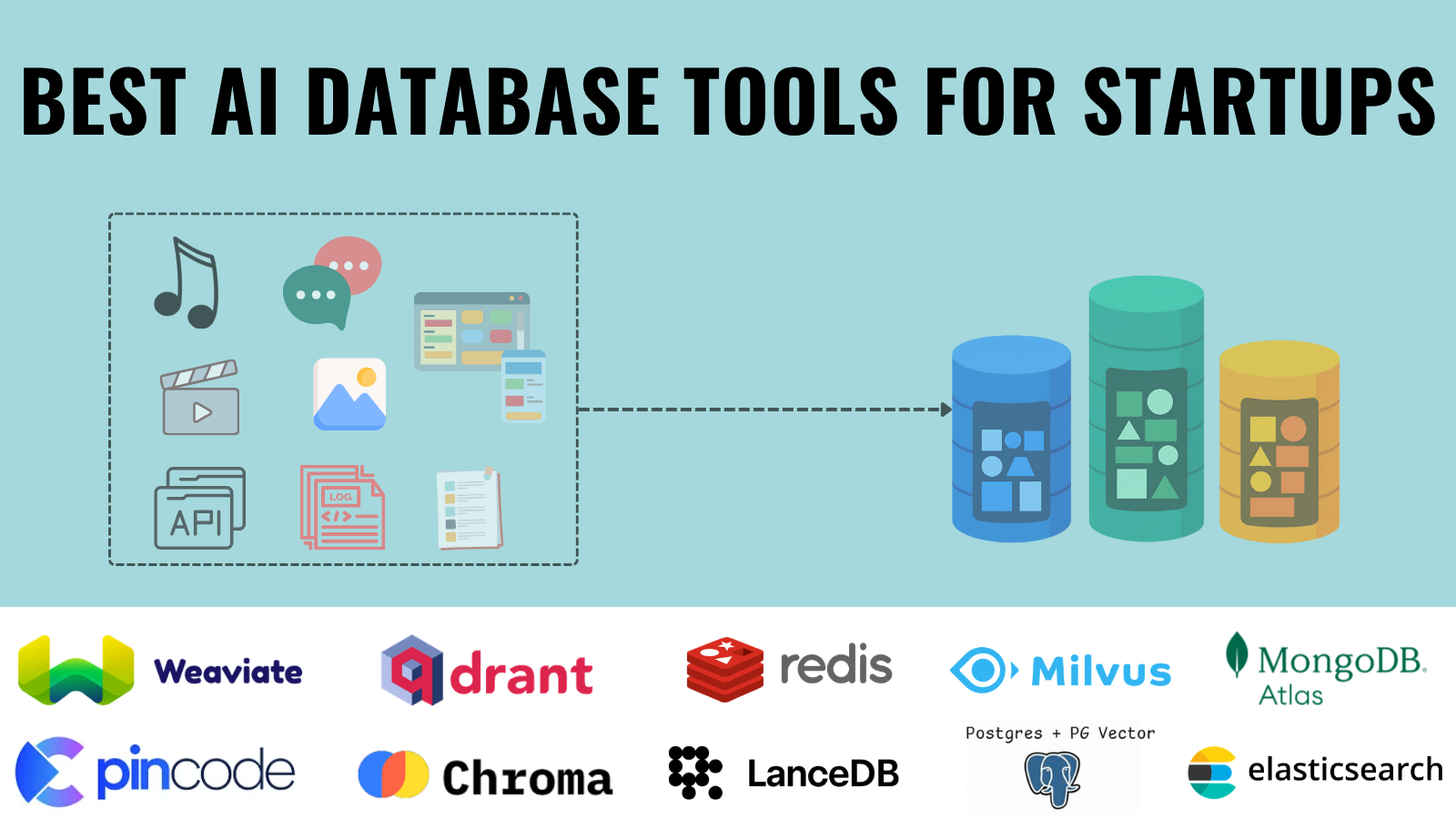
Today, startups can choose from dedicated vector databases like Pinecone, Qdrant, Weaviate, and Milvus, or extend familiar databases such as PostgreSQL, Redis, MongoDB, and Elasticsearch with vector search capabilities.
This guide explains what each tool offers, where it fits best, and its pricing model, limitations, and practical use cases.
Website: https://www.pinecone.io/
Pinecone has become one of the most widely adopted vector databases for production AI applications because it removes much of the operational complexity involved in managing large-scale vector search infrastructure. Built specifically for semantic search, recommendation systems, and Retrieval-Augmented Generation (RAG), it can store billions of vector embeddings while delivering fast and accurate similarity searches. Since the service is fully managed, engineering teams can concentrate on building AI products instead of handling database scaling, replication, backups, or infrastructure maintenance.
The platform integrates with popular AI frameworks such as LangChain, LlamaIndex, OpenAI, Cohere, and Hugging Face, making it easy to connect modern language models with production data. Features like real-time vector updates, metadata filtering, namespace isolation, and serverless scaling allow applications to grow without significant architectural changes. Its reliability, mature documentation, and enterprise-ready infrastructure make Pinecone a leading choice for organizations building customer-facing AI systems. However, the managed service comes with less flexibility than self-hosted alternatives, and operating costs can increase noticeably as datasets and query volumes grow.
Best For: Production AI applications, enterprise RAG systems, recommendation engines, and SaaS platforms that prioritize reliability over infrastructure management.
Website: https://weaviate.io/
Weaviate combines vector search with traditional database functionality, offering a flexible foundation for AI-powered applications that require more than simple similarity search. As an open-source platform, it supports semantic search, hybrid search, metadata filtering, GraphQL queries, and REST APIs while integrating with embedding providers such as OpenAI, Cohere, Hugging Face, and Google Vertex AI. Automatic vectorization further simplifies data ingestion by generating embeddings during import.
Deployment options range from self-hosted installations to a managed cloud service, allowing organizations to choose the level of operational control that fits their requirements. The modular architecture makes it adaptable for a wide variety of AI workloads, from knowledge retrieval systems to recommendation engines. While its flexibility is one of its greatest strengths, managing self-hosted deployments requires additional infrastructure expertise, and some enterprise-focused capabilities are available only through managed plans.
Best For: Teams looking for an open-source vector database with flexible deployment options and strong support for hybrid search.
Website: https://qdrant.tech/
Qdrant focuses on delivering high-performance vector search while maintaining a developer-friendly experience. Designed for AI applications that rely on semantic understanding, it combines fast similarity search with powerful payload filtering, allowing vector queries to be refined using structured metadata. This capability makes the database particularly effective for recommendation systems, personalized search, and Retrieval-Augmented Generation workflows where contextual filtering plays an important role.
Developers can move from local experimentation to production using REST APIs, gRPC support, official SDKs, Docker images, Kubernetes deployments, or the managed cloud service. The straightforward setup process and well-written documentation help reduce development time, making Qdrant popular among startups and growing AI teams. Although its ecosystem is smaller than some long-established competitors, it provides an excellent balance between performance, flexibility, and ease of deployment.
Best For: Developers, startups, and AI products that need fast vector search with advanced metadata filtering.
Website: https://milvus.io/
Milvus is designed for organizations that need to search massive collections of vector embeddings without sacrificing speed or accuracy. Its distributed architecture supports datasets containing hundreds of millions or even billions of vectors, making it well suited for enterprise AI platforms, multimodal search, recommendation engines, and large-scale research projects. Support for multiple indexing algorithms, including HNSW, IVF, DiskANN, and GPU acceleration, allows performance to be optimized for different workloads.
The platform integrates well with cloud-native infrastructure and distributed storage systems, making it capable of handling demanding production environments. This scalability comes at the cost of increased operational complexity, as deploying and maintaining Milvus often requires experienced infrastructure teams. For organizations managing very large AI workloads, however, its performance and scalability make the additional effort worthwhile.
Best For: Large enterprises, research organizations, and AI platforms managing extremely large vector datasets.
Website: https://www.trychroma.com/
Chroma is built for developers who want to experiment with vector search without spending time configuring complex infrastructure. Its lightweight design makes it easy to integrate into notebooks, local AI assistants, prototypes, and proof-of-concept Retrieval-Augmented Generation projects. With only a few lines of code, developers can begin storing embeddings and performing semantic searches while integrating with frameworks such as LangChain, LlamaIndex, OpenAI, and local language models.
The emphasis on simplicity makes Chroma one of the easiest databases for testing AI ideas and validating new workflows before moving to larger production systems. Although it performs exceptionally well during development and experimentation, it is not intended for massive enterprise deployments where scalability, distributed infrastructure, and advanced operational features become essential.
Best For: AI prototypes, local development, research projects, notebooks, and early-stage startups.
Website: https://github.com/pgvector/pgvector
pgvector extends PostgreSQL with native vector similarity search, allowing developers to store embeddings alongside traditional relational data without introducing a separate vector database. Existing SQL queries, transactions, indexing, joins, and PostgreSQL tooling continue to work as expected, making adoption straightforward for teams already running PostgreSQL in production. Support for cosine similarity, Euclidean distance, and inner product search covers many common semantic search use cases.
Keeping structured business data and vector embeddings inside a single database simplifies application architecture while reducing operational overhead. This approach is especially attractive for startups and SaaS products that want to add AI capabilities without maintaining another database system. Dedicated vector databases generally provide better performance at very large scales, but pgvector offers an excellent balance between simplicity and functionality for many production applications.
Best For: Startups and SaaS companies already using PostgreSQL that want to introduce vector search with minimal architectural changes.
Website: https://lancedb.com/
LanceDB takes a different approach from many vector databases by focusing on local AI development, analytical workloads, and multimodal data instead of cloud-first deployments. Built on the Lance storage format, it stores large datasets efficiently on disk while delivering fast vector search performance. This design makes it particularly appealing for data scientists and developers working with machine learning pipelines, desktop AI applications, and offline environments where cloud infrastructure is not always necessary.
Its integration with Python, Pandas, Apache Arrow, and modern AI frameworks allows developers to build semantic search applications without introducing unnecessary complexity. The lightweight architecture also makes experimentation and data analysis straightforward, especially for projects that process images, text, and structured datasets together. While LanceDB delivers excellent local performance, it offers fewer managed deployment options and has a smaller ecosystem than more established cloud-native vector databases.
Best For: Data scientists, local AI applications, analytical workloads, and offline machine learning projects.
Website: https://redis.io/
Redis Stack extends the familiar Redis database with vector similarity search, allowing developers to combine caching, real-time data processing, and semantic search within a single platform. Since Redis operates primarily in memory, vector queries can be executed with extremely low latency, making it well suited for applications where response time is critical. Existing Redis users can introduce AI-powered search without redesigning their infrastructure or maintaining an additional vector database.
Beyond fast similarity search, Redis Stack supports hybrid queries that combine vector embeddings with structured metadata, making it useful for recommendation engines, conversational AI, personalization, and real-time search experiences. Its mature ecosystem, broad language support, and extensive client libraries simplify adoption across different development environments. The primary limitation comes from memory requirements, which can increase infrastructure costs for applications managing very large vector collections.
Best For: Real-time AI applications, recommendation engines, chatbots, personalization systems, and high-speed semantic search.
Website: https://www.elastic.co/elasticsearch
Elasticsearch has evolved from a traditional search engine into a platform capable of combining keyword search with semantic vector search. This hybrid approach enables applications to deliver more accurate search results by considering both lexical matching and semantic meaning, making it valuable for enterprise search, ecommerce, document retrieval, and AI-powered knowledge systems. Organizations already using Elasticsearch can introduce vector search without migrating to an entirely new database.
Its mature ecosystem includes advanced filtering, analytics, security, monitoring, and ranking capabilities that extend well beyond search alone. These features make Elasticsearch particularly attractive for large organizations that require centralized search infrastructure across multiple applications. Although vector search has become an important part of the platform, configuring and optimizing Elasticsearch remains more complex than many dedicated vector databases, especially for teams new to the Elastic ecosystem.
Best For: Enterprise search platforms, document management systems, ecommerce search, observability, and hybrid search applications.
MongoDB Atlas Vector Search brings semantic search directly into MongoDB Atlas, allowing structured documents and vector embeddings to coexist within the same database. This eliminates the need to synchronize information across multiple storage systems, simplifying both application architecture and ongoing maintenance. Developers already familiar with MongoDB can introduce AI-powered search while continuing to use existing queries, collections, and development workflows.
Support for vector indexing, metadata filtering, and hybrid search enables applications to combine traditional database operations with semantic retrieval. This approach works particularly well for AI features added to existing MongoDB applications, reducing migration effort while maintaining a familiar developer experience. Although dedicated vector databases often provide more advanced optimization for large-scale workloads, Atlas Vector Search offers an accessible solution for teams that have already standardized on MongoDB.
Best For: Teams using MongoDB Atlas that want to add semantic search without introducing a separate vector database.
Azure AI Search combines traditional search, semantic ranking, hybrid search, and vector search within a fully managed Microsoft cloud service. Deep integration with Azure OpenAI Service, Azure Machine Learning, Azure Storage, and other Azure services makes it a natural choice for organizations building AI applications on Microsoft's cloud platform. Enterprise-grade security, compliance features, monitoring, and AI enrichment pipelines further strengthen its position for production deployments.
The platform is widely used to power internal knowledge bases, enterprise document search, customer support systems, and Retrieval-Augmented Generation applications that require both scalability and strong governance. Its managed infrastructure reduces operational overhead while allowing organizations to scale as search workloads grow. The service is most effective for businesses already invested in Azure, although long-term costs and platform dependency may be considerations for teams seeking greater flexibility or cloud portability.
Best For: Enterprises using Microsoft Azure for AI-powered search, knowledge management, document retrieval, and production RAG systems.
Startups should optimize for simplicity during the MVP stage and introduce specialized infrastructure only when it delivers measurable value. Before making a final decision, benchmark indexing speed, query latency, metadata filtering, operational costs, and backup strategy using real production-like data.