
Blogs in ai-agents
stay updated with the latest news, insights, and guides on ai-agents from ProductWatch.
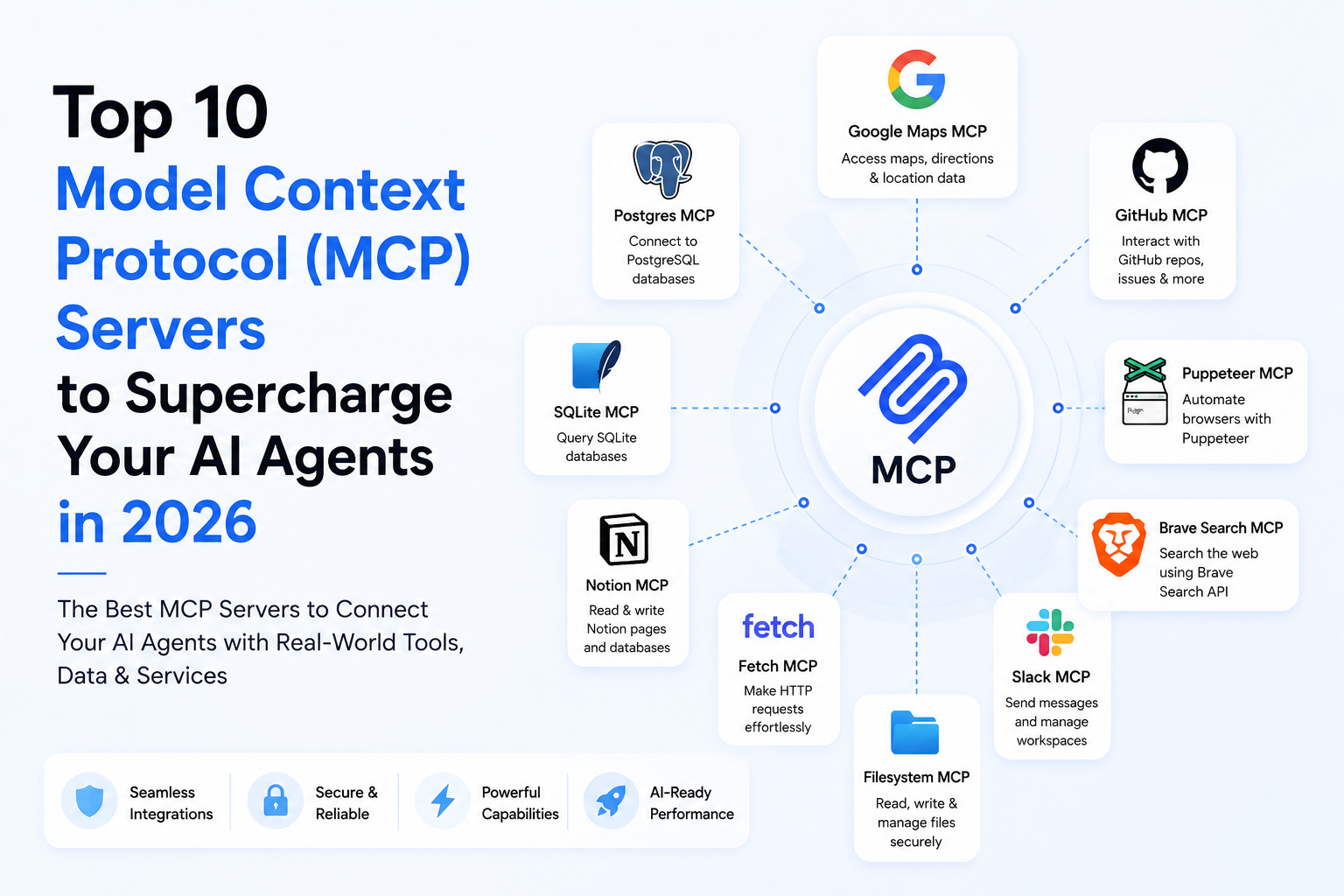
Top 10 Model Context Protocol (MCP) Servers to Supercharge Your AI Agents in 2026
The Model Context Protocol (MCP) has quickly become the open standard for connecting large language models (LLMs) and AI agents directly to local and cloud-based data sources. Developed to resolve the limitations of closed, proprietary API connectors, MCP allows developer agents to read files, run terminal tests, search databases, inspect version repositories, and automate web operations through standardized server instances. By running these modular servers, developer clients like Claude Code, Cursor, and custom agent platforms can instantly extend their context windows with live, system-level capabilities. This guide evaluates the top ten Model Context Protocol (MCP) servers in 2026, outlining their target workflows, pros, cons, and pricing to help you build connected AI systems. > QUICK SUMMARY > > * SQLite MCP Server: Best overall local database server for reading, querying, and updating SQLite database files inside workspace agents. > * Postgres MCP Server: Best for enterprise-grade SQL execution and transactional data lookups. > * GitHub MCP Server: Best for automated repository navigation, file inspection, and PR/issue creation. > * Brave Search MCP Server: Best for real-time web searches and retrieving context-aware web summaries. > * Puppeteer MCP Server: Best for automated web scraping and UI interaction tests. > > Other excellent tools include Memory MCP Server, Slack MCP Server, Jira MCP Server, Google Drive MCP Server, and Fetch MCP Server. Each extends the contextual limits of agents, making them suitable for different developer workflows. COMPARISON MATRIX | Server | Best For | Core Access Target / Key Feature | Pricing | Free Plan | Platform / Type | | : | : | : | : | : | : | | SQLite MCP Server | Querying local SQLite tables | Local filesystem .db files read-write | Free (MIT License) | ✓ (Fully Free) | Local Node Server | | Postgres MCP Server | Enterprise SQL database analytics | Remote database read-write execution | Free (MIT License) | ✓ (Fully Free) | Local/Hosted Server | | GitHub MCP Server | Automated repository coding loops | GitHub public & private repositories API | Free (MIT License) | ✓ (Requires Git token) | API Server | | Brave Search MCP Server | Real-time web retrieval | Brave Search Index lookup API | Free (MIT License) | ✓ (Free key tiers) | API Server | | Puppeteer MCP Server | Headless web automation and audits | Chromium browser control automation | Free (MIT License) | ✓ (Fully Free) | Local node container | | Memory MCP Server | Stateful graph-based agent memory | Graph-based persistence local storage | Free (MIT License) | ✓ (Fully Free) | Local Node Server | | Slack MCP Server | Collaborative workspace communication | Slack workspace channels messaging API | Free (MIT License) | ✓ (Requires Slack token) | API Server | | Jira MCP Server | Project management and issue sync | Atlassian Jira issue boards sync API | Free (MIT License) | ✓ (Requires Jira token) | API Server | | Google Drive MCP Server | Reading shared corporate files | Google Drive folders text parsing API | Free (MIT License) | ✓ (Requires OAuth keys) | API Server | | Fetch MCP Server | Page downloading and plain text parsing | Raw web URL HTML markdown extractor | Free (MIT License) | ✓ (Fully Free) | Local Node Server | 1. SQLITE MCP SERVER The SQLite MCP Server is the standard database adapter for local agent files. It is the best choice for developers building terminal agents that need to inspect, query, create tables, and update records inside local SQLite databases during software loops. PROS & CONS It allows agents to execute complex raw SQL statements and retrieve structured database schemas natively, making local data analysis fast and zero-latency. On the downside, it is strictly configured for local file paths, meaning it cannot coordinate remote access, high-volume transactions, or real-time write operations on distributed production networks. PRICING The server is completely free and open-source under the MIT license. 2. POSTGRES MCP SERVER The Postgres MCP Server is an enterprise-grade database connector. It is the best choice for remote systems where agents need to run SQL reports, query metrics, or verify transactional entries inside distributed PostgreSQL database clusters. PROS & CONS The server provides secure SSL connections, support for complex relational schemas, and direct execution parameters, allowing agents to pull operational stats directly. However, exposing remote databases to LLM agents carries high security risks, requiring strict read-only parameters and custom SQL injection guardrails to prevent accidental data wipes. PRICING The Postgres adapter is free and open-source under the MIT license. 3. GITHUB MCP SERVER The GitHub MCP Server enables agents to navigate version-control repositories. It is the best option for autonomous coding tools that need to inspect file diffs, search code history, create branches, write pull requests, and manage issue tickets. PROS & CONS By integrating repository actions natively, developer agents can automate entire pull request workflows and issue-resolution tests without requiring manual terminal steps. However, hitting GitHub's API rate limits is common for large active repositories, which can cause model errors during multi-file reviews. PRICING It is free and open-source, but requires a personal access token matching the target repository's GitHub plan. 4. BRAVE SEARCH MCP SERVER The Brave Search MCP Server connects agents to real-time search engine results. It is the best choice for research agents that need to query the active web to gather facts, check documentation updates, and retrieve recent news events. PROS & CONS The Brave Search API returns highly optimized plain-text summaries and URL citations, allowing models to bypass heavy HTML scraping and parse search index results efficiently. The main limitation is that it requires an active Brave developer account and is subject to search query limits. PRICING The server adapter code is free and open-source. API usage starts with a free key tier, with paid packages scaling based on query volumes. 5. PUPPETEER MCP SERVER The Puppeteer MCP Server provides headless browser control to agents. It is the best choice for visual QA agents, automated web tests, and scraping tasks that require crawling complex single-page apps (SPAs) or taking screenshots of live interfaces. PROS & CONS It allows models to open Chromium windows, type inputs, click buttons, and capture page views natively, making it a powerful tool for web automation. On the other hand, executing Puppeteer instances consumes significant local memory and CPU resources, causing slow run times on lightweight servers. PRICING Puppeteer adapter libraries are free and open-source under the MIT license. 6. MEMORY MCP SERVER The Memory MCP Server implements persistent, graph-based memory nodes for agents. It is the best option for personalization apps where agents need to save facts, user preferences, and cross-session contexts over time. PROS & CONS By mapping relations as nodes in a graph database, the server allows agents to recall contextual connections across different chat sessions. However, managing memory consolidation (cleaning old or conflicting facts) requires substantial system prompts, or the memory index can become cluttered. PRICING The server is free and open-source under the MIT license. 7. SLACK MCP SERVER The Slack MCP Server is a team communication tool. It is the best choice for administrative agents that need to monitor specific Slack channels, post operational updates, search chat history, or alert developer teams when errors occur. PROS & CONS It allows developer agents to participate directly inside team chats, creating simple, conversational command centers for dev loops. The downside is the potential for message noise and prompt injection risks if agents respond indiscriminately to untrusted inputs inside public channels. PRICING It is open-source and free, requiring standard Slack developer app credentials and scopes. 8. JIRA MCP SERVER The Jira MCP Server connects agents to Atlassian's project management suite. It is the best option for product management assistants that need to create project tickets, transition epic boards, and assign tasks based on developer logs. PROS & CONS By integrating task states natively, agents can automatically verify when pull requests are merged and update the matching Jira issues. The limitation is the complex API configurations required to match Jira's custom field workflows, requiring manual setup. PRICING The adapter is free and open-source, scaling based on your team's Atlassian subscription plans. 9. GOOGLE DRIVE MCP SERVER The Google Drive MCP Server allows agents to search and parse files inside shared corporate cloud storage. It is the best choice for internal knowledge base assistants that need to read Google Docs, search folders, and extract content from spreadsheet files. PROS & CONS It provides a secure, direct link to search corporate drive folders without copying files to local folders, saving time and indexing storage space. However, it requires OAuth access setup, and processing giant files can cause token context overflows for agents. PRICING The server is free and open-source under the MIT license, subject to Google Cloud console project quotas. 10. FETCH MCP SERVER The Fetch MCP Server is a web document extraction tool. It is the best choice for web assistants that need to quickly fetch the raw contents of external web pages and convert them to clean, token-efficient plain text markdown. PROS & CONS It bypasses heavy advertising scripts and returns readable text formats, keeping LLM prompt costs low and query execution speeds high. The limitation is that it cannot execute JavaScript, meaning it will return blank pages for sites that rely on client-side React or Vue rendering. PRICING The Fetch server is free and open-source under the MIT license. CONCLUSION Deploying Model Context Protocol (MCP) servers allows teams to bypass custom API connectors and build connected agent ecosystems. If you are building a local coding assistant that needs file navigation and database queries, pairing the GitHub MCP Server with the SQLite MCP Server is the most robust setup. For real-time web search and automated page audits, choose the Brave Search MCP Server paired with Puppeteer MCP Server. Choose the servers that match your security rules to build safe, context-aware AI tools.
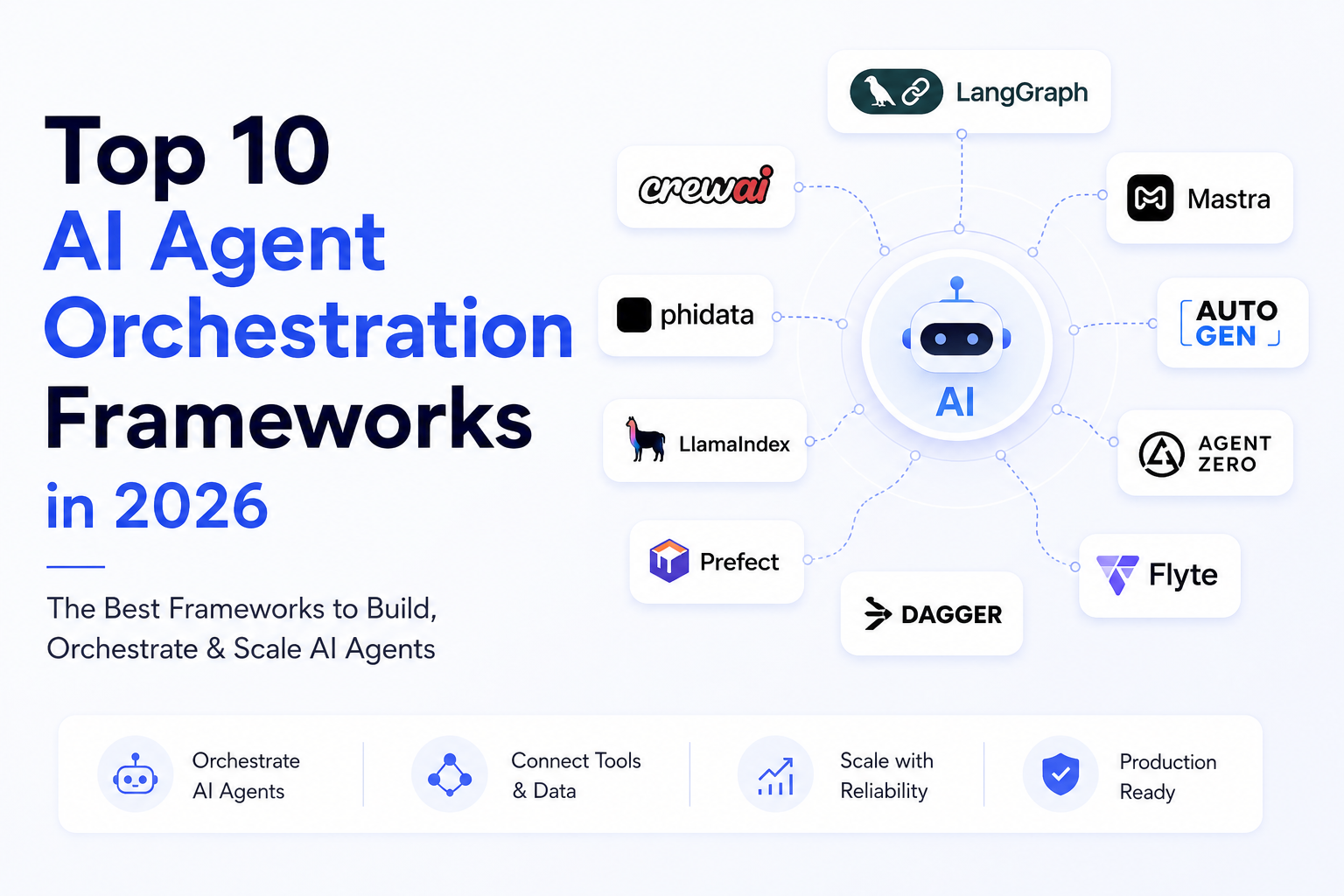
Top 10 AI Agent Orchestration Frameworks in 2026
The software engineering ecosystem in 2026 has witnessed a massive transition from simple prompt templates and single-step chains to autonomous multi-agent systems. Rather than reacting to user messages one-by-one, today's AI agents reason, plan, use tools, collaborate with other agents, and execute long-running tasks in the background. Building these complex systems from scratch is highly difficult, requiring developers to manage state, handle errors, support human-in-the-loop validation, and structure long-term memory. To solve these challenges, software teams rely on specialized agent orchestration frameworks. This guide reviews the top ten AI agent frameworks available in 2026, comparing their architectures, key capabilities, target developers, and limitations to help you select the best library for your next project. > QUICK SUMMARY > > * LangGraph: Best overall stateful framework for production-grade enterprise agents requiring complex loops and human-in-the-loop validation. > * Mastra: Best choice for modern, lightweight, TypeScript-first web applications running in serverless Node.js environments. > * CrewAI: Best for configuring multi-role collaborative agent workforces using clean, human-readable abstractions. > * Agno: Best for structured outputs, database integration, and active SQL queries. > * PydanticAI: Best for type-safe agent schemas and integration with fast, modern Python backends. > > Other excellent tools include OpenAI Agents SDK, Google Agent Development Kit, Claude Agent SDK, Microsoft Agent Framework, and Strands Agents (AWS). Each approaches agentic workflows differently, making them suitable for different use cases and developer stacks. COMPARISON MATRIX | Framework | Primary Language | Best For | Architecture Type | Licensing | Pricing | | : | : | : | : | : | : | | LangGraph | Python / JS | Enterprise-grade stateful graphs | Directed Acyclic Graphs (DAGs) | Open Source / Commercial | Free (OSS), LangGraph Platform paid plans | | Mastra | TypeScript | Node/TypeScript-first apps | Lightweight Modular Scaffold | Open Source | Free (Open Source) | | CrewAI | Python | Multi-role collaborative teams | Role-Playing Abstractions | Open Source / Enterprise | Free (OSS), Enterprise pricing on request | | Agno | Python | Structured outputs & database queries | Database-Connected Helpers | Open Source / Commercial | Free (OSS), Commercial plans available | | PydanticAI | Python | Type-safe schema validation | Pydantic-Native Decorators | Open Source | Free (Open Source) | | OpenAI Agents SDK | Python / JS | Assistants API integrations | Managed Thread Platform | Managed API | Free SDK, pay only for OpenAI API usage | | Google ADK | Python / JS | Vertex AI / Gemini multimodal apps | GCP-Native Toolkit | Commercial / Managed | Free SDK, pay for Vertex AI/Gemini usage | | Claude Agent SDK | Python / JS | Anthropic-native applications | Prompt-Optimized SDK | Open Source | Free SDK, pay for Anthropic API usage | | Microsoft Agent Framework | Python / C# | Event-driven large enterprise systems | Event Grid Messaging | Open Source | Free (Open Source), Azure services billed separately | | Strands Agents (AWS) | Python / Java | AWS Serverless and Bedrock workflows | AWS Cloud-Native Step Functions | Managed Cloud | Free framework, pay for AWS/Bedrock services | 1. LANGGRAPH LangGraph is the industry-standard stateful agent orchestration framework, designed for developers building complex, cyclic workflows that require absolute control over state transitions. It treats agent workflows as state machines where nodes execute logic and edges determine transition rules. It is the best choice for enterprise applications that need persistent execution memory and human authorization before running critical processes. PROS & CONS Implementing LangGraph gives developers access to a powerful state machine model with native support for time-travel debugging and human-in-the-loop pauses, making it highly reliable for mission-critical operations. However, this structure comes at the cost of a steep learning curve and substantial boilerplate code, which can slow down early-stage prototyping and feels unnecessarily heavy for simple chatbots. PRICING The core library is open-source and free under the MIT license, while the commercial LangGraph Cloud deployment service starts at a paid seat price of $20 per seat per month plus execution fees based on query volumes. 2. OPENAI AGENTS SDK The OpenAI Agents SDK provides a simplified interface for building conversational agents backed by the Assistants API. It is the best option for solo founders and customer support teams who want to build high-performance chatbots without managing local databases for conversation threads, file indices, and user session context. PROS & CONS The framework takes care of database syncs, indexing, and session management automatically, which significantly reduces development time and lets founders launch client-facing assistants in minutes. On the other hand, the closed-source backend offers very limited customizability over vector storage algorithms and memory retrieval pipelines, locking developers into OpenAI's API fees. PRICING The SDK itself is free, but developer usage is billed directly based on Assistants API usage, which includes GPT model token costs and file storage rates of $0.20 per GB of search index per assistant per day. 3. GOOGLE AGENT DEVELOPMENT KIT (ADK) The Google ADK is a cloud-native development kit designed for enterprise teams deploying multimodal agent pipelines on Google Cloud Platform. It is optimized for Gemini models, making it the premier option for projects that need to ingest and process native video, audio, and large datasets directly within Google Cloud databases. PROS & CONS It integrates seamlessly with Vertex AI Search and BigQuery data warehouses, providing enterprises with high standards of data security, compliance, and multi-modal handling. However, the library is heavily tied to GCP services, making it inappropriate for developers looking to build platform-agnostic, open-source projects that can run locally. PRICING Billing is calculated monthly based on Vertex AI API compute time, Gemini model tokens, and storage costs inside GCP. 4. CLAUDE AGENT SDK The Claude Agent SDK is Anthropic’s first-party toolkit, built specifically to optimize application execution speeds when using the Claude model family. It is the best choice for teams building Anthropic-native agents that leverage prompt caching and visual UI automation tasks. PROS & CONS The SDK provides native support for Claude's prompt caching, which drastically cuts down input latency and API costs for applications with long system descriptions. However, it creates complete vendor lock-in to Anthropic's model catalog, requiring a full rewrite if the team ever needs to swap providers. PRICING The SDK is free and open-source, with usage costs tied directly to Anthropic API model token consumption. 5. MASTRA Mastra is a lightweight, TypeScript-first framework built for web developers deploying agents inside serverless JavaScript ecosystems like Next.js, Node.js, and Vercel. It is the best option for developers who want to avoid Python dependencies and run high-speed agent loops in JavaScript. PROS & CONS Being written in native TypeScript, Mastra provides fast boot times, low memory footprints, and simple deployments to serverless platforms. Its main limitation is its maturity, as the library lacks the massive integration catalog that older Python-centric frameworks have developed over several years. PRICING Mastra is fully open-source and free under the MIT license, with no paid hosting seats or commercial licensing required. 6. CREWAI CrewAI coordinates agent groups by matching tasks to virtual roles. It is the best option for automation tasks like content creation, market research, and automated lead generation where multiple agents must share info and critique each other's outputs. PROS & CONS Its intuitive role-playing abstractions make it incredibly fast to configure collaborative agent teams without writing low-level graph logic. However, coordinating these chats generates high API token overhead, and agents can easily get stuck in conversational loops if goals are not configured precisely. PRICING The base framework is free and open-source under the MIT license, while enterprise management dashboards and hosting are available via custom enterprise tiers. 7. MICROSOFT AGENT FRAMEWORK The Microsoft Agent Framework is a robust, event-driven framework built for enterprise-grade agent orchestration across large C# and Python systems. It is the direct successor to the legacy AutoGen library, optimized for scalable microservice integrations. PROS & CONS The framework provides highly secure state management, event-driven execution loops, and enterprise-grade messaging queues, making it excellent for large corporate infrastructure. Its drawback is its high structural complexity, which makes it slow and over-engineered for small startups and solo developers. PRICING The framework is fully open-source and free to deploy under the MIT license. 8. AGNO (FORMERLY PHIDATA) Agno is a lightweight Python framework designed to turn standard LLMs into structured assistants with active database memory. It is the best choice for developer workloads that require writing direct database queries, managing SQLite/Postgres backends, and enforcing reliable JSON schemas. PROS & CONS Agno makes it easy to integrate PostgreSQL, SQLite, and custom SQL databases in a few lines of code, offering developers clean structured outputs and low boilerplate overhead. However, it is not designed to support complex, non-linear multi-agent negotiations or cycle-heavy state graphs. PRICING The library is open-source and free, while the Agno Cloud monitoring and trace tracking platform offers seat tiers starting at $10 per month. 9. PYDANTICAI PydanticAI is a type-safe agent framework built by the creators of Pydantic. It is the best choice for Python developers building fast APIs (e.g. with FastAPI) that require strict type safety, schema validation, and structured output formatting. PROS & CONS It integrates Pydantic’s validation directly into LLM prompts and outputs, offering developers reliable type safety and simple integration with existing Python schemas. However, it is not designed for complex conversational group chats or event-driven multi-agent microservices. PRICING PydanticAI is fully open-source and free under the MIT license. 10. STRANDS AGENTS (AWS) Strands Agents (AWS) is a cloud-native agent framework designed for AWS environments utilizing Amazon Bedrock models. It is the best choice for developers building serverless cloud agents that need to trigger AWS Step Functions and connect securely to AWS databases. PROS & CONS It offers native integration with Bedrock, AWS security layers, and serverless compute scaling, enabling enterprises to deploy secure agents at scale. Its main limitation is that it requires deep familiarity with AWS cloud tools and is not suitable for local development or multi-cloud stacks. PRICING Billing is managed directly through AWS, calculated based on Amazon Bedrock API usage and AWS serverless compute fees. OTHER FAST-GROWING FRAMEWORKS WORTH MENTIONING Under this section, we evaluate other active frameworks in the 2026 landscape: LLAMAINDEX WORKFLOWS A data-oriented routing framework designed specifically to scale advanced RAG and vector database lookups. Available for free as an open source framework, with paid LlamaCloud plans for managed deployments. VERCEL AI SDK A unified UI integration library built to stream agent model generations directly to frontend React and Svelte apps. Free and open source. SMOLAGENTS (HUGGING FACE) A lightweight Hugging Face library designed to let models execute arbitrary Python code directly within secure sandboxes. Free and open source. QWEN-AGENT An agentic framework optimized for Alibaba's Qwen open-weights models, offering strong performance on localized multilingual tasks. Free and open source. SEMANTIC KERNEL Microsoft's enterprise integration library, designed to bridge LLMs with traditional C# and Java software dependencies. Free and open source. DSPY A declarative programming framework that replaces traditional manual prompting with automated, compiler-like prompt optimization. Free and open source. HAYSTACK AGENTS A modular pipeline library designed by deepset for building production-grade semantic search and retrieval workflows. Free and open source, with paid enterprise offerings available. AUTOGEN LEGACY The original open-source multi-agent conversation framework, now largely superseded by the Microsoft Agent Framework. Free and open source. METAGPT A multi-agent framework designed to model a software company structure, allowing agents to generate PRDs, designs, and code. Free and open source. AGENT ZERO A highly customizable command-line agent framework built to execute system-level operations and bash tasks directly. CONCLUSION Orchestrating autonomous agents in production requires balancing developer speed, language preference, and execution safety. If you are a web developer or solo founder building within JavaScript or Next.js, Mastra is the most efficient choice, allowing you to deploy lightweight TypeScript agents on serverless architectures. For enterprise engineering teams building complex Python workflows that require human-in-the-loop validation, LangGraph remains the most robust, battle-tested framework. If your workflow is based on multi-role team execution, CrewAI provides the fastest prototyping speed. Always select the framework that aligns with your stack and data layout to build sustainable, self-improving agent systems.
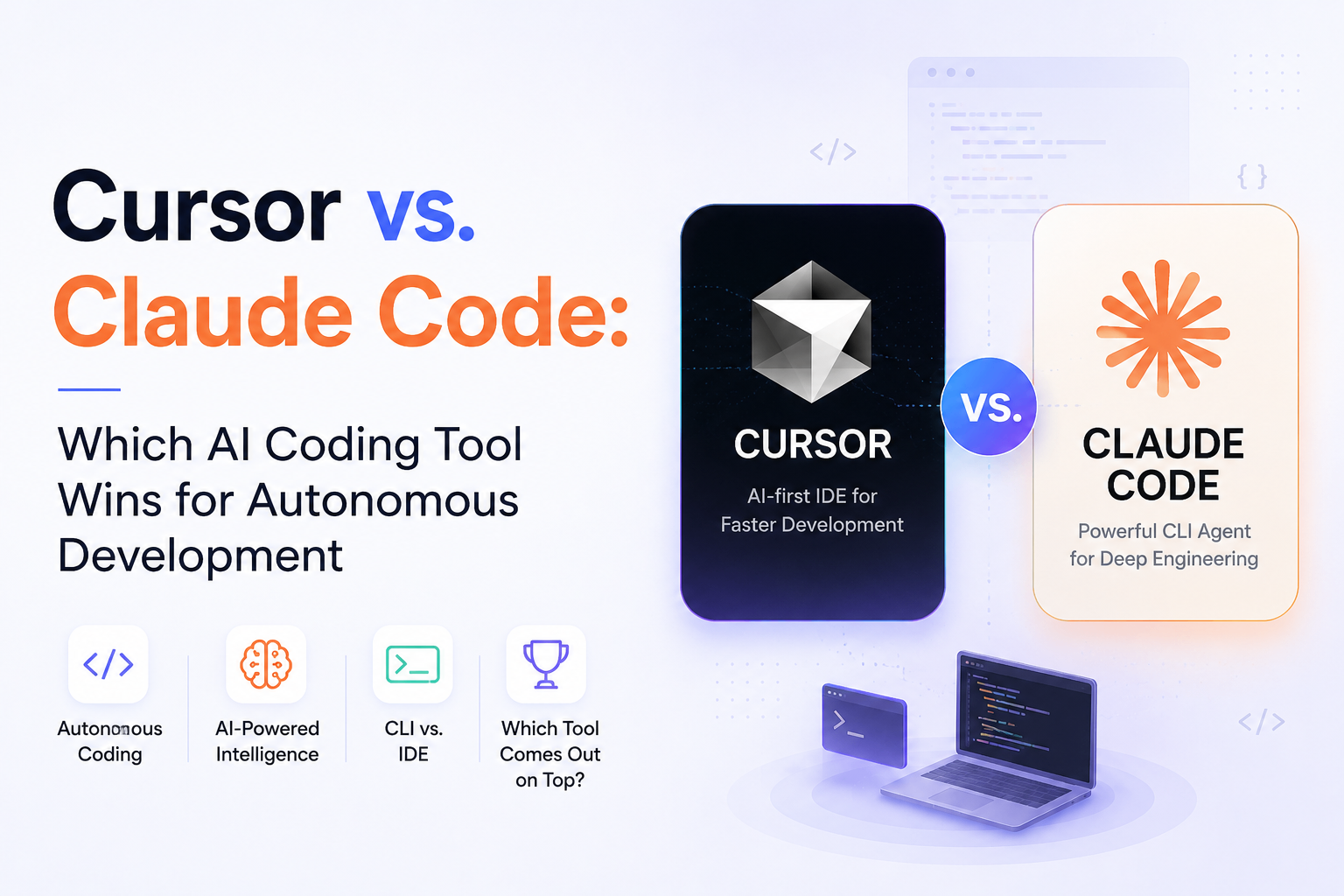
Cursor vs. Claude Code: Which AI Coding Tool Wins for Autonomous Development in 2026?
The software engineering landscape in 2026 has officially moved past the era of inline autocomplete suggestions and simple chat sidebars. Developers now work alongside autonomous agents capable of reading entire codebases, executing terminal tests, and resolving multi-file issues independently. Two tools dominate this agentic shift: Cursor Composer, the AI-native IDE built by Anysphere, and Claude Code, the terminal-native CLI agent released by Anthropic. While both tools leverage state-of-the-art models like Claude 3.5 Sonnet to write, edit, and refactor code, they approach software development from fundamentally different paradigms. One embeds an agent directly inside a visual IDE, while the other places a headless agent directly inside your terminal shell. This guide provides a comprehensive comparison of Cursor Composer and Claude Code, evaluating their workflows, agentic capabilities, tool integrations, pricing, security, and developer ergonomics to help you choose the right tool for your setup. SUMMARY: Choosing between Cursor Composer and Claude Code depends entirely on your developer ergonomics and workflow preferences. Cursor Composer is designed for developers who want an editor-centric, highly visual experience. It provides interactive side-by-side diffs, codebase indexing, and multi-file editing within a familiar VS Code fork, making it ideal for frontend development, UI/UX coding, and manual reviews. Claude Code, on the other hand, is built for terminal-native power users who value automation and speed. It operates as a headless CLI that executes terminal commands, performs recursive codebase audits, writes Git commits, and manages workflows entirely in the shell. It is highly scriptable and optimized for backend logic, scripting, CI/CD systems, and keyboard-driven workflows. QUICK COMPARISON MATRIX | Feature | Cursor Composer (v0.45+) | Claude Code CLI (v1.x) | | : | : | : | | Primary Interface | Integrated Visual IDE (VS Code Fork) | Terminal Command Line (Headless CLI) | | Default Models | Multi-Model (Sonnet, GPT-4o, Custom) | Anthropic Family (Sonnet, Opus, Haiku) | | Agentic Mode | Yes (Normal & Composer Agent) | Yes (Terminal Shell Loops) | | Visual Code Diffs | Side-by-side interactive editor diffs | Terminal patch prints (relies on git diff) | | Extensibility | VS Code Extensions | Model Context Protocol (MCP) | | Codebase Indexing | Local Vector Embeddings (LlamaIndex/Custom) | Grep, Find, and Tree Shell Tools | | Billing Type | Subscription-based ($20/mo) or BYOK | Subscription ($20/mo) or pay-per-token API | 1. DEVELOPER INTERFACE & UX The primary difference lies in where these tools operate and how developers interact with their code modifications. Cursor operates as a full-featured visual editor fork of VS Code. When you trigger the Composer modal via shortcuts, it lets you select files visually and interact with edits across multiple tabs. The editor provides real-time side-by-side diffs where additions are marked in green and deletions in red, allowing you to visually review and accept or reject specific changes line-by-line. This visual feedback loop is invaluable for complex layouts and developers who want strict visual control over their active editors. Claude Code runs entirely inside the shell prompt. You launch the agent by executing a command in the terminal, and you converse with it in a text-based loop. Because there is no graphical user interface, Claude Code applies modifications directly to files on disk. To review its edits, you must rely on standard git terminal diff commands or inspect its console log output. This text-based interface is incredibly fast and fits perfectly into keyboard-driven developer environments, but it lacks the visual granularity that IDEs offer. 2. AGENTIC AUTONOMY & CODEBASE AWARENESS Autonomy is where both tools show their agentic nature, but they manage permissions and execution differently. Cursor Composer features an Agent mode that autonomously searches codebases using local vector embeddings, writes files, and executes verification scripts. However, to maintain safety in the IDE, Cursor frequently interrupts its reasoning loops to ask for user permission before executing terminal commands or modifying files. While this keeps the developer in control, it introduces manual friction during recursive tasks. Claude Code offers deeper terminal autonomy. It executes bash commands natively, running test suites, analyzing failures, and modifying the code recursively until the tests pass. Developers can run Claude Code in an auto-accept mode that bypasses confirmation prompts entirely, letting the agent install dependencies, create files, and execute scripts in a hands-off, automated loop. This makes it a powerful assistant for heavy scripting and backend debugging. 3. EXTERNAL TOOLING & MCP INTEGRATION Modern agents must connect with external databases, APIs, and systems to resolve software issues. Cursor relies on the standard VS Code extension marketplace for external integrations. While developers can install tools for database management, API clients, and Git extensions, these integrations are separate from the AI's internal reasoning engine, meaning the editor agent cannot query or utilize these tools natively during a generation. Claude Code is built on the Model Context Protocol (MCP), a standardized protocol developed to connect AI models with external tools. Developers can easily attach database servers, GitHub repositories, Jira instances, and custom web search APIs to the CLI agent. This enables Claude Code to query live databases, fetch documentation, and update issue trackers directly during its execution loop, transforming it into a highly integrated engineering assistant. 4. MODELS & CONFIGURATIONS Cursor offers complete model flexibility, allowing developers to switch between Claude, GPT, Gemini, and Cursor's proprietary models depending on the task's complexity. It also supports custom API keys, allowing users to pay only for the tokens they consume. Claude Code is tied to the Anthropic ecosystem, utilizing models like Claude 3.5 Sonnet and Haiku. It runs on a unified Claude Pro subscription or connects to the Anthropic Console API for pay-per-token developer billing. 5. PRICING AND COST EFFICIENCY Cursor Pro costs twenty dollars per month and provides five hundred fast premium requests alongside unlimited slow requests. This predictable subscription is ideal for developers who write code constantly. Claude Code is included in the standard Claude Pro subscription for twenty dollars per month. Alternatively, developers can use their Anthropic console API key for token-based billing. Because Claude Code uses prompt caching to store files temporarily, repetitive reads are highly optimized, making pay-per-token pricing very cost-effective for lightweight usage. 6. SECURITY, PRIVACY & COMPLIANCE Both tools access local codebases and require internet connectivity, making data handling critical.Cursor offers a Privacy Mode that prevents codebase indexes from being stored on external servers or used for training. Because you visually audit edits inside the editor before writing them to disk, the risk of malicious actions is minimal. Claude Code provides zero-data retention on its API endpoints, but it requires caution when running in auto-accept mode. Since it executes shell commands autonomously, developers must ensure the environment does not run untrusted scripts or leak sensitive credentials during automated runs. 7. PROS & CONS CURSOR COMPOSER The visual diff editor makes reviewing multi-file edits safe and easy, and the native VS Code integration provides a comfortable visual workspace. The tool supports multiple LLM providers and lets you switch models dynamically. However, constant terminal command prompts introduce manual friction, and the overall editor can feel heavy for developers who prefer simple terminal workflows. CLAUDE CODE The command-line interface launches instantly and fits perfectly into standard shell workflows. Its native support for the Model Context Protocol allows developers to connect external databases, Jira, and GitHub APIs seamlessly. The autonomous terminal loops excel at running test suites and refactoring code without manual verification, but the lack of a visual diff editor makes reviewing multi-file changes more difficult. FINAL RECOMMENDATION: WHICH SHOULD YOU CHOOSE? Choose Cursor Composer if you prefer visual feedback, do significant frontend layout development, and want an AI assistant integrated directly inside a graphical VS Code workspace. It remains the best choice for visual builders who want to review every line of code as it is written. Choose Claude Code if you live in the terminal, want a headless assistant that can run test suites and write Git commits, or need to build automation workflows using external databases and APIs via the Model Context Protocol. It is the ideal tool for backend engineers and automation-first developers.
Top 10 AI Memory Tools for AI Agents in 2026: The Best Memory Frameworks for Long-Term Context & Personalization
AI agents have become much better at reasoning, planning, and using external tools. Yet one challenge continues to limit many deployments: memory. Without persistent memory, an AI agent treats every conversation like a fresh start. User preferences disappear, previous tasks are forgotten, and long-running workflows lose valuable context. Whether you're building a customer support assistant, a coding copilot, or an autonomous research agent, memory has become one of the most important components of the AI stack. Modern AI memory frameworks solve this problem by storing relevant conversations, extracting facts, building knowledge graphs, ranking important information, and retrieving only the context an agent needs at the right moment. Instead of relying solely on an LLM's context window, these tools enable long-term personalization, better decision-making, and more efficient multi-step reasoning. This guide compares the best AI memory tools for AI agents in 2026, covering their strengths, ideal use cases, pricing, and how they differ from one another. > QUICK SUMMARY > > Choosing the right AI memory framework depends on the type of agent you're building. Some platforms focus on developer APIs, while others specialize in knowledge graphs, semantic retrieval, or personalized memory. > > * Mem0: Best overall AI memory layer for production AI agents. > * Zep: Excellent for conversational memory and retrieval-augmented AI applications. > * Letta: Ideal for AI agents that require persistent long-term memory and autonomous reasoning. > * LangMem: Designed for developers building memory-enabled LangChain applications. > * Cognee: Great for knowledge graph-based AI memory and structured retrieval. > > Other excellent AI memory tools include Graphiti, MemoryOS, and LlamaIndex Memory. Each approaches long-term memory differently, making them suitable for different AI architectures and workloads. COMPARISON TABLE | Tool | Best For | Memory Type | Pricing | Free Plan | Platform | | | | | | | | | Mem0 | Production AI Agents | Personalized memory & retrieval | Starts at $15/month | ✓ | Cloud | | Zep | Conversational AI | Long-term chat memory | Starts at $99/month | ✓ | Cloud | | Letta | Autonomous Agents | Persistent agent memory | Open Source (Cloud plans available) | ✓ | Self-hosted, Cloud | | LangMem | LangChain Developers | Memory framework | Free & Open Source | ✓ | Self-hosted | | Cognee | Knowledge Graph Memory | Graph-based memory | Free & Open Source | ✓ | Self-hosted | | Graphiti | Dynamic Knowledge Graphs | Temporal knowledge graph | Free & Open Source | ✓ |Self-hosted | | Recall.ai | Meeting AI Agents | Meeting memory & knowledge retrieval | Starts at $19/month | ✓ | Cloud | | AgentMemory | AI Coding Agents | Persistent coding memory | Free & Open Source | ✓ | Local, Cloud | | Supermemory | AI Search & Recall | Personal knowledge memory | Starts at $20/month | ✓ | Web | | LlamaIndex Memory | RAG Applications | Context & memory management | Free & Open Source | ✓ | Self-hosted | MEM0 Mem0 has quickly become one of the most widely adopted memory layers for AI agents. Instead of storing entire conversations, it identifies meaningful facts, user preferences, and long-term context, allowing AI applications to retrieve only the information that remains relevant over time. This approach helps reduce token usage while improving response quality. Developers can integrate Mem0 with popular frameworks such as LangChain, LlamaIndex, OpenAI Agents SDK, and CrewAI, making it suitable for chatbots, coding assistants, customer support agents, and enterprise AI applications. Its API-first design also simplifies deployment in production environments. WHY IT STANDS OUT Mem0 combines semantic memory, intelligent retrieval, user profiling, and scalable APIs into a lightweight memory layer for AI agents. It supports cloud deployment and integrates with leading AI frameworks, though some enterprise features are available only on paid plans. A generous free tier is available for developers, with premium plans designed for production workloads. ZEP Zep is a memory platform built specifically for conversational AI applications. It automatically stores chat history, extracts important facts, and retrieves relevant context whenever an AI agent needs it. Rather than sending entire conversation histories to an LLM, Zep focuses on retrieving only the most useful information. Its support for semantic search, embeddings, and memory management makes it a popular choice for developers building customer support assistants, AI copilots, and research agents. Zep also integrates easily with LangChain and other modern AI frameworks. WHY IT STANDS OUT Zep excels at long-term conversational memory by combining semantic search, fact extraction, and efficient context retrieval. It works well for production chat applications while remaining simple to integrate through its API. A free developer tier is available alongside paid plans for larger deployments. LETTA Letta, formerly known as MemGPT, is an open-source framework designed for AI agents that require persistent memory and autonomous reasoning. Instead of relying solely on an LLM's context window, Letta organizes memory into different layers, allowing agents to remember previous conversations, plans, and important information across long-running interactions. The framework is widely used by researchers and developers building advanced autonomous agents. Its architecture enables AI systems to make informed decisions based on past experiences while remaining transparent and developer-friendly. WHY IT STANDS OUT Letta introduces a structured approach to AI memory by separating working memory from long-term storage, enabling agents to manage context more efficiently. Being open source makes it highly flexible, although deploying and configuring it requires more technical expertise than managed platforms. The core framework is free to use. LANGMEM LangMem is an open-source memory framework developed for the LangChain ecosystem. It helps developers add persistent memory to AI applications without building custom storage and retrieval systems from scratch. The framework supports storing user preferences, conversation history, and application-specific knowledge for future interactions. Because it integrates closely with LangGraph and LangChain, LangMem is particularly useful for developers creating agentic workflows, customer assistants, and multi-step AI applications that require long-term context. WHY IT STANDS OUT LangMem provides a flexible memory architecture for LangChain-based applications while remaining lightweight and fully open source. It integrates naturally with existing LangGraph workflows, although it is primarily intended for developers already using the LangChain ecosystem. The framework is free to use. SUPERMEMORY Supermemory is an AI-powered personal memory platform that helps users and AI agents capture, organize, and retrieve information from across the web. Instead of bookmarking pages or relying on chat history, it creates a searchable knowledge base that can be queried using natural language. This allows AI assistants to access previously saved information and deliver more relevant responses. The platform is well-suited for researchers, founders, developers, and knowledge workers who frequently collect information from multiple sources. With browser integrations and AI-powered search, Supermemory makes it easier to build a long-term knowledge repository that remains accessible across projects. WHY IT STANDS OUT Supermemory combines AI-powered search, semantic memory, and knowledge organization into an intuitive platform for personal and professional use. Its browser-first experience makes capturing information simple, although it is designed primarily for knowledge management rather than complex autonomous agent workflows. A free plan is available, with paid plans unlocking additional storage and advanced features. LLAMAINDEX MEMORY LlamaIndex Memory extends the LlamaIndex framework with persistent memory capabilities for retrieval-augmented generation (RAG) and AI agents. Developers can store conversation history, user preferences, and application-specific context, then retrieve only the most relevant information during future interactions. This helps AI applications maintain continuity without exceeding an LLM's context window. Because it integrates directly with the broader LlamaIndex ecosystem, the framework is a strong choice for developers already building document-aware chatbots, enterprise search solutions, and autonomous AI agents. Its flexibility also makes it suitable for custom memory architectures and production deployments. WHY IT STANDS OUT LlamaIndex Memory integrates naturally with RAG pipelines, vector databases, and modern LLM frameworks, making it a practical solution for developers building production AI applications. It offers significant flexibility through its open-source architecture, although configuring advanced memory pipelines requires technical expertise. The framework is free and open source. COGNEE Cognee is an open-source AI memory framework that organizes information into structured knowledge graphs rather than relying solely on vector embeddings. By converting conversations, documents, and external data into interconnected entities and relationships, Cognee helps AI agents retrieve richer and more meaningful context during long-running tasks. The framework is particularly well suited for developers building research assistants, enterprise knowledge systems, and autonomous agents that need to reason across large collections of information. Its modular architecture also allows it to integrate with popular LLMs, vector databases, and graph databases. WHY IT STANDS OUT Cognee stands out for combining knowledge graphs with semantic retrieval, giving AI agents a deeper understanding of relationships between people, documents, and events. It is fully open source and highly customizable, although setting up graph-based memory requires more technical effort than managed cloud services. The framework is free to use. GRAPHITI Graphiti is an open-source memory framework that focuses on building dynamic knowledge graphs for AI agents. Instead of storing isolated facts, it continuously updates relationships between entities as new information becomes available, allowing agents to maintain an evolving understanding of users, projects, and conversations. This makes Graphiti particularly useful for long-term AI assistants, enterprise copilots, and research applications where information changes over time. Developers can integrate it into existing agent workflows to improve context retrieval and reasoning without rebuilding their AI stack. WHY IT STANDS OUT Graphiti specializes in temporal knowledge graphs that continuously evolve as new information is added, helping AI agents maintain accurate long-term context. Its open-source architecture provides excellent flexibility for developers, though deployment requires familiarity with graph-based data models. The framework is free to use. RECALL.AI Recall.ai is best known for its meeting bot infrastructure, but its AI memory capabilities have become increasingly valuable for autonomous agents that need persistent knowledge from meetings, calls, transcripts, and conversations. Instead of treating meetings as isolated events, Recall.ai enables AI agents to store, search, and retrieve structured knowledge across previous discussions. The platform is particularly useful for AI assistants that participate in meetings, sales copilots, and enterprise knowledge systems. By converting conversations into searchable memory, it allows agents to answer follow-up questions and maintain long-term context without requiring users to repeat information. WHY IT STANDS OUT Recall.ai specializes in transforming meeting transcripts into persistent AI memory that agents can search and reason over. Its APIs simplify integration with conferencing platforms and enterprise workflows, making it ideal for meeting assistants and knowledge management applications. Pricing depends on API usage, and developers can start with a free tier before moving to paid plans. AGENTMEMORY AgentMemory is an open-source memory runtime designed for AI coding agents. Instead of requiring developers to manually save project notes or maintain memory files, it automatically captures prompts, tool calls, code changes, and development sessions. The platform then consolidates this information into searchable memories that can be recalled across future sessions. It supports popular AI coding assistants including Claude Code, Codex CLI, Cursor, Gemini CLI, OpenCode, and any client compatible with the Model Context Protocol (MCP). By combining lexical, semantic, and knowledge graph retrieval, AgentMemory helps coding agents retain project context without repeatedly consuming large context windows. WHY IT STANDS OUT AgentMemory combines automatic session capture, hybrid retrieval, knowledge graph indexing, and native MCP support into a single local memory runtime. It is fully open source and can run without external databases, making it attractive for developers building coding agents, although its primary focus is software engineering workflows rather than general AI assistants. The project is free under an open source license, with optional hosted services available for teams. WHICH AI MEMORY TOOL SHOULD YOU CHOOSE? The best AI memory tool depends on the type of agent you're building, your deployment environment, and how much long-term context your application needs to retain. Some frameworks focus on conversational memory, while others specialize in knowledge graphs, coding workflows, or production-ready APIs. SOLO DEVELOPERS If you're building personal assistants, AI side projects, or prototypes, Mem0 and Zep are excellent starting points. Both are easy to integrate, offer free plans, and provide persistent memory without requiring complex infrastructure. STARTUPS Startups building AI-powered products should consider Mem0, LangMem, and AgentMemory. These tools provide flexible APIs and open-source options that make it easier to build scalable AI applications while keeping infrastructure costs under control. DEVELOPERS Developers looking for maximum flexibility should explore Letta, Cognee, Graphiti, LlamaIndex Memory, and AgentMemory. Their open-source architecture allows complete control over memory storage, retrieval strategies, and agent behavior. AI CODING AGENTS For AI coding assistants built with tools like Claude Code, Cursor, Codex CLI, or Gemini CLI, AgentMemory is the strongest choice. It automatically captures coding sessions, stores project context, and helps agents recall previous work without repeatedly consuming large context windows. AI RESEARCH & KNOWLEDGE AGENTS Applications that analyze documents, perform research, or reason over interconnected information will benefit from Cognee and Graphiti. Their knowledge graph-based approach enables AI agents to understand relationships between entities rather than simply retrieving similar text. ENTERPRISE ORGANIZATIONS Organizations deploying customer support agents, meeting assistants, or enterprise copilots should evaluate Mem0 and Recall.ai. Mem0 offers a scalable memory layer for production AI applications, while Recall.ai excels at capturing and retrieving knowledge from meetings, calls, and conversations across enterprise workflows. CONCLUSION As AI agents become more autonomous, memory is evolving from an optional feature into a core component of modern AI systems. Whether an agent is helping customers, assisting developers, or conducting research, the ability to remember previous interactions and retrieve relevant context has a direct impact on accuracy, personalization, and overall user experience. There is no single memory framework that fits every use case. Mem0 is an excellent choice for production-ready AI applications, while Zep focuses on conversational memory. Developers building custom agent architectures may prefer Letta, Cognee, or Graphiti. Most of these tools provide free plans, open-source editions, or developer-friendly pricing, making it possible to experiment before choosing a long-term solution. The best approach is to evaluate how each framework stores, retrieves, and manages memory with your own AI workflows rather than focusing solely on the number of supported features.
Codex vs Cursor: Which AI Coding Assistant Is Better for Developers in 2026?
The way developers write software has changed dramatically over the past two years. First came AI autocomplete. Then chat-based coding assistants. Now, developers are increasingly working alongside autonomous AI agents that can understand an entire codebase, refactor multiple files, run tests, fix bugs, and even open pull requests with minimal supervision. But with so many AI coding tools available, choosing the right one has become surprisingly difficult. Two names dominate almost every developer discussion today: OpenAI Codex and Codex. At first glance, they seem similar. Both generate code, explain functions, fix bugs, and accelerate development. But once you start using them, the differences become obvious. One behaves like an AI software engineer that works independently on complex tasks. The other feels like an AI-powered IDE that assists you while you write code. So which one deserves a place in your workflow? Let's compare them. CODEX VS CURSOR AT A GLANCE | Feature | OpenAI Codex | Cursor | | | | | | Best For | Autonomous coding agents | AI-powered coding inside an IDE | | Interface | ChatGPT, CLI, IDE extensions | AI-native code editor (VS Code fork) | | AI Workflow | Agent-based task execution | Interactive pair programming | | Multi-file Editing | Yes | Yes | | Terminal Support | Native | Built-in terminal | | Codebase Understanding | Excellent | Excellent | | Pull Request Support | Yes | Yes | | Model Options | OpenAI models | GPT, Claude, Gemini, Cursor models | | Starting Price | Included with ChatGPT Free (limited), Plus from $20/month | Pro starts at $20/month | OPENAI CODEX MORE THAN AN AI CODE GENERATOR Most coding assistants wait for instructions. Codex goes a step further. Instead of simply suggesting the next few lines of code, Codex is designed to complete entire development tasks. Give it a repository, describe the feature you want, and it can inspect the project, edit multiple files, execute commands, run tests, and present reviewable changes before you decide whether to merge them. This shift from "AI assistant" to "AI coding agent" is what makes Codex different. Rather than constantly asking the AI what to do next, developers can delegate larger tasks and continue working elsewhere while Codex handles implementation. For larger engineering teams, this can reduce context switching significantly. Codex also integrates with GitHub, Slack, development environments, and terminal workflows, making it suitable for developers who spend much of their day outside a traditional code editor. Since it is built into ChatGPT plans, developers already using the OpenAI ecosystem can move between research, documentation, debugging, and coding without changing tools. Another strength is reasoning. Complex refactoring, dependency analysis, architecture changes, and debugging across multiple files are areas where Codex is increasingly being adopted. Recent research also found that agentic AI workflows are growing rapidly among both individual developers and organizations, with Codex usage increasing more than fivefold during the first half of 2026. If your workflow involves reviewing code, assigning large implementation tasks, or maintaining enterprise-scale repositories, Codex feels less like autocomplete and more like another engineer on the team. CURSOR THE AI IDE THAT FEELS LIKE PAIR PROGRAMMING Cursor takes a completely different approach. Instead of replacing your editor, it becomes your editor. Built on top of VS Code, Cursor integrates AI into almost every part of the development experience. As you type, it predicts edits, explains unfamiliar code, rewrites functions, generates tests, and modifies multiple files without forcing you to leave the editor. This creates a workflow that feels remarkably natural. Developers continue writing code while the AI stays available inside the IDE, ready to answer questions or implement changes whenever needed. One of Cursor's standout features is Composer, which understands instructions like "add authentication" or "convert this API to TypeScript" and updates multiple files simultaneously. Combined with its project indexing capabilities, Cursor develops a strong understanding of the entire repository before making suggestions. Another major advantage is model flexibility. Unlike Codex, which focuses on OpenAI models, Cursor allows developers to choose from multiple frontier models, including GPT, Claude, Gemini, and its own optimized models. This flexibility appeals to developers who prefer switching models depending on the task. Community discussions consistently highlight Cursor's fast editing experience and intuitive interface, especially for day-to-day software development. Many developers describe it as the closest experience to AI pair programming available today. For developers who spend most of their time actively writing code, Cursor often feels like the more seamless experience. CODEX OR CURSOR: WHICH ONE FITS YOUR WORKFLOW? Although these products compete in the same category, they are solving different problems. Codex is built around delegation. It works best when developers want to hand off larger engineering tasks, allow an AI agent to work independently, and review the final output. Teams working on large codebases, infrastructure, backend systems, or enterprise applications may benefit the most from this approach. Cursor is built around collaboration. Rather than replacing the coding process, it enhances every step of it. Developers stay inside the editor while AI continuously assists with writing, editing, debugging, and refactoring code. Neither philosophy is objectively better. It depends entirely on how you prefer to build software. Some developers even combine both tools, using Cursor for rapid implementation inside the IDE and Codex for autonomous background tasks, larger refactors, and repository-wide changes. CONCLUSION AI coding tools are no longer just generating snippets. They are becoming active participants in the software development process. OpenAI Codex represents the next generation of autonomous coding agents that can reason through complex engineering tasks with minimal supervision. Cursor focuses on creating the smoothest possible developer experience by embedding AI directly into the coding workflow. If your goal is to move faster while staying in your editor, Cursor remains one of the strongest choices available. If you want an AI agent capable of planning, implementing, testing, and completing larger development tasks on your behalf, Codex is one of the most ambitious platforms available today. Whichever direction you choose, one thing is clear. The future of software development is no longer about writing every line of code manually. It is about working alongside AI that understands your codebase, your intent, and increasingly, your entire development workflow.
Top 10 AI Agent Builders in 2026
A three-person startup shipped a customer support agent on a Friday afternoon using a $24-a-month workflow tool, and by Monday it had resolved 40 percent of incoming tickets without a human touching them. Meanwhile, a mid-size fintech spent six weeks and two engineers wiring the same kind of agent by hand with raw API calls, retries, and a homemade state machine, because their compliance team would not accept a black-box no-code platform. Both approaches produced working agents. Neither approach was wrong. That gap is the entire story of AI agent builders in 2026: the category has split into tools that get you to a working agent in an afternoon and frameworks that get you to a defensible, auditable one in a few weeks, and picking the wrong lane wastes real time. The market backs this up. Gartner projects that 40 percent of enterprise applications will include task-specific AI agents by the end of 2026, up from under 5 percent in 2025. McKinsey's 2025 Global Survey found that 62 percent of organizations are already experimenting with or actively scaling agents. That growth has pulled dozens of vendors into a category that barely existed two years ago, and most comparison articles online just repeat vendor marketing copy. This one is built from actual product documentation, pricing pages, and release notes, cross-checked as of July 2026. > QUICK OVERVIEW > > An AI agent builder is a platform or framework that lets you define a goal for an AI system and have it plan steps, call tools or APIs, and act with limited human input, rather than following a fixed script. Some builders are no-code, visual, and aimed at business teams; others are code-first frameworks meant for engineers who need control over state, retries, and observability. In short: > > * n8n – open-source, self-hostable workflow and agent builder with full code-level control when needed. > * LangGraph – the most production-tested framework for stateful, branching agent workflows with checkpointing. > * CrewAI – the fastest way to get a role-based multi-agent prototype running. > * Claude Agent SDK – Anthropic's toolkit for building production agents natively on Claude models. > * Gumloop – a no-code, AI-first automation platform built around natural-language agent creation. > > AI agent builders include Microsoft Agent Framework, StackAI, Lindy, Make, and Google ADK, offering enterprise, no-code, automation, and Gemini-powered AI agent development. WHAT "AI AGENT BUILDER" ACTUALLY MEANS IN 2026 The term gets thrown around loosely enough that it is worth defining before comparing tools. A chatbot that answers questions from a script is not an agent. An agent observes context, decides what to do next, calls real tools such as APIs, databases, or browsers, and adjusts based on what happens, often across multiple steps without a human approving each one. The distinction that matters for buyers is between automation and judgment: automation tools follow "if this happens, do that" rules set in advance, while agent builders let teams define a goal and let the system work out the steps. Two things changed the landscape heading into 2026. First, the Model Context Protocol (MCP), originally released by Anthropic, became a common way for agents to connect to external tools without custom integration code for each one, and most serious platforms now support it. Second, multi-agent orchestration moved from a research curiosity to a standard requirement because single agents handling long, branching workflows tend to lose track of state or make cascading mistakes. That is why several tools on this list, including LangGraph and CrewAI, exist specifically to coordinate teams of specialized agents rather than one agent trying to do everything. HOW TO EVALUATE AN AI AGENT BUILDER Before getting into the ten tools, it helps to know what actually separates a good choice from a bad one, because feature lists on vendor pages tend to look identical. The factors worth weighing are model flexibility (can a team swap between Claude, GPT, and Gemini without rewriting logic), integration depth (does the tool actually complete real tasks reliably, not just connect to an app in theory), multi-agent support (can specialized agents hand off work to each other), and governance (SOC 2, HIPAA, audit logs, and role-based access if the agent touches sensitive data). Pricing model matters just as much: some tools bill per "execution" or workflow run, others bill per step or task, and that difference can make a 10-step workflow cost ten times more on one platform than another. | AI Agent Builder | Best For | Open Source | No-Code | Self-Host | Multi-Agent | Model Support | Starting Price | | | |: :|: :|: :|: :| | | | n8n | Workflow automation, AI agents, and API orchestration | ✓ | ✓ | ✓ | Partial | OpenAI, Anthropic, Gemini, Ollama, MCP, 500+ integrations | Free (Self-host), Cloud from $24/month | | LangGraph | Production-grade stateful AI agents with memory and checkpointing | ✓ | ✗ | ✓ | ✓ | Any LLM via LangChain | Free | | CrewAI | Role-based multi-agent applications | ✓ | ✗ | ✓ | ✓ | OpenAI, Anthropic, Gemini, Ollama, Groq, and more | Free | | Claude Agent SDK | Native AI agent development for Claude models | ✓ | ✗ | ✓ | ✓ | Claude | Free SDK (API usage billed separately) | | Gumloop | No-code AI workflow and agent builder | ✗ | ✓ | ✗ | Partial | OpenAI, Anthropic, Gemini, and others | Free plan, Paid from $97/month | | Microsoft Agent Framework | Enterprise AI agents and orchestration on Azure | ✓ | ✗ | ✓ | ✓ | Azure AI, OpenAI, Semantic Kernel | Free SDK (Azure services billed separately) | | StackAI | Enterprise AI agents and internal copilots | ✗ | ✓ | ✓ | ✓ | OpenAI, Anthropic, Gemini, Azure OpenAI | Free plan, Paid plans available | | Lindy | AI executive assistant and business workflow automation | ✗ | ✓ | ✗ | Partial | Multiple LLMs | Free plan, Paid from $49/month | | Make | Visual AI workflow automation with 3,000+ integrations | ✗ | ✓ | ✗ | Partial | OpenAI, Anthropic, Gemini, Mistral, and more | Free plan, Paid from $10.59/month | | Google ADK | Gemini-native AI agent development framework | ✓ | ✗ | ✓ | ✓ | Gemini | Free SDK (Gemini API billed separately) | THE 5 BEST AI AGENT BUILDERS IN 2026 1. N8N: BEST FOR DEVELOPERS WHO WANT FULL CONTROL n8n is an open-source workflow automation platform that added native AI agent nodes, LangChain integration, and MCP tool support on top of its existing 400-plus integrations. The core appeal for technical teams is the Community Edition: it is completely free to self-host under a fair-code license, with unlimited workflows and unlimited executions, and the only real cost is a small VPS, typically $5 to $10 a month. For teams that would rather not manage infrastructure, n8n Cloud starts at roughly $20 to $24 a month for the Starter plan (2,500 executions), with Pro at about $50 to $60 a month for 10,000 executions, and a Business tier around $800 a month that adds SSO, Git-based version control, and log streaming. What makes n8n stand out from typical automation tools is that it bills per execution, meaning one run of an entire workflow counts as a single execution regardless of how many steps or nodes it contains. That is a meaningfully different economic model from tools like Zapier, which charge per task inside a workflow. For an agent that calls five or six tools per run, that difference adds up fast at scale. A basic agent node in n8n can be wired to call an LLM, reason over a tool list, and act, without leaving the visual canvas, but developers can also drop into JavaScript or Python code nodes for anything the drag-and-drop interface cannot express. The tradeoff is a steeper learning curve than fully no-code tools like Gumloop or Relay, and the interface still assumes some comfort with automation logic. For a solo developer or small technical team that wants to self-host, keep data in-house, and avoid per-seat pricing, n8n remains one of the more cost-effective options available in 2026. 2. LANGGRAPH: BEST FOR PRODUCTION-GRADE, STATEFUL AGENTS LangGraph, built by the LangChain team, models an agent workflow as a directed graph where nodes represent steps like an LLM call, a tool call, or a human-approval checkpoint, and edges define how control moves between them, including conditional branching. LangGraph reached general availability in October 2025, and by mid-2026 it had absorbed features like per-node timeouts, durable streaming, and a Postgres-backed checkpointer that lets long-running agents persist their state and resume after a failure. It pulls tens of millions of monthly downloads on PyPI, more than any competing agent framework, largely because enterprises value the audit trail and rollback points that a graph structure provides. The honest tradeoff is verbosity. Even a simple two-agent workflow requires defining a state schema, nodes, and edges explicitly, which is more setup work than a framework like CrewAI. Teams that start with a simpler tool for prototyping frequently migrate to LangGraph once they need production-grade state management, human-in-the-loop approval steps, or precise control over retries and error recovery. It is model-agnostic, so different nodes in the same graph can call Claude, GPT, or a locally hosted model, and it pairs with LangSmith for tracing and evaluation across the full application lifecycle. For teams building anything long-running, branching, or subject to compliance review, LangGraph is close to the default choice for production work in 2026. 3. CREWAI: BEST FOR FAST, ROLE-BASED MULTI-AGENT PROTOTYPES CrewAI takes a different approach: instead of an explicit graph, it models multi-agent collaboration as a "crew" of role-playing agents, each defined with a role, a goal, and a backstory, then assembled into a team with a shared set of tasks. That metaphor maps closely to how people already think about delegating work, which is why developers consistently report getting a working multi-agent prototype running faster with CrewAI than with any comparable framework. CrewAI reports over 5 million monthly downloads and supports three coordination modes: sequential, hierarchical (a manager agent delegates to workers), and consensual (agents vote on decisions). The framework is open source and free to use, with cost limited to whatever LLM API calls the agents make. It genuinely shines for content pipelines, research assistants, and business analysis workflows where the task naturally splits into specialist roles, such as a researcher agent, a writer agent, and an editor agent working in sequence. The limitation shows up at scale: CrewAI has no built-in checkpointing for long-running workflows, agent-to-agent communication is mediated through task outputs rather than direct messaging, and error handling is comparatively coarse. Independent benchmarks in 2026 found roughly 18 percent more token overhead in a CrewAI ticket-triage setup compared to an equivalent LangGraph implementation. The common pattern, acknowledged even in CrewAI's own documentation, is to prototype in CrewAI to validate whether an agent architecture makes sense, then migrate the production-critical paths to LangGraph once checkpointing and fine-grained control become necessary. 4. CLAUDE AGENT SDK: BEST FOR BUILDING NATIVELY ON CLAUDE The Claude Agent SDK, renamed from the earlier Claude Code SDK in early 2026, is Anthropic's toolkit for building production agents directly on Claude models, including Claude Sonnet 5 and Claude Opus 4.8. As of June 2026, it added hierarchical subagent spawning and fallback model chains, letting a primary agent delegate subtasks to specialized subagents and automatically fall back to a different model if one becomes unavailable. It ships tool use, memory management, and tracing by default, which several 2026 framework comparisons flagged as a faster path than a general-purpose framework like LangGraph or CrewAI for teams that only need a single agent calling one or two tools rather than full multi-agent orchestration. The obvious tradeoff is that it is model-locked to Claude, so teams that need to swap between OpenAI, Google, and Anthropic models inside the same agent will find LangGraph's model-agnostic design more flexible. For developers who have already settled on Claude as their model provider, whether for coding tasks through Claude Code, general reasoning, or long-context workflows, the Agent SDK removes a layer of framework abstraction that would otherwise need to be built by hand. It works well alongside MCP connectors, since Anthropic maintains the Model Context Protocol as an open standard that most other tools on this list now also support. 5. GUMLOOP: BEST NO-CODE OPTION FOR NON-ENGINEERS Gumloop is a no-code, AI-first automation platform built around two core concepts: Flows, which are workflows built by dragging nodes representing apps and LLMs onto a visual canvas, and an in-platform assistant called Gummie that can build a workflow from a plain-language description rather than requiring manual node placement. It connects to MCP servers, a large library of built-in integrations, and multiple LLM providers without requiring separate API keys or subscriptions for each model. Pricing starts with a free plan, with paid tiers beginning around $37 a month, and the platform reports usage by companies including Shopify, Instacart, and Webflow across marketing, sales, and operations teams. Gumloop's appeal is speed to a working result: a non-technical team member can describe a task like "summarize new support tickets and post a daily digest to Slack" and get a functioning agent without touching code. That accessibility is also its ceiling. Teams that need precise control over retries, complex conditional branching, or on-premise deployment will hit the edges of what a visual, no-code canvas can express, and at that point, a code-first framework becomes the better fit. For solo operators, marketing teams, and founders who want to automate real workflows without hiring an engineer, Gumloop remains one of the more capable entries in the no-code segment. OTHER AI AGENT BUILDERS WORTH KNOWING Microsoft Agent Framework unifies AutoGen and Semantic Kernel into a single 1.0 release (April 2026) with graph-based workflows and Python plus .NET runtimes, making it the practical default for teams already standardized on Azure. StackAI is a low-code builder positioned for regulated industries, offering SOC 2, HIPAA, and GDPR compliance along with on-premises and VPC deployment options for teams that cannot use a fully cloud-hosted agent platform. Lindy functions less like a general builder and more like a pre-built AI executive assistant that manages inbox triage, calendar scheduling, and meeting follow-ups, including integration via iMessage. Make offers a visual Scenario Builder with more than 3,000 app connectors, aimed at mid-market operations and marketing teams that want to ship agentic workflows without waiting on an engineering backlog. Google ADK (Agent Development Kit) gives teams already invested in Google Cloud a native path to building agents optimized for Gemini models, with session-based state management and pluggable backend support. NO-CODE VS. CODE-FIRST: WHICH PATH FITS YOUR TEAM The honest answer to "which AI agent builder is best" depends entirely on who is building and what happens if the agent gets something wrong. A no-code platform like Gumloop, Relay, or Lindy gets a non-technical founder or marketer to a working agent in under an hour, and for tasks like summarizing tickets, drafting outreach, or managing a calendar, that speed is the whole point. A code-first framework like LangGraph, CrewAI, or the Claude Agent SDK asks for more setup time upfront in exchange for the ability to see exactly what prompt is being sent to the model, add a retry policy when a tool call fails, and pass a compliance audit that requires knowing precisely how a decision was made. A reasonable rule of thumb: if the agent is customer-facing, touches money, or operates in a regulated industry, lean toward a framework with explicit state management and observability, such as LangGraph, or a compliance-focused platform like StackAI. If the agent is an internal productivity tool with low stakes, if it makes an occasional mistake, a no-code platform will get there faster and with less engineering overhead. COMMON PITFALLS WHEN BUILDING AN AGENT A recurring mistake is treating an agent builder as a chatbot builder and expecting reliability without giving it real tool access, meaningful error handling, or a way to escalate to a human when it is uncertain. Another is picking a fully no-code platform for a workflow that will eventually need custom logic, then rebuilding the entire thing in a code-first framework six months later, a migration pattern that shows up often enough in CrewAI-to-LangGraph transitions that CrewAI's own documentation acknowledges it. A third is underestimating token cost: multi-agent setups with several specialized agents can burn noticeably more tokens than a single well-designed agent, so it is worth prototyping with a smaller model before committing to an expensive one in production. CONCLUSION The best AI agent builder in 2026 is not a single winner so much as a matter of matching the tool to the job and the team. Developers who want free, self-hosted control should start with n8n. Teams building anything long-running or subject to compliance review should default to LangGraph. Anyone who wants a multi-agent prototype running in an afternoon should try CrewAI before anything more complex. Teams already committed to Claude should look at the Claude Agent SDK before reaching for a heavier framework. Founders and non-technical operators who just need something working today should start with Gumloop or a similar no-code platform and only move to a framework once the workflow outgrows the visual canvas. Whichever path gets chosen, the same principle holds across every tool on this list: an agent is only as good as the tools it can call and the guardrails placed around it, so start narrow, watch what actually breaks in production, and expand from there rather than trying to build the perfect agent on day one.